# Authentication (/docs/pix-processamento/authentication.en)
## How to send [#how-to-send]
Every call requires **two mandatory headers**:
```http
Authorization: Bearer YOUR_TOKEN
Content-Type: application/json
```
Example of an authenticated call to query the balance:
```bash
curl https://api.payzu.processamento.com/v1/user/balance \
-H "Authorization: Bearer $PAYZU_TOKEN" \
-H "Content-Type: application/json"
```
```ts
const res = await fetch('https://api.payzu.processamento.com/v1/user/balance', {
headers: {
Authorization: `Bearer ${process.env.PAYZU_TOKEN}`,
'Content-Type': 'application/json',
},
});
const balance = await res.json();
```
```python
import os
import requests
res = requests.get(
'https://api.payzu.processamento.com/v1/user/balance',
headers={
'Authorization': f'Bearer {os.environ["PAYZU_TOKEN"]}',
'Content-Type': 'application/json',
},
)
balance = res.json()
```
```go
req, _ := http.NewRequest("GET", "https://api.payzu.processamento.com/v1/user/balance", nil)
req.Header.Set("Authorization", "Bearer " + os.Getenv("PAYZU_TOKEN"))
req.Header.Set("Content-Type", "application/json")
res, err := http.DefaultClient.Do(req)
```
```php
true,
CURLOPT_HTTPHEADER => [
'Authorization: Bearer ' . getenv('PAYZU_TOKEN'),
'Content-Type: application/json',
],
]);
$balance = json_decode(curl_exec($ch), true);
```
## Where to store [#where-to-store]
Never expose the token on the front-end, in a public repository, or in logs.
Treat it as a password: store it in a vault and inject it via environment variable.
Recommendations:
* **Google Secret Manager**, ideal if you already use GCP.
* **HashiCorp Vault**, for self-hosted setups.
* **AWS Secrets Manager**, the AWS equivalent.
* **Environment variable in CI**, never commit it.
## Error format [#error-format]
**Every error response from PayZu** (4xx and 5xx) follows the same format. The most important field is `requestId`, which uniquely identifies the call in PayZu's internal logs.
```json
{
"statusCode": 500,
"error": "Internal Server Error",
"message": "Não foi possível processar esta solicitação",
"requestId": "cmp70zh4008dx01s6bwjb5bez"
}
```
| Field | Purpose |
| ------------ | ------------------------------------------------------------------------------------------------------- |
| `statusCode` | HTTP response code (mirrors the status). |
| `error` | Short name of the error (`Unauthorized`, `Bad Request`, `Internal Server Error`). |
| `message` | Description in PT of what happened. Use in logs, not for end users. |
| `requestId` | **Unique ID of the call at PayZu**. Send this ID when opening a support ticket, they trace it directly. |
**Always log the `requestId` in your errors**. When opening support with "got an error in production", the team asks for this ID first. Those who have the `requestId` get investigation in minutes; those who don't, take hours.
```ts
try {
const res = await fetch(url, { headers, body });
if (!res.ok) {
const err = await res.json();
log.error('PayZu error', {
requestId: err.requestId,
statusCode: err.statusCode,
message: err.message,
endpoint: url,
});
throw new Error(`PayZu ${err.statusCode}: ${err.message} (requestId=${err.requestId})`);
}
} catch (e) {
// ...
}
```
### Opening support with the requestId [#opening-support-with-the-requestid]
## Resolving errors [#resolving-errors]
### 401 Unauthorized [#401-unauthorized]
The most common causes, in order:
1. **Missing token**, the `Authorization` header was not sent.
2. **Incorrect token**, typo, extra whitespace, wrong encoding.
3. **Revoked token**, it was rotated and you are using the old one.
4. **Insufficient permission**, the token does not have the endpoint's scope.
Example response:
```json
{
"statusCode": 401,
"error": "Unauthorized",
"message": "Missing or invalid Bearer token",
"requestId": "cmou00000abcdef01s6ghij1k2lm"
}
```
### 403 Forbidden [#403-forbidden]
The token is valid but does not have permission for the operation. Check whether the
endpoint requires an additional scope or whether your account is enabled for the
resource (for example, internal transfer may require prior approval).
## Rotation [#rotation]
If the token leaks, contact PayZu support immediately to issue
a new token and revoke the previous one.
# Autenticação (/docs/pix-processamento/authentication)
## Como enviar [#como-enviar]
Toda chamada precisa de **dois headers obrigatórios**:
```http
Authorization: Bearer SEU_TOKEN
Content-Type: application/json
```
Exemplo de chamada autenticada para consultar o saldo:
```bash
curl https://api.payzu.processamento.com/v1/user/balance \
-H "Authorization: Bearer $PAYZU_TOKEN" \
-H "Content-Type: application/json"
```
```ts
const res = await fetch('https://api.payzu.processamento.com/v1/user/balance', {
headers: {
Authorization: `Bearer ${process.env.PAYZU_TOKEN}`,
'Content-Type': 'application/json',
},
});
const balance = await res.json();
```
```python
import os
import requests
res = requests.get(
'https://api.payzu.processamento.com/v1/user/balance',
headers={
'Authorization': f'Bearer {os.environ["PAYZU_TOKEN"]}',
'Content-Type': 'application/json',
},
)
balance = res.json()
```
```go
req, _ := http.NewRequest("GET", "https://api.payzu.processamento.com/v1/user/balance", nil)
req.Header.Set("Authorization", "Bearer " + os.Getenv("PAYZU_TOKEN"))
req.Header.Set("Content-Type", "application/json")
res, err := http.DefaultClient.Do(req)
```
```php
true,
CURLOPT_HTTPHEADER => [
'Authorization: Bearer ' . getenv('PAYZU_TOKEN'),
'Content-Type: application/json',
],
]);
$balance = json_decode(curl_exec($ch), true);
```
## Onde guardar [#onde-guardar]
Nunca expõe o token no front-end, em repositório público ou em logs.
Trata como senha: armazena em vault e injeta por variável de ambiente.
Recomendações:
* **Google Secret Manager**, ideal se você já usa GCP.
* **HashiCorp Vault**, pra setups self-hosted.
* **AWS Secrets Manager**, equivalente AWS.
* **Variável de ambiente em CI**, nunca commita.
## Formato de erro [#formato-de-erro]
**Toda resposta de erro da PayZu** (4xx e 5xx) segue o mesmo formato. O campo mais importante é o `requestId`, ele identifica univocamente a chamada nos logs internos da PayZu.
```json
{
"statusCode": 500,
"error": "Internal Server Error",
"message": "Não foi possível processar esta solicitação",
"requestId": "cmp70zh4008dx01s6bwjb5bez"
}
```
| Campo | Para que serve |
| ------------ | --------------------------------------------------------------------------------------------------- |
| `statusCode` | Código HTTP da resposta (espelha o status). |
| `error` | Nome curto do erro (`Unauthorized`, `Bad Request`, `Internal Server Error`). |
| `message` | Descrição em PT do que aconteceu. Use no log, não para usuário final. |
| `requestId` | **ID único da chamada na PayZu**. Envie esse ID ao abrir chamado de suporte, eles rastreiam direto. |
**Sempre logue o `requestId` nos seus erros**. Ao abrir suporte com "deu erro em produção", o time pede esse ID primeiro. Quem tem o `requestId` tem investigação em minutos; quem não tem, leva horas.
```ts
try {
const res = await fetch(url, { headers, body });
if (!res.ok) {
const err = await res.json();
log.error('PayZu erro', {
requestId: err.requestId,
statusCode: err.statusCode,
message: err.message,
endpoint: url,
});
throw new Error(`PayZu ${err.statusCode}: ${err.message} (requestId=${err.requestId})`);
}
} catch (e) {
// ...
}
```
### Abrir suporte com o requestId [#abrir-suporte-com-o-requestid]
## Resolvendo erros [#resolvendo-erros]
### 401 Unauthorized [#401-unauthorized]
As causas mais comuns, em ordem:
1. **Token ausente**, header `Authorization` não foi enviado.
2. **Token incorreto**, typo, espaço em branco extra, encoding errado.
3. **Token revogado**, foi rotacionado e você está usando o antigo.
4. **Permissão insuficiente**, o token não tem o escopo do endpoint.
Exemplo de resposta:
```json
{
"statusCode": 401,
"error": "Unauthorized",
"message": "Missing or invalid Bearer token",
"requestId": "cmou00000abcdef01s6ghij1k2lm"
}
```
### 403 Forbidden [#403-forbidden]
O token é válido mas não tem permissão para a operação. Verifica se o
endpoint exige escopo adicional ou se sua conta está habilitada para o
recurso (por exemplo, transferência interna pode exigir aprovação prévia).
## Rotação [#rotação]
Se o token vazar, contata o suporte da PayZu imediatamente para emissão
de novo token e revogação do anterior.
# 身份认证 (/docs/pix-processamento/authentication.zh)
## 如何发送 [#如何发送]
每次调用都需要**两个必填 header**:
```http
Authorization: Bearer SEU_TOKEN
Content-Type: application/json
```
带认证的余额查询调用示例:
```bash
curl https://api.payzu.processamento.com/v1/user/balance \
-H "Authorization: Bearer $PAYZU_TOKEN" \
-H "Content-Type: application/json"
```
```ts
const res = await fetch('https://api.payzu.processamento.com/v1/user/balance', {
headers: {
Authorization: `Bearer ${process.env.PAYZU_TOKEN}`,
'Content-Type': 'application/json',
},
});
const balance = await res.json();
```
```python
import os
import requests
res = requests.get(
'https://api.payzu.processamento.com/v1/user/balance',
headers={
'Authorization': f'Bearer {os.environ["PAYZU_TOKEN"]}',
'Content-Type': 'application/json',
},
)
balance = res.json()
```
```go
req, _ := http.NewRequest("GET", "https://api.payzu.processamento.com/v1/user/balance", nil)
req.Header.Set("Authorization", "Bearer " + os.Getenv("PAYZU_TOKEN"))
req.Header.Set("Content-Type", "application/json")
res, err := http.DefaultClient.Do(req)
```
```php
true,
CURLOPT_HTTPHEADER => [
'Authorization: Bearer ' . getenv('PAYZU_TOKEN'),
'Content-Type: application/json',
],
]);
$balance = json_decode(curl_exec($ch), true);
```
## 存储位置 [#存储位置]
绝不要将 token 暴露在前端、公开仓库或日志中。
请把它当作密码:存放于密钥库,通过环境变量注入。
推荐方案:
* **Google Secret Manager**,如果您已在使用 GCP,这是理想选择。
* **HashiCorp Vault**,适用于自托管环境。
* **AWS Secrets Manager**,AWS 的等价方案。
* **CI 环境变量**,切勿提交到代码库。
## 错误格式 [#错误格式]
**PayZu 所有的错误响应**(4xx 和 5xx)都遵循同一格式。最重要的字段是 `requestId`,它在 PayZu 内部日志中唯一标识该次调用。
```json
{
"statusCode": 500,
"error": "Internal Server Error",
"message": "Não foi possível processar esta solicitação",
"requestId": "cmp70zh4008dx01s6bwjb5bez"
}
```
| 字段 | 用途 |
| ------------ | ----------------------------------------------------------- |
| `statusCode` | 响应的 HTTP 状态码(与 status 一致)。 |
| `error` | 错误简称(`Unauthorized`、`Bad Request`、`Internal Server Error`)。 |
| `message` | 葡萄牙语描述错误内容。用于日志记录,而非展示给最终用户。 |
| `requestId` | **PayZu 中该次调用的唯一 ID**。开支持工单时附上此 ID,他们可以直接追溯。 |
**请始终在错误日志中记录 `requestId`**。当您以"生产环境出错"开支持工单时,团队首先要的就是这个 ID。有 `requestId` 几分钟即可定位问题;没有则可能要花几个小时。
```ts
try {
const res = await fetch(url, { headers, body });
if (!res.ok) {
const err = await res.json();
log.error('PayZu 错误', {
requestId: err.requestId,
statusCode: err.statusCode,
message: err.message,
endpoint: url,
});
throw new Error(`PayZu ${err.statusCode}: ${err.message} (requestId=${err.requestId})`);
}
} catch (e) {
// ...
}
```
### 通过 requestId 开启支持 [#通过-requestid-开启支持]
## 错误排查 [#错误排查]
### 401 Unauthorized [#401-unauthorized]
最常见的原因,按顺序排列:
1. **Token 缺失**,未发送 `Authorization` header。
2. **Token 错误**,拼写错误、多余空格、编码错误。
3. **Token 已吊销**,已轮换但您仍在使用旧 token。
4. **权限不足**,该 token 不具备此 endpoint 所需的作用域。
响应示例:
```json
{
"statusCode": 401,
"error": "Unauthorized",
"message": "Missing or invalid Bearer token",
"requestId": "cmou00000abcdef01s6ghij1k2lm"
}
```
### 403 Forbidden [#403-forbidden]
Token 有效,但无权执行该操作。请检查
endpoint 是否需要额外作用域,或您的账户是否已开通该
功能(例如内部转账可能需要预先审批)。
## 轮换 [#轮换]
如果 token 泄露,请立即联系 PayZu 支持,以便签发
新 token 并吊销旧 token。
# Concepts (/docs/pix-processamento/concepts.en)
## Overview [#overview]
PayZu Processamento is a REST API with **29 endpoints** split across **7 groups**. All communication happens in JSON, over HTTPS, with Bearer token. Monetary values are always in **reais (BRL)**, not in cents.
## The 7 endpoint groups [#the-7-endpoint-groups]
| Group | Endpoints | What it does |
| ---------------------------------------------------------------------------- | --------- | ----------------------------------------------------------- |
| [**Pix charges**](/docs/pix-processamento/endpoints/pix-operations) | 4 | Create and query Pix charges (deposits), QR Code, receipt. |
| [**Withdrawals**](/docs/pix-processamento/endpoints/withdrawals) | 6 | Send Pix by key or QR Code, DICT lookup, QR parsing. |
| [**Internal transfer**](/docs/pix-processamento/endpoints/internal-transfer) | 2 | Move balance between PayZu accounts, instant. |
| [**Account**](/docs/pix-processamento/endpoints/account) | 2 | Profile, permissions, limits and balance. |
| [**Reports**](/docs/pix-processamento/endpoints/reports) | 6 | List transactions, generate async CSV. |
| [**Callbacks**](/docs/pix-processamento/endpoints/callbacks) | 4 | Inspect and resend webhooks. |
| [**Infractions (MED)**](/docs/pix-processamento/endpoints/infractions) | 5 | Pix disputes initiated by the payer and defense submission. |
## Transaction model [#transaction-model]
Every movement at PayZu is represented by a **transaction**. Whether it's a charge, withdrawal or internal transfer, the basic structure is the same.
### Main fields [#main-fields]
| Field | Type | Purpose |
| ----------------- | ------ | ---------------------------------------------------------------------------------------------- |
| `id` | string | Unique identifier of the transaction at PayZu. |
| `type` | string | `DEPOSIT`, `WITHDRAW` or `INTERNAL_TRANSFER`. |
| `status` | string | Current state. The most common ones: `PENDING`, `COMPLETED`, `REFUNDED`, `EXPIRED`, `ERROR`. |
| `amount` | number | Value in **reais (BRL)**, not in cents. E.g.: `10.90` is R$ 10.90. |
| `clientReference` | string | **Your** external identifier. Returns in every callback. Use it for idempotência and lookup. |
| `virtualAccount` | string | Virtual subaccount (up to 50 chars). Use it for multi-tenant (stores, branches, marketplaces). |
| `callbackUrl` | string | URL to receive status updates via webhook. |
| `endToEndId` | string | Unique identifier of the operation at Bacen. Useful for tracking in disputes. |
All fields detailed in the [Glossary](/docs/pix-processamento/glossary#campos-comuns-da-api).
## Typical lifecycle [#typical-lifecycle]
Full states by type in each endpoint reference. Quick table in the [Glossary · Transaction status](/docs/pix-processamento/glossary#status-de-transação-status).
## API conventions [#api-conventions]
| Item | Value |
| -------------- | ------------------------------------------- |
| Base URL | `https://api.payzu.processamento.com/v1` |
| Authentication | `Authorization: Bearer YOUR_TOKEN` |
| Content-Type | `application/json` (required on every call) |
| Values | In reais (BRL), never in cents |
| Dates | ISO 8601 (`2025-11-23T10:46:26.986Z`) |
| Encoding | UTF-8 |
| Pagination | `page` + `limit` with `hasNextPage` flag |
| Webhooks | `POST` to `callbackUrl`, retry up to 72x |
## Next important concepts [#next-important-concepts]
# Conceitos (/docs/pix-processamento/concepts)
## Visão geral [#visão-geral]
A PayZu Processamento é uma API REST com **29 endpoints** divididos em **7 grupos**. Toda a comunicação acontece em JSON, sobre HTTPS, com Bearer token. Valores monetários estão sempre em **reais (BRL)**, não em centavos.
## Os 7 grupos de endpoints [#os-7-grupos-de-endpoints]
| Grupo | Endpoints | O que faz |
| -------------------------------------------------------------------------------- | --------- | ------------------------------------------------------------------ |
| [**Cobranças Pix**](/docs/pix-processamento/endpoints/pix-operations) | 4 | Criar e consultar cobranças Pix (depósitos), QR Code, comprovante. |
| [**Saques**](/docs/pix-processamento/endpoints/withdrawals) | 6 | Enviar Pix por chave ou QR Code, consulta DICT, leitura de QR. |
| [**Transferência interna**](/docs/pix-processamento/endpoints/internal-transfer) | 2 | Mover saldo entre contas PayZu, instantâneo. |
| [**Conta**](/docs/pix-processamento/endpoints/account) | 2 | Perfil, permissões, limites e saldo. |
| [**Relatórios**](/docs/pix-processamento/endpoints/reports) | 6 | Listar transações, gerar CSV assíncrono. |
| [**Callbacks**](/docs/pix-processamento/endpoints/callbacks) | 4 | Inspecionar e reenviar webhooks. |
| [**Infrações (MED)**](/docs/pix-processamento/endpoints/infractions) | 5 | Disputas Pix iniciadas pelo pagador e submissão de defesa. |
## Modelo de transação [#modelo-de-transação]
Toda movimentação na PayZu é representada por uma **transação**. Independente de ser cobrança, saque ou transferência interna, a estrutura básica é a mesma.
### Campos principais [#campos-principais]
| Campo | Tipo | Para que serve |
| ----------------- | ------ | -------------------------------------------------------------------------------------- |
| `id` | string | Identificador único da transação na PayZu. |
| `type` | string | `DEPOSIT`, `WITHDRAW` ou `INTERNAL_TRANSFER`. |
| `status` | string | Estado atual. Os mais comuns: `PENDING`, `COMPLETED`, `REFUNDED`, `EXPIRED`, `ERROR`. |
| `amount` | number | Valor em **reais (BRL)**, não em centavos. Ex: `10.90` é R$ 10,90. |
| `clientReference` | string | **Seu** identificador externo. Volta em todo callback. Use para idempotência e lookup. |
| `virtualAccount` | string | Subconta virtual (até 50 chars). Use para multi-tenant (lojas, filiais, marketplaces). |
| `callbackUrl` | string | URL para receber atualizações de status via webhook. |
| `endToEndId` | string | Identificador único da operação no Bacen. Útil para rastrear em disputas. |
Todos os campos detalhados no [Glossário](/docs/pix-processamento/glossary#campos-comuns-da-api).
## Ciclo de vida típico [#ciclo-de-vida-típico]
Estados completos por tipo na referência de cada endpoint. Tabela rápida no [Glossário · Status de transação](/docs/pix-processamento/glossary#status-de-transação-status).
## Convenções da API [#convenções-da-api]
| Item | Valor |
| ------------ | ------------------------------------------------ |
| Base URL | `https://api.payzu.processamento.com/v1` |
| Autenticação | `Authorization: Bearer SEU_TOKEN` |
| Content-Type | `application/json` (obrigatório em toda chamada) |
| Valores | Em reais (BRL), nunca em centavos |
| Datas | ISO 8601 (`2025-11-23T10:46:26.986Z`) |
| Encoding | UTF-8 |
| Paginação | `page` + `limit` com flag `hasNextPage` |
| Webhooks | `POST` em `callbackUrl`, retry até 72x |
## Próximos conceitos importantes [#próximos-conceitos-importantes]
# 概念 (/docs/pix-processamento/concepts.zh)
## 概述 [#概述]
PayZu Processamento 是一个 REST API,包含 **29 个 endpoint**,分为 **7 个组**。所有通信通过 HTTPS 以 JSON 格式进行,使用 Bearer token。金额始终以\*\*雷亚尔(BRL)\*\*为单位,而非分。
## 7 个 endpoint 组 [#7-个-endpoint-组]
| 组 | Endpoints | 功能说明 |
| --------------------------------------------------------------- | --------- | ---------------------------------------- |
| [**Pix 收款**](/docs/pix-processamento/endpoints/pix-operations) | 4 | 创建和查询 Pix 收款(存款)、QR Code、回执。 |
| [**提现**](/docs/pix-processamento/endpoints/withdrawals) | 6 | 通过 Pix 密钥或 QR Code 发送 Pix、DICT 查询、QR 读取。 |
| [**内部转账**](/docs/pix-processamento/endpoints/internal-transfer) | 2 | 在 PayZu 账户之间即时划转余额。 |
| [**账户**](/docs/pix-processamento/endpoints/account) | 2 | 资料、权限、限额和余额。 |
| [**报表**](/docs/pix-processamento/endpoints/reports) | 6 | 列出交易、异步生成 CSV。 |
| [**Callbacks**](/docs/pix-processamento/endpoints/callbacks) | 4 | 检查和重新发送 webhook。 |
| [**争议(MED)**](/docs/pix-processamento/endpoints/infractions) | 5 | 付款方发起的 Pix 争议及抗辩提交。 |
## 交易模型 [#交易模型]
PayZu 中的每一笔资金流动都以**交易**形式表示。无论是收款、提现还是内部转账,其基本结构都相同。
### 主要字段 [#主要字段]
| 字段 | 类型 | 用途 |
| ----------------- | ------ | ------------------------------------------------------------ |
| `id` | string | PayZu 中交易的唯一标识符。 |
| `type` | string | `DEPOSIT`、`WITHDRAW` 或 `INTERNAL_TRANSFER`。 |
| `status` | string | 当前状态。最常见:`PENDING`、`COMPLETED`、`REFUNDED`、`EXPIRED`、`ERROR`。 |
| `amount` | number | 金额,以\*\*雷亚尔(BRL)\*\*为单位,而非分。例如:`10.90` 表示 R$ 10,90。 |
| `clientReference` | string | **您的**外部标识符。每个 callback 都会返回。用于幂等性和查询。 |
| `virtualAccount` | string | 虚拟子账户(最多 50 字符)。用于多租户场景(门店、分支机构、marketplace)。 |
| `callbackUrl` | string | 通过 webhook 接收状态更新的 URL。 |
| `endToEndId` | string | Bacen 中操作的唯一标识符。在争议中用于追溯。 |
所有字段的详细说明见[术语表](/docs/pix-processamento/glossary#campos-comuns-da-api)。
## 典型生命周期 [#典型生命周期]
每种类型的完整状态请参见各 endpoint 的参考文档。快速查阅请见[术语表 · 交易状态](/docs/pix-processamento/glossary#status-de-transação-status)。
## API 约定 [#api-约定]
| 项目 | 值 |
| ------------ | ---------------------------------------- |
| Base URL | `https://api.payzu.processamento.com/v1` |
| 认证 | `Authorization: Bearer SEU_TOKEN` |
| Content-Type | `application/json`(每次调用必需) |
| 金额 | 以雷亚尔(BRL)为单位,绝不以分为单位 |
| 日期 | ISO 8601(`2025-11-23T10:46:26.986Z`) |
| 编码 | UTF-8 |
| 分页 | `page` + `limit`,附带 `hasNextPage` 标志 |
| Webhooks | 向 `callbackUrl` 发送 `POST`,最多重试 72 次 |
## 接下来的重要概念 [#接下来的重要概念]
# For AIs (LLMs) (/docs/pix-processamento/for-ai.en)
This documentation is designed to be consumed by both humans and AI assistants. You can copy the content directly into the chat or point the AI to a fixed URL.
## SKILL.md (recommended) [#skillmd-recommended]
[`SKILL.md`](https://docs.payzu.com.br/SKILL.md) is the most compact and up-to-date way to guide an AI through the PayZu APIs. It contains inviolable rules, examples in Node.js + Python, enums, retry policy and common pitfalls, all in a \~9 KB file that fits in any model's context.
**Works with:** Claude Code, Claude Desktop, Cursor, GitHub Copilot, Codeium, Continue, ChatGPT, Gemini, and anything else that accepts markdown as instructions.
How to use:
* **Claude Code**: save to `~/.claude/skills/payzu/SKILL.md` or `/.claude/skills/payzu/SKILL.md` in the project
* **Cursor**: paste into `.cursorrules` or `.cursor/rules/payzu.mdc`
* **GitHub Copilot**: paste into `.github/copilot-instructions.md`
* **ChatGPT/Gemini**: paste the content into the system prompt or first message
* **Any of them via URL**: point to `https://docs.payzu.com.br/SKILL.md`
```bash
curl -o .claude/skills/payzu/SKILL.md https://docs.payzu.com.br/SKILL.md
```
From there on, any question about Pix charges, webhooks, MED, authentication or error handling comes answered based on the real docs.
## Endpoints for AIs [#endpoints-for-ais]
| URL | What's in it |
| --------------------------------------------------------------------------------------------------- | ---------------------------------------------------------------------------------------------------------------- |
| [`/SKILL.md`](https://docs.payzu.com.br/SKILL.md) | **Compact skill (\~9 KB)** with inviolable rules, examples and enums. Ready to paste into Claude/Cursor/Copilot. |
| [`/pix-processamento/llms.txt`](https://docs.payzu.com.br/pix-processamento/llms.txt) | Index in markdown format with link and description of every page **for Pix Processamento only**. |
| [`/pix-processamento/llms-full.txt`](https://docs.payzu.com.br/pix-processamento/llms-full.txt) | **All** of Pix Processamento concatenated in one file. Fits in the context of most LLMs. |
| [`/llms.txt`](https://docs.payzu.com.br/llms.txt) | Global index (all PayZu products together). |
| [`/llms-full.txt`](https://docs.payzu.com.br/llms-full.txt) | Global dump (all PayZu products together). |
| [`/openapi.json`](https://docs.payzu.com.br/openapi.json) | OpenAPI 3 specification for the V1 API. Source-of-truth for endpoints, schemas, errors. |
| [`/api-scalar`](https://docs.payzu.com.br/api-scalar) | Interactive Scalar rendering of the OpenAPI. |
| [`/api-swagger`](https://docs.payzu.com.br/api-swagger) | Swagger UI rendering of the OpenAPI. |
| [`/payzu-pix.postman_collection.json`](https://docs.payzu.com.br/payzu-pix.postman_collection.json) | Postman collection ready to import. |
## Per page [#per-page]
Every page in the docs has equivalent content in plain markdown. Replace `/docs/...` with `/llms.mdx/docs/.../content.md`:
| HTML page | Raw markdown |
| ---------------------------------------------------- | ------------------------------------------------------------------------ |
| `/docs/pix-processamento` | `/llms.mdx/docs/pix-processamento/content.md` |
| `/docs/pix-processamento/webhooks` | `/llms.mdx/docs/pix-processamento/webhooks/content.md` |
| `/docs/pix-processamento/best-practices/idempotency` | `/llms.mdx/docs/pix-processamento/best-practices/idempotency/content.md` |
And every page in the docs has a **"Copy Markdown"** button at the top, which copies it straight to the clipboard.
## Use cases [#use-cases]
### Quick question in ChatGPT/Claude [#quick-question-in-chatgptclaude]
Paste the URL `https://docs.payzu.com.br/llms-full.txt` into the conversation and ask:
```text
Here are the PayZu API docs: https://docs.payzu.com.br/llms-full.txt
Show me a Node.js example of creating a Pix charge for R$ 100
and processing the COMPLETED callback.
```
### Cursor / Copilot in the editor [#cursor--copilot-in-the-editor]
Create a `.cursorrules` or `.github/copilot-instructions.md` file in your repo:
```text
You are integrating with the PayZu Processamento API (Pix).
Inviolable rules:
- Every call uses Bearer token + Content-Type: application/json
- Amounts in reais (BRL), never cents
- Use a unique and deterministic clientReference for idempotência
- Respond to callbacks with 2xx within 5 seconds
- Dedupe callbacks by id + status, not by id alone
Full reference: https://docs.payzu.com.br/llms-full.txt
OpenAPI: https://docs.payzu.com.br/openapi.json
```
### RAG / vector store [#rag--vector-store]
`/llms-full.txt` is the ideal input for indexing the docs in a vector store (Pinecone, Qdrant, Supabase pgvector). Chunk by `## section` and each chunk lands at 500-2000 tokens, a good granularity for retrieval.
### Code generation [#code-generation]
To generate an SDK or HTTP client, point the AI at `/openapi.json`:
```text
Generate a typed TypeScript client for this API:
https://docs.payzu.com.br/openapi.json
Use Zod for runtime validation and native fetch.
```
## Updates [#updates]
Every change published in the docs updates automatically:
* `/llms.txt` and `/llms-full.txt` on the next deploy.
* `/openapi.json` whenever the API gains new endpoints or schema changes.
* The "Copy Markdown" button always serves the rendered version of the current page.
If your AI gives an answer that looks outdated, ask it to re-fetch `https://docs.payzu.com.br/llms-full.txt`. The publication timestamp is at the end of the file.
# Para IAs (LLMs) (/docs/pix-processamento/for-ai)
Esta documentação foi pensada para ser consumida tanto por humanos quanto por assistentes de IA. Você pode copiar o conteúdo direto pro chat ou apontar a IA para uma URL fixa.
## SKILL.md (recomendado) [#skillmd-recomendado]
[`SKILL.md`](https://docs.payzu.com.br/SKILL.md) é a forma mais compacta e atualizada de orientar uma IA sobre as APIs PayZu. Contém regras invioláveis, exemplos em Node.js + Python, enums, retry policy e pegadinhas comuns, tudo em um arquivo de \~9 KB que cabe no contexto de qualquer modelo.
**Funciona com:** Claude Code, Claude Desktop, Cursor, GitHub Copilot, Codeium, Continue, ChatGPT, Gemini, e qualquer outro que aceite markdown como instrução.
Como usar:
* **Claude Code**: salve em `~/.claude/skills/payzu/SKILL.md` ou `/.claude/skills/payzu/SKILL.md` no projeto
* **Cursor**: cole em `.cursorrules` ou `.cursor/rules/payzu.mdc`
* **GitHub Copilot**: cole em `.github/copilot-instructions.md`
* **ChatGPT/Gemini**: cole o conteúdo no system prompt ou primeira mensagem
* **Qualquer um via URL**: aponte pro `https://docs.payzu.com.br/SKILL.md`
```bash
curl -o .claude/skills/payzu/SKILL.md https://docs.payzu.com.br/SKILL.md
```
A partir daí, qualquer pergunta sobre cobrança Pix, webhooks, MED, autenticação ou tratamento de erros vem respondida com base na doc real.
## Endpoints para IAs [#endpoints-para-ias]
| URL | O que tem |
| --------------------------------------------------------------------------------------------------- | ---------------------------------------------------------------------------------------------------------------- |
| [`/SKILL.md`](https://docs.payzu.com.br/SKILL.md) | **Skill compacta (\~9 KB)** com regras invioláveis, exemplos e enums. Pronta pra colar em Claude/Cursor/Copilot. |
| [`/pix-processamento/llms.txt`](https://docs.payzu.com.br/pix-processamento/llms.txt) | Índice em formato markdown com link e descrição de toda página **só de Pix Processamento**. |
| [`/pix-processamento/llms-full.txt`](https://docs.payzu.com.br/pix-processamento/llms-full.txt) | **Toda** Pix Processamento concatenada em um arquivo. Cabe no contexto da maioria dos LLMs. |
| [`/llms.txt`](https://docs.payzu.com.br/llms.txt) | Índice global (todos os produtos PayZu juntos). |
| [`/llms-full.txt`](https://docs.payzu.com.br/llms-full.txt) | Dump global (todos os produtos PayZu juntos). |
| [`/openapi.json`](https://docs.payzu.com.br/openapi.json) | Especificação OpenAPI 3 da API V1. Source-of-truth dos endpoints, schemas, erros. |
| [`/api-scalar`](https://docs.payzu.com.br/api-scalar) | Renderização Scalar interativa do OpenAPI. |
| [`/api-swagger`](https://docs.payzu.com.br/api-swagger) | Renderização Swagger UI do OpenAPI. |
| [`/payzu-pix.postman_collection.json`](https://docs.payzu.com.br/payzu-pix.postman_collection.json) | Coleção Postman pronta para importar. |
## Por página [#por-página]
Toda página da doc tem o conteúdo equivalente em markdown puro. Substitua `/docs/...` por `/llms.mdx/docs/.../content.md`:
| Página HTML | Markdown bruto |
| ---------------------------------------------------- | ------------------------------------------------------------------------ |
| `/docs/pix-processamento` | `/llms.mdx/docs/pix-processamento/content.md` |
| `/docs/pix-processamento/webhooks` | `/llms.mdx/docs/pix-processamento/webhooks/content.md` |
| `/docs/pix-processamento/best-practices/idempotency` | `/llms.mdx/docs/pix-processamento/best-practices/idempotency/content.md` |
E em toda página da doc tem um botão **"Copy Markdown"** no topo, que copia direto pra área de transferência.
## Casos de uso [#casos-de-uso]
### Pergunta rápida no ChatGPT/Claude [#pergunta-rápida-no-chatgptclaude]
Cole a URL `https://docs.payzu.com.br/llms-full.txt` na conversa e pergunte:
```text
Aqui está a doc da API PayZu: https://docs.payzu.com.br/llms-full.txt
Me mostre um exemplo em Node.js de criar uma cobrança Pix de R$ 100
e processar o callback de COMPLETED.
```
### Cursor / Copilot no editor [#cursor--copilot-no-editor]
Crie um arquivo `.cursorrules` ou `.github/copilot-instructions.md` no seu repo:
```text
Você está integrando com a API PayZu Processamento (Pix).
Regras invioláveis:
- Toda chamada usa Bearer token + Content-Type: application/json
- Valores em reais (BRL), nunca centavos
- Use clientReference único e determinístico para idempotência
- Responda callbacks com 2xx em até 5 segundos
- Dedupe callbacks por id + status, não só id
Referência completa: https://docs.payzu.com.br/llms-full.txt
OpenAPI: https://docs.payzu.com.br/openapi.json
```
### RAG / vector store [#rag--vector-store]
O `/llms-full.txt` é o input ideal para indexar a doc em um vector store (Pinecone, Qdrant, Supabase pgvector). Chunk por `## seção` e cada chunk fica com 500-2000 tokens, granularidade boa para retrieval.
### Code generation [#code-generation]
Para gerar SDK ou cliente HTTP, aponte a IA para o `/openapi.json`:
```text
Gere um cliente TypeScript tipado para esta API:
https://docs.payzu.com.br/openapi.json
Use Zod para validação de runtime e fetch nativo.
```
## Atualização [#atualização]
Toda mudança publicada na doc atualiza automaticamente:
* `/llms.txt` e `/llms-full.txt` no próximo deploy.
* `/openapi.json` quando a API ganha endpoints novos ou mudanças de schema.
* O botão "Copy Markdown" sempre serve a versão renderizada da página atual.
Se sua IA der uma resposta que parece desatualizada, peça pra ela re-buscar `https://docs.payzu.com.br/llms-full.txt`. O timestamp da publicação está no final do arquivo.
# 面向 AI(LLMs) (/docs/pix-processamento/for-ai.zh)
本文档既面向人类读者,也面向 AI 助手。你可以直接把内容复制到聊天里,或把 AI 指向一个固定 URL。
## SKILL.md(推荐) [#skillmd推荐]
[`SKILL.md`](https://docs.payzu.com.br/SKILL.md) 是指导 AI 使用 PayZu API 最紧凑、最新的方式。包含不可违反规则、Node.js + Python 示例、enums、retry 策略和常见坑,全部装在一个约 9 KB 的文件里,可以塞进任何模型的上下文。
**兼容:** Claude Code、Claude Desktop、Cursor、GitHub Copilot、Codeium、Continue、ChatGPT、Gemini,以及任何接受 markdown 作为指令的工具。
使用方式:
* **Claude Code**:保存到 `~/.claude/skills/payzu/SKILL.md` 或项目内 `/.claude/skills/payzu/SKILL.md`
* **Cursor**:粘贴到 `.cursorrules` 或 `.cursor/rules/payzu.mdc`
* **GitHub Copilot**:粘贴到 `.github/copilot-instructions.md`
* **ChatGPT/Gemini**:把内容粘贴到 system prompt 或第一条消息
* **任何方式通过 URL**:指向 `https://docs.payzu.com.br/SKILL.md`
```bash
curl -o .claude/skills/payzu/SKILL.md https://docs.payzu.com.br/SKILL.md
```
从此以后,任何关于 Pix 收款、webhook、MED、认证或错误处理的问题,都会基于真实文档来回答。
## 面向 AI 的端点 [#面向-ai-的端点]
| URL | 内容 |
| --------------------------------------------------------------------------------------------------- | ---------------------------------------------------------------------- |
| [`/SKILL.md`](https://docs.payzu.com.br/SKILL.md) | **紧凑型 Skill(约 9 KB)**,包含不可违反规则、示例和 enums。可直接粘贴到 Claude/Cursor/Copilot。 |
| [`/pix-processamento/llms.txt`](https://docs.payzu.com.br/pix-processamento/llms.txt) | markdown 格式的索引,**仅 Pix Processamento** 的所有页面链接与描述。 |
| [`/pix-processamento/llms-full.txt`](https://docs.payzu.com.br/pix-processamento/llms-full.txt) | **全部** Pix Processamento 内容合并为一个文件。可装入大多数 LLM 的上下文。 |
| [`/llms.txt`](https://docs.payzu.com.br/llms.txt) | 全局索引(所有 PayZu 产品合并)。 |
| [`/llms-full.txt`](https://docs.payzu.com.br/llms-full.txt) | 全局 dump(所有 PayZu 产品合并)。 |
| [`/openapi.json`](https://docs.payzu.com.br/openapi.json) | API V1 的 OpenAPI 3 规范。endpoints、schemas、错误的唯一可信源。 |
| [`/api-scalar`](https://docs.payzu.com.br/api-scalar) | OpenAPI 的 Scalar 交互式渲染。 |
| [`/api-swagger`](https://docs.payzu.com.br/api-swagger) | OpenAPI 的 Swagger UI 渲染。 |
| [`/payzu-pix.postman_collection.json`](https://docs.payzu.com.br/payzu-pix.postman_collection.json) | 可直接导入的 Postman 集合。 |
## 按页面 [#按页面]
文档每一页都有等价的纯 markdown 内容。把 `/docs/...` 替换为 `/llms.mdx/docs/.../content.md`:
| HTML 页面 | markdown 原文 |
| ---------------------------------------------------- | ------------------------------------------------------------------------ |
| `/docs/pix-processamento` | `/llms.mdx/docs/pix-processamento/content.md` |
| `/docs/pix-processamento/webhooks` | `/llms.mdx/docs/pix-processamento/webhooks/content.md` |
| `/docs/pix-processamento/best-practices/idempotency` | `/llms.mdx/docs/pix-processamento/best-practices/idempotency/content.md` |
每个文档页面顶部都有一个 **"Copy Markdown"** 按钮,可直接复制到剪贴板。
## 使用场景 [#使用场景]
### 在 ChatGPT/Claude 中快速提问 [#在-chatgptclaude-中快速提问]
在对话中粘贴 URL `https://docs.payzu.com.br/llms-full.txt` 并提问:
```text
这是 PayZu API 的文档:https://docs.payzu.com.br/llms-full.txt
给我一个 Node.js 示例,创建一笔 R$ 100 的 Pix 收款,
并处理 COMPLETED callback。
```
### 编辑器里的 Cursor / Copilot [#编辑器里的-cursor--copilot]
在仓库里创建一个 `.cursorrules` 或 `.github/copilot-instructions.md` 文件:
```text
你正在集成 PayZu Processamento API(Pix)。
不可违反规则:
- 所有调用都使用 Bearer token + Content-Type: application/json
- 金额以雷亚尔(BRL)为单位,绝不用分
- 使用唯一且确定性的 clientReference 保证 idempotência
- callback 必须在 5 秒内返回 2xx
- 按 id + status 去重 callback,不能只按 id
完整参考:https://docs.payzu.com.br/llms-full.txt
OpenAPI:https://docs.payzu.com.br/openapi.json
```
### RAG / 向量库 [#rag--向量库]
`/llms-full.txt` 是把文档索引到向量库(Pinecone、Qdrant、Supabase pgvector)的理想输入。按 `## 章节` 切分,每个 chunk 500-2000 tokens,对 retrieval 来说粒度刚好。
### 代码生成 [#代码生成]
要生成 SDK 或 HTTP 客户端,把 AI 指向 `/openapi.json`:
```text
为这个 API 生成一个类型化的 TypeScript 客户端:
https://docs.payzu.com.br/openapi.json
使用 Zod 做运行时校验,使用原生 fetch。
```
## 更新 [#更新]
文档每次发布都会自动更新:
* `/llms.txt` 和 `/llms-full.txt` 在下次部署时更新。
* `/openapi.json` 在 API 新增 endpoints 或 schema 变更时更新。
* "Copy Markdown" 按钮始终提供当前页面渲染后的版本。
如果你的 AI 给出的回答看起来过时了,让它重新拉取 `https://docs.payzu.com.br/llms-full.txt`。文件末尾有发布时间戳。
# Getting started (/docs/pix-processamento/getting-started.en)
### Create account [#create-account]
Open your account at [abrirconta.payzu.com.br](https://abrirconta.payzu.com.br). After approval you receive:
* **Bearer token**, used in all requests. See [Authentication](/docs/pix-processamento/authentication).
* **Base URL**, `https://api.payzu.processamento.com/v1`.
Store the token in a vault (Google Secret Manager, AWS Secrets, etc).
Never commit it to a repository or expose it in the front-end.
### Test authentication [#test-authentication]
To confirm the token works, check the account balance using the [`GET /user/balance`](/docs/pix-processamento/endpoints/account/get_user_balance) endpoint.
```bash
curl https://api.payzu.processamento.com/v1/user/balance \
-H "Authorization: Bearer YOUR_TOKEN" \
-H "Content-Type: application/json"
```
```js
const res = await fetch('https://api.payzu.processamento.com/v1/user/balance', {
headers: {
Authorization: `Bearer ${process.env.PAYZU_TOKEN}`,
'Content-Type': 'application/json',
},
});
const balance = await res.json();
```
If the JSON with the balance comes back, you are authenticated. If it returns `401`, check the token (whitespace, encoding) or contact support. See [HTTP codes in the glossary](/docs/pix-processamento/glossary#códigos-http).
### Create the first Pix charge [#create-the-first-pix-charge]
Create a charge via [`POST /pix`](/docs/pix-processamento/endpoints/pix-operations/post_pix). Full schema in the reference.
```bash
curl -X POST https://api.payzu.processamento.com/v1/pix \
-H "Authorization: Bearer YOUR_TOKEN" \
-H "Content-Type: application/json" \
-d '{
"amount": 10.90,
"generatedName": "João da Silva",
"generatedDocument": "12345678909",
"callbackUrl": "https://seusite.com.br/webhooks/payzu",
"clientReference": "pedido-2025-001"
}'
```
```js
const res = await fetch('https://api.payzu.processamento.com/v1/pix', {
method: 'POST',
headers: {
Authorization: `Bearer ${process.env.PAYZU_TOKEN}`,
'Content-Type': 'application/json',
},
body: JSON.stringify({
amount: 10.90,
generatedName: 'João da Silva',
generatedDocument: '12345678909',
callbackUrl: 'https://seusite.com.br/webhooks/payzu',
clientReference: 'pedido-2025-001',
}),
});
const charge = await res.json();
```
The response brings `qrCodeText` (copy-and-paste), `qrCodeUrl` and the transaction `id`. Each field is explained in the [glossary](/docs/pix-processamento/glossary#campos-comuns-da-api).
Amounts are always in **reais (BRL)**, not cents. `10.90` is R$ 10.90.
### Receive the callback [#receive-the-callback]
When the payer completes the Pix, PayZu sends a `POST` to the provided `callbackUrl` with the updated transaction object (`status: "COMPLETED"`). Respond with `2xx` within 5 seconds.
```http
POST /webhooks/payzu
Content-Type: application/json
{
"id": "PAYZU20251123104518DF75D20A8F",
"status": "COMPLETED",
"amount": 10.90,
"clientReference": "pedido-2025-001",
"endToEndId": "E18236120202511231046s1235ee7",
"paidAt": "2025-11-23T10:46:26.986Z"
}
```
Retry details, full payload and security in [Webhooks](/docs/pix-processamento/webhooks). To inspect or manually resend, use [`GET /user/callbacks`](/docs/pix-processamento/endpoints/callbacks/get_user_callbacks).
# Primeiros passos (/docs/pix-processamento/getting-started)
### Criar conta [#criar-conta]
Abra sua conta em [abrirconta.payzu.com.br](https://abrirconta.payzu.com.br). Após aprovação você recebe:
* **Bearer token**, usado em todas as requisições. Ver [Autenticação](/docs/pix-processamento/authentication).
* **Base URL**, `https://api.payzu.processamento.com/v1`.
Guarde o token em vault (Google Secret Manager, AWS Secrets, etc).
Nunca commite em repositório nem exponha no front-end.
### Testar autenticação [#testar-autenticação]
Para confirmar que o token funciona, consulte o saldo da conta usando o endpoint [`GET /user/balance`](/docs/pix-processamento/endpoints/account/get_user_balance).
```bash
curl https://api.payzu.processamento.com/v1/user/balance \
-H "Authorization: Bearer SEU_TOKEN" \
-H "Content-Type: application/json"
```
```js
const res = await fetch('https://api.payzu.processamento.com/v1/user/balance', {
headers: {
Authorization: `Bearer ${process.env.PAYZU_TOKEN}`,
'Content-Type': 'application/json',
},
});
const balance = await res.json();
```
Se voltar o JSON com o saldo, está autenticado. Se retornar `401`, revise o token (espaço, encoding) ou contate o suporte. Ver [códigos HTTP no glossário](/docs/pix-processamento/glossary#códigos-http).
### Criar a primeira cobrança Pix [#criar-a-primeira-cobrança-pix]
Crie uma cobrança via [`POST /pix`](/docs/pix-processamento/endpoints/pix-operations/post_pix). Schema completo na referência.
```bash
curl -X POST https://api.payzu.processamento.com/v1/pix \
-H "Authorization: Bearer SEU_TOKEN" \
-H "Content-Type: application/json" \
-d '{
"amount": 10.90,
"generatedName": "João da Silva",
"generatedDocument": "12345678909",
"callbackUrl": "https://seusite.com.br/webhooks/payzu",
"clientReference": "pedido-2025-001"
}'
```
```js
const res = await fetch('https://api.payzu.processamento.com/v1/pix', {
method: 'POST',
headers: {
Authorization: `Bearer ${process.env.PAYZU_TOKEN}`,
'Content-Type': 'application/json',
},
body: JSON.stringify({
amount: 10.90,
generatedName: 'João da Silva',
generatedDocument: '12345678909',
callbackUrl: 'https://seusite.com.br/webhooks/payzu',
clientReference: 'pedido-2025-001',
}),
});
const charge = await res.json();
```
A resposta traz `qrCodeText` (copia-e-cola), `qrCodeUrl` e o `id` da transação. Cada campo está explicado no [glossário](/docs/pix-processamento/glossary#campos-comuns-da-api).
Valores estão sempre em **reais (BRL)**, não em centavos. `10.90` é R$ 10,90.
### Receber o callback [#receber-o-callback]
Quando o pagador concluir o Pix, a PayZu envia um `POST` para a `callbackUrl` informada com o objeto da transação atualizado (`status: "COMPLETED"`). Responda com `2xx` em até 5 segundos.
```http
POST /webhooks/payzu
Content-Type: application/json
{
"id": "PAYZU20251123104518DF75D20A8F",
"status": "COMPLETED",
"amount": 10.90,
"clientReference": "pedido-2025-001",
"endToEndId": "E18236120202511231046s1235ee7",
"paidAt": "2025-11-23T10:46:26.986Z"
}
```
Detalhes de retry, payload completo e segurança em [Webhooks](/docs/pix-processamento/webhooks). Se quiser inspecionar ou reenviar manualmente, use [`GET /user/callbacks`](/docs/pix-processamento/endpoints/callbacks/get_user_callbacks).
# 快速开始 (/docs/pix-processamento/getting-started.zh)
### 开户 [#开户]
在 [abrirconta.payzu.com.br](https://abrirconta.payzu.com.br) 开通账户。审核通过后您将获得:
* **Bearer token**,用于所有请求。详见 [认证](/docs/pix-processamento/authentication)。
* **Base URL**:`https://api.payzu.processamento.com/v1`。
请将 token 保存在密钥库中(Google Secret Manager、AWS Secrets 等)。
切勿提交到代码仓库,也不要暴露在前端。
### 测试认证 [#测试认证]
为确认 token 有效,请使用 [`GET /user/balance`](/docs/pix-processamento/endpoints/account/get_user_balance) endpoint 查询账户余额。
```bash
curl https://api.payzu.processamento.com/v1/user/balance \
-H "Authorization: Bearer SEU_TOKEN" \
-H "Content-Type: application/json"
```
```js
const res = await fetch('https://api.payzu.processamento.com/v1/user/balance', {
headers: {
Authorization: `Bearer ${process.env.PAYZU_TOKEN}`,
'Content-Type': 'application/json',
},
});
const balance = await res.json();
```
如果返回包含余额的 JSON,说明认证成功。如果返回 `401`,请检查 token(空格、编码)或联系支持。详见 [术语表中的 HTTP 状态码](/docs/pix-processamento/glossary#códigos-http)。
### 创建首笔 Pix 收款 [#创建首笔-pix-收款]
通过 [`POST /pix`](/docs/pix-processamento/endpoints/pix-operations/post_pix) 创建收款。完整 schema 参见 API 参考。
```bash
curl -X POST https://api.payzu.processamento.com/v1/pix \
-H "Authorization: Bearer SEU_TOKEN" \
-H "Content-Type: application/json" \
-d '{
"amount": 10.90,
"generatedName": "João da Silva",
"generatedDocument": "12345678909",
"callbackUrl": "https://seusite.com.br/webhooks/payzu",
"clientReference": "pedido-2025-001"
}'
```
```js
const res = await fetch('https://api.payzu.processamento.com/v1/pix', {
method: 'POST',
headers: {
Authorization: `Bearer ${process.env.PAYZU_TOKEN}`,
'Content-Type': 'application/json',
},
body: JSON.stringify({
amount: 10.90,
generatedName: 'João da Silva',
generatedDocument: '12345678909',
callbackUrl: 'https://seusite.com.br/webhooks/payzu',
clientReference: 'pedido-2025-001',
}),
});
const charge = await res.json();
```
响应返回 `qrCodeText`(copia-e-cola)、`qrCodeUrl` 以及交易的 `id`。各字段在 [术语表](/docs/pix-processamento/glossary#campos-comuns-da-api) 中均有说明。
金额始终以\*\*雷亚尔(BRL)\*\*为单位,而非分。`10.90` 表示 R$ 10,90。
### 接收 callback [#接收-callback]
当付款方完成 Pix 支付后,PayZu 会向您提供的 `callbackUrl` 发送 `POST` 请求,携带更新后的交易对象(`status: "COMPLETED"`)。请在 5 秒内返回 `2xx` 响应。
```http
POST /webhooks/payzu
Content-Type: application/json
{
"id": "PAYZU20251123104518DF75D20A8F",
"status": "COMPLETED",
"amount": 10.90,
"clientReference": "pedido-2025-001",
"endToEndId": "E18236120202511231046s1235ee7",
"paidAt": "2025-11-23T10:46:26.986Z"
}
```
重试、完整 payload 和安全性详情请参见 [Webhooks](/docs/pix-processamento/webhooks)。如需手动检查或重发,请使用 [`GET /user/callbacks`](/docs/pix-processamento/endpoints/callbacks/get_user_callbacks)。
# Glossary (/docs/pix-processamento/glossary.en)
## General concepts [#general-concepts]
| Term | Definition |
| ----------------------- | ------------------------------------------------------------------------------------------------------------------------------------------- |
| **Pix** | Instant payment system from the Central Bank of Brazil. Runs 24/7, settlement in seconds. |
| **DICT** | Directory of Transactional Account Identifiers. Bacen's database that maps Pix key → account. Query it before paying. |
| **EMV / BR Code** | International standard used by Pix to generate copy-and-paste QR Codes. Strings that start with `00020126...`. |
| **Dynamic QR** | QR Code with `id` and (optionally) amount per charge. The only one supported by PayZu. |
| **Static QR** | Reusable QR Code. **Not supported** by PayZu Processamento. |
| **MED** | Special Refund Mechanism. Bacen process to contest a Pix in case of fraud or error. Becomes an **infraction** in PayZu. |
| **Bearer token** | Authentication token sent in the `Authorization: Bearer YOUR_TOKEN` header. PayZu's only auth method. |
| **Callback / Webhook** | `POST` that PayZu sends to your `callbackUrl` when a transaction changes status. Retries up to 72 attempts with backoff. |
| **Idempotency** | Guarantee that executing the same operation multiple times has the same effect as executing it once. Use `clientReference` on creation. |
| **Exponential backoff** | Retry strategy where the interval between attempts doubles (1s, 2s, 4s, 8s). Used by PayZu and recommended on your retries for `5xx`/`429`. |
| **Jitter** | Random variation added to backoff to avoid "thundering herd" (clients hitting all at once). |
## Transaction types (`type`) [#transaction-types-type]
| Value | What it is |
| ------------------- | -------------------------------------------------------------------- |
| `DEPOSIT` | Pix charge, money coming into your account. |
| `WITHDRAW` | Pix withdrawal, money going out to a Pix key or QR Code. |
| `INTERNAL_TRANSFER` | Transfer between PayZu accounts, instant. |
| `COMMISSION` | Commission entry (internal use). May appear in listings and reports. |
## Transaction status (`status`) [#transaction-status-status]
The status varies by type. Full list:
| Status | Meaning |
| -------------------- | ----------------------------------------------------------------------------------------- |
| `PENDING` | Awaiting payment (charge) or processing (withdrawal/transfer). |
| `COMPLETED` | Completed successfully. On deposit: customer paid. On withdrawal: money left the account. |
| `CANCELED` | Canceled before completion (manual or by rule). |
| `WAITING_FOR_REFUND` | Awaiting refund processing (usually after MED accepted). |
| `REFUNDED` | Refunded, amount returned to the payer. |
| `EXPIRED` | Charge expired without payment (passed `expiresIn`). |
| `ERROR` | Technical error during the operation. See `cancellationReason` in the payload. |
## Refund status (`refundStatus`) [#refund-status-refundstatus]
| Value | Meaning |
| ----------- | ---------------------------------- |
| `PENDING` | Refund queued for processing. |
| `COMPLETED` | Refund processed, amount returned. |
| `CANCELED` | Refund canceled before completion. |
## Pix key types (`pixType`) [#pix-key-types-pixtype]
| Value | What it is |
| ------- | -------------------------------------------------------- |
| `cpf` | Recipient's CPF (11 digits). |
| `cnpj` | Recipient's CNPJ (14 digits). |
| `phone` | Phone with country/area code in `+5511999999999` format. |
| `email` | Email address registered at Bacen. |
| `evp` | Random key (UUID generated by the bank). |
## Infraction / MED [#infraction--med]
### Status (`infraction.status`) [#status-infractionstatus]
| Value | Description |
| --------------------- | ------------------------------------------------------ |
| `WAITING_PSP` | Awaiting provider response. |
| `OPEN` | Infraction active and under analysis. |
| `ACKNOWLEDGED` | Acknowledged by the institution. |
| `DEFENDED` | Defense has been submitted. |
| `ANSWERED` | Additional information provided. |
| `WAITING_ADJUSTMENTS` | Awaiting documentation. |
| `CLOSED` | Resolved with a final decision (see `analysisResult`). |
| `CANCELLED` | Canceled before resolution. |
### Type (`infraction.type`) [#type-infractiontype]
| Value | Description |
| ------------------ | ---------------------------------- |
| `REFUND_REQUEST` | Standard refund request. |
| `FRAUD` | Security-related complaint. |
| `REFUND_CANCELLED` | Cancellation of a previous refund. |
### Analysis result (`infraction.analysisResult`) [#analysis-result-infractionanalysisresult]
| Value | Description |
| ----------- | ------------------------------------------------------- |
| `AGREED` | Infraction accepted. Refund will be processed. |
| `DISAGREED` | Infraction rejected. No refund, transaction maintained. |
### Reported by (`infraction.reportedBy`) [#reported-by-infractionreportedby]
| Value | Description |
| ---------------------- | ---------------------------------- |
| `DEBITED_PARTICIPANT` | Payer's institution opened it. |
| `CREDITED_PARTICIPANT` | Recipient's institution opened it. |
## Common API fields [#common-api-fields]
We keep the English name because that's how they appear in the JSON.
### Identification [#identification]
| Field | What it's for |
| ----------------- | ------------------------------------------------------------------------------------------------------------------------------------------------------------------------------------------------------------------------------------------ |
| `id` | Unique transaction identifier in PayZu. Format `PAYZU` + timestamp + hash. |
| `clientReference` | External identifier that **you** define. Returns in every callback. Maximum 64 characters. |
| `virtualAccount` | Virtual sub-account (up to 50 chars) for multi-tenant (stores, branches, marketplaces). Returns in the callback. |
| `endToEndId` | Unique operation identifier at Bacen. Format `E` + 32 characters. Useful in disputes. |
| `requestId` | **Unique call ID at PayZu**. Appears in **every error response** (4xx and 5xx). Always log it and send it when opening support, investigation traces directly. See [Error format](/docs/pix-processamento/authentication#formato-de-erro). |
| `accountNumber` | PayZu account number (6 digits). Used in internal transfers. |
### Amounts [#amounts]
| Field | What it's for |
| ------------------- | --------------------------------------------------------------------- |
| `amount` | Amount in **reais (BRL)**, not cents. E.g.: `10.90` is R$ 10.90. |
| `serviceFeeCharged` | Fee charged by PayZu on the operation, in reais. |
### Generated charge [#generated-charge]
| Field | What it's for |
| ------------------- | -------------------------------------------------------------------------- |
| `qrCodeText` | Pix copy-and-paste code (EMV BR Code). Use in an input with a copy button. |
| `qrCodeUrl` | Public URL that renders the QR as PNG. Use directly in `![]() `. |
| `qrCodeBase64` | QR Code image in Base64. |
| `generatedName` | Reference name associated with the charge. |
| `generatedDocument` | CPF or CNPJ associated with the charge. |
| `generatedEmail` | Email linked to the charge. |
| `expiresIn` | Charge expiration time in seconds. Maximum 172000 (47h). |
### Payer [#payer]
| Campo | What it's for |
| ---------------------- | ------------------------------------------------------ |
| `payerName` | Payer's name (comes in the callback after payment). |
| `payerDocument` | Payer's CPF/CNPJ. |
| `payerInstitutionIspb` | ISPB of the payer's bank (8 digits). |
| `payerInstitutionName` | Payer's bank name. |
| `payerAccountNumber` | Payer's PayZu account (present in internal transfers). |
### Recipient [#recipient]
| Field | What it's for |
| ------------------------- | -------------------------------------------------- |
| `receiverName` | Recipient's name (in withdrawals). |
| `receiverDocument` | Recipient's CPF/CNPJ. |
| `receiverInstitutionIspb` | ISPB of the recipient's bank. |
| `receiverInstitutionName` | Recipient's bank name. |
| `receiverAccountNumber` | Recipient's PayZu account (in internal transfers). |
### Withdrawal by key [#withdrawal-by-key]
| Field | What it's for |
| ----------------- | ------------------------------------------------- |
| `pixKey` | Recipient's Pix key. Format depends on `pixType`. |
| `pixType` | Key type: `cpf`, `cnpj`, `phone`, `email`, `evp`. |
| `withdrawPixKey` | Key used in the withdrawal (in the callback). |
| `withdrawPixType` | Type of key used in the withdrawal. |
### Settlement and refund [#settlement-and-refund]
| Field | What it's for |
| -------------------- | -------------------------------------------------------- |
| `paidAt` | Payment timestamp (ISO 8601). Present after `COMPLETED`. |
| `cancellationReason` | Cancellation reason. |
| `refundEndToEndId` | EndToEnd ID of the refund. |
| `refundAmount` | Refunded amount. |
| `refundStatus` | Refund status: `PENDING`, `COMPLETED`, `CANCELED`. |
| `refundReason` | Refund reason. |
| `refundDescription` | Refund description. |
| `refundedAt` | Refund timestamp (ISO 8601). |
### Other [#other]
| Field | What it's for |
| ------------- | -------------------------------------------------------------------------- |
| `callbackUrl` | URL where PayZu posts transaction updates. |
| `description` | Free text up to 140 characters (used in withdrawal and internal transfer). |
| `createdAt` | Transaction creation timestamp (ISO 8601). |
| `updatedAt` | Last update (ISO 8601). |
| `infraction` | Object present in the callback when the transaction becomes a MED dispute. |
## HTTP codes [#http-codes]
| Code | What it means |
| ----- | -------------------------------------------------------------------- |
| `200` | Operation successful. |
| `201` | Resource created (charge, withdrawal, transfer). |
| `204` | Success with no response body. |
| `400` | Invalid payload. See `message` for details. |
| `401` | Token missing, invalid, or revoked. |
| `403` | Valid token but no permission for the endpoint. |
| `404` | Resource not found. |
| `409` | Conflict (duplicate, resource in invalid state). |
| `422` | Semantic validation failed. |
| `429` | Rate limit reached. Wait and retry with backoff. |
| `5xx` | Server error. Retry with exponential backoff (`5xx` and `429` only). |
## Additional acronyms (Bacen / Pix) [#additional-acronyms-bacen--pix]
| Acronym | Expansion |
| --------- | ------------------------------------------------------------------------------------- |
| **Bacen** | Central Bank of Brazil. |
| **PSP** | Payment Service Provider. Each bank/fintech is a PSP. |
| **ISPB** | Brazilian Payment System Identifier. 8-digit code that identifies each PSP. |
| **SPI** | Instant Payment System. Bacen's infrastructure that processes Pix. |
| **CACC** | Checking account (ISO 20022 naming used by Bacen). |
| **SVGS** | Savings account. |
| **TRAN** | Payment account (transitional). |
| **CUID** | Unique string identifier used by PayZu in internal resources (e.g.: infraction `id`). |
# Glossário (/docs/pix-processamento/glossary)
## Conceitos gerais [#conceitos-gerais]
| Termo | Definição |
| ----------------------- | ----------------------------------------------------------------------------------------------------------------------------------------- |
| **Pix** | Sistema de pagamentos instantâneos do Banco Central do Brasil. Funciona 24/7, liquidação em segundos. |
| **DICT** | Diretório de Identificadores de Contas Transacionais. Base do Bacen que mapeia chave Pix → conta. Consulte antes de pagar. |
| **EMV / BR Code** | Padrão internacional usado pelo Pix para gerar QR Codes copia-e-cola. Strings que começam com `00020126...`. |
| **QR dinâmico** | QR Code com `id` e (opcionalmente) valor por cobrança. Único suportado pela PayZu. |
| **QR estático** | QR Code reaproveitável. **Não suportado** pela PayZu Processamento. |
| **MED** | Mecanismo Especial de Devolução. Processo do Bacen para contestar Pix em caso de fraude ou erro. Vira **infração** na PayZu. |
| **Bearer token** | Token de autenticação enviado no header `Authorization: Bearer SEU_TOKEN`. Único método de auth da PayZu. |
| **Callback / Webhook** | `POST` que a PayZu envia para sua `callbackUrl` quando uma transação muda de status. Retry até 72 tentativas com backoff. |
| **Idempotência** | Garantia de que executar a mesma operação várias vezes tem o mesmo efeito que executar uma. Use `clientReference` na criação. |
| **Backoff exponencial** | Estratégia de retry onde o intervalo entre tentativas dobra (1s, 2s, 4s, 8s). Usado pela PayZu e recomendado no seu retry em `5xx`/`429`. |
| **Jitter** | Variação aleatória adicionada ao backoff para evitar "thundering herd" (clientes batendo todos juntos). |
## Tipos de transação (`type`) [#tipos-de-transação-type]
| Valor | O que é |
| ------------------- | ------------------------------------------------------------------------------ |
| `DEPOSIT` | Cobrança Pix, dinheiro entrando na sua conta. |
| `WITHDRAW` | Saque Pix, dinheiro saindo para uma chave Pix ou QR Code. |
| `INTERNAL_TRANSFER` | Transferência entre contas PayZu, instantânea. |
| `COMMISSION` | Lançamento de comissão (uso interno). Pode aparecer em listagens e relatórios. |
## Status de transação (`status`) [#status-de-transação-status]
O status varia por tipo. Lista completa:
| Status | Significado |
| -------------------- | --------------------------------------------------------------------------- |
| `PENDING` | Aguardando pagamento (cobrança) ou processamento (saque/transferência). |
| `COMPLETED` | Concluída com sucesso. Em depósito: cliente pagou. Em saque: dinheiro saiu. |
| `CANCELED` | Cancelada antes de concluir (manual ou por regra). |
| `WAITING_FOR_REFUND` | Aguardando processamento de estorno (geralmente após MED aceito). |
| `REFUNDED` | Estornada, valor devolvido ao pagador. |
| `EXPIRED` | Cobrança expirou sem pagamento (passou de `expiresIn`). |
| `ERROR` | Erro técnico durante a operação. Veja `cancellationReason` no payload. |
## Status de estorno (`refundStatus`) [#status-de-estorno-refundstatus]
| Valor | Significado |
| ----------- | ------------------------------------ |
| `PENDING` | Estorno em fila de processamento. |
| `COMPLETED` | Estorno processado, valor devolvido. |
| `CANCELED` | Estorno cancelado antes de concluir. |
## Tipos de chave Pix (`pixType`) [#tipos-de-chave-pix-pixtype]
| Valor | O que é |
| ------- | ------------------------------------------------- |
| `cpf` | CPF do recebedor (11 dígitos). |
| `cnpj` | CNPJ do recebedor (14 dígitos). |
| `phone` | Telefone com DDI/DDD no formato `+5511999999999`. |
| `email` | Endereço de email registrado no Bacen. |
| `evp` | Chave aleatória (UUID gerado pelo banco). |
## Infração / MED [#infração--med]
### Status (`infraction.status`) [#status-infractionstatus]
| Valor | Descrição |
| --------------------- | ---------------------------------------------------- |
| `WAITING_PSP` | Aguardando resposta do provedor. |
| `OPEN` | Infração ativa e em análise. |
| `ACKNOWLEDGED` | Reconhecida pela instituição. |
| `DEFENDED` | Defesa foi submetida. |
| `ANSWERED` | Informações adicionais fornecidas. |
| `WAITING_ADJUSTMENTS` | Aguardando documentação. |
| `CLOSED` | Resolvida com decisão final (veja `analysisResult`). |
| `CANCELLED` | Cancelada antes da resolução. |
### Tipo (`infraction.type`) [#tipo-infractiontype]
| Valor | Descrição |
| ------------------ | ----------------------------------- |
| `REFUND_REQUEST` | Pedido de estorno padrão. |
| `FRAUD` | Reclamação relacionada à segurança. |
| `REFUND_CANCELLED` | Cancelamento de estorno anterior. |
### Resultado da análise (`infraction.analysisResult`) [#resultado-da-análise-infractionanalysisresult]
| Valor | Descrição |
| ----------- | --------------------------------------------------- |
| `AGREED` | Infração aceita. Estorno será processado. |
| `DISAGREED` | Infração rejeitada. Sem estorno, transação mantida. |
### Quem reportou (`infraction.reportedBy`) [#quem-reportou-infractionreportedby]
| Valor | Descrição |
| ---------------------- | ------------------------------- |
| `DEBITED_PARTICIPANT` | Instituição do pagador abriu. |
| `CREDITED_PARTICIPANT` | Instituição do recebedor abriu. |
## Campos comuns da API [#campos-comuns-da-api]
Mantemos o nome em inglês porque é como vão no JSON.
### Identificação [#identificação]
| Campo | Para que serve |
| ----------------- | --------------------------------------------------------------------------------------------------------------------------------------------------------------------------------------------------------------------------------------- |
| `id` | Identificador único da transação na PayZu. Formato `PAYZU` + timestamp + hash. |
| `clientReference` | Identificador externo que **você** define. Volta em todo callback. Máximo 64 caracteres. |
| `virtualAccount` | Subconta virtual (até 50 chars) para multi-tenant (lojas, filiais, marketplaces). Volta no callback. |
| `endToEndId` | Identificador único da operação no Bacen. Formato `E` + 32 caracteres. Útil em disputas. |
| `requestId` | **ID único da chamada na PayZu**. Aparece em **toda resposta de erro** (4xx e 5xx). Sempre logue e envie ao abrir suporte, investigação rastreia direto. Ver [Formato de erro](/docs/pix-processamento/authentication#formato-de-erro). |
| `accountNumber` | Número da conta PayZu (6 dígitos). Usado em transferência interna. |
### Valores [#valores]
| Campo | Para que serve |
| ------------------- | -------------------------------------------------------------------- |
| `amount` | Valor em **reais (BRL)**, não centavos. Ex: `10.90` é R$ 10,90. |
| `serviceFeeCharged` | Tarifa cobrada pela PayZu sobre a operação, em reais. |
### Cobrança gerada [#cobrança-gerada]
| Campo | Para que serve |
| ------------------- | ------------------------------------------------------------------------ |
| `qrCodeText` | Código Pix copia-e-cola (EMV BR Code). Use em input com botão de copiar. |
| `qrCodeUrl` | URL pública que renderiza o QR como PNG. Use direto em `
`. |
| `qrCodeBase64` | QR Code image in Base64. |
| `generatedName` | Reference name associated with the charge. |
| `generatedDocument` | CPF or CNPJ associated with the charge. |
| `generatedEmail` | Email linked to the charge. |
| `expiresIn` | Charge expiration time in seconds. Maximum 172000 (47h). |
### Payer [#payer]
| Campo | What it's for |
| ---------------------- | ------------------------------------------------------ |
| `payerName` | Payer's name (comes in the callback after payment). |
| `payerDocument` | Payer's CPF/CNPJ. |
| `payerInstitutionIspb` | ISPB of the payer's bank (8 digits). |
| `payerInstitutionName` | Payer's bank name. |
| `payerAccountNumber` | Payer's PayZu account (present in internal transfers). |
### Recipient [#recipient]
| Field | What it's for |
| ------------------------- | -------------------------------------------------- |
| `receiverName` | Recipient's name (in withdrawals). |
| `receiverDocument` | Recipient's CPF/CNPJ. |
| `receiverInstitutionIspb` | ISPB of the recipient's bank. |
| `receiverInstitutionName` | Recipient's bank name. |
| `receiverAccountNumber` | Recipient's PayZu account (in internal transfers). |
### Withdrawal by key [#withdrawal-by-key]
| Field | What it's for |
| ----------------- | ------------------------------------------------- |
| `pixKey` | Recipient's Pix key. Format depends on `pixType`. |
| `pixType` | Key type: `cpf`, `cnpj`, `phone`, `email`, `evp`. |
| `withdrawPixKey` | Key used in the withdrawal (in the callback). |
| `withdrawPixType` | Type of key used in the withdrawal. |
### Settlement and refund [#settlement-and-refund]
| Field | What it's for |
| -------------------- | -------------------------------------------------------- |
| `paidAt` | Payment timestamp (ISO 8601). Present after `COMPLETED`. |
| `cancellationReason` | Cancellation reason. |
| `refundEndToEndId` | EndToEnd ID of the refund. |
| `refundAmount` | Refunded amount. |
| `refundStatus` | Refund status: `PENDING`, `COMPLETED`, `CANCELED`. |
| `refundReason` | Refund reason. |
| `refundDescription` | Refund description. |
| `refundedAt` | Refund timestamp (ISO 8601). |
### Other [#other]
| Field | What it's for |
| ------------- | -------------------------------------------------------------------------- |
| `callbackUrl` | URL where PayZu posts transaction updates. |
| `description` | Free text up to 140 characters (used in withdrawal and internal transfer). |
| `createdAt` | Transaction creation timestamp (ISO 8601). |
| `updatedAt` | Last update (ISO 8601). |
| `infraction` | Object present in the callback when the transaction becomes a MED dispute. |
## HTTP codes [#http-codes]
| Code | What it means |
| ----- | -------------------------------------------------------------------- |
| `200` | Operation successful. |
| `201` | Resource created (charge, withdrawal, transfer). |
| `204` | Success with no response body. |
| `400` | Invalid payload. See `message` for details. |
| `401` | Token missing, invalid, or revoked. |
| `403` | Valid token but no permission for the endpoint. |
| `404` | Resource not found. |
| `409` | Conflict (duplicate, resource in invalid state). |
| `422` | Semantic validation failed. |
| `429` | Rate limit reached. Wait and retry with backoff. |
| `5xx` | Server error. Retry with exponential backoff (`5xx` and `429` only). |
## Additional acronyms (Bacen / Pix) [#additional-acronyms-bacen--pix]
| Acronym | Expansion |
| --------- | ------------------------------------------------------------------------------------- |
| **Bacen** | Central Bank of Brazil. |
| **PSP** | Payment Service Provider. Each bank/fintech is a PSP. |
| **ISPB** | Brazilian Payment System Identifier. 8-digit code that identifies each PSP. |
| **SPI** | Instant Payment System. Bacen's infrastructure that processes Pix. |
| **CACC** | Checking account (ISO 20022 naming used by Bacen). |
| **SVGS** | Savings account. |
| **TRAN** | Payment account (transitional). |
| **CUID** | Unique string identifier used by PayZu in internal resources (e.g.: infraction `id`). |
# Glossário (/docs/pix-processamento/glossary)
## Conceitos gerais [#conceitos-gerais]
| Termo | Definição |
| ----------------------- | ----------------------------------------------------------------------------------------------------------------------------------------- |
| **Pix** | Sistema de pagamentos instantâneos do Banco Central do Brasil. Funciona 24/7, liquidação em segundos. |
| **DICT** | Diretório de Identificadores de Contas Transacionais. Base do Bacen que mapeia chave Pix → conta. Consulte antes de pagar. |
| **EMV / BR Code** | Padrão internacional usado pelo Pix para gerar QR Codes copia-e-cola. Strings que começam com `00020126...`. |
| **QR dinâmico** | QR Code com `id` e (opcionalmente) valor por cobrança. Único suportado pela PayZu. |
| **QR estático** | QR Code reaproveitável. **Não suportado** pela PayZu Processamento. |
| **MED** | Mecanismo Especial de Devolução. Processo do Bacen para contestar Pix em caso de fraude ou erro. Vira **infração** na PayZu. |
| **Bearer token** | Token de autenticação enviado no header `Authorization: Bearer SEU_TOKEN`. Único método de auth da PayZu. |
| **Callback / Webhook** | `POST` que a PayZu envia para sua `callbackUrl` quando uma transação muda de status. Retry até 72 tentativas com backoff. |
| **Idempotência** | Garantia de que executar a mesma operação várias vezes tem o mesmo efeito que executar uma. Use `clientReference` na criação. |
| **Backoff exponencial** | Estratégia de retry onde o intervalo entre tentativas dobra (1s, 2s, 4s, 8s). Usado pela PayZu e recomendado no seu retry em `5xx`/`429`. |
| **Jitter** | Variação aleatória adicionada ao backoff para evitar "thundering herd" (clientes batendo todos juntos). |
## Tipos de transação (`type`) [#tipos-de-transação-type]
| Valor | O que é |
| ------------------- | ------------------------------------------------------------------------------ |
| `DEPOSIT` | Cobrança Pix, dinheiro entrando na sua conta. |
| `WITHDRAW` | Saque Pix, dinheiro saindo para uma chave Pix ou QR Code. |
| `INTERNAL_TRANSFER` | Transferência entre contas PayZu, instantânea. |
| `COMMISSION` | Lançamento de comissão (uso interno). Pode aparecer em listagens e relatórios. |
## Status de transação (`status`) [#status-de-transação-status]
O status varia por tipo. Lista completa:
| Status | Significado |
| -------------------- | --------------------------------------------------------------------------- |
| `PENDING` | Aguardando pagamento (cobrança) ou processamento (saque/transferência). |
| `COMPLETED` | Concluída com sucesso. Em depósito: cliente pagou. Em saque: dinheiro saiu. |
| `CANCELED` | Cancelada antes de concluir (manual ou por regra). |
| `WAITING_FOR_REFUND` | Aguardando processamento de estorno (geralmente após MED aceito). |
| `REFUNDED` | Estornada, valor devolvido ao pagador. |
| `EXPIRED` | Cobrança expirou sem pagamento (passou de `expiresIn`). |
| `ERROR` | Erro técnico durante a operação. Veja `cancellationReason` no payload. |
## Status de estorno (`refundStatus`) [#status-de-estorno-refundstatus]
| Valor | Significado |
| ----------- | ------------------------------------ |
| `PENDING` | Estorno em fila de processamento. |
| `COMPLETED` | Estorno processado, valor devolvido. |
| `CANCELED` | Estorno cancelado antes de concluir. |
## Tipos de chave Pix (`pixType`) [#tipos-de-chave-pix-pixtype]
| Valor | O que é |
| ------- | ------------------------------------------------- |
| `cpf` | CPF do recebedor (11 dígitos). |
| `cnpj` | CNPJ do recebedor (14 dígitos). |
| `phone` | Telefone com DDI/DDD no formato `+5511999999999`. |
| `email` | Endereço de email registrado no Bacen. |
| `evp` | Chave aleatória (UUID gerado pelo banco). |
## Infração / MED [#infração--med]
### Status (`infraction.status`) [#status-infractionstatus]
| Valor | Descrição |
| --------------------- | ---------------------------------------------------- |
| `WAITING_PSP` | Aguardando resposta do provedor. |
| `OPEN` | Infração ativa e em análise. |
| `ACKNOWLEDGED` | Reconhecida pela instituição. |
| `DEFENDED` | Defesa foi submetida. |
| `ANSWERED` | Informações adicionais fornecidas. |
| `WAITING_ADJUSTMENTS` | Aguardando documentação. |
| `CLOSED` | Resolvida com decisão final (veja `analysisResult`). |
| `CANCELLED` | Cancelada antes da resolução. |
### Tipo (`infraction.type`) [#tipo-infractiontype]
| Valor | Descrição |
| ------------------ | ----------------------------------- |
| `REFUND_REQUEST` | Pedido de estorno padrão. |
| `FRAUD` | Reclamação relacionada à segurança. |
| `REFUND_CANCELLED` | Cancelamento de estorno anterior. |
### Resultado da análise (`infraction.analysisResult`) [#resultado-da-análise-infractionanalysisresult]
| Valor | Descrição |
| ----------- | --------------------------------------------------- |
| `AGREED` | Infração aceita. Estorno será processado. |
| `DISAGREED` | Infração rejeitada. Sem estorno, transação mantida. |
### Quem reportou (`infraction.reportedBy`) [#quem-reportou-infractionreportedby]
| Valor | Descrição |
| ---------------------- | ------------------------------- |
| `DEBITED_PARTICIPANT` | Instituição do pagador abriu. |
| `CREDITED_PARTICIPANT` | Instituição do recebedor abriu. |
## Campos comuns da API [#campos-comuns-da-api]
Mantemos o nome em inglês porque é como vão no JSON.
### Identificação [#identificação]
| Campo | Para que serve |
| ----------------- | --------------------------------------------------------------------------------------------------------------------------------------------------------------------------------------------------------------------------------------- |
| `id` | Identificador único da transação na PayZu. Formato `PAYZU` + timestamp + hash. |
| `clientReference` | Identificador externo que **você** define. Volta em todo callback. Máximo 64 caracteres. |
| `virtualAccount` | Subconta virtual (até 50 chars) para multi-tenant (lojas, filiais, marketplaces). Volta no callback. |
| `endToEndId` | Identificador único da operação no Bacen. Formato `E` + 32 caracteres. Útil em disputas. |
| `requestId` | **ID único da chamada na PayZu**. Aparece em **toda resposta de erro** (4xx e 5xx). Sempre logue e envie ao abrir suporte, investigação rastreia direto. Ver [Formato de erro](/docs/pix-processamento/authentication#formato-de-erro). |
| `accountNumber` | Número da conta PayZu (6 dígitos). Usado em transferência interna. |
### Valores [#valores]
| Campo | Para que serve |
| ------------------- | -------------------------------------------------------------------- |
| `amount` | Valor em **reais (BRL)**, não centavos. Ex: `10.90` é R$ 10,90. |
| `serviceFeeCharged` | Tarifa cobrada pela PayZu sobre a operação, em reais. |
### Cobrança gerada [#cobrança-gerada]
| Campo | Para que serve |
| ------------------- | ------------------------------------------------------------------------ |
| `qrCodeText` | Código Pix copia-e-cola (EMV BR Code). Use em input com botão de copiar. |
| `qrCodeUrl` | URL pública que renderiza o QR como PNG. Use direto em `![]() `. |
| `qrCodeBase64` | Imagem do QR Code em Base64. |
| `generatedName` | Nome de referência associado à cobrança. |
| `generatedDocument` | CPF ou CNPJ associado à cobrança. |
| `generatedEmail` | Email vinculado à cobrança. |
| `expiresIn` | Tempo de expiração da cobrança em segundos. Máximo 172000 (47h). |
### Pagador [#pagador]
| Campo | Para que serve |
| ---------------------- | ------------------------------------------------------------- |
| `payerName` | Nome do pagador (vem no callback após pagamento). |
| `payerDocument` | CPF/CNPJ do pagador. |
| `payerInstitutionIspb` | ISPB do banco do pagador (8 dígitos). |
| `payerInstitutionName` | Nome do banco do pagador. |
| `payerAccountNumber` | Conta PayZu do pagador (presente em transferências internas). |
### Recebedor [#recebedor]
| Campo | Para que serve |
| ------------------------- | --------------------------------------------------------- |
| `receiverName` | Nome do destinatário (em saques). |
| `receiverDocument` | CPF/CNPJ do destinatário. |
| `receiverInstitutionIspb` | ISPB do banco do destinatário. |
| `receiverInstitutionName` | Nome do banco do destinatário. |
| `receiverAccountNumber` | Conta PayZu do destinatário (em transferências internas). |
### Saque por chave [#saque-por-chave]
| Campo | Para que serve |
| ----------------- | -------------------------------------------------------- |
| `pixKey` | Chave Pix do destinatário. Formato depende do `pixType`. |
| `pixType` | Tipo da chave: `cpf`, `cnpj`, `phone`, `email`, `evp`. |
| `withdrawPixKey` | Chave usada no saque (no callback). |
| `withdrawPixType` | Tipo da chave usada no saque. |
### Liquidação e estorno [#liquidação-e-estorno]
| Campo | Para que serve |
| -------------------- | ------------------------------------------------------------- |
| `paidAt` | Timestamp do pagamento (ISO 8601). Presente após `COMPLETED`. |
| `cancellationReason` | Motivo do cancelamento. |
| `refundEndToEndId` | EndToEnd ID do estorno. |
| `refundAmount` | Valor estornado. |
| `refundStatus` | Status do estorno: `PENDING`, `COMPLETED`, `CANCELED`. |
| `refundReason` | Motivo do estorno. |
| `refundDescription` | Descrição do estorno. |
| `refundedAt` | Timestamp do estorno (ISO 8601). |
### Outros [#outros]
| Campo | Para que serve |
| ------------- | --------------------------------------------------------------------------- |
| `callbackUrl` | URL onde a PayZu posta atualizações da transação. |
| `description` | Texto livre de até 140 caracteres (usado em saque e transferência interna). |
| `createdAt` | Timestamp de criação da transação (ISO 8601). |
| `updatedAt` | Última atualização (ISO 8601). |
| `infraction` | Objeto presente no callback quando a transação vira disputa MED. |
## Códigos HTTP [#códigos-http]
| Código | O que significa |
| ------ | ----------------------------------------------------------------------- |
| `200` | Sucesso na operação. |
| `201` | Recurso criado (cobrança, saque, transferência). |
| `204` | Sucesso sem corpo de resposta. |
| `400` | Payload inválido. Veja `message` para detalhes. |
| `401` | Token ausente, inválido ou revogado. |
| `403` | Token válido mas sem permissão para o endpoint. |
| `404` | Recurso não encontrado. |
| `409` | Conflito (duplicado, recurso em estado inválido). |
| `422` | Validação semântica falhou. |
| `429` | Rate limit atingido. Aguarde e tente novamente com backoff. |
| `5xx` | Erro do servidor. Retry com backoff exponencial (`5xx` e `429` apenas). |
## Siglas adicionais (Bacen / Pix) [#siglas-adicionais-bacen--pix]
| Sigla | Expansão |
| --------- | ----------------------------------------------------------------------------------------------- |
| **Bacen** | Banco Central do Brasil. |
| **PSP** | Provedor de Serviços de Pagamento. Cada banco/fintech é um PSP. |
| **ISPB** | Identificador do Sistema de Pagamentos Brasileiro. Código de 8 dígitos que identifica cada PSP. |
| **SPI** | Sistema de Pagamentos Instantâneos. A infra do Bacen que processa o Pix. |
| **CACC** | Conta corrente (nomenclatura ISO 20022 usada pelo Bacen). |
| **SVGS** | Conta poupança. |
| **TRAN** | Conta de pagamento (transitória). |
| **CUID** | Identificador único de string usado pela PayZu em recursos internos (ex: `id` de infração). |
# 术语表 (/docs/pix-processamento/glossary.zh)
## 通用概念 [#通用概念]
| 术语 | 定义 |
| ---------------------- | ---------------------------------------------------------------------- |
| **Pix** | 巴西中央银行的即时支付系统。全天候 24/7 运行,数秒内完成清算。 |
| **DICT** | 交易账户标识符目录。Bacen 的数据库,将 Pix 密钥映射到账户。付款前请查询。 |
| **EMV / BR Code** | Pix 用于生成复制粘贴 QR Code 的国际标准。以 `00020126...` 开头的字符串。 |
| **动态 QR** | 每次收款带有 `id` 和(可选)金额的 QR Code。PayZu 仅支持此类。 |
| **静态 QR** | 可重复使用的 QR Code。PayZu Processamento **不支持**。 |
| **MED** | 特殊退款机制。Bacen 用于在欺诈或错误情况下对 Pix 提出争议的流程。在 PayZu 中转为**违规**。 |
| **Bearer token** | 在 header `Authorization: Bearer SEU_TOKEN` 中发送的认证 token。PayZu 唯一的认证方式。 |
| **Callback / Webhook** | 当交易状态变化时,PayZu 向你的 `callbackUrl` 发送的 `POST` 请求。最多重试 72 次,带退避策略。 |
| **幂等性** | 保证多次执行同一操作与执行一次具有相同效果。创建时使用 `clientReference`。 |
| **指数退避** | 重试间隔翻倍的策略(1秒、2秒、4秒、8秒)。PayZu 使用此策略,推荐你在 `5xx`/`429` 重试时也使用。 |
| **Jitter** | 添加到退避时间上的随机变化,避免"惊群效应"(客户端同时发起请求)。 |
## 交易类型(`type`) [#交易类型type]
| 值 | 含义 |
| ------------------- | ----------------------------- |
| `DEPOSIT` | Pix 收款,资金进入你的账户。 |
| `WITHDRAW` | Pix 出款,资金转出到 Pix 密钥或 QR Code。 |
| `INTERNAL_TRANSFER` | PayZu 账户间转账,即时到账。 |
| `COMMISSION` | 佣金记账(内部使用)。可能出现在列表和报表中。 |
## 交易状态(`status`) [#交易状态status]
状态因类型而异。完整列表:
| 状态 | 含义 |
| -------------------- | ---------------------------------------------- |
| `PENDING` | 等待付款(收款)或处理中(出款/转账)。 |
| `COMPLETED` | 成功完成。收款时:客户已付款。出款时:资金已转出。 |
| `CANCELED` | 完成前被取消(手动或规则触发)。 |
| `WAITING_FOR_REFUND` | 等待退款处理(通常在 MED 被接受后)。 |
| `REFUNDED` | 已退款,金额返还给付款人。 |
| `EXPIRED` | 收款过期未付款(超过 `expiresIn`)。 |
| `ERROR` | 操作期间发生技术错误。查看 payload 中的 `cancellationReason`。 |
## 退款状态(`refundStatus`) [#退款状态refundstatus]
| 值 | 含义 |
| ----------- | ------------ |
| `PENDING` | 退款处于处理队列中。 |
| `COMPLETED` | 退款已处理,金额已返还。 |
| `CANCELED` | 退款完成前被取消。 |
## Pix 密钥类型(`pixType`) [#pix-密钥类型pixtype]
| 值 | 含义 |
| ------- | ---------------------------------- |
| `cpf` | 收款人的 CPF(11 位数字)。 |
| `cnpj` | 收款人的 CNPJ(14 位数字)。 |
| `phone` | 带国家码/区号的电话号码,格式为 `+5511999999999`。 |
| `email` | 在 Bacen 注册的 email 地址。 |
| `evp` | 随机密钥(由银行生成的 UUID)。 |
## 违规 / MED [#违规--med]
### 状态(`infraction.status`) [#状态infractionstatus]
| 值 | 描述 |
| --------------------- | ---------------------------- |
| `WAITING_PSP` | 等待提供方响应。 |
| `OPEN` | 违规活跃中,正在分析。 |
| `ACKNOWLEDGED` | 已被机构确认。 |
| `DEFENDED` | 已提交申辩。 |
| `ANSWERED` | 已提供额外信息。 |
| `WAITING_ADJUSTMENTS` | 等待文档材料。 |
| `CLOSED` | 已最终裁定结案(见 `analysisResult`)。 |
| `CANCELLED` | 在解决前被取消。 |
### 类型(`infraction.type`) [#类型infractiontype]
| 值 | 描述 |
| ------------------ | -------- |
| `REFUND_REQUEST` | 标准退款请求。 |
| `FRAUD` | 安全相关的投诉。 |
| `REFUND_CANCELLED` | 取消先前的退款。 |
### 分析结果(`infraction.analysisResult`) [#分析结果infractionanalysisresult]
| 值 | 描述 |
| ----------- | ----------------- |
| `AGREED` | 违规已接受。将处理退款。 |
| `DISAGREED` | 违规被拒绝。不退款,交易保持不变。 |
### 报告方(`infraction.reportedBy`) [#报告方infractionreportedby]
| 值 | 描述 |
| ---------------------- | -------- |
| `DEBITED_PARTICIPANT` | 付款方机构发起。 |
| `CREDITED_PARTICIPANT` | 收款方机构发起。 |
## API 通用字段 [#api-通用字段]
我们保留英文名称,因为它们在 JSON 中即如此呈现。
### 标识 [#标识]
| 字段 | 用途 |
| ----------------- | --------------------------------------------------------------------------------------------------------------------------------------- |
| `id` | PayZu 中交易的唯一标识符。格式为 `PAYZU` + 时间戳 + 哈希。 |
| `clientReference` | 由**你**定义的外部标识符。每次 callback 中都会返回。最多 64 个字符。 |
| `virtualAccount` | 用于多租户的虚拟子账户(最多 50 个字符,适用于门店、分支、marketplace)。callback 中会返回。 |
| `endToEndId` | Bacen 中操作的唯一标识符。格式为 `E` + 32 个字符。在争议中有用。 |
| `requestId` | **PayZu 中调用的唯一 ID**。出现在**每个错误响应**中(4xx 和 5xx)。请始终记录并在联系支持时附上,调查可直接追踪。参见 [错误格式](/docs/pix-processamento/authentication#formato-de-erro)。 |
| `accountNumber` | PayZu 账户号(6 位数字)。用于内部转账。 |
### 金额 [#金额]
| 字段 | 用途 |
| ------------------- | ------------------------------------------------- |
| `amount` | 金额单位为**雷亚尔(BRL)**,非分。例如:`10.90` 表示 R$ 10,90。 |
| `serviceFeeCharged` | PayZu 对该操作收取的手续费,单位为雷亚尔。 |
### 生成的收款 [#生成的收款]
| 字段 | 用途 |
| ------------------- | ------------------------------------- |
| `qrCodeText` | Pix 复制粘贴码(EMV BR Code)。在带复制按钮的输入框中使用。 |
| `qrCodeUrl` | 公开 URL,将 QR 渲染为 PNG。可直接用在 `
`. |
| `qrCodeBase64` | Imagem do QR Code em Base64. |
| `generatedName` | Nome de referência associado à cobrança. |
| `generatedDocument` | CPF ou CNPJ associado à cobrança. |
| `generatedEmail` | Email vinculado à cobrança. |
| `expiresIn` | Tempo de expiração da cobrança em segundos. Máximo 172000 (47h). |
### Pagador [#pagador]
| Campo | Para que serve |
| ---------------------- | ------------------------------------------------------------- |
| `payerName` | Nome do pagador (vem no callback após pagamento). |
| `payerDocument` | CPF/CNPJ do pagador. |
| `payerInstitutionIspb` | ISPB do banco do pagador (8 dígitos). |
| `payerInstitutionName` | Nome do banco do pagador. |
| `payerAccountNumber` | Conta PayZu do pagador (presente em transferências internas). |
### Recebedor [#recebedor]
| Campo | Para que serve |
| ------------------------- | --------------------------------------------------------- |
| `receiverName` | Nome do destinatário (em saques). |
| `receiverDocument` | CPF/CNPJ do destinatário. |
| `receiverInstitutionIspb` | ISPB do banco do destinatário. |
| `receiverInstitutionName` | Nome do banco do destinatário. |
| `receiverAccountNumber` | Conta PayZu do destinatário (em transferências internas). |
### Saque por chave [#saque-por-chave]
| Campo | Para que serve |
| ----------------- | -------------------------------------------------------- |
| `pixKey` | Chave Pix do destinatário. Formato depende do `pixType`. |
| `pixType` | Tipo da chave: `cpf`, `cnpj`, `phone`, `email`, `evp`. |
| `withdrawPixKey` | Chave usada no saque (no callback). |
| `withdrawPixType` | Tipo da chave usada no saque. |
### Liquidação e estorno [#liquidação-e-estorno]
| Campo | Para que serve |
| -------------------- | ------------------------------------------------------------- |
| `paidAt` | Timestamp do pagamento (ISO 8601). Presente após `COMPLETED`. |
| `cancellationReason` | Motivo do cancelamento. |
| `refundEndToEndId` | EndToEnd ID do estorno. |
| `refundAmount` | Valor estornado. |
| `refundStatus` | Status do estorno: `PENDING`, `COMPLETED`, `CANCELED`. |
| `refundReason` | Motivo do estorno. |
| `refundDescription` | Descrição do estorno. |
| `refundedAt` | Timestamp do estorno (ISO 8601). |
### Outros [#outros]
| Campo | Para que serve |
| ------------- | --------------------------------------------------------------------------- |
| `callbackUrl` | URL onde a PayZu posta atualizações da transação. |
| `description` | Texto livre de até 140 caracteres (usado em saque e transferência interna). |
| `createdAt` | Timestamp de criação da transação (ISO 8601). |
| `updatedAt` | Última atualização (ISO 8601). |
| `infraction` | Objeto presente no callback quando a transação vira disputa MED. |
## Códigos HTTP [#códigos-http]
| Código | O que significa |
| ------ | ----------------------------------------------------------------------- |
| `200` | Sucesso na operação. |
| `201` | Recurso criado (cobrança, saque, transferência). |
| `204` | Sucesso sem corpo de resposta. |
| `400` | Payload inválido. Veja `message` para detalhes. |
| `401` | Token ausente, inválido ou revogado. |
| `403` | Token válido mas sem permissão para o endpoint. |
| `404` | Recurso não encontrado. |
| `409` | Conflito (duplicado, recurso em estado inválido). |
| `422` | Validação semântica falhou. |
| `429` | Rate limit atingido. Aguarde e tente novamente com backoff. |
| `5xx` | Erro do servidor. Retry com backoff exponencial (`5xx` e `429` apenas). |
## Siglas adicionais (Bacen / Pix) [#siglas-adicionais-bacen--pix]
| Sigla | Expansão |
| --------- | ----------------------------------------------------------------------------------------------- |
| **Bacen** | Banco Central do Brasil. |
| **PSP** | Provedor de Serviços de Pagamento. Cada banco/fintech é um PSP. |
| **ISPB** | Identificador do Sistema de Pagamentos Brasileiro. Código de 8 dígitos que identifica cada PSP. |
| **SPI** | Sistema de Pagamentos Instantâneos. A infra do Bacen que processa o Pix. |
| **CACC** | Conta corrente (nomenclatura ISO 20022 usada pelo Bacen). |
| **SVGS** | Conta poupança. |
| **TRAN** | Conta de pagamento (transitória). |
| **CUID** | Identificador único de string usado pela PayZu em recursos internos (ex: `id` de infração). |
# 术语表 (/docs/pix-processamento/glossary.zh)
## 通用概念 [#通用概念]
| 术语 | 定义 |
| ---------------------- | ---------------------------------------------------------------------- |
| **Pix** | 巴西中央银行的即时支付系统。全天候 24/7 运行,数秒内完成清算。 |
| **DICT** | 交易账户标识符目录。Bacen 的数据库,将 Pix 密钥映射到账户。付款前请查询。 |
| **EMV / BR Code** | Pix 用于生成复制粘贴 QR Code 的国际标准。以 `00020126...` 开头的字符串。 |
| **动态 QR** | 每次收款带有 `id` 和(可选)金额的 QR Code。PayZu 仅支持此类。 |
| **静态 QR** | 可重复使用的 QR Code。PayZu Processamento **不支持**。 |
| **MED** | 特殊退款机制。Bacen 用于在欺诈或错误情况下对 Pix 提出争议的流程。在 PayZu 中转为**违规**。 |
| **Bearer token** | 在 header `Authorization: Bearer SEU_TOKEN` 中发送的认证 token。PayZu 唯一的认证方式。 |
| **Callback / Webhook** | 当交易状态变化时,PayZu 向你的 `callbackUrl` 发送的 `POST` 请求。最多重试 72 次,带退避策略。 |
| **幂等性** | 保证多次执行同一操作与执行一次具有相同效果。创建时使用 `clientReference`。 |
| **指数退避** | 重试间隔翻倍的策略(1秒、2秒、4秒、8秒)。PayZu 使用此策略,推荐你在 `5xx`/`429` 重试时也使用。 |
| **Jitter** | 添加到退避时间上的随机变化,避免"惊群效应"(客户端同时发起请求)。 |
## 交易类型(`type`) [#交易类型type]
| 值 | 含义 |
| ------------------- | ----------------------------- |
| `DEPOSIT` | Pix 收款,资金进入你的账户。 |
| `WITHDRAW` | Pix 出款,资金转出到 Pix 密钥或 QR Code。 |
| `INTERNAL_TRANSFER` | PayZu 账户间转账,即时到账。 |
| `COMMISSION` | 佣金记账(内部使用)。可能出现在列表和报表中。 |
## 交易状态(`status`) [#交易状态status]
状态因类型而异。完整列表:
| 状态 | 含义 |
| -------------------- | ---------------------------------------------- |
| `PENDING` | 等待付款(收款)或处理中(出款/转账)。 |
| `COMPLETED` | 成功完成。收款时:客户已付款。出款时:资金已转出。 |
| `CANCELED` | 完成前被取消(手动或规则触发)。 |
| `WAITING_FOR_REFUND` | 等待退款处理(通常在 MED 被接受后)。 |
| `REFUNDED` | 已退款,金额返还给付款人。 |
| `EXPIRED` | 收款过期未付款(超过 `expiresIn`)。 |
| `ERROR` | 操作期间发生技术错误。查看 payload 中的 `cancellationReason`。 |
## 退款状态(`refundStatus`) [#退款状态refundstatus]
| 值 | 含义 |
| ----------- | ------------ |
| `PENDING` | 退款处于处理队列中。 |
| `COMPLETED` | 退款已处理,金额已返还。 |
| `CANCELED` | 退款完成前被取消。 |
## Pix 密钥类型(`pixType`) [#pix-密钥类型pixtype]
| 值 | 含义 |
| ------- | ---------------------------------- |
| `cpf` | 收款人的 CPF(11 位数字)。 |
| `cnpj` | 收款人的 CNPJ(14 位数字)。 |
| `phone` | 带国家码/区号的电话号码,格式为 `+5511999999999`。 |
| `email` | 在 Bacen 注册的 email 地址。 |
| `evp` | 随机密钥(由银行生成的 UUID)。 |
## 违规 / MED [#违规--med]
### 状态(`infraction.status`) [#状态infractionstatus]
| 值 | 描述 |
| --------------------- | ---------------------------- |
| `WAITING_PSP` | 等待提供方响应。 |
| `OPEN` | 违规活跃中,正在分析。 |
| `ACKNOWLEDGED` | 已被机构确认。 |
| `DEFENDED` | 已提交申辩。 |
| `ANSWERED` | 已提供额外信息。 |
| `WAITING_ADJUSTMENTS` | 等待文档材料。 |
| `CLOSED` | 已最终裁定结案(见 `analysisResult`)。 |
| `CANCELLED` | 在解决前被取消。 |
### 类型(`infraction.type`) [#类型infractiontype]
| 值 | 描述 |
| ------------------ | -------- |
| `REFUND_REQUEST` | 标准退款请求。 |
| `FRAUD` | 安全相关的投诉。 |
| `REFUND_CANCELLED` | 取消先前的退款。 |
### 分析结果(`infraction.analysisResult`) [#分析结果infractionanalysisresult]
| 值 | 描述 |
| ----------- | ----------------- |
| `AGREED` | 违规已接受。将处理退款。 |
| `DISAGREED` | 违规被拒绝。不退款,交易保持不变。 |
### 报告方(`infraction.reportedBy`) [#报告方infractionreportedby]
| 值 | 描述 |
| ---------------------- | -------- |
| `DEBITED_PARTICIPANT` | 付款方机构发起。 |
| `CREDITED_PARTICIPANT` | 收款方机构发起。 |
## API 通用字段 [#api-通用字段]
我们保留英文名称,因为它们在 JSON 中即如此呈现。
### 标识 [#标识]
| 字段 | 用途 |
| ----------------- | --------------------------------------------------------------------------------------------------------------------------------------- |
| `id` | PayZu 中交易的唯一标识符。格式为 `PAYZU` + 时间戳 + 哈希。 |
| `clientReference` | 由**你**定义的外部标识符。每次 callback 中都会返回。最多 64 个字符。 |
| `virtualAccount` | 用于多租户的虚拟子账户(最多 50 个字符,适用于门店、分支、marketplace)。callback 中会返回。 |
| `endToEndId` | Bacen 中操作的唯一标识符。格式为 `E` + 32 个字符。在争议中有用。 |
| `requestId` | **PayZu 中调用的唯一 ID**。出现在**每个错误响应**中(4xx 和 5xx)。请始终记录并在联系支持时附上,调查可直接追踪。参见 [错误格式](/docs/pix-processamento/authentication#formato-de-erro)。 |
| `accountNumber` | PayZu 账户号(6 位数字)。用于内部转账。 |
### 金额 [#金额]
| 字段 | 用途 |
| ------------------- | ------------------------------------------------- |
| `amount` | 金额单位为**雷亚尔(BRL)**,非分。例如:`10.90` 表示 R$ 10,90。 |
| `serviceFeeCharged` | PayZu 对该操作收取的手续费,单位为雷亚尔。 |
### 生成的收款 [#生成的收款]
| 字段 | 用途 |
| ------------------- | ------------------------------------- |
| `qrCodeText` | Pix 复制粘贴码(EMV BR Code)。在带复制按钮的输入框中使用。 |
| `qrCodeUrl` | 公开 URL,将 QR 渲染为 PNG。可直接用在 `![]() ` 中。 |
| `qrCodeBase64` | Base64 格式的 QR Code 图像。 |
| `generatedName` | 与收款关联的引用名称。 |
| `generatedDocument` | 与收款关联的 CPF 或 CNPJ。 |
| `generatedEmail` | 与收款关联的 email。 |
| `expiresIn` | 收款过期时间,单位为秒。最大 172000(47 小时)。 |
### 付款人 [#付款人]
| 字段 | 用途 |
| ---------------------- | ------------------------- |
| `payerName` | 付款人姓名(付款后在 callback 中返回)。 |
| `payerDocument` | 付款人的 CPF/CNPJ。 |
| `payerInstitutionIspb` | 付款人银行的 ISPB(8 位数字)。 |
| `payerInstitutionName` | 付款人银行名称。 |
| `payerAccountNumber` | 付款人的 PayZu 账户(内部转账时存在)。 |
### 收款人 [#收款人]
| 字段 | 用途 |
| ------------------------- | ----------------------- |
| `receiverName` | 收款人姓名(出款时)。 |
| `receiverDocument` | 收款人的 CPF/CNPJ。 |
| `receiverInstitutionIspb` | 收款人银行的 ISPB。 |
| `receiverInstitutionName` | 收款人银行名称。 |
| `receiverAccountNumber` | 收款人的 PayZu 账户(内部转账时存在)。 |
### 按密钥出款 [#按密钥出款]
| 字段 | 用途 |
| ----------------- | ---------------------------------------- |
| `pixKey` | 收款人的 Pix 密钥。格式取决于 `pixType`。 |
| `pixType` | 密钥类型:`cpf`、`cnpj`、`phone`、`email`、`evp`。 |
| `withdrawPixKey` | 出款中使用的密钥(在 callback 中)。 |
| `withdrawPixType` | 出款中使用的密钥类型。 |
### 清算与退款 [#清算与退款]
| 字段 | 用途 |
| -------------------- | -------------------------------------- |
| `paidAt` | 付款时间戳(ISO 8601)。`COMPLETED` 后出现。 |
| `cancellationReason` | 取消原因。 |
| `refundEndToEndId` | 退款的 EndToEnd ID。 |
| `refundAmount` | 退款金额。 |
| `refundStatus` | 退款状态:`PENDING`、`COMPLETED`、`CANCELED`。 |
| `refundReason` | 退款原因。 |
| `refundDescription` | 退款描述。 |
| `refundedAt` | 退款时间戳(ISO 8601)。 |
### 其他 [#其他]
| 字段 | 用途 |
| ------------- | ------------------------------ |
| `callbackUrl` | PayZu 推送交易更新的 URL。 |
| `description` | 最多 140 个字符的自由文本(用于出款和内部转账)。 |
| `createdAt` | 交易创建时间戳(ISO 8601)。 |
| `updatedAt` | 最后更新时间(ISO 8601)。 |
| `infraction` | 当交易转为 MED 争议时,callback 中出现的对象。 |
## HTTP 状态码 [#http-状态码]
| 代码 | 含义 |
| ----- | -------------------------------- |
| `200` | 操作成功。 |
| `201` | 资源已创建(收款、出款、转账)。 |
| `204` | 成功,无响应主体。 |
| `400` | Payload 无效。详情查看 `message`。 |
| `401` | Token 缺失、无效或已吊销。 |
| `403` | Token 有效但无 endpoint 访问权限。 |
| `404` | 资源未找到。 |
| `409` | 冲突(重复、资源处于无效状态)。 |
| `422` | 语义验证失败。 |
| `429` | 达到限流。等待后用退避策略重试。 |
| `5xx` | 服务器错误。使用指数退避重试(仅 `5xx` 和 `429`)。 |
## 其他缩写(Bacen / Pix) [#其他缩写bacen--pix]
| 缩写 | 全称 |
| --------- | ------------------------------------ |
| **Bacen** | 巴西中央银行。 |
| **PSP** | 支付服务提供商。每家银行/fintech 即是一个 PSP。 |
| **ISPB** | 巴西支付系统标识符。识别每个 PSP 的 8 位数字代码。 |
| **SPI** | 即时支付系统。Bacen 处理 Pix 的基础设施。 |
| **CACC** | 活期账户(Bacen 使用的 ISO 20022 术语)。 |
| **SVGS** | 储蓄账户。 |
| **TRAN** | 支付账户(过渡性)。 |
| **CUID** | PayZu 在内部资源中使用的唯一字符串标识符(例如违规的 `id`)。 |
# PayZu Processamento (/docs/pix-processamento/index.en)
` 中。 |
| `qrCodeBase64` | Base64 格式的 QR Code 图像。 |
| `generatedName` | 与收款关联的引用名称。 |
| `generatedDocument` | 与收款关联的 CPF 或 CNPJ。 |
| `generatedEmail` | 与收款关联的 email。 |
| `expiresIn` | 收款过期时间,单位为秒。最大 172000(47 小时)。 |
### 付款人 [#付款人]
| 字段 | 用途 |
| ---------------------- | ------------------------- |
| `payerName` | 付款人姓名(付款后在 callback 中返回)。 |
| `payerDocument` | 付款人的 CPF/CNPJ。 |
| `payerInstitutionIspb` | 付款人银行的 ISPB(8 位数字)。 |
| `payerInstitutionName` | 付款人银行名称。 |
| `payerAccountNumber` | 付款人的 PayZu 账户(内部转账时存在)。 |
### 收款人 [#收款人]
| 字段 | 用途 |
| ------------------------- | ----------------------- |
| `receiverName` | 收款人姓名(出款时)。 |
| `receiverDocument` | 收款人的 CPF/CNPJ。 |
| `receiverInstitutionIspb` | 收款人银行的 ISPB。 |
| `receiverInstitutionName` | 收款人银行名称。 |
| `receiverAccountNumber` | 收款人的 PayZu 账户(内部转账时存在)。 |
### 按密钥出款 [#按密钥出款]
| 字段 | 用途 |
| ----------------- | ---------------------------------------- |
| `pixKey` | 收款人的 Pix 密钥。格式取决于 `pixType`。 |
| `pixType` | 密钥类型:`cpf`、`cnpj`、`phone`、`email`、`evp`。 |
| `withdrawPixKey` | 出款中使用的密钥(在 callback 中)。 |
| `withdrawPixType` | 出款中使用的密钥类型。 |
### 清算与退款 [#清算与退款]
| 字段 | 用途 |
| -------------------- | -------------------------------------- |
| `paidAt` | 付款时间戳(ISO 8601)。`COMPLETED` 后出现。 |
| `cancellationReason` | 取消原因。 |
| `refundEndToEndId` | 退款的 EndToEnd ID。 |
| `refundAmount` | 退款金额。 |
| `refundStatus` | 退款状态:`PENDING`、`COMPLETED`、`CANCELED`。 |
| `refundReason` | 退款原因。 |
| `refundDescription` | 退款描述。 |
| `refundedAt` | 退款时间戳(ISO 8601)。 |
### 其他 [#其他]
| 字段 | 用途 |
| ------------- | ------------------------------ |
| `callbackUrl` | PayZu 推送交易更新的 URL。 |
| `description` | 最多 140 个字符的自由文本(用于出款和内部转账)。 |
| `createdAt` | 交易创建时间戳(ISO 8601)。 |
| `updatedAt` | 最后更新时间(ISO 8601)。 |
| `infraction` | 当交易转为 MED 争议时,callback 中出现的对象。 |
## HTTP 状态码 [#http-状态码]
| 代码 | 含义 |
| ----- | -------------------------------- |
| `200` | 操作成功。 |
| `201` | 资源已创建(收款、出款、转账)。 |
| `204` | 成功,无响应主体。 |
| `400` | Payload 无效。详情查看 `message`。 |
| `401` | Token 缺失、无效或已吊销。 |
| `403` | Token 有效但无 endpoint 访问权限。 |
| `404` | 资源未找到。 |
| `409` | 冲突(重复、资源处于无效状态)。 |
| `422` | 语义验证失败。 |
| `429` | 达到限流。等待后用退避策略重试。 |
| `5xx` | 服务器错误。使用指数退避重试(仅 `5xx` 和 `429`)。 |
## 其他缩写(Bacen / Pix) [#其他缩写bacen--pix]
| 缩写 | 全称 |
| --------- | ------------------------------------ |
| **Bacen** | 巴西中央银行。 |
| **PSP** | 支付服务提供商。每家银行/fintech 即是一个 PSP。 |
| **ISPB** | 巴西支付系统标识符。识别每个 PSP 的 8 位数字代码。 |
| **SPI** | 即时支付系统。Bacen 处理 Pix 的基础设施。 |
| **CACC** | 活期账户(Bacen 使用的 ISO 20022 术语)。 |
| **SVGS** | 储蓄账户。 |
| **TRAN** | 支付账户(过渡性)。 |
| **CUID** | PayZu 在内部资源中使用的唯一字符串标识符(例如违规的 `id`)。 |
# PayZu Processamento (/docs/pix-processamento/index.en)
 PayZu Processamento is the API you use when you need to receive and send Pix at volume. Designed for high throughput, it serves marketplaces, payment gateways, cashback platforms, B2B payouts and any application that needs to move Pix programmatically.
## Where to start [#where-to-start]
| If you are | Start with |
| ----------------------------------- | ------------------------------------------------------------------------------------------------------------------------- |
| **First integration** | [Getting started](/docs/pix-processamento/getting-started) → [Receive Pix](/docs/pix-processamento/tutoriais/receive-pix) |
| **Going straight to the reference** | [API endpoints](/docs/pix-processamento/endpoints) |
| **Need to understand callbacks** | [Webhooks](/docs/pix-processamento/webhooks) |
| **Preparing for production** | [Best practices](/docs/pix-processamento/best-practices) → [Checklist](/docs/pix-processamento/best-practices/checklist) |
| **Received a Pix dispute** | [MED](/docs/pix-processamento/med) → [Infractions tutorial](/docs/pix-processamento/tutoriais/infractions) |
## What the API covers [#what-the-api-covers]
| Group | Endpoints | Typical use |
| ------------------------------------------------------------------------ | --------- | ----------------------------------------------- |
| [Pix charges](/docs/pix-processamento/endpoints/pix-operations) | 4 | Receive payments via dynamic QR Code. |
| [Withdrawals](/docs/pix-processamento/endpoints/withdrawals) | 6 | Pay supplier, marketplace payout. |
| [Internal transfer](/docs/pix-processamento/endpoints/internal-transfer) | 2 | Move balance between PayZu accounts, instantly. |
| [Account](/docs/pix-processamento/endpoints/account) | 2 | Validate token, query balance. |
| [Reports](/docs/pix-processamento/endpoints/reports) | 6 | List transactions, generate async CSV. |
| [Callbacks](/docs/pix-processamento/endpoints/callbacks) | 4 | Inspect and resend webhooks. |
| [Infractions (MED)](/docs/pix-processamento/endpoints/infractions) | 5 | Handle Pix disputes from Bacen. |
## Characteristics [#characteristics]
| Aspect | Value |
| ----------------- | --------------------------------------- |
| Endpoints | **29** grouped in 7 areas |
| Authentication | Bearer token |
| Content-Type | `application/json` (required) |
| Values | In reais (BRL), never cents |
| Webhooks | Exponential retry up to **72 attempts** |
| Languages covered | curl, Node.js, Python, Go, PHP |
| Availability | 24/7, Pix processing in seconds |
## Environment [#environment]
| Item | Value |
| ------------ | -------------------------------------------------- |
| **Base URL** | `https://api.payzu.processamento.com/v1` |
| **Status** | [status.payzu.com.br](https://status.payzu.com.br) |
## Other PayZu products [#other-payzu-products]
## Need help? [#need-help]
# PayZu Processamento (/docs/pix-processamento)
A PayZu Processamento é a API que você usa quando precisa receber e enviar Pix em volume. Desenhada para alto throughput, atende marketplaces, gateways de pagamento, plataformas de cashback, payouts B2B e qualquer aplicação que precise mover Pix programaticamente.
## Por onde começar [#por-onde-começar]
| Se você é | Comece por |
| ------------------------------ | -------------------------------------------------------------------------------------------------------------------------- |
| **Primeira integração** | [Primeiros passos](/docs/pix-processamento/getting-started) → [Receber Pix](/docs/pix-processamento/tutoriais/receive-pix) |
| **Indo direto à referência** | [Endpoints da API](/docs/pix-processamento/endpoints) |
| **Precisa entender callbacks** | [Webhooks](/docs/pix-processamento/webhooks) |
| **Preparando para produção** | [Boas práticas](/docs/pix-processamento/best-practices) → [Checklist](/docs/pix-processamento/best-practices/checklist) |
| **Recebeu uma disputa Pix** | [MED](/docs/pix-processamento/med) → [Infrações tutorial](/docs/pix-processamento/tutoriais/infractions) |
## O que a API cobre [#o-que-a-api-cobre]
| Grupo | Endpoints | Uso típico |
| ---------------------------------------------------------------------------- | --------- | -------------------------------------------- |
| [Cobranças Pix](/docs/pix-processamento/endpoints/pix-operations) | 4 | Receber pagamentos via QR Code dinâmico. |
| [Saques](/docs/pix-processamento/endpoints/withdrawals) | 6 | Pagar fornecedor, payout de marketplace. |
| [Transferência interna](/docs/pix-processamento/endpoints/internal-transfer) | 2 | Mover saldo entre contas PayZu, instantâneo. |
| [Conta](/docs/pix-processamento/endpoints/account) | 2 | Validar token, consultar saldo. |
| [Relatórios](/docs/pix-processamento/endpoints/reports) | 6 | Listar transações, gerar CSV assíncrono. |
| [Callbacks](/docs/pix-processamento/endpoints/callbacks) | 4 | Inspecionar e reenviar webhooks. |
| [Infrações (MED)](/docs/pix-processamento/endpoints/infractions) | 5 | Lidar com disputas Pix do Bacen. |
## Características [#características]
| Aspecto | Valor |
| ------------------- | --------------------------------------- |
| Endpoints | **29** agrupados em 7 áreas |
| Autenticação | Bearer token |
| Content-Type | `application/json` (obrigatório) |
| Valores | Em reais (BRL), nunca centavos |
| Webhooks | Retry exponencial até **72 tentativas** |
| Linguagens cobertas | curl, Node.js, Python, Go, PHP |
| Disponibilidade | 24/7, processamento Pix em segundos |
## Ambiente [#ambiente]
| Item | Valor |
| ------------ | -------------------------------------------------- |
| **Base URL** | `https://api.payzu.processamento.com/v1` |
| **Status** | [status.payzu.com.br](https://status.payzu.com.br) |
## Outros produtos PayZu [#outros-produtos-payzu]
## Precisa de ajuda? [#precisa-de-ajuda]
# PayZu 处理 (/docs/pix-processamento/index.zh)
PayZu 处理是您在需要批量收发 Pix 时使用的 API。专为高吞吐量设计,服务于市场平台、支付网关、返现平台、B2B payouts,以及任何需要以编程方式转移 Pix 的应用。
## 从哪里开始 [#从哪里开始]
| 如果您是 | 从这里开始 |
| ------------------ | --------------------------------------------------------------------------------------------------------- |
| **首次集成** | [快速入门](/docs/pix-processamento/getting-started) → [接收 Pix](/docs/pix-processamento/tutoriais/receive-pix) |
| **直接查阅参考** | [API endpoints](/docs/pix-processamento/endpoints) |
| **需要了解 callbacks** | [Webhooks](/docs/pix-processamento/webhooks) |
| **为生产环境做准备** | [最佳实践](/docs/pix-processamento/best-practices) → [检查清单](/docs/pix-processamento/best-practices/checklist) |
| **收到 Pix 争议** | [MED](/docs/pix-processamento/med) → [争议教程](/docs/pix-processamento/tutoriais/infractions) |
## API 涵盖范围 [#api-涵盖范围]
| 分组 | Endpoints | 典型用途 |
| ----------------------------------------------------------- | --------- | ------------------ |
| [Pix 收款](/docs/pix-processamento/endpoints/pix-operations) | 4 | 通过动态 QR Code 收款。 |
| [提现](/docs/pix-processamento/endpoints/withdrawals) | 6 | 支付供应商、市场平台 payout。 |
| [内部转账](/docs/pix-processamento/endpoints/internal-transfer) | 2 | 在 PayZu 账户间即时转移余额。 |
| [账户](/docs/pix-processamento/endpoints/account) | 2 | 验证 token、查询余额。 |
| [报表](/docs/pix-processamento/endpoints/reports) | 6 | 列出交易、异步生成 CSV。 |
| [Callbacks](/docs/pix-processamento/endpoints/callbacks) | 4 | 检查并重发 webhooks。 |
| [争议(MED)](/docs/pix-processamento/endpoints/infractions) | 5 | 处理 Bacen 的 Pix 争议。 |
## 特性 [#特性]
| 方面 | 值 |
| ------------ | -------------------------- |
| Endpoints | **29** 个,分为 7 大类 |
| 认证 | Bearer token |
| Content-Type | `application/json`(必需) |
| 金额 | 以雷亚尔(BRL)为单位,不使用分 |
| Webhooks | 指数级重试,最多 **72 次** |
| 支持的语言 | curl、Node.js、Python、Go、PHP |
| 可用性 | 7x24 小时,Pix 秒级处理 |
## 环境 [#环境]
| 项目 | 值 |
| ------------ | -------------------------------------------------- |
| **Base URL** | `https://api.payzu.processamento.com/v1` |
| **状态** | [status.payzu.com.br](https://status.payzu.com.br) |
## 其他 PayZu 产品 [#其他-payzu-产品]
## 需要帮助? [#需要帮助]
# MED (Special Refund Mechanism) (/docs/pix-processamento/med.en)
The **MED (Special Refund Mechanism)** is a Central Bank procedure
that protects Pix users in cases of fraud, scam, or unauthorized
transactions.
It works as a **"safety net"** of the arrangement: when suspicious
activity is identified, the payer's institution opens a formal
process requesting the refund.
At PayZu, the MED flow is delivered via **webhook**, reusing the
same `callbackUrl` of the transaction. The status of the original operation is
updated and the `infraction` object is inserted into the payload.
## Conceptual MED flow [#conceptual-med-flow]
Hover over the boxes to see the technical status. Click to go
directly to the section that details each value.
The high-level flow:
1. **Pix transaction completed** successfully.
2. **Problem identified** (fraud, error, unauthorized charge).
3. **Payer's institution opens the MED** in the arrangement, webhook arrives with
`status: "OPEN"`.
4. **Receiving bank is notified** and may block the amount during analysis.
5. **Dispute analysis** by the institutions + Bacen rules.
6. **Result**: accepted (`AGREED`, amount refunded) or rejected
(`DISAGREED`, transaction remains valid).
## Example of webhook with infraction [#example-of-webhook-with-infraction]
Real example of the payload received when a Pix transaction is subject to
an infraction:
```json
{
"id": "PAYZU20251123104518DF75D20A8F",
"type": "DEPOSIT",
"status": "COMPLETED",
"serviceFeeCharged": 1,
"amount": 30,
"clientReference": "d2b2a5ed-f1a4-477e-81da-9",
"qrCodeText": "00020101021226870014br.gov.bcb.pix...",
"payerName": "João da Silva",
"payerDocument": "12345678901",
"payerInstitutionName": "PAYZU IP",
"receiverName": "PAYZU LTDA",
"receiverDocument": "123456789010110",
"endToEndId": "E18236120202511231046s1235ee7",
"paidAt": "2025-11-23T10:46:26.986Z",
"createdAt": "2025-11-23T10:45:18.403Z",
"updatedAt": "2025-11-23T10:46:27.346Z",
"callbackUrl": "https://seuwebhook.com",
"infraction": {
"id": "cmide759mb9i3s601bhwf6e",
"protocol": "4dd32924-9b53-4408-af4b-6d3b4d7ac",
"status": "OPEN",
"type": "REFUND_REQUEST",
"reportDetails": "Fraud report: transaction formally contested by the payer",
"reportedBy": "DEBITED_PARTICIPANT",
"analysisResult": null,
"analysisDetails": null,
"reportedAt": "2025-11-24T16:52:15.808Z",
"createdAt": "2025-11-24T17:00:00.490Z",
"updatedAt": "2025-11-24T17:00:00.490Z"
}
}
```
## Fields of the `infraction` object [#fields-of-the-infraction-object]
| Field | Type | Description |
| ----------------- | ---------------------- | ----------------------------------- |
| `id` | string | Unique infraction identifier |
| `protocol` | string | Payment provider protocol number |
| `status` | InfractionStatus | Current infraction status |
| `type` | InfractionType | Infraction type |
| `reportDetails` | string | Description of the dispute reason |
| `reportedBy` | ReportedBy | Who reported the infraction |
| `analysisResult` | AnalysisResult \| null | Final decision (null while pending) |
| `analysisDetails` | string \| null | Decision justification |
| `reportedAt` | string | When it was reported |
| `expiresAt` | string \| null | Deadline for resolution |
| `createdAt` | string | Creation date |
| `updatedAt` | string | Last update |
### `status` values (InfractionStatus) [#status-values-infractionstatus]
| Value | Description |
| --------------------- | ---------------------------------------- |
| `WAITING_PSP` | Awaiting provider response |
| `OPEN` | Active and under analysis |
| `ACKNOWLEDGED` | Acknowledged by the institution |
| `DEFENDED` | Defense has been submitted |
| `ANSWERED` | Additional information has been provided |
| `WAITING_ADJUSTMENTS` | Awaiting documentation |
| `CLOSED` | Resolved with final decision |
| `CANCELLED` | Cancelled before resolution |
### `type` values (InfractionType) [#type-values-infractiontype]
| Value | Description |
| ------------------ | ------------------------------- |
| `REFUND_REQUEST` | Standard refund request |
| `FRAUD` | Security-related complaint |
| `REFUND_CANCELLED` | Cancellation of previous refund |
### `reportedBy` values [#reportedby-values]
| Value | Description |
| ---------------------- | -------------------------------------- |
| `DEBITED_PARTICIPANT` | Reported by the payer's institution |
| `CREDITED_PARTICIPANT` | Reported by the receiver's institution |
### `analysisResult` values [#analysisresult-values]
| Value | Description |
| ----------- | --------------------------------------------- |
| `AGREED` | Infraction accepted: refund will be processed |
| `DISAGREED` | Infraction rejected: no refund |
## How to react when you receive an infraction [#how-to-react-when-you-receive-an-infraction]
### Detect the callback [#detect-the-callback]
When the `infraction` object arrives in the payload, trigger an internal alert **immediately**. The Bacen deadline is short, typically 72h, and silence is usually interpreted as acceptance.
```ts
if (callback.infraction?.status === 'OPEN') {
await alertOperations({
transactionId: callback.id,
infractionId: callback.infraction.id,
expiresAt: callback.infraction.expiresAt,
reportDetails: callback.infraction.reportDetails,
});
}
```
### Investigate [#investigate]
Use [`GET /user/infractions/{id}`](/docs/pix-processamento/endpoints/infractions/get_infractions_by_id) for full details of the dispute, original transaction, and deadline. Cross-reference with your logs:
* DICT logs before the payment (if a withdrawal)
* Who performed the operation in your system
* Customer IP, device, session
* Transaction history for that `payerDocument`
### Decide: defend or accept [#decide-defend-or-accept]
| Scenario | Recommended decision |
| ---------------------------------------------------------------- | ------------------------------------------------------------------------------------------------------------------------------- |
| Legitimate charge, you have evidence of product/service delivery | **Defend** via [`POST /user/infractions/{id}/defenses`](/docs/pix-processamento/endpoints/infractions/post_infractions_defense) |
| Real suspicion of fraud on your side (compromised customer) | **Accept** (do not defend). The amount is refunded and the case closes. |
| You have no evidence | Evaluate case by case. Without defense, Bacen tends to accept the contestation. |
### Track until `CLOSED` [#track-until-closed]
The infraction goes through states (`OPEN → ACKNOWLEDGED/DEFENDED → ANSWERED/WAITING_ADJUSTMENTS → CLOSED`). Each change generates a new callback. The final result comes in `analysisResult` when `status: "CLOSED"`.
## Complete lifecycle [#complete-lifecycle]
## Financial impact [#financial-impact]
### When the infraction is AGREED [#when-the-infraction-is-agreed]
### When the infraction is DISAGREED [#when-the-infraction-is-disagreed]
# MED (Mecanismo Especial de Devolução) (/docs/pix-processamento/med)
O **MED (Mecanismo Especial de Devolução)** é um procedimento do Banco
Central que protege usuários Pix em casos de fraude, golpe ou transações
não autorizadas.
Funciona como uma **"rede de segurança"** do arranjo: quando uma
atividade suspeita é identificada, a instituição do pagador abre um
processo formal pedindo o estorno.
Na PayZu, o fluxo do MED é entregue via **webhook**, reutilizando o
mesmo `callbackUrl` da transação. O status da operação original é
atualizado e o objeto `infraction` é inserido no payload.
## Fluxo conceitual do MED [#fluxo-conceitual-do-med]
Passe o mouse sobre as caixas para ver o status técnico. Clique para ir
direto à seção que detalha cada valor.
O fluxo em alto nível:
1. **Transação Pix realizada** com sucesso.
2. **Problema identificado** (fraude, erro, cobrança não autorizada).
3. **Instituição do pagador abre o MED** no arranjo, webhook chega com
`status: "OPEN"`.
4. **Banco recebedor é notificado** e pode bloquear o valor durante a análise.
5. **Análise da disputa** pelas instituições + regras do Bacen.
6. **Resultado**: aceito (`AGREED`, devolve valor) ou rejeitado
(`DISAGREED`, transação permanece válida).
## Exemplo de webhook com infração [#exemplo-de-webhook-com-infração]
Exemplo real do payload recebido quando uma transação Pix sofre
infração:
```json
{
"id": "PAYZU20251123104518DF75D20A8F",
"type": "DEPOSIT",
"status": "COMPLETED",
"serviceFeeCharged": 1,
"amount": 30,
"clientReference": "d2b2a5ed-f1a4-477e-81da-9",
"qrCodeText": "00020101021226870014br.gov.bcb.pix...",
"payerName": "João da Silva",
"payerDocument": "12345678901",
"payerInstitutionName": "PAYZU IP",
"receiverName": "PAYZU LTDA",
"receiverDocument": "123456789010110",
"endToEndId": "E18236120202511231046s1235ee7",
"paidAt": "2025-11-23T10:46:26.986Z",
"createdAt": "2025-11-23T10:45:18.403Z",
"updatedAt": "2025-11-23T10:46:27.346Z",
"callbackUrl": "https://seuwebhook.com",
"infraction": {
"id": "cmide759mb9i3s601bhwf6e",
"protocol": "4dd32924-9b53-4408-af4b-6d3b4d7ac",
"status": "OPEN",
"type": "REFUND_REQUEST",
"reportDetails": "Relato de fraude: transação contestada formalmente pelo pagador",
"reportedBy": "DEBITED_PARTICIPANT",
"analysisResult": null,
"analysisDetails": null,
"reportedAt": "2025-11-24T16:52:15.808Z",
"createdAt": "2025-11-24T17:00:00.490Z",
"updatedAt": "2025-11-24T17:00:00.490Z"
}
}
```
## Campos do objeto `infraction` [#campos-do-objeto-infraction]
| Campo | Tipo | Descrição |
| ----------------- | ---------------------- | -------------------------------------------- |
| `id` | string | Identificador único da infração |
| `protocol` | string | Número de protocolo do provedor de pagamento |
| `status` | InfractionStatus | Status atual da infração |
| `type` | InfractionType | Tipo da infração |
| `reportDetails` | string | Descrição do motivo da disputa |
| `reportedBy` | ReportedBy | Quem reportou a infração |
| `analysisResult` | AnalysisResult \| null | Decisão final (null enquanto pendente) |
| `analysisDetails` | string \| null | Justificativa da decisão |
| `reportedAt` | string | Quando foi reportada |
| `expiresAt` | string \| null | Prazo para resolução |
| `createdAt` | string | Data de criação |
| `updatedAt` | string | Última atualização |
### Valores de `status` (InfractionStatus) [#valores-de-status-infractionstatus]
| Valor | Descrição |
| --------------------- | --------------------------------------- |
| `WAITING_PSP` | Aguardando resposta do provedor |
| `OPEN` | Ativa e em análise |
| `ACKNOWLEDGED` | Reconhecida pela instituição |
| `DEFENDED` | Defesa foi submetida |
| `ANSWERED` | Informações adicionais foram fornecidas |
| `WAITING_ADJUSTMENTS` | Aguardando documentação |
| `CLOSED` | Resolvida com decisão final |
| `CANCELLED` | Cancelada antes da resolução |
### Valores de `type` (InfractionType) [#valores-de-type-infractiontype]
| Valor | Descrição |
| ------------------ | ---------------------------------- |
| `REFUND_REQUEST` | Pedido de estorno padrão |
| `FRAUD` | Reclamação relacionada à segurança |
| `REFUND_CANCELLED` | Cancelamento de estorno anterior |
### Valores de `reportedBy` [#valores-de-reportedby]
| Valor | Descrição |
| ---------------------- | --------------------------------------- |
| `DEBITED_PARTICIPANT` | Reportada pela instituição do pagador |
| `CREDITED_PARTICIPANT` | Reportada pela instituição do recebedor |
### Valores de `analysisResult` [#valores-de-analysisresult]
| Valor | Descrição |
| ----------- | ---------------------------------------- |
| `AGREED` | Infração aceita: estorno será processado |
| `DISAGREED` | Infração rejeitada: sem estorno |
## Como reagir quando receber uma infração [#como-reagir-quando-receber-uma-infração]
### Detecte o callback [#detecte-o-callback]
Quando o objeto `infraction` chega no payload, dispare alerta interno **imediatamente**. O prazo do Bacen é curto, tipicamente 72h, e silêncio costuma ser interpretado como aceitação.
```ts
if (callback.infraction?.status === 'OPEN') {
await alertOperations({
transactionId: callback.id,
infractionId: callback.infraction.id,
expiresAt: callback.infraction.expiresAt,
reportDetails: callback.infraction.reportDetails,
});
}
```
### Investigue [#investigue]
Use [`GET /user/infractions/{id}`](/docs/pix-processamento/endpoints/infractions/get_infractions_by_id) para detalhes completos da disputa, transação original e prazo. Cruze com seus logs:
* Logs de DICT antes do pagamento (se for saque)
* Quem realizou a operação no seu sistema
* IP, device, sessão do cliente
* Histórico de transações desse `payerDocument`
### Decida: defender ou aceitar [#decida-defender-ou-aceitar]
| Cenário | Decisão recomendada |
| -------------------------------------------------------------- | --------------------------------------------------------------------------------------------------------------------------------- |
| Cobrança legítima, tem evidência de entrega de produto/serviço | **Defender** via [`POST /user/infractions/{id}/defenses`](/docs/pix-processamento/endpoints/infractions/post_infractions_defense) |
| Suspeita real de fraude do seu lado (cliente comprometido) | **Aceitar** (não defender). O valor é estornado e o caso fecha. |
| Você não tem evidência | Avaliar caso a caso. Sem defesa, o Bacen tende a aceitar a contestação. |
### Acompanhe até `CLOSED` [#acompanhe-até-closed]
A infração passa por estados (`OPEN → ACKNOWLEDGED/DEFENDED → ANSWERED/WAITING_ADJUSTMENTS → CLOSED`). Cada mudança gera novo callback. O resultado final vem em `analysisResult` quando `status: "CLOSED"`.
## Ciclo de vida completo [#ciclo-de-vida-completo]
## Impacto financeiro [#impacto-financeiro]
### Quando a infração é AGREED [#quando-a-infração-é-agreed]
### Quando a infração é DISAGREED [#quando-a-infração-é-disagreed]
# MED (特殊退款机制) (/docs/pix-processamento/med.zh)
**MED (特殊退款机制)** 是巴西央行的一项程序,用于保护
Pix 用户在欺诈、骗局或未授权交易情况下的
权益。
它作为安排的 **"安全网"** 运作:当识别到
可疑活动时,付款方机构发起正式流程
请求退款。
在 PayZu,MED 流程通过 **webhook** 交付,复用
交易的同一个 `callbackUrl`。原交易的状态会
被更新,`infraction` 对象会插入到 payload 中。
## MED 概念流程 [#med-概念流程]
将鼠标悬停在方框上以查看技术状态。点击直接
跳转到详细说明各值的部分。
高层流程:
1. **Pix 交易成功完成**。
2. **识别到问题** (欺诈、错误、未授权扣款)。
3. **付款方机构在安排中发起 MED**,webhook 到达时
`status: "OPEN"`。
4. **收款银行收到通知**,可能在分析期间冻结金额。
5. **由机构分析争议** + Bacen 规则。
6. **结果**:接受 (`AGREED`,退还金额) 或拒绝
(`DISAGREED`,交易保持有效)。
## 包含 infraction 的 webhook 示例 [#包含-infraction-的-webhook-示例]
Pix 交易遭遇 infraction 时收到的真实
payload 示例:
```json
{
"id": "PAYZU20251123104518DF75D20A8F",
"type": "DEPOSIT",
"status": "COMPLETED",
"serviceFeeCharged": 1,
"amount": 30,
"clientReference": "d2b2a5ed-f1a4-477e-81da-9",
"qrCodeText": "00020101021226870014br.gov.bcb.pix...",
"payerName": "João da Silva",
"payerDocument": "12345678901",
"payerInstitutionName": "PAYZU IP",
"receiverName": "PAYZU LTDA",
"receiverDocument": "123456789010110",
"endToEndId": "E18236120202511231046s1235ee7",
"paidAt": "2025-11-23T10:46:26.986Z",
"createdAt": "2025-11-23T10:45:18.403Z",
"updatedAt": "2025-11-23T10:46:27.346Z",
"callbackUrl": "https://seuwebhook.com",
"infraction": {
"id": "cmide759mb9i3s601bhwf6e",
"protocol": "4dd32924-9b53-4408-af4b-6d3b4d7ac",
"status": "OPEN",
"type": "REFUND_REQUEST",
"reportDetails": "Relato de fraude: transação contestada formalmente pelo pagador",
"reportedBy": "DEBITED_PARTICIPANT",
"analysisResult": null,
"analysisDetails": null,
"reportedAt": "2025-11-24T16:52:15.808Z",
"createdAt": "2025-11-24T17:00:00.490Z",
"updatedAt": "2025-11-24T17:00:00.490Z"
}
}
```
## `infraction` 对象的字段 [#infraction-对象的字段]
| 字段 | 类型 | 描述 |
| ----------------- | ---------------------- | ----------------- |
| `id` | string | infraction 的唯一标识符 |
| `protocol` | string | 支付提供商的协议编号 |
| `status` | InfractionStatus | infraction 的当前状态 |
| `type` | InfractionType | infraction 的类型 |
| `reportDetails` | string | 争议原因的描述 |
| `reportedBy` | ReportedBy | 谁报告了 infraction |
| `analysisResult` | AnalysisResult \| null | 最终决定 (待定时为 null) |
| `analysisDetails` | string \| null | 决定的理由 |
| `reportedAt` | string | 报告时间 |
| `expiresAt` | string \| null | 解决期限 |
| `createdAt` | string | 创建日期 |
| `updatedAt` | string | 最后更新时间 |
### `status` 的值 (InfractionStatus) [#status-的值-infractionstatus]
| 值 | 描述 |
| --------------------- | --------- |
| `WAITING_PSP` | 等待提供商响应 |
| `OPEN` | 活跃且正在分析中 |
| `ACKNOWLEDGED` | 已被机构确认 |
| `DEFENDED` | 已提交抗辩 |
| `ANSWERED` | 已提供附加信息 |
| `WAITING_ADJUSTMENTS` | 等待文件 |
| `CLOSED` | 已通过最终决定解决 |
| `CANCELLED` | 在解决前被取消 |
### `type` 的值 (InfractionType) [#type-的值-infractiontype]
| 值 | 描述 |
| ------------------ | -------- |
| `REFUND_REQUEST` | 标准退款请求 |
| `FRAUD` | 与安全相关的投诉 |
| `REFUND_CANCELLED` | 取消先前的退款 |
### `reportedBy` 的值 [#reportedby-的值]
| 值 | 描述 |
| ---------------------- | -------- |
| `DEBITED_PARTICIPANT` | 由付款方机构报告 |
| `CREDITED_PARTICIPANT` | 由收款方机构报告 |
### `analysisResult` 的值 [#analysisresult-的值]
| 值 | 描述 |
| ----------- | ------------------- |
| `AGREED` | 接受 infraction:将处理退款 |
| `DISAGREED` | 拒绝 infraction:不退款 |
## 收到 infraction 时如何应对 [#收到-infraction-时如何应对]
### 检测回调 [#检测回调]
当 `infraction` 对象到达 payload 时,**立即**触发内部告警。Bacen 的期限很短,通常为 72 小时,沉默通常被解读为接受。
```ts
if (callback.infraction?.status === 'OPEN') {
await alertOperations({
transactionId: callback.id,
infractionId: callback.infraction.id,
expiresAt: callback.infraction.expiresAt,
reportDetails: callback.infraction.reportDetails,
});
}
```
### 调查 [#调查]
使用 [`GET /user/infractions/{id}`](/docs/pix-processamento/endpoints/infractions/get_infractions_by_id) 获取争议、原交易和期限的完整详情。与您的日志交叉核对:
* 付款前的 DICT 日志 (如果是提现)
* 谁在您的系统中执行了该操作
* 客户的 IP、设备、会话
* 该 `payerDocument` 的交易历史
### 决策:抗辩或接受 [#决策抗辩或接受]
| 场景 | 推荐决策 |
| ------------------ | -------------------------------------------------------------------------------------------------------------------------- |
| 合法收款,有产品/服务交付证据 | **抗辩** 通过 [`POST /user/infractions/{id}/defenses`](/docs/pix-processamento/endpoints/infractions/post_infractions_defense) |
| 您这边确有欺诈嫌疑 (客户已被入侵) | **接受** (不抗辩)。金额被退还,案件关闭。 |
| 您没有证据 | 视具体情况评估。无抗辩时,Bacen 倾向于接受异议。 |
### 跟踪直到 `CLOSED` [#跟踪直到-closed]
infraction 经过若干状态 (`OPEN → ACKNOWLEDGED/DEFENDED → ANSWERED/WAITING_ADJUSTMENTS → CLOSED`)。每次变更都会产生新的回调。最终结果在 `status: "CLOSED"` 时通过 `analysisResult` 给出。
## 完整生命周期 [#完整生命周期]
## 财务影响 [#财务影响]
### 当 infraction 为 AGREED 时 [#当-infraction-为-agreed-时]
### 当 infraction 为 DISAGREED 时 [#当-infraction-为-disagreed-时]
# Pix key types (/docs/pix-processamento/pix-key-types.en)
The PayZu API accepts the 5 official Pix key types defined by
Bacen. The `pixType` field indicates which type is being used, and the
format of `pixKey` changes according to each one.
## Available types [#available-types]
| Type | Description | Format | Example |
| ------- | ---------------------------- | ------------------------------------- | -------------------------------------- |
| `cpf` | Holder's CPF (individual) | 11 numeric digits, no formatting | `12345678901` |
| `cnpj` | Holder's CNPJ (legal entity) | 14 numeric digits, no formatting | `12345678901234` |
| `phone` | Mobile phone | E.164 standard with country code (55) | `5511987654321` |
| `email` | Email address | Valid email format | `user@domain.com` |
| `evp` | Random key | UUID v4 (issued by Bacen) | `123e4567-e89b-12d3-a456-426655440000` |
## Validation [#validation]
The API validates the `pixKey` format automatically according to the
`pixType` provided. If the format does not match, it returns `400 Bad Request` before
sending the operation to Bacen.
Before making a withdrawal, we recommend looking up the key in DICT to
validate that it exists and confirm the holder. See
[DICT lookup](/docs/pix-processamento/best-practices/dict).
# Tipos de chave Pix (/docs/pix-processamento/pix-key-types)
A API PayZu aceita os 5 tipos oficiais de chave Pix definidos pelo
Bacen. O campo `pixType` informa qual tipo está sendo usado, e o
formato do `pixKey` muda de acordo com cada um.
## Tipos disponíveis [#tipos-disponíveis]
| Tipo | Descrição | Formato | Exemplo |
| ------- | --------------------------------- | ------------------------------------ | -------------------------------------- |
| `cpf` | CPF do titular (pessoa física) | 11 dígitos numéricos, sem formatação | `12345678901` |
| `cnpj` | CNPJ do titular (pessoa jurídica) | 14 dígitos numéricos, sem formatação | `12345678901234` |
| `phone` | Telefone celular | Padrão E.164 com código de país (55) | `5511987654321` |
| `email` | Endereço de email | Formato de email válido | `user@domain.com` |
| `evp` | Chave aleatória | UUID v4 (emitido pelo Bacen) | `123e4567-e89b-12d3-a456-426655440000` |
## Validação [#validação]
A API valida o formato do `pixKey` automaticamente conforme o `pixType`
informado. Se o formato não bater, retorna `400 Bad Request` antes de
enviar a operação ao Bacen.
Antes de fazer um saque, recomendamos consultar a chave no DICT para
validar que ela existe e confirmar o titular. Veja
[Consulta DICT](/docs/pix-processamento/best-practices/dict).
# Pix 密钥类型 (/docs/pix-processamento/pix-key-types.zh)
PayZu API 接受 Bacen 定义的 5 种官方 Pix 密钥类型。`pixType` 字段
表示正在使用的类型,`pixKey` 的格式
根据每种类型而变化。
## 可用类型 [#可用类型]
| 类型 | 描述 | 格式 | 示例 |
| ------- | ------------- | -------------------- | -------------------------------------- |
| `cpf` | 持有人的 CPF(自然人) | 11 位数字,无格式化 | `12345678901` |
| `cnpj` | 持有人的 CNPJ(法人) | 14 位数字,无格式化 | `12345678901234` |
| `phone` | 手机号码 | E.164 标准格式,含国家代码(55) | `5511987654321` |
| `email` | 电子邮件地址 | 有效的 email 格式 | `user@domain.com` |
| `evp` | 随机密钥 | UUID v4(由 Bacen 颁发) | `123e4567-e89b-12d3-a456-426655440000` |
## 验证 [#验证]
API 根据传入的 `pixType` 自动验证 `pixKey` 的格式。
如果格式不匹配,将在
向 Bacen 发送操作之前返回 `400 Bad Request`。
在执行提现之前,我们建议在 DICT 中查询密钥以
验证其是否存在并确认持有人。请参阅
[DICT 查询](/docs/pix-processamento/best-practices/dict)。
# Postman (/docs/pix-processamento/postman.en)
The official PayZu Pix collection is published at **[dev.payzu.com.br](https://dev.payzu.com.br)** (Postman) with **29 endpoints** organized in 7 folders, **Bearer Auth** via `{{token}}` and **3 ready environments** (Mock, Sandbox, Production).
## Import the collection [#import-the-collection]
Or via URL in Postman: **Import → Link**:
```
https://docs.payzu.com.br/payzu-pix.postman_collection.json
```
## Setup in 3 steps [#setup-in-3-steps]
### Import into your workspace [#import-into-your-workspace]
Click **Run in Postman** above. The collection is forked into your personal workspace, with the entire structure: folders, authentication, examples.
### Configure the token [#configure-the-token]
In the PayZu Pix collection → **Variables** tab:
| Variable | Value |
| --------- | -------------------------------------------------- |
| `baseUrl` | `https://api.payzu.processamento.com/v1` (default) |
| `token` | Your PayZu Bearer token |
The token appears **automatically** in the `Authorization: Bearer {{token}}` header of all 29 requests.
### Test a call [#test-a-call]
Open **Cobranças Pix → POST /pix** → **Send**. The example already comes filled in with `amount`, `clientReference`, `callbackUrl`. It returns the `qrCodeText` so you can test with any bank that supports Pix.
## Mock Server [#mock-server]
For development without needing the real token, the collection has a **public mock server** that responds with the OpenAPI examples. Also useful to **work around CORS** in web tools.
```
https://a8aa4f94-6b53-4994-bc60-7b2347f008e1.mock.pstmn.io
```
Use it instead of `https://api.payzu.processamento.com/v1` while developing the front-end.
| Request | Mock response |
| ---------------------------------- | -------------------------------------------- |
| `POST /pix` | `{ id, qrCodeText, status: "PENDING", ... }` |
| `GET /pix?clientReference=order-1` | `{ status: "COMPLETED", ... }` |
| `GET /user/balance` | `{ available: 12450.75, blocked: 0, ... }` |
The mock responds based on the OpenAPI `examples`. It does not persist state between calls, but the format is identical to the real API.
## Best practices [#best-practices]
* **Create a fork** of the official collection instead of editing the original. Forks receive upstream updates.
* **Use environments** to switch `baseUrl` between dev/prod (`api.payzu.processamento.com/v1` vs mock).
* **Code snippets**: click `` in the right corner of any request to export to curl, Node, Python, Go, PHP, etc.
* **Monitor**: enable Postman Monitor to test the API every 5 min and get alerted if it goes down.
## Comparison with other viewers [#comparison-with-other-viewers]
| Feature | Postman | [Scalar](/api-scalar) | [Swagger](/api-swagger) |
| ------------------ | -------------------- | --------------------- | ----------------------- |
| Try-it with CORS | **Yes (no browser)** | No (CORS blocks) | No (CORS blocks) |
| Public mock server | **Yes** | No | No |
| Environments | **Yes** | No | No |
| Scheduled monitor | **Yes** | No | No |
| Code snippets | Yes | Yes | Yes |
| Try-it in browser | No (Postman Web yes) | Yes | Yes |
| No installation | Postman Web | **Yes** | **Yes** |
# Postman (/docs/pix-processamento/postman)
A collection oficial PayZu Pix está publicada em **[dev.payzu.com.br](https://dev.payzu.com.br)** (Postman) com **29 endpoints** organizados em 7 folders, **Bearer Auth** via `{{token}}` e **3 ambientes** prontos (Mock, Sandbox, Production).
## Importar a collection [#importar-a-collection]
Ou via URL no Postman: **Import → Link**:
```
https://docs.payzu.com.br/payzu-pix.postman_collection.json
```
## Setup em 3 passos [#setup-em-3-passos]
### Importar no seu workspace [#importar-no-seu-workspace]
Clica em **Run in Postman** acima. A collection é forkada pro seu workspace pessoal, com toda a estrutura: folders, autenticação, exemplos.
### Configurar o token [#configurar-o-token]
Na collection PayZu Pix → aba **Variables**:
| Variável | Valor |
| --------- | ------------------------------------------------- |
| `baseUrl` | `https://api.payzu.processamento.com/v1` (padrão) |
| `token` | Seu Bearer token PayZu |
Token aparece **automaticamente** no header `Authorization: Bearer {{token}}` de todas as 29 requisições.
### Testar uma chamada [#testar-uma-chamada]
Abre **Cobranças Pix → POST /pix** → **Send**. O exemplo já vem preenchido com `amount`, `clientReference`, `callbackUrl`. Volta o `qrCodeText` pra testar com qualquer banco que suporte Pix.
## Mock Server [#mock-server]
Pra desenvolvimento sem precisar do token real, a collection tem um **mock server público** que responde com os exemplos do OpenAPI. Útil também pra **contornar CORS** em ferramentas web.
```
https://a8aa4f94-6b53-4994-bc60-7b2347f008e1.mock.pstmn.io
```
Use no lugar de `https://api.payzu.processamento.com/v1` enquanto desenvolve o front-end.
| Request | Resposta mock |
| ---------------------------------- | -------------------------------------------- |
| `POST /pix` | `{ id, qrCodeText, status: "PENDING", ... }` |
| `GET /pix?clientReference=order-1` | `{ status: "COMPLETED", ... }` |
| `GET /user/balance` | `{ available: 12450.75, blocked: 0, ... }` |
O mock responde com base nos `examples` do OpenAPI. Não persiste estado entre chamadas, mas o formato é idêntico ao da API real.
## Boas práticas [#boas-práticas]
* **Crie um fork** da collection oficial em vez de editar a original. Forks recebem updates upstream.
* **Use environments** pra trocar `baseUrl` entre dev/prod (`api.payzu.processamento.com/v1` vs mock).
* **Snippets de código**: clica em `` no canto direito de qualquer request pra exportar em curl, Node, Python, Go, PHP, etc.
* **Monitor**: ative Postman Monitor pra testar a API a cada 5 min e receber alerta se cair.
## Comparação com outros visualizadores [#comparação-com-outros-visualizadores]
| Recurso | Postman | [Scalar](/api-scalar) | [Swagger](/api-swagger) |
| ------------------- | --------------------- | --------------------- | ----------------------- |
| Try-it com CORS | **Sim (sem browser)** | Não (CORS bloqueia) | Não (CORS bloqueia) |
| Mock server público | **Sim** | Não | Não |
| Environments | **Sim** | Não | Não |
| Monitor agendado | **Sim** | Não | Não |
| Code snippets | Sim | Sim | Sim |
| Try-it no browser | Não (Postman Web sim) | Sim | Sim |
| Sem instalação | Postman Web | **Sim** | **Sim** |
# Postman (/docs/pix-processamento/postman.zh)
PayZu Pix 官方 collection 已发布在 **[dev.payzu.com.br](https://dev.payzu.com.br)**(Postman),包含 **29 个 endpoint**,分为 7 个 folder,通过 `{{token}}` 使用 **Bearer Auth**,并提供 **3 个预配置环境**(Mock、Sandbox、Production)。
## 导入 collection [#导入-collection]
或在 Postman 中通过 URL 导入:**Import → Link**:
```
https://docs.payzu.com.br/payzu-pix.postman_collection.json
```
## 3 步完成设置 [#3-步完成设置]
### 导入到您的 workspace [#导入到您的-workspace]
点击上方的 **Run in Postman**。Collection 会被 fork 到您的个人 workspace,包含完整结构:folder、认证、示例。
### 配置 token [#配置-token]
在 PayZu Pix collection → **Variables** 标签页:
| 变量 | 值 |
| --------- | -------------------------------------------- |
| `baseUrl` | `https://api.payzu.processamento.com/v1`(默认) |
| `token` | 您的 PayZu Bearer token |
Token 会**自动**出现在全部 29 个请求的 `Authorization: Bearer {{token}}` header 中。
### 测试调用 [#测试调用]
打开 **Cobranças Pix → POST /pix** → **Send**。示例已预填 `amount`、`clientReference`、`callbackUrl`。返回的 `qrCodeText` 可用于任何支持 Pix 的银行进行测试。
## Mock Server [#mock-server]
为了在无需真实 token 的情况下进行开发,collection 提供了一个**公共 mock server**,使用 OpenAPI 中的示例进行响应。也可用于**绕过 web 工具中的 CORS**。
```
https://a8aa4f94-6b53-4994-bc60-7b2347f008e1.mock.pstmn.io
```
在开发前端时,用它替代 `https://api.payzu.processamento.com/v1`。
| Request | Mock 响应 |
| ---------------------------------- | -------------------------------------------- |
| `POST /pix` | `{ id, qrCodeText, status: "PENDING", ... }` |
| `GET /pix?clientReference=order-1` | `{ status: "COMPLETED", ... }` |
| `GET /user/balance` | `{ available: 12450.75, blocked: 0, ... }` |
Mock 基于 OpenAPI 的 `examples` 进行响应。不会在多次调用间保留状态,但格式与真实 API 完全一致。
## 最佳实践 [#最佳实践]
* **创建 fork** 而不是编辑原始 collection。Fork 会接收上游更新。
* **使用 environment** 在 dev/prod 之间切换 `baseUrl`(`api.payzu.processamento.com/v1` 与 mock)。
* **代码片段**:点击任意 request 右上角的 `` 即可导出为 curl、Node、Python、Go、PHP 等格式。
* **Monitor**:启用 Postman Monitor 每 5 分钟测试一次 API,故障时接收告警。
## 与其他可视化工具对比 [#与其他可视化工具对比]
| 功能 | Postman | [Scalar](/api-scalar) | [Swagger](/api-swagger) |
| --------------- | ----------------- | --------------------- | ----------------------- |
| 带 CORS 的 Try-it | **是(无需浏览器)** | 否(CORS 拦截) | 否(CORS 拦截) |
| 公共 mock server | **是** | 否 | 否 |
| Environment | **是** | 否 | 否 |
| 定时 Monitor | **是** | 否 | 否 |
| 代码片段 | 是 | 是 | 是 |
| 浏览器内 Try-it | 否(Postman Web 支持) | 是 | 是 |
| 免安装 | Postman Web | **是** | **是** |
# SDKs (/docs/pix-processamento/sdks.en)
Official SDKs to integrate with the PayZu Pix API without having to assemble `fetch` calls by hand. They cover all 29 endpoints, Bearer Auth and full schema typing.
## Installation [#installation]
```bash
npm install payzu-pix
```
```bash
pip install payzu-pix
```
```bash
go get github.com/PayZuPlus/payzu-sdks/go
```
```bash
composer require payzu/pix
```
## Usage [#usage]
```ts
import { Configuration, PixOperationsApi } from 'payzu-pix';
const config = new Configuration({
accessToken: process.env.PAYZU_TOKEN,
basePath: 'https://api.payzu.processamento.com/v1',
});
const pix = new PixOperationsApi(config);
const charge = await pix.postPix({
postPixRequest: {
amount: 99.90,
clientReference: 'order-1234',
callbackUrl: 'https://seusite.com.br/webhooks/payzu',
},
});
console.log(charge.qrCodeText);
```
```python
import os
import payzu_pix
config = payzu_pix.Configuration(
host='https://api.payzu.processamento.com/v1',
access_token=os.environ['PAYZU_TOKEN'],
)
with payzu_pix.ApiClient(config) as client:
api = payzu_pix.PixOperationsApi(client)
charge = api.post_pix(post_pix_request={
'amount': 99.90,
'clientReference': 'order-1234',
'callbackUrl': 'https://seusite.com.br/webhooks/payzu',
})
print(charge.qr_code_text)
```
```go
import (
"context"
"os"
payzupix "github.com/PayZuPlus/payzu-sdks/go"
)
cfg := payzupix.NewConfiguration()
cfg.Servers = payzupix.ServerConfigurations{{URL: "https://api.payzu.processamento.com/v1"}}
client := payzupix.NewAPIClient(cfg)
ctx := context.WithValue(context.Background(), payzupix.ContextAccessToken, os.Getenv("PAYZU_TOKEN"))
req := payzupix.PostPixRequest{
Amount: 99.90,
ClientReference: payzupix.PtrString("order-1234"),
CallbackUrl: payzupix.PtrString("https://seusite.com.br/webhooks/payzu"),
}
charge, _, err := client.PixOperationsAPI.PostPix(ctx).PostPixRequest(req).Execute()
```
```php
setHost('https://api.payzu.processamento.com/v1')
->setAccessToken(getenv('PAYZU_TOKEN'));
$api = new PixOperationsApi(new Client(), $config);
$charge = $api->postPix([
'amount' => 99.90,
'clientReference' => 'order-1234',
'callbackUrl' => 'https://seusite.com.br/webhooks/payzu',
]);
```
## How they work [#how-they-work]
The `Generate SDKs` workflow ([generate.yml](https://github.com/PayZuPlus/payzu-sdks/blob/main/.github/workflows/generate.yml)) syncs daily from the docs' `openapi.json`, regenerates all 4 SDKs via `openapi-generator-cli` and opens a PR.
## Bug, question or suggestion [#bug-question-or-suggestion]
| Where to report | When |
| ---------------------------------------------------------------------------------------- | --------------------------------------------------- |
| [github.com/PayZuPlus/payzu-sdks/issues](https://github.com/PayZuPlus/payzu-sdks/issues) | SDK bug (won't compile, missing method, wrong type) |
| [suporte.payzu.com.br](https://suporte.payzu.com.br) | API or account bug |
| [docs.payzu.com.br](https://docs.payzu.com.br) | Usage question |
# SDKs (/docs/pix-processamento/sdks)
SDKs oficiais para integrar com a API PayZu Pix sem precisar montar `fetch` na mão. Cobrem os 29 endpoints, Bearer Auth e tipagem completa dos schemas.
## Instalação [#instalação]
```bash
npm install payzu-pix
```
```bash
pip install payzu-pix
```
```bash
go get github.com/PayZuPlus/payzu-sdks/go
```
```bash
composer require payzu/pix
```
## Uso [#uso]
```ts
import { Configuration, PixOperationsApi } from 'payzu-pix';
const config = new Configuration({
accessToken: process.env.PAYZU_TOKEN,
basePath: 'https://api.payzu.processamento.com/v1',
});
const pix = new PixOperationsApi(config);
const charge = await pix.postPix({
postPixRequest: {
amount: 99.90,
clientReference: 'order-1234',
callbackUrl: 'https://seusite.com.br/webhooks/payzu',
},
});
console.log(charge.qrCodeText);
```
```python
import os
import payzu_pix
config = payzu_pix.Configuration(
host='https://api.payzu.processamento.com/v1',
access_token=os.environ['PAYZU_TOKEN'],
)
with payzu_pix.ApiClient(config) as client:
api = payzu_pix.PixOperationsApi(client)
charge = api.post_pix(post_pix_request={
'amount': 99.90,
'clientReference': 'order-1234',
'callbackUrl': 'https://seusite.com.br/webhooks/payzu',
})
print(charge.qr_code_text)
```
```go
import (
"context"
"os"
payzupix "github.com/PayZuPlus/payzu-sdks/go"
)
cfg := payzupix.NewConfiguration()
cfg.Servers = payzupix.ServerConfigurations{{URL: "https://api.payzu.processamento.com/v1"}}
client := payzupix.NewAPIClient(cfg)
ctx := context.WithValue(context.Background(), payzupix.ContextAccessToken, os.Getenv("PAYZU_TOKEN"))
req := payzupix.PostPixRequest{
Amount: 99.90,
ClientReference: payzupix.PtrString("order-1234"),
CallbackUrl: payzupix.PtrString("https://seusite.com.br/webhooks/payzu"),
}
charge, _, err := client.PixOperationsAPI.PostPix(ctx).PostPixRequest(req).Execute()
```
```php
setHost('https://api.payzu.processamento.com/v1')
->setAccessToken(getenv('PAYZU_TOKEN'));
$api = new PixOperationsApi(new Client(), $config);
$charge = $api->postPix([
'amount' => 99.90,
'clientReference' => 'order-1234',
'callbackUrl' => 'https://seusite.com.br/webhooks/payzu',
]);
```
## Como funcionam [#como-funcionam]
Workflow `Generate SDKs` ([generate.yml](https://github.com/PayZuPlus/payzu-sdks/blob/main/.github/workflows/generate.yml)) sincroniza diariamente do `openapi.json` da doc, regera os 4 SDKs via `openapi-generator-cli` e abre PR.
## Bug, dúvida ou sugestão [#bug-dúvida-ou-sugestão]
| Onde reportar | Quando |
| ---------------------------------------------------------------------------------------- | --------------------------------------------------- |
| [github.com/PayZuPlus/payzu-sdks/issues](https://github.com/PayZuPlus/payzu-sdks/issues) | Bug no SDK (não compila, falta método, tipo errado) |
| [suporte.payzu.com.br](https://suporte.payzu.com.br) | Bug na API ou conta |
| [docs.payzu.com.br](https://docs.payzu.com.br) | Dúvida de uso |
# SDK (/docs/pix-processamento/sdks.zh)
无需手动构建 `fetch` 即可与 PayZu Pix API 集成的官方 SDK。覆盖全部 29 个 endpoint、Bearer Auth 以及完整的 schema 类型定义。
## 安装 [#安装]
```bash
npm install payzu-pix
```
```bash
pip install payzu-pix
```
```bash
go get github.com/PayZuPlus/payzu-sdks/go
```
```bash
composer require payzu/pix
```
## 使用方式 [#使用方式]
```ts
import { Configuration, PixOperationsApi } from 'payzu-pix';
const config = new Configuration({
accessToken: process.env.PAYZU_TOKEN,
basePath: 'https://api.payzu.processamento.com/v1',
});
const pix = new PixOperationsApi(config);
const charge = await pix.postPix({
postPixRequest: {
amount: 99.90,
clientReference: 'order-1234',
callbackUrl: 'https://seusite.com.br/webhooks/payzu',
},
});
console.log(charge.qrCodeText);
```
```python
import os
import payzu_pix
config = payzu_pix.Configuration(
host='https://api.payzu.processamento.com/v1',
access_token=os.environ['PAYZU_TOKEN'],
)
with payzu_pix.ApiClient(config) as client:
api = payzu_pix.PixOperationsApi(client)
charge = api.post_pix(post_pix_request={
'amount': 99.90,
'clientReference': 'order-1234',
'callbackUrl': 'https://seusite.com.br/webhooks/payzu',
})
print(charge.qr_code_text)
```
```go
import (
"context"
"os"
payzupix "github.com/PayZuPlus/payzu-sdks/go"
)
cfg := payzupix.NewConfiguration()
cfg.Servers = payzupix.ServerConfigurations{{URL: "https://api.payzu.processamento.com/v1"}}
client := payzupix.NewAPIClient(cfg)
ctx := context.WithValue(context.Background(), payzupix.ContextAccessToken, os.Getenv("PAYZU_TOKEN"))
req := payzupix.PostPixRequest{
Amount: 99.90,
ClientReference: payzupix.PtrString("order-1234"),
CallbackUrl: payzupix.PtrString("https://seusite.com.br/webhooks/payzu"),
}
charge, _, err := client.PixOperationsAPI.PostPix(ctx).PostPixRequest(req).Execute()
```
```php
setHost('https://api.payzu.processamento.com/v1')
->setAccessToken(getenv('PAYZU_TOKEN'));
$api = new PixOperationsApi(new Client(), $config);
$charge = $api->postPix([
'amount' => 99.90,
'clientReference' => 'order-1234',
'callbackUrl' => 'https://seusite.com.br/webhooks/payzu',
]);
```
## 工作原理 [#工作原理]
`Generate SDKs` workflow([generate.yml](https://github.com/PayZuPlus/payzu-sdks/blob/main/.github/workflows/generate.yml))每日从文档的 `openapi.json` 同步,通过 `openapi-generator-cli` 重新生成 4 个 SDK 并提交 PR。
## Bug、疑问或建议 [#bug疑问或建议]
| 反馈渠道 | 适用场景 |
| ---------------------------------------------------------------------------------------- | -------------------------- |
| [github.com/PayZuPlus/payzu-sdks/issues](https://github.com/PayZuPlus/payzu-sdks/issues) | SDK 存在 bug(无法编译、缺少方法、类型错误) |
| [suporte.payzu.com.br](https://suporte.payzu.com.br) | API 或账号问题 |
| [docs.payzu.com.br](https://docs.payzu.com.br) | 使用方面的疑问 |
# TrueHolder (/docs/pix-processamento/trueholder.en)
**TrueHolder** is a security lock that validates **document ownership (CPF or CNPJ)** on transactions. It applies **to both cash-in (deposit) and cash-out (withdrawal)**, before accepting incoming money or before sending money out, PayZu compares the document with the authorized holder.
If it matches, the transaction proceeds. If it doesn't match, it is **blocked automatically**.
## What it's for [#what-its-for]
* **Anti-fraud in cash-in**: prevents third parties from paying charges intended for a specific holder (laundering, boleto-Pix fraud, social engineering attacks).
* **Anti-fraud in cash-out**: prevents withdrawals to a Pix key of another CPF/CNPJ, avoiding diversion even if the token leaks.
* **KYC/AML compliance**: ensures the financial flow respects the holder declared during onboarding.
* **Reduces MED disputes**: payments arriving from the authorized holder are less likely to become contested.
## How it works [#how-it-works]
### In cash-in (deposit) [#in-cash-in-deposit]
When you create a Pix charge via [`POST /pix`](/docs/pix-processamento/endpoints/pix-operations/post_pix) with `generatedDocument`, TrueHolder validates that the **payer's CPF/CNPJ** (`payerDocument`) matches `generatedDocument` at the moment of payment.
| Scenario | Result |
| -------------------------------- | ----------------------------------------- |
| Payer is the authorized holder | Transaction `COMPLETED` normally |
| Payer is another person/company | Payment **rejected**, transaction `ERROR` |
| `generatedDocument` not informed | No validation, any payer is accepted |
### In cash-out (withdrawal) [#in-cash-out-withdrawal]
In [`POST /withdraw`](/docs/pix-processamento/endpoints/withdrawals/post_withdraw) and [`POST /withdraw/qrcode`](/docs/pix-processamento/endpoints/withdrawals/post_withdraw_qrcode), TrueHolder compares the **holder of the destination Pix key** (looked up via DICT internally) with the document authorized for the account.
| Scenario | Result |
| ---------------------------------------- | ------------------------------------- |
| Pix key belongs to the authorized holder | Withdrawal `COMPLETED` |
| Pix key of another CPF/CNPJ | Withdrawal **blocked** before leaving |
## How to activate [#how-to-activate]
TrueHolder **is not enabled via API**. Contact **PayZu support** to enable it on your account. Once active, it works automatically on all transactions.
## Handling a block [#handling-a-block]
When a transaction is blocked by TrueHolder, it appears in the callback with:
```json
{
"id": "PAYZU20251123104518DF75D20A8F",
"status": "ERROR",
"type": "DEPOSIT",
"cancellationReason": "TRUEHOLDER_DOCUMENT_MISMATCH",
"payerDocument": "11122233344",
"generatedDocument": "55566677788"
}
```
Suggestions:
* **Notify the end customer** that the payment came from a different document than the authorized one.
* **Log the case** with `id`, `payerDocument` and `generatedDocument`, it may be a sign of fraud attempt or customer registration error.
* **Do not retry automatically**, the customer needs to pay from the correct CPF/CNPJ.
## Combination with other locks [#combination-with-other-locks]
| Lock | Layer | Covers |
| ---------------------------------------------------------- | ------------ | ------------------------------------------------------- |
| **TrueHolder** | PayZu server | Blocks divergent document on deposit/withdrawal. |
| [DICT Lookup](/docs/pix-processamento/best-practices/dict) | Application | Confirms holder before initiating key-based withdrawal. |
| [2FA](/docs/pix-processamento/two-factor) | Application | MFA before sensitive operations. |
| Webhook IP whitelist | Application | Accepts callbacks only from the official PayZu IP. |
Use them **together**. TrueHolder is the last line of defense on the server; DICT and 2FA are the first layers in your app.
## Limitations [#limitations]
* TrueHolder validates the **document**, not name or bank. The customer may have accounts at multiple banks under the same CPF and any of them is accepted.
* In deposits, it depends on `generatedDocument` being informed at creation. Without it, there is no comparison.
* Legal entity (CNPJ) with multiple partners paying: blocked if it is a CPF of an individual, even a partner. The authorized document is unique.
# TrueHolder (/docs/pix-processamento/trueholder)
O **TrueHolder** é uma trava de segurança que valida a **titularidade do documento (CPF ou CNPJ)** em transações. Aplica-se **tanto a cash-in (depósito) quanto a cash-out (saque)**, antes de aceitar o dinheiro entrando ou antes de enviar o dinheiro saindo, a PayZu compara o documento com o titular autorizado.
Se bate, a transação segue. Se não bate, é **bloqueada automaticamente**.
## Para que serve [#para-que-serve]
* **Anti-fraude em cash-in**: impede que terceiros paguem cobranças destinadas a um titular específico (lavagem, fraude de boleto-Pix, ataques de engenharia social).
* **Anti-fraude em cash-out**: impede saque para chave Pix de outro CPF/CNPJ, evitando desvio mesmo se o token vazar.
* **Conformidade KYC/AML**: garante que o fluxo financeiro respeite o titular declarado durante o onboarding.
* **Reduz disputas MED**: pagamentos que chegam do titular autorizado têm menos chance de virar contestação.
## Como funciona [#como-funciona]
### Em cash-in (depósito) [#em-cash-in-depósito]
Quando você cria uma cobrança Pix via [`POST /pix`](/docs/pix-processamento/endpoints/pix-operations/post_pix) com `generatedDocument`, o TrueHolder valida que o **CPF/CNPJ do pagador** (`payerDocument`) bate com `generatedDocument` no momento do pagamento.
| Cenário | Resultado |
| --------------------------------- | ------------------------------------------ |
| Pagador é o titular autorizado | Transação `COMPLETED` normalmente |
| Pagador é outra pessoa/empresa | Pagamento **rejeitado**, transação `ERROR` |
| `generatedDocument` não informado | Sem validação, qualquer pagador é aceito |
### Em cash-out (saque) [#em-cash-out-saque]
Em [`POST /withdraw`](/docs/pix-processamento/endpoints/withdrawals/post_withdraw) e [`POST /withdraw/qrcode`](/docs/pix-processamento/endpoints/withdrawals/post_withdraw_qrcode), o TrueHolder compara o **titular da chave Pix de destino** (consultado via DICT internamente) com o documento autorizado para a conta.
| Cenário | Resultado |
| ---------------------------------------- | --------------------------------- |
| Chave Pix pertence ao titular autorizado | Saque `COMPLETED` |
| Chave Pix de outro CPF/CNPJ | Saque **bloqueado** antes de sair |
## Como ativar [#como-ativar]
O TrueHolder **não é ligado por API**. Entre em contato com o **suporte da PayZu** para habilitar na sua conta. Uma vez ativo, funciona automaticamente em todas as transações.
## Tratamento de bloqueio [#tratamento-de-bloqueio]
Quando uma transação é bloqueada pelo TrueHolder, ela aparece no callback com:
```json
{
"id": "PAYZU20251123104518DF75D20A8F",
"status": "ERROR",
"type": "DEPOSIT",
"cancellationReason": "TRUEHOLDER_DOCUMENT_MISMATCH",
"payerDocument": "11122233344",
"generatedDocument": "55566677788"
}
```
Sugestões:
* **Avise o cliente final** que o pagamento veio de documento diferente do autorizado.
* **Logue o caso** com `id`, `payerDocument` e `generatedDocument`, pode ser sinal de tentativa de fraude ou erro de cadastro do cliente.
* **Não retente automaticamente**, o cliente precisa pagar do CPF/CNPJ correto.
## Combinação com outras travas [#combinação-com-outras-travas]
| Trava | Camada | Cobre |
| ------------------------------------------------------------ | -------------- | -------------------------------------------------- |
| **TrueHolder** | Servidor PayZu | Bloqueia documento divergente em depósito/saque. |
| [Consulta DICT](/docs/pix-processamento/best-practices/dict) | Aplicação | Confirma titular antes de iniciar saque por chave. |
| [2FA](/docs/pix-processamento/two-factor) | Aplicação | MFA antes de operações sensíveis. |
| IP whitelist do webhook | Aplicação | Aceita callbacks apenas do IP oficial PayZu. |
Use **em conjunto**. TrueHolder é a última linha de defesa no servidor; DICT e 2FA são as primeiras camadas no seu app.
## Limitações [#limitações]
* TrueHolder valida **documento**, não nome ou banco. Cliente pode ter conta em vários bancos sob o mesmo CPF e qualquer uma é aceita.
* Em depósito, depende do `generatedDocument` ser informado na criação. Sem ele, não há comparação.
* Pessoa jurídica (CNPJ) com vários sócios pagando: bloqueado se for CPF de pessoa física, mesmo sócio. O documento autorizado é único.
# TrueHolder (/docs/pix-processamento/trueholder.zh)
**TrueHolder** 是一种安全锁,用于在交易中验证**文件(CPF 或 CNPJ)持有人身份**。它**同时适用于 cash-in(充值)和 cash-out(提现)**,在接收入账资金或发送出账资金前,PayZu 会将文件与授权持有人进行比对。
如果匹配,交易继续。如果不匹配,则**自动被阻止**。
## 用途 [#用途]
* **充值反欺诈**:阻止第三方支付指定持有人的账单(洗钱、Pix 账单欺诈、社会工程攻击)。
* **提现反欺诈**:阻止向其他 CPF/CNPJ 的 Pix 密钥提现,即使 token 泄露也能避免资金被转走。
* **KYC/AML 合规**:确保资金流动遵循 onboarding 时声明的持有人。
* **减少 MED 争议**:来自授权持有人的支付较少出现争议。
## 工作原理 [#工作原理]
### 在 cash-in(充值)中 [#在-cash-in充值中]
当您通过 [`POST /pix`](/docs/pix-processamento/endpoints/pix-operations/post_pix) 创建带 `generatedDocument` 的 Pix 账单时,TrueHolder 会在支付时验证**付款人的 CPF/CNPJ**(`payerDocument`)与 `generatedDocument` 是否匹配。
| 场景 | 结果 |
| ----------------------- | -------------------- |
| 付款人是授权持有人 | 交易正常 `COMPLETED` |
| 付款人是其他个人/企业 | 支付**被拒绝**,交易 `ERROR` |
| 未提供 `generatedDocument` | 不验证,任何付款人均被接受 |
### 在 cash-out(提现)中 [#在-cash-out提现中]
在 [`POST /withdraw`](/docs/pix-processamento/endpoints/withdrawals/post_withdraw) 和 [`POST /withdraw/qrcode`](/docs/pix-processamento/endpoints/withdrawals/post_withdraw_qrcode) 中,TrueHolder 会将**目标 Pix 密钥持有人**(通过内部 DICT 查询)与账户授权文件进行比对。
| 场景 | 结果 |
| ------------------- | -------------- |
| Pix 密钥属于授权持有人 | 提现 `COMPLETED` |
| Pix 密钥属于其他 CPF/CNPJ | 提现在出账前**被阻止** |
## 如何启用 [#如何启用]
TrueHolder **不通过 API 启用**。请联系 **PayZu 支持**在您的账户上启用。一旦激活,将在所有交易中自动生效。
## 阻止处理 [#阻止处理]
当交易被 TrueHolder 阻止时,会在 callback 中显示为:
```json
{
"id": "PAYZU20251123104518DF75D20A8F",
"status": "ERROR",
"type": "DEPOSIT",
"cancellationReason": "TRUEHOLDER_DOCUMENT_MISMATCH",
"payerDocument": "11122233344",
"generatedDocument": "55566677788"
}
```
建议:
* **告知终端客户**支付来自与授权不同的文件。
* **记录该案例**(包含 `id`、`payerDocument` 和 `generatedDocument`),可能是欺诈尝试或客户注册错误的信号。
* **不要自动重试**,客户需要使用正确的 CPF/CNPJ 支付。
## 与其他安全锁的组合 [#与其他安全锁的组合]
| 安全锁 | 层级 | 覆盖范围 |
| ------------------------------------------------------ | --------- | ----------------------------- |
| **TrueHolder** | PayZu 服务器 | 阻止充值/提现中文件不一致的情况。 |
| [DICT 查询](/docs/pix-processamento/best-practices/dict) | 应用层 | 在通过密钥发起提现前确认持有人。 |
| [2FA](/docs/pix-processamento/two-factor) | 应用层 | 敏感操作前进行 MFA。 |
| webhook IP 白名单 | 应用层 | 仅接受来自 PayZu 官方 IP 的 callback。 |
请**配合使用**。TrueHolder 是服务器端的最后一道防线;DICT 和 2FA 是您应用中的第一道防线。
## 限制 [#限制]
* TrueHolder 验证的是**文件**,而非姓名或银行。客户可以在多家银行拥有同一 CPF 名下的账户,任何一家都被接受。
* 在充值中,依赖于创建时提供的 `generatedDocument`。未提供则不进行比对。
* 法人(CNPJ)有多个股东支付时:如果是自然人 CPF(即便是股东本人)会被阻止。授权文件是唯一的。
# 2FA (Two-Factor Authentication) (/docs/pix-processamento/two-factor.en)
**Two-Factor Authentication (2FA)** is required to create API tokens
and process withdrawals through the dashboard. This layer protects your
account and your money. You can use any TOTP authenticator app
(Time-based One-Time Password), such as Google Authenticator, Microsoft
Authenticator, 1Password, Authy or any other compatible TOTP app.
### Open **Profile** in the side menu [#open-profile-in-the-side-menu]
PayZu Processamento is the API you use when you need to receive and send Pix at volume. Designed for high throughput, it serves marketplaces, payment gateways, cashback platforms, B2B payouts and any application that needs to move Pix programmatically.
## Where to start [#where-to-start]
| If you are | Start with |
| ----------------------------------- | ------------------------------------------------------------------------------------------------------------------------- |
| **First integration** | [Getting started](/docs/pix-processamento/getting-started) → [Receive Pix](/docs/pix-processamento/tutoriais/receive-pix) |
| **Going straight to the reference** | [API endpoints](/docs/pix-processamento/endpoints) |
| **Need to understand callbacks** | [Webhooks](/docs/pix-processamento/webhooks) |
| **Preparing for production** | [Best practices](/docs/pix-processamento/best-practices) → [Checklist](/docs/pix-processamento/best-practices/checklist) |
| **Received a Pix dispute** | [MED](/docs/pix-processamento/med) → [Infractions tutorial](/docs/pix-processamento/tutoriais/infractions) |
## What the API covers [#what-the-api-covers]
| Group | Endpoints | Typical use |
| ------------------------------------------------------------------------ | --------- | ----------------------------------------------- |
| [Pix charges](/docs/pix-processamento/endpoints/pix-operations) | 4 | Receive payments via dynamic QR Code. |
| [Withdrawals](/docs/pix-processamento/endpoints/withdrawals) | 6 | Pay supplier, marketplace payout. |
| [Internal transfer](/docs/pix-processamento/endpoints/internal-transfer) | 2 | Move balance between PayZu accounts, instantly. |
| [Account](/docs/pix-processamento/endpoints/account) | 2 | Validate token, query balance. |
| [Reports](/docs/pix-processamento/endpoints/reports) | 6 | List transactions, generate async CSV. |
| [Callbacks](/docs/pix-processamento/endpoints/callbacks) | 4 | Inspect and resend webhooks. |
| [Infractions (MED)](/docs/pix-processamento/endpoints/infractions) | 5 | Handle Pix disputes from Bacen. |
## Characteristics [#characteristics]
| Aspect | Value |
| ----------------- | --------------------------------------- |
| Endpoints | **29** grouped in 7 areas |
| Authentication | Bearer token |
| Content-Type | `application/json` (required) |
| Values | In reais (BRL), never cents |
| Webhooks | Exponential retry up to **72 attempts** |
| Languages covered | curl, Node.js, Python, Go, PHP |
| Availability | 24/7, Pix processing in seconds |
## Environment [#environment]
| Item | Value |
| ------------ | -------------------------------------------------- |
| **Base URL** | `https://api.payzu.processamento.com/v1` |
| **Status** | [status.payzu.com.br](https://status.payzu.com.br) |
## Other PayZu products [#other-payzu-products]
## Need help? [#need-help]
# PayZu Processamento (/docs/pix-processamento)
A PayZu Processamento é a API que você usa quando precisa receber e enviar Pix em volume. Desenhada para alto throughput, atende marketplaces, gateways de pagamento, plataformas de cashback, payouts B2B e qualquer aplicação que precise mover Pix programaticamente.
## Por onde começar [#por-onde-começar]
| Se você é | Comece por |
| ------------------------------ | -------------------------------------------------------------------------------------------------------------------------- |
| **Primeira integração** | [Primeiros passos](/docs/pix-processamento/getting-started) → [Receber Pix](/docs/pix-processamento/tutoriais/receive-pix) |
| **Indo direto à referência** | [Endpoints da API](/docs/pix-processamento/endpoints) |
| **Precisa entender callbacks** | [Webhooks](/docs/pix-processamento/webhooks) |
| **Preparando para produção** | [Boas práticas](/docs/pix-processamento/best-practices) → [Checklist](/docs/pix-processamento/best-practices/checklist) |
| **Recebeu uma disputa Pix** | [MED](/docs/pix-processamento/med) → [Infrações tutorial](/docs/pix-processamento/tutoriais/infractions) |
## O que a API cobre [#o-que-a-api-cobre]
| Grupo | Endpoints | Uso típico |
| ---------------------------------------------------------------------------- | --------- | -------------------------------------------- |
| [Cobranças Pix](/docs/pix-processamento/endpoints/pix-operations) | 4 | Receber pagamentos via QR Code dinâmico. |
| [Saques](/docs/pix-processamento/endpoints/withdrawals) | 6 | Pagar fornecedor, payout de marketplace. |
| [Transferência interna](/docs/pix-processamento/endpoints/internal-transfer) | 2 | Mover saldo entre contas PayZu, instantâneo. |
| [Conta](/docs/pix-processamento/endpoints/account) | 2 | Validar token, consultar saldo. |
| [Relatórios](/docs/pix-processamento/endpoints/reports) | 6 | Listar transações, gerar CSV assíncrono. |
| [Callbacks](/docs/pix-processamento/endpoints/callbacks) | 4 | Inspecionar e reenviar webhooks. |
| [Infrações (MED)](/docs/pix-processamento/endpoints/infractions) | 5 | Lidar com disputas Pix do Bacen. |
## Características [#características]
| Aspecto | Valor |
| ------------------- | --------------------------------------- |
| Endpoints | **29** agrupados em 7 áreas |
| Autenticação | Bearer token |
| Content-Type | `application/json` (obrigatório) |
| Valores | Em reais (BRL), nunca centavos |
| Webhooks | Retry exponencial até **72 tentativas** |
| Linguagens cobertas | curl, Node.js, Python, Go, PHP |
| Disponibilidade | 24/7, processamento Pix em segundos |
## Ambiente [#ambiente]
| Item | Valor |
| ------------ | -------------------------------------------------- |
| **Base URL** | `https://api.payzu.processamento.com/v1` |
| **Status** | [status.payzu.com.br](https://status.payzu.com.br) |
## Outros produtos PayZu [#outros-produtos-payzu]
## Precisa de ajuda? [#precisa-de-ajuda]
# PayZu 处理 (/docs/pix-processamento/index.zh)
PayZu 处理是您在需要批量收发 Pix 时使用的 API。专为高吞吐量设计,服务于市场平台、支付网关、返现平台、B2B payouts,以及任何需要以编程方式转移 Pix 的应用。
## 从哪里开始 [#从哪里开始]
| 如果您是 | 从这里开始 |
| ------------------ | --------------------------------------------------------------------------------------------------------- |
| **首次集成** | [快速入门](/docs/pix-processamento/getting-started) → [接收 Pix](/docs/pix-processamento/tutoriais/receive-pix) |
| **直接查阅参考** | [API endpoints](/docs/pix-processamento/endpoints) |
| **需要了解 callbacks** | [Webhooks](/docs/pix-processamento/webhooks) |
| **为生产环境做准备** | [最佳实践](/docs/pix-processamento/best-practices) → [检查清单](/docs/pix-processamento/best-practices/checklist) |
| **收到 Pix 争议** | [MED](/docs/pix-processamento/med) → [争议教程](/docs/pix-processamento/tutoriais/infractions) |
## API 涵盖范围 [#api-涵盖范围]
| 分组 | Endpoints | 典型用途 |
| ----------------------------------------------------------- | --------- | ------------------ |
| [Pix 收款](/docs/pix-processamento/endpoints/pix-operations) | 4 | 通过动态 QR Code 收款。 |
| [提现](/docs/pix-processamento/endpoints/withdrawals) | 6 | 支付供应商、市场平台 payout。 |
| [内部转账](/docs/pix-processamento/endpoints/internal-transfer) | 2 | 在 PayZu 账户间即时转移余额。 |
| [账户](/docs/pix-processamento/endpoints/account) | 2 | 验证 token、查询余额。 |
| [报表](/docs/pix-processamento/endpoints/reports) | 6 | 列出交易、异步生成 CSV。 |
| [Callbacks](/docs/pix-processamento/endpoints/callbacks) | 4 | 检查并重发 webhooks。 |
| [争议(MED)](/docs/pix-processamento/endpoints/infractions) | 5 | 处理 Bacen 的 Pix 争议。 |
## 特性 [#特性]
| 方面 | 值 |
| ------------ | -------------------------- |
| Endpoints | **29** 个,分为 7 大类 |
| 认证 | Bearer token |
| Content-Type | `application/json`(必需) |
| 金额 | 以雷亚尔(BRL)为单位,不使用分 |
| Webhooks | 指数级重试,最多 **72 次** |
| 支持的语言 | curl、Node.js、Python、Go、PHP |
| 可用性 | 7x24 小时,Pix 秒级处理 |
## 环境 [#环境]
| 项目 | 值 |
| ------------ | -------------------------------------------------- |
| **Base URL** | `https://api.payzu.processamento.com/v1` |
| **状态** | [status.payzu.com.br](https://status.payzu.com.br) |
## 其他 PayZu 产品 [#其他-payzu-产品]
## 需要帮助? [#需要帮助]
# MED (Special Refund Mechanism) (/docs/pix-processamento/med.en)
The **MED (Special Refund Mechanism)** is a Central Bank procedure
that protects Pix users in cases of fraud, scam, or unauthorized
transactions.
It works as a **"safety net"** of the arrangement: when suspicious
activity is identified, the payer's institution opens a formal
process requesting the refund.
At PayZu, the MED flow is delivered via **webhook**, reusing the
same `callbackUrl` of the transaction. The status of the original operation is
updated and the `infraction` object is inserted into the payload.
## Conceptual MED flow [#conceptual-med-flow]
Hover over the boxes to see the technical status. Click to go
directly to the section that details each value.
The high-level flow:
1. **Pix transaction completed** successfully.
2. **Problem identified** (fraud, error, unauthorized charge).
3. **Payer's institution opens the MED** in the arrangement, webhook arrives with
`status: "OPEN"`.
4. **Receiving bank is notified** and may block the amount during analysis.
5. **Dispute analysis** by the institutions + Bacen rules.
6. **Result**: accepted (`AGREED`, amount refunded) or rejected
(`DISAGREED`, transaction remains valid).
## Example of webhook with infraction [#example-of-webhook-with-infraction]
Real example of the payload received when a Pix transaction is subject to
an infraction:
```json
{
"id": "PAYZU20251123104518DF75D20A8F",
"type": "DEPOSIT",
"status": "COMPLETED",
"serviceFeeCharged": 1,
"amount": 30,
"clientReference": "d2b2a5ed-f1a4-477e-81da-9",
"qrCodeText": "00020101021226870014br.gov.bcb.pix...",
"payerName": "João da Silva",
"payerDocument": "12345678901",
"payerInstitutionName": "PAYZU IP",
"receiverName": "PAYZU LTDA",
"receiverDocument": "123456789010110",
"endToEndId": "E18236120202511231046s1235ee7",
"paidAt": "2025-11-23T10:46:26.986Z",
"createdAt": "2025-11-23T10:45:18.403Z",
"updatedAt": "2025-11-23T10:46:27.346Z",
"callbackUrl": "https://seuwebhook.com",
"infraction": {
"id": "cmide759mb9i3s601bhwf6e",
"protocol": "4dd32924-9b53-4408-af4b-6d3b4d7ac",
"status": "OPEN",
"type": "REFUND_REQUEST",
"reportDetails": "Fraud report: transaction formally contested by the payer",
"reportedBy": "DEBITED_PARTICIPANT",
"analysisResult": null,
"analysisDetails": null,
"reportedAt": "2025-11-24T16:52:15.808Z",
"createdAt": "2025-11-24T17:00:00.490Z",
"updatedAt": "2025-11-24T17:00:00.490Z"
}
}
```
## Fields of the `infraction` object [#fields-of-the-infraction-object]
| Field | Type | Description |
| ----------------- | ---------------------- | ----------------------------------- |
| `id` | string | Unique infraction identifier |
| `protocol` | string | Payment provider protocol number |
| `status` | InfractionStatus | Current infraction status |
| `type` | InfractionType | Infraction type |
| `reportDetails` | string | Description of the dispute reason |
| `reportedBy` | ReportedBy | Who reported the infraction |
| `analysisResult` | AnalysisResult \| null | Final decision (null while pending) |
| `analysisDetails` | string \| null | Decision justification |
| `reportedAt` | string | When it was reported |
| `expiresAt` | string \| null | Deadline for resolution |
| `createdAt` | string | Creation date |
| `updatedAt` | string | Last update |
### `status` values (InfractionStatus) [#status-values-infractionstatus]
| Value | Description |
| --------------------- | ---------------------------------------- |
| `WAITING_PSP` | Awaiting provider response |
| `OPEN` | Active and under analysis |
| `ACKNOWLEDGED` | Acknowledged by the institution |
| `DEFENDED` | Defense has been submitted |
| `ANSWERED` | Additional information has been provided |
| `WAITING_ADJUSTMENTS` | Awaiting documentation |
| `CLOSED` | Resolved with final decision |
| `CANCELLED` | Cancelled before resolution |
### `type` values (InfractionType) [#type-values-infractiontype]
| Value | Description |
| ------------------ | ------------------------------- |
| `REFUND_REQUEST` | Standard refund request |
| `FRAUD` | Security-related complaint |
| `REFUND_CANCELLED` | Cancellation of previous refund |
### `reportedBy` values [#reportedby-values]
| Value | Description |
| ---------------------- | -------------------------------------- |
| `DEBITED_PARTICIPANT` | Reported by the payer's institution |
| `CREDITED_PARTICIPANT` | Reported by the receiver's institution |
### `analysisResult` values [#analysisresult-values]
| Value | Description |
| ----------- | --------------------------------------------- |
| `AGREED` | Infraction accepted: refund will be processed |
| `DISAGREED` | Infraction rejected: no refund |
## How to react when you receive an infraction [#how-to-react-when-you-receive-an-infraction]
### Detect the callback [#detect-the-callback]
When the `infraction` object arrives in the payload, trigger an internal alert **immediately**. The Bacen deadline is short, typically 72h, and silence is usually interpreted as acceptance.
```ts
if (callback.infraction?.status === 'OPEN') {
await alertOperations({
transactionId: callback.id,
infractionId: callback.infraction.id,
expiresAt: callback.infraction.expiresAt,
reportDetails: callback.infraction.reportDetails,
});
}
```
### Investigate [#investigate]
Use [`GET /user/infractions/{id}`](/docs/pix-processamento/endpoints/infractions/get_infractions_by_id) for full details of the dispute, original transaction, and deadline. Cross-reference with your logs:
* DICT logs before the payment (if a withdrawal)
* Who performed the operation in your system
* Customer IP, device, session
* Transaction history for that `payerDocument`
### Decide: defend or accept [#decide-defend-or-accept]
| Scenario | Recommended decision |
| ---------------------------------------------------------------- | ------------------------------------------------------------------------------------------------------------------------------- |
| Legitimate charge, you have evidence of product/service delivery | **Defend** via [`POST /user/infractions/{id}/defenses`](/docs/pix-processamento/endpoints/infractions/post_infractions_defense) |
| Real suspicion of fraud on your side (compromised customer) | **Accept** (do not defend). The amount is refunded and the case closes. |
| You have no evidence | Evaluate case by case. Without defense, Bacen tends to accept the contestation. |
### Track until `CLOSED` [#track-until-closed]
The infraction goes through states (`OPEN → ACKNOWLEDGED/DEFENDED → ANSWERED/WAITING_ADJUSTMENTS → CLOSED`). Each change generates a new callback. The final result comes in `analysisResult` when `status: "CLOSED"`.
## Complete lifecycle [#complete-lifecycle]
## Financial impact [#financial-impact]
### When the infraction is AGREED [#when-the-infraction-is-agreed]
### When the infraction is DISAGREED [#when-the-infraction-is-disagreed]
# MED (Mecanismo Especial de Devolução) (/docs/pix-processamento/med)
O **MED (Mecanismo Especial de Devolução)** é um procedimento do Banco
Central que protege usuários Pix em casos de fraude, golpe ou transações
não autorizadas.
Funciona como uma **"rede de segurança"** do arranjo: quando uma
atividade suspeita é identificada, a instituição do pagador abre um
processo formal pedindo o estorno.
Na PayZu, o fluxo do MED é entregue via **webhook**, reutilizando o
mesmo `callbackUrl` da transação. O status da operação original é
atualizado e o objeto `infraction` é inserido no payload.
## Fluxo conceitual do MED [#fluxo-conceitual-do-med]
Passe o mouse sobre as caixas para ver o status técnico. Clique para ir
direto à seção que detalha cada valor.
O fluxo em alto nível:
1. **Transação Pix realizada** com sucesso.
2. **Problema identificado** (fraude, erro, cobrança não autorizada).
3. **Instituição do pagador abre o MED** no arranjo, webhook chega com
`status: "OPEN"`.
4. **Banco recebedor é notificado** e pode bloquear o valor durante a análise.
5. **Análise da disputa** pelas instituições + regras do Bacen.
6. **Resultado**: aceito (`AGREED`, devolve valor) ou rejeitado
(`DISAGREED`, transação permanece válida).
## Exemplo de webhook com infração [#exemplo-de-webhook-com-infração]
Exemplo real do payload recebido quando uma transação Pix sofre
infração:
```json
{
"id": "PAYZU20251123104518DF75D20A8F",
"type": "DEPOSIT",
"status": "COMPLETED",
"serviceFeeCharged": 1,
"amount": 30,
"clientReference": "d2b2a5ed-f1a4-477e-81da-9",
"qrCodeText": "00020101021226870014br.gov.bcb.pix...",
"payerName": "João da Silva",
"payerDocument": "12345678901",
"payerInstitutionName": "PAYZU IP",
"receiverName": "PAYZU LTDA",
"receiverDocument": "123456789010110",
"endToEndId": "E18236120202511231046s1235ee7",
"paidAt": "2025-11-23T10:46:26.986Z",
"createdAt": "2025-11-23T10:45:18.403Z",
"updatedAt": "2025-11-23T10:46:27.346Z",
"callbackUrl": "https://seuwebhook.com",
"infraction": {
"id": "cmide759mb9i3s601bhwf6e",
"protocol": "4dd32924-9b53-4408-af4b-6d3b4d7ac",
"status": "OPEN",
"type": "REFUND_REQUEST",
"reportDetails": "Relato de fraude: transação contestada formalmente pelo pagador",
"reportedBy": "DEBITED_PARTICIPANT",
"analysisResult": null,
"analysisDetails": null,
"reportedAt": "2025-11-24T16:52:15.808Z",
"createdAt": "2025-11-24T17:00:00.490Z",
"updatedAt": "2025-11-24T17:00:00.490Z"
}
}
```
## Campos do objeto `infraction` [#campos-do-objeto-infraction]
| Campo | Tipo | Descrição |
| ----------------- | ---------------------- | -------------------------------------------- |
| `id` | string | Identificador único da infração |
| `protocol` | string | Número de protocolo do provedor de pagamento |
| `status` | InfractionStatus | Status atual da infração |
| `type` | InfractionType | Tipo da infração |
| `reportDetails` | string | Descrição do motivo da disputa |
| `reportedBy` | ReportedBy | Quem reportou a infração |
| `analysisResult` | AnalysisResult \| null | Decisão final (null enquanto pendente) |
| `analysisDetails` | string \| null | Justificativa da decisão |
| `reportedAt` | string | Quando foi reportada |
| `expiresAt` | string \| null | Prazo para resolução |
| `createdAt` | string | Data de criação |
| `updatedAt` | string | Última atualização |
### Valores de `status` (InfractionStatus) [#valores-de-status-infractionstatus]
| Valor | Descrição |
| --------------------- | --------------------------------------- |
| `WAITING_PSP` | Aguardando resposta do provedor |
| `OPEN` | Ativa e em análise |
| `ACKNOWLEDGED` | Reconhecida pela instituição |
| `DEFENDED` | Defesa foi submetida |
| `ANSWERED` | Informações adicionais foram fornecidas |
| `WAITING_ADJUSTMENTS` | Aguardando documentação |
| `CLOSED` | Resolvida com decisão final |
| `CANCELLED` | Cancelada antes da resolução |
### Valores de `type` (InfractionType) [#valores-de-type-infractiontype]
| Valor | Descrição |
| ------------------ | ---------------------------------- |
| `REFUND_REQUEST` | Pedido de estorno padrão |
| `FRAUD` | Reclamação relacionada à segurança |
| `REFUND_CANCELLED` | Cancelamento de estorno anterior |
### Valores de `reportedBy` [#valores-de-reportedby]
| Valor | Descrição |
| ---------------------- | --------------------------------------- |
| `DEBITED_PARTICIPANT` | Reportada pela instituição do pagador |
| `CREDITED_PARTICIPANT` | Reportada pela instituição do recebedor |
### Valores de `analysisResult` [#valores-de-analysisresult]
| Valor | Descrição |
| ----------- | ---------------------------------------- |
| `AGREED` | Infração aceita: estorno será processado |
| `DISAGREED` | Infração rejeitada: sem estorno |
## Como reagir quando receber uma infração [#como-reagir-quando-receber-uma-infração]
### Detecte o callback [#detecte-o-callback]
Quando o objeto `infraction` chega no payload, dispare alerta interno **imediatamente**. O prazo do Bacen é curto, tipicamente 72h, e silêncio costuma ser interpretado como aceitação.
```ts
if (callback.infraction?.status === 'OPEN') {
await alertOperations({
transactionId: callback.id,
infractionId: callback.infraction.id,
expiresAt: callback.infraction.expiresAt,
reportDetails: callback.infraction.reportDetails,
});
}
```
### Investigue [#investigue]
Use [`GET /user/infractions/{id}`](/docs/pix-processamento/endpoints/infractions/get_infractions_by_id) para detalhes completos da disputa, transação original e prazo. Cruze com seus logs:
* Logs de DICT antes do pagamento (se for saque)
* Quem realizou a operação no seu sistema
* IP, device, sessão do cliente
* Histórico de transações desse `payerDocument`
### Decida: defender ou aceitar [#decida-defender-ou-aceitar]
| Cenário | Decisão recomendada |
| -------------------------------------------------------------- | --------------------------------------------------------------------------------------------------------------------------------- |
| Cobrança legítima, tem evidência de entrega de produto/serviço | **Defender** via [`POST /user/infractions/{id}/defenses`](/docs/pix-processamento/endpoints/infractions/post_infractions_defense) |
| Suspeita real de fraude do seu lado (cliente comprometido) | **Aceitar** (não defender). O valor é estornado e o caso fecha. |
| Você não tem evidência | Avaliar caso a caso. Sem defesa, o Bacen tende a aceitar a contestação. |
### Acompanhe até `CLOSED` [#acompanhe-até-closed]
A infração passa por estados (`OPEN → ACKNOWLEDGED/DEFENDED → ANSWERED/WAITING_ADJUSTMENTS → CLOSED`). Cada mudança gera novo callback. O resultado final vem em `analysisResult` quando `status: "CLOSED"`.
## Ciclo de vida completo [#ciclo-de-vida-completo]
## Impacto financeiro [#impacto-financeiro]
### Quando a infração é AGREED [#quando-a-infração-é-agreed]
### Quando a infração é DISAGREED [#quando-a-infração-é-disagreed]
# MED (特殊退款机制) (/docs/pix-processamento/med.zh)
**MED (特殊退款机制)** 是巴西央行的一项程序,用于保护
Pix 用户在欺诈、骗局或未授权交易情况下的
权益。
它作为安排的 **"安全网"** 运作:当识别到
可疑活动时,付款方机构发起正式流程
请求退款。
在 PayZu,MED 流程通过 **webhook** 交付,复用
交易的同一个 `callbackUrl`。原交易的状态会
被更新,`infraction` 对象会插入到 payload 中。
## MED 概念流程 [#med-概念流程]
将鼠标悬停在方框上以查看技术状态。点击直接
跳转到详细说明各值的部分。
高层流程:
1. **Pix 交易成功完成**。
2. **识别到问题** (欺诈、错误、未授权扣款)。
3. **付款方机构在安排中发起 MED**,webhook 到达时
`status: "OPEN"`。
4. **收款银行收到通知**,可能在分析期间冻结金额。
5. **由机构分析争议** + Bacen 规则。
6. **结果**:接受 (`AGREED`,退还金额) 或拒绝
(`DISAGREED`,交易保持有效)。
## 包含 infraction 的 webhook 示例 [#包含-infraction-的-webhook-示例]
Pix 交易遭遇 infraction 时收到的真实
payload 示例:
```json
{
"id": "PAYZU20251123104518DF75D20A8F",
"type": "DEPOSIT",
"status": "COMPLETED",
"serviceFeeCharged": 1,
"amount": 30,
"clientReference": "d2b2a5ed-f1a4-477e-81da-9",
"qrCodeText": "00020101021226870014br.gov.bcb.pix...",
"payerName": "João da Silva",
"payerDocument": "12345678901",
"payerInstitutionName": "PAYZU IP",
"receiverName": "PAYZU LTDA",
"receiverDocument": "123456789010110",
"endToEndId": "E18236120202511231046s1235ee7",
"paidAt": "2025-11-23T10:46:26.986Z",
"createdAt": "2025-11-23T10:45:18.403Z",
"updatedAt": "2025-11-23T10:46:27.346Z",
"callbackUrl": "https://seuwebhook.com",
"infraction": {
"id": "cmide759mb9i3s601bhwf6e",
"protocol": "4dd32924-9b53-4408-af4b-6d3b4d7ac",
"status": "OPEN",
"type": "REFUND_REQUEST",
"reportDetails": "Relato de fraude: transação contestada formalmente pelo pagador",
"reportedBy": "DEBITED_PARTICIPANT",
"analysisResult": null,
"analysisDetails": null,
"reportedAt": "2025-11-24T16:52:15.808Z",
"createdAt": "2025-11-24T17:00:00.490Z",
"updatedAt": "2025-11-24T17:00:00.490Z"
}
}
```
## `infraction` 对象的字段 [#infraction-对象的字段]
| 字段 | 类型 | 描述 |
| ----------------- | ---------------------- | ----------------- |
| `id` | string | infraction 的唯一标识符 |
| `protocol` | string | 支付提供商的协议编号 |
| `status` | InfractionStatus | infraction 的当前状态 |
| `type` | InfractionType | infraction 的类型 |
| `reportDetails` | string | 争议原因的描述 |
| `reportedBy` | ReportedBy | 谁报告了 infraction |
| `analysisResult` | AnalysisResult \| null | 最终决定 (待定时为 null) |
| `analysisDetails` | string \| null | 决定的理由 |
| `reportedAt` | string | 报告时间 |
| `expiresAt` | string \| null | 解决期限 |
| `createdAt` | string | 创建日期 |
| `updatedAt` | string | 最后更新时间 |
### `status` 的值 (InfractionStatus) [#status-的值-infractionstatus]
| 值 | 描述 |
| --------------------- | --------- |
| `WAITING_PSP` | 等待提供商响应 |
| `OPEN` | 活跃且正在分析中 |
| `ACKNOWLEDGED` | 已被机构确认 |
| `DEFENDED` | 已提交抗辩 |
| `ANSWERED` | 已提供附加信息 |
| `WAITING_ADJUSTMENTS` | 等待文件 |
| `CLOSED` | 已通过最终决定解决 |
| `CANCELLED` | 在解决前被取消 |
### `type` 的值 (InfractionType) [#type-的值-infractiontype]
| 值 | 描述 |
| ------------------ | -------- |
| `REFUND_REQUEST` | 标准退款请求 |
| `FRAUD` | 与安全相关的投诉 |
| `REFUND_CANCELLED` | 取消先前的退款 |
### `reportedBy` 的值 [#reportedby-的值]
| 值 | 描述 |
| ---------------------- | -------- |
| `DEBITED_PARTICIPANT` | 由付款方机构报告 |
| `CREDITED_PARTICIPANT` | 由收款方机构报告 |
### `analysisResult` 的值 [#analysisresult-的值]
| 值 | 描述 |
| ----------- | ------------------- |
| `AGREED` | 接受 infraction:将处理退款 |
| `DISAGREED` | 拒绝 infraction:不退款 |
## 收到 infraction 时如何应对 [#收到-infraction-时如何应对]
### 检测回调 [#检测回调]
当 `infraction` 对象到达 payload 时,**立即**触发内部告警。Bacen 的期限很短,通常为 72 小时,沉默通常被解读为接受。
```ts
if (callback.infraction?.status === 'OPEN') {
await alertOperations({
transactionId: callback.id,
infractionId: callback.infraction.id,
expiresAt: callback.infraction.expiresAt,
reportDetails: callback.infraction.reportDetails,
});
}
```
### 调查 [#调查]
使用 [`GET /user/infractions/{id}`](/docs/pix-processamento/endpoints/infractions/get_infractions_by_id) 获取争议、原交易和期限的完整详情。与您的日志交叉核对:
* 付款前的 DICT 日志 (如果是提现)
* 谁在您的系统中执行了该操作
* 客户的 IP、设备、会话
* 该 `payerDocument` 的交易历史
### 决策:抗辩或接受 [#决策抗辩或接受]
| 场景 | 推荐决策 |
| ------------------ | -------------------------------------------------------------------------------------------------------------------------- |
| 合法收款,有产品/服务交付证据 | **抗辩** 通过 [`POST /user/infractions/{id}/defenses`](/docs/pix-processamento/endpoints/infractions/post_infractions_defense) |
| 您这边确有欺诈嫌疑 (客户已被入侵) | **接受** (不抗辩)。金额被退还,案件关闭。 |
| 您没有证据 | 视具体情况评估。无抗辩时,Bacen 倾向于接受异议。 |
### 跟踪直到 `CLOSED` [#跟踪直到-closed]
infraction 经过若干状态 (`OPEN → ACKNOWLEDGED/DEFENDED → ANSWERED/WAITING_ADJUSTMENTS → CLOSED`)。每次变更都会产生新的回调。最终结果在 `status: "CLOSED"` 时通过 `analysisResult` 给出。
## 完整生命周期 [#完整生命周期]
## 财务影响 [#财务影响]
### 当 infraction 为 AGREED 时 [#当-infraction-为-agreed-时]
### 当 infraction 为 DISAGREED 时 [#当-infraction-为-disagreed-时]
# Pix key types (/docs/pix-processamento/pix-key-types.en)
The PayZu API accepts the 5 official Pix key types defined by
Bacen. The `pixType` field indicates which type is being used, and the
format of `pixKey` changes according to each one.
## Available types [#available-types]
| Type | Description | Format | Example |
| ------- | ---------------------------- | ------------------------------------- | -------------------------------------- |
| `cpf` | Holder's CPF (individual) | 11 numeric digits, no formatting | `12345678901` |
| `cnpj` | Holder's CNPJ (legal entity) | 14 numeric digits, no formatting | `12345678901234` |
| `phone` | Mobile phone | E.164 standard with country code (55) | `5511987654321` |
| `email` | Email address | Valid email format | `user@domain.com` |
| `evp` | Random key | UUID v4 (issued by Bacen) | `123e4567-e89b-12d3-a456-426655440000` |
## Validation [#validation]
The API validates the `pixKey` format automatically according to the
`pixType` provided. If the format does not match, it returns `400 Bad Request` before
sending the operation to Bacen.
Before making a withdrawal, we recommend looking up the key in DICT to
validate that it exists and confirm the holder. See
[DICT lookup](/docs/pix-processamento/best-practices/dict).
# Tipos de chave Pix (/docs/pix-processamento/pix-key-types)
A API PayZu aceita os 5 tipos oficiais de chave Pix definidos pelo
Bacen. O campo `pixType` informa qual tipo está sendo usado, e o
formato do `pixKey` muda de acordo com cada um.
## Tipos disponíveis [#tipos-disponíveis]
| Tipo | Descrição | Formato | Exemplo |
| ------- | --------------------------------- | ------------------------------------ | -------------------------------------- |
| `cpf` | CPF do titular (pessoa física) | 11 dígitos numéricos, sem formatação | `12345678901` |
| `cnpj` | CNPJ do titular (pessoa jurídica) | 14 dígitos numéricos, sem formatação | `12345678901234` |
| `phone` | Telefone celular | Padrão E.164 com código de país (55) | `5511987654321` |
| `email` | Endereço de email | Formato de email válido | `user@domain.com` |
| `evp` | Chave aleatória | UUID v4 (emitido pelo Bacen) | `123e4567-e89b-12d3-a456-426655440000` |
## Validação [#validação]
A API valida o formato do `pixKey` automaticamente conforme o `pixType`
informado. Se o formato não bater, retorna `400 Bad Request` antes de
enviar a operação ao Bacen.
Antes de fazer um saque, recomendamos consultar a chave no DICT para
validar que ela existe e confirmar o titular. Veja
[Consulta DICT](/docs/pix-processamento/best-practices/dict).
# Pix 密钥类型 (/docs/pix-processamento/pix-key-types.zh)
PayZu API 接受 Bacen 定义的 5 种官方 Pix 密钥类型。`pixType` 字段
表示正在使用的类型,`pixKey` 的格式
根据每种类型而变化。
## 可用类型 [#可用类型]
| 类型 | 描述 | 格式 | 示例 |
| ------- | ------------- | -------------------- | -------------------------------------- |
| `cpf` | 持有人的 CPF(自然人) | 11 位数字,无格式化 | `12345678901` |
| `cnpj` | 持有人的 CNPJ(法人) | 14 位数字,无格式化 | `12345678901234` |
| `phone` | 手机号码 | E.164 标准格式,含国家代码(55) | `5511987654321` |
| `email` | 电子邮件地址 | 有效的 email 格式 | `user@domain.com` |
| `evp` | 随机密钥 | UUID v4(由 Bacen 颁发) | `123e4567-e89b-12d3-a456-426655440000` |
## 验证 [#验证]
API 根据传入的 `pixType` 自动验证 `pixKey` 的格式。
如果格式不匹配,将在
向 Bacen 发送操作之前返回 `400 Bad Request`。
在执行提现之前,我们建议在 DICT 中查询密钥以
验证其是否存在并确认持有人。请参阅
[DICT 查询](/docs/pix-processamento/best-practices/dict)。
# Postman (/docs/pix-processamento/postman.en)
The official PayZu Pix collection is published at **[dev.payzu.com.br](https://dev.payzu.com.br)** (Postman) with **29 endpoints** organized in 7 folders, **Bearer Auth** via `{{token}}` and **3 ready environments** (Mock, Sandbox, Production).
## Import the collection [#import-the-collection]
Or via URL in Postman: **Import → Link**:
```
https://docs.payzu.com.br/payzu-pix.postman_collection.json
```
## Setup in 3 steps [#setup-in-3-steps]
### Import into your workspace [#import-into-your-workspace]
Click **Run in Postman** above. The collection is forked into your personal workspace, with the entire structure: folders, authentication, examples.
### Configure the token [#configure-the-token]
In the PayZu Pix collection → **Variables** tab:
| Variable | Value |
| --------- | -------------------------------------------------- |
| `baseUrl` | `https://api.payzu.processamento.com/v1` (default) |
| `token` | Your PayZu Bearer token |
The token appears **automatically** in the `Authorization: Bearer {{token}}` header of all 29 requests.
### Test a call [#test-a-call]
Open **Cobranças Pix → POST /pix** → **Send**. The example already comes filled in with `amount`, `clientReference`, `callbackUrl`. It returns the `qrCodeText` so you can test with any bank that supports Pix.
## Mock Server [#mock-server]
For development without needing the real token, the collection has a **public mock server** that responds with the OpenAPI examples. Also useful to **work around CORS** in web tools.
```
https://a8aa4f94-6b53-4994-bc60-7b2347f008e1.mock.pstmn.io
```
Use it instead of `https://api.payzu.processamento.com/v1` while developing the front-end.
| Request | Mock response |
| ---------------------------------- | -------------------------------------------- |
| `POST /pix` | `{ id, qrCodeText, status: "PENDING", ... }` |
| `GET /pix?clientReference=order-1` | `{ status: "COMPLETED", ... }` |
| `GET /user/balance` | `{ available: 12450.75, blocked: 0, ... }` |
The mock responds based on the OpenAPI `examples`. It does not persist state between calls, but the format is identical to the real API.
## Best practices [#best-practices]
* **Create a fork** of the official collection instead of editing the original. Forks receive upstream updates.
* **Use environments** to switch `baseUrl` between dev/prod (`api.payzu.processamento.com/v1` vs mock).
* **Code snippets**: click `` in the right corner of any request to export to curl, Node, Python, Go, PHP, etc.
* **Monitor**: enable Postman Monitor to test the API every 5 min and get alerted if it goes down.
## Comparison with other viewers [#comparison-with-other-viewers]
| Feature | Postman | [Scalar](/api-scalar) | [Swagger](/api-swagger) |
| ------------------ | -------------------- | --------------------- | ----------------------- |
| Try-it with CORS | **Yes (no browser)** | No (CORS blocks) | No (CORS blocks) |
| Public mock server | **Yes** | No | No |
| Environments | **Yes** | No | No |
| Scheduled monitor | **Yes** | No | No |
| Code snippets | Yes | Yes | Yes |
| Try-it in browser | No (Postman Web yes) | Yes | Yes |
| No installation | Postman Web | **Yes** | **Yes** |
# Postman (/docs/pix-processamento/postman)
A collection oficial PayZu Pix está publicada em **[dev.payzu.com.br](https://dev.payzu.com.br)** (Postman) com **29 endpoints** organizados em 7 folders, **Bearer Auth** via `{{token}}` e **3 ambientes** prontos (Mock, Sandbox, Production).
## Importar a collection [#importar-a-collection]
Ou via URL no Postman: **Import → Link**:
```
https://docs.payzu.com.br/payzu-pix.postman_collection.json
```
## Setup em 3 passos [#setup-em-3-passos]
### Importar no seu workspace [#importar-no-seu-workspace]
Clica em **Run in Postman** acima. A collection é forkada pro seu workspace pessoal, com toda a estrutura: folders, autenticação, exemplos.
### Configurar o token [#configurar-o-token]
Na collection PayZu Pix → aba **Variables**:
| Variável | Valor |
| --------- | ------------------------------------------------- |
| `baseUrl` | `https://api.payzu.processamento.com/v1` (padrão) |
| `token` | Seu Bearer token PayZu |
Token aparece **automaticamente** no header `Authorization: Bearer {{token}}` de todas as 29 requisições.
### Testar uma chamada [#testar-uma-chamada]
Abre **Cobranças Pix → POST /pix** → **Send**. O exemplo já vem preenchido com `amount`, `clientReference`, `callbackUrl`. Volta o `qrCodeText` pra testar com qualquer banco que suporte Pix.
## Mock Server [#mock-server]
Pra desenvolvimento sem precisar do token real, a collection tem um **mock server público** que responde com os exemplos do OpenAPI. Útil também pra **contornar CORS** em ferramentas web.
```
https://a8aa4f94-6b53-4994-bc60-7b2347f008e1.mock.pstmn.io
```
Use no lugar de `https://api.payzu.processamento.com/v1` enquanto desenvolve o front-end.
| Request | Resposta mock |
| ---------------------------------- | -------------------------------------------- |
| `POST /pix` | `{ id, qrCodeText, status: "PENDING", ... }` |
| `GET /pix?clientReference=order-1` | `{ status: "COMPLETED", ... }` |
| `GET /user/balance` | `{ available: 12450.75, blocked: 0, ... }` |
O mock responde com base nos `examples` do OpenAPI. Não persiste estado entre chamadas, mas o formato é idêntico ao da API real.
## Boas práticas [#boas-práticas]
* **Crie um fork** da collection oficial em vez de editar a original. Forks recebem updates upstream.
* **Use environments** pra trocar `baseUrl` entre dev/prod (`api.payzu.processamento.com/v1` vs mock).
* **Snippets de código**: clica em `` no canto direito de qualquer request pra exportar em curl, Node, Python, Go, PHP, etc.
* **Monitor**: ative Postman Monitor pra testar a API a cada 5 min e receber alerta se cair.
## Comparação com outros visualizadores [#comparação-com-outros-visualizadores]
| Recurso | Postman | [Scalar](/api-scalar) | [Swagger](/api-swagger) |
| ------------------- | --------------------- | --------------------- | ----------------------- |
| Try-it com CORS | **Sim (sem browser)** | Não (CORS bloqueia) | Não (CORS bloqueia) |
| Mock server público | **Sim** | Não | Não |
| Environments | **Sim** | Não | Não |
| Monitor agendado | **Sim** | Não | Não |
| Code snippets | Sim | Sim | Sim |
| Try-it no browser | Não (Postman Web sim) | Sim | Sim |
| Sem instalação | Postman Web | **Sim** | **Sim** |
# Postman (/docs/pix-processamento/postman.zh)
PayZu Pix 官方 collection 已发布在 **[dev.payzu.com.br](https://dev.payzu.com.br)**(Postman),包含 **29 个 endpoint**,分为 7 个 folder,通过 `{{token}}` 使用 **Bearer Auth**,并提供 **3 个预配置环境**(Mock、Sandbox、Production)。
## 导入 collection [#导入-collection]
或在 Postman 中通过 URL 导入:**Import → Link**:
```
https://docs.payzu.com.br/payzu-pix.postman_collection.json
```
## 3 步完成设置 [#3-步完成设置]
### 导入到您的 workspace [#导入到您的-workspace]
点击上方的 **Run in Postman**。Collection 会被 fork 到您的个人 workspace,包含完整结构:folder、认证、示例。
### 配置 token [#配置-token]
在 PayZu Pix collection → **Variables** 标签页:
| 变量 | 值 |
| --------- | -------------------------------------------- |
| `baseUrl` | `https://api.payzu.processamento.com/v1`(默认) |
| `token` | 您的 PayZu Bearer token |
Token 会**自动**出现在全部 29 个请求的 `Authorization: Bearer {{token}}` header 中。
### 测试调用 [#测试调用]
打开 **Cobranças Pix → POST /pix** → **Send**。示例已预填 `amount`、`clientReference`、`callbackUrl`。返回的 `qrCodeText` 可用于任何支持 Pix 的银行进行测试。
## Mock Server [#mock-server]
为了在无需真实 token 的情况下进行开发,collection 提供了一个**公共 mock server**,使用 OpenAPI 中的示例进行响应。也可用于**绕过 web 工具中的 CORS**。
```
https://a8aa4f94-6b53-4994-bc60-7b2347f008e1.mock.pstmn.io
```
在开发前端时,用它替代 `https://api.payzu.processamento.com/v1`。
| Request | Mock 响应 |
| ---------------------------------- | -------------------------------------------- |
| `POST /pix` | `{ id, qrCodeText, status: "PENDING", ... }` |
| `GET /pix?clientReference=order-1` | `{ status: "COMPLETED", ... }` |
| `GET /user/balance` | `{ available: 12450.75, blocked: 0, ... }` |
Mock 基于 OpenAPI 的 `examples` 进行响应。不会在多次调用间保留状态,但格式与真实 API 完全一致。
## 最佳实践 [#最佳实践]
* **创建 fork** 而不是编辑原始 collection。Fork 会接收上游更新。
* **使用 environment** 在 dev/prod 之间切换 `baseUrl`(`api.payzu.processamento.com/v1` 与 mock)。
* **代码片段**:点击任意 request 右上角的 `` 即可导出为 curl、Node、Python、Go、PHP 等格式。
* **Monitor**:启用 Postman Monitor 每 5 分钟测试一次 API,故障时接收告警。
## 与其他可视化工具对比 [#与其他可视化工具对比]
| 功能 | Postman | [Scalar](/api-scalar) | [Swagger](/api-swagger) |
| --------------- | ----------------- | --------------------- | ----------------------- |
| 带 CORS 的 Try-it | **是(无需浏览器)** | 否(CORS 拦截) | 否(CORS 拦截) |
| 公共 mock server | **是** | 否 | 否 |
| Environment | **是** | 否 | 否 |
| 定时 Monitor | **是** | 否 | 否 |
| 代码片段 | 是 | 是 | 是 |
| 浏览器内 Try-it | 否(Postman Web 支持) | 是 | 是 |
| 免安装 | Postman Web | **是** | **是** |
# SDKs (/docs/pix-processamento/sdks.en)
Official SDKs to integrate with the PayZu Pix API without having to assemble `fetch` calls by hand. They cover all 29 endpoints, Bearer Auth and full schema typing.
## Installation [#installation]
```bash
npm install payzu-pix
```
```bash
pip install payzu-pix
```
```bash
go get github.com/PayZuPlus/payzu-sdks/go
```
```bash
composer require payzu/pix
```
## Usage [#usage]
```ts
import { Configuration, PixOperationsApi } from 'payzu-pix';
const config = new Configuration({
accessToken: process.env.PAYZU_TOKEN,
basePath: 'https://api.payzu.processamento.com/v1',
});
const pix = new PixOperationsApi(config);
const charge = await pix.postPix({
postPixRequest: {
amount: 99.90,
clientReference: 'order-1234',
callbackUrl: 'https://seusite.com.br/webhooks/payzu',
},
});
console.log(charge.qrCodeText);
```
```python
import os
import payzu_pix
config = payzu_pix.Configuration(
host='https://api.payzu.processamento.com/v1',
access_token=os.environ['PAYZU_TOKEN'],
)
with payzu_pix.ApiClient(config) as client:
api = payzu_pix.PixOperationsApi(client)
charge = api.post_pix(post_pix_request={
'amount': 99.90,
'clientReference': 'order-1234',
'callbackUrl': 'https://seusite.com.br/webhooks/payzu',
})
print(charge.qr_code_text)
```
```go
import (
"context"
"os"
payzupix "github.com/PayZuPlus/payzu-sdks/go"
)
cfg := payzupix.NewConfiguration()
cfg.Servers = payzupix.ServerConfigurations{{URL: "https://api.payzu.processamento.com/v1"}}
client := payzupix.NewAPIClient(cfg)
ctx := context.WithValue(context.Background(), payzupix.ContextAccessToken, os.Getenv("PAYZU_TOKEN"))
req := payzupix.PostPixRequest{
Amount: 99.90,
ClientReference: payzupix.PtrString("order-1234"),
CallbackUrl: payzupix.PtrString("https://seusite.com.br/webhooks/payzu"),
}
charge, _, err := client.PixOperationsAPI.PostPix(ctx).PostPixRequest(req).Execute()
```
```php
setHost('https://api.payzu.processamento.com/v1')
->setAccessToken(getenv('PAYZU_TOKEN'));
$api = new PixOperationsApi(new Client(), $config);
$charge = $api->postPix([
'amount' => 99.90,
'clientReference' => 'order-1234',
'callbackUrl' => 'https://seusite.com.br/webhooks/payzu',
]);
```
## How they work [#how-they-work]
The `Generate SDKs` workflow ([generate.yml](https://github.com/PayZuPlus/payzu-sdks/blob/main/.github/workflows/generate.yml)) syncs daily from the docs' `openapi.json`, regenerates all 4 SDKs via `openapi-generator-cli` and opens a PR.
## Bug, question or suggestion [#bug-question-or-suggestion]
| Where to report | When |
| ---------------------------------------------------------------------------------------- | --------------------------------------------------- |
| [github.com/PayZuPlus/payzu-sdks/issues](https://github.com/PayZuPlus/payzu-sdks/issues) | SDK bug (won't compile, missing method, wrong type) |
| [suporte.payzu.com.br](https://suporte.payzu.com.br) | API or account bug |
| [docs.payzu.com.br](https://docs.payzu.com.br) | Usage question |
# SDKs (/docs/pix-processamento/sdks)
SDKs oficiais para integrar com a API PayZu Pix sem precisar montar `fetch` na mão. Cobrem os 29 endpoints, Bearer Auth e tipagem completa dos schemas.
## Instalação [#instalação]
```bash
npm install payzu-pix
```
```bash
pip install payzu-pix
```
```bash
go get github.com/PayZuPlus/payzu-sdks/go
```
```bash
composer require payzu/pix
```
## Uso [#uso]
```ts
import { Configuration, PixOperationsApi } from 'payzu-pix';
const config = new Configuration({
accessToken: process.env.PAYZU_TOKEN,
basePath: 'https://api.payzu.processamento.com/v1',
});
const pix = new PixOperationsApi(config);
const charge = await pix.postPix({
postPixRequest: {
amount: 99.90,
clientReference: 'order-1234',
callbackUrl: 'https://seusite.com.br/webhooks/payzu',
},
});
console.log(charge.qrCodeText);
```
```python
import os
import payzu_pix
config = payzu_pix.Configuration(
host='https://api.payzu.processamento.com/v1',
access_token=os.environ['PAYZU_TOKEN'],
)
with payzu_pix.ApiClient(config) as client:
api = payzu_pix.PixOperationsApi(client)
charge = api.post_pix(post_pix_request={
'amount': 99.90,
'clientReference': 'order-1234',
'callbackUrl': 'https://seusite.com.br/webhooks/payzu',
})
print(charge.qr_code_text)
```
```go
import (
"context"
"os"
payzupix "github.com/PayZuPlus/payzu-sdks/go"
)
cfg := payzupix.NewConfiguration()
cfg.Servers = payzupix.ServerConfigurations{{URL: "https://api.payzu.processamento.com/v1"}}
client := payzupix.NewAPIClient(cfg)
ctx := context.WithValue(context.Background(), payzupix.ContextAccessToken, os.Getenv("PAYZU_TOKEN"))
req := payzupix.PostPixRequest{
Amount: 99.90,
ClientReference: payzupix.PtrString("order-1234"),
CallbackUrl: payzupix.PtrString("https://seusite.com.br/webhooks/payzu"),
}
charge, _, err := client.PixOperationsAPI.PostPix(ctx).PostPixRequest(req).Execute()
```
```php
setHost('https://api.payzu.processamento.com/v1')
->setAccessToken(getenv('PAYZU_TOKEN'));
$api = new PixOperationsApi(new Client(), $config);
$charge = $api->postPix([
'amount' => 99.90,
'clientReference' => 'order-1234',
'callbackUrl' => 'https://seusite.com.br/webhooks/payzu',
]);
```
## Como funcionam [#como-funcionam]
Workflow `Generate SDKs` ([generate.yml](https://github.com/PayZuPlus/payzu-sdks/blob/main/.github/workflows/generate.yml)) sincroniza diariamente do `openapi.json` da doc, regera os 4 SDKs via `openapi-generator-cli` e abre PR.
## Bug, dúvida ou sugestão [#bug-dúvida-ou-sugestão]
| Onde reportar | Quando |
| ---------------------------------------------------------------------------------------- | --------------------------------------------------- |
| [github.com/PayZuPlus/payzu-sdks/issues](https://github.com/PayZuPlus/payzu-sdks/issues) | Bug no SDK (não compila, falta método, tipo errado) |
| [suporte.payzu.com.br](https://suporte.payzu.com.br) | Bug na API ou conta |
| [docs.payzu.com.br](https://docs.payzu.com.br) | Dúvida de uso |
# SDK (/docs/pix-processamento/sdks.zh)
无需手动构建 `fetch` 即可与 PayZu Pix API 集成的官方 SDK。覆盖全部 29 个 endpoint、Bearer Auth 以及完整的 schema 类型定义。
## 安装 [#安装]
```bash
npm install payzu-pix
```
```bash
pip install payzu-pix
```
```bash
go get github.com/PayZuPlus/payzu-sdks/go
```
```bash
composer require payzu/pix
```
## 使用方式 [#使用方式]
```ts
import { Configuration, PixOperationsApi } from 'payzu-pix';
const config = new Configuration({
accessToken: process.env.PAYZU_TOKEN,
basePath: 'https://api.payzu.processamento.com/v1',
});
const pix = new PixOperationsApi(config);
const charge = await pix.postPix({
postPixRequest: {
amount: 99.90,
clientReference: 'order-1234',
callbackUrl: 'https://seusite.com.br/webhooks/payzu',
},
});
console.log(charge.qrCodeText);
```
```python
import os
import payzu_pix
config = payzu_pix.Configuration(
host='https://api.payzu.processamento.com/v1',
access_token=os.environ['PAYZU_TOKEN'],
)
with payzu_pix.ApiClient(config) as client:
api = payzu_pix.PixOperationsApi(client)
charge = api.post_pix(post_pix_request={
'amount': 99.90,
'clientReference': 'order-1234',
'callbackUrl': 'https://seusite.com.br/webhooks/payzu',
})
print(charge.qr_code_text)
```
```go
import (
"context"
"os"
payzupix "github.com/PayZuPlus/payzu-sdks/go"
)
cfg := payzupix.NewConfiguration()
cfg.Servers = payzupix.ServerConfigurations{{URL: "https://api.payzu.processamento.com/v1"}}
client := payzupix.NewAPIClient(cfg)
ctx := context.WithValue(context.Background(), payzupix.ContextAccessToken, os.Getenv("PAYZU_TOKEN"))
req := payzupix.PostPixRequest{
Amount: 99.90,
ClientReference: payzupix.PtrString("order-1234"),
CallbackUrl: payzupix.PtrString("https://seusite.com.br/webhooks/payzu"),
}
charge, _, err := client.PixOperationsAPI.PostPix(ctx).PostPixRequest(req).Execute()
```
```php
setHost('https://api.payzu.processamento.com/v1')
->setAccessToken(getenv('PAYZU_TOKEN'));
$api = new PixOperationsApi(new Client(), $config);
$charge = $api->postPix([
'amount' => 99.90,
'clientReference' => 'order-1234',
'callbackUrl' => 'https://seusite.com.br/webhooks/payzu',
]);
```
## 工作原理 [#工作原理]
`Generate SDKs` workflow([generate.yml](https://github.com/PayZuPlus/payzu-sdks/blob/main/.github/workflows/generate.yml))每日从文档的 `openapi.json` 同步,通过 `openapi-generator-cli` 重新生成 4 个 SDK 并提交 PR。
## Bug、疑问或建议 [#bug疑问或建议]
| 反馈渠道 | 适用场景 |
| ---------------------------------------------------------------------------------------- | -------------------------- |
| [github.com/PayZuPlus/payzu-sdks/issues](https://github.com/PayZuPlus/payzu-sdks/issues) | SDK 存在 bug(无法编译、缺少方法、类型错误) |
| [suporte.payzu.com.br](https://suporte.payzu.com.br) | API 或账号问题 |
| [docs.payzu.com.br](https://docs.payzu.com.br) | 使用方面的疑问 |
# TrueHolder (/docs/pix-processamento/trueholder.en)
**TrueHolder** is a security lock that validates **document ownership (CPF or CNPJ)** on transactions. It applies **to both cash-in (deposit) and cash-out (withdrawal)**, before accepting incoming money or before sending money out, PayZu compares the document with the authorized holder.
If it matches, the transaction proceeds. If it doesn't match, it is **blocked automatically**.
## What it's for [#what-its-for]
* **Anti-fraud in cash-in**: prevents third parties from paying charges intended for a specific holder (laundering, boleto-Pix fraud, social engineering attacks).
* **Anti-fraud in cash-out**: prevents withdrawals to a Pix key of another CPF/CNPJ, avoiding diversion even if the token leaks.
* **KYC/AML compliance**: ensures the financial flow respects the holder declared during onboarding.
* **Reduces MED disputes**: payments arriving from the authorized holder are less likely to become contested.
## How it works [#how-it-works]
### In cash-in (deposit) [#in-cash-in-deposit]
When you create a Pix charge via [`POST /pix`](/docs/pix-processamento/endpoints/pix-operations/post_pix) with `generatedDocument`, TrueHolder validates that the **payer's CPF/CNPJ** (`payerDocument`) matches `generatedDocument` at the moment of payment.
| Scenario | Result |
| -------------------------------- | ----------------------------------------- |
| Payer is the authorized holder | Transaction `COMPLETED` normally |
| Payer is another person/company | Payment **rejected**, transaction `ERROR` |
| `generatedDocument` not informed | No validation, any payer is accepted |
### In cash-out (withdrawal) [#in-cash-out-withdrawal]
In [`POST /withdraw`](/docs/pix-processamento/endpoints/withdrawals/post_withdraw) and [`POST /withdraw/qrcode`](/docs/pix-processamento/endpoints/withdrawals/post_withdraw_qrcode), TrueHolder compares the **holder of the destination Pix key** (looked up via DICT internally) with the document authorized for the account.
| Scenario | Result |
| ---------------------------------------- | ------------------------------------- |
| Pix key belongs to the authorized holder | Withdrawal `COMPLETED` |
| Pix key of another CPF/CNPJ | Withdrawal **blocked** before leaving |
## How to activate [#how-to-activate]
TrueHolder **is not enabled via API**. Contact **PayZu support** to enable it on your account. Once active, it works automatically on all transactions.
## Handling a block [#handling-a-block]
When a transaction is blocked by TrueHolder, it appears in the callback with:
```json
{
"id": "PAYZU20251123104518DF75D20A8F",
"status": "ERROR",
"type": "DEPOSIT",
"cancellationReason": "TRUEHOLDER_DOCUMENT_MISMATCH",
"payerDocument": "11122233344",
"generatedDocument": "55566677788"
}
```
Suggestions:
* **Notify the end customer** that the payment came from a different document than the authorized one.
* **Log the case** with `id`, `payerDocument` and `generatedDocument`, it may be a sign of fraud attempt or customer registration error.
* **Do not retry automatically**, the customer needs to pay from the correct CPF/CNPJ.
## Combination with other locks [#combination-with-other-locks]
| Lock | Layer | Covers |
| ---------------------------------------------------------- | ------------ | ------------------------------------------------------- |
| **TrueHolder** | PayZu server | Blocks divergent document on deposit/withdrawal. |
| [DICT Lookup](/docs/pix-processamento/best-practices/dict) | Application | Confirms holder before initiating key-based withdrawal. |
| [2FA](/docs/pix-processamento/two-factor) | Application | MFA before sensitive operations. |
| Webhook IP whitelist | Application | Accepts callbacks only from the official PayZu IP. |
Use them **together**. TrueHolder is the last line of defense on the server; DICT and 2FA are the first layers in your app.
## Limitations [#limitations]
* TrueHolder validates the **document**, not name or bank. The customer may have accounts at multiple banks under the same CPF and any of them is accepted.
* In deposits, it depends on `generatedDocument` being informed at creation. Without it, there is no comparison.
* Legal entity (CNPJ) with multiple partners paying: blocked if it is a CPF of an individual, even a partner. The authorized document is unique.
# TrueHolder (/docs/pix-processamento/trueholder)
O **TrueHolder** é uma trava de segurança que valida a **titularidade do documento (CPF ou CNPJ)** em transações. Aplica-se **tanto a cash-in (depósito) quanto a cash-out (saque)**, antes de aceitar o dinheiro entrando ou antes de enviar o dinheiro saindo, a PayZu compara o documento com o titular autorizado.
Se bate, a transação segue. Se não bate, é **bloqueada automaticamente**.
## Para que serve [#para-que-serve]
* **Anti-fraude em cash-in**: impede que terceiros paguem cobranças destinadas a um titular específico (lavagem, fraude de boleto-Pix, ataques de engenharia social).
* **Anti-fraude em cash-out**: impede saque para chave Pix de outro CPF/CNPJ, evitando desvio mesmo se o token vazar.
* **Conformidade KYC/AML**: garante que o fluxo financeiro respeite o titular declarado durante o onboarding.
* **Reduz disputas MED**: pagamentos que chegam do titular autorizado têm menos chance de virar contestação.
## Como funciona [#como-funciona]
### Em cash-in (depósito) [#em-cash-in-depósito]
Quando você cria uma cobrança Pix via [`POST /pix`](/docs/pix-processamento/endpoints/pix-operations/post_pix) com `generatedDocument`, o TrueHolder valida que o **CPF/CNPJ do pagador** (`payerDocument`) bate com `generatedDocument` no momento do pagamento.
| Cenário | Resultado |
| --------------------------------- | ------------------------------------------ |
| Pagador é o titular autorizado | Transação `COMPLETED` normalmente |
| Pagador é outra pessoa/empresa | Pagamento **rejeitado**, transação `ERROR` |
| `generatedDocument` não informado | Sem validação, qualquer pagador é aceito |
### Em cash-out (saque) [#em-cash-out-saque]
Em [`POST /withdraw`](/docs/pix-processamento/endpoints/withdrawals/post_withdraw) e [`POST /withdraw/qrcode`](/docs/pix-processamento/endpoints/withdrawals/post_withdraw_qrcode), o TrueHolder compara o **titular da chave Pix de destino** (consultado via DICT internamente) com o documento autorizado para a conta.
| Cenário | Resultado |
| ---------------------------------------- | --------------------------------- |
| Chave Pix pertence ao titular autorizado | Saque `COMPLETED` |
| Chave Pix de outro CPF/CNPJ | Saque **bloqueado** antes de sair |
## Como ativar [#como-ativar]
O TrueHolder **não é ligado por API**. Entre em contato com o **suporte da PayZu** para habilitar na sua conta. Uma vez ativo, funciona automaticamente em todas as transações.
## Tratamento de bloqueio [#tratamento-de-bloqueio]
Quando uma transação é bloqueada pelo TrueHolder, ela aparece no callback com:
```json
{
"id": "PAYZU20251123104518DF75D20A8F",
"status": "ERROR",
"type": "DEPOSIT",
"cancellationReason": "TRUEHOLDER_DOCUMENT_MISMATCH",
"payerDocument": "11122233344",
"generatedDocument": "55566677788"
}
```
Sugestões:
* **Avise o cliente final** que o pagamento veio de documento diferente do autorizado.
* **Logue o caso** com `id`, `payerDocument` e `generatedDocument`, pode ser sinal de tentativa de fraude ou erro de cadastro do cliente.
* **Não retente automaticamente**, o cliente precisa pagar do CPF/CNPJ correto.
## Combinação com outras travas [#combinação-com-outras-travas]
| Trava | Camada | Cobre |
| ------------------------------------------------------------ | -------------- | -------------------------------------------------- |
| **TrueHolder** | Servidor PayZu | Bloqueia documento divergente em depósito/saque. |
| [Consulta DICT](/docs/pix-processamento/best-practices/dict) | Aplicação | Confirma titular antes de iniciar saque por chave. |
| [2FA](/docs/pix-processamento/two-factor) | Aplicação | MFA antes de operações sensíveis. |
| IP whitelist do webhook | Aplicação | Aceita callbacks apenas do IP oficial PayZu. |
Use **em conjunto**. TrueHolder é a última linha de defesa no servidor; DICT e 2FA são as primeiras camadas no seu app.
## Limitações [#limitações]
* TrueHolder valida **documento**, não nome ou banco. Cliente pode ter conta em vários bancos sob o mesmo CPF e qualquer uma é aceita.
* Em depósito, depende do `generatedDocument` ser informado na criação. Sem ele, não há comparação.
* Pessoa jurídica (CNPJ) com vários sócios pagando: bloqueado se for CPF de pessoa física, mesmo sócio. O documento autorizado é único.
# TrueHolder (/docs/pix-processamento/trueholder.zh)
**TrueHolder** 是一种安全锁,用于在交易中验证**文件(CPF 或 CNPJ)持有人身份**。它**同时适用于 cash-in(充值)和 cash-out(提现)**,在接收入账资金或发送出账资金前,PayZu 会将文件与授权持有人进行比对。
如果匹配,交易继续。如果不匹配,则**自动被阻止**。
## 用途 [#用途]
* **充值反欺诈**:阻止第三方支付指定持有人的账单(洗钱、Pix 账单欺诈、社会工程攻击)。
* **提现反欺诈**:阻止向其他 CPF/CNPJ 的 Pix 密钥提现,即使 token 泄露也能避免资金被转走。
* **KYC/AML 合规**:确保资金流动遵循 onboarding 时声明的持有人。
* **减少 MED 争议**:来自授权持有人的支付较少出现争议。
## 工作原理 [#工作原理]
### 在 cash-in(充值)中 [#在-cash-in充值中]
当您通过 [`POST /pix`](/docs/pix-processamento/endpoints/pix-operations/post_pix) 创建带 `generatedDocument` 的 Pix 账单时,TrueHolder 会在支付时验证**付款人的 CPF/CNPJ**(`payerDocument`)与 `generatedDocument` 是否匹配。
| 场景 | 结果 |
| ----------------------- | -------------------- |
| 付款人是授权持有人 | 交易正常 `COMPLETED` |
| 付款人是其他个人/企业 | 支付**被拒绝**,交易 `ERROR` |
| 未提供 `generatedDocument` | 不验证,任何付款人均被接受 |
### 在 cash-out(提现)中 [#在-cash-out提现中]
在 [`POST /withdraw`](/docs/pix-processamento/endpoints/withdrawals/post_withdraw) 和 [`POST /withdraw/qrcode`](/docs/pix-processamento/endpoints/withdrawals/post_withdraw_qrcode) 中,TrueHolder 会将**目标 Pix 密钥持有人**(通过内部 DICT 查询)与账户授权文件进行比对。
| 场景 | 结果 |
| ------------------- | -------------- |
| Pix 密钥属于授权持有人 | 提现 `COMPLETED` |
| Pix 密钥属于其他 CPF/CNPJ | 提现在出账前**被阻止** |
## 如何启用 [#如何启用]
TrueHolder **不通过 API 启用**。请联系 **PayZu 支持**在您的账户上启用。一旦激活,将在所有交易中自动生效。
## 阻止处理 [#阻止处理]
当交易被 TrueHolder 阻止时,会在 callback 中显示为:
```json
{
"id": "PAYZU20251123104518DF75D20A8F",
"status": "ERROR",
"type": "DEPOSIT",
"cancellationReason": "TRUEHOLDER_DOCUMENT_MISMATCH",
"payerDocument": "11122233344",
"generatedDocument": "55566677788"
}
```
建议:
* **告知终端客户**支付来自与授权不同的文件。
* **记录该案例**(包含 `id`、`payerDocument` 和 `generatedDocument`),可能是欺诈尝试或客户注册错误的信号。
* **不要自动重试**,客户需要使用正确的 CPF/CNPJ 支付。
## 与其他安全锁的组合 [#与其他安全锁的组合]
| 安全锁 | 层级 | 覆盖范围 |
| ------------------------------------------------------ | --------- | ----------------------------- |
| **TrueHolder** | PayZu 服务器 | 阻止充值/提现中文件不一致的情况。 |
| [DICT 查询](/docs/pix-processamento/best-practices/dict) | 应用层 | 在通过密钥发起提现前确认持有人。 |
| [2FA](/docs/pix-processamento/two-factor) | 应用层 | 敏感操作前进行 MFA。 |
| webhook IP 白名单 | 应用层 | 仅接受来自 PayZu 官方 IP 的 callback。 |
请**配合使用**。TrueHolder 是服务器端的最后一道防线;DICT 和 2FA 是您应用中的第一道防线。
## 限制 [#限制]
* TrueHolder 验证的是**文件**,而非姓名或银行。客户可以在多家银行拥有同一 CPF 名下的账户,任何一家都被接受。
* 在充值中,依赖于创建时提供的 `generatedDocument`。未提供则不进行比对。
* 法人(CNPJ)有多个股东支付时:如果是自然人 CPF(即便是股东本人)会被阻止。授权文件是唯一的。
# 2FA (Two-Factor Authentication) (/docs/pix-processamento/two-factor.en)
**Two-Factor Authentication (2FA)** is required to create API tokens
and process withdrawals through the dashboard. This layer protects your
account and your money. You can use any TOTP authenticator app
(Time-based One-Time Password), such as Google Authenticator, Microsoft
Authenticator, 1Password, Authy or any other compatible TOTP app.
### Open **Profile** in the side menu [#open-profile-in-the-side-menu]
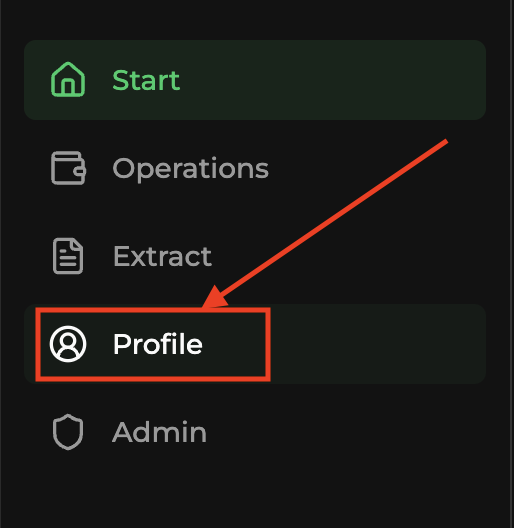 01
### Click the **API** tab [#click-the-api-tab]
01
### Click the **API** tab [#click-the-api-tab]
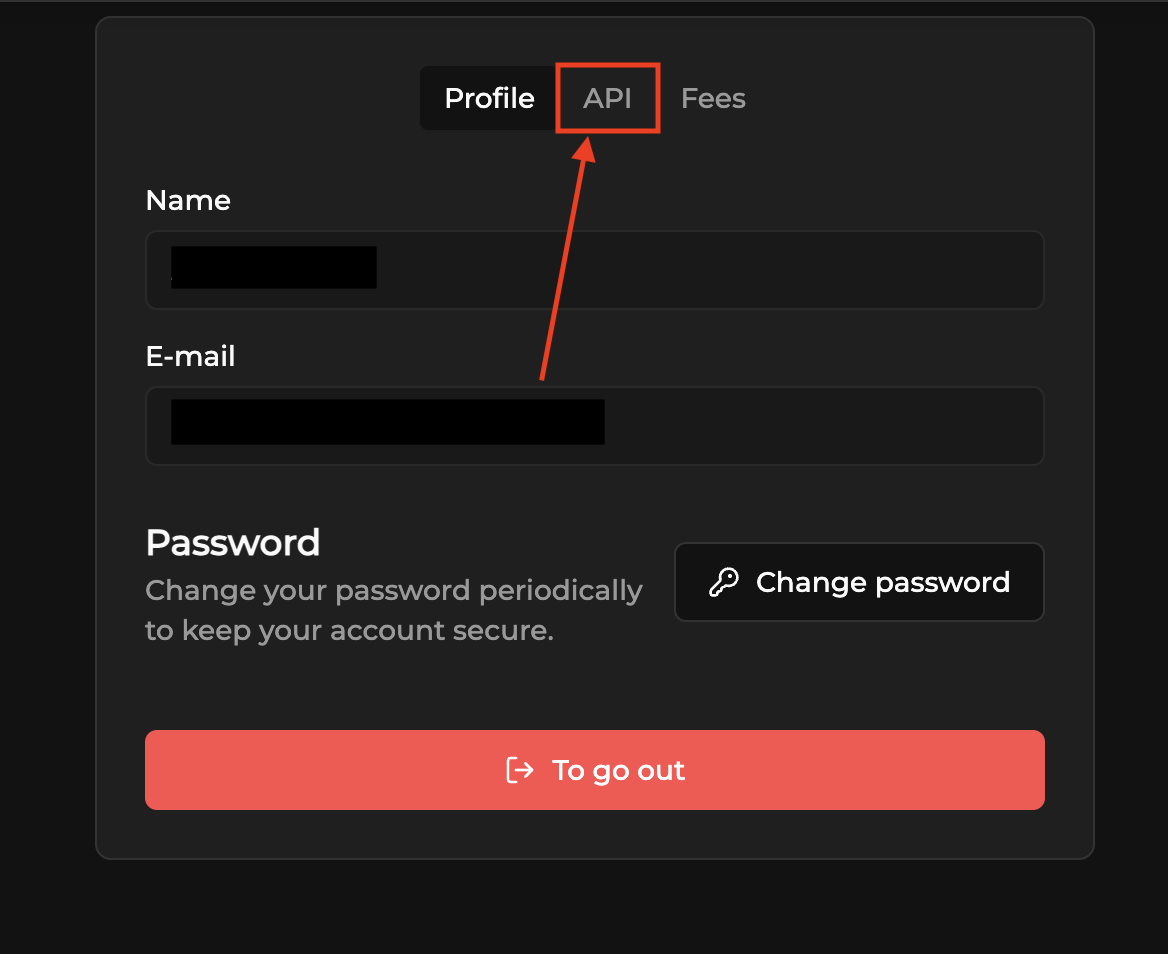 02
### Click **Manage tokens** [#click-manage-tokens]
02
### Click **Manage tokens** [#click-manage-tokens]
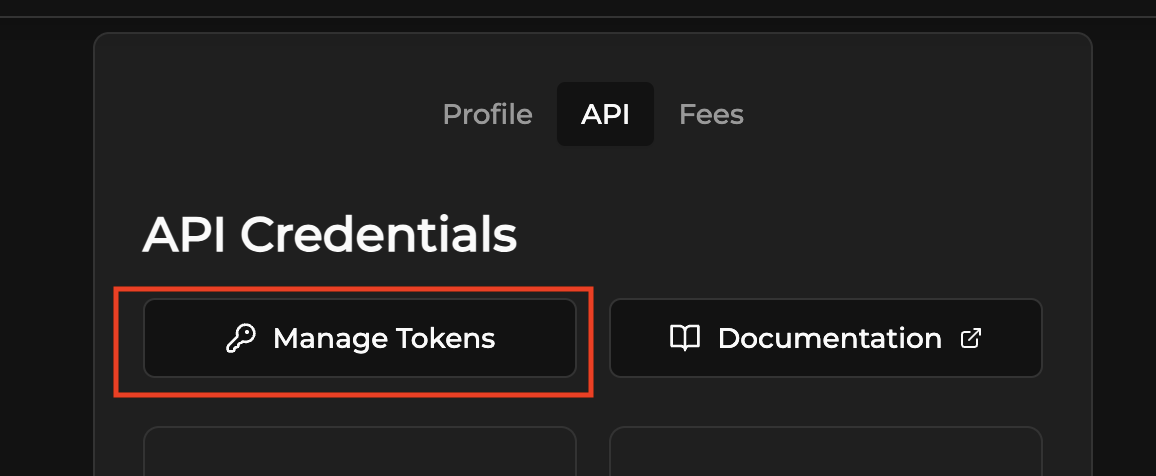 03
### Click **Authenticate** to start the 2FA setup [#click-authenticate-to-start-the-2fa-setup]
03
### Click **Authenticate** to start the 2FA setup [#click-authenticate-to-start-the-2fa-setup]
 04
### In the 2FA modal [#in-the-2fa-modal]
* **Scan the QR Code** with your authenticator app, or copy the
**secret code** and add it manually.
* Enter the **6-digit code** generated by the app.
* Click **Confirm and activate**.
04
### In the 2FA modal [#in-the-2fa-modal]
* **Scan the QR Code** with your authenticator app, or copy the
**secret code** and add it manually.
* Enter the **6-digit code** generated by the app.
* Click **Confirm and activate**.
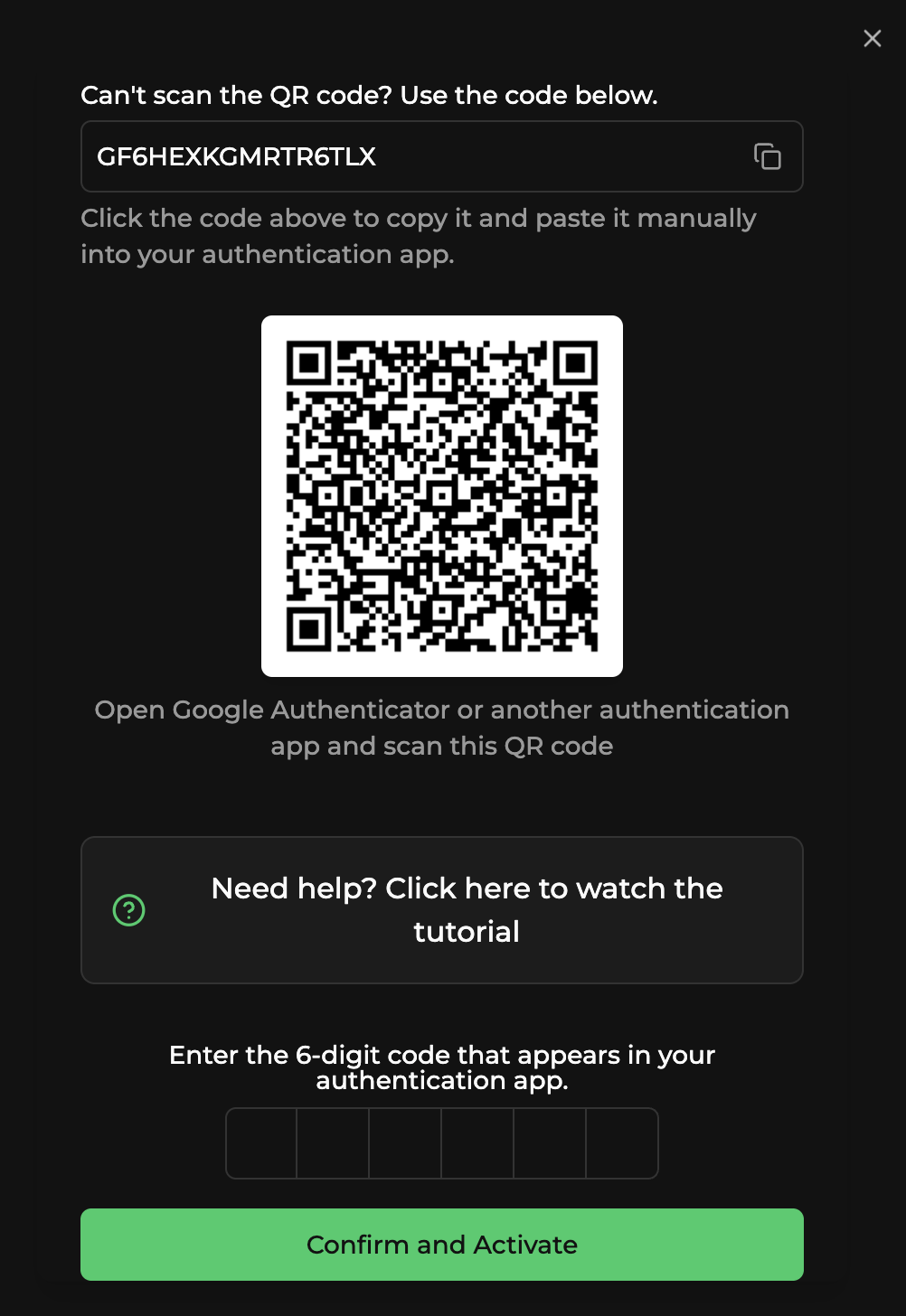 Done. Go back to **Manage tokens** and create an API token with the
required permissions.
***
## If you can't scan the QR (manual entry) [#if-you-cant-scan-the-qr-manual-entry]
**Google Authenticator** (or any TOTP app) generates time-based 6-digit
codes. To add your PayZu account manually:
1. Install a TOTP app from your phone's store (Google Play or App Store).
2. Open the app and tap the **+** button to add a new account.
3. Choose **Enter a setup key** or **Enter code
manually**.
4. Copy the **secret code** shown in the PayZu 2FA modal and paste it in
the app exactly as it is, for example:
```
```
5. Give the account a name (for example, **PayZu**).
6. The app will generate a **6-digit code** that changes every 30
seconds. Use this code to **Confirm and activate**.
Keep your 2FA setup and recovery information in a safe place.
You will need it if you change or lose your phone.
### Tutorial videos [#tutorial-videos]
* [Example 1](https://www.youtube.com/watch?v=47SzzwIAzNc)
* [Example 2](https://www.youtube.com/watch?v=R6p4591fVzc)
***
## Tips [#tips]
* If the code shows as **invalid**, check that your **phone's time** is
set to automatic synchronization and try
again.
* Keep your 2FA setup safe. If you change devices, you will need to
**reconfigure** 2FA.
# 2FA (Autenticação em dois fatores) (/docs/pix-processamento/two-factor)
A **Autenticação em dois fatores (2FA)** é obrigatória para criar tokens
de API e processar saques pelo dashboard. Essa camada protege sua conta
e seu dinheiro. Você pode usar qualquer app autenticador TOTP
(Time-based One-Time Password), como Google Authenticator, Microsoft
Authenticator, 1Password, Authy ou qualquer outro app TOTP compatível.
### Abra o **Perfil** no menu lateral [#abra-o-perfil-no-menu-lateral]
01
### Clique na aba **API** [#clique-na-aba-api]
02
### Clique em **Gerenciar tokens** [#clique-em-gerenciar-tokens]
03
### Clique em **Autenticar** para iniciar o setup da 2FA [#clique-em-autenticar-para-iniciar-o-setup-da-2fa]
04
### No modal da 2FA [#no-modal-da-2fa]
* **Escaneie o QR code** com seu app autenticador, ou copie o **código
secreto** e adicione manualmente.
* Digite o **código de 6 dígitos** gerado pelo app.
* Clique em **Confirmar e ativar**.
Pronto. Volte para **Gerenciar tokens** e crie um token de API com as
permissões necessárias.
***
## Se você não conseguir escanear o QR (entrada manual) [#se-você-não-conseguir-escanear-o-qr-entrada-manual]
O **Google Authenticator** (ou qualquer app TOTP) gera códigos de 6
dígitos baseados em tempo. Para adicionar sua conta PayZu manualmente:
1. Instale um app TOTP da loja do seu celular (Google Play ou App Store).
2. Abra o app e toque no botão **+** para adicionar uma nova conta.
3. Escolha **Inserir chave de configuração** ou **Inserir código
manualmente**.
4. Copie o **código secreto** mostrado no modal da 2FA do PayZu e cole no
app exatamente como está, por exemplo:
```
```
5. Dê um nome para a conta (por exemplo, **PayZu**).
6. O app vai gerar um **código de 6 dígitos** que muda a cada 30
segundos. Use esse código para **Confirmar e ativar**.
Guarde as informações de setup e recuperação da 2FA em local seguro.
Você vai precisar delas se trocar ou perder o celular.
### Vídeos tutoriais [#vídeos-tutoriais]
* [Exemplo 1](https://www.youtube.com/watch?v=47SzzwIAzNc)
* [Exemplo 2](https://www.youtube.com/watch?v=R6p4591fVzc)
***
## Dicas [#dicas]
* Se o código aparecer como **inválido**, verifique se o **horário do
celular** está configurado para sincronização automática e tente
novamente.
* Mantenha o setup da 2FA seguro. Se trocar de aparelho, será necessário
**reconfigurar** a 2FA.
# 2FA(双因素认证) (/docs/pix-processamento/two-factor.zh)
**双因素认证(2FA)** 是创建 API token 和通过 dashboard
处理提现的必要条件。这一层保护您的账户
和资金。您可以使用任何 TOTP(基于时间的一次性密码)
认证 app,如 Google Authenticator、Microsoft
Authenticator、1Password、Authy 或任何其他兼容的 TOTP app。
### 在侧边栏菜单中打开 **个人资料** [#在侧边栏菜单中打开-个人资料]
01
### 点击 **API** 选项卡 [#点击-api-选项卡]
02
### 点击 **管理 token** [#点击-管理-token]
03
### 点击 **认证** 开始 2FA 设置 [#点击-认证-开始-2fa-设置]
04
### 在 2FA 弹窗中 [#在-2fa-弹窗中]
* **使用认证 app 扫描 QR Code**,或复制 **密钥**
并手动添加。
* 输入 app 生成的 **6 位数字验证码**。
* 点击 **确认并激活**。
完成。返回 **管理 token**,使用所需权限创建
API token。
***
## 如果无法扫描 QR Code(手动输入) [#如果无法扫描-qr-code手动输入]
**Google Authenticator**(或任何 TOTP app)生成基于时间的
6 位数字验证码。手动添加您的 PayZu 账户:
1. 从手机应用商店(Google Play 或 App Store)安装 TOTP app。
2. 打开 app 并点击 **+** 按钮添加新账户。
3. 选择 **输入设置密钥** 或 **手动输入
验证码**。
4. 复制 PayZu 2FA 弹窗中显示的 **密钥**,并按原样粘贴到
app 中,例如:
```
<您的密钥>
```
5. 为账户命名(例如 **PayZu**)。
6. app 将生成每 30 秒变化一次的 **6 位数字验证码**。
使用此验证码 **确认并激活**。
请将 2FA 的设置和恢复信息保存在安全的地方。
如果更换或丢失手机,您将需要这些信息。
### 教程视频 [#教程视频]
* [示例 1](https://www.youtube.com/watch?v=47SzzwIAzNc)
* [示例 2](https://www.youtube.com/watch?v=R6p4591fVzc)
***
## 提示 [#提示]
* 如果验证码显示为 **无效**,请检查 **手机时间**
是否设置为自动同步,然后再试
一次。
* 妥善保管 2FA 设置。如果更换设备,将需要
**重新配置** 2FA。
# Webhooks (/docs/pix-processamento/webhooks.en)
PayZu's webhook system sends real-time notifications about
status changes for your transactions. When you create a transaction
and provide a `callbackUrl`, our system sends updates to that
URL every time the status changes.
## What is a webhook (callback) [#what-is-a-webhook-callback]
A **webhook** (also called a **callback**) is a `POST` request that **PayZu sends to your server** when something happens. Unlike the regular API (where you call PayZu), here it's the opposite: PayZu calls you.
Think of a Pix charge. You created it, displayed the QR to the customer, and now you need to know when the customer pays. Two options:
1. **Polling**, keep asking every X seconds "paid yet? paid yet?" (costly, slow, unnecessary).
2. **Webhook**, let PayZu notify you as soon as the payment arrives (instant, efficient, recommended).
## How to configure [#how-to-configure]
**There is no separate endpoint to "register a webhook"**. The URL is provided **on each transaction created**, in the `callbackUrl` field of the body:
```json
{
"amount": 99.90,
"callbackUrl": "https://yoursite.com/webhooks/payzu",
"clientReference": "order-2025-001"
}
```
PayZu will send the callback to that URL **every time that transaction changes status** (PENDING → COMPLETED, COMPLETED → REFUNDED, etc).
### Create a public endpoint on your server [#create-a-public-endpoint-on-your-server]
Somewhere accessible over the internet that accepts `POST` with JSON. Examples: `https://yoursite.com/webhooks/payzu`, `https://api.yourcompany.com/payzu/callback`.
During local development, use tunnels like [ngrok](https://ngrok.com) or [Cloudflare Tunnel](https://developers.cloudflare.com/cloudflare-one/connections/connect-networks/) to expose `localhost`.
### Pass the URL when creating the transaction [#pass-the-url-when-creating-the-transaction]
On every `POST /pix`, `POST /withdraw`, `POST /internal-transfer`, include the `callbackUrl` field. It can be the same URL for all of them.
### Implement the handler [#implement-the-handler]
Receive the `POST`, read the JSON, process it and respond `2xx` within 5 seconds. See examples in [Receive Pix · step 3](/docs/pix-processamento/tutoriais/receive-pix#receber-callback-quando-pago).
Required header on the `POST` sent by PayZu: `Content-Type: application/json`.
## Retry system [#retry-system]
PayZu's webhooks have a robust retry system that ensures
delivery even during temporary failures. PayZu resends **up to 72 times** the
same callback with exponential backoff and jitter, better distributing
the load and avoiding request spikes.
**Response time:** the webhook must respond with `HTTP 200 OK` within
**5 seconds**. If it exceeds this time, the system considers it a timeout
and starts the retry process.
## Security [#security]
To ensure integrity and security, **restrict access** to your
webhook endpoint. Request PayZu Processamento's official IP from
support and accept callbacks only from that origin.
## Payload fields [#payload-fields]
### Identification [#identification]
| Field | Type | Description |
| ----------------- | ------ | -------------------------------------------------------------------------------------------------------------- |
| `id` | string | Transaction ID |
| `clientReference` | string | External reference you provided |
| `virtualAccount` | string | Virtual subaccount (up to 50 characters). Returns in the callback to correlate stores, branches, marketplaces. |
| `callbackUrl` | string | URL configured to receive this webhook |
### Status and values [#status-and-values]
| Field | Type | Description |
| ------------------- | ------ | ---------------------------------------------------------------------------------------- |
| `status` | string | `PENDING`, `COMPLETED`, `CANCELED`, `WAITING_FOR_REFUND`, `REFUNDED`, `EXPIRED`, `ERROR` |
| `type` | string | `DEPOSIT`, `WITHDRAW`, `INTERNAL_TRANSFER` |
| `amount` | number | Amount in BRL |
| `serviceFeeCharged` | number | Fee charged |
### Generated charge (deposit) [#generated-charge-deposit]
| Field | Type | Description |
| ------------------- | ------ | ------------------------------- |
| `qrCodeText` | string | Pix copy-and-paste code |
| `qrCodeUrl` | string | QR Code image URL |
| `qrCodeBase64` | string | QR Code image in Base64 format |
| `generatedName` | string | Reference name |
| `generatedDocument` | string | CPF or CNPJ |
| `generatedEmail` | string | Email linked to the transaction |
### Payer [#payer]
| Field | Type | Description |
| ---------------------- | ------ | --------------------------------------------------------------------- |
| `payerName` | string | Payer's name |
| `payerDocument` | string | Payer's document |
| `payerInstitutionIspb` | string | ISPB of the payer's bank |
| `payerInstitutionName` | string | Payer's bank name |
| `payerAccountNumber` | string | Payer's PayZu account (6 digits). Present only on internal transfers. |
### Receiver [#receiver]
| Field | Type | Description |
| ------------------------- | ------ | ------------------------------------------------------------------------ |
| `receiverName` | string | Receiver's name |
| `receiverDocument` | string | Receiver's document |
| `receiverInstitutionIspb` | string | ISPB of the receiver's bank |
| `receiverInstitutionName` | string | Receiver's bank name |
| `receiverAccountNumber` | string | Receiver's PayZu account (6 digits). Present only on internal transfers. |
### Withdrawal via Pix key [#withdrawal-via-pix-key]
| Field | Type | Description |
| ----------------- | ------ | -------------------------------------- |
| `withdrawPixKey` | string | Pix key used in the withdrawal |
| `withdrawPixType` | string | `cpf`, `cnpj`, `phone`, `email`, `evp` |
### Settlement and refund [#settlement-and-refund]
| Field | Type | Description |
| -------------------- | ------ | ---------------------------------- |
| `endToEndId` | string | Pix EndToEnd ID |
| `paidAt` | string | Payment timestamp (ISO 8601) |
| `cancellationReason` | string | Cancellation reason |
| `refundEndToEndId` | string | Refund EndToEnd ID |
| `refundAmount` | string | Refunded amount |
| `refundStatus` | string | `PENDING`, `COMPLETED`, `CANCELED` |
| `refundReason` | string | Refund reason |
| `refundDescription` | string | Refund description |
| `refundedAt` | string | Refund timestamp (ISO 8601) |
### Timestamps [#timestamps]
| Field | Type | Description |
| ----------- | ------ | ----------------------------- |
| `createdAt` | string | Creation timestamp (ISO 8601) |
| `updatedAt` | string | Update timestamp (ISO 8601) |
### Infraction (Pix dispute) [#infraction-pix-dispute]
| Field | Type | Description |
| ------------ | ------ | ----------------------------------------------------------------------- |
| `infraction` | object | Infraction details when opened (see [MED](/docs/pix-processamento/med)) |
## Best practices [#best-practices]
* **Respond fast**: return `2xx` in under 5s. Process heavy work in
queues/workers, not in the handler.
* **Idempotency**: store `id` + `status` to deduplicate. The same
callback may arrive more than once (retries, successive changes).
* **Use `clientReference`**: pass an external identifier when creating the
transaction. It returns in the callback and makes it easier to correlate with your order.
* **Restrict by IP**: only accept callbacks from PayZu's official IP.
## Inspection and resend [#inspection-and-resend]
The API exposes the full list of callbacks sent:
* [`GET /user/callbacks`](/docs/pix-processamento/endpoints/callbacks/get_user_callbacks), paginated list
* [`GET /user/callbacks/{id}`](/docs/pix-processamento/endpoints/callbacks/get_user_callback_by_id), details
* [`POST /user/callbacks/resend/{transactionId}`](/docs/pix-processamento/endpoints/callbacks/resend_user_callback_single), resend callback for a transaction
* [`POST /user/callbacks/resend`](/docs/pix-processamento/endpoints/callbacks/resend_user_callbacks), batch resend
# Webhooks (/docs/pix-processamento/webhooks)
O sistema de webhooks da PayZu envia notificações em tempo real sobre
mudanças de status das suas transações. Quando você cria uma transação
e fornece um `callbackUrl`, nosso sistema envia atualizações para essa
URL toda vez que houver mudança de status.
## O que é um webhook (callback) [#o-que-é-um-webhook-callback]
Um **webhook** (também chamado de **callback**) é uma requisição `POST` que **a PayZu envia para o seu servidor** quando algo acontece. Ao contrário da API normal (onde você chama a PayZu), aqui é o oposto: a PayZu chama você.
Pensa numa cobrança Pix. Você criou ela, exibiu o QR ao cliente, e agora precisa saber quando o cliente paga. Duas opções:
1. **Polling**, ficar perguntando a cada X segundos "já pagou? já pagou?" (custoso, lento, desnecessário).
2. **Webhook**, deixar a PayZu te avisar assim que o pagamento entrar (instantâneo, eficiente, recomendado).
## Como configurar [#como-configurar]
**Não existe endpoint separado para "cadastrar webhook"**. A URL é informada **a cada transação criada**, no campo `callbackUrl` do body:
```json
{
"amount": 99.90,
"callbackUrl": "https://seusite.com.br/webhooks/payzu",
"clientReference": "pedido-2025-001"
}
```
A PayZu vai enviar o callback para essa URL **toda vez que aquela transação mudar de status** (PENDING → COMPLETED, COMPLETED → REFUNDED, etc).
### Crie um endpoint público no seu servidor [#crie-um-endpoint-público-no-seu-servidor]
Algum lugar acessível pela internet que aceite `POST` com JSON. Exemplos: `https://seusite.com.br/webhooks/payzu`, `https://api.suaempresa.com/payzu/callback`.
Durante desenvolvimento local, use túneis como [ngrok](https://ngrok.com) ou [Cloudflare Tunnel](https://developers.cloudflare.com/cloudflare-one/connections/connect-networks/) pra expor o `localhost`.
### Passe a URL ao criar a transação [#passe-a-url-ao-criar-a-transação]
Em todo `POST /pix`, `POST /withdraw`, `POST /internal-transfer`, inclua o campo `callbackUrl`. Pode ser a mesma URL pra todos.
### Implemente o handler [#implemente-o-handler]
Receba o `POST`, leia o JSON, processe e responda `2xx` em até 5 segundos. Veja exemplos em [Receber Pix · passo 3](/docs/pix-processamento/tutoriais/receive-pix#receber-callback-quando-pago).
Header obrigatório no `POST` enviado pela PayZu: `Content-Type: application/json`.
## Sistema de retry [#sistema-de-retry]
Os webhooks da PayZu têm um sistema robusto de retentativa que garante a
entrega mesmo em falhas temporárias. A PayZu reenvia **até 72 vezes** o
mesmo callback com backoff exponencial e jitter, distribuindo melhor a
carga e evitando picos de requisições.
**Tempo de resposta:** o webhook deve responder com `HTTP 200 OK` em
até **5 segundos**. Se exceder esse tempo, o sistema considera timeout
e inicia o processo de retentativa.
## Segurança [#segurança]
Para garantir integridade e segurança, **restrinja o acesso** ao seu
endpoint de webhook. Solicite o IP oficial da PayZu Processamento ao
suporte e aceite callbacks apenas dessa origem.
## Campos do payload [#campos-do-payload]
### Identificação [#identificação]
| Campo | Tipo | Descrição |
| ----------------- | ------ | -------------------------------------------------------------------------------------------------------- |
| `id` | string | ID da transação |
| `clientReference` | string | Referência externa que você forneceu |
| `virtualAccount` | string | Subconta virtual (até 50 caracteres). Volta no callback para correlacionar lojas, filiais, marketplaces. |
| `callbackUrl` | string | URL configurada para receber este webhook |
### Status e valores [#status-e-valores]
| Campo | Tipo | Descrição |
| ------------------- | ------ | ---------------------------------------------------------------------------------------- |
| `status` | string | `PENDING`, `COMPLETED`, `CANCELED`, `WAITING_FOR_REFUND`, `REFUNDED`, `EXPIRED`, `ERROR` |
| `type` | string | `DEPOSIT`, `WITHDRAW`, `INTERNAL_TRANSFER` |
| `amount` | number | Valor em BRL |
| `serviceFeeCharged` | number | Tarifa cobrada |
### Cobrança gerada (depósito) [#cobrança-gerada-depósito]
| Campo | Tipo | Descrição |
| ------------------- | ------ | ----------------------------------- |
| `qrCodeText` | string | Código Pix copia-e-cola |
| `qrCodeUrl` | string | URL da imagem do QR Code |
| `qrCodeBase64` | string | Imagem do QR Code em formato Base64 |
| `generatedName` | string | Nome de referência |
| `generatedDocument` | string | CPF ou CNPJ |
| `generatedEmail` | string | Email vinculado à transação |
### Pagador [#pagador]
| Campo | Tipo | Descrição |
| ---------------------- | ------ | ------------------------------------------------------------------------------- |
| `payerName` | string | Nome do pagador |
| `payerDocument` | string | Documento do pagador |
| `payerInstitutionIspb` | string | ISPB do banco do pagador |
| `payerInstitutionName` | string | Nome do banco do pagador |
| `payerAccountNumber` | string | Conta PayZu do pagador (6 dígitos). Presente apenas em transferências internas. |
### Recebedor [#recebedor]
| Campo | Tipo | Descrição |
| ------------------------- | ------ | ------------------------------------------------------------------------------------ |
| `receiverName` | string | Nome do destinatário |
| `receiverDocument` | string | Documento do destinatário |
| `receiverInstitutionIspb` | string | ISPB do banco do destinatário |
| `receiverInstitutionName` | string | Nome do banco do destinatário |
| `receiverAccountNumber` | string | Conta PayZu do destinatário (6 dígitos). Presente apenas em transferências internas. |
### Saque via chave Pix [#saque-via-chave-pix]
| Campo | Tipo | Descrição |
| ----------------- | ------ | -------------------------------------- |
| `withdrawPixKey` | string | Chave Pix usada no saque |
| `withdrawPixType` | string | `cpf`, `cnpj`, `phone`, `email`, `evp` |
### Liquidação e estorno [#liquidação-e-estorno]
| Campo | Tipo | Descrição |
| -------------------- | ------ | ---------------------------------- |
| `endToEndId` | string | EndToEnd ID do Pix |
| `paidAt` | string | Timestamp do pagamento (ISO 8601) |
| `cancellationReason` | string | Motivo do cancelamento |
| `refundEndToEndId` | string | EndToEnd ID do estorno |
| `refundAmount` | string | Valor estornado |
| `refundStatus` | string | `PENDING`, `COMPLETED`, `CANCELED` |
| `refundReason` | string | Motivo do estorno |
| `refundDescription` | string | Descrição do estorno |
| `refundedAt` | string | Timestamp do estorno (ISO 8601) |
### Timestamps [#timestamps]
| Campo | Tipo | Descrição |
| ----------- | ------ | ----------------------------------- |
| `createdAt` | string | Timestamp de criação (ISO 8601) |
| `updatedAt` | string | Timestamp de atualização (ISO 8601) |
### Infração (disputa Pix) [#infração-disputa-pix]
| Campo | Tipo | Descrição |
| ------------ | ------ | --------------------------------------------------------------------------- |
| `infraction` | object | Detalhes da infração quando aberta (ver [MED](/docs/pix-processamento/med)) |
## Boas práticas [#boas-práticas]
* **Responda rápido**: devolva `2xx` em menos de 5s. Processe pesado em
fila/worker, não no handler.
* **Idempotência**: armazene `id` + `status` para deduplicar. O mesmo
callback pode chegar mais de uma vez (retentativa, mudanças sucessivas).
* **Use `clientReference`**: passe um identificador externo na criação da
transação. Volta no callback e facilita correlacionar com seu pedido.
* **Restrinja por IP**: aceite callbacks apenas do IP oficial da PayZu.
## Inspeção e reenvio [#inspeção-e-reenvio]
A API expõe a lista completa de callbacks enviados:
* [`GET /user/callbacks`](/docs/pix-processamento/endpoints/callbacks/get_user_callbacks), lista paginada
* [`GET /user/callbacks/{id}`](/docs/pix-processamento/endpoints/callbacks/get_user_callback_by_id), detalhes
* [`POST /user/callbacks/resend/{transactionId}`](/docs/pix-processamento/endpoints/callbacks/resend_user_callback_single), reenviar callback de uma transação
* [`POST /user/callbacks/resend`](/docs/pix-processamento/endpoints/callbacks/resend_user_callbacks), reenvio em lote
# Webhooks (/docs/pix-processamento/webhooks.zh)
PayZu 的 webhook 系统实时发送您交易状态变更
的通知。当您创建一笔交易
并提供 `callbackUrl` 时,我们的系统会在每次状态变更时
向该 URL 发送更新。
## 什么是 webhook(callback) [#什么是-webhookcallback]
**webhook**(也称为 **callback**)是一个 `POST` 请求,当某些事件发生时 **由 PayZu 发送到您的服务器**。与普通 API(您调用 PayZu)相反,这里是反向的:PayZu 调用您。
设想一笔 Pix 收款。您创建了订单,向客户展示了 QR Code,现在需要知道客户何时付款。有两种方式:
1. **轮询**,每隔 X 秒询问一次"付了吗?付了吗?"(成本高、慢、不必要)。
2. **webhook**,让 PayZu 在付款到账时通知您(即时、高效、推荐)。
## 如何配置 [#如何配置]
**没有单独的"注册 webhook"endpoint**。URL 在 **每次创建交易时** 通过 body 中的 `callbackUrl` 字段提供:
```json
{
"amount": 99.90,
"callbackUrl": "https://seusite.com.br/webhooks/payzu",
"clientReference": "pedido-2025-001"
}
```
PayZu 会在 **该交易每次状态变更时**(PENDING → COMPLETED、COMPLETED → REFUNDED 等)向该 URL 发送 callback。
### 在您的服务器上创建一个公开 endpoint [#在您的服务器上创建一个公开-endpoint]
任何可通过互联网访问、接受 JSON `POST` 请求的地址。例如:`https://seusite.com.br/webhooks/payzu`、`https://api.suaempresa.com/payzu/callback`。
本地开发期间,使用 [ngrok](https://ngrok.com) 或 [Cloudflare Tunnel](https://developers.cloudflare.com/cloudflare-one/connections/connect-networks/) 等隧道工具暴露 `localhost`。
### 创建交易时传入 URL [#创建交易时传入-url]
在每个 `POST /pix`、`POST /withdraw`、`POST /internal-transfer` 中,都包含 `callbackUrl` 字段。所有交易可使用同一个 URL。
### 实现 handler [#实现-handler]
接收 `POST`、读取 JSON、处理并在 5 秒内返回 `2xx`。请参见 [接收 Pix · 步骤 3](/docs/pix-processamento/tutoriais/receive-pix#receber-callback-quando-pago) 中的示例。
PayZu 发送的 `POST` 必须携带的 header:`Content-Type: application/json`。
## 重试机制 [#重试机制]
PayZu 的 webhook 具有强大的重试机制,即使在临时故障时
也能确保送达。PayZu 会以指数退避加抖动的方式 **最多重发 72 次**
相同的 callback,从而更好地分散
负载并避免请求峰值。
\*\*响应时间:\*\*webhook 必须在 **5 秒内** 返回 `HTTP 200 OK`。
超过该时间,系统会判定为超时
并启动重试流程。
## 安全 [#安全]
为保证完整性与安全性,请 **限制访问**
您的 webhook endpoint。请向支持团队索取 PayZu Processamento 的
官方 IP,并仅接受来自该来源的 callback。
## payload 字段 [#payload-字段]
### 标识 [#标识]
| 字段 | 类型 | 说明 |
| ----------------- | ------ | ------------------------------------------------------ |
| `id` | string | 交易 ID |
| `clientReference` | string | 您提供的外部引用 |
| `virtualCount` | string | 虚拟子账户(最长 50 字符)。在 callback 中返回,用于关联门店、分支或 marketplace。 |
| `callbackUrl` | string | 用于接收此 webhook 的 URL |
### 状态与金额 [#状态与金额]
| 字段 | 类型 | 说明 |
| ------------------- | ------ | ---------------------------------------------------------------------------------- |
| `status` | string | `PENDING`、`COMPLETED`、`CANCELED`、`WAITING_FOR_REFUND`、`REFUNDED`、`EXPIRED`、`ERROR` |
| `type` | string | `DEPOSIT`、`WITHDRAW`、`INTERNAL_TRANSFER` |
| `amount` | number | 金额(BRL) |
| `serviceFeeCharged` | number | 已收取的手续费 |
### 生成的收款(存款) [#生成的收款存款]
| 字段 | 类型 | 说明 |
| ------------------- | ------ | --------------------- |
| `qrCodeText` | string | Pix 复制粘贴码 |
| `qrCodeUrl` | string | QR Code 图片 URL |
| `qrCodeBase64` | string | Base64 格式的 QR Code 图片 |
| `generatedName` | string | 引用名称 |
| `generatedDocument` | string | CPF 或 CNPJ |
| `generatedEmail` | string | 与交易关联的邮箱 |
### 付款方 [#付款方]
| 字段 | 类型 | 说明 |
| ---------------------- | ------ | ----------------------------- |
| `payerName` | string | 付款方姓名 |
| `payerDocument` | string | 付款方证件号 |
| `payerInstitutionIspb` | string | 付款方银行的 ISPB |
| `payerInstitutionName` | string | 付款方银行名称 |
| `payerAccountNumber` | string | 付款方的 PayZu 账户(6 位)。仅在内部转账中出现。 |
### 收款方 [#收款方]
| 字段 | 类型 | 说明 |
| ------------------------- | ------ | ----------------------------- |
| `receiverName` | string | 收款方姓名 |
| `receiverDocument` | string | 收款方证件号 |
| `receiverInstitutionIspb` | string | 收款方银行的 ISPB |
| `receiverInstitutionName` | string | 收款方银行名称 |
| `receiverAccountNumber` | string | 收款方的 PayZu 账户(6 位)。仅在内部转账中出现。 |
### 通过 Pix 密钥提现 [#通过-pix-密钥提现]
| 字段 | 类型 | 说明 |
| ----------------- | ------ | ---------------------------------- |
| `withdrawPixKey` | string | 提现使用的 Pix 密钥 |
| `withdrawPixType` | string | `cpf`、`cnpj`、`phone`、`email`、`evp` |
### 清算与退款 [#清算与退款]
| 字段 | 类型 | 说明 |
| -------------------- | ------ | -------------------------------- |
| `endToEndId` | string | Pix 的 EndToEnd ID |
| `paidAt` | string | 支付时间戳(ISO 8601) |
| `cancellationReason` | string | 取消原因 |
| `refundEndToEndId` | string | 退款的 EndToEnd ID |
| `refundAmount` | string | 退款金额 |
| `refundStatus` | string | `PENDING`、`COMPLETED`、`CANCELED` |
| `refundReason` | string | 退款原因 |
| `refundDescription` | string | 退款描述 |
| `refundedAt` | string | 退款时间戳(ISO 8601) |
### 时间戳 [#时间戳]
| 字段 | 类型 | 说明 |
| ----------- | ------ | --------------- |
| `createdAt` | string | 创建时间戳(ISO 8601) |
| `updatedAt` | string | 更新时间戳(ISO 8601) |
### 违规(Pix 争议) [#违规pix-争议]
| 字段 | 类型 | 说明 |
| ------------ | ------ | ----------------------------------------------- |
| `infraction` | object | 违规开启时的详情(参见 [MED](/docs/pix-processamento/med)) |
## 最佳实践 [#最佳实践]
* **快速响应**:在 5 秒内返回 `2xx`。重处理交给
队列/worker,不要放在 handler 中。
* **幂等性**:存储 `id` + `status` 以进行去重。同一个
callback 可能会到达多次(重试、连续状态变更)。
* **使用 `clientReference`**:创建交易时传入
外部标识。会在 callback 中返回,便于与您的订单关联。
* **按 IP 限制**:仅接受来自 PayZu 官方 IP 的 callback。
## 查询与重发 [#查询与重发]
API 暴露了已发送 callback 的完整列表:
* [`GET /user/callbacks`](/docs/pix-processamento/endpoints/callbacks/get_user_callbacks),分页列表
* [`GET /user/callbacks/{id}`](/docs/pix-processamento/endpoints/callbacks/get_user_callback_by_id),详情
* [`POST /user/callbacks/resend/{transactionId}`](/docs/pix-processamento/endpoints/callbacks/resend_user_callback_single),重发某笔交易的 callback
* [`POST /user/callbacks/resend`](/docs/pix-processamento/endpoints/callbacks/resend_user_callbacks),批量重发
# Handling callbacks (/docs/pix-processamento/best-practices/callbacks.en)
PayZu sends real-time callbacks to your `callbackUrl` every time a transaction changes status. The main rule: **respond 2xx within 5 seconds**. Anyone who doesn't respond quickly ends up in the retry queue (up to 72 attempts, exponential backoff).
## Recommended pattern: enqueue and return 2xx [#recommended-pattern-enqueue-and-return-2xx]
Do heavy processing outside the handler. The handler **only receives, enqueues, and responds**.
```ts
import express from 'express';
const app = express();
app.post('/webhooks/payzu', express.json(), async (req, res) => {
await queue.enqueue('payzu-callback', req.body);
res.status(204).end();
});
```
```python
from flask import Flask, request
app = Flask(__name__)
@app.post('/webhooks/payzu')
def payzu_webhook():
queue.enqueue('payzu_callback', request.get_json())
return '', 204
```
```go
http.HandleFunc("/webhooks/payzu", func(w http.ResponseWriter, r *http.Request) {
var payload map[string]any
if err := json.NewDecoder(r.Body).Decode(&payload); err != nil {
w.WriteHeader(http.StatusBadRequest)
return
}
queue.Enqueue("payzu-callback", payload)
w.WriteHeader(http.StatusNoContent)
})
```
```php
enqueue('payzu-callback', $payload);
http_response_code(204);
```
## Testing locally [#testing-locally]
Expose your localhost via [ngrok](https://ngrok.com) or [Cloudflare Tunnel](https://developers.cloudflare.com/cloudflare-one/connections/connect-networks/) and trigger the payload manually:
```bash
curl -X POST https://your-tunnel.ngrok.io/webhooks/payzu \
-H "Content-Type: application/json" \
-d '{
"id": "PAYZU20251123104518DF75D20A8F",
"type": "DEPOSIT",
"status": "COMPLETED",
"amount": 99.90,
"clientReference": "order-1234",
"virtualAccount": "loja-rj-01",
"paidAt": "2025-11-23T10:46:26.986Z"
}'
```
```ts
await fetch('https://your-tunnel.ngrok.io/webhooks/payzu', {
method: 'POST',
headers: { 'Content-Type': 'application/json' },
body: JSON.stringify({
id: 'PAYZU20251123104518DF75D20A8F',
type: 'DEPOSIT',
status: 'COMPLETED',
amount: 99.90,
clientReference: 'order-1234',
virtualAccount: 'loja-rj-01',
paidAt: '2025-11-23T10:46:26.986Z',
}),
});
```
```python
import requests
requests.post(
'https://your-tunnel.ngrok.io/webhooks/payzu',
headers={'Content-Type': 'application/json'},
json={
'id': 'PAYZU20251123104518DF75D20A8F',
'type': 'DEPOSIT',
'status': 'COMPLETED',
'amount': 99.90,
'clientReference': 'order-1234',
'virtualAccount': 'loja-rj-01',
'paidAt': '2025-11-23T10:46:26.986Z',
},
)
```
## Resending a real callback [#resending-a-real-callback]
To reprocess a callback that failed on your side (after fixing the handler), use the resend endpoints:
* [`POST /user/callbacks/resend/{transactionId}`](/docs/pix-processamento/endpoints/callbacks/resend_user_callback_single), a specific transaction
* [`POST /user/callbacks/resend`](/docs/pix-processamento/endpoints/callbacks/resend_user_callbacks), in batch
## Inspecting history [#inspecting-history]
PayZu stores every delivery attempt. Useful for investigating failures:
* [`GET /user/callbacks`](/docs/pix-processamento/endpoints/callbacks/get_user_callbacks), paginated list
* [`GET /user/callbacks/{id}`](/docs/pix-processamento/endpoints/callbacks/get_user_callback_by_id), detail with status code, response body, response time
## Common pitfalls [#common-pitfalls]
| Pitfall | Symptom |
| ----------------------------------------------------- | ------------------------------------- |
| Synchronous processing in the handler | Timeouts, retries, double bookkeeping |
| Returning 4xx due to internal validation error | PayZu doesn't retry, callback lost |
| Dedupe by `id` only | Refund (`REFUNDED`) is ignored |
| Endpoint with no IP protection | Endpoint may receive forged payloads |
| Logger prints payload without masking `payerDocument` | LGPD risk |
# Lidando com callbacks (/docs/pix-processamento/best-practices/callbacks)
A PayZu envia callbacks em tempo real para sua `callbackUrl` toda vez que uma transação muda de status. A regra principal: **responda 2xx em até 5 segundos**. Quem não responde rápido vira fila de retry (até 72 tentativas, backoff exponencial).
## Padrão recomendado: enfileira e devolve 2xx [#padrão-recomendado-enfileira-e-devolve-2xx]
Processe pesado fora do handler. O handler **só recebe, enfileira e responde**.
```ts
import express from 'express';
const app = express();
app.post('/webhooks/payzu', express.json(), async (req, res) => {
await queue.enqueue('payzu-callback', req.body);
res.status(204).end();
});
```
```python
from flask import Flask, request
app = Flask(__name__)
@app.post('/webhooks/payzu')
def payzu_webhook():
queue.enqueue('payzu_callback', request.get_json())
return '', 204
```
```go
http.HandleFunc("/webhooks/payzu", func(w http.ResponseWriter, r *http.Request) {
var payload map[string]any
if err := json.NewDecoder(r.Body).Decode(&payload); err != nil {
w.WriteHeader(http.StatusBadRequest)
return
}
queue.Enqueue("payzu-callback", payload)
w.WriteHeader(http.StatusNoContent)
})
```
```php
enqueue('payzu-callback', $payload);
http_response_code(204);
```
## Testar localmente [#testar-localmente]
Exponha seu localhost via [ngrok](https://ngrok.com) ou [Cloudflare Tunnel](https://developers.cloudflare.com/cloudflare-one/connections/connect-networks/) e dispare o payload manualmente:
```bash
curl -X POST https://seu-tunel.ngrok.io/webhooks/payzu \
-H "Content-Type: application/json" \
-d '{
"id": "PAYZU20251123104518DF75D20A8F",
"type": "DEPOSIT",
"status": "COMPLETED",
"amount": 99.90,
"clientReference": "order-1234",
"virtualAccount": "loja-rj-01",
"paidAt": "2025-11-23T10:46:26.986Z"
}'
```
```ts
await fetch('https://seu-tunel.ngrok.io/webhooks/payzu', {
method: 'POST',
headers: { 'Content-Type': 'application/json' },
body: JSON.stringify({
id: 'PAYZU20251123104518DF75D20A8F',
type: 'DEPOSIT',
status: 'COMPLETED',
amount: 99.90,
clientReference: 'order-1234',
virtualAccount: 'loja-rj-01',
paidAt: '2025-11-23T10:46:26.986Z',
}),
});
```
```python
import requests
requests.post(
'https://seu-tunel.ngrok.io/webhooks/payzu',
headers={'Content-Type': 'application/json'},
json={
'id': 'PAYZU20251123104518DF75D20A8F',
'type': 'DEPOSIT',
'status': 'COMPLETED',
'amount': 99.90,
'clientReference': 'order-1234',
'virtualAccount': 'loja-rj-01',
'paidAt': '2025-11-23T10:46:26.986Z',
},
)
```
## Reenviar callback real [#reenviar-callback-real]
Para reprocessar um callback que falhou no seu lado (depois de ter ajustado o handler), use os endpoints de reenvio:
* [`POST /user/callbacks/resend/{transactionId}`](/docs/pix-processamento/endpoints/callbacks/resend_user_callback_single), uma transação específica
* [`POST /user/callbacks/resend`](/docs/pix-processamento/endpoints/callbacks/resend_user_callbacks), em lote
## Inspecionar o histórico [#inspecionar-o-histórico]
A PayZu guarda todas as tentativas de entrega. Útil para investigar falha:
* [`GET /user/callbacks`](/docs/pix-processamento/endpoints/callbacks/get_user_callbacks), lista paginada
* [`GET /user/callbacks/{id}`](/docs/pix-processamento/endpoints/callbacks/get_user_callback_by_id), detalhe com status code, response body, response time
## Armadilhas comuns [#armadilhas-comuns]
| Armadilha | Sintoma |
| --------------------------------------------------- | --------------------------------------- |
| Processamento síncrono no handler | Timeouts, retry, baixa em dobro |
| Responder 4xx por erro de validação interna | PayZu não retenta, callback perdido |
| Dedupe só por `id` | Estorno (`REFUNDED`) é ignorado |
| Endpoint sem proteção de IP | Endpoint pode receber payloads forjados |
| Logger imprime payload sem mascarar `payerDocument` | Risco LGPD |
# 处理回调 (/docs/pix-processamento/best-practices/callbacks.zh)
每当交易状态发生变化时,PayZu 会实时向您的 `callbackUrl` 发送回调。核心规则:**在 5 秒内返回 2xx 响应**。响应不够快的请求会进入重试队列(最多 72 次尝试,采用指数退避策略)。
## 推荐模式:入队并返回 2xx [#推荐模式入队并返回-2xx]
将重处理任务放在处理器之外执行。处理器**只负责接收、入队并响应**。
```ts
import express from 'express';
const app = express();
app.post('/webhooks/payzu', express.json(), async (req, res) => {
await queue.enqueue('payzu-callback', req.body);
res.status(204).end();
});
```
```python
from flask import Flask, request
app = Flask(__name__)
@app.post('/webhooks/payzu')
def payzu_webhook():
queue.enqueue('payzu_callback', request.get_json())
return '', 204
```
```go
http.HandleFunc("/webhooks/payzu", func(w http.ResponseWriter, r *http.Request) {
var payload map[string]any
if err := json.NewDecoder(r.Body).Decode(&payload); err != nil {
w.WriteHeader(http.StatusBadRequest)
return
}
queue.Enqueue("payzu-callback", payload)
w.WriteHeader(http.StatusNoContent)
})
```
```php
enqueue('payzu-callback', $payload);
http_response_code(204);
```
## 本地测试 [#本地测试]
通过 [ngrok](https://ngrok.com) 或 [Cloudflare Tunnel](https://developers.cloudflare.com/cloudflare-one/connections/connect-networks/) 暴露本地服务,然后手动触发 payload:
```bash
curl -X POST https://seu-tunel.ngrok.io/webhooks/payzu \
-H "Content-Type: application/json" \
-d '{
"id": "PAYZU20251123104518DF75D20A8F",
"type": "DEPOSIT",
"status": "COMPLETED",
"amount": 99.90,
"clientReference": "order-1234",
"virtualAccount": "loja-rj-01",
"paidAt": "2025-11-23T10:46:26.986Z"
}'
```
```ts
await fetch('https://seu-tunel.ngrok.io/webhooks/payzu', {
method: 'POST',
headers: { 'Content-Type': 'application/json' },
body: JSON.stringify({
id: 'PAYZU20251123104518DF75D20A8F',
type: 'DEPOSIT',
status: 'COMPLETED',
amount: 99.90,
clientReference: 'order-1234',
virtualAccount: 'loja-rj-01',
paidAt: '2025-11-23T10:46:26.986Z',
}),
});
```
```python
import requests
requests.post(
'https://seu-tunel.ngrok.io/webhooks/payzu',
headers={'Content-Type': 'application/json'},
json={
'id': 'PAYZU20251123104518DF75D20A8F',
'type': 'DEPOSIT',
'status': 'COMPLETED',
'amount': 99.90,
'clientReference': 'order-1234',
'virtualAccount': 'loja-rj-01',
'paidAt': '2025-11-23T10:46:26.986Z',
},
)
```
## 重新发送真实回调 [#重新发送真实回调]
如需重新处理在您侧失败的回调(在修复处理器之后),请使用重发端点:
* [`POST /user/callbacks/resend/{transactionId}`](/docs/pix-processamento/endpoints/callbacks/resend_user_callback_single),针对特定交易
* [`POST /user/callbacks/resend`](/docs/pix-processamento/endpoints/callbacks/resend_user_callbacks),批量重发
## 查看历史记录 [#查看历史记录]
PayZu 保留所有送达尝试记录,便于排查故障:
* [`GET /user/callbacks`](/docs/pix-processamento/endpoints/callbacks/get_user_callbacks),分页列表
* [`GET /user/callbacks/{id}`](/docs/pix-processamento/endpoints/callbacks/get_user_callback_by_id),包含状态码、响应体、响应时间的详细信息
## 常见陷阱 [#常见陷阱]
| 陷阱 | 症状 |
| -------------------------------- | ----------------- |
| 在处理器中同步处理 | 超时、重试、重复入账 |
| 因内部校验错误返回 4xx | PayZu 不会重试,回调丢失 |
| 仅按 `id` 去重 | 退款(`REFUNDED`)被忽略 |
| 端点缺少 IP 保护 | 端点可能收到伪造的 payload |
| 日志打印 payload 未脱敏 `payerDocument` | LGPD 合规风险 |
# Production checklist (/docs/pix-processamento/best-practices/checklist.en)
Check everything before going to production. Each item links to the corresponding section.
## Idempotency [#idempotency]
| Item |
| ------------------------------------------------------------------------------------------------------------------------------------ |
| Unique and deterministic `clientReference` on every creation. See [Idempotency](/docs/pix-processamento/best-practices/idempotency). |
| Callback dedupe by `id + status`, not just `id`. |
| Persistent dedupe storage (Redis/DB), not in local memory. |
| Dedupe TTL ≥ 30 days. |
## Callbacks [#callbacks]
| Item |
| ------------------------------------------------------------------------------------------- |
| `callbackUrl` configured on every `POST /pix`, `POST /withdraw`, `POST /internal-transfer`. |
| Handler responds `2xx` in under 5s. Heavy processing in queue/worker. |
| Tested with simulated payload via curl + ngrok. |
| Endpoint restricted to PayZu's official IP (ask support). |
| Inspection via `GET /user/callbacks` configured for auditing. |
## Multi-tenant (if applicable) [#multi-tenant-if-applicable]
| Item |
| -------------------------------------------------------------------------------- |
| `virtualAccount` sent in all creations. |
| Listing filtered by `virtualAccount`. |
| Callback routing uses `tx.virtualAccount`, with fallback for unknown tenant. |
| New tenant onboarding does not require deploy (mapping in DB or dynamic config). |
## Money [#money]
| Item |
| ----------------------------------------------------------------------------- |
| Amounts stored as integer in cents or `NUMERIC(15,2)`, never `FLOAT`. |
| Cents ↔ reais conversion isolated in a helper, tested. |
| Callback validation: received amount matches expected order amount. |
| Fee (`serviceFeeCharged`) accounted for in reconciliation. |
| Minimum limits respected (charge ≥ R$ 1, withdrawal ≥ R$ 0.01, QR ≥ R$ 0.10). |
## Security [#security]
| Item |
| ------------------------------------------------------------------------------------- |
| Token in Secret Manager, not in versioned `.env`. |
| Token never exposed to the front-end. |
| Logger masks `Authorization` header and sensitive fields (`payerDocument`, `pixKey`). |
| Separate tokens for sandbox and production. |
| Documented rotation plan (when, who, how). |
| DICT queried before withdrawal by key on high amounts. |
## Error handling [#error-handling]
| Item |
| -------------------------------------------------------------------- |
| Retry only on `5xx` and `429`, with exponential backoff and jitter. |
| `4xx` (except `429`) **not** retried. |
| Timeout handled by querying via `clientReference` before recreating. |
| PayZu's `requestId` logged on every error. |
| Errors translated for the end user (does not expose raw `message`). |
## Pagination and reconciliation [#pagination-and-reconciliation]
| Item |
| ----------------------------------------------------------------------------------------- |
| Listing iteration uses `hasNextPage`, not `data.length`. |
| `limit` ≤ 100. |
| Daily reconciliation job cross-checking `GET /user/transactions` with local orders table. |
| For large volumes, scheduled `POST /user/report`. |
| Status divergences trigger an alert. |
## Observability [#observability]
| Item |
| -------------------------------------------------------------------------------- |
| Structured logs with local `id` + PayZu `id` + `endToEndId` + `clientReference`. |
| Metrics: creation success rate, p95 latency, errors by type. |
| Alerts: 5xx error > X% in short window, callback not processed > N minutes. |
| Distributed tracing (OpenTelemetry) propagating PayZu's `requestId`. |
## Environment [#environment]
| Item |
| ----------------------------------------------------------------- |
| Sandbox used in development and testing. |
| Production only with real values and customers. |
| Separate environment variables (`PAYZU_TOKEN`, `PAYZU_BASE_URL`). |
| Webhook in production via stable URL (not temporary tunnel). |
## Operational [#operational]
| Item |
| ------------------------------------------------------------------------------------- |
| Incident runbook: callback stopped arriving, persistent 5xx error, divergent balance. |
| Direct contact with PayZu support (channel, SLA). |
| Documented callback resend procedure (`POST /user/callbacks/resend`). |
| Rollback plan for features touching withdrawal or transfer. |
# Checklist de produção (/docs/pix-processamento/best-practices/checklist)
Marque tudo antes de subir produção. Cada item linka para a seção correspondente.
## Idempotência [#idempotência]
| Item |
| --------------------------------------------------------------------------------------------------------------------------------- |
| `clientReference` único e determinístico em toda criação. Ver [Idempotência](/docs/pix-processamento/best-practices/idempotency). |
| Dedupe de callback por `id + status`, não só `id`. |
| Storage de dedupe persistente (Redis/DB), não em memória local. |
| TTL do dedupe ≥ 30 dias. |
## Callbacks [#callbacks]
| Item |
| ------------------------------------------------------------------------------------------- |
| `callbackUrl` configurado em todo `POST /pix`, `POST /withdraw`, `POST /internal-transfer`. |
| Handler responde `2xx` em menos de 5s. Processamento pesado em fila/worker. |
| Testado com payload simulado via curl + ngrok. |
| Endpoint restringido ao IP oficial da PayZu (peça ao suporte). |
| Inspeção via `GET /user/callbacks` configurada para auditoria. |
## Multi-tenant (se aplicável) [#multi-tenant-se-aplicável]
| Item |
| -------------------------------------------------------------------------------------- |
| `virtualAccount` enviado em todas as criações. |
| Listagem filtrada por `virtualAccount`. |
| Roteamento do callback usa `tx.virtualAccount`, com fallback para tenant desconhecido. |
| Onboarding de novo tenant não exige deploy (mapping em DB ou config dinâmica). |
## Dinheiro [#dinheiro]
| Item |
| ------------------------------------------------------------------------------- |
| Valores armazenados como inteiro em centavos ou `NUMERIC(15,2)`, nunca `FLOAT`. |
| Conversão centavos ↔ reais isolada em helper, testada. |
| Validação no callback: valor recebido bate com valor esperado do pedido. |
| Tarifa (`serviceFeeCharged`) contabilizada na conciliação. |
| Limites mínimos respeitados (cobrança ≥ R$ 1, saque ≥ R$ 0,01, QR ≥ R$ 0,10). |
## Segurança [#segurança]
| Item |
| ------------------------------------------------------------------------------------- |
| Token em Secret Manager, não em `.env` versionado. |
| Token nunca exposto ao front-end. |
| Logger mascara header `Authorization` e campos sensíveis (`payerDocument`, `pixKey`). |
| Tokens separados para sandbox e produção. |
| Plano de rotação documentado (quando, quem, como). |
| DICT consultado antes de saque por chave em valores altos. |
## Tratamento de erros [#tratamento-de-erros]
| Item |
| -------------------------------------------------------------------- |
| Retry só em `5xx` e `429`, com backoff exponencial e jitter. |
| `4xx` (exceto `429`) **não** retentado. |
| Timeout tratado com consulta por `clientReference` antes de recriar. |
| `requestId` da PayZu logado em todo erro. |
| Erros traduzidos pro usuário final (não expõe `message` cru). |
## Paginação e conciliação [#paginação-e-conciliação]
| Item |
| ---------------------------------------------------------------------------------------- |
| Iteração de listagem usa `hasNextPage`, não `data.length`. |
| `limit` ≤ 100. |
| Job diário de conciliação cruzando `GET /user/transactions` com tabela de pedidos local. |
| Para volumes grandes, `POST /user/report` agendado. |
| Divergências de status disparam alerta. |
## Observabilidade [#observabilidade]
| Item |
| --------------------------------------------------------------------------------- |
| Logs estruturados com `id` local + `id` PayZu + `endToEndId` + `clientReference`. |
| Métricas: taxa de sucesso de criação, latência p95, erros por tipo. |
| Alertas: erro 5xx > X% em janela curta, callback não processado > N minutos. |
| Trace distribuído (OpenTelemetry) propagando `requestId` da PayZu. |
## Ambiente [#ambiente]
| Item |
| ------------------------------------------------------------------ |
| Sandbox usado em desenvolvimento e testes. |
| Produção só com valores e clientes reais. |
| Variáveis de ambiente separadas (`PAYZU_TOKEN`, `PAYZU_BASE_URL`). |
| Webhook em produção via URL estável (não túnel temporário). |
## Operacional [#operacional]
| Item |
| ----------------------------------------------------------------------------------------- |
| Runbook para incidente: callback parou de chegar, erro 5xx persistente, saldo divergente. |
| Contato direto com suporte PayZu (canal, SLA). |
| Procedimento de reenvio de callback documentado (`POST /user/callbacks/resend`). |
| Plano de rollback de feature que toque saque ou transferência. |
# 生产环境检查清单 (/docs/pix-processamento/best-practices/checklist.zh)
上线生产前请完成所有项。每项都链接到对应的章节。
## 幂等性 [#幂等性]
| 项目 |
| ----------------------------------------------------------------------------------------------- |
| 所有创建请求均使用唯一且确定性的 `clientReference`。参见[幂等性](/docs/pix-processamento/best-practices/idempotency)。 |
| 按 `id + status` 对 callback 去重,而非仅按 `id`。 |
| 去重存储持久化(Redis/DB),不要放在本地内存中。 |
| 去重 TTL ≥ 30 天。 |
## 回调 [#回调]
| 项目 |
| ----------------------------------------------------------------------------- |
| 所有 `POST /pix`、`POST /withdraw`、`POST /internal-transfer` 都已配置 `callbackUrl`。 |
| Handler 在 5 秒内返回 `2xx`。重负载处理交给队列/worker。 |
| 已通过 curl + ngrok 用模拟 payload 测试。 |
| Endpoint 限制为 PayZu 官方 IP(向支持团队索取)。 |
| 已配置 `GET /user/callbacks` 用于审计排查。 |
## 多租户(如适用) [#多租户如适用]
| 项目 |
| ----------------------------------------------- |
| 所有创建请求中均传递 `virtualAccount`。 |
| 列表查询按 `virtualAccount` 过滤。 |
| Callback 路由使用 `tx.virtualAccount`,并对未知租户设有兜底处理。 |
| 新租户接入无需重新部署(通过 DB 映射或动态配置完成)。 |
## 资金 [#资金]
| 项目 |
| -------------------------------------------- |
| 金额以分为单位的整数或 `NUMERIC(15,2)` 存储,绝不使用 `FLOAT`。 |
| 分 ↔ 雷亚尔的换算封装在 helper 中,并已测试。 |
| Callback 中校验:收到的金额与订单预期金额一致。 |
| 手续费(`serviceFeeCharged`)已纳入对账。 |
| 遵守最低限额(收款 ≥ R$ 1,提现 ≥ R$ 0.01,QR ≥ R$ 0.10)。 |
## 安全 [#安全]
| 项目 |
| --------------------------------------------------------- |
| Token 存放于 Secret Manager,而非版本控制中的 `.env`。 |
| Token 绝不暴露给前端。 |
| 日志对 `Authorization` 头及敏感字段(`payerDocument`、`pixKey`)进行脱敏。 |
| 沙箱与生产使用各自独立的 token。 |
| 轮换计划已文档化(何时、何人、如何执行)。 |
| 大额按 Pix 键提现前先查询 DICT。 |
## 错误处理 [#错误处理]
| 项目 |
| ------------------------------------ |
| 仅在 `5xx` 与 `429` 时重试,使用指数退避加抖动。 |
| `4xx`(`429` 除外)**不**重试。 |
| 超时时先通过 `clientReference` 查询,再决定是否重建。 |
| PayZu 的 `requestId` 在所有错误中均被记录。 |
| 错误信息已翻译给终端用户(不直接暴露原始 `message`)。 |
## 分页与对账 [#分页与对账]
| 项目 |
| ------------------------------------------- |
| 列表遍历使用 `hasNextPage`,而非 `data.length`。 |
| `limit` ≤ 100。 |
| 每日对账任务交叉比对 `GET /user/transactions` 与本地订单表。 |
| 大数据量场景定时调用 `POST /user/report`。 |
| 状态差异触发告警。 |
## 可观测性 [#可观测性]
| 项目 |
| --------------------------------------------------------------- |
| 结构化日志包含本地 `id` + PayZu `id` + `endToEndId` + `clientReference`。 |
| 指标:创建成功率、p95 延迟、按类型分类的错误数。 |
| 告警:短窗口内 5xx 错误 > X%、callback 未处理超过 N 分钟。 |
| 分布式追踪(OpenTelemetry)传播 PayZu 的 `requestId`。 |
## 环境 [#环境]
| 项目 |
| --------------------------------------- |
| 开发与测试均使用沙箱。 |
| 生产仅用于真实金额与真实客户。 |
| 环境变量分离(`PAYZU_TOKEN`、`PAYZU_BASE_URL`)。 |
| 生产 webhook 使用稳定 URL(非临时隧道)。 |
## 运营 [#运营]
| 项目 |
| ------------------------------------------------- |
| 故障 runbook:callback 停止到达、5xx 错误持续、余额不一致。 |
| 与 PayZu 支持的直接联系方式(渠道、SLA)。 |
| Callback 重发流程已文档化(`POST /user/callbacks/resend`)。 |
| 涉及提现或转账的功能均有回滚预案。 |
# DICT Lookup (/docs/pix-processamento/best-practices/dict.en)
## What is DICT [#what-is-dict]
The **DICT (Transactional Account Identifiers Directory)** is the central
database maintained by the Brazilian Central Bank that holds every Pix key
registered in Brazil. Through it, you validate that a key exists and
retrieve the recipient's data before making a payment.
## Why look up DICT before paying? [#why-look-up-dict-before-paying]
* **Confirms the key exists** and is active, preventing payments to
invalid or non-existent keys.
* **Validates the account holder** that the user claimed as the recipient, acting as
an anti-fraud layer.
* **Shows the recipient's name** for confirmation before completing the
transaction (better UX).
* **Reduces operational costs** by avoiding payment attempts that
would fail.
## Recommended flow [#recommended-flow]
## When to query [#when-to-query]
The DICT lookup is **mandatory** before:
* Payments via Pix key (`POST /withdraw`).
* First transfer to a new recipient.
* High-value payments.
* Transactions outside the user's usual pattern.
In some cases the lookup may be **optional**:
* Recurring payments to the same recipient whose data has already been
validated.
* Immediate retry after a technical failure.
In those cases, it is acceptable to use cached data for a limited period.
## Error handling [#error-handling]
| Code | Error | Recommended action |
| ----- | ------------------ | ----------------------------------- |
| `200` | Success | Proceed with validation and payment |
| `400` | Invalid key | Ask the user to correct it |
| `404` | Key does not exist | Inform that the key was not found |
| `429` | Rate limit | Wait and try again |
| `500` | Internal error | Retry with exponential backoff |
## Security [#security]
DICT confirms that the key exists, but this **does not guarantee** that the
payment is legitimate. Always combine the lookup with other anti-fraud
validations.
When showing the recipient's data to the user, **mask** sensitive data
such as CPF and CNPJ:
* CPF: `123.***.***-01`
* CNPJ: `12.345.***/**01-00`
**Implement rate limiting** per user on DICT lookups and monitor
excessive searches, which may indicate key enumeration attempts.
The data returned by DICT is for momentary validation and should not
be persisted without need.
## Limits and considerations [#limits-and-considerations]
| Item | Information |
| ------------ | ------------------------------------------------- |
| Rate limit | Check the limits for your account |
| Cache | Data may be cached for up to 24h |
| Availability | DICT may be unavailable during Bacen maintenance |
| Data | Names may come truncated according to Bacen rules |
# Consulta DICT (/docs/pix-processamento/best-practices/dict)
## O que é o DICT [#o-que-é-o-dict]
O **DICT (Diretório de Identificadores de Contas Transacionais)** é a base
central mantida pelo Banco Central que guarda todas as chaves Pix
registradas no Brasil. Através dele, você valida que uma chave existe e
recupera os dados do destinatário antes de fazer um pagamento.
## Por que consultar o DICT antes de pagar? [#por-que-consultar-o-dict-antes-de-pagar]
* **Confirma que a chave existe** e está ativa, evitando pagamentos para
chaves inválidas ou inexistentes.
* **Valida o titular** que o usuário disse ser o destinatário, agindo como
camada de anti-fraude.
* **Mostra o nome do recebedor** para confirmação antes de concluir a
transação (UX melhor).
* **Reduz custos operacionais** evitando tentativas de pagamento que
falhariam.
## Fluxo recomendado [#fluxo-recomendado]
## Quando consultar [#quando-consultar]
A consulta DICT é **obrigatória** antes de:
* Pagamentos via chave Pix (`POST /withdraw`).
* Primeira transferência para um novo destinatário.
* Pagamentos de valor alto.
* Transações fora do padrão habitual do usuário.
Em alguns casos a consulta pode ser **opcional**:
* Pagamentos recorrentes para o mesmo destinatário cujos dados já foram
validados.
* Retentativa imediata após falha técnica.
Nesses casos, é aceitável usar dados em cache por período limitado.
## Tratamento de erros [#tratamento-de-erros]
| Código | Erro | Ação recomendada |
| ------ | ---------------- | --------------------------------------- |
| `200` | Sucesso | Prosseguir com validação e pagamento |
| `400` | Chave inválida | Pedir correção ao usuário |
| `404` | Chave não existe | Informar que a chave não foi encontrada |
| `429` | Rate limit | Aguardar e tentar novamente |
| `500` | Erro interno | Retry com backoff exponencial |
## Segurança [#segurança]
O DICT confirma que a chave existe, mas isso **não garante** que o
pagamento é legítimo. Sempre combine a consulta com outras validações
anti-fraude.
Ao mostrar os dados do destinatário para o usuário, **mascare** dados
sensíveis como CPF e CNPJ:
* CPF: `123.***.***-01`
* CNPJ: `12.345.***/**01-00`
**Implemente rate limiting** por usuário nas consultas DICT e monitore
buscas excessivas, que podem indicar tentativa de enumeração de chaves.
Os dados retornados pelo DICT são para validação momentânea e não devem
ser persistidos sem necessidade.
## Limites e considerações [#limites-e-considerações]
| Item | Informação |
| --------------- | --------------------------------------------------- |
| Rate limit | Consulte os limites da sua conta |
| Cache | Os dados podem ser cacheados por até 24h |
| Disponibilidade | DICT pode ficar indisponível em manutenção do Bacen |
| Dados | O nome pode vir truncado segundo regras do Bacen |
# DICT 查询 (/docs/pix-processamento/best-practices/dict.zh)
## 什么是 DICT [#什么是-dict]
**DICT(交易账户标识符目录)** 是由巴西中央银行维护的中央数据库,
保存巴西所有已注册的 Pix 密钥。通过它,您可以验证密钥是否存在,
并在发起支付前获取收款人的信息。
## 为什么要在支付前查询 DICT? [#为什么要在支付前查询-dict]
* **确认密钥存在** 并处于激活状态,避免向无效或不存在的密钥支付。
* **验证持有人** 是否为用户所指定的收款人,作为反欺诈环节。
* **显示收款人姓名** 以供确认后再完成交易(提升 UX)。
* **降低运营成本**,避免发起注定会失败的支付尝试。
## 推荐流程 [#推荐流程]
## 何时查询 [#何时查询]
在以下情况下,DICT 查询是 **必须的**:
* 通过 Pix 密钥发起支付(`POST /withdraw`)。
* 首次向新收款人转账。
* 大额支付。
* 偏离用户常规模式的交易。
在某些情况下,查询可以是 **可选的**:
* 向同一收款人发起的周期性支付,且数据已经过验证。
* 技术故障后立即重试。
在这些场景中,可在有限时间内使用缓存数据。
## 错误处理 [#错误处理]
| 代码 | 错误 | 推荐操作 |
| ----- | ---------- | ---------- |
| `200` | 成功 | 继续验证并发起支付 |
| `400` | 密钥无效 | 请求用户修正 |
| `404` | 密钥不存在 | 告知未找到该密钥 |
| `429` | Rate limit | 等待后重试 |
| `500` | 内部错误 | 使用指数退避策略重试 |
## 安全性 [#安全性]
DICT 确认密钥存在,但 **并不能保证** 支付是合法的。
请始终结合其他反欺诈校验一起使用。
向用户展示收款人信息时,请 **遮掩** 敏感数据,如 CPF 和 CNPJ:
* CPF:`123.***.***-01`
* CNPJ:`12.345.***/**01-00`
**为每个用户实施 rate limiting** 来限制 DICT 查询频率,并监控异常的
高频查询,这可能是密钥枚举攻击的迹象。
DICT 返回的数据仅供即时验证使用,不应在没有必要的情况下持久化存储。
## 限制和注意事项 [#限制和注意事项]
| 项目 | 信息 |
| ---------- | ---------------------- |
| Rate limit | 请查询您账户的相应限制 |
| 缓存 | 数据最长可缓存 24 小时 |
| 可用性 | DICT 在 Bacen 维护期间可能不可用 |
| 数据 | 姓名可能根据 Bacen 规则被截断显示 |
# Error handling (/docs/pix-processamento/best-practices/errors.en)
PayZu returns standard HTTP codes. Your strategy depends on the category.
## Handling table [#handling-table]
| Code | What it means | What to do |
| ------- | ------------------------------------------------ | -------------------------------------------------------------------------------------- |
| `200` | Operation succeeded. | Process the response. |
| `201` | Resource created (charge, withdrawal). | Process the response. |
| `400` | Invalid payload. | **Do not retry**. Log `message` + `requestId` and fix the code. |
| `401` | Missing, invalid or revoked token. | **Do not retry**. Check the token (whitespace, encoding, rotation). |
| `403` | Valid token but no permission for the endpoint. | **Do not retry**. Contact support to validate account enablement. |
| `404` | Resource not found. | **Do not retry**. Confirm `id` or `clientReference`. |
| `409` | Conflict (duplicate, resource in invalid state). | **Do not retry**. Query the current state via `GET` before trying again. |
| `422` | Semantic validation failed. | **Do not retry**. Fix the payload according to `message`. |
| `429` | Rate limit reached. | Wait, apply exponential backoff and try again. |
| `5xx` | PayZu server error. | Retry with exponential backoff (1s → 2s → 4s → 8s, max 4 attempts). |
| Timeout | No response within the deadline. | The operation **may have been applied**. Query by `clientReference` before recreating. |
## Retry helper [#retry-helper]
Retry only on `429` and `5xx`. **Never** on `4xx`.
```bash
ATTEMPTS=4
DELAY=1
for i in $(seq 1 $ATTEMPTS); do
STATUS=$(curl -s -o /tmp/resp.json -w "%{http_code}" \
-X POST https://api.payzu.processamento.com/v1/pix \
-H "Authorization: Bearer $TOKEN" \
-H "Content-Type: application/json" \
-d '{"amount":99.90,"clientReference":"order-1234"}')
case $STATUS in
2*) cat /tmp/resp.json; exit 0 ;;
429|5*) sleep $DELAY; DELAY=$((DELAY*2)) ;;
*) echo "Error $STATUS"; cat /tmp/resp.json; exit 1 ;;
esac
done
echo "Max retries exceeded"
exit 1
```
```ts
async function withRetry(
fn: () => Promise,
attempts = 4,
): Promise {
let lastErr: unknown;
for (let i = 0; i < attempts; i++) {
try {
const res = await fn();
if (res.ok) return res.json();
if (res.status >= 400 && res.status < 500 && res.status !== 429) {
const body = await res.text();
throw new Error(`Client error ${res.status}: ${body}`);
}
} catch (err) {
lastErr = err;
}
const delay = Math.min(8000, 1000 * 2 ** i) + Math.random() * 250;
await new Promise((r) => setTimeout(r, delay));
}
throw lastErr ?? new Error('Max retries exceeded');
}
```
```python
import time, random, requests
def with_retry(fn, attempts=4):
last_err = None
for i in range(attempts):
try:
res = fn()
if res.ok:
return res.json()
if 400 <= res.status_code < 500 and res.status_code != 429:
raise RuntimeError(f'Client error {res.status_code}: {res.text}')
except Exception as e:
last_err = e
delay = min(8.0, 1.0 * (2 ** i)) + random.random() * 0.25
time.sleep(delay)
raise last_err or RuntimeError('Max retries exceeded')
```
```go
func WithRetry(fn func() (*http.Response, error), attempts int) ([]byte, error) {
var lastErr error
for i := 0; i < attempts; i++ {
res, err := fn()
if err == nil {
defer res.Body.Close()
if res.StatusCode >= 200 && res.StatusCode < 300 {
return io.ReadAll(res.Body)
}
if res.StatusCode >= 400 && res.StatusCode < 500 && res.StatusCode != 429 {
body, _ := io.ReadAll(res.Body)
return nil, fmt.Errorf("client error %d: %s", res.StatusCode, body)
}
}
lastErr = err
delay := time.Duration(math.Min(8000, 1000*math.Pow(2, float64(i)))) * time.Millisecond
time.Sleep(delay + time.Duration(rand.Intn(250))*time.Millisecond)
}
return nil, lastErr
}
```
## Timeout: the "it might have worked" trap [#timeout-the-it-might-have-worked-trap]
A timeout is not equivalent to a failure. PayZu may have received, processed and persisted the transaction, and only the response failed to come back. Your app does not know.
**Solution**: use a unique `clientReference` and query before retrying.
```ts
async function createOrRetry(orderId: string, amount: number) {
const ref = `order-${orderId}`;
try {
return await withRetry(() => postPix({ amount, clientReference: ref }));
} catch (err) {
// it may have succeeded despite the error/timeout
const existing = await fetch(
`https://api.payzu.processamento.com/v1/pix?clientReference=${ref}`,
{ headers },
).then((r) => (r.ok ? r.json() : null));
if (existing) return existing;
throw err;
}
}
```
## Error observability [#error-observability]
Always log, at a minimum:
| Field | Why |
| --------------------- | ----------------------------------------------------------- |
| `requestId` | Comes in PayZu error responses. Support traces it directly. |
| Local `id` | Your identifier (order, withdrawal). |
| PayZu `id` | If one already exists. |
| `endToEndId` | Useful for tracing at Bacen in a dispute. |
| `clientReference` | The universal correlation key. |
| HTTP status + message | The root cause is almost always in `message`. |
| Attempt N of M | Tells a first attempt apart from a retry. |
```ts
log.error('PayZu /pix failed', {
requestId: body.requestId,
status: res.status,
message: body.message,
clientReference: ref,
attempt: i + 1,
attempts,
});
```
## Useful error messages for the end user [#useful-error-messages-for-the-end-user]
Do not expose `message` raw. Translate it into something actionable:
| PayZu error | Message for the user |
| ------------------------- | ----------------------------------------------------------------- |
| `401 Unauthorized` | "Configuration error. Contact support with the `requestId` code." |
| `400 amount must be >= 1` | "Minimum charge amount is R$ 1.00." |
| `400 invalid pixKey` | "Invalid Pix key. Check it and try again." |
| `429 Too Many Requests` | "We have too many requests. Try again shortly." |
| `5xx` | "System temporarily unavailable. We are already looking into it." |
## Common pitfalls [#common-pitfalls]
| Pitfall | Symptom |
| -------------------------------------------- | ------------------------------------------------- |
| Retrying on `400` | Spamming the API, same error N times |
| Retrying on `401` without rotating the token | Token leaks even more into the log |
| No backoff (immediate retry in a loop) | Becomes rate limited, then gets banned |
| No jitter in the backoff | N clients hit at the same time, "thundering herd" |
| Treating a timeout as a definitive failure | Customer is charged twice |
| Not logging `requestId` | Support cannot investigate |
## Open a support ticket with the `requestId` [#open-a-support-ticket-with-the-requestid]
Got the `requestId` saved? Send it straight to the team.
# Tratamento de erros (/docs/pix-processamento/best-practices/errors)
A PayZu retorna os códigos HTTP padrão. Sua estratégia depende da categoria.
## Tabela de tratamento [#tabela-de-tratamento]
| Código | O que significa | O que fazer |
| ------- | ------------------------------------------------- | --------------------------------------------------------------------------------------- |
| `200` | Sucesso na operação. | Processar resposta. |
| `201` | Recurso criado (cobrança, saque). | Processar resposta. |
| `400` | Payload inválido. | **Não retentar**. Logue `message` + `requestId` e ajuste o código. |
| `401` | Token ausente, inválido ou revogado. | **Não retentar**. Verifique o token (espaço, encoding, rotação). |
| `403` | Token válido mas sem permissão para o endpoint. | **Não retentar**. Contate o suporte para validar habilitação da conta. |
| `404` | Recurso não encontrado. | **Não retentar**. Confirme `id` ou `clientReference`. |
| `409` | Conflito (duplicado, recurso em estado inválido). | **Não retentar**. Consulte via `GET` o estado atual antes de tentar novamente. |
| `422` | Validação semântica falhou. | **Não retentar**. Corrija o payload conforme `message`. |
| `429` | Rate limit atingido. | Aguarde, faça backoff exponencial e tente de novo. |
| `5xx` | Erro do servidor PayZu. | Retry com backoff exponencial (1s → 2s → 4s → 8s, máx 4 tentativas). |
| Timeout | Sem resposta dentro do prazo. | A operação **pode ter sido aplicada**. Consulte por `clientReference` antes de recriar. |
## Helper de retry [#helper-de-retry]
Retry só em `429` e `5xx`. **Nunca** em `4xx`.
```bash
ATTEMPTS=4
DELAY=1
for i in $(seq 1 $ATTEMPTS); do
STATUS=$(curl -s -o /tmp/resp.json -w "%{http_code}" \
-X POST https://api.payzu.processamento.com/v1/pix \
-H "Authorization: Bearer $TOKEN" \
-H "Content-Type: application/json" \
-d '{"amount":99.90,"clientReference":"order-1234"}')
case $STATUS in
2*) cat /tmp/resp.json; exit 0 ;;
429|5*) sleep $DELAY; DELAY=$((DELAY*2)) ;;
*) echo "Erro $STATUS"; cat /tmp/resp.json; exit 1 ;;
esac
done
echo "Max retries excedido"
exit 1
```
```ts
async function withRetry(
fn: () => Promise,
attempts = 4,
): Promise {
let lastErr: unknown;
for (let i = 0; i < attempts; i++) {
try {
const res = await fn();
if (res.ok) return res.json();
if (res.status >= 400 && res.status < 500 && res.status !== 429) {
const body = await res.text();
throw new Error(`Client error ${res.status}: ${body}`);
}
} catch (err) {
lastErr = err;
}
const delay = Math.min(8000, 1000 * 2 ** i) + Math.random() * 250;
await new Promise((r) => setTimeout(r, delay));
}
throw lastErr ?? new Error('Max retries exceeded');
}
```
```python
import time, random, requests
def with_retry(fn, attempts=4):
last_err = None
for i in range(attempts):
try:
res = fn()
if res.ok:
return res.json()
if 400 <= res.status_code < 500 and res.status_code != 429:
raise RuntimeError(f'Client error {res.status_code}: {res.text}')
except Exception as e:
last_err = e
delay = min(8.0, 1.0 * (2 ** i)) + random.random() * 0.25
time.sleep(delay)
raise last_err or RuntimeError('Max retries exceeded')
```
```go
func WithRetry(fn func() (*http.Response, error), attempts int) ([]byte, error) {
var lastErr error
for i := 0; i < attempts; i++ {
res, err := fn()
if err == nil {
defer res.Body.Close()
if res.StatusCode >= 200 && res.StatusCode < 300 {
return io.ReadAll(res.Body)
}
if res.StatusCode >= 400 && res.StatusCode < 500 && res.StatusCode != 429 {
body, _ := io.ReadAll(res.Body)
return nil, fmt.Errorf("client error %d: %s", res.StatusCode, body)
}
}
lastErr = err
delay := time.Duration(math.Min(8000, 1000*math.Pow(2, float64(i)))) * time.Millisecond
time.Sleep(delay + time.Duration(rand.Intn(250))*time.Millisecond)
}
return nil, lastErr
}
```
## Timeout: a armadilha do "pode ter dado certo" [#timeout-a-armadilha-do-pode-ter-dado-certo]
Timeout não é equivalente a falha. A PayZu pode ter recebido, processado e gravado a transação, e a resposta apenas não voltou. Sua app não sabe.
**Solução**: use `clientReference` único e consulte antes de retentar.
```ts
async function createOrRetry(orderId: string, amount: number) {
const ref = `order-${orderId}`;
try {
return await withRetry(() => postPix({ amount, clientReference: ref }));
} catch (err) {
// pode ter dado certo apesar do erro/timeout
const existing = await fetch(
`https://api.payzu.processamento.com/v1/pix?clientReference=${ref}`,
{ headers },
).then((r) => (r.ok ? r.json() : null));
if (existing) return existing;
throw err;
}
}
```
## Observabilidade do erro [#observabilidade-do-erro]
Sempre logue, no mínimo:
| Campo | Por quê |
| --------------------- | --------------------------------------------------------- |
| `requestId` | Vem nas respostas de erro PayZu. Suporte rastreia direto. |
| `id` local | Seu identificador (pedido, saque). |
| `id` PayZu | Se já houver. |
| `endToEndId` | Útil para rastrear no Bacen em disputa. |
| `clientReference` | A chave de correlação universal. |
| HTTP status + message | A causa raiz quase sempre está em `message`. |
| Tentativa N de M | Diferencia primeira tentativa de retry. |
```ts
log.error('PayZu /pix falhou', {
requestId: body.requestId,
status: res.status,
message: body.message,
clientReference: ref,
attempt: i + 1,
attempts,
});
```
## Mensagens de erro úteis para o usuário final [#mensagens-de-erro-úteis-para-o-usuário-final]
Não exponha `message` cru. Traduza para algo acionável:
| Erro PayZu | Mensagem para o usuário |
| ------------------------- | ------------------------------------------------------------------- |
| `401 Unauthorized` | "Erro de configuração. Contate o suporte com o código `requestId`." |
| `400 amount must be >= 1` | "Valor mínimo da cobrança é R$ 1,00." |
| `400 invalid pixKey` | "Chave Pix inválida. Confira e tente novamente." |
| `429 Too Many Requests` | "Estamos com muitas requisições. Tente em instantes." |
| `5xx` | "Sistema temporariamente indisponível. Já estamos olhando." |
## Armadilhas comuns [#armadilhas-comuns]
| Armadilha | Sintoma |
| -------------------------------------- | -------------------------------------------------- |
| Retentar em `400` | Spam contra a API, mesmo erro N vezes |
| Retentar em `401` sem rotacionar token | Token vaza ainda mais no log |
| Sem backoff (retry imediato em loop) | Vira rate limit, depois fica banido |
| Sem jitter no backoff | N clientes batem ao mesmo tempo, "thundering herd" |
| Tratar timeout como falha definitiva | Cliente cobra 2x do usuário |
| Não logar `requestId` | Suporte não consegue investigar |
## Abrir suporte com o `requestId` [#abrir-suporte-com-o-requestid]
Tem o `requestId` salvo? Manda direto pro time.
# 错误处理 (/docs/pix-processamento/best-practices/errors.zh)
PayZu 返回标准 HTTP 状态码。你的策略取决于错误类别。
## 处理对照表 [#处理对照表]
| 状态码 | 含义 | 处理方式 |
| ------- | -------------------------- | ------------------------------------------ |
| `200` | 操作成功。 | 处理响应。 |
| `201` | 资源已创建(收款、提现)。 | 处理响应。 |
| `400` | Payload 无效。 | **不要重试**。记录 `message` + `requestId` 并修正代码。 |
| `401` | Token 缺失、无效或已撤销。 | **不要重试**。检查 token(空格、编码、轮换)。 |
| `403` | Token 有效但没有该 endpoint 的权限。 | **不要重试**。联系支持团队确认账户是否已开通。 |
| `404` | 资源未找到。 | **不要重试**。确认 `id` 或 `clientReference`。 |
| `409` | 冲突(重复、资源状态无效)。 | **不要重试**。重试前通过 `GET` 查询当前状态。 |
| `422` | 语义校验失败。 | **不要重试**。根据 `message` 修正 payload。 |
| `429` | 触发 rate limit。 | 等待,做指数退避后再重试。 |
| `5xx` | PayZu 服务器错误。 | 带指数退避重试(1s → 2s → 4s → 8s,最多 4 次)。 |
| Timeout | 在期限内没有响应。 | 操作**可能已被应用**。重新创建前通过 `clientReference` 查询。 |
## Retry helper [#retry-helper]
只在 `429` 和 `5xx` 时重试。`4xx` **绝不**重试。
```bash
ATTEMPTS=4
DELAY=1
for i in $(seq 1 $ATTEMPTS); do
STATUS=$(curl -s -o /tmp/resp.json -w "%{http_code}" \
-X POST https://api.payzu.processamento.com/v1/pix \
-H "Authorization: Bearer $TOKEN" \
-H "Content-Type: application/json" \
-d '{"amount":99.90,"clientReference":"order-1234"}')
case $STATUS in
2*) cat /tmp/resp.json; exit 0 ;;
429|5*) sleep $DELAY; DELAY=$((DELAY*2)) ;;
*) echo "错误 $STATUS"; cat /tmp/resp.json; exit 1 ;;
esac
done
echo "已超过最大重试次数"
exit 1
```
```ts
async function withRetry(
fn: () => Promise,
attempts = 4,
): Promise {
let lastErr: unknown;
for (let i = 0; i < attempts; i++) {
try {
const res = await fn();
if (res.ok) return res.json();
if (res.status >= 400 && res.status < 500 && res.status !== 429) {
const body = await res.text();
throw new Error(`Client error ${res.status}: ${body}`);
}
} catch (err) {
lastErr = err;
}
const delay = Math.min(8000, 1000 * 2 ** i) + Math.random() * 250;
await new Promise((r) => setTimeout(r, delay));
}
throw lastErr ?? new Error('Max retries exceeded');
}
```
```python
import time, random, requests
def with_retry(fn, attempts=4):
last_err = None
for i in range(attempts):
try:
res = fn()
if res.ok:
return res.json()
if 400 <= res.status_code < 500 and res.status_code != 429:
raise RuntimeError(f'Client error {res.status_code}: {res.text}')
except Exception as e:
last_err = e
delay = min(8.0, 1.0 * (2 ** i)) + random.random() * 0.25
time.sleep(delay)
raise last_err or RuntimeError('Max retries exceeded')
```
```go
func WithRetry(fn func() (*http.Response, error), attempts int) ([]byte, error) {
var lastErr error
for i := 0; i < attempts; i++ {
res, err := fn()
if err == nil {
defer res.Body.Close()
if res.StatusCode >= 200 && res.StatusCode < 300 {
return io.ReadAll(res.Body)
}
if res.StatusCode >= 400 && res.StatusCode < 500 && res.StatusCode != 429 {
body, _ := io.ReadAll(res.Body)
return nil, fmt.Errorf("client error %d: %s", res.StatusCode, body)
}
}
lastErr = err
delay := time.Duration(math.Min(8000, 1000*math.Pow(2, float64(i)))) * time.Millisecond
time.Sleep(delay + time.Duration(rand.Intn(250))*time.Millisecond)
}
return nil, lastErr
}
```
## Timeout:“可能已经成功”的陷阱 [#timeout可能已经成功的陷阱]
Timeout 不等同于失败。PayZu 可能已经接收、处理并保存了交易,只是响应没有返回。你的应用并不知道。
**解决方案**:使用唯一的 `clientReference`,重试前先查询。
```ts
async function createOrRetry(orderId: string, amount: number) {
const ref = `order-${orderId}`;
try {
return await withRetry(() => postPix({ amount, clientReference: ref }));
} catch (err) {
// 尽管出错/超时,操作可能已经成功
const existing = await fetch(
`https://api.payzu.processamento.com/v1/pix?clientReference=${ref}`,
{ headers },
).then((r) => (r.ok ? r.json() : null));
if (existing) return existing;
throw err;
}
}
```
## 错误的可观测性 [#错误的可观测性]
至少要记录以下字段:
| 字段 | 原因 |
| --------------------- | ------------------------ |
| `requestId` | 来自 PayZu 错误响应。支持团队可直接追踪。 |
| 本地 `id` | 你的标识符(订单、提现)。 |
| PayZu `id` | 如果已存在。 |
| `endToEndId` | 在争议时用于在 Bacen 追踪。 |
| `clientReference` | 通用的关联键。 |
| HTTP status + message | 根本原因几乎总是在 `message` 中。 |
| 第 N 次 / 共 M 次 | 区分首次尝试与重试。 |
```ts
log.error('PayZu /pix 调用失败', {
requestId: body.requestId,
status: res.status,
message: body.message,
clientReference: ref,
attempt: i + 1,
attempts,
});
```
## 给终端用户的友好错误提示 [#给终端用户的友好错误提示]
不要直接暴露原始的 `message`。将其翻译为可操作的提示:
| PayZu 错误 | 给用户的提示 |
| ------------------------- | --------------------------------- |
| `401 Unauthorized` | “配置错误。请联系支持团队并提供 `requestId` 代码。” |
| `400 amount must be >= 1` | “收款最低金额为 R$ 1,00。” |
| `400 invalid pixKey` | “Pix 密钥无效。请核对后重试。” |
| `429 Too Many Requests` | “请求过多。请稍后再试。” |
| `5xx` | “系统暂时不可用。我们正在处理。” |
## 常见陷阱 [#常见陷阱]
| 陷阱 | 症状 |
| --------------------- | -------------------------------- |
| 在 `400` 上重试 | 对 API 形成 spam,相同错误重复 N 次 |
| 在 `401` 上重试却不轮换 token | Token 在日志中进一步泄漏 |
| 没有退避(立即循环重试) | 变成 rate limit,最终被封禁 |
| 退避没有 jitter | N 个客户端同时打过来,形成 “thundering herd” |
| 把 timeout 当作最终失败 | 向用户重复扣款 2 次 |
| 不记录 `requestId` | 支持团队无法调查 |
## 使用 `requestId` 开支持工单 [#使用-requestid-开支持工单]
保存了 `requestId`?直接发给支持团队。
# Idempotency (/docs/pix-processamento/best-practices/idempotency.en)
Idempotency is the guarantee that **calling the same operation multiple times has the same effect as calling it once**. Without it, retries turn into duplicate charges, double settlements, and lost refunds.
## Scenarios that require idempotency [#scenarios-that-require-idempotency]
| Scenario | Without idempotency | With idempotency |
| ------------------------------------------------------------------ | ----------------------------- | ----------------------------------- |
| Your app crashes after `POST /pix`, but doesn't know if it arrived | Generates 2 charges | PayZu returns the existing one |
| `POST /pix` timed out, but the QR was generated | Customer sees 2 different QRs | PayZu returns the same transaction |
| Retry job fires the same charge 2x | 2 charges, poor support | 1 charge, customer pays normally |
| Same callback arrives twice (retry after timeout) | Marks order paid 2x | Ignores the duplicate |
| Transaction goes through `PENDING → COMPLETED → REFUNDED` | May ignore the refund | Processes each transition only once |
## `clientReference` on creation [#clientreference-on-creation]
`clientReference` is the **idempotent external identifier** that **you** define when creating a charge, payout, or transfer. PayZu indexes by `userId + clientReference` and returns the existing transaction if it was already created.
### How to generate [#how-to-generate]
| Pattern | When to use |
| ------------------------------- | ------------------------------------------------------------------- |
| `order-{orderId}` | 1 charge per order. Recommended. |
| `payout-{payoutId}` | 1 payout per request. |
| `subscription-{subId}-{period}` | Recurring charges (1 per cycle). |
| `retry-{orderId}-{attempt}` | When you need to **force** a new charge after a definitive failure. |
| `transfer-{from}-{to}-{date}` | Internal transfers idempotent per day. |
**Never** use `Date.now()`, `uuid()`, or any other random value as `clientReference`. The retry will generate a different value and PayZu will create a duplicate charge, breaking exactly the guarantee you wanted to have.
```bash
curl -X POST https://api.payzu.processamento.com/v1/pix \
-H "Authorization: Bearer $TOKEN" \
-H "Content-Type: application/json" \
-d '{
"amount": 99.90,
"clientReference": "order-1234",
"callbackUrl": "https://yoursite.com/webhooks/payzu"
}'
```
```ts
async function createCharge(orderId: string, amount: number) {
const res = await fetch('https://api.payzu.processamento.com/v1/pix', {
method: 'POST',
headers: {
Authorization: `Bearer ${process.env.PAYZU_TOKEN}`,
'Content-Type': 'application/json',
},
body: JSON.stringify({
amount,
clientReference: `order-${orderId}`,
callbackUrl: 'https://yoursite.com/webhooks/payzu',
}),
});
return res.json();
}
```
```python
def create_charge(order_id: str, amount: float):
return requests.post(
'https://api.payzu.processamento.com/v1/pix',
headers={
'Authorization': f'Bearer {os.environ["PAYZU_TOKEN"]}',
'Content-Type': 'application/json',
},
json={
'amount': amount,
'clientReference': f'order-{order_id}',
'callbackUrl': 'https://yoursite.com/webhooks/payzu',
},
).json()
```
```go
func createCharge(orderID string, amount float64) (map[string]any, error) {
payload, _ := json.Marshal(map[string]any{
"amount": amount,
"clientReference": "order-" + orderID,
"callbackUrl": "https://yoursite.com/webhooks/payzu",
})
req, _ := http.NewRequest("POST", "https://api.payzu.processamento.com/v1/pix", bytes.NewReader(payload))
req.Header.Set("Authorization", "Bearer "+os.Getenv("PAYZU_TOKEN"))
req.Header.Set("Content-Type", "application/json")
res, err := http.DefaultClient.Do(req)
if err != nil { return nil, err }
defer res.Body.Close()
var out map[string]any
return out, json.NewDecoder(res.Body).Decode(&out)
}
```
```php
function createCharge(string $orderId, float $amount): array {
$ch = curl_init('https://api.payzu.processamento.com/v1/pix');
curl_setopt_array($ch, [
CURLOPT_RETURNTRANSFER => true,
CURLOPT_POST => true,
CURLOPT_HTTPHEADER => [
'Authorization: Bearer ' . getenv('PAYZU_TOKEN'),
'Content-Type: application/json',
],
CURLOPT_POSTFIELDS => json_encode([
'amount' => $amount,
'clientReference' => 'order-' . $orderId,
'callbackUrl' => 'https://yoursite.com/webhooks/payzu',
]),
]);
return json_decode(curl_exec($ch), true);
}
```
## Callback dedupe by `id + status` [#callback-dedupe-by-id--status]
The same callback can arrive more than once:
* **Retry after timeout**, you responded in 5.1s, PayZu resends.
* **Successive changes**, `PENDING → COMPLETED → REFUNDED`, each one triggers a callback.
* **Manual reprocessing** via [`POST /user/callbacks/resend`](/docs/pix-processamento/endpoints/callbacks/resend_user_callbacks).
The dedupe key **must be `id + status`**, not just `id`. If you use only `id`, you will ignore the `REFUNDED` callback because you already saw `COMPLETED` before, and the refund won't be settled.
### Implementation [#implementation]
```ts
import Redis from 'ioredis';
const redis = new Redis(process.env.REDIS_URL);
const TTL_30_DAYS = 30 * 86400;
type PayzuCallback = {
id: string;
type: 'DEPOSIT' | 'WITHDRAW' | 'INTERNAL_TRANSFER';
status: 'PENDING' | 'COMPLETED' | 'CANCELED' | 'WAITING_FOR_REFUND' | 'REFUNDED' | 'EXPIRED' | 'ERROR';
clientReference?: string;
};
async function handleCallback(tx: PayzuCallback) {
const dedupeKey = `payzu:${tx.id}:${tx.status}`;
const isFirstTime = await redis.set(dedupeKey, '1', 'EX', TTL_30_DAYS, 'NX');
if (!isFirstTime) return;
await processTransaction(tx);
}
```
```python
import redis
r = redis.from_url(os.environ['REDIS_URL'])
TTL_30_DAYS = 30 * 86400
def handle_callback(tx: dict):
key = f"payzu:{tx['id']}:{tx['status']}"
is_first = r.set(key, '1', ex=TTL_30_DAYS, nx=True)
if not is_first:
return
process_transaction(tx)
```
```go
func HandleCallback(ctx context.Context, tx PayzuCallback) error {
key := fmt.Sprintf("payzu:%s:%s", tx.ID, tx.Status)
ok, err := rdb.SetNX(ctx, key, "1", 30*24*time.Hour).Result()
if err != nil { return err }
if !ok { return nil }
return processTransaction(ctx, tx)
}
```
## Common pitfalls [#common-pitfalls]
| Pitfall | Symptom |
| -------------------------------------------------------------------- | ------------------------------------------------- |
| Random `clientReference` on each retry | Duplicate charge, confused customer |
| Dedupe using only `id` (without status) | Refund not settled, "phantom" refund |
| Dedupe TTL too short | Late retry recreates processing |
| In-memory dedupe (local Map) | After restart, processes everything again |
| Recreating `clientReference` with `Date.now()` thinking it "changes" | Doesn't trigger idempotency, generates new charge |
# Idempotência (/docs/pix-processamento/best-practices/idempotency)
Idempotência é a garantia de que **chamar a mesma operação várias vezes tem o mesmo efeito que chamar uma vez só**. Sem isso, retries viram cobranças duplicadas, baixas em dobro e estornos perdidos.
## Cenários que exigem idempotência [#cenários-que-exigem-idempotência]
| Cenário | Sem idempotência | Com idempotência |
| ------------------------------------------------------- | --------------------------- | ------------------------------------- |
| Sua app crasha após `POST /pix`, mas não sabe se chegou | Gera 2 cobranças | PayZu devolve a existente |
| `POST /pix` deu timeout, mas o QR foi gerado | Cliente vê 2 QRs diferentes | PayZu devolve a mesma transação |
| Job de retry dispara a mesma cobrança 2x | 2 cobranças, suporte ruim | 1 cobrança, cliente paga normalmente |
| Mesmo callback chega 2 vezes (retry após timeout) | Marca pedido pago 2x | Ignora o duplicado |
| Transação passa por `PENDING → COMPLETED → REFUNDED` | Pode ignorar o estorno | Processa cada transição uma única vez |
## `clientReference` na criação [#clientreference-na-criação]
`clientReference` é o **identificador externo idempotente** que **você** define ao criar uma cobrança, saque ou transferência. A PayZu indexa por `userId + clientReference` e devolve a transação existente se ela já foi criada.
### Como gerar [#como-gerar]
| Padrão | Quando usar |
| ------------------------------- | ----------------------------------------------------------------------- |
| `order-{orderId}` | 1 cobrança por pedido. Recomendado. |
| `payout-{payoutId}` | 1 saque por solicitação. |
| `subscription-{subId}-{period}` | Cobranças recorrentes (1 por ciclo). |
| `retry-{orderId}-{attempt}` | Quando você precisa **forçar** uma nova cobrança após falha definitiva. |
| `transfer-{from}-{to}-{date}` | Transferências internas idempotentes por dia. |
**Nunca** use `Date.now()`, `uuid()` ou outro valor aleatório como `clientReference`. O retry vai gerar valor diferente e a PayZu vai criar cobrança duplicada, quebrando exatamente a garantia que você queria ter.
```bash
curl -X POST https://api.payzu.processamento.com/v1/pix \
-H "Authorization: Bearer $TOKEN" \
-H "Content-Type: application/json" \
-d '{
"amount": 99.90,
"clientReference": "order-1234",
"callbackUrl": "https://seusite.com.br/webhooks/payzu"
}'
```
```ts
async function createCharge(orderId: string, amount: number) {
const res = await fetch('https://api.payzu.processamento.com/v1/pix', {
method: 'POST',
headers: {
Authorization: `Bearer ${process.env.PAYZU_TOKEN}`,
'Content-Type': 'application/json',
},
body: JSON.stringify({
amount,
clientReference: `order-${orderId}`,
callbackUrl: 'https://seusite.com.br/webhooks/payzu',
}),
});
return res.json();
}
```
```python
def create_charge(order_id: str, amount: float):
return requests.post(
'https://api.payzu.processamento.com/v1/pix',
headers={
'Authorization': f'Bearer {os.environ["PAYZU_TOKEN"]}',
'Content-Type': 'application/json',
},
json={
'amount': amount,
'clientReference': f'order-{order_id}',
'callbackUrl': 'https://seusite.com.br/webhooks/payzu',
},
).json()
```
```go
func createCharge(orderID string, amount float64) (map[string]any, error) {
payload, _ := json.Marshal(map[string]any{
"amount": amount,
"clientReference": "order-" + orderID,
"callbackUrl": "https://seusite.com.br/webhooks/payzu",
})
req, _ := http.NewRequest("POST", "https://api.payzu.processamento.com/v1/pix", bytes.NewReader(payload))
req.Header.Set("Authorization", "Bearer "+os.Getenv("PAYZU_TOKEN"))
req.Header.Set("Content-Type", "application/json")
res, err := http.DefaultClient.Do(req)
if err != nil { return nil, err }
defer res.Body.Close()
var out map[string]any
return out, json.NewDecoder(res.Body).Decode(&out)
}
```
```php
function createCharge(string $orderId, float $amount): array {
$ch = curl_init('https://api.payzu.processamento.com/v1/pix');
curl_setopt_array($ch, [
CURLOPT_RETURNTRANSFER => true,
CURLOPT_POST => true,
CURLOPT_HTTPHEADER => [
'Authorization: Bearer ' . getenv('PAYZU_TOKEN'),
'Content-Type: application/json',
],
CURLOPT_POSTFIELDS => json_encode([
'amount' => $amount,
'clientReference' => 'order-' . $orderId,
'callbackUrl' => 'https://seusite.com.br/webhooks/payzu',
]),
]);
return json_decode(curl_exec($ch), true);
}
```
## Dedupe de callbacks por `id + status` [#dedupe-de-callbacks-por-id--status]
O mesmo callback pode chegar mais de uma vez:
* **Retry após timeout**, você respondeu em 5,1s, a PayZu reenvia.
* **Mudanças sucessivas**, `PENDING → COMPLETED → REFUNDED`, cada uma gera callback.
* **Reprocessamento manual** via [`POST /user/callbacks/resend`](/docs/pix-processamento/endpoints/callbacks/resend_user_callbacks).
A chave de dedupe **deve ser `id + status`**, não só `id`. Se você usar só `id`, vai ignorar o callback de `REFUNDED` porque já viu `COMPLETED` antes, e estorno não dá baixa.
### Implementação [#implementação]
```ts
import Redis from 'ioredis';
const redis = new Redis(process.env.REDIS_URL);
const TTL_30_DIAS = 30 * 86400;
type PayzuCallback = {
id: string;
type: 'DEPOSIT' | 'WITHDRAW' | 'INTERNAL_TRANSFER';
status: 'PENDING' | 'COMPLETED' | 'CANCELED' | 'WAITING_FOR_REFUND' | 'REFUNDED' | 'EXPIRED' | 'ERROR';
clientReference?: string;
};
async function handleCallback(tx: PayzuCallback) {
const dedupeKey = `payzu:${tx.id}:${tx.status}`;
const isFirstTime = await redis.set(dedupeKey, '1', 'EX', TTL_30_DIAS, 'NX');
if (!isFirstTime) return;
await processTransaction(tx);
}
```
```python
import redis
r = redis.from_url(os.environ['REDIS_URL'])
TTL_30_DIAS = 30 * 86400
def handle_callback(tx: dict):
key = f"payzu:{tx['id']}:{tx['status']}"
is_first = r.set(key, '1', ex=TTL_30_DIAS, nx=True)
if not is_first:
return
process_transaction(tx)
```
```go
func HandleCallback(ctx context.Context, tx PayzuCallback) error {
key := fmt.Sprintf("payzu:%s:%s", tx.ID, tx.Status)
ok, err := rdb.SetNX(ctx, key, "1", 30*24*time.Hour).Result()
if err != nil { return err }
if !ok { return nil }
return processTransaction(ctx, tx)
}
```
## Armadilhas comuns [#armadilhas-comuns]
| Armadilha | Sintoma |
| --------------------------------------------------------------- | -------------------------------------------- |
| `clientReference` aleatório a cada retry | Cobrança duplicada, cliente confuso |
| Dedupe usando só `id` (sem status) | Estorno não dá baixa, refund "fantasma" |
| TTL do dedupe muito curto | Retry tardio recria processamento |
| Dedupe em memória (Map local) | Após restart, processa tudo de novo |
| Recriar `clientReference` com `Date.now()` por achar que "muda" | Não dispara idempotência, gera nova cobrança |
# 幂等性 (/docs/pix-processamento/best-practices/idempotency.zh)
幂等性是指**多次调用同一操作与只调用一次具有相同效果**的保证。没有它,重试会变成重复扣款、重复入账和丢失退款。
## 需要幂等性的场景 [#需要幂等性的场景]
| 场景 | 无幂等性 | 有幂等性 |
| ------------------------------------- | -------------- | -------------- |
| 应用在 `POST /pix` 后崩溃,但不知道是否送达 | 生成 2 笔扣款 | PayZu 返回已存在的那笔 |
| `POST /pix` 超时,但 QR 已生成 | 客户看到 2 个不同的 QR | PayZu 返回同一笔交易 |
| 重试 job 触发同一笔扣款 2 次 | 2 笔扣款,客服困扰 | 1 笔扣款,客户正常支付 |
| 同一 callback 到达 2 次(超时后重试) | 订单标记已付款 2 次 | 忽略重复的那次 |
| 交易经历 `PENDING → COMPLETED → REFUNDED` | 可能忽略退款 | 每次状态转换只处理一次 |
## 创建时的 `clientReference` [#创建时的-clientreference]
`clientReference` 是**您**在创建扣款、提现或转账时定义的**外部幂等标识符**。PayZu 按 `userId + clientReference` 索引,如果交易已创建,则返回已存在的那笔。
### 如何生成 [#如何生成]
| 模式 | 何时使用 |
| ------------------------------- | ----------------------- |
| `order-{orderId}` | 每个订单 1 笔扣款。推荐。 |
| `payout-{payoutId}` | 每次申请 1 笔提现。 |
| `subscription-{subId}-{period}` | 周期性扣款(每个周期 1 笔)。 |
| `retry-{orderId}-{attempt}` | 当您需要在彻底失败后**强制**发起新扣款时。 |
| `transfer-{from}-{to}-{date}` | 按天幂等的内部转账。 |
**绝对不要**使用 `Date.now()`、`uuid()` 或其他随机值作为 `clientReference`。重试会生成不同的值,PayZu 会创建重复扣款,这正好破坏了您想要的那个保证。
```bash
curl -X POST https://api.payzu.processamento.com/v1/pix \
-H "Authorization: Bearer $TOKEN" \
-H "Content-Type: application/json" \
-d '{
"amount": 99.90,
"clientReference": "order-1234",
"callbackUrl": "https://seusite.com.br/webhooks/payzu"
}'
```
```ts
async function createCharge(orderId: string, amount: number) {
const res = await fetch('https://api.payzu.processamento.com/v1/pix', {
method: 'POST',
headers: {
Authorization: `Bearer ${process.env.PAYZU_TOKEN}`,
'Content-Type': 'application/json',
},
body: JSON.stringify({
amount,
clientReference: `order-${orderId}`,
callbackUrl: 'https://seusite.com.br/webhooks/payzu',
}),
});
return res.json();
}
```
```python
def create_charge(order_id: str, amount: float):
return requests.post(
'https://api.payzu.processamento.com/v1/pix',
headers={
'Authorization': f'Bearer {os.environ["PAYZU_TOKEN"]}',
'Content-Type': 'application/json',
},
json={
'amount': amount,
'clientReference': f'order-{order_id}',
'callbackUrl': 'https://seusite.com.br/webhooks/payzu',
},
).json()
```
```go
func createCharge(orderID string, amount float64) (map[string]any, error) {
payload, _ := json.Marshal(map[string]any{
"amount": amount,
"clientReference": "order-" + orderID,
"callbackUrl": "https://seusite.com.br/webhooks/payzu",
})
req, _ := http.NewRequest("POST", "https://api.payzu.processamento.com/v1/pix", bytes.NewReader(payload))
req.Header.Set("Authorization", "Bearer "+os.Getenv("PAYZU_TOKEN"))
req.Header.Set("Content-Type", "application/json")
res, err := http.DefaultClient.Do(req)
if err != nil { return nil, err }
defer res.Body.Close()
var out map[string]any
return out, json.NewDecoder(res.Body).Decode(&out)
}
```
```php
function createCharge(string $orderId, float $amount): array {
$ch = curl_init('https://api.payzu.processamento.com/v1/pix');
curl_setopt_array($ch, [
CURLOPT_RETURNTRANSFER => true,
CURLOPT_POST => true,
CURLOPT_HTTPHEADER => [
'Authorization: Bearer ' . getenv('PAYZU_TOKEN'),
'Content-Type: application/json',
],
CURLOPT_POSTFIELDS => json_encode([
'amount' => $amount,
'clientReference' => 'order-' . $orderId,
'callbackUrl' => 'https://seusite.com.br/webhooks/payzu',
]),
]);
return json_decode(curl_exec($ch), true);
}
```
## 通过 `id + status` 对 callback 去重 [#通过-id--status-对-callback-去重]
同一 callback 可能多次到达:
* **超时后重试**:您在 5.1 秒响应,PayZu 重新发送。
* **连续状态变化**:`PENDING → COMPLETED → REFUNDED`,每次都会产生 callback。
* **手动重新处理**:通过 [`POST /user/callbacks/resend`](/docs/pix-processamento/endpoints/callbacks/resend_user_callbacks)。
去重键**必须是 `id + status`**,而不仅仅是 `id`。如果只使用 `id`,您会忽略 `REFUNDED` 的 callback,因为之前已经看过 `COMPLETED`,这样退款就不会入账。
### 实现 [#实现]
```ts
import Redis from 'ioredis';
const redis = new Redis(process.env.REDIS_URL);
const TTL_30_DIAS = 30 * 86400;
type PayzuCallback = {
id: string;
type: 'DEPOSIT' | 'WITHDRAW' | 'INTERNAL_TRANSFER';
status: 'PENDING' | 'COMPLETED' | 'CANCELED' | 'WAITING_FOR_REFUND' | 'REFUNDED' | 'EXPIRED' | 'ERROR';
clientReference?: string;
};
async function handleCallback(tx: PayzuCallback) {
const dedupeKey = `payzu:${tx.id}:${tx.status}`;
const isFirstTime = await redis.set(dedupeKey, '1', 'EX', TTL_30_DIAS, 'NX');
if (!isFirstTime) return;
await processTransaction(tx);
}
```
```python
import redis
r = redis.from_url(os.environ['REDIS_URL'])
TTL_30_DIAS = 30 * 86400
def handle_callback(tx: dict):
key = f"payzu:{tx['id']}:{tx['status']}"
is_first = r.set(key, '1', ex=TTL_30_DIAS, nx=True)
if not is_first:
return
process_transaction(tx)
```
```go
func HandleCallback(ctx context.Context, tx PayzuCallback) error {
key := fmt.Sprintf("payzu:%s:%s", tx.ID, tx.Status)
ok, err := rdb.SetNX(ctx, key, "1", 30*24*time.Hour).Result()
if err != nil { return err }
if !ok { return nil }
return processTransaction(ctx, tx)
}
```
## 常见陷阱 [#常见陷阱]
| 陷阱 | 症状 |
| ---------------------------------------------- | -------------- |
| 每次重试使用随机的 `clientReference` | 扣款重复,客户困惑 |
| 仅用 `id` 去重(不带 status) | 退款不入账,出现"幽灵"退款 |
| 去重 TTL 过短 | 延迟重试导致重新处理 |
| 内存中去重(本地 Map) | 重启后全部重新处理 |
| 因认为"会变化"而用 `Date.now()` 重新生成 `clientReference` | 不触发幂等性,产生新扣款 |
# Best practices (/docs/pix-processamento/best-practices/index.en)
Patterns that save headaches in production. Each topic becomes its own page with Mermaid, examples in curl/Node/Python/Go/PHP, and a pitfalls table.
## Where to start [#where-to-start]
| If you are | Start with |
| ------------------------------------------- | --------------------------------------------------------------------------------------------------------------------------------- |
| **First integration** | [Idempotency](/docs/pix-processamento/best-practices/idempotency) → [Callbacks](/docs/pix-processamento/best-practices/callbacks) |
| **Multi-store platform / marketplace** | [Multi-tenant](/docs/pix-processamento/best-practices/multi-tenant) |
| **Migrating from another PSP** | [Money](/docs/pix-processamento/best-practices/money) (reais vs cents) |
| **Already in prod, refining** | [Error handling](/docs/pix-processamento/best-practices/errors) → [Checklist](/docs/pix-processamento/best-practices/checklist) |
| **Gathering evidence for audit/compliance** | [Security](/docs/pix-processamento/best-practices/security) |
## Overview [#overview]
# Boas práticas (/docs/pix-processamento/best-practices)
Padrões que economizam dor de cabeça em produção. Cada tópico vira uma página própria com Mermaid, exemplos em curl/Node/Python/Go/PHP e tabela de armadilhas.
## Por onde começar [#por-onde-começar]
| Se você é | Comece por |
| ------------------------------------------------ | ------------------------------------------------------------------------------------------------------------------------------------ |
| **Primeira integração** | [Idempotência](/docs/pix-processamento/best-practices/idempotency) → [Callbacks](/docs/pix-processamento/best-practices/callbacks) |
| **Plataforma multi-loja / marketplace** | [Multi-tenant](/docs/pix-processamento/best-practices/multi-tenant) |
| **Migrando de outro PSP** | [Dinheiro](/docs/pix-processamento/best-practices/money) (reais vs centavos) |
| **Já em prod, refinando** | [Tratamento de erros](/docs/pix-processamento/best-practices/errors) → [Checklist](/docs/pix-processamento/best-practices/checklist) |
| **Reunindo evidências pra auditoria/compliance** | [Segurança](/docs/pix-processamento/best-practices/security) |
## Visão geral [#visão-geral]
# 最佳实践 (/docs/pix-processamento/best-practices/index.zh)
在生产环境中减少麻烦的模式。每个主题都有独立的页面,包含 Mermaid、curl/Node/Python/Go/PHP 示例以及陷阱表。
## 从哪里开始 [#从哪里开始]
| 如果您是 | 从这里开始 |
| ---------------- | ------------------------------------------------------------------------------------------------------------------------- |
| **首次集成** | [幂等性](/docs/pix-processamento/best-practices/idempotency) → [Callbacks](/docs/pix-processamento/best-practices/callbacks) |
| **多店铺平台 / 市场平台** | [多租户](/docs/pix-processamento/best-practices/multi-tenant) |
| **从其他 PSP 迁移** | [金额](/docs/pix-processamento/best-practices/money)(雷亚尔 vs 分) |
| **已在生产环境,进行优化** | [错误处理](/docs/pix-processamento/best-practices/errors) → [检查清单](/docs/pix-processamento/best-practices/checklist) |
| **为审计/合规收集证据** | [安全性](/docs/pix-processamento/best-practices/security) |
## 概览 [#概览]
# Money and precision (/docs/pix-processamento/best-practices/money.en)
The PayZu Pix API uses **reais with decimal places**, not cents. Heads up: many PSPs work in cents, so if you're migrating or comparing integrations, the decimal point here is not optional.
```json
{ "amount": 99.90 }
```
## Decimal precision in code [#decimal-precision-in-code]
In JavaScript, `0.1 + 0.2 !== 0.3`. In Python `Decimal` is safe but `float` is not. In SQL, `FLOAT` loses precision.
| Language | Use |
| ---------------- | ------------------------------------------------------------ |
| **JavaScript** | Integer in cents, or `decimal.js` library. |
| **Python** | `decimal.Decimal` when calculating, `float` only at the API. |
| **Go** | `shopspring/decimal` or integer in cents. |
| **Java** | `BigDecimal`, never `double`. |
| **PHP** | `bcmath`, or integer in cents. |
| **SQL/Postgres** | `NUMERIC(15,2)`, never `FLOAT` or `REAL`. |
### Recommended pattern: cents internally [#recommended-pattern-cents-internally]
Store as an integer in cents in your DB and convert only at the API edge:
```ts
function centsToReais(cents: number): number {
return cents / 100;
}
function reaisToCents(reais: number): number {
return Math.round(reais * 100);
}
await createPixCharge({
amount: centsToReais(order.totalCents),
clientReference: `order-${order.id}`,
});
const callbackAmountCents = reaisToCents(callback.amount);
if (callbackAmountCents !== order.totalCents) {
throw new Error('Amount mismatch between callback and order');
}
```
```python
from decimal import Decimal
def cents_to_reais(cents: int) -> Decimal:
return Decimal(cents) / Decimal(100)
def reais_to_cents(reais: float | Decimal) -> int:
return int((Decimal(str(reais)) * Decimal(100)).quantize(Decimal('1')))
create_pix_charge({
'amount': float(cents_to_reais(order.total_cents)),
'clientReference': f'order-{order.id}',
})
```
```go
import "github.com/shopspring/decimal"
func CentsToReais(cents int64) decimal.Decimal {
return decimal.NewFromInt(cents).Div(decimal.NewFromInt(100))
}
func ReaisToCents(reais decimal.Decimal) int64 {
return reais.Mul(decimal.NewFromInt(100)).Round(0).IntPart()
}
```
```php
centsToReais($order->totalCents),
'clientReference' => 'order-' . $order->id,
]);
$callbackAmountCents = reaisToCents($callback['amount']);
if ($callbackAmountCents !== $order->totalCents) {
throw new RuntimeException('Amount mismatch between callback and order');
}
```
## Minimum limits per operation [#minimum-limits-per-operation]
PayZu validates on the server. A request below the minimum returns `400 Bad Request`.
| Operation | Minimum `amount` |
| ------------------------------------------------------------------------------------------------------- | ---------------- |
| [`POST /pix`](/docs/pix-processamento/endpoints/pix-operations/post_pix) (charge) | **R$ 1.00** |
| [`POST /withdraw`](/docs/pix-processamento/endpoints/withdrawals/post_withdraw) (withdrawal by key) | **R$ 0.01** |
| [`POST /withdraw/qrcode`](/docs/pix-processamento/endpoints/withdrawals/post_withdraw_qrcode) (pay QR) | **R$ 0.10** |
| [`POST /internal-transfer`](/docs/pix-processamento/endpoints/internal-transfer/post_internal_transfer) | **R$ 0.01** |
## Fee [#fee]
The fee charged by PayZu arrives in the callback in the `serviceFeeCharged` field (in reais).
```json
{
"amount": 99.90,
"serviceFeeCharged": 0.99,
"status": "COMPLETED"
}
```
For financial reconciliation, consider:
| Value | Meaning |
| ------------------- | ----------------------------------------------------------------------------------------- |
| `amount` | What the customer paid or you withdrew. |
| `serviceFeeCharged` | PayZu fee on the operation. |
| Net | `amount - serviceFeeCharged` (incoming) or `amount + serviceFeeCharged` (total outgoing). |
## Validate received amount in the callback [#validate-received-amount-in-the-callback]
Always check that the callback matches the order. The customer may pay a different amount (Pix allows QR without a fixed amount in some cases).
```ts
async function handleDepositCallback(tx: PayzuCallback, order: Order) {
const callbackCents = reaisToCents(tx.amount);
if (callbackCents !== order.totalCents) {
log.warn('Amount mismatch', {
order: order.totalCents,
received: callbackCents,
});
await flagForReview(order, tx);
return;
}
await markOrderPaid(order, tx);
}
```
## Common pitfalls [#common-pitfalls]
| Pitfall | Symptom |
| ------------------------------------------------- | ----------------------------------------- |
| Sending `amount: 9990` thinking it's cents | Charges R$ 9,990.00 from the customer |
| Storing `amount` as `FLOAT` in Postgres | Loss of cents when summing many rows |
| Adding `Decimal` with `float` in Python | Type error or lost precision |
| Trusting `parseFloat(tx.amount)` without rounding | `99.90` becomes `99.9000000000001` |
| Not checking received amount vs expected amount | Partial payment goes through as completed |
# Dinheiro e precisão (/docs/pix-processamento/best-practices/money)
A PayZu Pix API usa **reais com casas decimais**, não centavos. Atenção: muitos PSPs trabalham em centavos, então se você está migrando ou comparando integrações, o ponto decimal aqui não é opcional.
```json
{ "amount": 99.90 }
```
## Precisão decimal em código [#precisão-decimal-em-código]
Em JavaScript, `0.1 + 0.2 !== 0.3`. Em Python `Decimal` é seguro mas `float` não. Em SQL, `FLOAT` perde precisão.
| Linguagem | Use |
| ---------------- | ------------------------------------------------- |
| **JavaScript** | Inteiro em centavos, ou biblioteca `decimal.js`. |
| **Python** | `decimal.Decimal` ao calcular, `float` só na API. |
| **Go** | `shopspring/decimal` ou inteiro em centavos. |
| **Java** | `BigDecimal`, nunca `double`. |
| **PHP** | `bcmath`, ou inteiro em centavos. |
| **SQL/Postgres** | `NUMERIC(15,2)`, nunca `FLOAT` ou `REAL`. |
### Padrão recomendado: centavos internamente [#padrão-recomendado-centavos-internamente]
Armazene como inteiro em centavos no seu DB e converta apenas na borda da API:
```ts
function centsToReais(cents: number): number {
return cents / 100;
}
function reaisToCents(reais: number): number {
return Math.round(reais * 100);
}
await createPixCharge({
amount: centsToReais(order.totalCents),
clientReference: `order-${order.id}`,
});
const callbackAmountCents = reaisToCents(callback.amount);
if (callbackAmountCents !== order.totalCents) {
throw new Error('Valor divergente entre callback e pedido');
}
```
```python
from decimal import Decimal
def cents_to_reais(cents: int) -> Decimal:
return Decimal(cents) / Decimal(100)
def reais_to_cents(reais: float | Decimal) -> int:
return int((Decimal(str(reais)) * Decimal(100)).quantize(Decimal('1')))
create_pix_charge({
'amount': float(cents_to_reais(order.total_cents)),
'clientReference': f'order-{order.id}',
})
```
```go
import "github.com/shopspring/decimal"
func CentsToReais(cents int64) decimal.Decimal {
return decimal.NewFromInt(cents).Div(decimal.NewFromInt(100))
}
func ReaisToCents(reais decimal.Decimal) int64 {
return reais.Mul(decimal.NewFromInt(100)).Round(0).IntPart()
}
```
```php
centsToReais($order->totalCents),
'clientReference' => 'order-' . $order->id,
]);
$callbackAmountCents = reaisToCents($callback['amount']);
if ($callbackAmountCents !== $order->totalCents) {
throw new RuntimeException('Valor divergente entre callback e pedido');
}
```
## Limites mínimos por operação [#limites-mínimos-por-operação]
A PayZu valida no servidor. Pedido abaixo do mínimo retorna `400 Bad Request`.
| Operação | `amount` mínimo |
| -------------------------------------------------------------------------------------------------------- | --------------- |
| [`POST /pix`](/docs/pix-processamento/endpoints/pix-operations/post_pix) (cobrança) | **R$ 1,00** |
| [`POST /withdraw`](/docs/pix-processamento/endpoints/withdrawals/post_withdraw) (saque por chave) | **R$ 0,01** |
| [`POST /withdraw/qrcode`](/docs/pix-processamento/endpoints/withdrawals/post_withdraw_qrcode) (pagar QR) | **R$ 0,10** |
| [`POST /internal-transfer`](/docs/pix-processamento/endpoints/internal-transfer/post_internal_transfer) | **R$ 0,01** |
## Tarifa [#tarifa]
A tarifa cobrada na PayZu chega no callback no campo `serviceFeeCharged` (em reais).
```json
{
"amount": 99.90,
"serviceFeeCharged": 0.99,
"status": "COMPLETED"
}
```
Para conciliação financeira, considere:
| Valor | Significado |
| ------------------- | ----------------------------------------------------------------------------------------- |
| `amount` | O que o cliente pagou ou você sacou. |
| `serviceFeeCharged` | Tarifa PayZu sobre a operação. |
| Líquido | `amount - serviceFeeCharged` (recebimento) ou `amount + serviceFeeCharged` (saída total). |
## Validar valor recebido no callback [#validar-valor-recebido-no-callback]
Sempre confira que o callback bate com o pedido. Cliente pode pagar valor diferente (Pix permite QR sem valor fixo em alguns casos).
```ts
async function handleDepositCallback(tx: PayzuCallback, order: Order) {
const callbackCents = reaisToCents(tx.amount);
if (callbackCents !== order.totalCents) {
log.warn('Valor divergente', {
pedido: order.totalCents,
recebido: callbackCents,
});
await flagForReview(order, tx);
return;
}
await markOrderPaid(order, tx);
}
```
## Armadilhas comuns [#armadilhas-comuns]
| Armadilha | Sintoma |
| ------------------------------------------------- | ------------------------------------------ |
| Enviar `amount: 9990` achando que é centavos | Cobra R$ 9.990,00 do cliente |
| Armazenar `amount` como `FLOAT` no Postgres | Perda de centavos em soma de muitas linhas |
| Somar `Decimal` com `float` em Python | Erro de tipo ou precisão perdida |
| Confiar em `parseFloat(tx.amount)` sem arredondar | `99.90` vira `99.9000000000001` |
| Não verificar valor recebido vs valor esperado | Pagamento parcial passa como concluído |
# 资金与精度 (/docs/pix-processamento/best-practices/money.zh)
PayZu Pix API 使用**带小数位的雷亚尔**,而非分。请注意:许多 PSP 以分为单位运作,因此如果您正在迁移或对比集成方案,这里的小数点不是可选项。
```json
{ "amount": 99.90 }
```
## 代码中的小数精度 [#代码中的小数精度]
在 JavaScript 中,`0.1 + 0.2 !== 0.3`。在 Python 中 `Decimal` 是安全的,但 `float` 不是。在 SQL 中,`FLOAT` 会损失精度。
| 语言 | 使用 |
| ---------------- | ------------------------------------------- |
| **JavaScript** | 以分为单位的整数,或 `decimal.js` 库。 |
| **Python** | 计算时使用 `decimal.Decimal`,仅在 API 处使用 `float`。 |
| **Go** | `shopspring/decimal` 或以分为单位的整数。 |
| **Java** | `BigDecimal`,绝不使用 `double`。 |
| **PHP** | `bcmath`,或以分为单位的整数。 |
| **SQL/Postgres** | `NUMERIC(15,2)`,绝不使用 `FLOAT` 或 `REAL`。 |
### 推荐模式:内部以分存储 [#推荐模式内部以分存储]
在数据库中以分为单位的整数存储,仅在 API 边界处转换:
```ts
function centsToReais(cents: number): number {
return cents / 100;
}
function reaisToCents(reais: number): number {
return Math.round(reais * 100);
}
await createPixCharge({
amount: centsToReais(order.totalCents),
clientReference: `order-${order.id}`,
});
const callbackAmountCents = reaisToCents(callback.amount);
if (callbackAmountCents !== order.totalCents) {
throw new Error('callback 与订单金额不一致');
}
```
```python
from decimal import Decimal
def cents_to_reais(cents: int) -> Decimal:
return Decimal(cents) / Decimal(100)
def reais_to_cents(reais: float | Decimal) -> int:
return int((Decimal(str(reais)) * Decimal(100)).quantize(Decimal('1')))
create_pix_charge({
'amount': float(cents_to_reais(order.total_cents)),
'clientReference': f'order-{order.id}',
})
```
```go
import "github.com/shopspring/decimal"
func CentsToReais(cents int64) decimal.Decimal {
return decimal.NewFromInt(cents).Div(decimal.NewFromInt(100))
}
func ReaisToCents(reais decimal.Decimal) int64 {
return reais.Mul(decimal.NewFromInt(100)).Round(0).IntPart()
}
```
```php
centsToReais($order->totalCents),
'clientReference' => 'order-' . $order->id,
]);
$callbackAmountCents = reaisToCents($callback['amount']);
if ($callbackAmountCents !== $order->totalCents) {
throw new RuntimeException('callback 与订单金额不一致');
}
```
## 各操作最低限额 [#各操作最低限额]
PayZu 在服务端校验。低于最低限额的请求会返回 `400 Bad Request`。
| 操作 | `amount` 最低额 |
| --------------------------------------------------------------------------------------------------------- | ------------ |
| [`POST /pix`](/docs/pix-processamento/endpoints/pix-operations/post_pix)(收款) | **R$ 1,00** |
| [`POST /withdraw`](/docs/pix-processamento/endpoints/withdrawals/post_withdraw)(按密钥提现) | **R$ 0,01** |
| [`POST /withdraw/qrcode`](/docs/pix-processamento/endpoints/withdrawals/post_withdraw_qrcode)(支付 QR Code) | **R$ 0,10** |
| [`POST /internal-transfer`](/docs/pix-processamento/endpoints/internal-transfer/post_internal_transfer) | **R$ 0,01** |
## 手续费 [#手续费]
PayZu 收取的手续费会通过 callback 在 `serviceFeeCharged` 字段中返回(单位为雷亚尔)。
```json
{
"amount": 99.90,
"serviceFeeCharged": 0.99,
"status": "COMPLETED"
}
```
财务对账时,请考虑:
| 数值 | 含义 |
| ------------------- | -------------------------------------------------------------------- |
| `amount` | 客户支付或您提现的金额。 |
| `serviceFeeCharged` | 该操作的 PayZu 手续费。 |
| 净额 | `amount - serviceFeeCharged`(入账)或 `amount + serviceFeeCharged`(总支出)。 |
## 校验 callback 中收到的金额 [#校验-callback-中收到的金额]
务必确认 callback 与订单一致。客户可能支付不同的金额(在某些场景下 Pix 允许 QR Code 不固定金额)。
```ts
async function handleDepositCallback(tx: PayzuCallback, order: Order) {
const callbackCents = reaisToCents(tx.amount);
if (callbackCents !== order.totalCents) {
log.warn('金额不一致', {
pedido: order.totalCents,
recebido: callbackCents,
});
await flagForReview(order, tx);
return;
}
await markOrderPaid(order, tx);
}
```
## 常见陷阱 [#常见陷阱]
| 陷阱 | 症状 |
| ----------------------------------- | ----------------------------- |
| 误以为是分,发送 `amount: 9990` | 向客户收取 R$ 9.990,00 |
| 在 Postgres 中将 `amount` 存为 `FLOAT` | 多行求和时丢失分 |
| 在 Python 中将 `Decimal` 与 `float` 相加 | 类型错误或精度丢失 |
| 直接使用 `parseFloat(tx.amount)` 而不四舍五入 | `99.90` 变成 `99.9000000000001` |
| 不校验收到金额与预期金额 | 部分支付被误判为已完成 |
# Multi-tenant with virtualAccount (/docs/pix-processamento/best-practices/multi-tenant.en)
If you operate multiple brands, stores, branches, or partners under a single PayZu account, pass `virtualAccount` (up to 50 characters) on each creation. This field:
* **Returns in every callback**, so you immediately know which tenant the transaction belongs to.
* **Can be filtered** in `GET /user/transactions` and `GET /pix`, with lists isolated per tenant.
* **Removes the need for child accounts**, a single PayZu account serves N tenants.
## Naming conventions [#naming-conventions]
| Pattern | When to use |
| ------------------------ | ---------------------------------- |
| `tenant-{slug}` | Multi-customer SaaS platform. |
| `loja-{cidade}-{numero}` | Network with physical stores. |
| `mkt-{partner}` | Marketplace with multiple sellers. |
| `filial-{codigo}` | Branches of the same company. |
| `branch-{branchId}` | Generic, in English. |
Maximum length: **50 characters**. Use a stable, readable format. Avoid special characters and spaces.
## Create with `virtualAccount` [#create-with-virtualaccount]
```json
{
"amount": 99.90,
"clientReference": "order-1234",
"virtualAccount": "loja-rj-01",
"callbackUrl": "https://seusite.com.br/webhooks/payzu"
}
```
```json
{
"id": "PAYZU20251123104518DF75D20A8F",
"status": "PENDING",
"amount": 99.90,
"clientReference": "order-1234",
"virtualAccount": "loja-rj-01",
"qrCodeText": "00020126870014br.gov.bcb.pix..."
}
```
```json
{
"id": "PAYZU20251123104518DF75D20A8F",
"type": "DEPOSIT",
"status": "COMPLETED",
"amount": 99.90,
"clientReference": "order-1234",
"virtualAccount": "loja-rj-01",
"paidAt": "2025-11-23T10:46:26.986Z"
}
```
## List only one tenant [#list-only-one-tenant]
```bash
curl "https://api.payzu.processamento.com/v1/user/transactions?virtualAccount=loja-rj-01&dateFrom=2025-11-01" \
-H "Authorization: Bearer $TOKEN" \
-H "Content-Type: application/json"
```
```ts
const url = new URL('https://api.payzu.processamento.com/v1/user/transactions');
url.searchParams.set('virtualAccount', 'loja-rj-01');
url.searchParams.set('dateFrom', '2025-11-01');
const res = await fetch(url, {
headers: {
Authorization: `Bearer ${process.env.PAYZU_TOKEN}`,
'Content-Type': 'application/json',
},
});
```
```python
res = requests.get(
'https://api.payzu.processamento.com/v1/user/transactions',
params={'virtualAccount': 'loja-rj-01', 'dateFrom': '2025-11-01'},
headers={
'Authorization': f'Bearer {os.environ["PAYZU_TOKEN"]}',
'Content-Type': 'application/json',
},
)
```
## Route the callback [#route-the-callback]
```ts
async function payzuWebhook(tx: PayzuCallback) {
const tenantId = tx.virtualAccount;
if (!tenantId) {
log.warn('callback without virtualAccount', { id: tx.id });
return;
}
const handler = tenantHandlers[tenantId];
if (!handler) {
log.error('unknown tenant', { tenantId, id: tx.id });
return;
}
await handler.process(tx);
}
```
## `virtualAccount` vs `clientReference` [#virtualaccount-vs-clientreference]
The two are **independent and complementary** fields. Always use both.
| Field | Granularity | Purpose |
| ----------------- | --------------- | ------------------------------- |
| `clientReference` | Per transaction | Idempotência + lookup by order. |
| `virtualAccount` | Per tenant | Routing + listing filter. |
Combined example:
```json
{
"amount": 99.90,
"clientReference": "order-1234",
"virtualAccount": "loja-rj-01",
"callbackUrl": "https://seusite.com.br/webhooks/payzu"
}
```
## Common pitfalls [#common-pitfalls]
| Pitfall | Symptom |
| -------------------------------------------------------------- | ----------------------------------------------- |
| Using `clientReference` to identify the tenant | Does not filter in listings, complicates lookup |
| `virtualAccount` changes every time (timestamp, variable slug) | Listing becomes fragmented |
| Not handling callbacks without `virtualAccount` | Routing crashes on legacy transactions |
| Hardcoding tenants in the handler | Manual onboarding for every new customer |
# Multi-tenant com virtualAccount (/docs/pix-processamento/best-practices/multi-tenant)
Se você opera várias marcas, lojas, filiais ou parceiros em uma só conta PayZu, passe `virtualAccount` (até 50 caracteres) em cada criação. Esse campo:
* **Volta em todo callback**, você sabe imediatamente de qual tenant é a transação.
* **Pode ser filtrado** em `GET /user/transactions` e `GET /pix`, listas isoladas por tenant.
* **Dispensa contas filhas**, uma só conta PayZu serve N tenants.
## Convenções de nome [#convenções-de-nome]
| Padrão | Quando usar |
| ------------------------ | ---------------------------------- |
| `tenant-{slug}` | Plataforma SaaS multi-cliente. |
| `loja-{cidade}-{numero}` | Rede com lojas físicas. |
| `mkt-{partner}` | Marketplace com vários vendedores. |
| `filial-{codigo}` | Filiais de uma mesma empresa. |
| `branch-{branchId}` | Genérico, em inglês. |
Tamanho máximo: **50 caracteres**. Use formato estável e legível. Evite caracteres especiais e espaços.
## Criar com `virtualAccount` [#criar-com-virtualaccount]
```json
{
"amount": 99.90,
"clientReference": "order-1234",
"virtualAccount": "loja-rj-01",
"callbackUrl": "https://seusite.com.br/webhooks/payzu"
}
```
```json
{
"id": "PAYZU20251123104518DF75D20A8F",
"status": "PENDING",
"amount": 99.90,
"clientReference": "order-1234",
"virtualAccount": "loja-rj-01",
"qrCodeText": "00020126870014br.gov.bcb.pix..."
}
```
```json
{
"id": "PAYZU20251123104518DF75D20A8F",
"type": "DEPOSIT",
"status": "COMPLETED",
"amount": 99.90,
"clientReference": "order-1234",
"virtualAccount": "loja-rj-01",
"paidAt": "2025-11-23T10:46:26.986Z"
}
```
## Listar só de um tenant [#listar-só-de-um-tenant]
```bash
curl "https://api.payzu.processamento.com/v1/user/transactions?virtualAccount=loja-rj-01&dateFrom=2025-11-01" \
-H "Authorization: Bearer $TOKEN" \
-H "Content-Type: application/json"
```
```ts
const url = new URL('https://api.payzu.processamento.com/v1/user/transactions');
url.searchParams.set('virtualAccount', 'loja-rj-01');
url.searchParams.set('dateFrom', '2025-11-01');
const res = await fetch(url, {
headers: {
Authorization: `Bearer ${process.env.PAYZU_TOKEN}`,
'Content-Type': 'application/json',
},
});
```
```python
res = requests.get(
'https://api.payzu.processamento.com/v1/user/transactions',
params={'virtualAccount': 'loja-rj-01', 'dateFrom': '2025-11-01'},
headers={
'Authorization': f'Bearer {os.environ["PAYZU_TOKEN"]}',
'Content-Type': 'application/json',
},
)
```
## Rotear o callback [#rotear-o-callback]
```ts
async function payzuWebhook(tx: PayzuCallback) {
const tenantId = tx.virtualAccount;
if (!tenantId) {
log.warn('callback sem virtualAccount', { id: tx.id });
return;
}
const handler = tenantHandlers[tenantId];
if (!handler) {
log.error('tenant desconhecido', { tenantId, id: tx.id });
return;
}
await handler.process(tx);
}
```
## `virtualAccount` vs `clientReference` [#virtualaccount-vs-clientreference]
Os dois são campos **independentes e complementares**. Use os dois sempre.
| Campo | Granularidade | Propósito |
| ----------------- | ------------- | --------------------------------- |
| `clientReference` | Por transação | Idempotência + lookup por pedido. |
| `virtualAccount` | Por tenant | Roteamento + filtro de listagens. |
Exemplo combinado:
```json
{
"amount": 99.90,
"clientReference": "order-1234",
"virtualAccount": "loja-rj-01",
"callbackUrl": "https://seusite.com.br/webhooks/payzu"
}
```
## Armadilhas comuns [#armadilhas-comuns]
| Armadilha | Sintoma |
| --------------------------------------------------------- | ---------------------------------------- |
| Usar `clientReference` pra identificar tenant | Não filtra em listagens, complica lookup |
| `virtualAccount` muda toda vez (timestamp, slug variável) | Listagem fica fragmentada |
| Não tratar callback sem `virtualAccount` | Roteamento crasha em transações legadas |
| Hardcode de tenants no handler | Onboarding manual a cada novo cliente |
# 使用 virtualAccount 实现多租户 (/docs/pix-processamento/best-practices/multi-tenant.zh)
如果您在一个 PayZu 账户下运营多个品牌、门店、分支或合作伙伴,请在每次创建时传入 `virtualAccount`(最多 50 个字符)。该字段:
* **每个 callback 都会返回**,您可立即识别该交易属于哪个租户。
* **可在 `GET /user/transactions` 和 `GET /pix` 中过滤**,按租户隔离列表。
* **无需创建子账户**,一个 PayZu 账户即可服务 N 个租户。
## 命名约定 [#命名约定]
| 格式 | 使用场景 |
| ------------------------ | ------------ |
| `tenant-{slug}` | 多客户 SaaS 平台。 |
| `loja-{cidade}-{numero}` | 拥有实体门店的连锁。 |
| `mkt-{partner}` | 拥有多个卖家的市场平台。 |
| `filial-{codigo}` | 同一公司的分支机构。 |
| `branch-{branchId}` | 通用英文格式。 |
最大长度:**50 个字符**。请使用稳定且可读的格式。避免使用特殊字符和空格。
## 使用 `virtualAccount` 创建 [#使用-virtualaccount-创建]
```json
{
"amount": 99.90,
"clientReference": "order-1234",
"virtualAccount": "loja-rj-01",
"callbackUrl": "https://seusite.com.br/webhooks/payzu"
}
```
```json
{
"id": "PAYZU20251123104518DF75D20A8F",
"status": "PENDING",
"amount": 99.90,
"clientReference": "order-1234",
"virtualAccount": "loja-rj-01",
"qrCodeText": "00020126870014br.gov.bcb.pix..."
}
```
```json
{
"id": "PAYZU20251123104518DF75D20A8F",
"type": "DEPOSIT",
"status": "COMPLETED",
"amount": 99.90,
"clientReference": "order-1234",
"virtualAccount": "loja-rj-01",
"paidAt": "2025-11-23T10:46:26.986Z"
}
```
## 仅列出某个租户的交易 [#仅列出某个租户的交易]
```bash
curl "https://api.payzu.processamento.com/v1/user/transactions?virtualAccount=loja-rj-01&dateFrom=2025-11-01" \
-H "Authorization: Bearer $TOKEN" \
-H "Content-Type: application/json"
```
```ts
const url = new URL('https://api.payzu.processamento.com/v1/user/transactions');
url.searchParams.set('virtualAccount', 'loja-rj-01');
url.searchParams.set('dateFrom', '2025-11-01');
const res = await fetch(url, {
headers: {
Authorization: `Bearer ${process.env.PAYZU_TOKEN}`,
'Content-Type': 'application/json',
},
});
```
```python
res = requests.get(
'https://api.payzu.processamento.com/v1/user/transactions',
params={'virtualAccount': 'loja-rj-01', 'dateFrom': '2025-11-01'},
headers={
'Authorization': f'Bearer {os.environ["PAYZU_TOKEN"]}',
'Content-Type': 'application/json',
},
)
```
## 路由 callback [#路由-callback]
```ts
async function payzuWebhook(tx: PayzuCallback) {
const tenantId = tx.virtualAccount;
if (!tenantId) {
log.warn('callback 缺少 virtualAccount', { id: tx.id });
return;
}
const handler = tenantHandlers[tenantId];
if (!handler) {
log.error('未知租户', { tenantId, id: tx.id });
return;
}
await handler.process(tx);
}
```
## `virtualAccount` 对比 `clientReference` [#virtualaccount-对比-clientreference]
两者是**独立且互补**的字段。请始终同时使用。
| 字段 | 粒度 | 用途 |
| ----------------- | ---- | ------------ |
| `clientReference` | 每笔交易 | 幂等性 + 按订单查询。 |
| `virtualAccount` | 每个租户 | 路由 + 列表过滤。 |
组合使用示例:
```json
{
"amount": 99.90,
"clientReference": "order-1234",
"virtualAccount": "loja-rj-01",
"callbackUrl": "https://seusite.com.br/webhooks/payzu"
}
```
## 常见陷阱 [#常见陷阱]
| 陷阱 | 症状 |
| ----------------------------------- | -------------- |
| 使用 `clientReference` 来标识租户 | 无法在列表中过滤,查询复杂化 |
| `virtualAccount` 每次都变化(时间戳、可变 slug) | 列表碎片化 |
| 不处理缺少 `virtualAccount` 的 callback | 路由在遗留交易上崩溃 |
| 在处理器中硬编码租户 | 每个新客户都需要手动接入 |
# Pagination (/docs/pix-processamento/best-practices/pagination.en)
Endpoints that list resources (`/user/transactions`, `/user/callbacks`, `/user/infractions`) use classic pagination via **`page` + `limit`** with a `hasNextPage` flag.
## Loop pattern [#loop-pattern]
```bash
PAGE=1
LIMIT=100
while : ; do
RESP=$(curl -s "https://api.payzu.processamento.com/v1/user/transactions?dateFrom=2025-11-01&page=$PAGE&limit=$LIMIT" \
-H "Authorization: Bearer $TOKEN" \
-H "Content-Type: application/json")
echo "$RESP" | jq -c '.data[]'
HAS_NEXT=$(echo "$RESP" | jq -r '.hasNextPage')
[ "$HAS_NEXT" != "true" ] && break
PAGE=$((PAGE+1))
done
```
```ts
async function* iterateTransactions(filters: Record) {
let page = 1;
const limit = 100;
while (true) {
const params = new URLSearchParams({ ...filters, page: String(page), limit: String(limit) });
const res = await fetch(`https://api.payzu.processamento.com/v1/user/transactions?${params}`, {
headers: {
Authorization: `Bearer ${process.env.PAYZU_TOKEN}`,
'Content-Type': 'application/json',
},
});
const { data, hasNextPage } = await res.json();
for (const tx of data) yield tx;
if (!hasNextPage) return;
page++;
}
}
for await (const tx of iterateTransactions({ dateFrom: '2025-11-01' })) {
await process(tx);
}
```
```python
def iterate_transactions(**filters):
page = 1
limit = 100
while True:
res = requests.get(
'https://api.payzu.processamento.com/v1/user/transactions',
params={**filters, 'page': page, 'limit': limit},
headers={
'Authorization': f'Bearer {os.environ["PAYZU_TOKEN"]}',
'Content-Type': 'application/json',
},
)
body = res.json()
for tx in body['data']:
yield tx
if not body.get('hasNextPage'):
return
page += 1
```
```go
func IterateTransactions(filters url.Values, fn func(tx Transaction) error) error {
page := 1
for {
filters.Set("page", strconv.Itoa(page))
filters.Set("limit", "100")
req, _ := http.NewRequest("GET",
"https://api.payzu.processamento.com/v1/user/transactions?"+filters.Encode(), nil)
req.Header.Set("Authorization", "Bearer "+os.Getenv("PAYZU_TOKEN"))
req.Header.Set("Content-Type", "application/json")
res, err := http.DefaultClient.Do(req)
if err != nil { return err }
var body struct {
Data []Transaction `json:"data"`
HasNextPage bool `json:"hasNextPage"`
}
if err := json.NewDecoder(res.Body).Decode(&body); err != nil {
res.Body.Close()
return err
}
res.Body.Close()
for _, tx := range body.Data {
if err := fn(tx); err != nil { return err }
}
if !body.HasNextPage { return nil }
page++
}
}
```
## Available filters [#available-filters]
| Filter | When to use |
| --------------------- | -------------------------------------------------- |
| `dateFrom` / `dateTo` | Time window (ISO 8601). |
| `clientReference` | Finds the transaction matching your order. |
| `virtualAccount` | Filter by tenant (multi-store). |
| `status` | CSV: `COMPLETED,PENDING`. Accepts multiple values. |
| `type` | CSV: `DEPOSIT,WITHDRAW,COMMISSION`. |
| `endToEndId` | Unique Bacen identifier. |
| `document`, `name` | Payer filters. `document` digits only (11 or 14). |
| `amount` | Filter by exact amount. |
## Page size and limit [#page-size-and-limit]
| Item | Value |
| ----------- | ---------------- |
| `limit` max | **100** per page |
| Default | 20 |
Oversized pages degrade latency. If you need a long period (month, year) or to export everything, **prefer the asynchronous report**.
## When to use the asynchronous report instead of paginating [#when-to-use-the-asynchronous-report-instead-of-paginating]
| Scenario | Recommendation |
| ------------------------------------------ | ----------------------------------------------------------------------------------------------------- |
| On-screen listing (dashboard) | `GET /user/transactions` with pagination. |
| Single lookup | `GET /user/transactions?clientReference=order-1234`. |
| Daily reconciliation (\< 10k transactions) | `GET /user/transactions` paginated. |
| Monthly/yearly reconciliation | [`POST /user/report`](/docs/pix-processamento/endpoints/reports/post_user_report) (asynchronous CSV). |
| BI/Data Warehouse | `POST /user/report` run daily, ingested via ETL. |
The asynchronous report generates a CSV file with a signed download URL. It has no row limit and runs in the background. See the [Reconciliation tutorial](/docs/pix-processamento/tutoriais/reconciliation).
## Common pitfalls [#common-pitfalls]
| Pitfall | Symptom |
| --------------------------------------------------------------- | -------------------------------------------------------- |
| Fetching everything without `dateFrom` on a high-volume account | Slow response, possible timeout |
| `limit=1000` (above the allowed maximum) | API rejects or truncates |
| Iterating until `data.length === 0` instead of `hasNextPage` | Infinite loop on the empty page after the last iteration |
| Fixed page (`page=1` always) | Only reads the first 100, misses the rest |
| Passing `document` with punctuation (`123.456.789-00`) | 400 error, regex accepts digits only |
# Paginação (/docs/pix-processamento/best-practices/pagination)
Endpoints que listam recursos (`/user/transactions`, `/user/callbacks`, `/user/infractions`) usam paginação clássica por **`page` + `limit`** com flag `hasNextPage`.
## Padrão de loop [#padrão-de-loop]
```bash
PAGE=1
LIMIT=100
while : ; do
RESP=$(curl -s "https://api.payzu.processamento.com/v1/user/transactions?dateFrom=2025-11-01&page=$PAGE&limit=$LIMIT" \
-H "Authorization: Bearer $TOKEN" \
-H "Content-Type: application/json")
echo "$RESP" | jq -c '.data[]'
HAS_NEXT=$(echo "$RESP" | jq -r '.hasNextPage')
[ "$HAS_NEXT" != "true" ] && break
PAGE=$((PAGE+1))
done
```
```ts
async function* iterateTransactions(filters: Record) {
let page = 1;
const limit = 100;
while (true) {
const params = new URLSearchParams({ ...filters, page: String(page), limit: String(limit) });
const res = await fetch(`https://api.payzu.processamento.com/v1/user/transactions?${params}`, {
headers: {
Authorization: `Bearer ${process.env.PAYZU_TOKEN}`,
'Content-Type': 'application/json',
},
});
const { data, hasNextPage } = await res.json();
for (const tx of data) yield tx;
if (!hasNextPage) return;
page++;
}
}
for await (const tx of iterateTransactions({ dateFrom: '2025-11-01' })) {
await process(tx);
}
```
```python
def iterate_transactions(**filters):
page = 1
limit = 100
while True:
res = requests.get(
'https://api.payzu.processamento.com/v1/user/transactions',
params={**filters, 'page': page, 'limit': limit},
headers={
'Authorization': f'Bearer {os.environ["PAYZU_TOKEN"]}',
'Content-Type': 'application/json',
},
)
body = res.json()
for tx in body['data']:
yield tx
if not body.get('hasNextPage'):
return
page += 1
```
```go
func IterateTransactions(filters url.Values, fn func(tx Transaction) error) error {
page := 1
for {
filters.Set("page", strconv.Itoa(page))
filters.Set("limit", "100")
req, _ := http.NewRequest("GET",
"https://api.payzu.processamento.com/v1/user/transactions?"+filters.Encode(), nil)
req.Header.Set("Authorization", "Bearer "+os.Getenv("PAYZU_TOKEN"))
req.Header.Set("Content-Type", "application/json")
res, err := http.DefaultClient.Do(req)
if err != nil { return err }
var body struct {
Data []Transaction `json:"data"`
HasNextPage bool `json:"hasNextPage"`
}
if err := json.NewDecoder(res.Body).Decode(&body); err != nil {
res.Body.Close()
return err
}
res.Body.Close()
for _, tx := range body.Data {
if err := fn(tx); err != nil { return err }
}
if !body.HasNextPage { return nil }
page++
}
}
```
## Filtros disponíveis [#filtros-disponíveis]
| Filtro | Quando usar |
| --------------------- | ---------------------------------------------------------- |
| `dateFrom` / `dateTo` | Janela temporal (ISO 8601). |
| `clientReference` | Encontra a transação correspondente ao seu pedido. |
| `virtualAccount` | Filtro por tenant (multi-loja). |
| `status` | CSV: `COMPLETED,PENDING`. Aceita múltiplos. |
| `type` | CSV: `DEPOSIT,WITHDRAW,COMMISSION`. |
| `endToEndId` | Identificador único Bacen. |
| `document`, `name` | Filtros por pagador. `document` apenas dígitos (11 ou 14). |
| `amount` | Filtro por valor exato. |
## Limite e tamanho da página [#limite-e-tamanho-da-página]
| Item | Valor |
| ----------- | ------------------ |
| `limit` max | **100** por página |
| Default | 20 |
Páginas grandes demais degradam latência. Se precisa de período longo (mês, ano) ou exportar tudo, **prefira o relatório assíncrono**.
## Quando usar relatório assíncrono em vez de paginar [#quando-usar-relatório-assíncrono-em-vez-de-paginar]
| Cenário | Recomendação |
| -------------------------------------- | --------------------------------------------------------------------------------------------------- |
| Listagem em tela (dashboard) | `GET /user/transactions` com paginação. |
| Verificação pontual | `GET /user/transactions?clientReference=order-1234`. |
| Conciliação diária (\< 10k transações) | `GET /user/transactions` paginado. |
| Conciliação mensal/anual | [`POST /user/report`](/docs/pix-processamento/endpoints/reports/post_user_report) (CSV assíncrono). |
| BI/Data Warehouse | `POST /user/report` rodado diariamente, ingestão por ETL. |
O relatório assíncrono gera arquivo CSV com URL assinada de download. Não tem limite de linhas e roda em background. Veja o [tutorial de Conciliação](/docs/pix-processamento/tutoriais/reconciliation).
## Armadilhas comuns [#armadilhas-comuns]
| Armadilha | Sintoma |
| ------------------------------------------------------ | ------------------------------------------------ |
| Pegar tudo sem `dateFrom` em conta com volume | Resposta lenta, possível timeout |
| `limit=1000` (acima do permitido) | API rejeita ou trunca |
| Iterar até `data.length === 0` em vez de `hasNextPage` | Loop infinito em página vazia da última iteração |
| Página fixa (`page=1` sempre) | Só lê o primeiro 100, perde o resto |
| Passar `document` com pontuação (`123.456.789-00`) | Erro 400, regex aceita só dígitos |
# 分页 (/docs/pix-processamento/best-practices/pagination.zh)
列出资源的端点(`/user/transactions`、`/user/callbacks`、`/user/infractions`)采用经典的 **`page` + `limit`** 分页方式,并带有 `hasNextPage` 标志。
## 循环模式 [#循环模式]
```bash
PAGE=1
LIMIT=100
while : ; do
RESP=$(curl -s "https://api.payzu.processamento.com/v1/user/transactions?dateFrom=2025-11-01&page=$PAGE&limit=$LIMIT" \
-H "Authorization: Bearer $TOKEN" \
-H "Content-Type: application/json")
echo "$RESP" | jq -c '.data[]'
HAS_NEXT=$(echo "$RESP" | jq -r '.hasNextPage')
[ "$HAS_NEXT" != "true" ] && break
PAGE=$((PAGE+1))
done
```
```ts
async function* iterateTransactions(filters: Record) {
let page = 1;
const limit = 100;
while (true) {
const params = new URLSearchParams({ ...filters, page: String(page), limit: String(limit) });
const res = await fetch(`https://api.payzu.processamento.com/v1/user/transactions?${params}`, {
headers: {
Authorization: `Bearer ${process.env.PAYZU_TOKEN}`,
'Content-Type': 'application/json',
},
});
const { data, hasNextPage } = await res.json();
for (const tx of data) yield tx;
if (!hasNextPage) return;
page++;
}
}
for await (const tx of iterateTransactions({ dateFrom: '2025-11-01' })) {
await process(tx);
}
```
```python
def iterate_transactions(**filters):
page = 1
limit = 100
while True:
res = requests.get(
'https://api.payzu.processamento.com/v1/user/transactions',
params={**filters, 'page': page, 'limit': limit},
headers={
'Authorization': f'Bearer {os.environ["PAYZU_TOKEN"]}',
'Content-Type': 'application/json',
},
)
body = res.json()
for tx in body['data']:
yield tx
if not body.get('hasNextPage'):
return
page += 1
```
```go
func IterateTransactions(filters url.Values, fn func(tx Transaction) error) error {
page := 1
for {
filters.Set("page", strconv.Itoa(page))
filters.Set("limit", "100")
req, _ := http.NewRequest("GET",
"https://api.payzu.processamento.com/v1/user/transactions?"+filters.Encode(), nil)
req.Header.Set("Authorization", "Bearer "+os.Getenv("PAYZU_TOKEN"))
req.Header.Set("Content-Type", "application/json")
res, err := http.DefaultClient.Do(req)
if err != nil { return err }
var body struct {
Data []Transaction `json:"data"`
HasNextPage bool `json:"hasNextPage"`
}
if err := json.NewDecoder(res.Body).Decode(&body); err != nil {
res.Body.Close()
return err
}
res.Body.Close()
for _, tx := range body.Data {
if err := fn(tx); err != nil { return err }
}
if !body.HasNextPage { return nil }
page++
}
}
```
## 可用过滤器 [#可用过滤器]
| 过滤器 | 使用场景 |
| --------------------- | ------------------------------------ |
| `dateFrom` / `dateTo` | 时间窗口(ISO 8601)。 |
| `clientReference` | 查找与您的订单对应的交易。 |
| `virtualAccount` | 按租户过滤(多店铺)。 |
| `status` | CSV:`COMPLETED,PENDING`。接受多个值。 |
| `type` | CSV:`DEPOSIT,WITHDRAW,COMMISSION`。 |
| `endToEndId` | Bacen 唯一标识符。 |
| `document`, `name` | 按付款方过滤。`document` 仅接受数字(11 位或 14 位)。 |
| `amount` | 按精确金额过滤。 |
## 限制和页面大小 [#限制和页面大小]
| 项目 | 值 |
| ----------- | ------------ |
| `limit` 最大值 | 每页 **100** 条 |
| 默认值 | 20 |
页面过大会降低延迟性能。如果需要长时间段(月、年)或导出全部数据,**建议使用异步报告**。
## 何时使用异步报告替代分页 [#何时使用异步报告替代分页]
| 场景 | 建议 |
| --------------- | ------------------------------------------------------------------------------------------ |
| 屏幕列表(dashboard) | 使用 `GET /user/transactions` 分页。 |
| 单次查询 | `GET /user/transactions?clientReference=order-1234`。 |
| 日对账(\< 10k 笔交易) | 使用 `GET /user/transactions` 分页。 |
| 月度/年度对账 | [`POST /user/report`](/docs/pix-processamento/endpoints/reports/post_user_report)(CSV 异步)。 |
| BI/数据仓库 | 每日运行 `POST /user/report`,通过 ETL 进行数据摄取。 |
异步报告生成带签名下载 URL 的 CSV 文件。无行数限制,后台运行。请查看[对账教程](/docs/pix-processamento/tutoriais/reconciliation)。
## 常见陷阱 [#常见陷阱]
| 陷阱 | 症状 |
| -------------------------------------------- | ----------------- |
| 在大流量账户中未传 `dateFrom` 拉取全部数据 | 响应缓慢,可能 timeout |
| `limit=1000`(超出允许范围) | API 拒绝或截断 |
| 用 `data.length === 0` 而不是 `hasNextPage` 进行迭代 | 最后一次迭代空页导致无限循环 |
| 固定页码(始终 `page=1`) | 只读取前 100 条,丢失其余数据 |
| 传递带标点符号的 `document`(`123.456.789-00`) | 错误 400,正则仅接受数字 |
# Security (/docs/pix-processamento/best-practices/security.en)
The Pix integration handles real money. Every layer must have its own line of defense.
## Token storage [#token-storage]
Bearer token is PayZu's **only credential**. Whoever has it can move the balance.
| Where to store | OK? |
| --------------------------------- | ----- |
| **Google Secret Manager** | Yes |
| **AWS Secrets Manager** | Yes |
| **HashiCorp Vault** | Yes |
| **Environment variable in CI** | Yes |
| `.env` in production | No |
| Hardcoded in code | No |
| `localStorage` / `sessionStorage` | No |
| Front-end (Web, Mobile) | Never |
**Never expose the token on the front-end.** Every PayZu call must go through your backend, which injects the `Authorization` on the server.
## Log masking [#log-masking]
Configure your logger to mask the `Authorization` header and sensitive payload fields (`payerDocument`, `pixKey`, etc).
```ts
import pino from 'pino';
const logger = pino({
redact: {
paths: [
'req.headers.authorization',
'res.headers.authorization',
'*.payerDocument',
'*.pixKey',
],
censor: '[REDACTED]',
},
});
```
```python
import logging, re
class RedactFilter(logging.Filter):
def filter(self, record):
if isinstance(record.msg, str):
record.msg = re.sub(r'Bearer\s+[A-Za-z0-9._\-]+', 'Bearer [REDACTED]', record.msg)
return True
logging.getLogger().addFilter(RedactFilter())
```
```go
logger, _ := zap.NewProduction()
defer logger.Sync()
logger.Info("payzu call",
zap.String("url", url),
zap.String("authorization", "[REDACTED]"),
)
```
## Token rotation [#token-rotation]
| When to rotate | Action |
| ---------------------------------------------- | ------------------------------------ |
| Someone with access leaves the company | Immediate |
| Suspected leak (accidental commit, public log) | Immediate + audit |
| Preventive rotation | Quarterly or semi-annually |
| After pen-test | Immediate if exposed during the test |
Request the rotation from PayZu support. Have a **planned rollover** (two active tokens for a window) so you don't bring production down.
## Webhook endpoint protection [#webhook-endpoint-protection]
Only accept callbacks from PayZu's official IP. Request the current IP from support.
```nginx
location /webhooks/payzu {
allow 35.199.0.0/16;
deny all;
proxy_pass http://backend;
}
```
Create a WAF rule: `(http.request.uri.path eq "/webhooks/payzu" and ip.src ne )` → Block.
```ts
const PAYZU_IPS = (process.env.PAYZU_WEBHOOK_IPS ?? '').split(',');
app.post('/webhooks/payzu', (req, res, next) => {
const ip = req.ip;
if (!PAYZU_IPS.includes(ip)) return res.status(403).end();
next();
});
```
## DICT validation before paying [#dict-validation-before-paying]
On Pix withdrawals by key, validate the holder via DICT before transferring. It detects bank/CPF changes and prevents paying the wrong recipient.
```ts
async function safeWithdraw(pixKey: string, pixType: string, expectedName: string, amount: number) {
const url = new URL('https://api.payzu.processamento.com/v1/pix/key');
url.searchParams.set('key', pixKey);
const dict = await fetch(url, {
headers: {
Authorization: `Bearer ${process.env.PAYZU_TOKEN}`,
'Content-Type': 'application/json',
},
}).then(r => r.json());
if (dict.name?.toLowerCase().trim() !== expectedName.toLowerCase().trim()) {
throw new Error(`Holder mismatch: expected ${expectedName}, found ${dict.name}`);
}
return createWithdraw({ pixKey, pixType, amount });
}
```
Details at [DICT Lookup](/docs/pix-processamento/best-practices/dict).
## 2FA on sensitive operations [#2fa-on-sensitive-operations]
Consider additional 2FA **in your application** (not at PayZu) before:
* Withdrawal above a high limit.
* Creating/changing a withdrawal Pix key.
* Admin login with permission to move balance.
PayZu already validates on the backend, but application-level 2FA reduces the blast radius of a compromised session. Details at [2FA](/docs/pix-processamento/two-factor).
## Principle of least privilege [#principle-of-least-privilege]
| Setup | Recommendation |
| ---------------------------------- | ------------------------------------------------ |
| Single token for prod + dev | Separate: sandbox token vs prod token. |
| Same token shared across services | One token per service/team (to audit usage). |
| Devs with access to the prod token | Only infra/SRE should have it; devs use sandbox. |
## Common pitfalls [#common-pitfalls]
| Pitfall | Symptom |
| ---------------------------------------- | ---------------------------------------------- |
| Token in a versioned `.env` | Leaks on the first wrong `git push --force` |
| Logger prints the `Authorization` header | Token leaks in any log capture |
| Webhook open to any IP | Forged payloads may be accepted |
| Paying without DICT on withdrawal by key | May pay the wrong recipient |
| Same token in sandbox and production | An environment mistake becomes a prod incident |
# Segurança (/docs/pix-processamento/best-practices/security)
A integração Pix mexe com dinheiro real. Cada camada deve ter sua linha de defesa.
## Armazenamento do token [#armazenamento-do-token]
Bearer token é a **única credencial** da PayZu. Quem tem, movimenta o saldo.
| Onde guardar | OK? |
| --------------------------------- | ----- |
| **Google Secret Manager** | Sim |
| **AWS Secrets Manager** | Sim |
| **HashiCorp Vault** | Sim |
| **Variável de ambiente no CI** | Sim |
| `.env` em produção | Não |
| Hardcoded no código | Não |
| `localStorage` / `sessionStorage` | Não |
| Front-end (Web, Mobile) | Nunca |
**Nunca exponha o token no front-end.** Toda chamada PayZu deve passar pelo seu backend, que injeta o `Authorization` no servidor.
## Mascaramento em logs [#mascaramento-em-logs]
Configure seu logger para mascarar o header `Authorization` e campos sensíveis do payload (`payerDocument`, `pixKey`, etc).
```ts
import pino from 'pino';
const logger = pino({
redact: {
paths: [
'req.headers.authorization',
'res.headers.authorization',
'*.payerDocument',
'*.pixKey',
],
censor: '[REDACTED]',
},
});
```
```python
import logging, re
class RedactFilter(logging.Filter):
def filter(self, record):
if isinstance(record.msg, str):
record.msg = re.sub(r'Bearer\s+[A-Za-z0-9._\-]+', 'Bearer [REDACTED]', record.msg)
return True
logging.getLogger().addFilter(RedactFilter())
```
```go
logger, _ := zap.NewProduction()
defer logger.Sync()
logger.Info("payzu call",
zap.String("url", url),
zap.String("authorization", "[REDACTED]"),
)
```
## Rotação do token [#rotação-do-token]
| Quando rotacionar | Ação |
| ----------------------------------------------------- | --------------------------------------- |
| Alguém com acesso deixa a empresa | Imediato |
| Suspeita de vazamento (commit acidental, log público) | Imediato + auditoria |
| Rotação preventiva | Trimestral ou semestral |
| Após teste de pen-test | Imediato se foi exposto durante o teste |
Solicite a rotação ao suporte da PayZu. Tenha **rollover planejado** (dois tokens ativos por uma janela) para não derrubar produção.
## Proteção do endpoint de webhook [#proteção-do-endpoint-de-webhook]
Aceite callbacks apenas do IP oficial da PayZu. Solicite o IP atual ao suporte.
```nginx
location /webhooks/payzu {
allow 35.199.0.0/16;
deny all;
proxy_pass http://backend;
}
```
Crie uma WAF rule: `(http.request.uri.path eq "/webhooks/payzu" and ip.src ne )` → Block.
```ts
const PAYZU_IPS = (process.env.PAYZU_WEBHOOK_IPS ?? '').split(',');
app.post('/webhooks/payzu', (req, res, next) => {
const ip = req.ip;
if (!PAYZU_IPS.includes(ip)) return res.status(403).end();
next();
});
```
## Validação DICT antes de pagar [#validação-dict-antes-de-pagar]
Em saques Pix por chave, valide o titular via DICT antes de transferir. Detecta troca de banco/CPF e evita pagar para destinatário errado.
```ts
async function safeWithdraw(pixKey: string, pixType: string, expectedName: string, amount: number) {
const url = new URL('https://api.payzu.processamento.com/v1/pix/key');
url.searchParams.set('key', pixKey);
const dict = await fetch(url, {
headers: {
Authorization: `Bearer ${process.env.PAYZU_TOKEN}`,
'Content-Type': 'application/json',
},
}).then(r => r.json());
if (dict.name?.toLowerCase().trim() !== expectedName.toLowerCase().trim()) {
throw new Error(`Titular divergente: esperado ${expectedName}, encontrado ${dict.name}`);
}
return createWithdraw({ pixKey, pixType, amount });
}
```
Detalhes em [Consulta DICT](/docs/pix-processamento/best-practices/dict).
## 2FA em operações sensíveis [#2fa-em-operações-sensíveis]
Considere 2FA adicional **na sua aplicação** (não na PayZu) antes de:
* Saque acima de um limite alto.
* Cadastro/alteração de chave Pix de saque.
* Login admin com permissão de movimentar saldo.
A PayZu já valida no backend, mas 2FA aplicacional reduz o blast radius de uma sessão comprometida. Detalhes em [2FA](/docs/pix-processamento/two-factor).
## Princípio do menor privilégio [#princípio-do-menor-privilégio]
| Setup | Recomendação |
| ---------------------------------------- | ---------------------------------------------- |
| Token único pra prod + dev | Separe: token de sandbox vs token de prod. |
| Mesmo token compartilhado entre serviços | Um token por serviço/equipe (pra auditar uso). |
| Devs com acesso ao token de prod | Só infra/SRE deveria ter, devs usam sandbox. |
## Armadilhas comuns [#armadilhas-comuns]
| Armadilha | Sintoma |
| ------------------------------------- | ------------------------------------------ |
| Token em `.env` versionado | Vaza no primeiro `git push --force` errado |
| Logger imprime header `Authorization` | Token vaza em qualquer captura de log |
| Webhook aberto para qualquer IP | Payloads forjados podem ser aceitos |
| Pagar sem DICT em saque por chave | Pode pagar destinatário errado |
| Mesmo token em sandbox e produção | Erro de ambiente vira incidente em prod |
# 安全 (/docs/pix-processamento/best-practices/security.zh)
Pix 集成涉及真实资金。每一层都必须有自己的防线。
## Token 存储 [#token-存储]
Bearer token 是 PayZu **唯一的凭证**。持有者即可动用余额。
| 存储位置 | 是否可行? |
| --------------------------------- | ----- |
| **Google Secret Manager** | 是 |
| **AWS Secrets Manager** | 是 |
| **HashiCorp Vault** | 是 |
| **CI 环境变量** | 是 |
| 生产环境的 `.env` | 否 |
| 硬编码在代码中 | 否 |
| `localStorage` / `sessionStorage` | 否 |
| 前端(Web、移动端) | 绝不 |
**绝不在前端暴露 token。** 所有 PayZu 调用都必须经过你的后端,由服务端注入 `Authorization`。
## 日志脱敏 [#日志脱敏]
配置 logger 对 `Authorization` 头和 payload 中的敏感字段(`payerDocument`、`pixKey` 等)进行脱敏。
```ts
import pino from 'pino';
const logger = pino({
redact: {
paths: [
'req.headers.authorization',
'res.headers.authorization',
'*.payerDocument',
'*.pixKey',
],
censor: '[REDACTED]',
},
});
```
```python
import logging, re
class RedactFilter(logging.Filter):
def filter(self, record):
if isinstance(record.msg, str):
record.msg = re.sub(r'Bearer\s+[A-Za-z0-9._\-]+', 'Bearer [REDACTED]', record.msg)
return True
logging.getLogger().addFilter(RedactFilter())
```
```go
logger, _ := zap.NewProduction()
defer logger.Sync()
logger.Info("payzu call",
zap.String("url", url),
zap.String("authorization", "[REDACTED]"),
)
```
## Token 轮换 [#token-轮换]
| 何时轮换 | 操作 |
| -------------- | ----------- |
| 有访问权限的人员离职 | 立即 |
| 怀疑泄露(误提交、公开日志) | 立即 + 审计 |
| 预防性轮换 | 每季度或每半年 |
| 渗透测试之后 | 如测试期间已暴露则立即 |
向 PayZu 支持申请轮换。需有**滚动切换计划**(两个 token 在一段窗口内同时有效),以免中断生产。
## Webhook endpoint 保护 [#webhook-endpoint-保护]
仅接受来自 PayZu 官方 IP 的 callback。请向支持索取当前 IP。
```nginx
location /webhooks/payzu {
allow 35.199.0.0/16;
deny all;
proxy_pass http://backend;
}
```
创建一条 WAF 规则:`(http.request.uri.path eq "/webhooks/payzu" and ip.src ne )` → Block。
```ts
const PAYZU_IPS = (process.env.PAYZU_WEBHOOK_IPS ?? '').split(',');
app.post('/webhooks/payzu', (req, res, next) => {
const ip = req.ip;
if (!PAYZU_IPS.includes(ip)) return res.status(403).end();
next();
});
```
## 付款前 DICT 校验 [#付款前-dict-校验]
按密钥进行 Pix 提现时,转账前通过 DICT 校验持有人。可识别银行/CPF 变更,避免付款到错误的收款人。
```ts
async function safeWithdraw(pixKey: string, pixType: string, expectedName: string, amount: number) {
const url = new URL('https://api.payzu.processamento.com/v1/pix/key');
url.searchParams.set('key', pixKey);
const dict = await fetch(url, {
headers: {
Authorization: `Bearer ${process.env.PAYZU_TOKEN}`,
'Content-Type': 'application/json',
},
}).then(r => r.json());
if (dict.name?.toLowerCase().trim() !== expectedName.toLowerCase().trim()) {
throw new Error(`持有人不一致:预期 ${expectedName},实际 ${dict.name}`);
}
return createWithdraw({ pixKey, pixType, amount });
}
```
详见 [DICT 查询](/docs/pix-processamento/best-practices/dict)。
## 敏感操作的 2FA [#敏感操作的-2fa]
在以下场景之前,考虑**在你的应用中**(而非 PayZu)增加额外的 2FA:
* 高额提现。
* 提现 Pix 密钥的注册/变更。
* 具有动用余额权限的管理员登录。
PayZu 后端已做校验,但应用层 2FA 可缩小会话被攻破时的影响面。详见 [2FA](/docs/pix-processamento/two-factor)。
## 最小权限原则 [#最小权限原则]
| 设置 | 建议 |
| --------------- | ----------------------------- |
| 生产和开发共用同一 token | 分开:sandbox token 与生产 token。 |
| 多个服务共享同一 token | 每个服务/团队一个 token(便于审计用量)。 |
| 开发人员可访问生产 token | 仅基础设施/SRE 应持有,开发人员使用 sandbox。 |
## 常见陷阱 [#常见陷阱]
| 陷阱 | 表现 |
| --------------------------- | --------------------------- |
| Token 提交进 `.env` | 首次误用 `git push --force` 即泄露 |
| Logger 打印 `Authorization` 头 | 任何日志抓取都会泄露 token |
| Webhook 向任意 IP 开放 | 伪造 payload 可能被接受 |
| 按密钥提现时未做 DICT 校验 | 可能付款到错误的收款人 |
| sandbox 与生产共用同一 token | 环境错误演变为生产事故 |
# API Endpoints (/docs/pix-processamento/endpoints/index.en)
## Endpoint groups [#endpoint-groups]
## Conventions [#conventions]
| Item | Value |
| -------------- | ---------------------------------------- |
| Base URL | `https://api.payzu.processamento.com/v1` |
| Authentication | `Authorization: Bearer YOUR_TOKEN` |
| Content-Type | `application/json` (required) |
| Amounts | In reais (BRL), not cents |
| Encoding | UTF-8 |
## View the specification [#view-the-specification]
# Endpoints da API (/docs/pix-processamento/endpoints)
## Grupos de endpoints [#grupos-de-endpoints]
## Convenções [#convenções]
| Item | Valor |
| ------------ | ---------------------------------------- |
| Base URL | `https://api.payzu.processamento.com/v1` |
| Autenticação | `Authorization: Bearer SEU_TOKEN` |
| Content-Type | `application/json` (obrigatório) |
| Valores | Em reais (BRL), não centavos |
| Encoding | UTF-8 |
## Visualizar a especificação [#visualizar-a-especificação]
# API Endpoints (/docs/pix-processamento/endpoints/index.zh)
## Endpoints 分组 [#endpoints-分组]
## 约定 [#约定]
| 项目 | 值 |
| ------------ | ---------------------------------------- |
| Base URL | `https://api.payzu.processamento.com/v1` |
| 认证 | `Authorization: Bearer SEU_TOKEN` |
| Content-Type | `application/json`(必需) |
| 金额 | 以雷亚尔(BRL)为单位,非分 |
| Encoding | UTF-8 |
## 查看规范 [#查看规范]
# Tutorials (/docs/pix-processamento/tutoriais/index.en)
Isolated endpoints are tools. Tutorials show how to combine them into real flows. Each one comes with ready-to-copy code.
## By use case [#by-use-case]
## What each one covers [#what-each-one-covers]
| Tutorial | Main endpoints | When to follow |
| ------------------------------------------------------------------------ | --------------------------------------------------------- | --------------------------------------------------------- |
| [Receive Pix](/docs/pix-processamento/tutoriais/receive-pix) | `POST /pix`, `GET /pix`, callback `COMPLETED` | Online store, gateway, subscription billing. |
| [Send Pix](/docs/pix-processamento/tutoriais/send-pix) | `GET /pix/key`, `POST /withdraw`, `POST /withdraw/qrcode` | Pay supplier, transfer to user, marketplace payout. |
| [Internal transfer](/docs/pix-processamento/tutoriais/internal-transfer) | `POST /internal-transfer`, `GET /internal-transfer` | Move balance between PayZu accounts without touching Pix. |
| [Reconciliation](/docs/pix-processamento/tutoriais/reconciliation) | `GET /user/transactions`, `POST /user/report` | Daily cash closing, audit, BI. |
| [Infractions (MED)](/docs/pix-processamento/tutoriais/infractions) | `GET /user/infractions`, `POST .../defenses` | When you receive a webhook with an open `infraction`. |
## Flows covered [#flows-covered]
## Conventions in the examples [#conventions-in-the-examples]
| Item | Convention |
| ------------ | ---------------------------------------------- |
| Token | `$TOKEN` variable or `process.env.PAYZU_TOKEN` |
| Base URL | `https://api.payzu.processamento.com/v1` |
| Content-Type | `application/json` (required on every call) |
| Amounts | In reais (BRL), never cents |
| Languages | curl, Node.js, Python, Go, PHP |
# Tutoriais (/docs/pix-processamento/tutoriais)
Os endpoints isolados são ferramentas. Os tutoriais mostram como combinar eles em fluxos reais. Cada um traz código pronto pra copiar.
## Por caso de uso [#por-caso-de-uso]
## O que cada um cobre [#o-que-cada-um-cobre]
| Tutorial | Endpoints principais | Quando seguir |
| ---------------------------------------------------------------------------- | --------------------------------------------------------- | ----------------------------------------------------------- |
| [Receber Pix](/docs/pix-processamento/tutoriais/receive-pix) | `POST /pix`, `GET /pix`, callback `COMPLETED` | Loja online, gateway, cobrança de assinatura. |
| [Enviar Pix](/docs/pix-processamento/tutoriais/send-pix) | `GET /pix/key`, `POST /withdraw`, `POST /withdraw/qrcode` | Pagar fornecedor, repasse a usuário, payout de marketplace. |
| [Transferência interna](/docs/pix-processamento/tutoriais/internal-transfer) | `POST /internal-transfer`, `GET /internal-transfer` | Mover saldo entre contas PayZu sem tocar no Pix. |
| [Conciliação](/docs/pix-processamento/tutoriais/reconciliation) | `GET /user/transactions`, `POST /user/report` | Fechar caixa diário, auditoria, BI. |
| [Infrações (MED)](/docs/pix-processamento/tutoriais/infractions) | `GET /user/infractions`, `POST .../defenses` | Quando recebe webhook com `infraction` aberta. |
## Fluxos cobertos [#fluxos-cobertos]
## Convenções nos exemplos [#convenções-nos-exemplos]
| Item | Convenção |
| ------------ | ------------------------------------------------ |
| Token | Variável `$TOKEN` ou `process.env.PAYZU_TOKEN` |
| Base URL | `https://api.payzu.processamento.com/v1` |
| Content-Type | `application/json` (obrigatório em toda chamada) |
| Valores | Em reais (BRL), nunca centavos |
| Linguagens | curl, Node.js, Python, Go, PHP |
# 教程 (/docs/pix-processamento/tutoriais/index.zh)
独立的端点只是工具。教程展示如何将它们组合成真实的流程。每一个都附有可直接复制的代码。
## 按使用场景 [#按使用场景]
## 每个教程涵盖的内容 [#每个教程涵盖的内容]
| 教程 | 主要端点 | 何时使用 |
| ----------------------------------------------------------- | ------------------------------------------------------- | --------------------------------- |
| [接收 Pix](/docs/pix-processamento/tutoriais/receive-pix) | `POST /pix`、`GET /pix`、callback `COMPLETED` | 在线商店、网关、订阅收费。 |
| [发送 Pix](/docs/pix-processamento/tutoriais/send-pix) | `GET /pix/key`、`POST /withdraw`、`POST /withdraw/qrcode` | 支付供应商、向用户转账、市场平台 payout。 |
| [内部转账](/docs/pix-processamento/tutoriais/internal-transfer) | `POST /internal-transfer`、`GET /internal-transfer` | 在 PayZu 账户之间转移余额,无需触及 Pix。 |
| [对账](/docs/pix-processamento/tutoriais/reconciliation) | `GET /user/transactions`、`POST /user/report` | 日终结账、审计、BI。 |
| [违规(MED)](/docs/pix-processamento/tutoriais/infractions) | `GET /user/infractions`、`POST .../defenses` | 收到带有 `infraction` 已开启的 webhook 时。 |
## 涵盖的流程 [#涵盖的流程]
## 示例中的约定 [#示例中的约定]
| 项目 | 约定 |
| ------------ | ---------------------------------------- |
| Token | 变量 `$TOKEN` 或 `process.env.PAYZU_TOKEN` |
| Base URL | `https://api.payzu.processamento.com/v1` |
| Content-Type | `application/json`(每次调用必填) |
| 金额 | 以雷亚尔(BRL)为单位,不使用分 |
| 编程语言 | curl、Node.js、Python、Go、PHP |
# Infractions (MED) (/docs/pix-processamento/tutoriais/infractions.en)
The **MED (Special Refund Mechanism)** is the Bacen process for contesting Pix in cases of fraud, payer error or well-founded suspicion. When a received charge becomes a dispute, PayZu creates an **infraction** and you can submit a defense via API.
The response deadline is set by Bacen, usually **72h**. Without a defense within the deadline, the amount may be refunded automatically. Configure an internal alert when receiving the callback with `infraction`.
## List infractions [#list-infractions]
```bash
curl "https://api.payzu.processamento.com/v1/user/infractions?status=OPEN&page=1&limit=50" \
-H "Authorization: Bearer $TOKEN" \
-H "Content-Type: application/json"
```
Schema at [`GET /user/infractions`](/docs/pix-processamento/endpoints/infractions/get_infractions).
## Infraction detail [#infraction-detail]
Returns reason, contested amount, deadline and the related transaction.
```bash
curl "https://api.payzu.processamento.com/v1/user/infractions/INFRACTION_ID" \
-H "Authorization: Bearer $TOKEN" \
-H "Content-Type: application/json"
```
Schema at [`GET /user/infractions/{id}`](/docs/pix-processamento/endpoints/infractions/get_infractions_by_id).
## Submit defense [#submit-defense]
```bash
curl -X POST "https://api.payzu.processamento.com/v1/user/infractions/INFRACTION_ID/defenses" \
-H "Authorization: Bearer $TOKEN" \
-H "Content-Type: application/json" \
-d '{}'
```
Schema at [`POST .../defenses`](/docs/pix-processamento/endpoints/infractions/post_infractions_defense).
The body schema for this operation is not published in the public spec. To submit a defense with justification and attachments, contact support to confirm the fields.
## Track defenses [#track-defenses]
List all submitted defenses:
```bash
curl "https://api.payzu.processamento.com/v1/user/infractions/INFRACTION_ID/defenses" \
-H "Authorization: Bearer $TOKEN" \
-H "Content-Type: application/json"
```
Schema at [`GET .../defenses`](/docs/pix-processamento/endpoints/infractions/get_infractions_defenses) and [`GET .../defenses/{defenseId}`](/docs/pix-processamento/endpoints/infractions/get_infractions_defense_by_id).
## Best practices [#best-practices]
* **Automatic alert when receiving `infraction` in the callback**, the deadline is short.
* **Persist the infraction's `expiresAt`** and create a scheduled task.
* **Keep evidence** (DICT logs before the payment, receipt, conversation with customer), it makes the defense easier.
* **Accept or contest quickly**, silence is usually interpreted as acceptance.
Full MED details, statuses and lifecycle at [MED, full overview](/docs/pix-processamento/med).
## Need help? [#need-help]
# Infrações (MED) (/docs/pix-processamento/tutoriais/infractions)
O **MED (Mecanismo Especial de Devolução)** é o processo do Bacen para contestar Pix em casos de fraude, erro do pagador ou fundada suspeita. Quando uma cobrança recebida vira disputa, a PayZu cria uma **infração** e você pode submeter defesa via API.
O prazo para responder é definido pelo Bacen, geralmente **72h**. Sem defesa dentro do prazo, o valor pode ser devolvido automaticamente. Configure alerta interno ao receber o callback com `infraction`.
## Listar infrações [#listar-infrações]
```bash
curl "https://api.payzu.processamento.com/v1/user/infractions?status=OPEN&page=1&limit=50" \
-H "Authorization: Bearer $TOKEN" \
-H "Content-Type: application/json"
```
Schema em [`GET /user/infractions`](/docs/pix-processamento/endpoints/infractions/get_infractions).
## Detalhe da infração [#detalhe-da-infração]
Retorna motivo, valor contestado, prazo e a transação relacionada.
```bash
curl "https://api.payzu.processamento.com/v1/user/infractions/INFRACTION_ID" \
-H "Authorization: Bearer $TOKEN" \
-H "Content-Type: application/json"
```
Schema em [`GET /user/infractions/{id}`](/docs/pix-processamento/endpoints/infractions/get_infractions_by_id).
## Submeter defesa [#submeter-defesa]
```bash
curl -X POST "https://api.payzu.processamento.com/v1/user/infractions/INFRACTION_ID/defenses" \
-H "Authorization: Bearer $TOKEN" \
-H "Content-Type: application/json" \
-d '{}'
```
Schema em [`POST .../defenses`](/docs/pix-processamento/endpoints/infractions/post_infractions_defense).
O schema do body desta operação não está publicado no spec público. Para enviar defesa com justificativa e anexos, contate o suporte para confirmar os campos.
## Acompanhar defesas [#acompanhar-defesas]
Listar todas as defesas submetidas:
```bash
curl "https://api.payzu.processamento.com/v1/user/infractions/INFRACTION_ID/defenses" \
-H "Authorization: Bearer $TOKEN" \
-H "Content-Type: application/json"
```
Schema em [`GET .../defenses`](/docs/pix-processamento/endpoints/infractions/get_infractions_defenses) e [`GET .../defenses/{defenseId}`](/docs/pix-processamento/endpoints/infractions/get_infractions_defense_by_id).
## Boas práticas [#boas-práticas]
* **Alerta automático ao receber `infraction` no callback**, o prazo é curto.
* **Persista o `expiresAt`** da infração e crie task agendada.
* **Guarde evidências** (logs de DICT antes do pagamento, comprovante, conversa com cliente), facilita defesa.
* **Aceite ou conteste rapidamente**, silêncio costuma ser interpretado como aceitação.
Detalhes completos do MED, statuses e ciclo de vida em [MED, visão completa](/docs/pix-processamento/med).
## Precisa de ajuda? [#precisa-de-ajuda]
# 违规处理 (MED) (/docs/pix-processamento/tutoriais/infractions.zh)
**MED(特别退款机制)** 是 Bacen 针对欺诈、付款人错误或合理怀疑情形下对 Pix 进行争议处理的流程。当收到的收款变成争议时,PayZu 会创建**违规记录(infraction)**,您可以通过 API 提交答辩。
答辩期限由 Bacen 规定,通常为 **72 小时**。若未在期限内提交答辩,款项可能被自动退回。在收到带 `infraction` 的 callback 时,请配置内部告警。
## 列出违规记录 [#列出违规记录]
```bash
curl "https://api.payzu.processamento.com/v1/user/infractions?status=OPEN&page=1&limit=50" \
-H "Authorization: Bearer $TOKEN" \
-H "Content-Type: application/json"
```
Schema 见 [`GET /user/infractions`](/docs/pix-processamento/endpoints/infractions/get_infractions)。
## 违规详情 [#违规详情]
返回原因、争议金额、期限以及关联交易。
```bash
curl "https://api.payzu.processamento.com/v1/user/infractions/INFRACTION_ID" \
-H "Authorization: Bearer $TOKEN" \
-H "Content-Type: application/json"
```
Schema 见 [`GET /user/infractions/{id}`](/docs/pix-processamento/endpoints/infractions/get_infractions_by_id)。
## 提交答辩 [#提交答辩]
```bash
curl -X POST "https://api.payzu.processamento.com/v1/user/infractions/INFRACTION_ID/defenses" \
-H "Authorization: Bearer $TOKEN" \
-H "Content-Type: application/json" \
-d '{}'
```
Schema 见 [`POST .../defenses`](/docs/pix-processamento/endpoints/infractions/post_infractions_defense)。
该操作的 body schema 未在公开 spec 中发布。如需提交带理由和附件的答辩,请联系支持团队以确认字段。
## 跟踪答辩 [#跟踪答辩]
列出所有已提交的答辩:
```bash
curl "https://api.payzu.processamento.com/v1/user/infractions/INFRACTION_ID/defenses" \
-H "Authorization: Bearer $TOKEN" \
-H "Content-Type: application/json"
```
Schema 见 [`GET .../defenses`](/docs/pix-processamento/endpoints/infractions/get_infractions_defenses) 和 [`GET .../defenses/{defenseId}`](/docs/pix-processamento/endpoints/infractions/get_infractions_defense_by_id)。
## 最佳实践 [#最佳实践]
* **收到 callback 中的 `infraction` 时自动告警**,期限很短。
* **持久化违规的 `expiresAt`** 并创建定时任务。
* **保留证据**(付款前的 DICT 日志、付款凭证、与客户的对话记录),便于答辩。
* **快速接受或反驳**,沉默通常被视为接受。
MED 的完整细节、状态和生命周期见 [MED 完整概览](/docs/pix-processamento/med)。
## 需要帮助? [#需要帮助]
# Internal transfer (/docs/pix-processamento/tutoriais/internal-transfer.en)
## When to use [#when-to-use]
* Transfer between accounts of the same operation (headquarters/branch)
* Payment to a partner that is also a PayZu customer
* Internal balance movement (wallets, operational sub-accounts)
## Create transfer [#create-transfer]
You need the `accountNumber` (6 digits) of both payer and receiver. The payer must match the account authenticated by the token.
```bash
curl -X POST https://api.payzu.processamento.com/v1/internal-transfer \
-H "Authorization: Bearer $TOKEN" \
-H "Content-Type: application/json" \
-d '{
"payerAccountNumber": "513579",
"receiverAccountNumber": "987654",
"amount": 100.50,
"description": "Pagamento referente a fatura #1234",
"callbackUrl": "https://seusite.com.br/webhooks/payzu",
"clientReference": "transfer-abc-123"
}'
```
```ts
const res = await fetch('https://api.payzu.processamento.com/v1/internal-transfer', {
method: 'POST',
headers: {
Authorization: `Bearer ${process.env.PAYZU_TOKEN}`,
'Content-Type': 'application/json',
},
body: JSON.stringify({
payerAccountNumber: '513579',
receiverAccountNumber: '987654',
amount: 100.50,
description: 'Pagamento referente a fatura #1234',
callbackUrl: 'https://seusite.com.br/webhooks/payzu',
clientReference: 'transfer-abc-123',
}),
});
```
```python
res = requests.post(
'https://api.payzu.processamento.com/v1/internal-transfer',
headers={
'Authorization': f'Bearer {os.environ["PAYZU_TOKEN"]}',
'Content-Type': 'application/json',
},
json={
'payerAccountNumber': '513579',
'receiverAccountNumber': '987654',
'amount': 100.50,
'description': 'Pagamento referente a fatura #1234',
'callbackUrl': 'https://seusite.com.br/webhooks/payzu',
'clientReference': 'transfer-abc-123',
},
)
```
### Fields [#fields]
| Field | Type | Required | Description |
| ----------------------- | ------ | -------- | ------------------------------------------------- |
| `payerAccountNumber` | string | Yes | Payer account (6 digits). Must match the token. |
| `receiverAccountNumber` | string | Yes | Destination account (6 digits). |
| `amount` | number | Yes | Amount in BRL. Minimum R$ 0.01. |
| `description` | string | No | Free text up to 140 characters. |
| `callbackUrl` | string | No | URL to receive updates. |
| `clientReference` | string | No | External identifier (idempotência). Max 64 chars. |
| `virtualAccount` | string | No | Virtual sub-account (multi-tenant). Max 50 chars. |
Full schema at [`POST /internal-transfer`](/docs/pix-processamento/endpoints/internal-transfer/post_internal_transfer).
## Query [#query]
Accepts `id`, `clientReference` or `virtualAccount` (**use only one**).
```bash
curl "https://api.payzu.processamento.com/v1/internal-transfer?clientReference=transfer-abc-123" \
-H "Authorization: Bearer $TOKEN" \
-H "Content-Type: application/json"
```
## Differences vs Pix Withdrawal [#differences-vs-pix-withdrawal]
| Aspect | Internal transfer | Pix withdrawal (`/withdraw`) |
| ----------- | -------------------------- | ---------------------------- |
| Destination | PayZu account | Any bank/account |
| Fee | Per account fee schedule | Per fee schedule |
| Settlement | Instant | Pix in seconds |
| Identifier | `accountNumber` (6 digits) | Pix key or QR Code |
The destination account's `accountNumber` comes from the PayZu partner. The platform does not expose a public account directory.
# Transferência interna (/docs/pix-processamento/tutoriais/internal-transfer)
## Quando usar [#quando-usar]
* Repasse entre contas da mesma operação (matriz/filial)
* Pagamento a parceiro que também é cliente PayZu
* Movimentação interna de saldo (carteiras, sub-contas operacionais)
## Criar transferência [#criar-transferência]
Você precisa do `accountNumber` (6 dígitos) tanto do pagador quanto do recebedor. O pagador deve casar com a conta autenticada pelo token.
```bash
curl -X POST https://api.payzu.processamento.com/v1/internal-transfer \
-H "Authorization: Bearer $TOKEN" \
-H "Content-Type: application/json" \
-d '{
"payerAccountNumber": "513579",
"receiverAccountNumber": "987654",
"amount": 100.50,
"description": "Pagamento referente a fatura #1234",
"callbackUrl": "https://seusite.com.br/webhooks/payzu",
"clientReference": "transfer-abc-123"
}'
```
```ts
const res = await fetch('https://api.payzu.processamento.com/v1/internal-transfer', {
method: 'POST',
headers: {
Authorization: `Bearer ${process.env.PAYZU_TOKEN}`,
'Content-Type': 'application/json',
},
body: JSON.stringify({
payerAccountNumber: '513579',
receiverAccountNumber: '987654',
amount: 100.50,
description: 'Pagamento referente a fatura #1234',
callbackUrl: 'https://seusite.com.br/webhooks/payzu',
clientReference: 'transfer-abc-123',
}),
});
```
```python
res = requests.post(
'https://api.payzu.processamento.com/v1/internal-transfer',
headers={
'Authorization': f'Bearer {os.environ["PAYZU_TOKEN"]}',
'Content-Type': 'application/json',
},
json={
'payerAccountNumber': '513579',
'receiverAccountNumber': '987654',
'amount': 100.50,
'description': 'Pagamento referente a fatura #1234',
'callbackUrl': 'https://seusite.com.br/webhooks/payzu',
'clientReference': 'transfer-abc-123',
},
)
```
### Campos [#campos]
| Campo | Tipo | Obrigatório | Descrição |
| ----------------------- | ------ | ----------- | --------------------------------------------------- |
| `payerAccountNumber` | string | Sim | Conta pagadora (6 dígitos). Deve casar com o token. |
| `receiverAccountNumber` | string | Sim | Conta destino (6 dígitos). |
| `amount` | number | Sim | Valor em BRL. Mínimo R$ 0,01. |
| `description` | string | Não | Texto livre de até 140 caracteres. |
| `callbackUrl` | string | Não | URL para receber atualizações. |
| `clientReference` | string | Não | Identificador externo (idempotência). Máx 64 chars. |
| `virtualAccount` | string | Não | Subconta virtual (multi-tenant). Máx 50 chars. |
Schema completo em [`POST /internal-transfer`](/docs/pix-processamento/endpoints/internal-transfer/post_internal_transfer).
## Consultar [#consultar]
Aceita `id`, `clientReference` ou `virtualAccount` (**use apenas um**).
```bash
curl "https://api.payzu.processamento.com/v1/internal-transfer?clientReference=transfer-abc-123" \
-H "Authorization: Bearer $TOKEN" \
-H "Content-Type: application/json"
```
## Diferenças vs Saque Pix [#diferenças-vs-saque-pix]
| Aspecto | Transferência interna | Saque Pix (`/withdraw`) |
| ------------- | --------------------------- | ----------------------- |
| Destino | Conta PayZu | Qualquer banco/conta |
| Tarifa | Conforme tabela da conta | Conforme tabela |
| Liquidação | Instantânea | Pix em segundos |
| Identificador | `accountNumber` (6 dígitos) | Chave Pix ou QR Code |
O `accountNumber` da conta destino vem do parceiro PayZu. A plataforma não expõe diretório público de contas.
# 内部转账 (/docs/pix-processamento/tutoriais/internal-transfer.zh)
## 使用场景 [#使用场景]
* 同一业务实体下不同账户之间的划转(总部/分部)
* 向同为 PayZu 客户的合作伙伴付款
* 内部余额调拨(钱包、运营子账户)
## 创建转账 [#创建转账]
您需要付款方和收款方双方的 `accountNumber`(6 位数字)。付款方必须与 token 认证的账户一致。
```bash
curl -X POST https://api.payzu.processamento.com/v1/internal-transfer \
-H "Authorization: Bearer $TOKEN" \
-H "Content-Type: application/json" \
-d '{
"payerAccountNumber": "513579",
"receiverAccountNumber": "987654",
"amount": 100.50,
"description": "Pagamento referente a fatura #1234",
"callbackUrl": "https://seusite.com.br/webhooks/payzu",
"clientReference": "transfer-abc-123"
}'
```
```ts
const res = await fetch('https://api.payzu.processamento.com/v1/internal-transfer', {
method: 'POST',
headers: {
Authorization: `Bearer ${process.env.PAYZU_TOKEN}`,
'Content-Type': 'application/json',
},
body: JSON.stringify({
payerAccountNumber: '513579',
receiverAccountNumber: '987654',
amount: 100.50,
description: 'Pagamento referente a fatura #1234',
callbackUrl: 'https://seusite.com.br/webhooks/payzu',
clientReference: 'transfer-abc-123',
}),
});
```
```python
res = requests.post(
'https://api.payzu.processamento.com/v1/internal-transfer',
headers={
'Authorization': f'Bearer {os.environ["PAYZU_TOKEN"]}',
'Content-Type': 'application/json',
},
json={
'payerAccountNumber': '513579',
'receiverAccountNumber': '987654',
'amount': 100.50,
'description': 'Pagamento referente a fatura #1234',
'callbackUrl': 'https://seusite.com.br/webhooks/payzu',
'clientReference': 'transfer-abc-123',
},
)
```
### 字段说明 [#字段说明]
| 字段 | 类型 | 是否必填 | 说明 |
| ----------------------- | ------ | ---- | ------------------------- |
| `payerAccountNumber` | string | 是 | 付款账户(6 位数字)。必须与 token 一致。 |
| `receiverAccountNumber` | string | 是 | 收款账户(6 位数字)。 |
| `amount` | number | 是 | 金额(BRL)。最低 R$ 0,01。 |
| `description` | string | 否 | 自由文本,最多 140 个字符。 |
| `callbackUrl` | string | 否 | 接收状态更新的 URL。 |
| `clientReference` | string | 否 | 外部标识符(幂等性)。最多 64 字符。 |
| `virtualAccount` | string | 否 | 虚拟子账户(多租户)。最多 50 字符。 |
完整 schema 见 [`POST /internal-transfer`](/docs/pix-processamento/endpoints/internal-transfer/post_internal_transfer)。
## 查询 [#查询]
支持 `id`、`clientReference` 或 `virtualAccount`(**仅使用其中一个**)。
```bash
curl "https://api.payzu.processamento.com/v1/internal-transfer?clientReference=transfer-abc-123" \
-H "Authorization: Bearer $TOKEN" \
-H "Content-Type: application/json"
```
## 与 Pix 提现的差异 [#与-pix-提现的差异]
| 维度 | 内部转账 | Pix 提现 (`/withdraw`) |
| --- | ---------------------- | -------------------- |
| 目的地 | PayZu 账户 | 任意银行/账户 |
| 费率 | 按账户费率表 | 按费率表 |
| 清算 | 即时 | Pix 秒级到账 |
| 标识符 | `accountNumber`(6 位数字) | Pix 密钥或 QR Code |
收款账户的 `accountNumber` 由 PayZu 合作伙伴提供。平台不公开账户目录。
# Receive Pix payment (/docs/pix-processamento/tutoriais/receive-pix.en)
### Generate charge [#generate-charge]
Endpoint: [`POST /pix`](/docs/pix-processamento/endpoints/pix-operations/post_pix). Only `amount` is required; the other fields enrich the QR and reconciliation.
```bash
curl -X POST https://api.payzu.processamento.com/v1/pix \
-H "Authorization: Bearer $TOKEN" \
-H "Content-Type: application/json" \
-d '{
"amount": 99.90,
"generatedName": "João da Silva",
"generatedDocument": "12345678909",
"callbackUrl": "https://seusite.com.br/webhooks/payzu",
"clientReference": "pedido-2025-001",
"virtualAccount": "loja-rj-01",
"expiresIn": 600
}'
```
```ts
const res = await fetch('https://api.payzu.processamento.com/v1/pix', {
method: 'POST',
headers: {
Authorization: `Bearer ${process.env.PAYZU_TOKEN}`,
'Content-Type': 'application/json',
},
body: JSON.stringify({
amount: 99.90,
generatedName: 'João da Silva',
generatedDocument: '12345678909',
callbackUrl: 'https://seusite.com.br/webhooks/payzu',
clientReference: 'pedido-2025-001',
virtualAccount: 'loja-rj-01',
expiresIn: 600,
}),
});
const charge = await res.json();
```
```python
import os, requests
res = requests.post(
'https://api.payzu.processamento.com/v1/pix',
headers={
'Authorization': f'Bearer {os.environ["PAYZU_TOKEN"]}',
'Content-Type': 'application/json',
},
json={
'amount': 99.90,
'generatedName': 'João da Silva',
'generatedDocument': '12345678909',
'callbackUrl': 'https://seusite.com.br/webhooks/payzu',
'clientReference': 'pedido-2025-001',
'virtualAccount': 'loja-rj-01',
'expiresIn': 600,
},
)
charge = res.json()
```
```go
body := strings.NewReader(`{
"amount": 99.90,
"generatedName": "João da Silva",
"generatedDocument": "12345678909",
"callbackUrl": "https://seusite.com.br/webhooks/payzu",
"clientReference": "pedido-2025-001",
"virtualAccount": "loja-rj-01",
"expiresIn": 600
}`)
req, _ := http.NewRequest("POST", "https://api.payzu.processamento.com/v1/pix", body)
req.Header.Set("Authorization", "Bearer " + os.Getenv("PAYZU_TOKEN"))
req.Header.Set("Content-Type", "application/json")
res, err := http.DefaultClient.Do(req)
```
```php
true,
CURLOPT_POST => true,
CURLOPT_HTTPHEADER => [
'Authorization: Bearer ' . getenv('PAYZU_TOKEN'),
'Content-Type: application/json',
],
CURLOPT_POSTFIELDS => json_encode([
'amount' => 99.90,
'generatedName' => 'João da Silva',
'generatedDocument' => '12345678909',
'callbackUrl' => 'https://seusite.com.br/webhooks/payzu',
'clientReference' => 'pedido-2025-001',
'virtualAccount' => 'loja-rj-01',
'expiresIn' => 600,
]),
]);
$charge = json_decode(curl_exec($ch), true);
```
Response:
```json
{
"id": "PAYZU20250817215911F49RDOBJ",
"status": "PENDING",
"amount": 99.90,
"qrCodeText": "00020126870014br.gov.bcb.pix...",
"qrCodeUrl": "https://api.payzu.processamento.com/v1/pix/qr-code/PAYZU20250817215911F49RDOBJ",
"clientReference": "pedido-2025-001",
"virtualAccount": "loja-rj-01",
"expiresAt": "2025-08-17T22:00:00.000Z"
}
```
### Display QR Code to customer [#display-qr-code-to-customer]
Two ways:
**Direct image**, use `qrCodeUrl` in `
Done. Go back to **Manage tokens** and create an API token with the
required permissions.
***
## If you can't scan the QR (manual entry) [#if-you-cant-scan-the-qr-manual-entry]
**Google Authenticator** (or any TOTP app) generates time-based 6-digit
codes. To add your PayZu account manually:
1. Install a TOTP app from your phone's store (Google Play or App Store).
2. Open the app and tap the **+** button to add a new account.
3. Choose **Enter a setup key** or **Enter code
manually**.
4. Copy the **secret code** shown in the PayZu 2FA modal and paste it in
the app exactly as it is, for example:
```
```
5. Give the account a name (for example, **PayZu**).
6. The app will generate a **6-digit code** that changes every 30
seconds. Use this code to **Confirm and activate**.
Keep your 2FA setup and recovery information in a safe place.
You will need it if you change or lose your phone.
### Tutorial videos [#tutorial-videos]
* [Example 1](https://www.youtube.com/watch?v=47SzzwIAzNc)
* [Example 2](https://www.youtube.com/watch?v=R6p4591fVzc)
***
## Tips [#tips]
* If the code shows as **invalid**, check that your **phone's time** is
set to automatic synchronization and try
again.
* Keep your 2FA setup safe. If you change devices, you will need to
**reconfigure** 2FA.
# 2FA (Autenticação em dois fatores) (/docs/pix-processamento/two-factor)
A **Autenticação em dois fatores (2FA)** é obrigatória para criar tokens
de API e processar saques pelo dashboard. Essa camada protege sua conta
e seu dinheiro. Você pode usar qualquer app autenticador TOTP
(Time-based One-Time Password), como Google Authenticator, Microsoft
Authenticator, 1Password, Authy ou qualquer outro app TOTP compatível.
### Abra o **Perfil** no menu lateral [#abra-o-perfil-no-menu-lateral]
01
### Clique na aba **API** [#clique-na-aba-api]
02
### Clique em **Gerenciar tokens** [#clique-em-gerenciar-tokens]
03
### Clique em **Autenticar** para iniciar o setup da 2FA [#clique-em-autenticar-para-iniciar-o-setup-da-2fa]
04
### No modal da 2FA [#no-modal-da-2fa]
* **Escaneie o QR code** com seu app autenticador, ou copie o **código
secreto** e adicione manualmente.
* Digite o **código de 6 dígitos** gerado pelo app.
* Clique em **Confirmar e ativar**.
Pronto. Volte para **Gerenciar tokens** e crie um token de API com as
permissões necessárias.
***
## Se você não conseguir escanear o QR (entrada manual) [#se-você-não-conseguir-escanear-o-qr-entrada-manual]
O **Google Authenticator** (ou qualquer app TOTP) gera códigos de 6
dígitos baseados em tempo. Para adicionar sua conta PayZu manualmente:
1. Instale um app TOTP da loja do seu celular (Google Play ou App Store).
2. Abra o app e toque no botão **+** para adicionar uma nova conta.
3. Escolha **Inserir chave de configuração** ou **Inserir código
manualmente**.
4. Copie o **código secreto** mostrado no modal da 2FA do PayZu e cole no
app exatamente como está, por exemplo:
```
```
5. Dê um nome para a conta (por exemplo, **PayZu**).
6. O app vai gerar um **código de 6 dígitos** que muda a cada 30
segundos. Use esse código para **Confirmar e ativar**.
Guarde as informações de setup e recuperação da 2FA em local seguro.
Você vai precisar delas se trocar ou perder o celular.
### Vídeos tutoriais [#vídeos-tutoriais]
* [Exemplo 1](https://www.youtube.com/watch?v=47SzzwIAzNc)
* [Exemplo 2](https://www.youtube.com/watch?v=R6p4591fVzc)
***
## Dicas [#dicas]
* Se o código aparecer como **inválido**, verifique se o **horário do
celular** está configurado para sincronização automática e tente
novamente.
* Mantenha o setup da 2FA seguro. Se trocar de aparelho, será necessário
**reconfigurar** a 2FA.
# 2FA(双因素认证) (/docs/pix-processamento/two-factor.zh)
**双因素认证(2FA)** 是创建 API token 和通过 dashboard
处理提现的必要条件。这一层保护您的账户
和资金。您可以使用任何 TOTP(基于时间的一次性密码)
认证 app,如 Google Authenticator、Microsoft
Authenticator、1Password、Authy 或任何其他兼容的 TOTP app。
### 在侧边栏菜单中打开 **个人资料** [#在侧边栏菜单中打开-个人资料]
01
### 点击 **API** 选项卡 [#点击-api-选项卡]
02
### 点击 **管理 token** [#点击-管理-token]
03
### 点击 **认证** 开始 2FA 设置 [#点击-认证-开始-2fa-设置]
04
### 在 2FA 弹窗中 [#在-2fa-弹窗中]
* **使用认证 app 扫描 QR Code**,或复制 **密钥**
并手动添加。
* 输入 app 生成的 **6 位数字验证码**。
* 点击 **确认并激活**。
完成。返回 **管理 token**,使用所需权限创建
API token。
***
## 如果无法扫描 QR Code(手动输入) [#如果无法扫描-qr-code手动输入]
**Google Authenticator**(或任何 TOTP app)生成基于时间的
6 位数字验证码。手动添加您的 PayZu 账户:
1. 从手机应用商店(Google Play 或 App Store)安装 TOTP app。
2. 打开 app 并点击 **+** 按钮添加新账户。
3. 选择 **输入设置密钥** 或 **手动输入
验证码**。
4. 复制 PayZu 2FA 弹窗中显示的 **密钥**,并按原样粘贴到
app 中,例如:
```
<您的密钥>
```
5. 为账户命名(例如 **PayZu**)。
6. app 将生成每 30 秒变化一次的 **6 位数字验证码**。
使用此验证码 **确认并激活**。
请将 2FA 的设置和恢复信息保存在安全的地方。
如果更换或丢失手机,您将需要这些信息。
### 教程视频 [#教程视频]
* [示例 1](https://www.youtube.com/watch?v=47SzzwIAzNc)
* [示例 2](https://www.youtube.com/watch?v=R6p4591fVzc)
***
## 提示 [#提示]
* 如果验证码显示为 **无效**,请检查 **手机时间**
是否设置为自动同步,然后再试
一次。
* 妥善保管 2FA 设置。如果更换设备,将需要
**重新配置** 2FA。
# Webhooks (/docs/pix-processamento/webhooks.en)
PayZu's webhook system sends real-time notifications about
status changes for your transactions. When you create a transaction
and provide a `callbackUrl`, our system sends updates to that
URL every time the status changes.
## What is a webhook (callback) [#what-is-a-webhook-callback]
A **webhook** (also called a **callback**) is a `POST` request that **PayZu sends to your server** when something happens. Unlike the regular API (where you call PayZu), here it's the opposite: PayZu calls you.
Think of a Pix charge. You created it, displayed the QR to the customer, and now you need to know when the customer pays. Two options:
1. **Polling**, keep asking every X seconds "paid yet? paid yet?" (costly, slow, unnecessary).
2. **Webhook**, let PayZu notify you as soon as the payment arrives (instant, efficient, recommended).
## How to configure [#how-to-configure]
**There is no separate endpoint to "register a webhook"**. The URL is provided **on each transaction created**, in the `callbackUrl` field of the body:
```json
{
"amount": 99.90,
"callbackUrl": "https://yoursite.com/webhooks/payzu",
"clientReference": "order-2025-001"
}
```
PayZu will send the callback to that URL **every time that transaction changes status** (PENDING → COMPLETED, COMPLETED → REFUNDED, etc).
### Create a public endpoint on your server [#create-a-public-endpoint-on-your-server]
Somewhere accessible over the internet that accepts `POST` with JSON. Examples: `https://yoursite.com/webhooks/payzu`, `https://api.yourcompany.com/payzu/callback`.
During local development, use tunnels like [ngrok](https://ngrok.com) or [Cloudflare Tunnel](https://developers.cloudflare.com/cloudflare-one/connections/connect-networks/) to expose `localhost`.
### Pass the URL when creating the transaction [#pass-the-url-when-creating-the-transaction]
On every `POST /pix`, `POST /withdraw`, `POST /internal-transfer`, include the `callbackUrl` field. It can be the same URL for all of them.
### Implement the handler [#implement-the-handler]
Receive the `POST`, read the JSON, process it and respond `2xx` within 5 seconds. See examples in [Receive Pix · step 3](/docs/pix-processamento/tutoriais/receive-pix#receber-callback-quando-pago).
Required header on the `POST` sent by PayZu: `Content-Type: application/json`.
## Retry system [#retry-system]
PayZu's webhooks have a robust retry system that ensures
delivery even during temporary failures. PayZu resends **up to 72 times** the
same callback with exponential backoff and jitter, better distributing
the load and avoiding request spikes.
**Response time:** the webhook must respond with `HTTP 200 OK` within
**5 seconds**. If it exceeds this time, the system considers it a timeout
and starts the retry process.
## Security [#security]
To ensure integrity and security, **restrict access** to your
webhook endpoint. Request PayZu Processamento's official IP from
support and accept callbacks only from that origin.
## Payload fields [#payload-fields]
### Identification [#identification]
| Field | Type | Description |
| ----------------- | ------ | -------------------------------------------------------------------------------------------------------------- |
| `id` | string | Transaction ID |
| `clientReference` | string | External reference you provided |
| `virtualAccount` | string | Virtual subaccount (up to 50 characters). Returns in the callback to correlate stores, branches, marketplaces. |
| `callbackUrl` | string | URL configured to receive this webhook |
### Status and values [#status-and-values]
| Field | Type | Description |
| ------------------- | ------ | ---------------------------------------------------------------------------------------- |
| `status` | string | `PENDING`, `COMPLETED`, `CANCELED`, `WAITING_FOR_REFUND`, `REFUNDED`, `EXPIRED`, `ERROR` |
| `type` | string | `DEPOSIT`, `WITHDRAW`, `INTERNAL_TRANSFER` |
| `amount` | number | Amount in BRL |
| `serviceFeeCharged` | number | Fee charged |
### Generated charge (deposit) [#generated-charge-deposit]
| Field | Type | Description |
| ------------------- | ------ | ------------------------------- |
| `qrCodeText` | string | Pix copy-and-paste code |
| `qrCodeUrl` | string | QR Code image URL |
| `qrCodeBase64` | string | QR Code image in Base64 format |
| `generatedName` | string | Reference name |
| `generatedDocument` | string | CPF or CNPJ |
| `generatedEmail` | string | Email linked to the transaction |
### Payer [#payer]
| Field | Type | Description |
| ---------------------- | ------ | --------------------------------------------------------------------- |
| `payerName` | string | Payer's name |
| `payerDocument` | string | Payer's document |
| `payerInstitutionIspb` | string | ISPB of the payer's bank |
| `payerInstitutionName` | string | Payer's bank name |
| `payerAccountNumber` | string | Payer's PayZu account (6 digits). Present only on internal transfers. |
### Receiver [#receiver]
| Field | Type | Description |
| ------------------------- | ------ | ------------------------------------------------------------------------ |
| `receiverName` | string | Receiver's name |
| `receiverDocument` | string | Receiver's document |
| `receiverInstitutionIspb` | string | ISPB of the receiver's bank |
| `receiverInstitutionName` | string | Receiver's bank name |
| `receiverAccountNumber` | string | Receiver's PayZu account (6 digits). Present only on internal transfers. |
### Withdrawal via Pix key [#withdrawal-via-pix-key]
| Field | Type | Description |
| ----------------- | ------ | -------------------------------------- |
| `withdrawPixKey` | string | Pix key used in the withdrawal |
| `withdrawPixType` | string | `cpf`, `cnpj`, `phone`, `email`, `evp` |
### Settlement and refund [#settlement-and-refund]
| Field | Type | Description |
| -------------------- | ------ | ---------------------------------- |
| `endToEndId` | string | Pix EndToEnd ID |
| `paidAt` | string | Payment timestamp (ISO 8601) |
| `cancellationReason` | string | Cancellation reason |
| `refundEndToEndId` | string | Refund EndToEnd ID |
| `refundAmount` | string | Refunded amount |
| `refundStatus` | string | `PENDING`, `COMPLETED`, `CANCELED` |
| `refundReason` | string | Refund reason |
| `refundDescription` | string | Refund description |
| `refundedAt` | string | Refund timestamp (ISO 8601) |
### Timestamps [#timestamps]
| Field | Type | Description |
| ----------- | ------ | ----------------------------- |
| `createdAt` | string | Creation timestamp (ISO 8601) |
| `updatedAt` | string | Update timestamp (ISO 8601) |
### Infraction (Pix dispute) [#infraction-pix-dispute]
| Field | Type | Description |
| ------------ | ------ | ----------------------------------------------------------------------- |
| `infraction` | object | Infraction details when opened (see [MED](/docs/pix-processamento/med)) |
## Best practices [#best-practices]
* **Respond fast**: return `2xx` in under 5s. Process heavy work in
queues/workers, not in the handler.
* **Idempotency**: store `id` + `status` to deduplicate. The same
callback may arrive more than once (retries, successive changes).
* **Use `clientReference`**: pass an external identifier when creating the
transaction. It returns in the callback and makes it easier to correlate with your order.
* **Restrict by IP**: only accept callbacks from PayZu's official IP.
## Inspection and resend [#inspection-and-resend]
The API exposes the full list of callbacks sent:
* [`GET /user/callbacks`](/docs/pix-processamento/endpoints/callbacks/get_user_callbacks), paginated list
* [`GET /user/callbacks/{id}`](/docs/pix-processamento/endpoints/callbacks/get_user_callback_by_id), details
* [`POST /user/callbacks/resend/{transactionId}`](/docs/pix-processamento/endpoints/callbacks/resend_user_callback_single), resend callback for a transaction
* [`POST /user/callbacks/resend`](/docs/pix-processamento/endpoints/callbacks/resend_user_callbacks), batch resend
# Webhooks (/docs/pix-processamento/webhooks)
O sistema de webhooks da PayZu envia notificações em tempo real sobre
mudanças de status das suas transações. Quando você cria uma transação
e fornece um `callbackUrl`, nosso sistema envia atualizações para essa
URL toda vez que houver mudança de status.
## O que é um webhook (callback) [#o-que-é-um-webhook-callback]
Um **webhook** (também chamado de **callback**) é uma requisição `POST` que **a PayZu envia para o seu servidor** quando algo acontece. Ao contrário da API normal (onde você chama a PayZu), aqui é o oposto: a PayZu chama você.
Pensa numa cobrança Pix. Você criou ela, exibiu o QR ao cliente, e agora precisa saber quando o cliente paga. Duas opções:
1. **Polling**, ficar perguntando a cada X segundos "já pagou? já pagou?" (custoso, lento, desnecessário).
2. **Webhook**, deixar a PayZu te avisar assim que o pagamento entrar (instantâneo, eficiente, recomendado).
## Como configurar [#como-configurar]
**Não existe endpoint separado para "cadastrar webhook"**. A URL é informada **a cada transação criada**, no campo `callbackUrl` do body:
```json
{
"amount": 99.90,
"callbackUrl": "https://seusite.com.br/webhooks/payzu",
"clientReference": "pedido-2025-001"
}
```
A PayZu vai enviar o callback para essa URL **toda vez que aquela transação mudar de status** (PENDING → COMPLETED, COMPLETED → REFUNDED, etc).
### Crie um endpoint público no seu servidor [#crie-um-endpoint-público-no-seu-servidor]
Algum lugar acessível pela internet que aceite `POST` com JSON. Exemplos: `https://seusite.com.br/webhooks/payzu`, `https://api.suaempresa.com/payzu/callback`.
Durante desenvolvimento local, use túneis como [ngrok](https://ngrok.com) ou [Cloudflare Tunnel](https://developers.cloudflare.com/cloudflare-one/connections/connect-networks/) pra expor o `localhost`.
### Passe a URL ao criar a transação [#passe-a-url-ao-criar-a-transação]
Em todo `POST /pix`, `POST /withdraw`, `POST /internal-transfer`, inclua o campo `callbackUrl`. Pode ser a mesma URL pra todos.
### Implemente o handler [#implemente-o-handler]
Receba o `POST`, leia o JSON, processe e responda `2xx` em até 5 segundos. Veja exemplos em [Receber Pix · passo 3](/docs/pix-processamento/tutoriais/receive-pix#receber-callback-quando-pago).
Header obrigatório no `POST` enviado pela PayZu: `Content-Type: application/json`.
## Sistema de retry [#sistema-de-retry]
Os webhooks da PayZu têm um sistema robusto de retentativa que garante a
entrega mesmo em falhas temporárias. A PayZu reenvia **até 72 vezes** o
mesmo callback com backoff exponencial e jitter, distribuindo melhor a
carga e evitando picos de requisições.
**Tempo de resposta:** o webhook deve responder com `HTTP 200 OK` em
até **5 segundos**. Se exceder esse tempo, o sistema considera timeout
e inicia o processo de retentativa.
## Segurança [#segurança]
Para garantir integridade e segurança, **restrinja o acesso** ao seu
endpoint de webhook. Solicite o IP oficial da PayZu Processamento ao
suporte e aceite callbacks apenas dessa origem.
## Campos do payload [#campos-do-payload]
### Identificação [#identificação]
| Campo | Tipo | Descrição |
| ----------------- | ------ | -------------------------------------------------------------------------------------------------------- |
| `id` | string | ID da transação |
| `clientReference` | string | Referência externa que você forneceu |
| `virtualAccount` | string | Subconta virtual (até 50 caracteres). Volta no callback para correlacionar lojas, filiais, marketplaces. |
| `callbackUrl` | string | URL configurada para receber este webhook |
### Status e valores [#status-e-valores]
| Campo | Tipo | Descrição |
| ------------------- | ------ | ---------------------------------------------------------------------------------------- |
| `status` | string | `PENDING`, `COMPLETED`, `CANCELED`, `WAITING_FOR_REFUND`, `REFUNDED`, `EXPIRED`, `ERROR` |
| `type` | string | `DEPOSIT`, `WITHDRAW`, `INTERNAL_TRANSFER` |
| `amount` | number | Valor em BRL |
| `serviceFeeCharged` | number | Tarifa cobrada |
### Cobrança gerada (depósito) [#cobrança-gerada-depósito]
| Campo | Tipo | Descrição |
| ------------------- | ------ | ----------------------------------- |
| `qrCodeText` | string | Código Pix copia-e-cola |
| `qrCodeUrl` | string | URL da imagem do QR Code |
| `qrCodeBase64` | string | Imagem do QR Code em formato Base64 |
| `generatedName` | string | Nome de referência |
| `generatedDocument` | string | CPF ou CNPJ |
| `generatedEmail` | string | Email vinculado à transação |
### Pagador [#pagador]
| Campo | Tipo | Descrição |
| ---------------------- | ------ | ------------------------------------------------------------------------------- |
| `payerName` | string | Nome do pagador |
| `payerDocument` | string | Documento do pagador |
| `payerInstitutionIspb` | string | ISPB do banco do pagador |
| `payerInstitutionName` | string | Nome do banco do pagador |
| `payerAccountNumber` | string | Conta PayZu do pagador (6 dígitos). Presente apenas em transferências internas. |
### Recebedor [#recebedor]
| Campo | Tipo | Descrição |
| ------------------------- | ------ | ------------------------------------------------------------------------------------ |
| `receiverName` | string | Nome do destinatário |
| `receiverDocument` | string | Documento do destinatário |
| `receiverInstitutionIspb` | string | ISPB do banco do destinatário |
| `receiverInstitutionName` | string | Nome do banco do destinatário |
| `receiverAccountNumber` | string | Conta PayZu do destinatário (6 dígitos). Presente apenas em transferências internas. |
### Saque via chave Pix [#saque-via-chave-pix]
| Campo | Tipo | Descrição |
| ----------------- | ------ | -------------------------------------- |
| `withdrawPixKey` | string | Chave Pix usada no saque |
| `withdrawPixType` | string | `cpf`, `cnpj`, `phone`, `email`, `evp` |
### Liquidação e estorno [#liquidação-e-estorno]
| Campo | Tipo | Descrição |
| -------------------- | ------ | ---------------------------------- |
| `endToEndId` | string | EndToEnd ID do Pix |
| `paidAt` | string | Timestamp do pagamento (ISO 8601) |
| `cancellationReason` | string | Motivo do cancelamento |
| `refundEndToEndId` | string | EndToEnd ID do estorno |
| `refundAmount` | string | Valor estornado |
| `refundStatus` | string | `PENDING`, `COMPLETED`, `CANCELED` |
| `refundReason` | string | Motivo do estorno |
| `refundDescription` | string | Descrição do estorno |
| `refundedAt` | string | Timestamp do estorno (ISO 8601) |
### Timestamps [#timestamps]
| Campo | Tipo | Descrição |
| ----------- | ------ | ----------------------------------- |
| `createdAt` | string | Timestamp de criação (ISO 8601) |
| `updatedAt` | string | Timestamp de atualização (ISO 8601) |
### Infração (disputa Pix) [#infração-disputa-pix]
| Campo | Tipo | Descrição |
| ------------ | ------ | --------------------------------------------------------------------------- |
| `infraction` | object | Detalhes da infração quando aberta (ver [MED](/docs/pix-processamento/med)) |
## Boas práticas [#boas-práticas]
* **Responda rápido**: devolva `2xx` em menos de 5s. Processe pesado em
fila/worker, não no handler.
* **Idempotência**: armazene `id` + `status` para deduplicar. O mesmo
callback pode chegar mais de uma vez (retentativa, mudanças sucessivas).
* **Use `clientReference`**: passe um identificador externo na criação da
transação. Volta no callback e facilita correlacionar com seu pedido.
* **Restrinja por IP**: aceite callbacks apenas do IP oficial da PayZu.
## Inspeção e reenvio [#inspeção-e-reenvio]
A API expõe a lista completa de callbacks enviados:
* [`GET /user/callbacks`](/docs/pix-processamento/endpoints/callbacks/get_user_callbacks), lista paginada
* [`GET /user/callbacks/{id}`](/docs/pix-processamento/endpoints/callbacks/get_user_callback_by_id), detalhes
* [`POST /user/callbacks/resend/{transactionId}`](/docs/pix-processamento/endpoints/callbacks/resend_user_callback_single), reenviar callback de uma transação
* [`POST /user/callbacks/resend`](/docs/pix-processamento/endpoints/callbacks/resend_user_callbacks), reenvio em lote
# Webhooks (/docs/pix-processamento/webhooks.zh)
PayZu 的 webhook 系统实时发送您交易状态变更
的通知。当您创建一笔交易
并提供 `callbackUrl` 时,我们的系统会在每次状态变更时
向该 URL 发送更新。
## 什么是 webhook(callback) [#什么是-webhookcallback]
**webhook**(也称为 **callback**)是一个 `POST` 请求,当某些事件发生时 **由 PayZu 发送到您的服务器**。与普通 API(您调用 PayZu)相反,这里是反向的:PayZu 调用您。
设想一笔 Pix 收款。您创建了订单,向客户展示了 QR Code,现在需要知道客户何时付款。有两种方式:
1. **轮询**,每隔 X 秒询问一次"付了吗?付了吗?"(成本高、慢、不必要)。
2. **webhook**,让 PayZu 在付款到账时通知您(即时、高效、推荐)。
## 如何配置 [#如何配置]
**没有单独的"注册 webhook"endpoint**。URL 在 **每次创建交易时** 通过 body 中的 `callbackUrl` 字段提供:
```json
{
"amount": 99.90,
"callbackUrl": "https://seusite.com.br/webhooks/payzu",
"clientReference": "pedido-2025-001"
}
```
PayZu 会在 **该交易每次状态变更时**(PENDING → COMPLETED、COMPLETED → REFUNDED 等)向该 URL 发送 callback。
### 在您的服务器上创建一个公开 endpoint [#在您的服务器上创建一个公开-endpoint]
任何可通过互联网访问、接受 JSON `POST` 请求的地址。例如:`https://seusite.com.br/webhooks/payzu`、`https://api.suaempresa.com/payzu/callback`。
本地开发期间,使用 [ngrok](https://ngrok.com) 或 [Cloudflare Tunnel](https://developers.cloudflare.com/cloudflare-one/connections/connect-networks/) 等隧道工具暴露 `localhost`。
### 创建交易时传入 URL [#创建交易时传入-url]
在每个 `POST /pix`、`POST /withdraw`、`POST /internal-transfer` 中,都包含 `callbackUrl` 字段。所有交易可使用同一个 URL。
### 实现 handler [#实现-handler]
接收 `POST`、读取 JSON、处理并在 5 秒内返回 `2xx`。请参见 [接收 Pix · 步骤 3](/docs/pix-processamento/tutoriais/receive-pix#receber-callback-quando-pago) 中的示例。
PayZu 发送的 `POST` 必须携带的 header:`Content-Type: application/json`。
## 重试机制 [#重试机制]
PayZu 的 webhook 具有强大的重试机制,即使在临时故障时
也能确保送达。PayZu 会以指数退避加抖动的方式 **最多重发 72 次**
相同的 callback,从而更好地分散
负载并避免请求峰值。
\*\*响应时间:\*\*webhook 必须在 **5 秒内** 返回 `HTTP 200 OK`。
超过该时间,系统会判定为超时
并启动重试流程。
## 安全 [#安全]
为保证完整性与安全性,请 **限制访问**
您的 webhook endpoint。请向支持团队索取 PayZu Processamento 的
官方 IP,并仅接受来自该来源的 callback。
## payload 字段 [#payload-字段]
### 标识 [#标识]
| 字段 | 类型 | 说明 |
| ----------------- | ------ | ------------------------------------------------------ |
| `id` | string | 交易 ID |
| `clientReference` | string | 您提供的外部引用 |
| `virtualCount` | string | 虚拟子账户(最长 50 字符)。在 callback 中返回,用于关联门店、分支或 marketplace。 |
| `callbackUrl` | string | 用于接收此 webhook 的 URL |
### 状态与金额 [#状态与金额]
| 字段 | 类型 | 说明 |
| ------------------- | ------ | ---------------------------------------------------------------------------------- |
| `status` | string | `PENDING`、`COMPLETED`、`CANCELED`、`WAITING_FOR_REFUND`、`REFUNDED`、`EXPIRED`、`ERROR` |
| `type` | string | `DEPOSIT`、`WITHDRAW`、`INTERNAL_TRANSFER` |
| `amount` | number | 金额(BRL) |
| `serviceFeeCharged` | number | 已收取的手续费 |
### 生成的收款(存款) [#生成的收款存款]
| 字段 | 类型 | 说明 |
| ------------------- | ------ | --------------------- |
| `qrCodeText` | string | Pix 复制粘贴码 |
| `qrCodeUrl` | string | QR Code 图片 URL |
| `qrCodeBase64` | string | Base64 格式的 QR Code 图片 |
| `generatedName` | string | 引用名称 |
| `generatedDocument` | string | CPF 或 CNPJ |
| `generatedEmail` | string | 与交易关联的邮箱 |
### 付款方 [#付款方]
| 字段 | 类型 | 说明 |
| ---------------------- | ------ | ----------------------------- |
| `payerName` | string | 付款方姓名 |
| `payerDocument` | string | 付款方证件号 |
| `payerInstitutionIspb` | string | 付款方银行的 ISPB |
| `payerInstitutionName` | string | 付款方银行名称 |
| `payerAccountNumber` | string | 付款方的 PayZu 账户(6 位)。仅在内部转账中出现。 |
### 收款方 [#收款方]
| 字段 | 类型 | 说明 |
| ------------------------- | ------ | ----------------------------- |
| `receiverName` | string | 收款方姓名 |
| `receiverDocument` | string | 收款方证件号 |
| `receiverInstitutionIspb` | string | 收款方银行的 ISPB |
| `receiverInstitutionName` | string | 收款方银行名称 |
| `receiverAccountNumber` | string | 收款方的 PayZu 账户(6 位)。仅在内部转账中出现。 |
### 通过 Pix 密钥提现 [#通过-pix-密钥提现]
| 字段 | 类型 | 说明 |
| ----------------- | ------ | ---------------------------------- |
| `withdrawPixKey` | string | 提现使用的 Pix 密钥 |
| `withdrawPixType` | string | `cpf`、`cnpj`、`phone`、`email`、`evp` |
### 清算与退款 [#清算与退款]
| 字段 | 类型 | 说明 |
| -------------------- | ------ | -------------------------------- |
| `endToEndId` | string | Pix 的 EndToEnd ID |
| `paidAt` | string | 支付时间戳(ISO 8601) |
| `cancellationReason` | string | 取消原因 |
| `refundEndToEndId` | string | 退款的 EndToEnd ID |
| `refundAmount` | string | 退款金额 |
| `refundStatus` | string | `PENDING`、`COMPLETED`、`CANCELED` |
| `refundReason` | string | 退款原因 |
| `refundDescription` | string | 退款描述 |
| `refundedAt` | string | 退款时间戳(ISO 8601) |
### 时间戳 [#时间戳]
| 字段 | 类型 | 说明 |
| ----------- | ------ | --------------- |
| `createdAt` | string | 创建时间戳(ISO 8601) |
| `updatedAt` | string | 更新时间戳(ISO 8601) |
### 违规(Pix 争议) [#违规pix-争议]
| 字段 | 类型 | 说明 |
| ------------ | ------ | ----------------------------------------------- |
| `infraction` | object | 违规开启时的详情(参见 [MED](/docs/pix-processamento/med)) |
## 最佳实践 [#最佳实践]
* **快速响应**:在 5 秒内返回 `2xx`。重处理交给
队列/worker,不要放在 handler 中。
* **幂等性**:存储 `id` + `status` 以进行去重。同一个
callback 可能会到达多次(重试、连续状态变更)。
* **使用 `clientReference`**:创建交易时传入
外部标识。会在 callback 中返回,便于与您的订单关联。
* **按 IP 限制**:仅接受来自 PayZu 官方 IP 的 callback。
## 查询与重发 [#查询与重发]
API 暴露了已发送 callback 的完整列表:
* [`GET /user/callbacks`](/docs/pix-processamento/endpoints/callbacks/get_user_callbacks),分页列表
* [`GET /user/callbacks/{id}`](/docs/pix-processamento/endpoints/callbacks/get_user_callback_by_id),详情
* [`POST /user/callbacks/resend/{transactionId}`](/docs/pix-processamento/endpoints/callbacks/resend_user_callback_single),重发某笔交易的 callback
* [`POST /user/callbacks/resend`](/docs/pix-processamento/endpoints/callbacks/resend_user_callbacks),批量重发
# Handling callbacks (/docs/pix-processamento/best-practices/callbacks.en)
PayZu sends real-time callbacks to your `callbackUrl` every time a transaction changes status. The main rule: **respond 2xx within 5 seconds**. Anyone who doesn't respond quickly ends up in the retry queue (up to 72 attempts, exponential backoff).
## Recommended pattern: enqueue and return 2xx [#recommended-pattern-enqueue-and-return-2xx]
Do heavy processing outside the handler. The handler **only receives, enqueues, and responds**.
```ts
import express from 'express';
const app = express();
app.post('/webhooks/payzu', express.json(), async (req, res) => {
await queue.enqueue('payzu-callback', req.body);
res.status(204).end();
});
```
```python
from flask import Flask, request
app = Flask(__name__)
@app.post('/webhooks/payzu')
def payzu_webhook():
queue.enqueue('payzu_callback', request.get_json())
return '', 204
```
```go
http.HandleFunc("/webhooks/payzu", func(w http.ResponseWriter, r *http.Request) {
var payload map[string]any
if err := json.NewDecoder(r.Body).Decode(&payload); err != nil {
w.WriteHeader(http.StatusBadRequest)
return
}
queue.Enqueue("payzu-callback", payload)
w.WriteHeader(http.StatusNoContent)
})
```
```php
enqueue('payzu-callback', $payload);
http_response_code(204);
```
## Testing locally [#testing-locally]
Expose your localhost via [ngrok](https://ngrok.com) or [Cloudflare Tunnel](https://developers.cloudflare.com/cloudflare-one/connections/connect-networks/) and trigger the payload manually:
```bash
curl -X POST https://your-tunnel.ngrok.io/webhooks/payzu \
-H "Content-Type: application/json" \
-d '{
"id": "PAYZU20251123104518DF75D20A8F",
"type": "DEPOSIT",
"status": "COMPLETED",
"amount": 99.90,
"clientReference": "order-1234",
"virtualAccount": "loja-rj-01",
"paidAt": "2025-11-23T10:46:26.986Z"
}'
```
```ts
await fetch('https://your-tunnel.ngrok.io/webhooks/payzu', {
method: 'POST',
headers: { 'Content-Type': 'application/json' },
body: JSON.stringify({
id: 'PAYZU20251123104518DF75D20A8F',
type: 'DEPOSIT',
status: 'COMPLETED',
amount: 99.90,
clientReference: 'order-1234',
virtualAccount: 'loja-rj-01',
paidAt: '2025-11-23T10:46:26.986Z',
}),
});
```
```python
import requests
requests.post(
'https://your-tunnel.ngrok.io/webhooks/payzu',
headers={'Content-Type': 'application/json'},
json={
'id': 'PAYZU20251123104518DF75D20A8F',
'type': 'DEPOSIT',
'status': 'COMPLETED',
'amount': 99.90,
'clientReference': 'order-1234',
'virtualAccount': 'loja-rj-01',
'paidAt': '2025-11-23T10:46:26.986Z',
},
)
```
## Resending a real callback [#resending-a-real-callback]
To reprocess a callback that failed on your side (after fixing the handler), use the resend endpoints:
* [`POST /user/callbacks/resend/{transactionId}`](/docs/pix-processamento/endpoints/callbacks/resend_user_callback_single), a specific transaction
* [`POST /user/callbacks/resend`](/docs/pix-processamento/endpoints/callbacks/resend_user_callbacks), in batch
## Inspecting history [#inspecting-history]
PayZu stores every delivery attempt. Useful for investigating failures:
* [`GET /user/callbacks`](/docs/pix-processamento/endpoints/callbacks/get_user_callbacks), paginated list
* [`GET /user/callbacks/{id}`](/docs/pix-processamento/endpoints/callbacks/get_user_callback_by_id), detail with status code, response body, response time
## Common pitfalls [#common-pitfalls]
| Pitfall | Symptom |
| ----------------------------------------------------- | ------------------------------------- |
| Synchronous processing in the handler | Timeouts, retries, double bookkeeping |
| Returning 4xx due to internal validation error | PayZu doesn't retry, callback lost |
| Dedupe by `id` only | Refund (`REFUNDED`) is ignored |
| Endpoint with no IP protection | Endpoint may receive forged payloads |
| Logger prints payload without masking `payerDocument` | LGPD risk |
# Lidando com callbacks (/docs/pix-processamento/best-practices/callbacks)
A PayZu envia callbacks em tempo real para sua `callbackUrl` toda vez que uma transação muda de status. A regra principal: **responda 2xx em até 5 segundos**. Quem não responde rápido vira fila de retry (até 72 tentativas, backoff exponencial).
## Padrão recomendado: enfileira e devolve 2xx [#padrão-recomendado-enfileira-e-devolve-2xx]
Processe pesado fora do handler. O handler **só recebe, enfileira e responde**.
```ts
import express from 'express';
const app = express();
app.post('/webhooks/payzu', express.json(), async (req, res) => {
await queue.enqueue('payzu-callback', req.body);
res.status(204).end();
});
```
```python
from flask import Flask, request
app = Flask(__name__)
@app.post('/webhooks/payzu')
def payzu_webhook():
queue.enqueue('payzu_callback', request.get_json())
return '', 204
```
```go
http.HandleFunc("/webhooks/payzu", func(w http.ResponseWriter, r *http.Request) {
var payload map[string]any
if err := json.NewDecoder(r.Body).Decode(&payload); err != nil {
w.WriteHeader(http.StatusBadRequest)
return
}
queue.Enqueue("payzu-callback", payload)
w.WriteHeader(http.StatusNoContent)
})
```
```php
enqueue('payzu-callback', $payload);
http_response_code(204);
```
## Testar localmente [#testar-localmente]
Exponha seu localhost via [ngrok](https://ngrok.com) ou [Cloudflare Tunnel](https://developers.cloudflare.com/cloudflare-one/connections/connect-networks/) e dispare o payload manualmente:
```bash
curl -X POST https://seu-tunel.ngrok.io/webhooks/payzu \
-H "Content-Type: application/json" \
-d '{
"id": "PAYZU20251123104518DF75D20A8F",
"type": "DEPOSIT",
"status": "COMPLETED",
"amount": 99.90,
"clientReference": "order-1234",
"virtualAccount": "loja-rj-01",
"paidAt": "2025-11-23T10:46:26.986Z"
}'
```
```ts
await fetch('https://seu-tunel.ngrok.io/webhooks/payzu', {
method: 'POST',
headers: { 'Content-Type': 'application/json' },
body: JSON.stringify({
id: 'PAYZU20251123104518DF75D20A8F',
type: 'DEPOSIT',
status: 'COMPLETED',
amount: 99.90,
clientReference: 'order-1234',
virtualAccount: 'loja-rj-01',
paidAt: '2025-11-23T10:46:26.986Z',
}),
});
```
```python
import requests
requests.post(
'https://seu-tunel.ngrok.io/webhooks/payzu',
headers={'Content-Type': 'application/json'},
json={
'id': 'PAYZU20251123104518DF75D20A8F',
'type': 'DEPOSIT',
'status': 'COMPLETED',
'amount': 99.90,
'clientReference': 'order-1234',
'virtualAccount': 'loja-rj-01',
'paidAt': '2025-11-23T10:46:26.986Z',
},
)
```
## Reenviar callback real [#reenviar-callback-real]
Para reprocessar um callback que falhou no seu lado (depois de ter ajustado o handler), use os endpoints de reenvio:
* [`POST /user/callbacks/resend/{transactionId}`](/docs/pix-processamento/endpoints/callbacks/resend_user_callback_single), uma transação específica
* [`POST /user/callbacks/resend`](/docs/pix-processamento/endpoints/callbacks/resend_user_callbacks), em lote
## Inspecionar o histórico [#inspecionar-o-histórico]
A PayZu guarda todas as tentativas de entrega. Útil para investigar falha:
* [`GET /user/callbacks`](/docs/pix-processamento/endpoints/callbacks/get_user_callbacks), lista paginada
* [`GET /user/callbacks/{id}`](/docs/pix-processamento/endpoints/callbacks/get_user_callback_by_id), detalhe com status code, response body, response time
## Armadilhas comuns [#armadilhas-comuns]
| Armadilha | Sintoma |
| --------------------------------------------------- | --------------------------------------- |
| Processamento síncrono no handler | Timeouts, retry, baixa em dobro |
| Responder 4xx por erro de validação interna | PayZu não retenta, callback perdido |
| Dedupe só por `id` | Estorno (`REFUNDED`) é ignorado |
| Endpoint sem proteção de IP | Endpoint pode receber payloads forjados |
| Logger imprime payload sem mascarar `payerDocument` | Risco LGPD |
# 处理回调 (/docs/pix-processamento/best-practices/callbacks.zh)
每当交易状态发生变化时,PayZu 会实时向您的 `callbackUrl` 发送回调。核心规则:**在 5 秒内返回 2xx 响应**。响应不够快的请求会进入重试队列(最多 72 次尝试,采用指数退避策略)。
## 推荐模式:入队并返回 2xx [#推荐模式入队并返回-2xx]
将重处理任务放在处理器之外执行。处理器**只负责接收、入队并响应**。
```ts
import express from 'express';
const app = express();
app.post('/webhooks/payzu', express.json(), async (req, res) => {
await queue.enqueue('payzu-callback', req.body);
res.status(204).end();
});
```
```python
from flask import Flask, request
app = Flask(__name__)
@app.post('/webhooks/payzu')
def payzu_webhook():
queue.enqueue('payzu_callback', request.get_json())
return '', 204
```
```go
http.HandleFunc("/webhooks/payzu", func(w http.ResponseWriter, r *http.Request) {
var payload map[string]any
if err := json.NewDecoder(r.Body).Decode(&payload); err != nil {
w.WriteHeader(http.StatusBadRequest)
return
}
queue.Enqueue("payzu-callback", payload)
w.WriteHeader(http.StatusNoContent)
})
```
```php
enqueue('payzu-callback', $payload);
http_response_code(204);
```
## 本地测试 [#本地测试]
通过 [ngrok](https://ngrok.com) 或 [Cloudflare Tunnel](https://developers.cloudflare.com/cloudflare-one/connections/connect-networks/) 暴露本地服务,然后手动触发 payload:
```bash
curl -X POST https://seu-tunel.ngrok.io/webhooks/payzu \
-H "Content-Type: application/json" \
-d '{
"id": "PAYZU20251123104518DF75D20A8F",
"type": "DEPOSIT",
"status": "COMPLETED",
"amount": 99.90,
"clientReference": "order-1234",
"virtualAccount": "loja-rj-01",
"paidAt": "2025-11-23T10:46:26.986Z"
}'
```
```ts
await fetch('https://seu-tunel.ngrok.io/webhooks/payzu', {
method: 'POST',
headers: { 'Content-Type': 'application/json' },
body: JSON.stringify({
id: 'PAYZU20251123104518DF75D20A8F',
type: 'DEPOSIT',
status: 'COMPLETED',
amount: 99.90,
clientReference: 'order-1234',
virtualAccount: 'loja-rj-01',
paidAt: '2025-11-23T10:46:26.986Z',
}),
});
```
```python
import requests
requests.post(
'https://seu-tunel.ngrok.io/webhooks/payzu',
headers={'Content-Type': 'application/json'},
json={
'id': 'PAYZU20251123104518DF75D20A8F',
'type': 'DEPOSIT',
'status': 'COMPLETED',
'amount': 99.90,
'clientReference': 'order-1234',
'virtualAccount': 'loja-rj-01',
'paidAt': '2025-11-23T10:46:26.986Z',
},
)
```
## 重新发送真实回调 [#重新发送真实回调]
如需重新处理在您侧失败的回调(在修复处理器之后),请使用重发端点:
* [`POST /user/callbacks/resend/{transactionId}`](/docs/pix-processamento/endpoints/callbacks/resend_user_callback_single),针对特定交易
* [`POST /user/callbacks/resend`](/docs/pix-processamento/endpoints/callbacks/resend_user_callbacks),批量重发
## 查看历史记录 [#查看历史记录]
PayZu 保留所有送达尝试记录,便于排查故障:
* [`GET /user/callbacks`](/docs/pix-processamento/endpoints/callbacks/get_user_callbacks),分页列表
* [`GET /user/callbacks/{id}`](/docs/pix-processamento/endpoints/callbacks/get_user_callback_by_id),包含状态码、响应体、响应时间的详细信息
## 常见陷阱 [#常见陷阱]
| 陷阱 | 症状 |
| -------------------------------- | ----------------- |
| 在处理器中同步处理 | 超时、重试、重复入账 |
| 因内部校验错误返回 4xx | PayZu 不会重试,回调丢失 |
| 仅按 `id` 去重 | 退款(`REFUNDED`)被忽略 |
| 端点缺少 IP 保护 | 端点可能收到伪造的 payload |
| 日志打印 payload 未脱敏 `payerDocument` | LGPD 合规风险 |
# Production checklist (/docs/pix-processamento/best-practices/checklist.en)
Check everything before going to production. Each item links to the corresponding section.
## Idempotency [#idempotency]
| Item |
| ------------------------------------------------------------------------------------------------------------------------------------ |
| Unique and deterministic `clientReference` on every creation. See [Idempotency](/docs/pix-processamento/best-practices/idempotency). |
| Callback dedupe by `id + status`, not just `id`. |
| Persistent dedupe storage (Redis/DB), not in local memory. |
| Dedupe TTL ≥ 30 days. |
## Callbacks [#callbacks]
| Item |
| ------------------------------------------------------------------------------------------- |
| `callbackUrl` configured on every `POST /pix`, `POST /withdraw`, `POST /internal-transfer`. |
| Handler responds `2xx` in under 5s. Heavy processing in queue/worker. |
| Tested with simulated payload via curl + ngrok. |
| Endpoint restricted to PayZu's official IP (ask support). |
| Inspection via `GET /user/callbacks` configured for auditing. |
## Multi-tenant (if applicable) [#multi-tenant-if-applicable]
| Item |
| -------------------------------------------------------------------------------- |
| `virtualAccount` sent in all creations. |
| Listing filtered by `virtualAccount`. |
| Callback routing uses `tx.virtualAccount`, with fallback for unknown tenant. |
| New tenant onboarding does not require deploy (mapping in DB or dynamic config). |
## Money [#money]
| Item |
| ----------------------------------------------------------------------------- |
| Amounts stored as integer in cents or `NUMERIC(15,2)`, never `FLOAT`. |
| Cents ↔ reais conversion isolated in a helper, tested. |
| Callback validation: received amount matches expected order amount. |
| Fee (`serviceFeeCharged`) accounted for in reconciliation. |
| Minimum limits respected (charge ≥ R$ 1, withdrawal ≥ R$ 0.01, QR ≥ R$ 0.10). |
## Security [#security]
| Item |
| ------------------------------------------------------------------------------------- |
| Token in Secret Manager, not in versioned `.env`. |
| Token never exposed to the front-end. |
| Logger masks `Authorization` header and sensitive fields (`payerDocument`, `pixKey`). |
| Separate tokens for sandbox and production. |
| Documented rotation plan (when, who, how). |
| DICT queried before withdrawal by key on high amounts. |
## Error handling [#error-handling]
| Item |
| -------------------------------------------------------------------- |
| Retry only on `5xx` and `429`, with exponential backoff and jitter. |
| `4xx` (except `429`) **not** retried. |
| Timeout handled by querying via `clientReference` before recreating. |
| PayZu's `requestId` logged on every error. |
| Errors translated for the end user (does not expose raw `message`). |
## Pagination and reconciliation [#pagination-and-reconciliation]
| Item |
| ----------------------------------------------------------------------------------------- |
| Listing iteration uses `hasNextPage`, not `data.length`. |
| `limit` ≤ 100. |
| Daily reconciliation job cross-checking `GET /user/transactions` with local orders table. |
| For large volumes, scheduled `POST /user/report`. |
| Status divergences trigger an alert. |
## Observability [#observability]
| Item |
| -------------------------------------------------------------------------------- |
| Structured logs with local `id` + PayZu `id` + `endToEndId` + `clientReference`. |
| Metrics: creation success rate, p95 latency, errors by type. |
| Alerts: 5xx error > X% in short window, callback not processed > N minutes. |
| Distributed tracing (OpenTelemetry) propagating PayZu's `requestId`. |
## Environment [#environment]
| Item |
| ----------------------------------------------------------------- |
| Sandbox used in development and testing. |
| Production only with real values and customers. |
| Separate environment variables (`PAYZU_TOKEN`, `PAYZU_BASE_URL`). |
| Webhook in production via stable URL (not temporary tunnel). |
## Operational [#operational]
| Item |
| ------------------------------------------------------------------------------------- |
| Incident runbook: callback stopped arriving, persistent 5xx error, divergent balance. |
| Direct contact with PayZu support (channel, SLA). |
| Documented callback resend procedure (`POST /user/callbacks/resend`). |
| Rollback plan for features touching withdrawal or transfer. |
# Checklist de produção (/docs/pix-processamento/best-practices/checklist)
Marque tudo antes de subir produção. Cada item linka para a seção correspondente.
## Idempotência [#idempotência]
| Item |
| --------------------------------------------------------------------------------------------------------------------------------- |
| `clientReference` único e determinístico em toda criação. Ver [Idempotência](/docs/pix-processamento/best-practices/idempotency). |
| Dedupe de callback por `id + status`, não só `id`. |
| Storage de dedupe persistente (Redis/DB), não em memória local. |
| TTL do dedupe ≥ 30 dias. |
## Callbacks [#callbacks]
| Item |
| ------------------------------------------------------------------------------------------- |
| `callbackUrl` configurado em todo `POST /pix`, `POST /withdraw`, `POST /internal-transfer`. |
| Handler responde `2xx` em menos de 5s. Processamento pesado em fila/worker. |
| Testado com payload simulado via curl + ngrok. |
| Endpoint restringido ao IP oficial da PayZu (peça ao suporte). |
| Inspeção via `GET /user/callbacks` configurada para auditoria. |
## Multi-tenant (se aplicável) [#multi-tenant-se-aplicável]
| Item |
| -------------------------------------------------------------------------------------- |
| `virtualAccount` enviado em todas as criações. |
| Listagem filtrada por `virtualAccount`. |
| Roteamento do callback usa `tx.virtualAccount`, com fallback para tenant desconhecido. |
| Onboarding de novo tenant não exige deploy (mapping em DB ou config dinâmica). |
## Dinheiro [#dinheiro]
| Item |
| ------------------------------------------------------------------------------- |
| Valores armazenados como inteiro em centavos ou `NUMERIC(15,2)`, nunca `FLOAT`. |
| Conversão centavos ↔ reais isolada em helper, testada. |
| Validação no callback: valor recebido bate com valor esperado do pedido. |
| Tarifa (`serviceFeeCharged`) contabilizada na conciliação. |
| Limites mínimos respeitados (cobrança ≥ R$ 1, saque ≥ R$ 0,01, QR ≥ R$ 0,10). |
## Segurança [#segurança]
| Item |
| ------------------------------------------------------------------------------------- |
| Token em Secret Manager, não em `.env` versionado. |
| Token nunca exposto ao front-end. |
| Logger mascara header `Authorization` e campos sensíveis (`payerDocument`, `pixKey`). |
| Tokens separados para sandbox e produção. |
| Plano de rotação documentado (quando, quem, como). |
| DICT consultado antes de saque por chave em valores altos. |
## Tratamento de erros [#tratamento-de-erros]
| Item |
| -------------------------------------------------------------------- |
| Retry só em `5xx` e `429`, com backoff exponencial e jitter. |
| `4xx` (exceto `429`) **não** retentado. |
| Timeout tratado com consulta por `clientReference` antes de recriar. |
| `requestId` da PayZu logado em todo erro. |
| Erros traduzidos pro usuário final (não expõe `message` cru). |
## Paginação e conciliação [#paginação-e-conciliação]
| Item |
| ---------------------------------------------------------------------------------------- |
| Iteração de listagem usa `hasNextPage`, não `data.length`. |
| `limit` ≤ 100. |
| Job diário de conciliação cruzando `GET /user/transactions` com tabela de pedidos local. |
| Para volumes grandes, `POST /user/report` agendado. |
| Divergências de status disparam alerta. |
## Observabilidade [#observabilidade]
| Item |
| --------------------------------------------------------------------------------- |
| Logs estruturados com `id` local + `id` PayZu + `endToEndId` + `clientReference`. |
| Métricas: taxa de sucesso de criação, latência p95, erros por tipo. |
| Alertas: erro 5xx > X% em janela curta, callback não processado > N minutos. |
| Trace distribuído (OpenTelemetry) propagando `requestId` da PayZu. |
## Ambiente [#ambiente]
| Item |
| ------------------------------------------------------------------ |
| Sandbox usado em desenvolvimento e testes. |
| Produção só com valores e clientes reais. |
| Variáveis de ambiente separadas (`PAYZU_TOKEN`, `PAYZU_BASE_URL`). |
| Webhook em produção via URL estável (não túnel temporário). |
## Operacional [#operacional]
| Item |
| ----------------------------------------------------------------------------------------- |
| Runbook para incidente: callback parou de chegar, erro 5xx persistente, saldo divergente. |
| Contato direto com suporte PayZu (canal, SLA). |
| Procedimento de reenvio de callback documentado (`POST /user/callbacks/resend`). |
| Plano de rollback de feature que toque saque ou transferência. |
# 生产环境检查清单 (/docs/pix-processamento/best-practices/checklist.zh)
上线生产前请完成所有项。每项都链接到对应的章节。
## 幂等性 [#幂等性]
| 项目 |
| ----------------------------------------------------------------------------------------------- |
| 所有创建请求均使用唯一且确定性的 `clientReference`。参见[幂等性](/docs/pix-processamento/best-practices/idempotency)。 |
| 按 `id + status` 对 callback 去重,而非仅按 `id`。 |
| 去重存储持久化(Redis/DB),不要放在本地内存中。 |
| 去重 TTL ≥ 30 天。 |
## 回调 [#回调]
| 项目 |
| ----------------------------------------------------------------------------- |
| 所有 `POST /pix`、`POST /withdraw`、`POST /internal-transfer` 都已配置 `callbackUrl`。 |
| Handler 在 5 秒内返回 `2xx`。重负载处理交给队列/worker。 |
| 已通过 curl + ngrok 用模拟 payload 测试。 |
| Endpoint 限制为 PayZu 官方 IP(向支持团队索取)。 |
| 已配置 `GET /user/callbacks` 用于审计排查。 |
## 多租户(如适用) [#多租户如适用]
| 项目 |
| ----------------------------------------------- |
| 所有创建请求中均传递 `virtualAccount`。 |
| 列表查询按 `virtualAccount` 过滤。 |
| Callback 路由使用 `tx.virtualAccount`,并对未知租户设有兜底处理。 |
| 新租户接入无需重新部署(通过 DB 映射或动态配置完成)。 |
## 资金 [#资金]
| 项目 |
| -------------------------------------------- |
| 金额以分为单位的整数或 `NUMERIC(15,2)` 存储,绝不使用 `FLOAT`。 |
| 分 ↔ 雷亚尔的换算封装在 helper 中,并已测试。 |
| Callback 中校验:收到的金额与订单预期金额一致。 |
| 手续费(`serviceFeeCharged`)已纳入对账。 |
| 遵守最低限额(收款 ≥ R$ 1,提现 ≥ R$ 0.01,QR ≥ R$ 0.10)。 |
## 安全 [#安全]
| 项目 |
| --------------------------------------------------------- |
| Token 存放于 Secret Manager,而非版本控制中的 `.env`。 |
| Token 绝不暴露给前端。 |
| 日志对 `Authorization` 头及敏感字段(`payerDocument`、`pixKey`)进行脱敏。 |
| 沙箱与生产使用各自独立的 token。 |
| 轮换计划已文档化(何时、何人、如何执行)。 |
| 大额按 Pix 键提现前先查询 DICT。 |
## 错误处理 [#错误处理]
| 项目 |
| ------------------------------------ |
| 仅在 `5xx` 与 `429` 时重试,使用指数退避加抖动。 |
| `4xx`(`429` 除外)**不**重试。 |
| 超时时先通过 `clientReference` 查询,再决定是否重建。 |
| PayZu 的 `requestId` 在所有错误中均被记录。 |
| 错误信息已翻译给终端用户(不直接暴露原始 `message`)。 |
## 分页与对账 [#分页与对账]
| 项目 |
| ------------------------------------------- |
| 列表遍历使用 `hasNextPage`,而非 `data.length`。 |
| `limit` ≤ 100。 |
| 每日对账任务交叉比对 `GET /user/transactions` 与本地订单表。 |
| 大数据量场景定时调用 `POST /user/report`。 |
| 状态差异触发告警。 |
## 可观测性 [#可观测性]
| 项目 |
| --------------------------------------------------------------- |
| 结构化日志包含本地 `id` + PayZu `id` + `endToEndId` + `clientReference`。 |
| 指标:创建成功率、p95 延迟、按类型分类的错误数。 |
| 告警:短窗口内 5xx 错误 > X%、callback 未处理超过 N 分钟。 |
| 分布式追踪(OpenTelemetry)传播 PayZu 的 `requestId`。 |
## 环境 [#环境]
| 项目 |
| --------------------------------------- |
| 开发与测试均使用沙箱。 |
| 生产仅用于真实金额与真实客户。 |
| 环境变量分离(`PAYZU_TOKEN`、`PAYZU_BASE_URL`)。 |
| 生产 webhook 使用稳定 URL(非临时隧道)。 |
## 运营 [#运营]
| 项目 |
| ------------------------------------------------- |
| 故障 runbook:callback 停止到达、5xx 错误持续、余额不一致。 |
| 与 PayZu 支持的直接联系方式(渠道、SLA)。 |
| Callback 重发流程已文档化(`POST /user/callbacks/resend`)。 |
| 涉及提现或转账的功能均有回滚预案。 |
# DICT Lookup (/docs/pix-processamento/best-practices/dict.en)
## What is DICT [#what-is-dict]
The **DICT (Transactional Account Identifiers Directory)** is the central
database maintained by the Brazilian Central Bank that holds every Pix key
registered in Brazil. Through it, you validate that a key exists and
retrieve the recipient's data before making a payment.
## Why look up DICT before paying? [#why-look-up-dict-before-paying]
* **Confirms the key exists** and is active, preventing payments to
invalid or non-existent keys.
* **Validates the account holder** that the user claimed as the recipient, acting as
an anti-fraud layer.
* **Shows the recipient's name** for confirmation before completing the
transaction (better UX).
* **Reduces operational costs** by avoiding payment attempts that
would fail.
## Recommended flow [#recommended-flow]
## When to query [#when-to-query]
The DICT lookup is **mandatory** before:
* Payments via Pix key (`POST /withdraw`).
* First transfer to a new recipient.
* High-value payments.
* Transactions outside the user's usual pattern.
In some cases the lookup may be **optional**:
* Recurring payments to the same recipient whose data has already been
validated.
* Immediate retry after a technical failure.
In those cases, it is acceptable to use cached data for a limited period.
## Error handling [#error-handling]
| Code | Error | Recommended action |
| ----- | ------------------ | ----------------------------------- |
| `200` | Success | Proceed with validation and payment |
| `400` | Invalid key | Ask the user to correct it |
| `404` | Key does not exist | Inform that the key was not found |
| `429` | Rate limit | Wait and try again |
| `500` | Internal error | Retry with exponential backoff |
## Security [#security]
DICT confirms that the key exists, but this **does not guarantee** that the
payment is legitimate. Always combine the lookup with other anti-fraud
validations.
When showing the recipient's data to the user, **mask** sensitive data
such as CPF and CNPJ:
* CPF: `123.***.***-01`
* CNPJ: `12.345.***/**01-00`
**Implement rate limiting** per user on DICT lookups and monitor
excessive searches, which may indicate key enumeration attempts.
The data returned by DICT is for momentary validation and should not
be persisted without need.
## Limits and considerations [#limits-and-considerations]
| Item | Information |
| ------------ | ------------------------------------------------- |
| Rate limit | Check the limits for your account |
| Cache | Data may be cached for up to 24h |
| Availability | DICT may be unavailable during Bacen maintenance |
| Data | Names may come truncated according to Bacen rules |
# Consulta DICT (/docs/pix-processamento/best-practices/dict)
## O que é o DICT [#o-que-é-o-dict]
O **DICT (Diretório de Identificadores de Contas Transacionais)** é a base
central mantida pelo Banco Central que guarda todas as chaves Pix
registradas no Brasil. Através dele, você valida que uma chave existe e
recupera os dados do destinatário antes de fazer um pagamento.
## Por que consultar o DICT antes de pagar? [#por-que-consultar-o-dict-antes-de-pagar]
* **Confirma que a chave existe** e está ativa, evitando pagamentos para
chaves inválidas ou inexistentes.
* **Valida o titular** que o usuário disse ser o destinatário, agindo como
camada de anti-fraude.
* **Mostra o nome do recebedor** para confirmação antes de concluir a
transação (UX melhor).
* **Reduz custos operacionais** evitando tentativas de pagamento que
falhariam.
## Fluxo recomendado [#fluxo-recomendado]
## Quando consultar [#quando-consultar]
A consulta DICT é **obrigatória** antes de:
* Pagamentos via chave Pix (`POST /withdraw`).
* Primeira transferência para um novo destinatário.
* Pagamentos de valor alto.
* Transações fora do padrão habitual do usuário.
Em alguns casos a consulta pode ser **opcional**:
* Pagamentos recorrentes para o mesmo destinatário cujos dados já foram
validados.
* Retentativa imediata após falha técnica.
Nesses casos, é aceitável usar dados em cache por período limitado.
## Tratamento de erros [#tratamento-de-erros]
| Código | Erro | Ação recomendada |
| ------ | ---------------- | --------------------------------------- |
| `200` | Sucesso | Prosseguir com validação e pagamento |
| `400` | Chave inválida | Pedir correção ao usuário |
| `404` | Chave não existe | Informar que a chave não foi encontrada |
| `429` | Rate limit | Aguardar e tentar novamente |
| `500` | Erro interno | Retry com backoff exponencial |
## Segurança [#segurança]
O DICT confirma que a chave existe, mas isso **não garante** que o
pagamento é legítimo. Sempre combine a consulta com outras validações
anti-fraude.
Ao mostrar os dados do destinatário para o usuário, **mascare** dados
sensíveis como CPF e CNPJ:
* CPF: `123.***.***-01`
* CNPJ: `12.345.***/**01-00`
**Implemente rate limiting** por usuário nas consultas DICT e monitore
buscas excessivas, que podem indicar tentativa de enumeração de chaves.
Os dados retornados pelo DICT são para validação momentânea e não devem
ser persistidos sem necessidade.
## Limites e considerações [#limites-e-considerações]
| Item | Informação |
| --------------- | --------------------------------------------------- |
| Rate limit | Consulte os limites da sua conta |
| Cache | Os dados podem ser cacheados por até 24h |
| Disponibilidade | DICT pode ficar indisponível em manutenção do Bacen |
| Dados | O nome pode vir truncado segundo regras do Bacen |
# DICT 查询 (/docs/pix-processamento/best-practices/dict.zh)
## 什么是 DICT [#什么是-dict]
**DICT(交易账户标识符目录)** 是由巴西中央银行维护的中央数据库,
保存巴西所有已注册的 Pix 密钥。通过它,您可以验证密钥是否存在,
并在发起支付前获取收款人的信息。
## 为什么要在支付前查询 DICT? [#为什么要在支付前查询-dict]
* **确认密钥存在** 并处于激活状态,避免向无效或不存在的密钥支付。
* **验证持有人** 是否为用户所指定的收款人,作为反欺诈环节。
* **显示收款人姓名** 以供确认后再完成交易(提升 UX)。
* **降低运营成本**,避免发起注定会失败的支付尝试。
## 推荐流程 [#推荐流程]
## 何时查询 [#何时查询]
在以下情况下,DICT 查询是 **必须的**:
* 通过 Pix 密钥发起支付(`POST /withdraw`)。
* 首次向新收款人转账。
* 大额支付。
* 偏离用户常规模式的交易。
在某些情况下,查询可以是 **可选的**:
* 向同一收款人发起的周期性支付,且数据已经过验证。
* 技术故障后立即重试。
在这些场景中,可在有限时间内使用缓存数据。
## 错误处理 [#错误处理]
| 代码 | 错误 | 推荐操作 |
| ----- | ---------- | ---------- |
| `200` | 成功 | 继续验证并发起支付 |
| `400` | 密钥无效 | 请求用户修正 |
| `404` | 密钥不存在 | 告知未找到该密钥 |
| `429` | Rate limit | 等待后重试 |
| `500` | 内部错误 | 使用指数退避策略重试 |
## 安全性 [#安全性]
DICT 确认密钥存在,但 **并不能保证** 支付是合法的。
请始终结合其他反欺诈校验一起使用。
向用户展示收款人信息时,请 **遮掩** 敏感数据,如 CPF 和 CNPJ:
* CPF:`123.***.***-01`
* CNPJ:`12.345.***/**01-00`
**为每个用户实施 rate limiting** 来限制 DICT 查询频率,并监控异常的
高频查询,这可能是密钥枚举攻击的迹象。
DICT 返回的数据仅供即时验证使用,不应在没有必要的情况下持久化存储。
## 限制和注意事项 [#限制和注意事项]
| 项目 | 信息 |
| ---------- | ---------------------- |
| Rate limit | 请查询您账户的相应限制 |
| 缓存 | 数据最长可缓存 24 小时 |
| 可用性 | DICT 在 Bacen 维护期间可能不可用 |
| 数据 | 姓名可能根据 Bacen 规则被截断显示 |
# Error handling (/docs/pix-processamento/best-practices/errors.en)
PayZu returns standard HTTP codes. Your strategy depends on the category.
## Handling table [#handling-table]
| Code | What it means | What to do |
| ------- | ------------------------------------------------ | -------------------------------------------------------------------------------------- |
| `200` | Operation succeeded. | Process the response. |
| `201` | Resource created (charge, withdrawal). | Process the response. |
| `400` | Invalid payload. | **Do not retry**. Log `message` + `requestId` and fix the code. |
| `401` | Missing, invalid or revoked token. | **Do not retry**. Check the token (whitespace, encoding, rotation). |
| `403` | Valid token but no permission for the endpoint. | **Do not retry**. Contact support to validate account enablement. |
| `404` | Resource not found. | **Do not retry**. Confirm `id` or `clientReference`. |
| `409` | Conflict (duplicate, resource in invalid state). | **Do not retry**. Query the current state via `GET` before trying again. |
| `422` | Semantic validation failed. | **Do not retry**. Fix the payload according to `message`. |
| `429` | Rate limit reached. | Wait, apply exponential backoff and try again. |
| `5xx` | PayZu server error. | Retry with exponential backoff (1s → 2s → 4s → 8s, max 4 attempts). |
| Timeout | No response within the deadline. | The operation **may have been applied**. Query by `clientReference` before recreating. |
## Retry helper [#retry-helper]
Retry only on `429` and `5xx`. **Never** on `4xx`.
```bash
ATTEMPTS=4
DELAY=1
for i in $(seq 1 $ATTEMPTS); do
STATUS=$(curl -s -o /tmp/resp.json -w "%{http_code}" \
-X POST https://api.payzu.processamento.com/v1/pix \
-H "Authorization: Bearer $TOKEN" \
-H "Content-Type: application/json" \
-d '{"amount":99.90,"clientReference":"order-1234"}')
case $STATUS in
2*) cat /tmp/resp.json; exit 0 ;;
429|5*) sleep $DELAY; DELAY=$((DELAY*2)) ;;
*) echo "Error $STATUS"; cat /tmp/resp.json; exit 1 ;;
esac
done
echo "Max retries exceeded"
exit 1
```
```ts
async function withRetry(
fn: () => Promise,
attempts = 4,
): Promise {
let lastErr: unknown;
for (let i = 0; i < attempts; i++) {
try {
const res = await fn();
if (res.ok) return res.json();
if (res.status >= 400 && res.status < 500 && res.status !== 429) {
const body = await res.text();
throw new Error(`Client error ${res.status}: ${body}`);
}
} catch (err) {
lastErr = err;
}
const delay = Math.min(8000, 1000 * 2 ** i) + Math.random() * 250;
await new Promise((r) => setTimeout(r, delay));
}
throw lastErr ?? new Error('Max retries exceeded');
}
```
```python
import time, random, requests
def with_retry(fn, attempts=4):
last_err = None
for i in range(attempts):
try:
res = fn()
if res.ok:
return res.json()
if 400 <= res.status_code < 500 and res.status_code != 429:
raise RuntimeError(f'Client error {res.status_code}: {res.text}')
except Exception as e:
last_err = e
delay = min(8.0, 1.0 * (2 ** i)) + random.random() * 0.25
time.sleep(delay)
raise last_err or RuntimeError('Max retries exceeded')
```
```go
func WithRetry(fn func() (*http.Response, error), attempts int) ([]byte, error) {
var lastErr error
for i := 0; i < attempts; i++ {
res, err := fn()
if err == nil {
defer res.Body.Close()
if res.StatusCode >= 200 && res.StatusCode < 300 {
return io.ReadAll(res.Body)
}
if res.StatusCode >= 400 && res.StatusCode < 500 && res.StatusCode != 429 {
body, _ := io.ReadAll(res.Body)
return nil, fmt.Errorf("client error %d: %s", res.StatusCode, body)
}
}
lastErr = err
delay := time.Duration(math.Min(8000, 1000*math.Pow(2, float64(i)))) * time.Millisecond
time.Sleep(delay + time.Duration(rand.Intn(250))*time.Millisecond)
}
return nil, lastErr
}
```
## Timeout: the "it might have worked" trap [#timeout-the-it-might-have-worked-trap]
A timeout is not equivalent to a failure. PayZu may have received, processed and persisted the transaction, and only the response failed to come back. Your app does not know.
**Solution**: use a unique `clientReference` and query before retrying.
```ts
async function createOrRetry(orderId: string, amount: number) {
const ref = `order-${orderId}`;
try {
return await withRetry(() => postPix({ amount, clientReference: ref }));
} catch (err) {
// it may have succeeded despite the error/timeout
const existing = await fetch(
`https://api.payzu.processamento.com/v1/pix?clientReference=${ref}`,
{ headers },
).then((r) => (r.ok ? r.json() : null));
if (existing) return existing;
throw err;
}
}
```
## Error observability [#error-observability]
Always log, at a minimum:
| Field | Why |
| --------------------- | ----------------------------------------------------------- |
| `requestId` | Comes in PayZu error responses. Support traces it directly. |
| Local `id` | Your identifier (order, withdrawal). |
| PayZu `id` | If one already exists. |
| `endToEndId` | Useful for tracing at Bacen in a dispute. |
| `clientReference` | The universal correlation key. |
| HTTP status + message | The root cause is almost always in `message`. |
| Attempt N of M | Tells a first attempt apart from a retry. |
```ts
log.error('PayZu /pix failed', {
requestId: body.requestId,
status: res.status,
message: body.message,
clientReference: ref,
attempt: i + 1,
attempts,
});
```
## Useful error messages for the end user [#useful-error-messages-for-the-end-user]
Do not expose `message` raw. Translate it into something actionable:
| PayZu error | Message for the user |
| ------------------------- | ----------------------------------------------------------------- |
| `401 Unauthorized` | "Configuration error. Contact support with the `requestId` code." |
| `400 amount must be >= 1` | "Minimum charge amount is R$ 1.00." |
| `400 invalid pixKey` | "Invalid Pix key. Check it and try again." |
| `429 Too Many Requests` | "We have too many requests. Try again shortly." |
| `5xx` | "System temporarily unavailable. We are already looking into it." |
## Common pitfalls [#common-pitfalls]
| Pitfall | Symptom |
| -------------------------------------------- | ------------------------------------------------- |
| Retrying on `400` | Spamming the API, same error N times |
| Retrying on `401` without rotating the token | Token leaks even more into the log |
| No backoff (immediate retry in a loop) | Becomes rate limited, then gets banned |
| No jitter in the backoff | N clients hit at the same time, "thundering herd" |
| Treating a timeout as a definitive failure | Customer is charged twice |
| Not logging `requestId` | Support cannot investigate |
## Open a support ticket with the `requestId` [#open-a-support-ticket-with-the-requestid]
Got the `requestId` saved? Send it straight to the team.
# Tratamento de erros (/docs/pix-processamento/best-practices/errors)
A PayZu retorna os códigos HTTP padrão. Sua estratégia depende da categoria.
## Tabela de tratamento [#tabela-de-tratamento]
| Código | O que significa | O que fazer |
| ------- | ------------------------------------------------- | --------------------------------------------------------------------------------------- |
| `200` | Sucesso na operação. | Processar resposta. |
| `201` | Recurso criado (cobrança, saque). | Processar resposta. |
| `400` | Payload inválido. | **Não retentar**. Logue `message` + `requestId` e ajuste o código. |
| `401` | Token ausente, inválido ou revogado. | **Não retentar**. Verifique o token (espaço, encoding, rotação). |
| `403` | Token válido mas sem permissão para o endpoint. | **Não retentar**. Contate o suporte para validar habilitação da conta. |
| `404` | Recurso não encontrado. | **Não retentar**. Confirme `id` ou `clientReference`. |
| `409` | Conflito (duplicado, recurso em estado inválido). | **Não retentar**. Consulte via `GET` o estado atual antes de tentar novamente. |
| `422` | Validação semântica falhou. | **Não retentar**. Corrija o payload conforme `message`. |
| `429` | Rate limit atingido. | Aguarde, faça backoff exponencial e tente de novo. |
| `5xx` | Erro do servidor PayZu. | Retry com backoff exponencial (1s → 2s → 4s → 8s, máx 4 tentativas). |
| Timeout | Sem resposta dentro do prazo. | A operação **pode ter sido aplicada**. Consulte por `clientReference` antes de recriar. |
## Helper de retry [#helper-de-retry]
Retry só em `429` e `5xx`. **Nunca** em `4xx`.
```bash
ATTEMPTS=4
DELAY=1
for i in $(seq 1 $ATTEMPTS); do
STATUS=$(curl -s -o /tmp/resp.json -w "%{http_code}" \
-X POST https://api.payzu.processamento.com/v1/pix \
-H "Authorization: Bearer $TOKEN" \
-H "Content-Type: application/json" \
-d '{"amount":99.90,"clientReference":"order-1234"}')
case $STATUS in
2*) cat /tmp/resp.json; exit 0 ;;
429|5*) sleep $DELAY; DELAY=$((DELAY*2)) ;;
*) echo "Erro $STATUS"; cat /tmp/resp.json; exit 1 ;;
esac
done
echo "Max retries excedido"
exit 1
```
```ts
async function withRetry(
fn: () => Promise,
attempts = 4,
): Promise {
let lastErr: unknown;
for (let i = 0; i < attempts; i++) {
try {
const res = await fn();
if (res.ok) return res.json();
if (res.status >= 400 && res.status < 500 && res.status !== 429) {
const body = await res.text();
throw new Error(`Client error ${res.status}: ${body}`);
}
} catch (err) {
lastErr = err;
}
const delay = Math.min(8000, 1000 * 2 ** i) + Math.random() * 250;
await new Promise((r) => setTimeout(r, delay));
}
throw lastErr ?? new Error('Max retries exceeded');
}
```
```python
import time, random, requests
def with_retry(fn, attempts=4):
last_err = None
for i in range(attempts):
try:
res = fn()
if res.ok:
return res.json()
if 400 <= res.status_code < 500 and res.status_code != 429:
raise RuntimeError(f'Client error {res.status_code}: {res.text}')
except Exception as e:
last_err = e
delay = min(8.0, 1.0 * (2 ** i)) + random.random() * 0.25
time.sleep(delay)
raise last_err or RuntimeError('Max retries exceeded')
```
```go
func WithRetry(fn func() (*http.Response, error), attempts int) ([]byte, error) {
var lastErr error
for i := 0; i < attempts; i++ {
res, err := fn()
if err == nil {
defer res.Body.Close()
if res.StatusCode >= 200 && res.StatusCode < 300 {
return io.ReadAll(res.Body)
}
if res.StatusCode >= 400 && res.StatusCode < 500 && res.StatusCode != 429 {
body, _ := io.ReadAll(res.Body)
return nil, fmt.Errorf("client error %d: %s", res.StatusCode, body)
}
}
lastErr = err
delay := time.Duration(math.Min(8000, 1000*math.Pow(2, float64(i)))) * time.Millisecond
time.Sleep(delay + time.Duration(rand.Intn(250))*time.Millisecond)
}
return nil, lastErr
}
```
## Timeout: a armadilha do "pode ter dado certo" [#timeout-a-armadilha-do-pode-ter-dado-certo]
Timeout não é equivalente a falha. A PayZu pode ter recebido, processado e gravado a transação, e a resposta apenas não voltou. Sua app não sabe.
**Solução**: use `clientReference` único e consulte antes de retentar.
```ts
async function createOrRetry(orderId: string, amount: number) {
const ref = `order-${orderId}`;
try {
return await withRetry(() => postPix({ amount, clientReference: ref }));
} catch (err) {
// pode ter dado certo apesar do erro/timeout
const existing = await fetch(
`https://api.payzu.processamento.com/v1/pix?clientReference=${ref}`,
{ headers },
).then((r) => (r.ok ? r.json() : null));
if (existing) return existing;
throw err;
}
}
```
## Observabilidade do erro [#observabilidade-do-erro]
Sempre logue, no mínimo:
| Campo | Por quê |
| --------------------- | --------------------------------------------------------- |
| `requestId` | Vem nas respostas de erro PayZu. Suporte rastreia direto. |
| `id` local | Seu identificador (pedido, saque). |
| `id` PayZu | Se já houver. |
| `endToEndId` | Útil para rastrear no Bacen em disputa. |
| `clientReference` | A chave de correlação universal. |
| HTTP status + message | A causa raiz quase sempre está em `message`. |
| Tentativa N de M | Diferencia primeira tentativa de retry. |
```ts
log.error('PayZu /pix falhou', {
requestId: body.requestId,
status: res.status,
message: body.message,
clientReference: ref,
attempt: i + 1,
attempts,
});
```
## Mensagens de erro úteis para o usuário final [#mensagens-de-erro-úteis-para-o-usuário-final]
Não exponha `message` cru. Traduza para algo acionável:
| Erro PayZu | Mensagem para o usuário |
| ------------------------- | ------------------------------------------------------------------- |
| `401 Unauthorized` | "Erro de configuração. Contate o suporte com o código `requestId`." |
| `400 amount must be >= 1` | "Valor mínimo da cobrança é R$ 1,00." |
| `400 invalid pixKey` | "Chave Pix inválida. Confira e tente novamente." |
| `429 Too Many Requests` | "Estamos com muitas requisições. Tente em instantes." |
| `5xx` | "Sistema temporariamente indisponível. Já estamos olhando." |
## Armadilhas comuns [#armadilhas-comuns]
| Armadilha | Sintoma |
| -------------------------------------- | -------------------------------------------------- |
| Retentar em `400` | Spam contra a API, mesmo erro N vezes |
| Retentar em `401` sem rotacionar token | Token vaza ainda mais no log |
| Sem backoff (retry imediato em loop) | Vira rate limit, depois fica banido |
| Sem jitter no backoff | N clientes batem ao mesmo tempo, "thundering herd" |
| Tratar timeout como falha definitiva | Cliente cobra 2x do usuário |
| Não logar `requestId` | Suporte não consegue investigar |
## Abrir suporte com o `requestId` [#abrir-suporte-com-o-requestid]
Tem o `requestId` salvo? Manda direto pro time.
# 错误处理 (/docs/pix-processamento/best-practices/errors.zh)
PayZu 返回标准 HTTP 状态码。你的策略取决于错误类别。
## 处理对照表 [#处理对照表]
| 状态码 | 含义 | 处理方式 |
| ------- | -------------------------- | ------------------------------------------ |
| `200` | 操作成功。 | 处理响应。 |
| `201` | 资源已创建(收款、提现)。 | 处理响应。 |
| `400` | Payload 无效。 | **不要重试**。记录 `message` + `requestId` 并修正代码。 |
| `401` | Token 缺失、无效或已撤销。 | **不要重试**。检查 token(空格、编码、轮换)。 |
| `403` | Token 有效但没有该 endpoint 的权限。 | **不要重试**。联系支持团队确认账户是否已开通。 |
| `404` | 资源未找到。 | **不要重试**。确认 `id` 或 `clientReference`。 |
| `409` | 冲突(重复、资源状态无效)。 | **不要重试**。重试前通过 `GET` 查询当前状态。 |
| `422` | 语义校验失败。 | **不要重试**。根据 `message` 修正 payload。 |
| `429` | 触发 rate limit。 | 等待,做指数退避后再重试。 |
| `5xx` | PayZu 服务器错误。 | 带指数退避重试(1s → 2s → 4s → 8s,最多 4 次)。 |
| Timeout | 在期限内没有响应。 | 操作**可能已被应用**。重新创建前通过 `clientReference` 查询。 |
## Retry helper [#retry-helper]
只在 `429` 和 `5xx` 时重试。`4xx` **绝不**重试。
```bash
ATTEMPTS=4
DELAY=1
for i in $(seq 1 $ATTEMPTS); do
STATUS=$(curl -s -o /tmp/resp.json -w "%{http_code}" \
-X POST https://api.payzu.processamento.com/v1/pix \
-H "Authorization: Bearer $TOKEN" \
-H "Content-Type: application/json" \
-d '{"amount":99.90,"clientReference":"order-1234"}')
case $STATUS in
2*) cat /tmp/resp.json; exit 0 ;;
429|5*) sleep $DELAY; DELAY=$((DELAY*2)) ;;
*) echo "错误 $STATUS"; cat /tmp/resp.json; exit 1 ;;
esac
done
echo "已超过最大重试次数"
exit 1
```
```ts
async function withRetry(
fn: () => Promise,
attempts = 4,
): Promise {
let lastErr: unknown;
for (let i = 0; i < attempts; i++) {
try {
const res = await fn();
if (res.ok) return res.json();
if (res.status >= 400 && res.status < 500 && res.status !== 429) {
const body = await res.text();
throw new Error(`Client error ${res.status}: ${body}`);
}
} catch (err) {
lastErr = err;
}
const delay = Math.min(8000, 1000 * 2 ** i) + Math.random() * 250;
await new Promise((r) => setTimeout(r, delay));
}
throw lastErr ?? new Error('Max retries exceeded');
}
```
```python
import time, random, requests
def with_retry(fn, attempts=4):
last_err = None
for i in range(attempts):
try:
res = fn()
if res.ok:
return res.json()
if 400 <= res.status_code < 500 and res.status_code != 429:
raise RuntimeError(f'Client error {res.status_code}: {res.text}')
except Exception as e:
last_err = e
delay = min(8.0, 1.0 * (2 ** i)) + random.random() * 0.25
time.sleep(delay)
raise last_err or RuntimeError('Max retries exceeded')
```
```go
func WithRetry(fn func() (*http.Response, error), attempts int) ([]byte, error) {
var lastErr error
for i := 0; i < attempts; i++ {
res, err := fn()
if err == nil {
defer res.Body.Close()
if res.StatusCode >= 200 && res.StatusCode < 300 {
return io.ReadAll(res.Body)
}
if res.StatusCode >= 400 && res.StatusCode < 500 && res.StatusCode != 429 {
body, _ := io.ReadAll(res.Body)
return nil, fmt.Errorf("client error %d: %s", res.StatusCode, body)
}
}
lastErr = err
delay := time.Duration(math.Min(8000, 1000*math.Pow(2, float64(i)))) * time.Millisecond
time.Sleep(delay + time.Duration(rand.Intn(250))*time.Millisecond)
}
return nil, lastErr
}
```
## Timeout:“可能已经成功”的陷阱 [#timeout可能已经成功的陷阱]
Timeout 不等同于失败。PayZu 可能已经接收、处理并保存了交易,只是响应没有返回。你的应用并不知道。
**解决方案**:使用唯一的 `clientReference`,重试前先查询。
```ts
async function createOrRetry(orderId: string, amount: number) {
const ref = `order-${orderId}`;
try {
return await withRetry(() => postPix({ amount, clientReference: ref }));
} catch (err) {
// 尽管出错/超时,操作可能已经成功
const existing = await fetch(
`https://api.payzu.processamento.com/v1/pix?clientReference=${ref}`,
{ headers },
).then((r) => (r.ok ? r.json() : null));
if (existing) return existing;
throw err;
}
}
```
## 错误的可观测性 [#错误的可观测性]
至少要记录以下字段:
| 字段 | 原因 |
| --------------------- | ------------------------ |
| `requestId` | 来自 PayZu 错误响应。支持团队可直接追踪。 |
| 本地 `id` | 你的标识符(订单、提现)。 |
| PayZu `id` | 如果已存在。 |
| `endToEndId` | 在争议时用于在 Bacen 追踪。 |
| `clientReference` | 通用的关联键。 |
| HTTP status + message | 根本原因几乎总是在 `message` 中。 |
| 第 N 次 / 共 M 次 | 区分首次尝试与重试。 |
```ts
log.error('PayZu /pix 调用失败', {
requestId: body.requestId,
status: res.status,
message: body.message,
clientReference: ref,
attempt: i + 1,
attempts,
});
```
## 给终端用户的友好错误提示 [#给终端用户的友好错误提示]
不要直接暴露原始的 `message`。将其翻译为可操作的提示:
| PayZu 错误 | 给用户的提示 |
| ------------------------- | --------------------------------- |
| `401 Unauthorized` | “配置错误。请联系支持团队并提供 `requestId` 代码。” |
| `400 amount must be >= 1` | “收款最低金额为 R$ 1,00。” |
| `400 invalid pixKey` | “Pix 密钥无效。请核对后重试。” |
| `429 Too Many Requests` | “请求过多。请稍后再试。” |
| `5xx` | “系统暂时不可用。我们正在处理。” |
## 常见陷阱 [#常见陷阱]
| 陷阱 | 症状 |
| --------------------- | -------------------------------- |
| 在 `400` 上重试 | 对 API 形成 spam,相同错误重复 N 次 |
| 在 `401` 上重试却不轮换 token | Token 在日志中进一步泄漏 |
| 没有退避(立即循环重试) | 变成 rate limit,最终被封禁 |
| 退避没有 jitter | N 个客户端同时打过来,形成 “thundering herd” |
| 把 timeout 当作最终失败 | 向用户重复扣款 2 次 |
| 不记录 `requestId` | 支持团队无法调查 |
## 使用 `requestId` 开支持工单 [#使用-requestid-开支持工单]
保存了 `requestId`?直接发给支持团队。
# Idempotency (/docs/pix-processamento/best-practices/idempotency.en)
Idempotency is the guarantee that **calling the same operation multiple times has the same effect as calling it once**. Without it, retries turn into duplicate charges, double settlements, and lost refunds.
## Scenarios that require idempotency [#scenarios-that-require-idempotency]
| Scenario | Without idempotency | With idempotency |
| ------------------------------------------------------------------ | ----------------------------- | ----------------------------------- |
| Your app crashes after `POST /pix`, but doesn't know if it arrived | Generates 2 charges | PayZu returns the existing one |
| `POST /pix` timed out, but the QR was generated | Customer sees 2 different QRs | PayZu returns the same transaction |
| Retry job fires the same charge 2x | 2 charges, poor support | 1 charge, customer pays normally |
| Same callback arrives twice (retry after timeout) | Marks order paid 2x | Ignores the duplicate |
| Transaction goes through `PENDING → COMPLETED → REFUNDED` | May ignore the refund | Processes each transition only once |
## `clientReference` on creation [#clientreference-on-creation]
`clientReference` is the **idempotent external identifier** that **you** define when creating a charge, payout, or transfer. PayZu indexes by `userId + clientReference` and returns the existing transaction if it was already created.
### How to generate [#how-to-generate]
| Pattern | When to use |
| ------------------------------- | ------------------------------------------------------------------- |
| `order-{orderId}` | 1 charge per order. Recommended. |
| `payout-{payoutId}` | 1 payout per request. |
| `subscription-{subId}-{period}` | Recurring charges (1 per cycle). |
| `retry-{orderId}-{attempt}` | When you need to **force** a new charge after a definitive failure. |
| `transfer-{from}-{to}-{date}` | Internal transfers idempotent per day. |
**Never** use `Date.now()`, `uuid()`, or any other random value as `clientReference`. The retry will generate a different value and PayZu will create a duplicate charge, breaking exactly the guarantee you wanted to have.
```bash
curl -X POST https://api.payzu.processamento.com/v1/pix \
-H "Authorization: Bearer $TOKEN" \
-H "Content-Type: application/json" \
-d '{
"amount": 99.90,
"clientReference": "order-1234",
"callbackUrl": "https://yoursite.com/webhooks/payzu"
}'
```
```ts
async function createCharge(orderId: string, amount: number) {
const res = await fetch('https://api.payzu.processamento.com/v1/pix', {
method: 'POST',
headers: {
Authorization: `Bearer ${process.env.PAYZU_TOKEN}`,
'Content-Type': 'application/json',
},
body: JSON.stringify({
amount,
clientReference: `order-${orderId}`,
callbackUrl: 'https://yoursite.com/webhooks/payzu',
}),
});
return res.json();
}
```
```python
def create_charge(order_id: str, amount: float):
return requests.post(
'https://api.payzu.processamento.com/v1/pix',
headers={
'Authorization': f'Bearer {os.environ["PAYZU_TOKEN"]}',
'Content-Type': 'application/json',
},
json={
'amount': amount,
'clientReference': f'order-{order_id}',
'callbackUrl': 'https://yoursite.com/webhooks/payzu',
},
).json()
```
```go
func createCharge(orderID string, amount float64) (map[string]any, error) {
payload, _ := json.Marshal(map[string]any{
"amount": amount,
"clientReference": "order-" + orderID,
"callbackUrl": "https://yoursite.com/webhooks/payzu",
})
req, _ := http.NewRequest("POST", "https://api.payzu.processamento.com/v1/pix", bytes.NewReader(payload))
req.Header.Set("Authorization", "Bearer "+os.Getenv("PAYZU_TOKEN"))
req.Header.Set("Content-Type", "application/json")
res, err := http.DefaultClient.Do(req)
if err != nil { return nil, err }
defer res.Body.Close()
var out map[string]any
return out, json.NewDecoder(res.Body).Decode(&out)
}
```
```php
function createCharge(string $orderId, float $amount): array {
$ch = curl_init('https://api.payzu.processamento.com/v1/pix');
curl_setopt_array($ch, [
CURLOPT_RETURNTRANSFER => true,
CURLOPT_POST => true,
CURLOPT_HTTPHEADER => [
'Authorization: Bearer ' . getenv('PAYZU_TOKEN'),
'Content-Type: application/json',
],
CURLOPT_POSTFIELDS => json_encode([
'amount' => $amount,
'clientReference' => 'order-' . $orderId,
'callbackUrl' => 'https://yoursite.com/webhooks/payzu',
]),
]);
return json_decode(curl_exec($ch), true);
}
```
## Callback dedupe by `id + status` [#callback-dedupe-by-id--status]
The same callback can arrive more than once:
* **Retry after timeout**, you responded in 5.1s, PayZu resends.
* **Successive changes**, `PENDING → COMPLETED → REFUNDED`, each one triggers a callback.
* **Manual reprocessing** via [`POST /user/callbacks/resend`](/docs/pix-processamento/endpoints/callbacks/resend_user_callbacks).
The dedupe key **must be `id + status`**, not just `id`. If you use only `id`, you will ignore the `REFUNDED` callback because you already saw `COMPLETED` before, and the refund won't be settled.
### Implementation [#implementation]
```ts
import Redis from 'ioredis';
const redis = new Redis(process.env.REDIS_URL);
const TTL_30_DAYS = 30 * 86400;
type PayzuCallback = {
id: string;
type: 'DEPOSIT' | 'WITHDRAW' | 'INTERNAL_TRANSFER';
status: 'PENDING' | 'COMPLETED' | 'CANCELED' | 'WAITING_FOR_REFUND' | 'REFUNDED' | 'EXPIRED' | 'ERROR';
clientReference?: string;
};
async function handleCallback(tx: PayzuCallback) {
const dedupeKey = `payzu:${tx.id}:${tx.status}`;
const isFirstTime = await redis.set(dedupeKey, '1', 'EX', TTL_30_DAYS, 'NX');
if (!isFirstTime) return;
await processTransaction(tx);
}
```
```python
import redis
r = redis.from_url(os.environ['REDIS_URL'])
TTL_30_DAYS = 30 * 86400
def handle_callback(tx: dict):
key = f"payzu:{tx['id']}:{tx['status']}"
is_first = r.set(key, '1', ex=TTL_30_DAYS, nx=True)
if not is_first:
return
process_transaction(tx)
```
```go
func HandleCallback(ctx context.Context, tx PayzuCallback) error {
key := fmt.Sprintf("payzu:%s:%s", tx.ID, tx.Status)
ok, err := rdb.SetNX(ctx, key, "1", 30*24*time.Hour).Result()
if err != nil { return err }
if !ok { return nil }
return processTransaction(ctx, tx)
}
```
## Common pitfalls [#common-pitfalls]
| Pitfall | Symptom |
| -------------------------------------------------------------------- | ------------------------------------------------- |
| Random `clientReference` on each retry | Duplicate charge, confused customer |
| Dedupe using only `id` (without status) | Refund not settled, "phantom" refund |
| Dedupe TTL too short | Late retry recreates processing |
| In-memory dedupe (local Map) | After restart, processes everything again |
| Recreating `clientReference` with `Date.now()` thinking it "changes" | Doesn't trigger idempotency, generates new charge |
# Idempotência (/docs/pix-processamento/best-practices/idempotency)
Idempotência é a garantia de que **chamar a mesma operação várias vezes tem o mesmo efeito que chamar uma vez só**. Sem isso, retries viram cobranças duplicadas, baixas em dobro e estornos perdidos.
## Cenários que exigem idempotência [#cenários-que-exigem-idempotência]
| Cenário | Sem idempotência | Com idempotência |
| ------------------------------------------------------- | --------------------------- | ------------------------------------- |
| Sua app crasha após `POST /pix`, mas não sabe se chegou | Gera 2 cobranças | PayZu devolve a existente |
| `POST /pix` deu timeout, mas o QR foi gerado | Cliente vê 2 QRs diferentes | PayZu devolve a mesma transação |
| Job de retry dispara a mesma cobrança 2x | 2 cobranças, suporte ruim | 1 cobrança, cliente paga normalmente |
| Mesmo callback chega 2 vezes (retry após timeout) | Marca pedido pago 2x | Ignora o duplicado |
| Transação passa por `PENDING → COMPLETED → REFUNDED` | Pode ignorar o estorno | Processa cada transição uma única vez |
## `clientReference` na criação [#clientreference-na-criação]
`clientReference` é o **identificador externo idempotente** que **você** define ao criar uma cobrança, saque ou transferência. A PayZu indexa por `userId + clientReference` e devolve a transação existente se ela já foi criada.
### Como gerar [#como-gerar]
| Padrão | Quando usar |
| ------------------------------- | ----------------------------------------------------------------------- |
| `order-{orderId}` | 1 cobrança por pedido. Recomendado. |
| `payout-{payoutId}` | 1 saque por solicitação. |
| `subscription-{subId}-{period}` | Cobranças recorrentes (1 por ciclo). |
| `retry-{orderId}-{attempt}` | Quando você precisa **forçar** uma nova cobrança após falha definitiva. |
| `transfer-{from}-{to}-{date}` | Transferências internas idempotentes por dia. |
**Nunca** use `Date.now()`, `uuid()` ou outro valor aleatório como `clientReference`. O retry vai gerar valor diferente e a PayZu vai criar cobrança duplicada, quebrando exatamente a garantia que você queria ter.
```bash
curl -X POST https://api.payzu.processamento.com/v1/pix \
-H "Authorization: Bearer $TOKEN" \
-H "Content-Type: application/json" \
-d '{
"amount": 99.90,
"clientReference": "order-1234",
"callbackUrl": "https://seusite.com.br/webhooks/payzu"
}'
```
```ts
async function createCharge(orderId: string, amount: number) {
const res = await fetch('https://api.payzu.processamento.com/v1/pix', {
method: 'POST',
headers: {
Authorization: `Bearer ${process.env.PAYZU_TOKEN}`,
'Content-Type': 'application/json',
},
body: JSON.stringify({
amount,
clientReference: `order-${orderId}`,
callbackUrl: 'https://seusite.com.br/webhooks/payzu',
}),
});
return res.json();
}
```
```python
def create_charge(order_id: str, amount: float):
return requests.post(
'https://api.payzu.processamento.com/v1/pix',
headers={
'Authorization': f'Bearer {os.environ["PAYZU_TOKEN"]}',
'Content-Type': 'application/json',
},
json={
'amount': amount,
'clientReference': f'order-{order_id}',
'callbackUrl': 'https://seusite.com.br/webhooks/payzu',
},
).json()
```
```go
func createCharge(orderID string, amount float64) (map[string]any, error) {
payload, _ := json.Marshal(map[string]any{
"amount": amount,
"clientReference": "order-" + orderID,
"callbackUrl": "https://seusite.com.br/webhooks/payzu",
})
req, _ := http.NewRequest("POST", "https://api.payzu.processamento.com/v1/pix", bytes.NewReader(payload))
req.Header.Set("Authorization", "Bearer "+os.Getenv("PAYZU_TOKEN"))
req.Header.Set("Content-Type", "application/json")
res, err := http.DefaultClient.Do(req)
if err != nil { return nil, err }
defer res.Body.Close()
var out map[string]any
return out, json.NewDecoder(res.Body).Decode(&out)
}
```
```php
function createCharge(string $orderId, float $amount): array {
$ch = curl_init('https://api.payzu.processamento.com/v1/pix');
curl_setopt_array($ch, [
CURLOPT_RETURNTRANSFER => true,
CURLOPT_POST => true,
CURLOPT_HTTPHEADER => [
'Authorization: Bearer ' . getenv('PAYZU_TOKEN'),
'Content-Type: application/json',
],
CURLOPT_POSTFIELDS => json_encode([
'amount' => $amount,
'clientReference' => 'order-' . $orderId,
'callbackUrl' => 'https://seusite.com.br/webhooks/payzu',
]),
]);
return json_decode(curl_exec($ch), true);
}
```
## Dedupe de callbacks por `id + status` [#dedupe-de-callbacks-por-id--status]
O mesmo callback pode chegar mais de uma vez:
* **Retry após timeout**, você respondeu em 5,1s, a PayZu reenvia.
* **Mudanças sucessivas**, `PENDING → COMPLETED → REFUNDED`, cada uma gera callback.
* **Reprocessamento manual** via [`POST /user/callbacks/resend`](/docs/pix-processamento/endpoints/callbacks/resend_user_callbacks).
A chave de dedupe **deve ser `id + status`**, não só `id`. Se você usar só `id`, vai ignorar o callback de `REFUNDED` porque já viu `COMPLETED` antes, e estorno não dá baixa.
### Implementação [#implementação]
```ts
import Redis from 'ioredis';
const redis = new Redis(process.env.REDIS_URL);
const TTL_30_DIAS = 30 * 86400;
type PayzuCallback = {
id: string;
type: 'DEPOSIT' | 'WITHDRAW' | 'INTERNAL_TRANSFER';
status: 'PENDING' | 'COMPLETED' | 'CANCELED' | 'WAITING_FOR_REFUND' | 'REFUNDED' | 'EXPIRED' | 'ERROR';
clientReference?: string;
};
async function handleCallback(tx: PayzuCallback) {
const dedupeKey = `payzu:${tx.id}:${tx.status}`;
const isFirstTime = await redis.set(dedupeKey, '1', 'EX', TTL_30_DIAS, 'NX');
if (!isFirstTime) return;
await processTransaction(tx);
}
```
```python
import redis
r = redis.from_url(os.environ['REDIS_URL'])
TTL_30_DIAS = 30 * 86400
def handle_callback(tx: dict):
key = f"payzu:{tx['id']}:{tx['status']}"
is_first = r.set(key, '1', ex=TTL_30_DIAS, nx=True)
if not is_first:
return
process_transaction(tx)
```
```go
func HandleCallback(ctx context.Context, tx PayzuCallback) error {
key := fmt.Sprintf("payzu:%s:%s", tx.ID, tx.Status)
ok, err := rdb.SetNX(ctx, key, "1", 30*24*time.Hour).Result()
if err != nil { return err }
if !ok { return nil }
return processTransaction(ctx, tx)
}
```
## Armadilhas comuns [#armadilhas-comuns]
| Armadilha | Sintoma |
| --------------------------------------------------------------- | -------------------------------------------- |
| `clientReference` aleatório a cada retry | Cobrança duplicada, cliente confuso |
| Dedupe usando só `id` (sem status) | Estorno não dá baixa, refund "fantasma" |
| TTL do dedupe muito curto | Retry tardio recria processamento |
| Dedupe em memória (Map local) | Após restart, processa tudo de novo |
| Recriar `clientReference` com `Date.now()` por achar que "muda" | Não dispara idempotência, gera nova cobrança |
# 幂等性 (/docs/pix-processamento/best-practices/idempotency.zh)
幂等性是指**多次调用同一操作与只调用一次具有相同效果**的保证。没有它,重试会变成重复扣款、重复入账和丢失退款。
## 需要幂等性的场景 [#需要幂等性的场景]
| 场景 | 无幂等性 | 有幂等性 |
| ------------------------------------- | -------------- | -------------- |
| 应用在 `POST /pix` 后崩溃,但不知道是否送达 | 生成 2 笔扣款 | PayZu 返回已存在的那笔 |
| `POST /pix` 超时,但 QR 已生成 | 客户看到 2 个不同的 QR | PayZu 返回同一笔交易 |
| 重试 job 触发同一笔扣款 2 次 | 2 笔扣款,客服困扰 | 1 笔扣款,客户正常支付 |
| 同一 callback 到达 2 次(超时后重试) | 订单标记已付款 2 次 | 忽略重复的那次 |
| 交易经历 `PENDING → COMPLETED → REFUNDED` | 可能忽略退款 | 每次状态转换只处理一次 |
## 创建时的 `clientReference` [#创建时的-clientreference]
`clientReference` 是**您**在创建扣款、提现或转账时定义的**外部幂等标识符**。PayZu 按 `userId + clientReference` 索引,如果交易已创建,则返回已存在的那笔。
### 如何生成 [#如何生成]
| 模式 | 何时使用 |
| ------------------------------- | ----------------------- |
| `order-{orderId}` | 每个订单 1 笔扣款。推荐。 |
| `payout-{payoutId}` | 每次申请 1 笔提现。 |
| `subscription-{subId}-{period}` | 周期性扣款(每个周期 1 笔)。 |
| `retry-{orderId}-{attempt}` | 当您需要在彻底失败后**强制**发起新扣款时。 |
| `transfer-{from}-{to}-{date}` | 按天幂等的内部转账。 |
**绝对不要**使用 `Date.now()`、`uuid()` 或其他随机值作为 `clientReference`。重试会生成不同的值,PayZu 会创建重复扣款,这正好破坏了您想要的那个保证。
```bash
curl -X POST https://api.payzu.processamento.com/v1/pix \
-H "Authorization: Bearer $TOKEN" \
-H "Content-Type: application/json" \
-d '{
"amount": 99.90,
"clientReference": "order-1234",
"callbackUrl": "https://seusite.com.br/webhooks/payzu"
}'
```
```ts
async function createCharge(orderId: string, amount: number) {
const res = await fetch('https://api.payzu.processamento.com/v1/pix', {
method: 'POST',
headers: {
Authorization: `Bearer ${process.env.PAYZU_TOKEN}`,
'Content-Type': 'application/json',
},
body: JSON.stringify({
amount,
clientReference: `order-${orderId}`,
callbackUrl: 'https://seusite.com.br/webhooks/payzu',
}),
});
return res.json();
}
```
```python
def create_charge(order_id: str, amount: float):
return requests.post(
'https://api.payzu.processamento.com/v1/pix',
headers={
'Authorization': f'Bearer {os.environ["PAYZU_TOKEN"]}',
'Content-Type': 'application/json',
},
json={
'amount': amount,
'clientReference': f'order-{order_id}',
'callbackUrl': 'https://seusite.com.br/webhooks/payzu',
},
).json()
```
```go
func createCharge(orderID string, amount float64) (map[string]any, error) {
payload, _ := json.Marshal(map[string]any{
"amount": amount,
"clientReference": "order-" + orderID,
"callbackUrl": "https://seusite.com.br/webhooks/payzu",
})
req, _ := http.NewRequest("POST", "https://api.payzu.processamento.com/v1/pix", bytes.NewReader(payload))
req.Header.Set("Authorization", "Bearer "+os.Getenv("PAYZU_TOKEN"))
req.Header.Set("Content-Type", "application/json")
res, err := http.DefaultClient.Do(req)
if err != nil { return nil, err }
defer res.Body.Close()
var out map[string]any
return out, json.NewDecoder(res.Body).Decode(&out)
}
```
```php
function createCharge(string $orderId, float $amount): array {
$ch = curl_init('https://api.payzu.processamento.com/v1/pix');
curl_setopt_array($ch, [
CURLOPT_RETURNTRANSFER => true,
CURLOPT_POST => true,
CURLOPT_HTTPHEADER => [
'Authorization: Bearer ' . getenv('PAYZU_TOKEN'),
'Content-Type: application/json',
],
CURLOPT_POSTFIELDS => json_encode([
'amount' => $amount,
'clientReference' => 'order-' . $orderId,
'callbackUrl' => 'https://seusite.com.br/webhooks/payzu',
]),
]);
return json_decode(curl_exec($ch), true);
}
```
## 通过 `id + status` 对 callback 去重 [#通过-id--status-对-callback-去重]
同一 callback 可能多次到达:
* **超时后重试**:您在 5.1 秒响应,PayZu 重新发送。
* **连续状态变化**:`PENDING → COMPLETED → REFUNDED`,每次都会产生 callback。
* **手动重新处理**:通过 [`POST /user/callbacks/resend`](/docs/pix-processamento/endpoints/callbacks/resend_user_callbacks)。
去重键**必须是 `id + status`**,而不仅仅是 `id`。如果只使用 `id`,您会忽略 `REFUNDED` 的 callback,因为之前已经看过 `COMPLETED`,这样退款就不会入账。
### 实现 [#实现]
```ts
import Redis from 'ioredis';
const redis = new Redis(process.env.REDIS_URL);
const TTL_30_DIAS = 30 * 86400;
type PayzuCallback = {
id: string;
type: 'DEPOSIT' | 'WITHDRAW' | 'INTERNAL_TRANSFER';
status: 'PENDING' | 'COMPLETED' | 'CANCELED' | 'WAITING_FOR_REFUND' | 'REFUNDED' | 'EXPIRED' | 'ERROR';
clientReference?: string;
};
async function handleCallback(tx: PayzuCallback) {
const dedupeKey = `payzu:${tx.id}:${tx.status}`;
const isFirstTime = await redis.set(dedupeKey, '1', 'EX', TTL_30_DIAS, 'NX');
if (!isFirstTime) return;
await processTransaction(tx);
}
```
```python
import redis
r = redis.from_url(os.environ['REDIS_URL'])
TTL_30_DIAS = 30 * 86400
def handle_callback(tx: dict):
key = f"payzu:{tx['id']}:{tx['status']}"
is_first = r.set(key, '1', ex=TTL_30_DIAS, nx=True)
if not is_first:
return
process_transaction(tx)
```
```go
func HandleCallback(ctx context.Context, tx PayzuCallback) error {
key := fmt.Sprintf("payzu:%s:%s", tx.ID, tx.Status)
ok, err := rdb.SetNX(ctx, key, "1", 30*24*time.Hour).Result()
if err != nil { return err }
if !ok { return nil }
return processTransaction(ctx, tx)
}
```
## 常见陷阱 [#常见陷阱]
| 陷阱 | 症状 |
| ---------------------------------------------- | -------------- |
| 每次重试使用随机的 `clientReference` | 扣款重复,客户困惑 |
| 仅用 `id` 去重(不带 status) | 退款不入账,出现"幽灵"退款 |
| 去重 TTL 过短 | 延迟重试导致重新处理 |
| 内存中去重(本地 Map) | 重启后全部重新处理 |
| 因认为"会变化"而用 `Date.now()` 重新生成 `clientReference` | 不触发幂等性,产生新扣款 |
# Best practices (/docs/pix-processamento/best-practices/index.en)
Patterns that save headaches in production. Each topic becomes its own page with Mermaid, examples in curl/Node/Python/Go/PHP, and a pitfalls table.
## Where to start [#where-to-start]
| If you are | Start with |
| ------------------------------------------- | --------------------------------------------------------------------------------------------------------------------------------- |
| **First integration** | [Idempotency](/docs/pix-processamento/best-practices/idempotency) → [Callbacks](/docs/pix-processamento/best-practices/callbacks) |
| **Multi-store platform / marketplace** | [Multi-tenant](/docs/pix-processamento/best-practices/multi-tenant) |
| **Migrating from another PSP** | [Money](/docs/pix-processamento/best-practices/money) (reais vs cents) |
| **Already in prod, refining** | [Error handling](/docs/pix-processamento/best-practices/errors) → [Checklist](/docs/pix-processamento/best-practices/checklist) |
| **Gathering evidence for audit/compliance** | [Security](/docs/pix-processamento/best-practices/security) |
## Overview [#overview]
# Boas práticas (/docs/pix-processamento/best-practices)
Padrões que economizam dor de cabeça em produção. Cada tópico vira uma página própria com Mermaid, exemplos em curl/Node/Python/Go/PHP e tabela de armadilhas.
## Por onde começar [#por-onde-começar]
| Se você é | Comece por |
| ------------------------------------------------ | ------------------------------------------------------------------------------------------------------------------------------------ |
| **Primeira integração** | [Idempotência](/docs/pix-processamento/best-practices/idempotency) → [Callbacks](/docs/pix-processamento/best-practices/callbacks) |
| **Plataforma multi-loja / marketplace** | [Multi-tenant](/docs/pix-processamento/best-practices/multi-tenant) |
| **Migrando de outro PSP** | [Dinheiro](/docs/pix-processamento/best-practices/money) (reais vs centavos) |
| **Já em prod, refinando** | [Tratamento de erros](/docs/pix-processamento/best-practices/errors) → [Checklist](/docs/pix-processamento/best-practices/checklist) |
| **Reunindo evidências pra auditoria/compliance** | [Segurança](/docs/pix-processamento/best-practices/security) |
## Visão geral [#visão-geral]
# 最佳实践 (/docs/pix-processamento/best-practices/index.zh)
在生产环境中减少麻烦的模式。每个主题都有独立的页面,包含 Mermaid、curl/Node/Python/Go/PHP 示例以及陷阱表。
## 从哪里开始 [#从哪里开始]
| 如果您是 | 从这里开始 |
| ---------------- | ------------------------------------------------------------------------------------------------------------------------- |
| **首次集成** | [幂等性](/docs/pix-processamento/best-practices/idempotency) → [Callbacks](/docs/pix-processamento/best-practices/callbacks) |
| **多店铺平台 / 市场平台** | [多租户](/docs/pix-processamento/best-practices/multi-tenant) |
| **从其他 PSP 迁移** | [金额](/docs/pix-processamento/best-practices/money)(雷亚尔 vs 分) |
| **已在生产环境,进行优化** | [错误处理](/docs/pix-processamento/best-practices/errors) → [检查清单](/docs/pix-processamento/best-practices/checklist) |
| **为审计/合规收集证据** | [安全性](/docs/pix-processamento/best-practices/security) |
## 概览 [#概览]
# Money and precision (/docs/pix-processamento/best-practices/money.en)
The PayZu Pix API uses **reais with decimal places**, not cents. Heads up: many PSPs work in cents, so if you're migrating or comparing integrations, the decimal point here is not optional.
```json
{ "amount": 99.90 }
```
## Decimal precision in code [#decimal-precision-in-code]
In JavaScript, `0.1 + 0.2 !== 0.3`. In Python `Decimal` is safe but `float` is not. In SQL, `FLOAT` loses precision.
| Language | Use |
| ---------------- | ------------------------------------------------------------ |
| **JavaScript** | Integer in cents, or `decimal.js` library. |
| **Python** | `decimal.Decimal` when calculating, `float` only at the API. |
| **Go** | `shopspring/decimal` or integer in cents. |
| **Java** | `BigDecimal`, never `double`. |
| **PHP** | `bcmath`, or integer in cents. |
| **SQL/Postgres** | `NUMERIC(15,2)`, never `FLOAT` or `REAL`. |
### Recommended pattern: cents internally [#recommended-pattern-cents-internally]
Store as an integer in cents in your DB and convert only at the API edge:
```ts
function centsToReais(cents: number): number {
return cents / 100;
}
function reaisToCents(reais: number): number {
return Math.round(reais * 100);
}
await createPixCharge({
amount: centsToReais(order.totalCents),
clientReference: `order-${order.id}`,
});
const callbackAmountCents = reaisToCents(callback.amount);
if (callbackAmountCents !== order.totalCents) {
throw new Error('Amount mismatch between callback and order');
}
```
```python
from decimal import Decimal
def cents_to_reais(cents: int) -> Decimal:
return Decimal(cents) / Decimal(100)
def reais_to_cents(reais: float | Decimal) -> int:
return int((Decimal(str(reais)) * Decimal(100)).quantize(Decimal('1')))
create_pix_charge({
'amount': float(cents_to_reais(order.total_cents)),
'clientReference': f'order-{order.id}',
})
```
```go
import "github.com/shopspring/decimal"
func CentsToReais(cents int64) decimal.Decimal {
return decimal.NewFromInt(cents).Div(decimal.NewFromInt(100))
}
func ReaisToCents(reais decimal.Decimal) int64 {
return reais.Mul(decimal.NewFromInt(100)).Round(0).IntPart()
}
```
```php
centsToReais($order->totalCents),
'clientReference' => 'order-' . $order->id,
]);
$callbackAmountCents = reaisToCents($callback['amount']);
if ($callbackAmountCents !== $order->totalCents) {
throw new RuntimeException('Amount mismatch between callback and order');
}
```
## Minimum limits per operation [#minimum-limits-per-operation]
PayZu validates on the server. A request below the minimum returns `400 Bad Request`.
| Operation | Minimum `amount` |
| ------------------------------------------------------------------------------------------------------- | ---------------- |
| [`POST /pix`](/docs/pix-processamento/endpoints/pix-operations/post_pix) (charge) | **R$ 1.00** |
| [`POST /withdraw`](/docs/pix-processamento/endpoints/withdrawals/post_withdraw) (withdrawal by key) | **R$ 0.01** |
| [`POST /withdraw/qrcode`](/docs/pix-processamento/endpoints/withdrawals/post_withdraw_qrcode) (pay QR) | **R$ 0.10** |
| [`POST /internal-transfer`](/docs/pix-processamento/endpoints/internal-transfer/post_internal_transfer) | **R$ 0.01** |
## Fee [#fee]
The fee charged by PayZu arrives in the callback in the `serviceFeeCharged` field (in reais).
```json
{
"amount": 99.90,
"serviceFeeCharged": 0.99,
"status": "COMPLETED"
}
```
For financial reconciliation, consider:
| Value | Meaning |
| ------------------- | ----------------------------------------------------------------------------------------- |
| `amount` | What the customer paid or you withdrew. |
| `serviceFeeCharged` | PayZu fee on the operation. |
| Net | `amount - serviceFeeCharged` (incoming) or `amount + serviceFeeCharged` (total outgoing). |
## Validate received amount in the callback [#validate-received-amount-in-the-callback]
Always check that the callback matches the order. The customer may pay a different amount (Pix allows QR without a fixed amount in some cases).
```ts
async function handleDepositCallback(tx: PayzuCallback, order: Order) {
const callbackCents = reaisToCents(tx.amount);
if (callbackCents !== order.totalCents) {
log.warn('Amount mismatch', {
order: order.totalCents,
received: callbackCents,
});
await flagForReview(order, tx);
return;
}
await markOrderPaid(order, tx);
}
```
## Common pitfalls [#common-pitfalls]
| Pitfall | Symptom |
| ------------------------------------------------- | ----------------------------------------- |
| Sending `amount: 9990` thinking it's cents | Charges R$ 9,990.00 from the customer |
| Storing `amount` as `FLOAT` in Postgres | Loss of cents when summing many rows |
| Adding `Decimal` with `float` in Python | Type error or lost precision |
| Trusting `parseFloat(tx.amount)` without rounding | `99.90` becomes `99.9000000000001` |
| Not checking received amount vs expected amount | Partial payment goes through as completed |
# Dinheiro e precisão (/docs/pix-processamento/best-practices/money)
A PayZu Pix API usa **reais com casas decimais**, não centavos. Atenção: muitos PSPs trabalham em centavos, então se você está migrando ou comparando integrações, o ponto decimal aqui não é opcional.
```json
{ "amount": 99.90 }
```
## Precisão decimal em código [#precisão-decimal-em-código]
Em JavaScript, `0.1 + 0.2 !== 0.3`. Em Python `Decimal` é seguro mas `float` não. Em SQL, `FLOAT` perde precisão.
| Linguagem | Use |
| ---------------- | ------------------------------------------------- |
| **JavaScript** | Inteiro em centavos, ou biblioteca `decimal.js`. |
| **Python** | `decimal.Decimal` ao calcular, `float` só na API. |
| **Go** | `shopspring/decimal` ou inteiro em centavos. |
| **Java** | `BigDecimal`, nunca `double`. |
| **PHP** | `bcmath`, ou inteiro em centavos. |
| **SQL/Postgres** | `NUMERIC(15,2)`, nunca `FLOAT` ou `REAL`. |
### Padrão recomendado: centavos internamente [#padrão-recomendado-centavos-internamente]
Armazene como inteiro em centavos no seu DB e converta apenas na borda da API:
```ts
function centsToReais(cents: number): number {
return cents / 100;
}
function reaisToCents(reais: number): number {
return Math.round(reais * 100);
}
await createPixCharge({
amount: centsToReais(order.totalCents),
clientReference: `order-${order.id}`,
});
const callbackAmountCents = reaisToCents(callback.amount);
if (callbackAmountCents !== order.totalCents) {
throw new Error('Valor divergente entre callback e pedido');
}
```
```python
from decimal import Decimal
def cents_to_reais(cents: int) -> Decimal:
return Decimal(cents) / Decimal(100)
def reais_to_cents(reais: float | Decimal) -> int:
return int((Decimal(str(reais)) * Decimal(100)).quantize(Decimal('1')))
create_pix_charge({
'amount': float(cents_to_reais(order.total_cents)),
'clientReference': f'order-{order.id}',
})
```
```go
import "github.com/shopspring/decimal"
func CentsToReais(cents int64) decimal.Decimal {
return decimal.NewFromInt(cents).Div(decimal.NewFromInt(100))
}
func ReaisToCents(reais decimal.Decimal) int64 {
return reais.Mul(decimal.NewFromInt(100)).Round(0).IntPart()
}
```
```php
centsToReais($order->totalCents),
'clientReference' => 'order-' . $order->id,
]);
$callbackAmountCents = reaisToCents($callback['amount']);
if ($callbackAmountCents !== $order->totalCents) {
throw new RuntimeException('Valor divergente entre callback e pedido');
}
```
## Limites mínimos por operação [#limites-mínimos-por-operação]
A PayZu valida no servidor. Pedido abaixo do mínimo retorna `400 Bad Request`.
| Operação | `amount` mínimo |
| -------------------------------------------------------------------------------------------------------- | --------------- |
| [`POST /pix`](/docs/pix-processamento/endpoints/pix-operations/post_pix) (cobrança) | **R$ 1,00** |
| [`POST /withdraw`](/docs/pix-processamento/endpoints/withdrawals/post_withdraw) (saque por chave) | **R$ 0,01** |
| [`POST /withdraw/qrcode`](/docs/pix-processamento/endpoints/withdrawals/post_withdraw_qrcode) (pagar QR) | **R$ 0,10** |
| [`POST /internal-transfer`](/docs/pix-processamento/endpoints/internal-transfer/post_internal_transfer) | **R$ 0,01** |
## Tarifa [#tarifa]
A tarifa cobrada na PayZu chega no callback no campo `serviceFeeCharged` (em reais).
```json
{
"amount": 99.90,
"serviceFeeCharged": 0.99,
"status": "COMPLETED"
}
```
Para conciliação financeira, considere:
| Valor | Significado |
| ------------------- | ----------------------------------------------------------------------------------------- |
| `amount` | O que o cliente pagou ou você sacou. |
| `serviceFeeCharged` | Tarifa PayZu sobre a operação. |
| Líquido | `amount - serviceFeeCharged` (recebimento) ou `amount + serviceFeeCharged` (saída total). |
## Validar valor recebido no callback [#validar-valor-recebido-no-callback]
Sempre confira que o callback bate com o pedido. Cliente pode pagar valor diferente (Pix permite QR sem valor fixo em alguns casos).
```ts
async function handleDepositCallback(tx: PayzuCallback, order: Order) {
const callbackCents = reaisToCents(tx.amount);
if (callbackCents !== order.totalCents) {
log.warn('Valor divergente', {
pedido: order.totalCents,
recebido: callbackCents,
});
await flagForReview(order, tx);
return;
}
await markOrderPaid(order, tx);
}
```
## Armadilhas comuns [#armadilhas-comuns]
| Armadilha | Sintoma |
| ------------------------------------------------- | ------------------------------------------ |
| Enviar `amount: 9990` achando que é centavos | Cobra R$ 9.990,00 do cliente |
| Armazenar `amount` como `FLOAT` no Postgres | Perda de centavos em soma de muitas linhas |
| Somar `Decimal` com `float` em Python | Erro de tipo ou precisão perdida |
| Confiar em `parseFloat(tx.amount)` sem arredondar | `99.90` vira `99.9000000000001` |
| Não verificar valor recebido vs valor esperado | Pagamento parcial passa como concluído |
# 资金与精度 (/docs/pix-processamento/best-practices/money.zh)
PayZu Pix API 使用**带小数位的雷亚尔**,而非分。请注意:许多 PSP 以分为单位运作,因此如果您正在迁移或对比集成方案,这里的小数点不是可选项。
```json
{ "amount": 99.90 }
```
## 代码中的小数精度 [#代码中的小数精度]
在 JavaScript 中,`0.1 + 0.2 !== 0.3`。在 Python 中 `Decimal` 是安全的,但 `float` 不是。在 SQL 中,`FLOAT` 会损失精度。
| 语言 | 使用 |
| ---------------- | ------------------------------------------- |
| **JavaScript** | 以分为单位的整数,或 `decimal.js` 库。 |
| **Python** | 计算时使用 `decimal.Decimal`,仅在 API 处使用 `float`。 |
| **Go** | `shopspring/decimal` 或以分为单位的整数。 |
| **Java** | `BigDecimal`,绝不使用 `double`。 |
| **PHP** | `bcmath`,或以分为单位的整数。 |
| **SQL/Postgres** | `NUMERIC(15,2)`,绝不使用 `FLOAT` 或 `REAL`。 |
### 推荐模式:内部以分存储 [#推荐模式内部以分存储]
在数据库中以分为单位的整数存储,仅在 API 边界处转换:
```ts
function centsToReais(cents: number): number {
return cents / 100;
}
function reaisToCents(reais: number): number {
return Math.round(reais * 100);
}
await createPixCharge({
amount: centsToReais(order.totalCents),
clientReference: `order-${order.id}`,
});
const callbackAmountCents = reaisToCents(callback.amount);
if (callbackAmountCents !== order.totalCents) {
throw new Error('callback 与订单金额不一致');
}
```
```python
from decimal import Decimal
def cents_to_reais(cents: int) -> Decimal:
return Decimal(cents) / Decimal(100)
def reais_to_cents(reais: float | Decimal) -> int:
return int((Decimal(str(reais)) * Decimal(100)).quantize(Decimal('1')))
create_pix_charge({
'amount': float(cents_to_reais(order.total_cents)),
'clientReference': f'order-{order.id}',
})
```
```go
import "github.com/shopspring/decimal"
func CentsToReais(cents int64) decimal.Decimal {
return decimal.NewFromInt(cents).Div(decimal.NewFromInt(100))
}
func ReaisToCents(reais decimal.Decimal) int64 {
return reais.Mul(decimal.NewFromInt(100)).Round(0).IntPart()
}
```
```php
centsToReais($order->totalCents),
'clientReference' => 'order-' . $order->id,
]);
$callbackAmountCents = reaisToCents($callback['amount']);
if ($callbackAmountCents !== $order->totalCents) {
throw new RuntimeException('callback 与订单金额不一致');
}
```
## 各操作最低限额 [#各操作最低限额]
PayZu 在服务端校验。低于最低限额的请求会返回 `400 Bad Request`。
| 操作 | `amount` 最低额 |
| --------------------------------------------------------------------------------------------------------- | ------------ |
| [`POST /pix`](/docs/pix-processamento/endpoints/pix-operations/post_pix)(收款) | **R$ 1,00** |
| [`POST /withdraw`](/docs/pix-processamento/endpoints/withdrawals/post_withdraw)(按密钥提现) | **R$ 0,01** |
| [`POST /withdraw/qrcode`](/docs/pix-processamento/endpoints/withdrawals/post_withdraw_qrcode)(支付 QR Code) | **R$ 0,10** |
| [`POST /internal-transfer`](/docs/pix-processamento/endpoints/internal-transfer/post_internal_transfer) | **R$ 0,01** |
## 手续费 [#手续费]
PayZu 收取的手续费会通过 callback 在 `serviceFeeCharged` 字段中返回(单位为雷亚尔)。
```json
{
"amount": 99.90,
"serviceFeeCharged": 0.99,
"status": "COMPLETED"
}
```
财务对账时,请考虑:
| 数值 | 含义 |
| ------------------- | -------------------------------------------------------------------- |
| `amount` | 客户支付或您提现的金额。 |
| `serviceFeeCharged` | 该操作的 PayZu 手续费。 |
| 净额 | `amount - serviceFeeCharged`(入账)或 `amount + serviceFeeCharged`(总支出)。 |
## 校验 callback 中收到的金额 [#校验-callback-中收到的金额]
务必确认 callback 与订单一致。客户可能支付不同的金额(在某些场景下 Pix 允许 QR Code 不固定金额)。
```ts
async function handleDepositCallback(tx: PayzuCallback, order: Order) {
const callbackCents = reaisToCents(tx.amount);
if (callbackCents !== order.totalCents) {
log.warn('金额不一致', {
pedido: order.totalCents,
recebido: callbackCents,
});
await flagForReview(order, tx);
return;
}
await markOrderPaid(order, tx);
}
```
## 常见陷阱 [#常见陷阱]
| 陷阱 | 症状 |
| ----------------------------------- | ----------------------------- |
| 误以为是分,发送 `amount: 9990` | 向客户收取 R$ 9.990,00 |
| 在 Postgres 中将 `amount` 存为 `FLOAT` | 多行求和时丢失分 |
| 在 Python 中将 `Decimal` 与 `float` 相加 | 类型错误或精度丢失 |
| 直接使用 `parseFloat(tx.amount)` 而不四舍五入 | `99.90` 变成 `99.9000000000001` |
| 不校验收到金额与预期金额 | 部分支付被误判为已完成 |
# Multi-tenant with virtualAccount (/docs/pix-processamento/best-practices/multi-tenant.en)
If you operate multiple brands, stores, branches, or partners under a single PayZu account, pass `virtualAccount` (up to 50 characters) on each creation. This field:
* **Returns in every callback**, so you immediately know which tenant the transaction belongs to.
* **Can be filtered** in `GET /user/transactions` and `GET /pix`, with lists isolated per tenant.
* **Removes the need for child accounts**, a single PayZu account serves N tenants.
## Naming conventions [#naming-conventions]
| Pattern | When to use |
| ------------------------ | ---------------------------------- |
| `tenant-{slug}` | Multi-customer SaaS platform. |
| `loja-{cidade}-{numero}` | Network with physical stores. |
| `mkt-{partner}` | Marketplace with multiple sellers. |
| `filial-{codigo}` | Branches of the same company. |
| `branch-{branchId}` | Generic, in English. |
Maximum length: **50 characters**. Use a stable, readable format. Avoid special characters and spaces.
## Create with `virtualAccount` [#create-with-virtualaccount]
```json
{
"amount": 99.90,
"clientReference": "order-1234",
"virtualAccount": "loja-rj-01",
"callbackUrl": "https://seusite.com.br/webhooks/payzu"
}
```
```json
{
"id": "PAYZU20251123104518DF75D20A8F",
"status": "PENDING",
"amount": 99.90,
"clientReference": "order-1234",
"virtualAccount": "loja-rj-01",
"qrCodeText": "00020126870014br.gov.bcb.pix..."
}
```
```json
{
"id": "PAYZU20251123104518DF75D20A8F",
"type": "DEPOSIT",
"status": "COMPLETED",
"amount": 99.90,
"clientReference": "order-1234",
"virtualAccount": "loja-rj-01",
"paidAt": "2025-11-23T10:46:26.986Z"
}
```
## List only one tenant [#list-only-one-tenant]
```bash
curl "https://api.payzu.processamento.com/v1/user/transactions?virtualAccount=loja-rj-01&dateFrom=2025-11-01" \
-H "Authorization: Bearer $TOKEN" \
-H "Content-Type: application/json"
```
```ts
const url = new URL('https://api.payzu.processamento.com/v1/user/transactions');
url.searchParams.set('virtualAccount', 'loja-rj-01');
url.searchParams.set('dateFrom', '2025-11-01');
const res = await fetch(url, {
headers: {
Authorization: `Bearer ${process.env.PAYZU_TOKEN}`,
'Content-Type': 'application/json',
},
});
```
```python
res = requests.get(
'https://api.payzu.processamento.com/v1/user/transactions',
params={'virtualAccount': 'loja-rj-01', 'dateFrom': '2025-11-01'},
headers={
'Authorization': f'Bearer {os.environ["PAYZU_TOKEN"]}',
'Content-Type': 'application/json',
},
)
```
## Route the callback [#route-the-callback]
```ts
async function payzuWebhook(tx: PayzuCallback) {
const tenantId = tx.virtualAccount;
if (!tenantId) {
log.warn('callback without virtualAccount', { id: tx.id });
return;
}
const handler = tenantHandlers[tenantId];
if (!handler) {
log.error('unknown tenant', { tenantId, id: tx.id });
return;
}
await handler.process(tx);
}
```
## `virtualAccount` vs `clientReference` [#virtualaccount-vs-clientreference]
The two are **independent and complementary** fields. Always use both.
| Field | Granularity | Purpose |
| ----------------- | --------------- | ------------------------------- |
| `clientReference` | Per transaction | Idempotência + lookup by order. |
| `virtualAccount` | Per tenant | Routing + listing filter. |
Combined example:
```json
{
"amount": 99.90,
"clientReference": "order-1234",
"virtualAccount": "loja-rj-01",
"callbackUrl": "https://seusite.com.br/webhooks/payzu"
}
```
## Common pitfalls [#common-pitfalls]
| Pitfall | Symptom |
| -------------------------------------------------------------- | ----------------------------------------------- |
| Using `clientReference` to identify the tenant | Does not filter in listings, complicates lookup |
| `virtualAccount` changes every time (timestamp, variable slug) | Listing becomes fragmented |
| Not handling callbacks without `virtualAccount` | Routing crashes on legacy transactions |
| Hardcoding tenants in the handler | Manual onboarding for every new customer |
# Multi-tenant com virtualAccount (/docs/pix-processamento/best-practices/multi-tenant)
Se você opera várias marcas, lojas, filiais ou parceiros em uma só conta PayZu, passe `virtualAccount` (até 50 caracteres) em cada criação. Esse campo:
* **Volta em todo callback**, você sabe imediatamente de qual tenant é a transação.
* **Pode ser filtrado** em `GET /user/transactions` e `GET /pix`, listas isoladas por tenant.
* **Dispensa contas filhas**, uma só conta PayZu serve N tenants.
## Convenções de nome [#convenções-de-nome]
| Padrão | Quando usar |
| ------------------------ | ---------------------------------- |
| `tenant-{slug}` | Plataforma SaaS multi-cliente. |
| `loja-{cidade}-{numero}` | Rede com lojas físicas. |
| `mkt-{partner}` | Marketplace com vários vendedores. |
| `filial-{codigo}` | Filiais de uma mesma empresa. |
| `branch-{branchId}` | Genérico, em inglês. |
Tamanho máximo: **50 caracteres**. Use formato estável e legível. Evite caracteres especiais e espaços.
## Criar com `virtualAccount` [#criar-com-virtualaccount]
```json
{
"amount": 99.90,
"clientReference": "order-1234",
"virtualAccount": "loja-rj-01",
"callbackUrl": "https://seusite.com.br/webhooks/payzu"
}
```
```json
{
"id": "PAYZU20251123104518DF75D20A8F",
"status": "PENDING",
"amount": 99.90,
"clientReference": "order-1234",
"virtualAccount": "loja-rj-01",
"qrCodeText": "00020126870014br.gov.bcb.pix..."
}
```
```json
{
"id": "PAYZU20251123104518DF75D20A8F",
"type": "DEPOSIT",
"status": "COMPLETED",
"amount": 99.90,
"clientReference": "order-1234",
"virtualAccount": "loja-rj-01",
"paidAt": "2025-11-23T10:46:26.986Z"
}
```
## Listar só de um tenant [#listar-só-de-um-tenant]
```bash
curl "https://api.payzu.processamento.com/v1/user/transactions?virtualAccount=loja-rj-01&dateFrom=2025-11-01" \
-H "Authorization: Bearer $TOKEN" \
-H "Content-Type: application/json"
```
```ts
const url = new URL('https://api.payzu.processamento.com/v1/user/transactions');
url.searchParams.set('virtualAccount', 'loja-rj-01');
url.searchParams.set('dateFrom', '2025-11-01');
const res = await fetch(url, {
headers: {
Authorization: `Bearer ${process.env.PAYZU_TOKEN}`,
'Content-Type': 'application/json',
},
});
```
```python
res = requests.get(
'https://api.payzu.processamento.com/v1/user/transactions',
params={'virtualAccount': 'loja-rj-01', 'dateFrom': '2025-11-01'},
headers={
'Authorization': f'Bearer {os.environ["PAYZU_TOKEN"]}',
'Content-Type': 'application/json',
},
)
```
## Rotear o callback [#rotear-o-callback]
```ts
async function payzuWebhook(tx: PayzuCallback) {
const tenantId = tx.virtualAccount;
if (!tenantId) {
log.warn('callback sem virtualAccount', { id: tx.id });
return;
}
const handler = tenantHandlers[tenantId];
if (!handler) {
log.error('tenant desconhecido', { tenantId, id: tx.id });
return;
}
await handler.process(tx);
}
```
## `virtualAccount` vs `clientReference` [#virtualaccount-vs-clientreference]
Os dois são campos **independentes e complementares**. Use os dois sempre.
| Campo | Granularidade | Propósito |
| ----------------- | ------------- | --------------------------------- |
| `clientReference` | Por transação | Idempotência + lookup por pedido. |
| `virtualAccount` | Por tenant | Roteamento + filtro de listagens. |
Exemplo combinado:
```json
{
"amount": 99.90,
"clientReference": "order-1234",
"virtualAccount": "loja-rj-01",
"callbackUrl": "https://seusite.com.br/webhooks/payzu"
}
```
## Armadilhas comuns [#armadilhas-comuns]
| Armadilha | Sintoma |
| --------------------------------------------------------- | ---------------------------------------- |
| Usar `clientReference` pra identificar tenant | Não filtra em listagens, complica lookup |
| `virtualAccount` muda toda vez (timestamp, slug variável) | Listagem fica fragmentada |
| Não tratar callback sem `virtualAccount` | Roteamento crasha em transações legadas |
| Hardcode de tenants no handler | Onboarding manual a cada novo cliente |
# 使用 virtualAccount 实现多租户 (/docs/pix-processamento/best-practices/multi-tenant.zh)
如果您在一个 PayZu 账户下运营多个品牌、门店、分支或合作伙伴,请在每次创建时传入 `virtualAccount`(最多 50 个字符)。该字段:
* **每个 callback 都会返回**,您可立即识别该交易属于哪个租户。
* **可在 `GET /user/transactions` 和 `GET /pix` 中过滤**,按租户隔离列表。
* **无需创建子账户**,一个 PayZu 账户即可服务 N 个租户。
## 命名约定 [#命名约定]
| 格式 | 使用场景 |
| ------------------------ | ------------ |
| `tenant-{slug}` | 多客户 SaaS 平台。 |
| `loja-{cidade}-{numero}` | 拥有实体门店的连锁。 |
| `mkt-{partner}` | 拥有多个卖家的市场平台。 |
| `filial-{codigo}` | 同一公司的分支机构。 |
| `branch-{branchId}` | 通用英文格式。 |
最大长度:**50 个字符**。请使用稳定且可读的格式。避免使用特殊字符和空格。
## 使用 `virtualAccount` 创建 [#使用-virtualaccount-创建]
```json
{
"amount": 99.90,
"clientReference": "order-1234",
"virtualAccount": "loja-rj-01",
"callbackUrl": "https://seusite.com.br/webhooks/payzu"
}
```
```json
{
"id": "PAYZU20251123104518DF75D20A8F",
"status": "PENDING",
"amount": 99.90,
"clientReference": "order-1234",
"virtualAccount": "loja-rj-01",
"qrCodeText": "00020126870014br.gov.bcb.pix..."
}
```
```json
{
"id": "PAYZU20251123104518DF75D20A8F",
"type": "DEPOSIT",
"status": "COMPLETED",
"amount": 99.90,
"clientReference": "order-1234",
"virtualAccount": "loja-rj-01",
"paidAt": "2025-11-23T10:46:26.986Z"
}
```
## 仅列出某个租户的交易 [#仅列出某个租户的交易]
```bash
curl "https://api.payzu.processamento.com/v1/user/transactions?virtualAccount=loja-rj-01&dateFrom=2025-11-01" \
-H "Authorization: Bearer $TOKEN" \
-H "Content-Type: application/json"
```
```ts
const url = new URL('https://api.payzu.processamento.com/v1/user/transactions');
url.searchParams.set('virtualAccount', 'loja-rj-01');
url.searchParams.set('dateFrom', '2025-11-01');
const res = await fetch(url, {
headers: {
Authorization: `Bearer ${process.env.PAYZU_TOKEN}`,
'Content-Type': 'application/json',
},
});
```
```python
res = requests.get(
'https://api.payzu.processamento.com/v1/user/transactions',
params={'virtualAccount': 'loja-rj-01', 'dateFrom': '2025-11-01'},
headers={
'Authorization': f'Bearer {os.environ["PAYZU_TOKEN"]}',
'Content-Type': 'application/json',
},
)
```
## 路由 callback [#路由-callback]
```ts
async function payzuWebhook(tx: PayzuCallback) {
const tenantId = tx.virtualAccount;
if (!tenantId) {
log.warn('callback 缺少 virtualAccount', { id: tx.id });
return;
}
const handler = tenantHandlers[tenantId];
if (!handler) {
log.error('未知租户', { tenantId, id: tx.id });
return;
}
await handler.process(tx);
}
```
## `virtualAccount` 对比 `clientReference` [#virtualaccount-对比-clientreference]
两者是**独立且互补**的字段。请始终同时使用。
| 字段 | 粒度 | 用途 |
| ----------------- | ---- | ------------ |
| `clientReference` | 每笔交易 | 幂等性 + 按订单查询。 |
| `virtualAccount` | 每个租户 | 路由 + 列表过滤。 |
组合使用示例:
```json
{
"amount": 99.90,
"clientReference": "order-1234",
"virtualAccount": "loja-rj-01",
"callbackUrl": "https://seusite.com.br/webhooks/payzu"
}
```
## 常见陷阱 [#常见陷阱]
| 陷阱 | 症状 |
| ----------------------------------- | -------------- |
| 使用 `clientReference` 来标识租户 | 无法在列表中过滤,查询复杂化 |
| `virtualAccount` 每次都变化(时间戳、可变 slug) | 列表碎片化 |
| 不处理缺少 `virtualAccount` 的 callback | 路由在遗留交易上崩溃 |
| 在处理器中硬编码租户 | 每个新客户都需要手动接入 |
# Pagination (/docs/pix-processamento/best-practices/pagination.en)
Endpoints that list resources (`/user/transactions`, `/user/callbacks`, `/user/infractions`) use classic pagination via **`page` + `limit`** with a `hasNextPage` flag.
## Loop pattern [#loop-pattern]
```bash
PAGE=1
LIMIT=100
while : ; do
RESP=$(curl -s "https://api.payzu.processamento.com/v1/user/transactions?dateFrom=2025-11-01&page=$PAGE&limit=$LIMIT" \
-H "Authorization: Bearer $TOKEN" \
-H "Content-Type: application/json")
echo "$RESP" | jq -c '.data[]'
HAS_NEXT=$(echo "$RESP" | jq -r '.hasNextPage')
[ "$HAS_NEXT" != "true" ] && break
PAGE=$((PAGE+1))
done
```
```ts
async function* iterateTransactions(filters: Record) {
let page = 1;
const limit = 100;
while (true) {
const params = new URLSearchParams({ ...filters, page: String(page), limit: String(limit) });
const res = await fetch(`https://api.payzu.processamento.com/v1/user/transactions?${params}`, {
headers: {
Authorization: `Bearer ${process.env.PAYZU_TOKEN}`,
'Content-Type': 'application/json',
},
});
const { data, hasNextPage } = await res.json();
for (const tx of data) yield tx;
if (!hasNextPage) return;
page++;
}
}
for await (const tx of iterateTransactions({ dateFrom: '2025-11-01' })) {
await process(tx);
}
```
```python
def iterate_transactions(**filters):
page = 1
limit = 100
while True:
res = requests.get(
'https://api.payzu.processamento.com/v1/user/transactions',
params={**filters, 'page': page, 'limit': limit},
headers={
'Authorization': f'Bearer {os.environ["PAYZU_TOKEN"]}',
'Content-Type': 'application/json',
},
)
body = res.json()
for tx in body['data']:
yield tx
if not body.get('hasNextPage'):
return
page += 1
```
```go
func IterateTransactions(filters url.Values, fn func(tx Transaction) error) error {
page := 1
for {
filters.Set("page", strconv.Itoa(page))
filters.Set("limit", "100")
req, _ := http.NewRequest("GET",
"https://api.payzu.processamento.com/v1/user/transactions?"+filters.Encode(), nil)
req.Header.Set("Authorization", "Bearer "+os.Getenv("PAYZU_TOKEN"))
req.Header.Set("Content-Type", "application/json")
res, err := http.DefaultClient.Do(req)
if err != nil { return err }
var body struct {
Data []Transaction `json:"data"`
HasNextPage bool `json:"hasNextPage"`
}
if err := json.NewDecoder(res.Body).Decode(&body); err != nil {
res.Body.Close()
return err
}
res.Body.Close()
for _, tx := range body.Data {
if err := fn(tx); err != nil { return err }
}
if !body.HasNextPage { return nil }
page++
}
}
```
## Available filters [#available-filters]
| Filter | When to use |
| --------------------- | -------------------------------------------------- |
| `dateFrom` / `dateTo` | Time window (ISO 8601). |
| `clientReference` | Finds the transaction matching your order. |
| `virtualAccount` | Filter by tenant (multi-store). |
| `status` | CSV: `COMPLETED,PENDING`. Accepts multiple values. |
| `type` | CSV: `DEPOSIT,WITHDRAW,COMMISSION`. |
| `endToEndId` | Unique Bacen identifier. |
| `document`, `name` | Payer filters. `document` digits only (11 or 14). |
| `amount` | Filter by exact amount. |
## Page size and limit [#page-size-and-limit]
| Item | Value |
| ----------- | ---------------- |
| `limit` max | **100** per page |
| Default | 20 |
Oversized pages degrade latency. If you need a long period (month, year) or to export everything, **prefer the asynchronous report**.
## When to use the asynchronous report instead of paginating [#when-to-use-the-asynchronous-report-instead-of-paginating]
| Scenario | Recommendation |
| ------------------------------------------ | ----------------------------------------------------------------------------------------------------- |
| On-screen listing (dashboard) | `GET /user/transactions` with pagination. |
| Single lookup | `GET /user/transactions?clientReference=order-1234`. |
| Daily reconciliation (\< 10k transactions) | `GET /user/transactions` paginated. |
| Monthly/yearly reconciliation | [`POST /user/report`](/docs/pix-processamento/endpoints/reports/post_user_report) (asynchronous CSV). |
| BI/Data Warehouse | `POST /user/report` run daily, ingested via ETL. |
The asynchronous report generates a CSV file with a signed download URL. It has no row limit and runs in the background. See the [Reconciliation tutorial](/docs/pix-processamento/tutoriais/reconciliation).
## Common pitfalls [#common-pitfalls]
| Pitfall | Symptom |
| --------------------------------------------------------------- | -------------------------------------------------------- |
| Fetching everything without `dateFrom` on a high-volume account | Slow response, possible timeout |
| `limit=1000` (above the allowed maximum) | API rejects or truncates |
| Iterating until `data.length === 0` instead of `hasNextPage` | Infinite loop on the empty page after the last iteration |
| Fixed page (`page=1` always) | Only reads the first 100, misses the rest |
| Passing `document` with punctuation (`123.456.789-00`) | 400 error, regex accepts digits only |
# Paginação (/docs/pix-processamento/best-practices/pagination)
Endpoints que listam recursos (`/user/transactions`, `/user/callbacks`, `/user/infractions`) usam paginação clássica por **`page` + `limit`** com flag `hasNextPage`.
## Padrão de loop [#padrão-de-loop]
```bash
PAGE=1
LIMIT=100
while : ; do
RESP=$(curl -s "https://api.payzu.processamento.com/v1/user/transactions?dateFrom=2025-11-01&page=$PAGE&limit=$LIMIT" \
-H "Authorization: Bearer $TOKEN" \
-H "Content-Type: application/json")
echo "$RESP" | jq -c '.data[]'
HAS_NEXT=$(echo "$RESP" | jq -r '.hasNextPage')
[ "$HAS_NEXT" != "true" ] && break
PAGE=$((PAGE+1))
done
```
```ts
async function* iterateTransactions(filters: Record) {
let page = 1;
const limit = 100;
while (true) {
const params = new URLSearchParams({ ...filters, page: String(page), limit: String(limit) });
const res = await fetch(`https://api.payzu.processamento.com/v1/user/transactions?${params}`, {
headers: {
Authorization: `Bearer ${process.env.PAYZU_TOKEN}`,
'Content-Type': 'application/json',
},
});
const { data, hasNextPage } = await res.json();
for (const tx of data) yield tx;
if (!hasNextPage) return;
page++;
}
}
for await (const tx of iterateTransactions({ dateFrom: '2025-11-01' })) {
await process(tx);
}
```
```python
def iterate_transactions(**filters):
page = 1
limit = 100
while True:
res = requests.get(
'https://api.payzu.processamento.com/v1/user/transactions',
params={**filters, 'page': page, 'limit': limit},
headers={
'Authorization': f'Bearer {os.environ["PAYZU_TOKEN"]}',
'Content-Type': 'application/json',
},
)
body = res.json()
for tx in body['data']:
yield tx
if not body.get('hasNextPage'):
return
page += 1
```
```go
func IterateTransactions(filters url.Values, fn func(tx Transaction) error) error {
page := 1
for {
filters.Set("page", strconv.Itoa(page))
filters.Set("limit", "100")
req, _ := http.NewRequest("GET",
"https://api.payzu.processamento.com/v1/user/transactions?"+filters.Encode(), nil)
req.Header.Set("Authorization", "Bearer "+os.Getenv("PAYZU_TOKEN"))
req.Header.Set("Content-Type", "application/json")
res, err := http.DefaultClient.Do(req)
if err != nil { return err }
var body struct {
Data []Transaction `json:"data"`
HasNextPage bool `json:"hasNextPage"`
}
if err := json.NewDecoder(res.Body).Decode(&body); err != nil {
res.Body.Close()
return err
}
res.Body.Close()
for _, tx := range body.Data {
if err := fn(tx); err != nil { return err }
}
if !body.HasNextPage { return nil }
page++
}
}
```
## Filtros disponíveis [#filtros-disponíveis]
| Filtro | Quando usar |
| --------------------- | ---------------------------------------------------------- |
| `dateFrom` / `dateTo` | Janela temporal (ISO 8601). |
| `clientReference` | Encontra a transação correspondente ao seu pedido. |
| `virtualAccount` | Filtro por tenant (multi-loja). |
| `status` | CSV: `COMPLETED,PENDING`. Aceita múltiplos. |
| `type` | CSV: `DEPOSIT,WITHDRAW,COMMISSION`. |
| `endToEndId` | Identificador único Bacen. |
| `document`, `name` | Filtros por pagador. `document` apenas dígitos (11 ou 14). |
| `amount` | Filtro por valor exato. |
## Limite e tamanho da página [#limite-e-tamanho-da-página]
| Item | Valor |
| ----------- | ------------------ |
| `limit` max | **100** por página |
| Default | 20 |
Páginas grandes demais degradam latência. Se precisa de período longo (mês, ano) ou exportar tudo, **prefira o relatório assíncrono**.
## Quando usar relatório assíncrono em vez de paginar [#quando-usar-relatório-assíncrono-em-vez-de-paginar]
| Cenário | Recomendação |
| -------------------------------------- | --------------------------------------------------------------------------------------------------- |
| Listagem em tela (dashboard) | `GET /user/transactions` com paginação. |
| Verificação pontual | `GET /user/transactions?clientReference=order-1234`. |
| Conciliação diária (\< 10k transações) | `GET /user/transactions` paginado. |
| Conciliação mensal/anual | [`POST /user/report`](/docs/pix-processamento/endpoints/reports/post_user_report) (CSV assíncrono). |
| BI/Data Warehouse | `POST /user/report` rodado diariamente, ingestão por ETL. |
O relatório assíncrono gera arquivo CSV com URL assinada de download. Não tem limite de linhas e roda em background. Veja o [tutorial de Conciliação](/docs/pix-processamento/tutoriais/reconciliation).
## Armadilhas comuns [#armadilhas-comuns]
| Armadilha | Sintoma |
| ------------------------------------------------------ | ------------------------------------------------ |
| Pegar tudo sem `dateFrom` em conta com volume | Resposta lenta, possível timeout |
| `limit=1000` (acima do permitido) | API rejeita ou trunca |
| Iterar até `data.length === 0` em vez de `hasNextPage` | Loop infinito em página vazia da última iteração |
| Página fixa (`page=1` sempre) | Só lê o primeiro 100, perde o resto |
| Passar `document` com pontuação (`123.456.789-00`) | Erro 400, regex aceita só dígitos |
# 分页 (/docs/pix-processamento/best-practices/pagination.zh)
列出资源的端点(`/user/transactions`、`/user/callbacks`、`/user/infractions`)采用经典的 **`page` + `limit`** 分页方式,并带有 `hasNextPage` 标志。
## 循环模式 [#循环模式]
```bash
PAGE=1
LIMIT=100
while : ; do
RESP=$(curl -s "https://api.payzu.processamento.com/v1/user/transactions?dateFrom=2025-11-01&page=$PAGE&limit=$LIMIT" \
-H "Authorization: Bearer $TOKEN" \
-H "Content-Type: application/json")
echo "$RESP" | jq -c '.data[]'
HAS_NEXT=$(echo "$RESP" | jq -r '.hasNextPage')
[ "$HAS_NEXT" != "true" ] && break
PAGE=$((PAGE+1))
done
```
```ts
async function* iterateTransactions(filters: Record) {
let page = 1;
const limit = 100;
while (true) {
const params = new URLSearchParams({ ...filters, page: String(page), limit: String(limit) });
const res = await fetch(`https://api.payzu.processamento.com/v1/user/transactions?${params}`, {
headers: {
Authorization: `Bearer ${process.env.PAYZU_TOKEN}`,
'Content-Type': 'application/json',
},
});
const { data, hasNextPage } = await res.json();
for (const tx of data) yield tx;
if (!hasNextPage) return;
page++;
}
}
for await (const tx of iterateTransactions({ dateFrom: '2025-11-01' })) {
await process(tx);
}
```
```python
def iterate_transactions(**filters):
page = 1
limit = 100
while True:
res = requests.get(
'https://api.payzu.processamento.com/v1/user/transactions',
params={**filters, 'page': page, 'limit': limit},
headers={
'Authorization': f'Bearer {os.environ["PAYZU_TOKEN"]}',
'Content-Type': 'application/json',
},
)
body = res.json()
for tx in body['data']:
yield tx
if not body.get('hasNextPage'):
return
page += 1
```
```go
func IterateTransactions(filters url.Values, fn func(tx Transaction) error) error {
page := 1
for {
filters.Set("page", strconv.Itoa(page))
filters.Set("limit", "100")
req, _ := http.NewRequest("GET",
"https://api.payzu.processamento.com/v1/user/transactions?"+filters.Encode(), nil)
req.Header.Set("Authorization", "Bearer "+os.Getenv("PAYZU_TOKEN"))
req.Header.Set("Content-Type", "application/json")
res, err := http.DefaultClient.Do(req)
if err != nil { return err }
var body struct {
Data []Transaction `json:"data"`
HasNextPage bool `json:"hasNextPage"`
}
if err := json.NewDecoder(res.Body).Decode(&body); err != nil {
res.Body.Close()
return err
}
res.Body.Close()
for _, tx := range body.Data {
if err := fn(tx); err != nil { return err }
}
if !body.HasNextPage { return nil }
page++
}
}
```
## 可用过滤器 [#可用过滤器]
| 过滤器 | 使用场景 |
| --------------------- | ------------------------------------ |
| `dateFrom` / `dateTo` | 时间窗口(ISO 8601)。 |
| `clientReference` | 查找与您的订单对应的交易。 |
| `virtualAccount` | 按租户过滤(多店铺)。 |
| `status` | CSV:`COMPLETED,PENDING`。接受多个值。 |
| `type` | CSV:`DEPOSIT,WITHDRAW,COMMISSION`。 |
| `endToEndId` | Bacen 唯一标识符。 |
| `document`, `name` | 按付款方过滤。`document` 仅接受数字(11 位或 14 位)。 |
| `amount` | 按精确金额过滤。 |
## 限制和页面大小 [#限制和页面大小]
| 项目 | 值 |
| ----------- | ------------ |
| `limit` 最大值 | 每页 **100** 条 |
| 默认值 | 20 |
页面过大会降低延迟性能。如果需要长时间段(月、年)或导出全部数据,**建议使用异步报告**。
## 何时使用异步报告替代分页 [#何时使用异步报告替代分页]
| 场景 | 建议 |
| --------------- | ------------------------------------------------------------------------------------------ |
| 屏幕列表(dashboard) | 使用 `GET /user/transactions` 分页。 |
| 单次查询 | `GET /user/transactions?clientReference=order-1234`。 |
| 日对账(\< 10k 笔交易) | 使用 `GET /user/transactions` 分页。 |
| 月度/年度对账 | [`POST /user/report`](/docs/pix-processamento/endpoints/reports/post_user_report)(CSV 异步)。 |
| BI/数据仓库 | 每日运行 `POST /user/report`,通过 ETL 进行数据摄取。 |
异步报告生成带签名下载 URL 的 CSV 文件。无行数限制,后台运行。请查看[对账教程](/docs/pix-processamento/tutoriais/reconciliation)。
## 常见陷阱 [#常见陷阱]
| 陷阱 | 症状 |
| -------------------------------------------- | ----------------- |
| 在大流量账户中未传 `dateFrom` 拉取全部数据 | 响应缓慢,可能 timeout |
| `limit=1000`(超出允许范围) | API 拒绝或截断 |
| 用 `data.length === 0` 而不是 `hasNextPage` 进行迭代 | 最后一次迭代空页导致无限循环 |
| 固定页码(始终 `page=1`) | 只读取前 100 条,丢失其余数据 |
| 传递带标点符号的 `document`(`123.456.789-00`) | 错误 400,正则仅接受数字 |
# Security (/docs/pix-processamento/best-practices/security.en)
The Pix integration handles real money. Every layer must have its own line of defense.
## Token storage [#token-storage]
Bearer token is PayZu's **only credential**. Whoever has it can move the balance.
| Where to store | OK? |
| --------------------------------- | ----- |
| **Google Secret Manager** | Yes |
| **AWS Secrets Manager** | Yes |
| **HashiCorp Vault** | Yes |
| **Environment variable in CI** | Yes |
| `.env` in production | No |
| Hardcoded in code | No |
| `localStorage` / `sessionStorage` | No |
| Front-end (Web, Mobile) | Never |
**Never expose the token on the front-end.** Every PayZu call must go through your backend, which injects the `Authorization` on the server.
## Log masking [#log-masking]
Configure your logger to mask the `Authorization` header and sensitive payload fields (`payerDocument`, `pixKey`, etc).
```ts
import pino from 'pino';
const logger = pino({
redact: {
paths: [
'req.headers.authorization',
'res.headers.authorization',
'*.payerDocument',
'*.pixKey',
],
censor: '[REDACTED]',
},
});
```
```python
import logging, re
class RedactFilter(logging.Filter):
def filter(self, record):
if isinstance(record.msg, str):
record.msg = re.sub(r'Bearer\s+[A-Za-z0-9._\-]+', 'Bearer [REDACTED]', record.msg)
return True
logging.getLogger().addFilter(RedactFilter())
```
```go
logger, _ := zap.NewProduction()
defer logger.Sync()
logger.Info("payzu call",
zap.String("url", url),
zap.String("authorization", "[REDACTED]"),
)
```
## Token rotation [#token-rotation]
| When to rotate | Action |
| ---------------------------------------------- | ------------------------------------ |
| Someone with access leaves the company | Immediate |
| Suspected leak (accidental commit, public log) | Immediate + audit |
| Preventive rotation | Quarterly or semi-annually |
| After pen-test | Immediate if exposed during the test |
Request the rotation from PayZu support. Have a **planned rollover** (two active tokens for a window) so you don't bring production down.
## Webhook endpoint protection [#webhook-endpoint-protection]
Only accept callbacks from PayZu's official IP. Request the current IP from support.
```nginx
location /webhooks/payzu {
allow 35.199.0.0/16;
deny all;
proxy_pass http://backend;
}
```
Create a WAF rule: `(http.request.uri.path eq "/webhooks/payzu" and ip.src ne )` → Block.
```ts
const PAYZU_IPS = (process.env.PAYZU_WEBHOOK_IPS ?? '').split(',');
app.post('/webhooks/payzu', (req, res, next) => {
const ip = req.ip;
if (!PAYZU_IPS.includes(ip)) return res.status(403).end();
next();
});
```
## DICT validation before paying [#dict-validation-before-paying]
On Pix withdrawals by key, validate the holder via DICT before transferring. It detects bank/CPF changes and prevents paying the wrong recipient.
```ts
async function safeWithdraw(pixKey: string, pixType: string, expectedName: string, amount: number) {
const url = new URL('https://api.payzu.processamento.com/v1/pix/key');
url.searchParams.set('key', pixKey);
const dict = await fetch(url, {
headers: {
Authorization: `Bearer ${process.env.PAYZU_TOKEN}`,
'Content-Type': 'application/json',
},
}).then(r => r.json());
if (dict.name?.toLowerCase().trim() !== expectedName.toLowerCase().trim()) {
throw new Error(`Holder mismatch: expected ${expectedName}, found ${dict.name}`);
}
return createWithdraw({ pixKey, pixType, amount });
}
```
Details at [DICT Lookup](/docs/pix-processamento/best-practices/dict).
## 2FA on sensitive operations [#2fa-on-sensitive-operations]
Consider additional 2FA **in your application** (not at PayZu) before:
* Withdrawal above a high limit.
* Creating/changing a withdrawal Pix key.
* Admin login with permission to move balance.
PayZu already validates on the backend, but application-level 2FA reduces the blast radius of a compromised session. Details at [2FA](/docs/pix-processamento/two-factor).
## Principle of least privilege [#principle-of-least-privilege]
| Setup | Recommendation |
| ---------------------------------- | ------------------------------------------------ |
| Single token for prod + dev | Separate: sandbox token vs prod token. |
| Same token shared across services | One token per service/team (to audit usage). |
| Devs with access to the prod token | Only infra/SRE should have it; devs use sandbox. |
## Common pitfalls [#common-pitfalls]
| Pitfall | Symptom |
| ---------------------------------------- | ---------------------------------------------- |
| Token in a versioned `.env` | Leaks on the first wrong `git push --force` |
| Logger prints the `Authorization` header | Token leaks in any log capture |
| Webhook open to any IP | Forged payloads may be accepted |
| Paying without DICT on withdrawal by key | May pay the wrong recipient |
| Same token in sandbox and production | An environment mistake becomes a prod incident |
# Segurança (/docs/pix-processamento/best-practices/security)
A integração Pix mexe com dinheiro real. Cada camada deve ter sua linha de defesa.
## Armazenamento do token [#armazenamento-do-token]
Bearer token é a **única credencial** da PayZu. Quem tem, movimenta o saldo.
| Onde guardar | OK? |
| --------------------------------- | ----- |
| **Google Secret Manager** | Sim |
| **AWS Secrets Manager** | Sim |
| **HashiCorp Vault** | Sim |
| **Variável de ambiente no CI** | Sim |
| `.env` em produção | Não |
| Hardcoded no código | Não |
| `localStorage` / `sessionStorage` | Não |
| Front-end (Web, Mobile) | Nunca |
**Nunca exponha o token no front-end.** Toda chamada PayZu deve passar pelo seu backend, que injeta o `Authorization` no servidor.
## Mascaramento em logs [#mascaramento-em-logs]
Configure seu logger para mascarar o header `Authorization` e campos sensíveis do payload (`payerDocument`, `pixKey`, etc).
```ts
import pino from 'pino';
const logger = pino({
redact: {
paths: [
'req.headers.authorization',
'res.headers.authorization',
'*.payerDocument',
'*.pixKey',
],
censor: '[REDACTED]',
},
});
```
```python
import logging, re
class RedactFilter(logging.Filter):
def filter(self, record):
if isinstance(record.msg, str):
record.msg = re.sub(r'Bearer\s+[A-Za-z0-9._\-]+', 'Bearer [REDACTED]', record.msg)
return True
logging.getLogger().addFilter(RedactFilter())
```
```go
logger, _ := zap.NewProduction()
defer logger.Sync()
logger.Info("payzu call",
zap.String("url", url),
zap.String("authorization", "[REDACTED]"),
)
```
## Rotação do token [#rotação-do-token]
| Quando rotacionar | Ação |
| ----------------------------------------------------- | --------------------------------------- |
| Alguém com acesso deixa a empresa | Imediato |
| Suspeita de vazamento (commit acidental, log público) | Imediato + auditoria |
| Rotação preventiva | Trimestral ou semestral |
| Após teste de pen-test | Imediato se foi exposto durante o teste |
Solicite a rotação ao suporte da PayZu. Tenha **rollover planejado** (dois tokens ativos por uma janela) para não derrubar produção.
## Proteção do endpoint de webhook [#proteção-do-endpoint-de-webhook]
Aceite callbacks apenas do IP oficial da PayZu. Solicite o IP atual ao suporte.
```nginx
location /webhooks/payzu {
allow 35.199.0.0/16;
deny all;
proxy_pass http://backend;
}
```
Crie uma WAF rule: `(http.request.uri.path eq "/webhooks/payzu" and ip.src ne )` → Block.
```ts
const PAYZU_IPS = (process.env.PAYZU_WEBHOOK_IPS ?? '').split(',');
app.post('/webhooks/payzu', (req, res, next) => {
const ip = req.ip;
if (!PAYZU_IPS.includes(ip)) return res.status(403).end();
next();
});
```
## Validação DICT antes de pagar [#validação-dict-antes-de-pagar]
Em saques Pix por chave, valide o titular via DICT antes de transferir. Detecta troca de banco/CPF e evita pagar para destinatário errado.
```ts
async function safeWithdraw(pixKey: string, pixType: string, expectedName: string, amount: number) {
const url = new URL('https://api.payzu.processamento.com/v1/pix/key');
url.searchParams.set('key', pixKey);
const dict = await fetch(url, {
headers: {
Authorization: `Bearer ${process.env.PAYZU_TOKEN}`,
'Content-Type': 'application/json',
},
}).then(r => r.json());
if (dict.name?.toLowerCase().trim() !== expectedName.toLowerCase().trim()) {
throw new Error(`Titular divergente: esperado ${expectedName}, encontrado ${dict.name}`);
}
return createWithdraw({ pixKey, pixType, amount });
}
```
Detalhes em [Consulta DICT](/docs/pix-processamento/best-practices/dict).
## 2FA em operações sensíveis [#2fa-em-operações-sensíveis]
Considere 2FA adicional **na sua aplicação** (não na PayZu) antes de:
* Saque acima de um limite alto.
* Cadastro/alteração de chave Pix de saque.
* Login admin com permissão de movimentar saldo.
A PayZu já valida no backend, mas 2FA aplicacional reduz o blast radius de uma sessão comprometida. Detalhes em [2FA](/docs/pix-processamento/two-factor).
## Princípio do menor privilégio [#princípio-do-menor-privilégio]
| Setup | Recomendação |
| ---------------------------------------- | ---------------------------------------------- |
| Token único pra prod + dev | Separe: token de sandbox vs token de prod. |
| Mesmo token compartilhado entre serviços | Um token por serviço/equipe (pra auditar uso). |
| Devs com acesso ao token de prod | Só infra/SRE deveria ter, devs usam sandbox. |
## Armadilhas comuns [#armadilhas-comuns]
| Armadilha | Sintoma |
| ------------------------------------- | ------------------------------------------ |
| Token em `.env` versionado | Vaza no primeiro `git push --force` errado |
| Logger imprime header `Authorization` | Token vaza em qualquer captura de log |
| Webhook aberto para qualquer IP | Payloads forjados podem ser aceitos |
| Pagar sem DICT em saque por chave | Pode pagar destinatário errado |
| Mesmo token em sandbox e produção | Erro de ambiente vira incidente em prod |
# 安全 (/docs/pix-processamento/best-practices/security.zh)
Pix 集成涉及真实资金。每一层都必须有自己的防线。
## Token 存储 [#token-存储]
Bearer token 是 PayZu **唯一的凭证**。持有者即可动用余额。
| 存储位置 | 是否可行? |
| --------------------------------- | ----- |
| **Google Secret Manager** | 是 |
| **AWS Secrets Manager** | 是 |
| **HashiCorp Vault** | 是 |
| **CI 环境变量** | 是 |
| 生产环境的 `.env` | 否 |
| 硬编码在代码中 | 否 |
| `localStorage` / `sessionStorage` | 否 |
| 前端(Web、移动端) | 绝不 |
**绝不在前端暴露 token。** 所有 PayZu 调用都必须经过你的后端,由服务端注入 `Authorization`。
## 日志脱敏 [#日志脱敏]
配置 logger 对 `Authorization` 头和 payload 中的敏感字段(`payerDocument`、`pixKey` 等)进行脱敏。
```ts
import pino from 'pino';
const logger = pino({
redact: {
paths: [
'req.headers.authorization',
'res.headers.authorization',
'*.payerDocument',
'*.pixKey',
],
censor: '[REDACTED]',
},
});
```
```python
import logging, re
class RedactFilter(logging.Filter):
def filter(self, record):
if isinstance(record.msg, str):
record.msg = re.sub(r'Bearer\s+[A-Za-z0-9._\-]+', 'Bearer [REDACTED]', record.msg)
return True
logging.getLogger().addFilter(RedactFilter())
```
```go
logger, _ := zap.NewProduction()
defer logger.Sync()
logger.Info("payzu call",
zap.String("url", url),
zap.String("authorization", "[REDACTED]"),
)
```
## Token 轮换 [#token-轮换]
| 何时轮换 | 操作 |
| -------------- | ----------- |
| 有访问权限的人员离职 | 立即 |
| 怀疑泄露(误提交、公开日志) | 立即 + 审计 |
| 预防性轮换 | 每季度或每半年 |
| 渗透测试之后 | 如测试期间已暴露则立即 |
向 PayZu 支持申请轮换。需有**滚动切换计划**(两个 token 在一段窗口内同时有效),以免中断生产。
## Webhook endpoint 保护 [#webhook-endpoint-保护]
仅接受来自 PayZu 官方 IP 的 callback。请向支持索取当前 IP。
```nginx
location /webhooks/payzu {
allow 35.199.0.0/16;
deny all;
proxy_pass http://backend;
}
```
创建一条 WAF 规则:`(http.request.uri.path eq "/webhooks/payzu" and ip.src ne )` → Block。
```ts
const PAYZU_IPS = (process.env.PAYZU_WEBHOOK_IPS ?? '').split(',');
app.post('/webhooks/payzu', (req, res, next) => {
const ip = req.ip;
if (!PAYZU_IPS.includes(ip)) return res.status(403).end();
next();
});
```
## 付款前 DICT 校验 [#付款前-dict-校验]
按密钥进行 Pix 提现时,转账前通过 DICT 校验持有人。可识别银行/CPF 变更,避免付款到错误的收款人。
```ts
async function safeWithdraw(pixKey: string, pixType: string, expectedName: string, amount: number) {
const url = new URL('https://api.payzu.processamento.com/v1/pix/key');
url.searchParams.set('key', pixKey);
const dict = await fetch(url, {
headers: {
Authorization: `Bearer ${process.env.PAYZU_TOKEN}`,
'Content-Type': 'application/json',
},
}).then(r => r.json());
if (dict.name?.toLowerCase().trim() !== expectedName.toLowerCase().trim()) {
throw new Error(`持有人不一致:预期 ${expectedName},实际 ${dict.name}`);
}
return createWithdraw({ pixKey, pixType, amount });
}
```
详见 [DICT 查询](/docs/pix-processamento/best-practices/dict)。
## 敏感操作的 2FA [#敏感操作的-2fa]
在以下场景之前,考虑**在你的应用中**(而非 PayZu)增加额外的 2FA:
* 高额提现。
* 提现 Pix 密钥的注册/变更。
* 具有动用余额权限的管理员登录。
PayZu 后端已做校验,但应用层 2FA 可缩小会话被攻破时的影响面。详见 [2FA](/docs/pix-processamento/two-factor)。
## 最小权限原则 [#最小权限原则]
| 设置 | 建议 |
| --------------- | ----------------------------- |
| 生产和开发共用同一 token | 分开:sandbox token 与生产 token。 |
| 多个服务共享同一 token | 每个服务/团队一个 token(便于审计用量)。 |
| 开发人员可访问生产 token | 仅基础设施/SRE 应持有,开发人员使用 sandbox。 |
## 常见陷阱 [#常见陷阱]
| 陷阱 | 表现 |
| --------------------------- | --------------------------- |
| Token 提交进 `.env` | 首次误用 `git push --force` 即泄露 |
| Logger 打印 `Authorization` 头 | 任何日志抓取都会泄露 token |
| Webhook 向任意 IP 开放 | 伪造 payload 可能被接受 |
| 按密钥提现时未做 DICT 校验 | 可能付款到错误的收款人 |
| sandbox 与生产共用同一 token | 环境错误演变为生产事故 |
# API Endpoints (/docs/pix-processamento/endpoints/index.en)
## Endpoint groups [#endpoint-groups]
## Conventions [#conventions]
| Item | Value |
| -------------- | ---------------------------------------- |
| Base URL | `https://api.payzu.processamento.com/v1` |
| Authentication | `Authorization: Bearer YOUR_TOKEN` |
| Content-Type | `application/json` (required) |
| Amounts | In reais (BRL), not cents |
| Encoding | UTF-8 |
## View the specification [#view-the-specification]
# Endpoints da API (/docs/pix-processamento/endpoints)
## Grupos de endpoints [#grupos-de-endpoints]
## Convenções [#convenções]
| Item | Valor |
| ------------ | ---------------------------------------- |
| Base URL | `https://api.payzu.processamento.com/v1` |
| Autenticação | `Authorization: Bearer SEU_TOKEN` |
| Content-Type | `application/json` (obrigatório) |
| Valores | Em reais (BRL), não centavos |
| Encoding | UTF-8 |
## Visualizar a especificação [#visualizar-a-especificação]
# API Endpoints (/docs/pix-processamento/endpoints/index.zh)
## Endpoints 分组 [#endpoints-分组]
## 约定 [#约定]
| 项目 | 值 |
| ------------ | ---------------------------------------- |
| Base URL | `https://api.payzu.processamento.com/v1` |
| 认证 | `Authorization: Bearer SEU_TOKEN` |
| Content-Type | `application/json`(必需) |
| 金额 | 以雷亚尔(BRL)为单位,非分 |
| Encoding | UTF-8 |
## 查看规范 [#查看规范]
# Tutorials (/docs/pix-processamento/tutoriais/index.en)
Isolated endpoints are tools. Tutorials show how to combine them into real flows. Each one comes with ready-to-copy code.
## By use case [#by-use-case]
## What each one covers [#what-each-one-covers]
| Tutorial | Main endpoints | When to follow |
| ------------------------------------------------------------------------ | --------------------------------------------------------- | --------------------------------------------------------- |
| [Receive Pix](/docs/pix-processamento/tutoriais/receive-pix) | `POST /pix`, `GET /pix`, callback `COMPLETED` | Online store, gateway, subscription billing. |
| [Send Pix](/docs/pix-processamento/tutoriais/send-pix) | `GET /pix/key`, `POST /withdraw`, `POST /withdraw/qrcode` | Pay supplier, transfer to user, marketplace payout. |
| [Internal transfer](/docs/pix-processamento/tutoriais/internal-transfer) | `POST /internal-transfer`, `GET /internal-transfer` | Move balance between PayZu accounts without touching Pix. |
| [Reconciliation](/docs/pix-processamento/tutoriais/reconciliation) | `GET /user/transactions`, `POST /user/report` | Daily cash closing, audit, BI. |
| [Infractions (MED)](/docs/pix-processamento/tutoriais/infractions) | `GET /user/infractions`, `POST .../defenses` | When you receive a webhook with an open `infraction`. |
## Flows covered [#flows-covered]
## Conventions in the examples [#conventions-in-the-examples]
| Item | Convention |
| ------------ | ---------------------------------------------- |
| Token | `$TOKEN` variable or `process.env.PAYZU_TOKEN` |
| Base URL | `https://api.payzu.processamento.com/v1` |
| Content-Type | `application/json` (required on every call) |
| Amounts | In reais (BRL), never cents |
| Languages | curl, Node.js, Python, Go, PHP |
# Tutoriais (/docs/pix-processamento/tutoriais)
Os endpoints isolados são ferramentas. Os tutoriais mostram como combinar eles em fluxos reais. Cada um traz código pronto pra copiar.
## Por caso de uso [#por-caso-de-uso]
## O que cada um cobre [#o-que-cada-um-cobre]
| Tutorial | Endpoints principais | Quando seguir |
| ---------------------------------------------------------------------------- | --------------------------------------------------------- | ----------------------------------------------------------- |
| [Receber Pix](/docs/pix-processamento/tutoriais/receive-pix) | `POST /pix`, `GET /pix`, callback `COMPLETED` | Loja online, gateway, cobrança de assinatura. |
| [Enviar Pix](/docs/pix-processamento/tutoriais/send-pix) | `GET /pix/key`, `POST /withdraw`, `POST /withdraw/qrcode` | Pagar fornecedor, repasse a usuário, payout de marketplace. |
| [Transferência interna](/docs/pix-processamento/tutoriais/internal-transfer) | `POST /internal-transfer`, `GET /internal-transfer` | Mover saldo entre contas PayZu sem tocar no Pix. |
| [Conciliação](/docs/pix-processamento/tutoriais/reconciliation) | `GET /user/transactions`, `POST /user/report` | Fechar caixa diário, auditoria, BI. |
| [Infrações (MED)](/docs/pix-processamento/tutoriais/infractions) | `GET /user/infractions`, `POST .../defenses` | Quando recebe webhook com `infraction` aberta. |
## Fluxos cobertos [#fluxos-cobertos]
## Convenções nos exemplos [#convenções-nos-exemplos]
| Item | Convenção |
| ------------ | ------------------------------------------------ |
| Token | Variável `$TOKEN` ou `process.env.PAYZU_TOKEN` |
| Base URL | `https://api.payzu.processamento.com/v1` |
| Content-Type | `application/json` (obrigatório em toda chamada) |
| Valores | Em reais (BRL), nunca centavos |
| Linguagens | curl, Node.js, Python, Go, PHP |
# 教程 (/docs/pix-processamento/tutoriais/index.zh)
独立的端点只是工具。教程展示如何将它们组合成真实的流程。每一个都附有可直接复制的代码。
## 按使用场景 [#按使用场景]
## 每个教程涵盖的内容 [#每个教程涵盖的内容]
| 教程 | 主要端点 | 何时使用 |
| ----------------------------------------------------------- | ------------------------------------------------------- | --------------------------------- |
| [接收 Pix](/docs/pix-processamento/tutoriais/receive-pix) | `POST /pix`、`GET /pix`、callback `COMPLETED` | 在线商店、网关、订阅收费。 |
| [发送 Pix](/docs/pix-processamento/tutoriais/send-pix) | `GET /pix/key`、`POST /withdraw`、`POST /withdraw/qrcode` | 支付供应商、向用户转账、市场平台 payout。 |
| [内部转账](/docs/pix-processamento/tutoriais/internal-transfer) | `POST /internal-transfer`、`GET /internal-transfer` | 在 PayZu 账户之间转移余额,无需触及 Pix。 |
| [对账](/docs/pix-processamento/tutoriais/reconciliation) | `GET /user/transactions`、`POST /user/report` | 日终结账、审计、BI。 |
| [违规(MED)](/docs/pix-processamento/tutoriais/infractions) | `GET /user/infractions`、`POST .../defenses` | 收到带有 `infraction` 已开启的 webhook 时。 |
## 涵盖的流程 [#涵盖的流程]
## 示例中的约定 [#示例中的约定]
| 项目 | 约定 |
| ------------ | ---------------------------------------- |
| Token | 变量 `$TOKEN` 或 `process.env.PAYZU_TOKEN` |
| Base URL | `https://api.payzu.processamento.com/v1` |
| Content-Type | `application/json`(每次调用必填) |
| 金额 | 以雷亚尔(BRL)为单位,不使用分 |
| 编程语言 | curl、Node.js、Python、Go、PHP |
# Infractions (MED) (/docs/pix-processamento/tutoriais/infractions.en)
The **MED (Special Refund Mechanism)** is the Bacen process for contesting Pix in cases of fraud, payer error or well-founded suspicion. When a received charge becomes a dispute, PayZu creates an **infraction** and you can submit a defense via API.
The response deadline is set by Bacen, usually **72h**. Without a defense within the deadline, the amount may be refunded automatically. Configure an internal alert when receiving the callback with `infraction`.
## List infractions [#list-infractions]
```bash
curl "https://api.payzu.processamento.com/v1/user/infractions?status=OPEN&page=1&limit=50" \
-H "Authorization: Bearer $TOKEN" \
-H "Content-Type: application/json"
```
Schema at [`GET /user/infractions`](/docs/pix-processamento/endpoints/infractions/get_infractions).
## Infraction detail [#infraction-detail]
Returns reason, contested amount, deadline and the related transaction.
```bash
curl "https://api.payzu.processamento.com/v1/user/infractions/INFRACTION_ID" \
-H "Authorization: Bearer $TOKEN" \
-H "Content-Type: application/json"
```
Schema at [`GET /user/infractions/{id}`](/docs/pix-processamento/endpoints/infractions/get_infractions_by_id).
## Submit defense [#submit-defense]
```bash
curl -X POST "https://api.payzu.processamento.com/v1/user/infractions/INFRACTION_ID/defenses" \
-H "Authorization: Bearer $TOKEN" \
-H "Content-Type: application/json" \
-d '{}'
```
Schema at [`POST .../defenses`](/docs/pix-processamento/endpoints/infractions/post_infractions_defense).
The body schema for this operation is not published in the public spec. To submit a defense with justification and attachments, contact support to confirm the fields.
## Track defenses [#track-defenses]
List all submitted defenses:
```bash
curl "https://api.payzu.processamento.com/v1/user/infractions/INFRACTION_ID/defenses" \
-H "Authorization: Bearer $TOKEN" \
-H "Content-Type: application/json"
```
Schema at [`GET .../defenses`](/docs/pix-processamento/endpoints/infractions/get_infractions_defenses) and [`GET .../defenses/{defenseId}`](/docs/pix-processamento/endpoints/infractions/get_infractions_defense_by_id).
## Best practices [#best-practices]
* **Automatic alert when receiving `infraction` in the callback**, the deadline is short.
* **Persist the infraction's `expiresAt`** and create a scheduled task.
* **Keep evidence** (DICT logs before the payment, receipt, conversation with customer), it makes the defense easier.
* **Accept or contest quickly**, silence is usually interpreted as acceptance.
Full MED details, statuses and lifecycle at [MED, full overview](/docs/pix-processamento/med).
## Need help? [#need-help]
# Infrações (MED) (/docs/pix-processamento/tutoriais/infractions)
O **MED (Mecanismo Especial de Devolução)** é o processo do Bacen para contestar Pix em casos de fraude, erro do pagador ou fundada suspeita. Quando uma cobrança recebida vira disputa, a PayZu cria uma **infração** e você pode submeter defesa via API.
O prazo para responder é definido pelo Bacen, geralmente **72h**. Sem defesa dentro do prazo, o valor pode ser devolvido automaticamente. Configure alerta interno ao receber o callback com `infraction`.
## Listar infrações [#listar-infrações]
```bash
curl "https://api.payzu.processamento.com/v1/user/infractions?status=OPEN&page=1&limit=50" \
-H "Authorization: Bearer $TOKEN" \
-H "Content-Type: application/json"
```
Schema em [`GET /user/infractions`](/docs/pix-processamento/endpoints/infractions/get_infractions).
## Detalhe da infração [#detalhe-da-infração]
Retorna motivo, valor contestado, prazo e a transação relacionada.
```bash
curl "https://api.payzu.processamento.com/v1/user/infractions/INFRACTION_ID" \
-H "Authorization: Bearer $TOKEN" \
-H "Content-Type: application/json"
```
Schema em [`GET /user/infractions/{id}`](/docs/pix-processamento/endpoints/infractions/get_infractions_by_id).
## Submeter defesa [#submeter-defesa]
```bash
curl -X POST "https://api.payzu.processamento.com/v1/user/infractions/INFRACTION_ID/defenses" \
-H "Authorization: Bearer $TOKEN" \
-H "Content-Type: application/json" \
-d '{}'
```
Schema em [`POST .../defenses`](/docs/pix-processamento/endpoints/infractions/post_infractions_defense).
O schema do body desta operação não está publicado no spec público. Para enviar defesa com justificativa e anexos, contate o suporte para confirmar os campos.
## Acompanhar defesas [#acompanhar-defesas]
Listar todas as defesas submetidas:
```bash
curl "https://api.payzu.processamento.com/v1/user/infractions/INFRACTION_ID/defenses" \
-H "Authorization: Bearer $TOKEN" \
-H "Content-Type: application/json"
```
Schema em [`GET .../defenses`](/docs/pix-processamento/endpoints/infractions/get_infractions_defenses) e [`GET .../defenses/{defenseId}`](/docs/pix-processamento/endpoints/infractions/get_infractions_defense_by_id).
## Boas práticas [#boas-práticas]
* **Alerta automático ao receber `infraction` no callback**, o prazo é curto.
* **Persista o `expiresAt`** da infração e crie task agendada.
* **Guarde evidências** (logs de DICT antes do pagamento, comprovante, conversa com cliente), facilita defesa.
* **Aceite ou conteste rapidamente**, silêncio costuma ser interpretado como aceitação.
Detalhes completos do MED, statuses e ciclo de vida em [MED, visão completa](/docs/pix-processamento/med).
## Precisa de ajuda? [#precisa-de-ajuda]
# 违规处理 (MED) (/docs/pix-processamento/tutoriais/infractions.zh)
**MED(特别退款机制)** 是 Bacen 针对欺诈、付款人错误或合理怀疑情形下对 Pix 进行争议处理的流程。当收到的收款变成争议时,PayZu 会创建**违规记录(infraction)**,您可以通过 API 提交答辩。
答辩期限由 Bacen 规定,通常为 **72 小时**。若未在期限内提交答辩,款项可能被自动退回。在收到带 `infraction` 的 callback 时,请配置内部告警。
## 列出违规记录 [#列出违规记录]
```bash
curl "https://api.payzu.processamento.com/v1/user/infractions?status=OPEN&page=1&limit=50" \
-H "Authorization: Bearer $TOKEN" \
-H "Content-Type: application/json"
```
Schema 见 [`GET /user/infractions`](/docs/pix-processamento/endpoints/infractions/get_infractions)。
## 违规详情 [#违规详情]
返回原因、争议金额、期限以及关联交易。
```bash
curl "https://api.payzu.processamento.com/v1/user/infractions/INFRACTION_ID" \
-H "Authorization: Bearer $TOKEN" \
-H "Content-Type: application/json"
```
Schema 见 [`GET /user/infractions/{id}`](/docs/pix-processamento/endpoints/infractions/get_infractions_by_id)。
## 提交答辩 [#提交答辩]
```bash
curl -X POST "https://api.payzu.processamento.com/v1/user/infractions/INFRACTION_ID/defenses" \
-H "Authorization: Bearer $TOKEN" \
-H "Content-Type: application/json" \
-d '{}'
```
Schema 见 [`POST .../defenses`](/docs/pix-processamento/endpoints/infractions/post_infractions_defense)。
该操作的 body schema 未在公开 spec 中发布。如需提交带理由和附件的答辩,请联系支持团队以确认字段。
## 跟踪答辩 [#跟踪答辩]
列出所有已提交的答辩:
```bash
curl "https://api.payzu.processamento.com/v1/user/infractions/INFRACTION_ID/defenses" \
-H "Authorization: Bearer $TOKEN" \
-H "Content-Type: application/json"
```
Schema 见 [`GET .../defenses`](/docs/pix-processamento/endpoints/infractions/get_infractions_defenses) 和 [`GET .../defenses/{defenseId}`](/docs/pix-processamento/endpoints/infractions/get_infractions_defense_by_id)。
## 最佳实践 [#最佳实践]
* **收到 callback 中的 `infraction` 时自动告警**,期限很短。
* **持久化违规的 `expiresAt`** 并创建定时任务。
* **保留证据**(付款前的 DICT 日志、付款凭证、与客户的对话记录),便于答辩。
* **快速接受或反驳**,沉默通常被视为接受。
MED 的完整细节、状态和生命周期见 [MED 完整概览](/docs/pix-processamento/med)。
## 需要帮助? [#需要帮助]
# Internal transfer (/docs/pix-processamento/tutoriais/internal-transfer.en)
## When to use [#when-to-use]
* Transfer between accounts of the same operation (headquarters/branch)
* Payment to a partner that is also a PayZu customer
* Internal balance movement (wallets, operational sub-accounts)
## Create transfer [#create-transfer]
You need the `accountNumber` (6 digits) of both payer and receiver. The payer must match the account authenticated by the token.
```bash
curl -X POST https://api.payzu.processamento.com/v1/internal-transfer \
-H "Authorization: Bearer $TOKEN" \
-H "Content-Type: application/json" \
-d '{
"payerAccountNumber": "513579",
"receiverAccountNumber": "987654",
"amount": 100.50,
"description": "Pagamento referente a fatura #1234",
"callbackUrl": "https://seusite.com.br/webhooks/payzu",
"clientReference": "transfer-abc-123"
}'
```
```ts
const res = await fetch('https://api.payzu.processamento.com/v1/internal-transfer', {
method: 'POST',
headers: {
Authorization: `Bearer ${process.env.PAYZU_TOKEN}`,
'Content-Type': 'application/json',
},
body: JSON.stringify({
payerAccountNumber: '513579',
receiverAccountNumber: '987654',
amount: 100.50,
description: 'Pagamento referente a fatura #1234',
callbackUrl: 'https://seusite.com.br/webhooks/payzu',
clientReference: 'transfer-abc-123',
}),
});
```
```python
res = requests.post(
'https://api.payzu.processamento.com/v1/internal-transfer',
headers={
'Authorization': f'Bearer {os.environ["PAYZU_TOKEN"]}',
'Content-Type': 'application/json',
},
json={
'payerAccountNumber': '513579',
'receiverAccountNumber': '987654',
'amount': 100.50,
'description': 'Pagamento referente a fatura #1234',
'callbackUrl': 'https://seusite.com.br/webhooks/payzu',
'clientReference': 'transfer-abc-123',
},
)
```
### Fields [#fields]
| Field | Type | Required | Description |
| ----------------------- | ------ | -------- | ------------------------------------------------- |
| `payerAccountNumber` | string | Yes | Payer account (6 digits). Must match the token. |
| `receiverAccountNumber` | string | Yes | Destination account (6 digits). |
| `amount` | number | Yes | Amount in BRL. Minimum R$ 0.01. |
| `description` | string | No | Free text up to 140 characters. |
| `callbackUrl` | string | No | URL to receive updates. |
| `clientReference` | string | No | External identifier (idempotência). Max 64 chars. |
| `virtualAccount` | string | No | Virtual sub-account (multi-tenant). Max 50 chars. |
Full schema at [`POST /internal-transfer`](/docs/pix-processamento/endpoints/internal-transfer/post_internal_transfer).
## Query [#query]
Accepts `id`, `clientReference` or `virtualAccount` (**use only one**).
```bash
curl "https://api.payzu.processamento.com/v1/internal-transfer?clientReference=transfer-abc-123" \
-H "Authorization: Bearer $TOKEN" \
-H "Content-Type: application/json"
```
## Differences vs Pix Withdrawal [#differences-vs-pix-withdrawal]
| Aspect | Internal transfer | Pix withdrawal (`/withdraw`) |
| ----------- | -------------------------- | ---------------------------- |
| Destination | PayZu account | Any bank/account |
| Fee | Per account fee schedule | Per fee schedule |
| Settlement | Instant | Pix in seconds |
| Identifier | `accountNumber` (6 digits) | Pix key or QR Code |
The destination account's `accountNumber` comes from the PayZu partner. The platform does not expose a public account directory.
# Transferência interna (/docs/pix-processamento/tutoriais/internal-transfer)
## Quando usar [#quando-usar]
* Repasse entre contas da mesma operação (matriz/filial)
* Pagamento a parceiro que também é cliente PayZu
* Movimentação interna de saldo (carteiras, sub-contas operacionais)
## Criar transferência [#criar-transferência]
Você precisa do `accountNumber` (6 dígitos) tanto do pagador quanto do recebedor. O pagador deve casar com a conta autenticada pelo token.
```bash
curl -X POST https://api.payzu.processamento.com/v1/internal-transfer \
-H "Authorization: Bearer $TOKEN" \
-H "Content-Type: application/json" \
-d '{
"payerAccountNumber": "513579",
"receiverAccountNumber": "987654",
"amount": 100.50,
"description": "Pagamento referente a fatura #1234",
"callbackUrl": "https://seusite.com.br/webhooks/payzu",
"clientReference": "transfer-abc-123"
}'
```
```ts
const res = await fetch('https://api.payzu.processamento.com/v1/internal-transfer', {
method: 'POST',
headers: {
Authorization: `Bearer ${process.env.PAYZU_TOKEN}`,
'Content-Type': 'application/json',
},
body: JSON.stringify({
payerAccountNumber: '513579',
receiverAccountNumber: '987654',
amount: 100.50,
description: 'Pagamento referente a fatura #1234',
callbackUrl: 'https://seusite.com.br/webhooks/payzu',
clientReference: 'transfer-abc-123',
}),
});
```
```python
res = requests.post(
'https://api.payzu.processamento.com/v1/internal-transfer',
headers={
'Authorization': f'Bearer {os.environ["PAYZU_TOKEN"]}',
'Content-Type': 'application/json',
},
json={
'payerAccountNumber': '513579',
'receiverAccountNumber': '987654',
'amount': 100.50,
'description': 'Pagamento referente a fatura #1234',
'callbackUrl': 'https://seusite.com.br/webhooks/payzu',
'clientReference': 'transfer-abc-123',
},
)
```
### Campos [#campos]
| Campo | Tipo | Obrigatório | Descrição |
| ----------------------- | ------ | ----------- | --------------------------------------------------- |
| `payerAccountNumber` | string | Sim | Conta pagadora (6 dígitos). Deve casar com o token. |
| `receiverAccountNumber` | string | Sim | Conta destino (6 dígitos). |
| `amount` | number | Sim | Valor em BRL. Mínimo R$ 0,01. |
| `description` | string | Não | Texto livre de até 140 caracteres. |
| `callbackUrl` | string | Não | URL para receber atualizações. |
| `clientReference` | string | Não | Identificador externo (idempotência). Máx 64 chars. |
| `virtualAccount` | string | Não | Subconta virtual (multi-tenant). Máx 50 chars. |
Schema completo em [`POST /internal-transfer`](/docs/pix-processamento/endpoints/internal-transfer/post_internal_transfer).
## Consultar [#consultar]
Aceita `id`, `clientReference` ou `virtualAccount` (**use apenas um**).
```bash
curl "https://api.payzu.processamento.com/v1/internal-transfer?clientReference=transfer-abc-123" \
-H "Authorization: Bearer $TOKEN" \
-H "Content-Type: application/json"
```
## Diferenças vs Saque Pix [#diferenças-vs-saque-pix]
| Aspecto | Transferência interna | Saque Pix (`/withdraw`) |
| ------------- | --------------------------- | ----------------------- |
| Destino | Conta PayZu | Qualquer banco/conta |
| Tarifa | Conforme tabela da conta | Conforme tabela |
| Liquidação | Instantânea | Pix em segundos |
| Identificador | `accountNumber` (6 dígitos) | Chave Pix ou QR Code |
O `accountNumber` da conta destino vem do parceiro PayZu. A plataforma não expõe diretório público de contas.
# 内部转账 (/docs/pix-processamento/tutoriais/internal-transfer.zh)
## 使用场景 [#使用场景]
* 同一业务实体下不同账户之间的划转(总部/分部)
* 向同为 PayZu 客户的合作伙伴付款
* 内部余额调拨(钱包、运营子账户)
## 创建转账 [#创建转账]
您需要付款方和收款方双方的 `accountNumber`(6 位数字)。付款方必须与 token 认证的账户一致。
```bash
curl -X POST https://api.payzu.processamento.com/v1/internal-transfer \
-H "Authorization: Bearer $TOKEN" \
-H "Content-Type: application/json" \
-d '{
"payerAccountNumber": "513579",
"receiverAccountNumber": "987654",
"amount": 100.50,
"description": "Pagamento referente a fatura #1234",
"callbackUrl": "https://seusite.com.br/webhooks/payzu",
"clientReference": "transfer-abc-123"
}'
```
```ts
const res = await fetch('https://api.payzu.processamento.com/v1/internal-transfer', {
method: 'POST',
headers: {
Authorization: `Bearer ${process.env.PAYZU_TOKEN}`,
'Content-Type': 'application/json',
},
body: JSON.stringify({
payerAccountNumber: '513579',
receiverAccountNumber: '987654',
amount: 100.50,
description: 'Pagamento referente a fatura #1234',
callbackUrl: 'https://seusite.com.br/webhooks/payzu',
clientReference: 'transfer-abc-123',
}),
});
```
```python
res = requests.post(
'https://api.payzu.processamento.com/v1/internal-transfer',
headers={
'Authorization': f'Bearer {os.environ["PAYZU_TOKEN"]}',
'Content-Type': 'application/json',
},
json={
'payerAccountNumber': '513579',
'receiverAccountNumber': '987654',
'amount': 100.50,
'description': 'Pagamento referente a fatura #1234',
'callbackUrl': 'https://seusite.com.br/webhooks/payzu',
'clientReference': 'transfer-abc-123',
},
)
```
### 字段说明 [#字段说明]
| 字段 | 类型 | 是否必填 | 说明 |
| ----------------------- | ------ | ---- | ------------------------- |
| `payerAccountNumber` | string | 是 | 付款账户(6 位数字)。必须与 token 一致。 |
| `receiverAccountNumber` | string | 是 | 收款账户(6 位数字)。 |
| `amount` | number | 是 | 金额(BRL)。最低 R$ 0,01。 |
| `description` | string | 否 | 自由文本,最多 140 个字符。 |
| `callbackUrl` | string | 否 | 接收状态更新的 URL。 |
| `clientReference` | string | 否 | 外部标识符(幂等性)。最多 64 字符。 |
| `virtualAccount` | string | 否 | 虚拟子账户(多租户)。最多 50 字符。 |
完整 schema 见 [`POST /internal-transfer`](/docs/pix-processamento/endpoints/internal-transfer/post_internal_transfer)。
## 查询 [#查询]
支持 `id`、`clientReference` 或 `virtualAccount`(**仅使用其中一个**)。
```bash
curl "https://api.payzu.processamento.com/v1/internal-transfer?clientReference=transfer-abc-123" \
-H "Authorization: Bearer $TOKEN" \
-H "Content-Type: application/json"
```
## 与 Pix 提现的差异 [#与-pix-提现的差异]
| 维度 | 内部转账 | Pix 提现 (`/withdraw`) |
| --- | ---------------------- | -------------------- |
| 目的地 | PayZu 账户 | 任意银行/账户 |
| 费率 | 按账户费率表 | 按费率表 |
| 清算 | 即时 | Pix 秒级到账 |
| 标识符 | `accountNumber`(6 位数字) | Pix 密钥或 QR Code |
收款账户的 `accountNumber` 由 PayZu 合作伙伴提供。平台不公开账户目录。
# Receive Pix payment (/docs/pix-processamento/tutoriais/receive-pix.en)
### Generate charge [#generate-charge]
Endpoint: [`POST /pix`](/docs/pix-processamento/endpoints/pix-operations/post_pix). Only `amount` is required; the other fields enrich the QR and reconciliation.
```bash
curl -X POST https://api.payzu.processamento.com/v1/pix \
-H "Authorization: Bearer $TOKEN" \
-H "Content-Type: application/json" \
-d '{
"amount": 99.90,
"generatedName": "João da Silva",
"generatedDocument": "12345678909",
"callbackUrl": "https://seusite.com.br/webhooks/payzu",
"clientReference": "pedido-2025-001",
"virtualAccount": "loja-rj-01",
"expiresIn": 600
}'
```
```ts
const res = await fetch('https://api.payzu.processamento.com/v1/pix', {
method: 'POST',
headers: {
Authorization: `Bearer ${process.env.PAYZU_TOKEN}`,
'Content-Type': 'application/json',
},
body: JSON.stringify({
amount: 99.90,
generatedName: 'João da Silva',
generatedDocument: '12345678909',
callbackUrl: 'https://seusite.com.br/webhooks/payzu',
clientReference: 'pedido-2025-001',
virtualAccount: 'loja-rj-01',
expiresIn: 600,
}),
});
const charge = await res.json();
```
```python
import os, requests
res = requests.post(
'https://api.payzu.processamento.com/v1/pix',
headers={
'Authorization': f'Bearer {os.environ["PAYZU_TOKEN"]}',
'Content-Type': 'application/json',
},
json={
'amount': 99.90,
'generatedName': 'João da Silva',
'generatedDocument': '12345678909',
'callbackUrl': 'https://seusite.com.br/webhooks/payzu',
'clientReference': 'pedido-2025-001',
'virtualAccount': 'loja-rj-01',
'expiresIn': 600,
},
)
charge = res.json()
```
```go
body := strings.NewReader(`{
"amount": 99.90,
"generatedName": "João da Silva",
"generatedDocument": "12345678909",
"callbackUrl": "https://seusite.com.br/webhooks/payzu",
"clientReference": "pedido-2025-001",
"virtualAccount": "loja-rj-01",
"expiresIn": 600
}`)
req, _ := http.NewRequest("POST", "https://api.payzu.processamento.com/v1/pix", body)
req.Header.Set("Authorization", "Bearer " + os.Getenv("PAYZU_TOKEN"))
req.Header.Set("Content-Type", "application/json")
res, err := http.DefaultClient.Do(req)
```
```php
true,
CURLOPT_POST => true,
CURLOPT_HTTPHEADER => [
'Authorization: Bearer ' . getenv('PAYZU_TOKEN'),
'Content-Type: application/json',
],
CURLOPT_POSTFIELDS => json_encode([
'amount' => 99.90,
'generatedName' => 'João da Silva',
'generatedDocument' => '12345678909',
'callbackUrl' => 'https://seusite.com.br/webhooks/payzu',
'clientReference' => 'pedido-2025-001',
'virtualAccount' => 'loja-rj-01',
'expiresIn' => 600,
]),
]);
$charge = json_decode(curl_exec($ch), true);
```
Response:
```json
{
"id": "PAYZU20250817215911F49RDOBJ",
"status": "PENDING",
"amount": 99.90,
"qrCodeText": "00020126870014br.gov.bcb.pix...",
"qrCodeUrl": "https://api.payzu.processamento.com/v1/pix/qr-code/PAYZU20250817215911F49RDOBJ",
"clientReference": "pedido-2025-001",
"virtualAccount": "loja-rj-01",
"expiresAt": "2025-08-17T22:00:00.000Z"
}
```
### Display QR Code to customer [#display-qr-code-to-customer]
Two ways:
**Direct image**, use `qrCodeUrl` in `![]() `:
```html
`:
```html
 ```
**Copy-and-paste**, display `qrCodeText` in an input with a button:
```html
```
PayZu only generates **dynamic** QR. Static QR is not supported.
### Receive callback when paid [#receive-callback-when-paid]
When the customer completes the Pix, PayZu sends a `POST` to your `callbackUrl`:
```json
{
"id": "PAYZU20250817215911F49RDOBJ",
"type": "DEPOSIT",
"status": "COMPLETED",
"amount": 99.90,
"clientReference": "pedido-2025-001",
"virtualAccount": "loja-rj-01",
"endToEndId": "E60746948202508172200X7H4K2P9M5",
"paidAt": "2025-08-17T22:00:12.000Z"
}
```
Sample handler:
```ts
import express from 'express';
const app = express();
app.post('/webhooks/payzu', express.json(), async (req, res) => {
const tx = req.body;
if (await isProcessed(tx.id, tx.status)) return res.status(200).end();
if (tx.type === 'DEPOSIT' && tx.status === 'COMPLETED') {
await markOrderPaid(tx.clientReference, tx);
}
res.status(204).end();
});
```
```python
from flask import Flask, request
app = Flask(__name__)
@app.post('/webhooks/payzu')
def payzu_webhook():
tx = request.get_json()
if is_processed(tx['id'], tx['status']):
return '', 200
if tx['type'] == 'DEPOSIT' and tx['status'] == 'COMPLETED':
mark_order_paid(tx['clientReference'], tx)
return '', 204
```
```go
http.HandleFunc("/webhooks/payzu", func(w http.ResponseWriter, r *http.Request) {
var tx Transaction
if err := json.NewDecoder(r.Body).Decode(&tx); err != nil {
w.WriteHeader(http.StatusBadRequest)
return
}
if isProcessed(tx.ID, tx.Status) {
w.WriteHeader(http.StatusOK)
return
}
if tx.Type == "DEPOSIT" && tx.Status == "COMPLETED" {
markOrderPaid(tx.ClientReference, tx)
}
w.WriteHeader(http.StatusNoContent)
})
```
```php
Respond within **5 seconds** with `2xx`. Otherwise, PayZu starts retrying (up to 72 attempts with exponential backoff). Details in [Webhooks](/docs/pix-processamento/webhooks).
### Polling fallback [#polling-fallback]
If the callback does not arrive, query directly via [`GET /pix`](/docs/pix-processamento/endpoints/pix-operations/get_pix). It accepts `id`, `clientReference`, `endToEndId` or `virtualAccount`, **use only one**.
```bash
curl "https://api.payzu.processamento.com/v1/pix?clientReference=pedido-2025-001" \
-H "Authorization: Bearer $TOKEN" \
-H "Content-Type: application/json"
```
```ts
const res = await fetch(
`https://api.payzu.processamento.com/v1/pix?clientReference=pedido-2025-001`,
{
headers: {
Authorization: `Bearer ${process.env.PAYZU_TOKEN}`,
'Content-Type': 'application/json',
},
},
);
const charge = await res.json();
```
```python
res = requests.get(
'https://api.payzu.processamento.com/v1/pix',
params={'clientReference': 'pedido-2025-001'},
headers={
'Authorization': f'Bearer {os.environ["PAYZU_TOKEN"]}',
'Content-Type': 'application/json',
},
)
```
Polling should be a fallback. Configure the callback as the primary source.
### Receipt [#receipt]
After payment, download the official receipt via [`GET /proof/{id}`](/docs/pix-processamento/endpoints/pix-operations/get_proof):
```bash
curl "https://api.payzu.processamento.com/v1/proof/PAYZU20250817215911F49RDOBJ" \
-H "Authorization: Bearer $TOKEN" \
-H "Content-Type: application/json"
```
# Receber pagamento Pix (/docs/pix-processamento/tutoriais/receive-pix)
### Gerar cobrança [#gerar-cobrança]
Endpoint: [`POST /pix`](/docs/pix-processamento/endpoints/pix-operations/post_pix). Só `amount` é obrigatório; os demais campos enriquecem o QR e a reconciliação.
```bash
curl -X POST https://api.payzu.processamento.com/v1/pix \
-H "Authorization: Bearer $TOKEN" \
-H "Content-Type: application/json" \
-d '{
"amount": 99.90,
"generatedName": "João da Silva",
"generatedDocument": "12345678909",
"callbackUrl": "https://seusite.com.br/webhooks/payzu",
"clientReference": "pedido-2025-001",
"virtualAccount": "loja-rj-01",
"expiresIn": 600
}'
```
```ts
const res = await fetch('https://api.payzu.processamento.com/v1/pix', {
method: 'POST',
headers: {
Authorization: `Bearer ${process.env.PAYZU_TOKEN}`,
'Content-Type': 'application/json',
},
body: JSON.stringify({
amount: 99.90,
generatedName: 'João da Silva',
generatedDocument: '12345678909',
callbackUrl: 'https://seusite.com.br/webhooks/payzu',
clientReference: 'pedido-2025-001',
virtualAccount: 'loja-rj-01',
expiresIn: 600,
}),
});
const charge = await res.json();
```
```python
import os, requests
res = requests.post(
'https://api.payzu.processamento.com/v1/pix',
headers={
'Authorization': f'Bearer {os.environ["PAYZU_TOKEN"]}',
'Content-Type': 'application/json',
},
json={
'amount': 99.90,
'generatedName': 'João da Silva',
'generatedDocument': '12345678909',
'callbackUrl': 'https://seusite.com.br/webhooks/payzu',
'clientReference': 'pedido-2025-001',
'virtualAccount': 'loja-rj-01',
'expiresIn': 600,
},
)
charge = res.json()
```
```go
body := strings.NewReader(`{
"amount": 99.90,
"generatedName": "João da Silva",
"generatedDocument": "12345678909",
"callbackUrl": "https://seusite.com.br/webhooks/payzu",
"clientReference": "pedido-2025-001",
"virtualAccount": "loja-rj-01",
"expiresIn": 600
}`)
req, _ := http.NewRequest("POST", "https://api.payzu.processamento.com/v1/pix", body)
req.Header.Set("Authorization", "Bearer " + os.Getenv("PAYZU_TOKEN"))
req.Header.Set("Content-Type", "application/json")
res, err := http.DefaultClient.Do(req)
```
```php
true,
CURLOPT_POST => true,
CURLOPT_HTTPHEADER => [
'Authorization: Bearer ' . getenv('PAYZU_TOKEN'),
'Content-Type: application/json',
],
CURLOPT_POSTFIELDS => json_encode([
'amount' => 99.90,
'generatedName' => 'João da Silva',
'generatedDocument' => '12345678909',
'callbackUrl' => 'https://seusite.com.br/webhooks/payzu',
'clientReference' => 'pedido-2025-001',
'virtualAccount' => 'loja-rj-01',
'expiresIn' => 600,
]),
]);
$charge = json_decode(curl_exec($ch), true);
```
Resposta:
```json
{
"id": "PAYZU20250817215911F49RDOBJ",
"status": "PENDING",
"amount": 99.90,
"qrCodeText": "00020126870014br.gov.bcb.pix...",
"qrCodeUrl": "https://api.payzu.processamento.com/v1/pix/qr-code/PAYZU20250817215911F49RDOBJ",
"clientReference": "pedido-2025-001",
"virtualAccount": "loja-rj-01",
"expiresAt": "2025-08-17T22:00:00.000Z"
}
```
### Exibir QR Code ao cliente [#exibir-qr-code-ao-cliente]
Duas formas:
**Imagem direta**, use `qrCodeUrl` em `
```
**Copy-and-paste**, display `qrCodeText` in an input with a button:
```html
```
PayZu only generates **dynamic** QR. Static QR is not supported.
### Receive callback when paid [#receive-callback-when-paid]
When the customer completes the Pix, PayZu sends a `POST` to your `callbackUrl`:
```json
{
"id": "PAYZU20250817215911F49RDOBJ",
"type": "DEPOSIT",
"status": "COMPLETED",
"amount": 99.90,
"clientReference": "pedido-2025-001",
"virtualAccount": "loja-rj-01",
"endToEndId": "E60746948202508172200X7H4K2P9M5",
"paidAt": "2025-08-17T22:00:12.000Z"
}
```
Sample handler:
```ts
import express from 'express';
const app = express();
app.post('/webhooks/payzu', express.json(), async (req, res) => {
const tx = req.body;
if (await isProcessed(tx.id, tx.status)) return res.status(200).end();
if (tx.type === 'DEPOSIT' && tx.status === 'COMPLETED') {
await markOrderPaid(tx.clientReference, tx);
}
res.status(204).end();
});
```
```python
from flask import Flask, request
app = Flask(__name__)
@app.post('/webhooks/payzu')
def payzu_webhook():
tx = request.get_json()
if is_processed(tx['id'], tx['status']):
return '', 200
if tx['type'] == 'DEPOSIT' and tx['status'] == 'COMPLETED':
mark_order_paid(tx['clientReference'], tx)
return '', 204
```
```go
http.HandleFunc("/webhooks/payzu", func(w http.ResponseWriter, r *http.Request) {
var tx Transaction
if err := json.NewDecoder(r.Body).Decode(&tx); err != nil {
w.WriteHeader(http.StatusBadRequest)
return
}
if isProcessed(tx.ID, tx.Status) {
w.WriteHeader(http.StatusOK)
return
}
if tx.Type == "DEPOSIT" && tx.Status == "COMPLETED" {
markOrderPaid(tx.ClientReference, tx)
}
w.WriteHeader(http.StatusNoContent)
})
```
```php
Respond within **5 seconds** with `2xx`. Otherwise, PayZu starts retrying (up to 72 attempts with exponential backoff). Details in [Webhooks](/docs/pix-processamento/webhooks).
### Polling fallback [#polling-fallback]
If the callback does not arrive, query directly via [`GET /pix`](/docs/pix-processamento/endpoints/pix-operations/get_pix). It accepts `id`, `clientReference`, `endToEndId` or `virtualAccount`, **use only one**.
```bash
curl "https://api.payzu.processamento.com/v1/pix?clientReference=pedido-2025-001" \
-H "Authorization: Bearer $TOKEN" \
-H "Content-Type: application/json"
```
```ts
const res = await fetch(
`https://api.payzu.processamento.com/v1/pix?clientReference=pedido-2025-001`,
{
headers: {
Authorization: `Bearer ${process.env.PAYZU_TOKEN}`,
'Content-Type': 'application/json',
},
},
);
const charge = await res.json();
```
```python
res = requests.get(
'https://api.payzu.processamento.com/v1/pix',
params={'clientReference': 'pedido-2025-001'},
headers={
'Authorization': f'Bearer {os.environ["PAYZU_TOKEN"]}',
'Content-Type': 'application/json',
},
)
```
Polling should be a fallback. Configure the callback as the primary source.
### Receipt [#receipt]
After payment, download the official receipt via [`GET /proof/{id}`](/docs/pix-processamento/endpoints/pix-operations/get_proof):
```bash
curl "https://api.payzu.processamento.com/v1/proof/PAYZU20250817215911F49RDOBJ" \
-H "Authorization: Bearer $TOKEN" \
-H "Content-Type: application/json"
```
# Receber pagamento Pix (/docs/pix-processamento/tutoriais/receive-pix)
### Gerar cobrança [#gerar-cobrança]
Endpoint: [`POST /pix`](/docs/pix-processamento/endpoints/pix-operations/post_pix). Só `amount` é obrigatório; os demais campos enriquecem o QR e a reconciliação.
```bash
curl -X POST https://api.payzu.processamento.com/v1/pix \
-H "Authorization: Bearer $TOKEN" \
-H "Content-Type: application/json" \
-d '{
"amount": 99.90,
"generatedName": "João da Silva",
"generatedDocument": "12345678909",
"callbackUrl": "https://seusite.com.br/webhooks/payzu",
"clientReference": "pedido-2025-001",
"virtualAccount": "loja-rj-01",
"expiresIn": 600
}'
```
```ts
const res = await fetch('https://api.payzu.processamento.com/v1/pix', {
method: 'POST',
headers: {
Authorization: `Bearer ${process.env.PAYZU_TOKEN}`,
'Content-Type': 'application/json',
},
body: JSON.stringify({
amount: 99.90,
generatedName: 'João da Silva',
generatedDocument: '12345678909',
callbackUrl: 'https://seusite.com.br/webhooks/payzu',
clientReference: 'pedido-2025-001',
virtualAccount: 'loja-rj-01',
expiresIn: 600,
}),
});
const charge = await res.json();
```
```python
import os, requests
res = requests.post(
'https://api.payzu.processamento.com/v1/pix',
headers={
'Authorization': f'Bearer {os.environ["PAYZU_TOKEN"]}',
'Content-Type': 'application/json',
},
json={
'amount': 99.90,
'generatedName': 'João da Silva',
'generatedDocument': '12345678909',
'callbackUrl': 'https://seusite.com.br/webhooks/payzu',
'clientReference': 'pedido-2025-001',
'virtualAccount': 'loja-rj-01',
'expiresIn': 600,
},
)
charge = res.json()
```
```go
body := strings.NewReader(`{
"amount": 99.90,
"generatedName": "João da Silva",
"generatedDocument": "12345678909",
"callbackUrl": "https://seusite.com.br/webhooks/payzu",
"clientReference": "pedido-2025-001",
"virtualAccount": "loja-rj-01",
"expiresIn": 600
}`)
req, _ := http.NewRequest("POST", "https://api.payzu.processamento.com/v1/pix", body)
req.Header.Set("Authorization", "Bearer " + os.Getenv("PAYZU_TOKEN"))
req.Header.Set("Content-Type", "application/json")
res, err := http.DefaultClient.Do(req)
```
```php
true,
CURLOPT_POST => true,
CURLOPT_HTTPHEADER => [
'Authorization: Bearer ' . getenv('PAYZU_TOKEN'),
'Content-Type: application/json',
],
CURLOPT_POSTFIELDS => json_encode([
'amount' => 99.90,
'generatedName' => 'João da Silva',
'generatedDocument' => '12345678909',
'callbackUrl' => 'https://seusite.com.br/webhooks/payzu',
'clientReference' => 'pedido-2025-001',
'virtualAccount' => 'loja-rj-01',
'expiresIn' => 600,
]),
]);
$charge = json_decode(curl_exec($ch), true);
```
Resposta:
```json
{
"id": "PAYZU20250817215911F49RDOBJ",
"status": "PENDING",
"amount": 99.90,
"qrCodeText": "00020126870014br.gov.bcb.pix...",
"qrCodeUrl": "https://api.payzu.processamento.com/v1/pix/qr-code/PAYZU20250817215911F49RDOBJ",
"clientReference": "pedido-2025-001",
"virtualAccount": "loja-rj-01",
"expiresAt": "2025-08-17T22:00:00.000Z"
}
```
### Exibir QR Code ao cliente [#exibir-qr-code-ao-cliente]
Duas formas:
**Imagem direta**, use `qrCodeUrl` em `![]() `:
```html
```
**Copia-e-cola**, exiba `qrCodeText` em input com botão:
```html
```
PayZu só gera QR **dinâmico**. QR estático não é suportado.
### Receber callback quando pago [#receber-callback-quando-pago]
Quando o cliente concluir o Pix, a PayZu envia `POST` para sua `callbackUrl`:
```json
{
"id": "PAYZU20250817215911F49RDOBJ",
"type": "DEPOSIT",
"status": "COMPLETED",
"amount": 99.90,
"clientReference": "pedido-2025-001",
"virtualAccount": "loja-rj-01",
"endToEndId": "E60746948202508172200X7H4K2P9M5",
"paidAt": "2025-08-17T22:00:12.000Z"
}
```
Handler de exemplo:
```ts
import express from 'express';
const app = express();
app.post('/webhooks/payzu', express.json(), async (req, res) => {
const tx = req.body;
if (await isProcessed(tx.id, tx.status)) return res.status(200).end();
if (tx.type === 'DEPOSIT' && tx.status === 'COMPLETED') {
await markOrderPaid(tx.clientReference, tx);
}
res.status(204).end();
});
```
```python
from flask import Flask, request
app = Flask(__name__)
@app.post('/webhooks/payzu')
def payzu_webhook():
tx = request.get_json()
if is_processed(tx['id'], tx['status']):
return '', 200
if tx['type'] == 'DEPOSIT' and tx['status'] == 'COMPLETED':
mark_order_paid(tx['clientReference'], tx)
return '', 204
```
```go
http.HandleFunc("/webhooks/payzu", func(w http.ResponseWriter, r *http.Request) {
var tx Transaction
if err := json.NewDecoder(r.Body).Decode(&tx); err != nil {
w.WriteHeader(http.StatusBadRequest)
return
}
if isProcessed(tx.ID, tx.Status) {
w.WriteHeader(http.StatusOK)
return
}
if tx.Type == "DEPOSIT" && tx.Status == "COMPLETED" {
markOrderPaid(tx.ClientReference, tx)
}
w.WriteHeader(http.StatusNoContent)
})
```
```php
Responda em até **5 segundos** com `2xx`. Caso contrário, a PayZu inicia retry (até 72 tentativas com backoff exponencial). Detalhes em [Webhooks](/docs/pix-processamento/webhooks).
### Fallback por polling [#fallback-por-polling]
Se o callback não chegar, consulte direto via [`GET /pix`](/docs/pix-processamento/endpoints/pix-operations/get_pix). Aceita `id`, `clientReference`, `endToEndId` ou `virtualAccount`, **use apenas um**.
```bash
curl "https://api.payzu.processamento.com/v1/pix?clientReference=pedido-2025-001" \
-H "Authorization: Bearer $TOKEN" \
-H "Content-Type: application/json"
```
```ts
const res = await fetch(
`https://api.payzu.processamento.com/v1/pix?clientReference=pedido-2025-001`,
{
headers: {
Authorization: `Bearer ${process.env.PAYZU_TOKEN}`,
'Content-Type': 'application/json',
},
},
);
const charge = await res.json();
```
```python
res = requests.get(
'https://api.payzu.processamento.com/v1/pix',
params={'clientReference': 'pedido-2025-001'},
headers={
'Authorization': f'Bearer {os.environ["PAYZU_TOKEN"]}',
'Content-Type': 'application/json',
},
)
```
Polling deve ser fallback. Configure o callback como fonte primária.
### Comprovante [#comprovante]
Após o pagamento, baixe o comprovante oficial via [`GET /proof/{id}`](/docs/pix-processamento/endpoints/pix-operations/get_proof):
```bash
curl "https://api.payzu.processamento.com/v1/proof/PAYZU20250817215911F49RDOBJ" \
-H "Authorization: Bearer $TOKEN" \
-H "Content-Type: application/json"
```
# 接收 Pix 付款 (/docs/pix-processamento/tutoriais/receive-pix.zh)
### 生成收款单 [#生成收款单]
endpoint:[`POST /pix`](/docs/pix-processamento/endpoints/pix-operations/post_pix)。仅 `amount` 为必填项;其他字段用于丰富 QR 和对账信息。
```bash
curl -X POST https://api.payzu.processamento.com/v1/pix \
-H "Authorization: Bearer $TOKEN" \
-H "Content-Type: application/json" \
-d '{
"amount": 99.90,
"generatedName": "João da Silva",
"generatedDocument": "12345678909",
"callbackUrl": "https://seusite.com.br/webhooks/payzu",
"clientReference": "pedido-2025-001",
"virtualAccount": "loja-rj-01",
"expiresIn": 600
}'
```
```ts
const res = await fetch('https://api.payzu.processamento.com/v1/pix', {
method: 'POST',
headers: {
Authorization: `Bearer ${process.env.PAYZU_TOKEN}`,
'Content-Type': 'application/json',
},
body: JSON.stringify({
amount: 99.90,
generatedName: 'João da Silva',
generatedDocument: '12345678909',
callbackUrl: 'https://seusite.com.br/webhooks/payzu',
clientReference: 'pedido-2025-001',
virtualAccount: 'loja-rj-01',
expiresIn: 600,
}),
});
const charge = await res.json();
```
```python
import os, requests
res = requests.post(
'https://api.payzu.processamento.com/v1/pix',
headers={
'Authorization': f'Bearer {os.environ["PAYZU_TOKEN"]}',
'Content-Type': 'application/json',
},
json={
'amount': 99.90,
'generatedName': 'João da Silva',
'generatedDocument': '12345678909',
'callbackUrl': 'https://seusite.com.br/webhooks/payzu',
'clientReference': 'pedido-2025-001',
'virtualAccount': 'loja-rj-01',
'expiresIn': 600,
},
)
charge = res.json()
```
```go
body := strings.NewReader(`{
"amount": 99.90,
"generatedName": "João da Silva",
"generatedDocument": "12345678909",
"callbackUrl": "https://seusite.com.br/webhooks/payzu",
"clientReference": "pedido-2025-001",
"virtualAccount": "loja-rj-01",
"expiresIn": 600
}`)
req, _ := http.NewRequest("POST", "https://api.payzu.processamento.com/v1/pix", body)
req.Header.Set("Authorization", "Bearer " + os.Getenv("PAYZU_TOKEN"))
req.Header.Set("Content-Type", "application/json")
res, err := http.DefaultClient.Do(req)
```
```php
true,
CURLOPT_POST => true,
CURLOPT_HTTPHEADER => [
'Authorization: Bearer ' . getenv('PAYZU_TOKEN'),
'Content-Type: application/json',
],
CURLOPT_POSTFIELDS => json_encode([
'amount' => 99.90,
'generatedName' => 'João da Silva',
'generatedDocument' => '12345678909',
'callbackUrl' => 'https://seusite.com.br/webhooks/payzu',
'clientReference' => 'pedido-2025-001',
'virtualAccount' => 'loja-rj-01',
'expiresIn' => 600,
]),
]);
$charge = json_decode(curl_exec($ch), true);
```
响应:
```json
{
"id": "PAYZU20250817215911F49RDOBJ",
"status": "PENDING",
"amount": 99.90,
"qrCodeText": "00020126870014br.gov.bcb.pix...",
"qrCodeUrl": "https://api.payzu.processamento.com/v1/pix/qr-code/PAYZU20250817215911F49RDOBJ",
"clientReference": "pedido-2025-001",
"virtualAccount": "loja-rj-01",
"expiresAt": "2025-08-17T22:00:00.000Z"
}
```
### 向客户展示 QR Code [#向客户展示-qr-code]
两种方式:
**直接图片**,在 `
`:
```html
```
**Copia-e-cola**, exiba `qrCodeText` em input com botão:
```html
```
PayZu só gera QR **dinâmico**. QR estático não é suportado.
### Receber callback quando pago [#receber-callback-quando-pago]
Quando o cliente concluir o Pix, a PayZu envia `POST` para sua `callbackUrl`:
```json
{
"id": "PAYZU20250817215911F49RDOBJ",
"type": "DEPOSIT",
"status": "COMPLETED",
"amount": 99.90,
"clientReference": "pedido-2025-001",
"virtualAccount": "loja-rj-01",
"endToEndId": "E60746948202508172200X7H4K2P9M5",
"paidAt": "2025-08-17T22:00:12.000Z"
}
```
Handler de exemplo:
```ts
import express from 'express';
const app = express();
app.post('/webhooks/payzu', express.json(), async (req, res) => {
const tx = req.body;
if (await isProcessed(tx.id, tx.status)) return res.status(200).end();
if (tx.type === 'DEPOSIT' && tx.status === 'COMPLETED') {
await markOrderPaid(tx.clientReference, tx);
}
res.status(204).end();
});
```
```python
from flask import Flask, request
app = Flask(__name__)
@app.post('/webhooks/payzu')
def payzu_webhook():
tx = request.get_json()
if is_processed(tx['id'], tx['status']):
return '', 200
if tx['type'] == 'DEPOSIT' and tx['status'] == 'COMPLETED':
mark_order_paid(tx['clientReference'], tx)
return '', 204
```
```go
http.HandleFunc("/webhooks/payzu", func(w http.ResponseWriter, r *http.Request) {
var tx Transaction
if err := json.NewDecoder(r.Body).Decode(&tx); err != nil {
w.WriteHeader(http.StatusBadRequest)
return
}
if isProcessed(tx.ID, tx.Status) {
w.WriteHeader(http.StatusOK)
return
}
if tx.Type == "DEPOSIT" && tx.Status == "COMPLETED" {
markOrderPaid(tx.ClientReference, tx)
}
w.WriteHeader(http.StatusNoContent)
})
```
```php
Responda em até **5 segundos** com `2xx`. Caso contrário, a PayZu inicia retry (até 72 tentativas com backoff exponencial). Detalhes em [Webhooks](/docs/pix-processamento/webhooks).
### Fallback por polling [#fallback-por-polling]
Se o callback não chegar, consulte direto via [`GET /pix`](/docs/pix-processamento/endpoints/pix-operations/get_pix). Aceita `id`, `clientReference`, `endToEndId` ou `virtualAccount`, **use apenas um**.
```bash
curl "https://api.payzu.processamento.com/v1/pix?clientReference=pedido-2025-001" \
-H "Authorization: Bearer $TOKEN" \
-H "Content-Type: application/json"
```
```ts
const res = await fetch(
`https://api.payzu.processamento.com/v1/pix?clientReference=pedido-2025-001`,
{
headers: {
Authorization: `Bearer ${process.env.PAYZU_TOKEN}`,
'Content-Type': 'application/json',
},
},
);
const charge = await res.json();
```
```python
res = requests.get(
'https://api.payzu.processamento.com/v1/pix',
params={'clientReference': 'pedido-2025-001'},
headers={
'Authorization': f'Bearer {os.environ["PAYZU_TOKEN"]}',
'Content-Type': 'application/json',
},
)
```
Polling deve ser fallback. Configure o callback como fonte primária.
### Comprovante [#comprovante]
Após o pagamento, baixe o comprovante oficial via [`GET /proof/{id}`](/docs/pix-processamento/endpoints/pix-operations/get_proof):
```bash
curl "https://api.payzu.processamento.com/v1/proof/PAYZU20250817215911F49RDOBJ" \
-H "Authorization: Bearer $TOKEN" \
-H "Content-Type: application/json"
```
# 接收 Pix 付款 (/docs/pix-processamento/tutoriais/receive-pix.zh)
### 生成收款单 [#生成收款单]
endpoint:[`POST /pix`](/docs/pix-processamento/endpoints/pix-operations/post_pix)。仅 `amount` 为必填项;其他字段用于丰富 QR 和对账信息。
```bash
curl -X POST https://api.payzu.processamento.com/v1/pix \
-H "Authorization: Bearer $TOKEN" \
-H "Content-Type: application/json" \
-d '{
"amount": 99.90,
"generatedName": "João da Silva",
"generatedDocument": "12345678909",
"callbackUrl": "https://seusite.com.br/webhooks/payzu",
"clientReference": "pedido-2025-001",
"virtualAccount": "loja-rj-01",
"expiresIn": 600
}'
```
```ts
const res = await fetch('https://api.payzu.processamento.com/v1/pix', {
method: 'POST',
headers: {
Authorization: `Bearer ${process.env.PAYZU_TOKEN}`,
'Content-Type': 'application/json',
},
body: JSON.stringify({
amount: 99.90,
generatedName: 'João da Silva',
generatedDocument: '12345678909',
callbackUrl: 'https://seusite.com.br/webhooks/payzu',
clientReference: 'pedido-2025-001',
virtualAccount: 'loja-rj-01',
expiresIn: 600,
}),
});
const charge = await res.json();
```
```python
import os, requests
res = requests.post(
'https://api.payzu.processamento.com/v1/pix',
headers={
'Authorization': f'Bearer {os.environ["PAYZU_TOKEN"]}',
'Content-Type': 'application/json',
},
json={
'amount': 99.90,
'generatedName': 'João da Silva',
'generatedDocument': '12345678909',
'callbackUrl': 'https://seusite.com.br/webhooks/payzu',
'clientReference': 'pedido-2025-001',
'virtualAccount': 'loja-rj-01',
'expiresIn': 600,
},
)
charge = res.json()
```
```go
body := strings.NewReader(`{
"amount": 99.90,
"generatedName": "João da Silva",
"generatedDocument": "12345678909",
"callbackUrl": "https://seusite.com.br/webhooks/payzu",
"clientReference": "pedido-2025-001",
"virtualAccount": "loja-rj-01",
"expiresIn": 600
}`)
req, _ := http.NewRequest("POST", "https://api.payzu.processamento.com/v1/pix", body)
req.Header.Set("Authorization", "Bearer " + os.Getenv("PAYZU_TOKEN"))
req.Header.Set("Content-Type", "application/json")
res, err := http.DefaultClient.Do(req)
```
```php
true,
CURLOPT_POST => true,
CURLOPT_HTTPHEADER => [
'Authorization: Bearer ' . getenv('PAYZU_TOKEN'),
'Content-Type: application/json',
],
CURLOPT_POSTFIELDS => json_encode([
'amount' => 99.90,
'generatedName' => 'João da Silva',
'generatedDocument' => '12345678909',
'callbackUrl' => 'https://seusite.com.br/webhooks/payzu',
'clientReference' => 'pedido-2025-001',
'virtualAccount' => 'loja-rj-01',
'expiresIn' => 600,
]),
]);
$charge = json_decode(curl_exec($ch), true);
```
响应:
```json
{
"id": "PAYZU20250817215911F49RDOBJ",
"status": "PENDING",
"amount": 99.90,
"qrCodeText": "00020126870014br.gov.bcb.pix...",
"qrCodeUrl": "https://api.payzu.processamento.com/v1/pix/qr-code/PAYZU20250817215911F49RDOBJ",
"clientReference": "pedido-2025-001",
"virtualAccount": "loja-rj-01",
"expiresAt": "2025-08-17T22:00:00.000Z"
}
```
### 向客户展示 QR Code [#向客户展示-qr-code]
两种方式:
**直接图片**,在 `![]() ` 中使用 `qrCodeUrl`:
```html
```
**复制粘贴**,将 `qrCodeText` 显示在带按钮的 input 中:
```html
```
PayZu 只生成**动态** QR。不支持静态 QR。
### 在付款时接收 callback [#在付款时接收-callback]
当客户完成 Pix 付款后,PayZu 将向您的 `callbackUrl` 发送 `POST`:
```json
{
"id": "PAYZU20250817215911F49RDOBJ",
"type": "DEPOSIT",
"status": "COMPLETED",
"amount": 99.90,
"clientReference": "pedido-2025-001",
"virtualAccount": "loja-rj-01",
"endToEndId": "E60746948202508172200X7H4K2P9M5",
"paidAt": "2025-08-17T22:00:12.000Z"
}
```
处理器示例:
```ts
import express from 'express';
const app = express();
app.post('/webhooks/payzu', express.json(), async (req, res) => {
const tx = req.body;
if (await isProcessed(tx.id, tx.status)) return res.status(200).end();
if (tx.type === 'DEPOSIT' && tx.status === 'COMPLETED') {
await markOrderPaid(tx.clientReference, tx);
}
res.status(204).end();
});
```
```python
from flask import Flask, request
app = Flask(__name__)
@app.post('/webhooks/payzu')
def payzu_webhook():
tx = request.get_json()
if is_processed(tx['id'], tx['status']):
return '', 200
if tx['type'] == 'DEPOSIT' and tx['status'] == 'COMPLETED':
mark_order_paid(tx['clientReference'], tx)
return '', 204
```
```go
http.HandleFunc("/webhooks/payzu", func(w http.ResponseWriter, r *http.Request) {
var tx Transaction
if err := json.NewDecoder(r.Body).Decode(&tx); err != nil {
w.WriteHeader(http.StatusBadRequest)
return
}
if isProcessed(tx.ID, tx.Status) {
w.WriteHeader(http.StatusOK)
return
}
if tx.Type == "DEPOSIT" && tx.Status == "COMPLETED" {
markOrderPaid(tx.ClientReference, tx)
}
w.WriteHeader(http.StatusNoContent)
})
```
```php
请在 **5 秒**内以 `2xx` 响应。否则,PayZu 将启动重试(最多 72 次,采用指数退避)。详情请见 [Webhooks](/docs/pix-processamento/webhooks)。
### 通过 polling 后备查询 [#通过-polling-后备查询]
如果 callback 未送达,可直接通过 [`GET /pix`](/docs/pix-processamento/endpoints/pix-operations/get_pix) 查询。接受 `id`、`clientReference`、`endToEndId` 或 `virtualAccount`,**仅使用其中一个**。
```bash
curl "https://api.payzu.processamento.com/v1/pix?clientReference=pedido-2025-001" \
-H "Authorization: Bearer $TOKEN" \
-H "Content-Type: application/json"
```
```ts
const res = await fetch(
`https://api.payzu.processamento.com/v1/pix?clientReference=pedido-2025-001`,
{
headers: {
Authorization: `Bearer ${process.env.PAYZU_TOKEN}`,
'Content-Type': 'application/json',
},
},
);
const charge = await res.json();
```
```python
res = requests.get(
'https://api.payzu.processamento.com/v1/pix',
params={'clientReference': 'pedido-2025-001'},
headers={
'Authorization': f'Bearer {os.environ["PAYZU_TOKEN"]}',
'Content-Type': 'application/json',
},
)
```
polling 应作为后备方案。请将 callback 配置为主要来源。
### 凭证 [#凭证]
付款完成后,通过 [`GET /proof/{id}`](/docs/pix-processamento/endpoints/pix-operations/get_proof) 下载官方凭证:
```bash
curl "https://api.payzu.processamento.com/v1/proof/PAYZU20250817215911F49RDOBJ" \
-H "Authorization: Bearer $TOKEN" \
-H "Content-Type: application/json"
```
# Reconciliation (/docs/pix-processamento/tutoriais/reconciliation.en)
## Real-time listing [#real-time-listing]
To check live transactions (dashboard, previous-day reconciliation):
```bash
curl "https://api.payzu.processamento.com/v1/user/transactions?dateFrom=2025-08-01&dateTo=2025-08-31&page=1&limit=100" \
-H "Authorization: Bearer $TOKEN" \
-H "Content-Type: application/json"
```
Filter details in [`GET /user/transactions`](/docs/pix-processamento/endpoints/reports/get_user_transactions).
### Useful filters [#useful-filters]
| Filter | Description |
| --------------------- | -------------------------------------------------- |
| `clientReference` | Finds the transaction matching your order. |
| `status` | CSV: `COMPLETED,PENDING`. Accepts multiple values. |
| `type` | CSV: `DEPOSIT,WITHDRAW,COMMISSION`. |
| `dateFrom` / `dateTo` | Time window (ISO 8601). |
| `endToEndId` | Unique Bacen identifier. |
| `document`, `name` | Payer filters. `document` digits only (11 or 14). |
| `virtualAccount` | Tenant filter (multi-store). |
| `limit`, `page` | Pagination. `limit` max 100. |
### Single transaction detail [#single-transaction-detail]
```bash
curl "https://api.payzu.processamento.com/v1/user/transactions/PAYZU2025..." \
-H "Authorization: Bearer $TOKEN" \
-H "Content-Type: application/json"
```
Schema in [`GET /user/transactions/{id}`](/docs/pix-processamento/endpoints/reports/get_user_transaction_by_id).
## Asynchronous report [#asynchronous-report]
For large windows (month, year), use a 3-step flow.
### Request generation [#request-generation]
[`POST /user/report`](/docs/pix-processamento/endpoints/reports/post_user_report).
```bash
curl -X POST https://api.payzu.processamento.com/v1/user/report \
-H "Authorization: Bearer $TOKEN" \
-H "Content-Type: application/json" \
-d '{
"dateFrom": "2025-01-01",
"dateTo": "2025-12-31",
"status": ["COMPLETED"],
"type": ["DEPOSIT", "WITHDRAW"]
}'
```
The response includes the job `id`.
### Track status [#track-status]
[`GET /user/report/{id}`](/docs/pix-processamento/endpoints/reports/get_user_report).
```bash
curl "https://api.payzu.processamento.com/v1/user/report/JOB_ID" \
-H "Authorization: Bearer $TOKEN" \
-H "Content-Type: application/json"
```
### Download when ready [#download-when-ready]
[`POST /user/report/{id}/download`](/docs/pix-processamento/endpoints/reports/download_user_report) returns a short-lived signed URL to download the CSV.
```bash
curl -X POST "https://api.payzu.processamento.com/v1/user/report/JOB_ID/download" \
-H "Authorization: Bearer $TOKEN" \
-H "Content-Type: application/json"
```
## Recommended strategy [#recommended-strategy]
1. **Identify each charge/withdrawal with `clientReference`** — that is your identifier, don't rely solely on PayZu's `id`.
2. **Use callbacks as the primary source**, don't poll.
3. **Daily reconciliation via report**: pull the previous day's CSV and cross-check with your DB. Detects missed callbacks.
4. **Store `endToEndId`** — useful to trace at Bacen in case of dispute.
## Balances [#balances]
To check available balance before paying out:
```bash
curl https://api.payzu.processamento.com/v1/user/balance \
-H "Authorization: Bearer $TOKEN" \
-H "Content-Type: application/json"
```
See [`GET /user/balance`](/docs/pix-processamento/endpoints/account/get_user_balance).
# Conciliação (/docs/pix-processamento/tutoriais/reconciliation)
## Listagem em tempo real [#listagem-em-tempo-real]
Para conferir transações ao vivo (dashboard, conciliação de dia anterior):
```bash
curl "https://api.payzu.processamento.com/v1/user/transactions?dateFrom=2025-08-01&dateTo=2025-08-31&page=1&limit=100" \
-H "Authorization: Bearer $TOKEN" \
-H "Content-Type: application/json"
```
Detalhes dos filtros em [`GET /user/transactions`](/docs/pix-processamento/endpoints/reports/get_user_transactions).
### Filtros úteis [#filtros-úteis]
| Filtro | Descrição |
| --------------------- | ---------------------------------------------------------- |
| `clientReference` | Encontra a transação correspondente ao seu pedido. |
| `status` | CSV: `COMPLETED,PENDING`. Aceita múltiplos. |
| `type` | CSV: `DEPOSIT,WITHDRAW,COMMISSION`. |
| `dateFrom` / `dateTo` | Janela temporal (ISO 8601). |
| `endToEndId` | Identificador único Bacen. |
| `document`, `name` | Filtros por pagador. `document` apenas dígitos (11 ou 14). |
| `virtualAccount` | Filtro por tenant (multi-loja). |
| `limit`, `page` | Paginação. `limit` máximo 100. |
### Detalhe de uma transação [#detalhe-de-uma-transação]
```bash
curl "https://api.payzu.processamento.com/v1/user/transactions/PAYZU2025..." \
-H "Authorization: Bearer $TOKEN" \
-H "Content-Type: application/json"
```
Schema em [`GET /user/transactions/{id}`](/docs/pix-processamento/endpoints/reports/get_user_transaction_by_id).
## Relatório assíncrono [#relatório-assíncrono]
Para janelas grandes (mês, ano), use fluxo em 3 passos.
### Solicitar geração [#solicitar-geração]
[`POST /user/report`](/docs/pix-processamento/endpoints/reports/post_user_report).
```bash
curl -X POST https://api.payzu.processamento.com/v1/user/report \
-H "Authorization: Bearer $TOKEN" \
-H "Content-Type: application/json" \
-d '{
"dateFrom": "2025-01-01",
"dateTo": "2025-12-31",
"status": ["COMPLETED"],
"type": ["DEPOSIT", "WITHDRAW"]
}'
```
A resposta inclui o `id` do job.
### Acompanhar status [#acompanhar-status]
[`GET /user/report/{id}`](/docs/pix-processamento/endpoints/reports/get_user_report).
```bash
curl "https://api.payzu.processamento.com/v1/user/report/JOB_ID" \
-H "Authorization: Bearer $TOKEN" \
-H "Content-Type: application/json"
```
### Baixar quando pronto [#baixar-quando-pronto]
[`POST /user/report/{id}/download`](/docs/pix-processamento/endpoints/reports/download_user_report) retorna URL assinada de curta duração para baixar o CSV.
```bash
curl -X POST "https://api.payzu.processamento.com/v1/user/report/JOB_ID/download" \
-H "Authorization: Bearer $TOKEN" \
-H "Content-Type: application/json"
```
## Estratégia recomendada [#estratégia-recomendada]
1. **Identifique cada cobrança/saque com `clientReference`**, esse é seu identificador, não dependa só do `id` da PayZu.
2. **Use callbacks como fonte primária**, não polle.
3. **Reconciliação diária via relatório**: pegue o CSV do dia anterior e cruze com seu DB. Detecta callback perdido.
4. **Guarde `endToEndId`**, útil para rastrear no Bacen em caso de disputa.
## Saldos [#saldos]
Para conferir saldo disponível antes de pagar:
```bash
curl https://api.payzu.processamento.com/v1/user/balance \
-H "Authorization: Bearer $TOKEN" \
-H "Content-Type: application/json"
```
Veja [`GET /user/balance`](/docs/pix-processamento/endpoints/account/get_user_balance).
# 对账 (/docs/pix-processamento/tutoriais/reconciliation.zh)
## 实时列表 [#实时列表]
用于查看实时交易(仪表板、前一日对账):
```bash
curl "https://api.payzu.processamento.com/v1/user/transactions?dateFrom=2025-08-01&dateTo=2025-08-31&page=1&limit=100" \
-H "Authorization: Bearer $TOKEN" \
-H "Content-Type: application/json"
```
过滤器详情见 [`GET /user/transactions`](/docs/pix-processamento/endpoints/reports/get_user_transactions)。
### 实用过滤器 [#实用过滤器]
| 过滤器 | 描述 |
| --------------------- | ---------------------------------- |
| `clientReference` | 查找对应你订单的交易。 |
| `status` | CSV:`COMPLETED,PENDING`。支持多个。 |
| `type` | CSV:`DEPOSIT,WITHDRAW,COMMISSION`。 |
| `dateFrom` / `dateTo` | 时间窗口(ISO 8601)。 |
| `endToEndId` | Bacen 唯一标识符。 |
| `document`, `name` | 按付款人过滤。`document` 仅数字(11 或 14 位)。 |
| `virtualAccount` | 按租户过滤(多店铺)。 |
| `limit`, `page` | 分页。`limit` 最大 100。 |
### 单笔交易详情 [#单笔交易详情]
```bash
curl "https://api.payzu.processamento.com/v1/user/transactions/PAYZU2025..." \
-H "Authorization: Bearer $TOKEN" \
-H "Content-Type: application/json"
```
Schema 见 [`GET /user/transactions/{id}`](/docs/pix-processamento/endpoints/reports/get_user_transaction_by_id)。
## 异步报表 [#异步报表]
用于大时间窗口(月、年),使用 3 步流程。
### 请求生成 [#请求生成]
[`POST /user/report`](/docs/pix-processamento/endpoints/reports/post_user_report)。
```bash
curl -X POST https://api.payzu.processamento.com/v1/user/report \
-H "Authorization: Bearer $TOKEN" \
-H "Content-Type: application/json" \
-d '{
"dateFrom": "2025-01-01",
"dateTo": "2025-12-31",
"status": ["COMPLETED"],
"type": ["DEPOSIT", "WITHDRAW"]
}'
```
响应中包含任务的 `id`。
### 跟踪状态 [#跟踪状态]
[`GET /user/report/{id}`](/docs/pix-processamento/endpoints/reports/get_user_report)。
```bash
curl "https://api.payzu.processamento.com/v1/user/report/JOB_ID" \
-H "Authorization: Bearer $TOKEN" \
-H "Content-Type: application/json"
```
### 就绪后下载 [#就绪后下载]
[`POST /user/report/{id}/download`](/docs/pix-processamento/endpoints/reports/download_user_report) 返回短期有效的签名 URL,用于下载 CSV。
```bash
curl -X POST "https://api.payzu.processamento.com/v1/user/report/JOB_ID/download" \
-H "Authorization: Bearer $TOKEN" \
-H "Content-Type: application/json"
```
## 推荐策略 [#推荐策略]
1. **用 `clientReference` 标识每一笔收款/提现**,这是你的标识符,不要只依赖 PayZu 的 `id`。
2. **将 callbacks 作为主要数据源**,不要轮询。
3. **每日通过报表对账**:获取前一日的 CSV 并与你的数据库交叉核对。可检测遗漏的 callback。
4. **保存 `endToEndId`**,争议时便于在 Bacen 进行追溯。
## 余额 [#余额]
支付前查看可用余额:
```bash
curl https://api.payzu.processamento.com/v1/user/balance \
-H "Authorization: Bearer $TOKEN" \
-H "Content-Type: application/json"
```
参见 [`GET /user/balance`](/docs/pix-processamento/endpoints/account/get_user_balance)。
# Send Pix (/docs/pix-processamento/tutoriais/send-pix.en)
## Path 1: by Pix key [#path-1-by-pix-key]
### Look up the key in DICT [#look-up-the-key-in-dict]
Before paying, validate the recipient by querying DICT via [`GET /pix/key`](/docs/pix-processamento/endpoints/withdrawals/get_pix_key). It confirms the key exists and returns the holder so you can compare with what you expect.
```bash
curl "https://api.payzu.processamento.com/v1/pix/key?key=joao@example.com" \
-H "Authorization: Bearer $TOKEN" \
-H "Content-Type: application/json"
```
```ts
const url = new URL('https://api.payzu.processamento.com/v1/pix/key');
url.searchParams.set('key', 'joao@example.com');
const res = await fetch(url, {
headers: {
Authorization: `Bearer ${process.env.PAYZU_TOKEN}`,
'Content-Type': 'application/json',
},
});
const dict = await res.json();
```
```python
res = requests.get(
'https://api.payzu.processamento.com/v1/pix/key',
params={'key': 'joao@example.com'},
headers={
'Authorization': f'Bearer {os.environ["PAYZU_TOKEN"]}',
'Content-Type': 'application/json',
},
)
dict_info = res.json()
```
More details at [DICT Lookup](/docs/pix-processamento/best-practices/dict).
### Execute the withdrawal [#execute-the-withdrawal]
Use [`POST /withdraw`](/docs/pix-processamento/endpoints/withdrawals/post_withdraw) with the validated key. `pixType` accepts: `cpf`, `cnpj`, `phone`, `email`, `evp`.
```bash
curl -X POST https://api.payzu.processamento.com/v1/withdraw \
-H "Authorization: Bearer $TOKEN" \
-H "Content-Type: application/json" \
-d '{
"amount": 250.00,
"pixKey": "joao@example.com",
"pixType": "email",
"callbackUrl": "https://seusite.com.br/webhooks/payzu",
"clientReference": "payout-2025-08-001",
"description": "Pagamento referente ao pedido #1234"
}'
```
```ts
const res = await fetch('https://api.payzu.processamento.com/v1/withdraw', {
method: 'POST',
headers: {
Authorization: `Bearer ${process.env.PAYZU_TOKEN}`,
'Content-Type': 'application/json',
},
body: JSON.stringify({
amount: 250.00,
pixKey: 'joao@example.com',
pixType: 'email',
callbackUrl: 'https://seusite.com.br/webhooks/payzu',
clientReference: 'payout-2025-08-001',
description: 'Pagamento referente ao pedido #1234',
}),
});
const withdraw = await res.json();
```
```python
res = requests.post(
'https://api.payzu.processamento.com/v1/withdraw',
headers={
'Authorization': f'Bearer {os.environ["PAYZU_TOKEN"]}',
'Content-Type': 'application/json',
},
json={
'amount': 250.00,
'pixKey': 'joao@example.com',
'pixType': 'email',
'callbackUrl': 'https://seusite.com.br/webhooks/payzu',
'clientReference': 'payout-2025-08-001',
'description': 'Pagamento referente ao pedido #1234',
},
)
```
## Path 2: by QR Code [#path-2-by-qr-code]
### Read the QR first (optional) [#read-the-qr-first-optional]
If the QR was scanned from an external client, extract the data before paying via [`POST /pix/qrcode/read`](/docs/pix-processamento/endpoints/withdrawals/post_pix_qrcode_read).
```bash
curl -X POST https://api.payzu.processamento.com/v1/pix/qrcode/read \
-H "Authorization: Bearer $TOKEN" \
-H "Content-Type: application/json" \
-d '{ "qrCode": "00020126870014br.gov.bcb.pix..." }'
```
PayZu supports only **dynamic** QR Code. Static QR is not processed.
### Execute the payment [#execute-the-payment]
[`POST /withdraw/qrcode`](/docs/pix-processamento/endpoints/withdrawals/post_withdraw_qrcode). If the QR already has an embedded amount, `amount` can be omitted.
```bash
curl -X POST https://api.payzu.processamento.com/v1/withdraw/qrcode \
-H "Authorization: Bearer $TOKEN" \
-H "Content-Type: application/json" \
-d '{
"qrCode": "00020126870014br.gov.bcb.pix...",
"amount": 100.00,
"callbackUrl": "https://seusite.com.br/webhooks/payzu",
"clientReference": "payout-qr-2025-08-001"
}'
```
## Track status [#track-status]
The withdrawal starts as `PENDING` and progresses to `COMPLETED`, `CANCELED`, or `ERROR`. The callback arrives at each transition. To query manually via [`GET /withdraw`](/docs/pix-processamento/endpoints/withdrawals/get_withdraw):
```bash
curl "https://api.payzu.processamento.com/v1/withdraw?clientReference=payout-2025-08-001" \
-H "Authorization: Bearer $TOKEN" \
-H "Content-Type: application/json"
```
## Receipt [#receipt]
After `COMPLETED`, download the official receipt via [`GET /withdraw/proof/{id}`](/docs/pix-processamento/endpoints/withdrawals/get_withdraw_proof):
```bash
curl "https://api.payzu.processamento.com/v1/withdraw/proof/PAYZU2025..." \
-H "Authorization: Bearer $TOKEN" \
-H "Content-Type: application/json"
```
## Common errors [#common-errors]
| Error | Resolution |
| -------------------- | --------------------------------------------------------------------------------------------- |
| Insufficient balance | Check [`GET /user/balance`](/docs/pix-processamento/endpoints/account/get_user_balance) first |
| Invalid Pix key | Validate via DICT first |
| Amount below minimum | `amount` ≥ R$ 0.01 (key) or ≥ R$ 0.10 (QR) |
| Different recipient | Compare `dict.name` with what you expect before paying |
# Enviar Pix (/docs/pix-processamento/tutoriais/send-pix)
## Caminho 1: por chave Pix [#caminho-1-por-chave-pix]
### Consultar a chave no DICT [#consultar-a-chave-no-dict]
Antes de pagar, valide o destinatário consultando o DICT via [`GET /pix/key`](/docs/pix-processamento/endpoints/withdrawals/get_pix_key). Confirma que a chave existe e retorna o titular para você comparar com o esperado.
```bash
curl "https://api.payzu.processamento.com/v1/pix/key?key=joao@example.com" \
-H "Authorization: Bearer $TOKEN" \
-H "Content-Type: application/json"
```
```ts
const url = new URL('https://api.payzu.processamento.com/v1/pix/key');
url.searchParams.set('key', 'joao@example.com');
const res = await fetch(url, {
headers: {
Authorization: `Bearer ${process.env.PAYZU_TOKEN}`,
'Content-Type': 'application/json',
},
});
const dict = await res.json();
```
```python
res = requests.get(
'https://api.payzu.processamento.com/v1/pix/key',
params={'key': 'joao@example.com'},
headers={
'Authorization': f'Bearer {os.environ["PAYZU_TOKEN"]}',
'Content-Type': 'application/json',
},
)
dict_info = res.json()
```
Mais detalhes em [Consulta DICT](/docs/pix-processamento/best-practices/dict).
### Executar o saque [#executar-o-saque]
Use [`POST /withdraw`](/docs/pix-processamento/endpoints/withdrawals/post_withdraw) com a chave validada. `pixType` aceita: `cpf`, `cnpj`, `phone`, `email`, `evp`.
```bash
curl -X POST https://api.payzu.processamento.com/v1/withdraw \
-H "Authorization: Bearer $TOKEN" \
-H "Content-Type: application/json" \
-d '{
"amount": 250.00,
"pixKey": "joao@example.com",
"pixType": "email",
"callbackUrl": "https://seusite.com.br/webhooks/payzu",
"clientReference": "payout-2025-08-001",
"description": "Pagamento referente ao pedido #1234"
}'
```
```ts
const res = await fetch('https://api.payzu.processamento.com/v1/withdraw', {
method: 'POST',
headers: {
Authorization: `Bearer ${process.env.PAYZU_TOKEN}`,
'Content-Type': 'application/json',
},
body: JSON.stringify({
amount: 250.00,
pixKey: 'joao@example.com',
pixType: 'email',
callbackUrl: 'https://seusite.com.br/webhooks/payzu',
clientReference: 'payout-2025-08-001',
description: 'Pagamento referente ao pedido #1234',
}),
});
const withdraw = await res.json();
```
```python
res = requests.post(
'https://api.payzu.processamento.com/v1/withdraw',
headers={
'Authorization': f'Bearer {os.environ["PAYZU_TOKEN"]}',
'Content-Type': 'application/json',
},
json={
'amount': 250.00,
'pixKey': 'joao@example.com',
'pixType': 'email',
'callbackUrl': 'https://seusite.com.br/webhooks/payzu',
'clientReference': 'payout-2025-08-001',
'description': 'Pagamento referente ao pedido #1234',
},
)
```
## Caminho 2: por QR Code [#caminho-2-por-qr-code]
### Ler o QR antes (opcional) [#ler-o-qr-antes-opcional]
Se o QR foi escaneado de um cliente externo, extraia os dados antes de pagar via [`POST /pix/qrcode/read`](/docs/pix-processamento/endpoints/withdrawals/post_pix_qrcode_read).
```bash
curl -X POST https://api.payzu.processamento.com/v1/pix/qrcode/read \
-H "Authorization: Bearer $TOKEN" \
-H "Content-Type: application/json" \
-d '{ "qrCode": "00020126870014br.gov.bcb.pix..." }'
```
PayZu suporta apenas QR Code **dinâmico**. QR estático não é processado.
### Executar o pagamento [#executar-o-pagamento]
[`POST /withdraw/qrcode`](/docs/pix-processamento/endpoints/withdrawals/post_withdraw_qrcode). Se o QR já tem valor embutido, `amount` pode ser omitido.
```bash
curl -X POST https://api.payzu.processamento.com/v1/withdraw/qrcode \
-H "Authorization: Bearer $TOKEN" \
-H "Content-Type: application/json" \
-d '{
"qrCode": "00020126870014br.gov.bcb.pix...",
"amount": 100.00,
"callbackUrl": "https://seusite.com.br/webhooks/payzu",
"clientReference": "payout-qr-2025-08-001"
}'
```
## Acompanhar status [#acompanhar-status]
O saque começa `PENDING` e evolui para `COMPLETED`, `CANCELED` ou `ERROR`. O callback chega em cada transição. Para consultar manualmente via [`GET /withdraw`](/docs/pix-processamento/endpoints/withdrawals/get_withdraw):
```bash
curl "https://api.payzu.processamento.com/v1/withdraw?clientReference=payout-2025-08-001" \
-H "Authorization: Bearer $TOKEN" \
-H "Content-Type: application/json"
```
## Comprovante [#comprovante]
Após `COMPLETED`, baixe o comprovante oficial via [`GET /withdraw/proof/{id}`](/docs/pix-processamento/endpoints/withdrawals/get_withdraw_proof):
```bash
curl "https://api.payzu.processamento.com/v1/withdraw/proof/PAYZU2025..." \
-H "Authorization: Bearer $TOKEN" \
-H "Content-Type: application/json"
```
## Erros comuns [#erros-comuns]
| Erro | Resolução |
| ---------------------- | ----------------------------------------------------------------------------------------------- |
| Saldo insuficiente | Confira [`GET /user/balance`](/docs/pix-processamento/endpoints/account/get_user_balance) antes |
| Chave Pix inválida | Valide via DICT primeiro |
| Valor abaixo do mínimo | `amount` ≥ R$ 0,01 (chave) ou ≥ R$ 0,10 (QR) |
| Destinatário diferente | Compare `dict.name` com o esperado antes de pagar |
# 发送 Pix (/docs/pix-processamento/tutoriais/send-pix.zh)
## 方式 1:通过 Pix 密钥 [#方式-1通过-pix-密钥]
### 在 DICT 中查询密钥 [#在-dict-中查询密钥]
支付前,通过 [`GET /pix/key`](/docs/pix-processamento/endpoints/withdrawals/get_pix_key) 查询 DICT 以校验收款人。该接口确认密钥存在并返回持有人信息,便于与预期值进行比对。
```bash
curl "https://api.payzu.processamento.com/v1/pix/key?key=joao@example.com" \
-H "Authorization: Bearer $TOKEN" \
-H "Content-Type: application/json"
```
```ts
const url = new URL('https://api.payzu.processamento.com/v1/pix/key');
url.searchParams.set('key', 'joao@example.com');
const res = await fetch(url, {
headers: {
Authorization: `Bearer ${process.env.PAYZU_TOKEN}`,
'Content-Type': 'application/json',
},
});
const dict = await res.json();
```
```python
res = requests.get(
'https://api.payzu.processamento.com/v1/pix/key',
params={'key': 'joao@example.com'},
headers={
'Authorization': f'Bearer {os.environ["PAYZU_TOKEN"]}',
'Content-Type': 'application/json',
},
)
dict_info = res.json()
```
更多详情请参阅 [DICT 查询](/docs/pix-processamento/best-practices/dict)。
### 执行提现 [#执行提现]
使用 [`POST /withdraw`](/docs/pix-processamento/endpoints/withdrawals/post_withdraw) 并传入已校验的密钥。`pixType` 支持:`cpf`、`cnpj`、`phone`、`email`、`evp`。
```bash
curl -X POST https://api.payzu.processamento.com/v1/withdraw \
-H "Authorization: Bearer $TOKEN" \
-H "Content-Type: application/json" \
-d '{
"amount": 250.00,
"pixKey": "joao@example.com",
"pixType": "email",
"callbackUrl": "https://seusite.com.br/webhooks/payzu",
"clientReference": "payout-2025-08-001",
"description": "Pagamento referente ao pedido #1234"
}'
```
```ts
const res = await fetch('https://api.payzu.processamento.com/v1/withdraw', {
method: 'POST',
headers: {
Authorization: `Bearer ${process.env.PAYZU_TOKEN}`,
'Content-Type': 'application/json',
},
body: JSON.stringify({
amount: 250.00,
pixKey: 'joao@example.com',
pixType: 'email',
callbackUrl: 'https://seusite.com.br/webhooks/payzu',
clientReference: 'payout-2025-08-001',
description: 'Pagamento referente ao pedido #1234',
}),
});
const withdraw = await res.json();
```
```python
res = requests.post(
'https://api.payzu.processamento.com/v1/withdraw',
headers={
'Authorization': f'Bearer {os.environ["PAYZU_TOKEN"]}',
'Content-Type': 'application/json',
},
json={
'amount': 250.00,
'pixKey': 'joao@example.com',
'pixType': 'email',
'callbackUrl': 'https://seusite.com.br/webhooks/payzu',
'clientReference': 'payout-2025-08-001',
'description': 'Pagamento referente ao pedido #1234',
},
)
```
## 方式 2:通过 QR Code [#方式-2通过-qr-code]
### 提前读取 QR(可选) [#提前读取-qr可选]
如果 QR 是从外部客户端扫描所得,支付前可通过 [`POST /pix/qrcode/read`](/docs/pix-processamento/endpoints/withdrawals/post_pix_qrcode_read) 提取其数据。
```bash
curl -X POST https://api.payzu.processamento.com/v1/pix/qrcode/read \
-H "Authorization: Bearer $TOKEN" \
-H "Content-Type: application/json" \
-d '{ "qrCode": "00020126870014br.gov.bcb.pix..." }'
```
PayZu 仅支持**动态** QR Code。静态 QR 不予处理。
### 执行支付 [#执行支付]
[`POST /withdraw/qrcode`](/docs/pix-processamento/endpoints/withdrawals/post_withdraw_qrcode)。如果 QR 已内嵌金额,可省略 `amount`。
```bash
curl -X POST https://api.payzu.processamento.com/v1/withdraw/qrcode \
-H "Authorization: Bearer $TOKEN" \
-H "Content-Type: application/json" \
-d '{
"qrCode": "00020126870014br.gov.bcb.pix...",
"amount": 100.00,
"callbackUrl": "https://seusite.com.br/webhooks/payzu",
"clientReference": "payout-qr-2025-08-001"
}'
```
## 跟踪状态 [#跟踪状态]
提现初始为 `PENDING`,随后流转至 `COMPLETED`、`CANCELED` 或 `ERROR`。每次状态变更都会触发 callback。如需通过 [`GET /withdraw`](/docs/pix-processamento/endpoints/withdrawals/get_withdraw) 手动查询:
```bash
curl "https://api.payzu.processamento.com/v1/withdraw?clientReference=payout-2025-08-001" \
-H "Authorization: Bearer $TOKEN" \
-H "Content-Type: application/json"
```
## 凭证 [#凭证]
状态变为 `COMPLETED` 后,通过 [`GET /withdraw/proof/{id}`](/docs/pix-processamento/endpoints/withdrawals/get_withdraw_proof) 下载官方凭证:
```bash
curl "https://api.payzu.processamento.com/v1/withdraw/proof/PAYZU2025..." \
-H "Authorization: Bearer $TOKEN" \
-H "Content-Type: application/json"
```
## 常见错误 [#常见错误]
| 错误 | 解决方案 |
| -------- | -------------------------------------------------------------------------------------- |
| 余额不足 | 事先查询 [`GET /user/balance`](/docs/pix-processamento/endpoints/account/get_user_balance) |
| Pix 密钥无效 | 先通过 DICT 校验 |
| 金额低于最低限额 | `amount` ≥ R$ 0,01(密钥)或 ≥ R$ 0,10(QR) |
| 收款人不一致 | 支付前将 `dict.name` 与预期值进行比对 |
# Account data (/docs/pix-processamento/endpoints/account/get_user.en)
{/* This file was generated by Fumadocs. Do not edit this file directly. Any changes should be made by running the generation command again. */}
# Account Info (/docs/pix-processamento/endpoints/account/get_user)
{/* This file was generated by Fumadocs. Do not edit this file directly. Any changes should be made by running the generation command again. */}
# 账户数据 (/docs/pix-processamento/endpoints/account/get_user.zh)
{/* This file was generated by Fumadocs. Do not edit this file directly. Any changes should be made by running the generation command again. */}
# Get balance (/docs/pix-processamento/endpoints/account/get_user_balance.en)
{/* This file was generated by Fumadocs. Do not edit this file directly. Any changes should be made by running the generation command again. */}
# Account Balance (/docs/pix-processamento/endpoints/account/get_user_balance)
{/* This file was generated by Fumadocs. Do not edit this file directly. Any changes should be made by running the generation command again. */}
# 查询余额 (/docs/pix-processamento/endpoints/account/get_user_balance.zh)
{/* This file was generated by Fumadocs. Do not edit this file directly. Any changes should be made by running the generation command again. */}
# Account (/docs/pix-processamento/endpoints/account/index.en)
The **Account** area exposes the holder (profile, permissions, limits, fee rules) and the balance. Use it to validate the token, check the balance before a withdrawal, and read operational limits.
## When to use each one [#when-to-use-each-one]
| Question | Endpoint |
| ------------------------------------------------------ | --------------------------------------------------------------------------------- |
| Is the token valid? | [`GET /user`](/docs/pix-processamento/endpoints/account/get_user) |
| What is the account's name, document, plan and limits? | [`GET /user`](/docs/pix-processamento/endpoints/account/get_user) |
| Available balance right now? | [`GET /user/balance`](/docs/pix-processamento/endpoints/account/get_user_balance) |
| Do I have enough balance to make this withdrawal? | [`GET /user/balance`](/docs/pix-processamento/endpoints/account/get_user_balance) |
| How much is blocked in pending transactions? | [`GET /user/balance`](/docs/pix-processamento/endpoints/account/get_user_balance) |
## Examples [#examples]
```bash
curl https://api.payzu.processamento.com/v1/user/balance \
-H "Authorization: Bearer $PAYZU_TOKEN" \
-H "Content-Type: application/json"
```
Response:
```json
{
"available": 12450.75,
"blocked": 230.00,
"total": 12680.75
}
```
```bash
curl https://api.payzu.processamento.com/v1/user \
-H "Authorization: Bearer $PAYZU_TOKEN" \
-H "Content-Type: application/json"
```
Response:
```json
{
"accountNumber": "513579",
"name": "PAYZU",
"role": "USER",
"balanceAvailable": 231.46,
"balanceBlocked": 0,
"status": "ACTIVE",
"allowWithdraw": true,
"allowDeposit": true,
"allowInfraction": true,
"cashInTicketMin": 1,
"cashInTicketMax": 50000,
"cashOutTicketMin": 1,
"cashOutTicketMax": 100000
}
```
## Best practices [#best-practices]
* **Do not poll balance in a loop**: the balance changes on callbacks. React to the webhook instead of hitting `GET /user/balance` repeatedly.
* **Short cache**: for UI, caching the balance for 5 to 10 seconds is enough. Invalidate when receiving a callback of a completed or reversed transaction.
* **Available balance ≠ total balance**: `available` is what you can move now; `blocked` is held in transactions in progress or MED disputes.
* **`/user` rarely changes**: caching for 1 hour or more is reasonable. Invalidate when support changes limits.
## Next steps [#next-steps]
# Conta (/docs/pix-processamento/endpoints/account)
A área **Conta** expõe o titular (perfil, permissões, limites, regras de tarifa) e o saldo. Use para validar token, conferir saldo antes de saque e ler limites operacionais.
## Quando usar cada um [#quando-usar-cada-um]
| Pergunta | Endpoint |
| ------------------------------------------------- | --------------------------------------------------------------------------------- |
| Token está válido? | [`GET /user`](/docs/pix-processamento/endpoints/account/get_user) |
| Qual o nome, documento, plano e limites da conta? | [`GET /user`](/docs/pix-processamento/endpoints/account/get_user) |
| Saldo disponível agora? | [`GET /user/balance`](/docs/pix-processamento/endpoints/account/get_user_balance) |
| Tenho saldo pra fazer este saque? | [`GET /user/balance`](/docs/pix-processamento/endpoints/account/get_user_balance) |
| Quanto está bloqueado em transações pendentes? | [`GET /user/balance`](/docs/pix-processamento/endpoints/account/get_user_balance) |
## Exemplos [#exemplos]
```bash
curl https://api.payzu.processamento.com/v1/user/balance \
-H "Authorization: Bearer $PAYZU_TOKEN" \
-H "Content-Type: application/json"
```
Resposta:
```json
{
"available": 12450.75,
"blocked": 230.00,
"total": 12680.75
}
```
```bash
curl https://api.payzu.processamento.com/v1/user \
-H "Authorization: Bearer $PAYZU_TOKEN" \
-H "Content-Type: application/json"
```
Resposta:
```json
{
"accountNumber": "513579",
"name": "PAYZU",
"role": "USER",
"balanceAvailable": 231.46,
"balanceBlocked": 0,
"status": "ACTIVE",
"allowWithdraw": true,
"allowDeposit": true,
"allowInfraction": true,
"cashInTicketMin": 1,
"cashInTicketMax": 50000,
"cashOutTicketMin": 1,
"cashOutTicketMax": 100000
}
```
## Boas práticas [#boas-práticas]
* **Não polle saldo em loop**: o saldo muda em callbacks. Reaja ao webhook em vez de bater no `GET /user/balance` repetidamente.
* **Cache curto**: para UI, cachear o saldo por 5 a 10 segundos é suficiente. Invalide ao receber callback de transação concluída ou estornada.
* **Saldo disponível ≠ saldo total**: `available` é o que você pode movimentar agora; `blocked` está retido em transações em andamento ou disputas MED.
* **`/user` muda raramente**: cache de 1 hora ou mais é razoável. Invalide quando suporte alterar limites.
## Próximos passos [#próximos-passos]
# 账户 (/docs/pix-processamento/endpoints/account/index.zh)
**账户**模块提供持有人信息(资料、权限、限额、费率规则)和余额。可用于验证 token、提现前确认余额,以及读取操作限额。
## 何时使用各 endpoint [#何时使用各-endpoint]
| 问题 | Endpoint |
| ------------------ | --------------------------------------------------------------------------------- |
| Token 是否有效? | [`GET /user`](/docs/pix-processamento/endpoints/account/get_user) |
| 账户的名称、证件、套餐和限额是什么? | [`GET /user`](/docs/pix-processamento/endpoints/account/get_user) |
| 当前可用余额是多少? | [`GET /user/balance`](/docs/pix-processamento/endpoints/account/get_user_balance) |
| 我是否有足够余额完成本次提现? | [`GET /user/balance`](/docs/pix-processamento/endpoints/account/get_user_balance) |
| 有多少金额被待处理交易冻结? | [`GET /user/balance`](/docs/pix-processamento/endpoints/account/get_user_balance) |
## 示例 [#示例]
```bash
curl https://api.payzu.processamento.com/v1/user/balance \
-H "Authorization: Bearer $PAYZU_TOKEN" \
-H "Content-Type: application/json"
```
响应:
```json
{
"available": 12450.75,
"blocked": 230.00,
"total": 12680.75
}
```
```bash
curl https://api.payzu.processamento.com/v1/user \
-H "Authorization: Bearer $PAYZU_TOKEN" \
-H "Content-Type: application/json"
```
响应:
```json
{
"accountNumber": "513579",
"name": "PAYZU",
"role": "USER",
"balanceAvailable": 231.46,
"balanceBlocked": 0,
"status": "ACTIVE",
"allowWithdraw": true,
"allowDeposit": true,
"allowInfraction": true,
"cashInTicketMin": 1,
"cashInTicketMax": 50000,
"cashOutTicketMin": 1,
"cashOutTicketMax": 100000
}
```
## 最佳实践 [#最佳实践]
* **不要循环轮询余额**:余额会在 callback 中变化。应响应 webhook,而不是反复调用 `GET /user/balance`。
* **短时缓存**:对于 UI,将余额缓存 5 到 10 秒已经足够。在收到交易完成或退款 callback 时立即失效。
* **可用余额 ≠ 总余额**:`available` 是当前可动用的金额;`blocked` 是被进行中交易或 MED 争议冻结的金额。
* **`/user` 极少变化**:缓存 1 小时或更长是合理的。当客服调整限额时失效。
## 下一步 [#下一步]
# Callback details (/docs/pix-processamento/endpoints/callbacks/get_user_callback_by_id.en)
{/* This file was generated by Fumadocs. Do not edit this file directly. Any changes should be made by running the generation command again. */}
# Get Callback (/docs/pix-processamento/endpoints/callbacks/get_user_callback_by_id)
{/* This file was generated by Fumadocs. Do not edit this file directly. Any changes should be made by running the generation command again. */}
# 回调详情 (/docs/pix-processamento/endpoints/callbacks/get_user_callback_by_id.zh)
{/* This file was generated by Fumadocs. Do not edit this file directly. Any changes should be made by running the generation command again. */}
# List callbacks (/docs/pix-processamento/endpoints/callbacks/get_user_callbacks.en)
{/* This file was generated by Fumadocs. Do not edit this file directly. Any changes should be made by running the generation command again. */}
# List Callbacks (/docs/pix-processamento/endpoints/callbacks/get_user_callbacks)
{/* This file was generated by Fumadocs. Do not edit this file directly. Any changes should be made by running the generation command again. */}
# 列出回调 (/docs/pix-processamento/endpoints/callbacks/get_user_callbacks.zh)
{/* This file was generated by Fumadocs. Do not edit this file directly. Any changes should be made by running the generation command again. */}
# Callbacks (/docs/pix-processamento/endpoints/callbacks/index.en)
PayZu sends callbacks automatically as transactions change status. These endpoints serve to **inspect the history** and **resend** when your side failed to receive.
## When to use each one [#when-to-use-each-one]
| Question | Endpoint |
| -------------------------------------------------------------- | ------------------------------------------------------------------------------------------------------------------------ |
| Which callbacks were attempted for my transactions? | [`GET /user/callbacks`](/docs/pix-processamento/endpoints/callbacks/get_user_callbacks) |
| What was the status code and response body of this callback? | [`GET /user/callbacks/{id}`](/docs/pix-processamento/endpoints/callbacks/get_user_callback_by_id) |
| My endpoint was down, resend the callback for this transaction | [`POST /user/callbacks/resend/{transactionId}`](/docs/pix-processamento/endpoints/callbacks/resend_user_callback_single) |
| Resend callbacks of several transactions at once | [`POST /user/callbacks/resend`](/docs/pix-processamento/endpoints/callbacks/resend_user_callbacks) |
## Examples [#examples]
```bash
curl "https://api.payzu.processamento.com/v1/user/callbacks?page=1&limit=50" \
-H "Authorization: Bearer $TOKEN" \
-H "Content-Type: application/json"
```
```bash
curl -X POST "https://api.payzu.processamento.com/v1/user/callbacks/resend/PAYZU20251123104518DF75D20A8F" \
-H "Authorization: Bearer $TOKEN" \
-H "Content-Type: application/json"
```
```bash
curl -X POST "https://api.payzu.processamento.com/v1/user/callbacks/resend" \
-H "Authorization: Bearer $TOKEN" \
-H "Content-Type: application/json" \
-d '{
"transactionIds": [
"PAYZU20251123104518DF75D20A8F",
"PAYZU20251123113207E51D67F2A3"
]
}'
```
## Audit flow [#audit-flow]
## Tutorials and best practices [#tutorials-and-best-practices]
# Callbacks (/docs/pix-processamento/endpoints/callbacks)
A PayZu envia callbacks automaticamente conforme as transações mudam de status. Esses endpoints servem para **inspecionar o histórico** e **reenviar** quando o seu lado falhou em receber.
## Quando usar cada um [#quando-usar-cada-um]
| Pergunta | Endpoint |
| ------------------------------------------------------------ | ------------------------------------------------------------------------------------------------------------------------ |
| Quais callbacks foram tentados para minhas transações? | [`GET /user/callbacks`](/docs/pix-processamento/endpoints/callbacks/get_user_callbacks) |
| Qual foi o status code e response body desse callback? | [`GET /user/callbacks/{id}`](/docs/pix-processamento/endpoints/callbacks/get_user_callback_by_id) |
| Meu endpoint estava fora, reenvia o callback dessa transação | [`POST /user/callbacks/resend/{transactionId}`](/docs/pix-processamento/endpoints/callbacks/resend_user_callback_single) |
| Reenvia callbacks de várias transações de uma vez | [`POST /user/callbacks/resend`](/docs/pix-processamento/endpoints/callbacks/resend_user_callbacks) |
## Exemplos [#exemplos]
```bash
curl "https://api.payzu.processamento.com/v1/user/callbacks?page=1&limit=50" \
-H "Authorization: Bearer $TOKEN" \
-H "Content-Type: application/json"
```
```bash
curl -X POST "https://api.payzu.processamento.com/v1/user/callbacks/resend/PAYZU20251123104518DF75D20A8F" \
-H "Authorization: Bearer $TOKEN" \
-H "Content-Type: application/json"
```
```bash
curl -X POST "https://api.payzu.processamento.com/v1/user/callbacks/resend" \
-H "Authorization: Bearer $TOKEN" \
-H "Content-Type: application/json" \
-d '{
"transactionIds": [
"PAYZU20251123104518DF75D20A8F",
"PAYZU20251123113207E51D67F2A3"
]
}'
```
## Fluxo de auditoria [#fluxo-de-auditoria]
## Tutoriais e boas práticas [#tutoriais-e-boas-práticas]
# 回调 (/docs/pix-processamento/endpoints/callbacks/index.zh)
PayZu 会随着交易状态变化自动发送回调。这些 endpoint 用于**检查历史记录**以及在您侧接收失败时进行**重新发送**。
## 何时使用各个 endpoint [#何时使用各个-endpoint]
| 问题 | Endpoint |
| --------------------------------------------- | ------------------------------------------------------------------------------------------------------------------------ |
| 我的交易尝试了哪些 callback? | [`GET /user/callbacks`](/docs/pix-processamento/endpoints/callbacks/get_user_callbacks) |
| 该 callback 的 status code 和 response body 是什么? | [`GET /user/callbacks/{id}`](/docs/pix-processamento/endpoints/callbacks/get_user_callback_by_id) |
| 我的 endpoint 当时离线,请重新发送该交易的 callback | [`POST /user/callbacks/resend/{transactionId}`](/docs/pix-processamento/endpoints/callbacks/resend_user_callback_single) |
| 一次性重新发送多笔交易的 callback | [`POST /user/callbacks/resend`](/docs/pix-processamento/endpoints/callbacks/resend_user_callbacks) |
## 示例 [#示例]
```bash
curl "https://api.payzu.processamento.com/v1/user/callbacks?page=1&limit=50" \
-H "Authorization: Bearer $TOKEN" \
-H "Content-Type: application/json"
```
```bash
curl -X POST "https://api.payzu.processamento.com/v1/user/callbacks/resend/PAYZU20251123104518DF75D20A8F" \
-H "Authorization: Bearer $TOKEN" \
-H "Content-Type: application/json"
```
```bash
curl -X POST "https://api.payzu.processamento.com/v1/user/callbacks/resend" \
-H "Authorization: Bearer $TOKEN" \
-H "Content-Type: application/json" \
-d '{
"transactionIds": [
"PAYZU20251123104518DF75D20A8F",
"PAYZU20251123113207E51D67F2A3"
]
}'
```
## 审计流程 [#审计流程]
## 教程与最佳实践 [#教程与最佳实践]
# Resend callback (/docs/pix-processamento/endpoints/callbacks/resend_user_callback_single.en)
{/* This file was generated by Fumadocs. Do not edit this file directly. Any changes should be made by running the generation command again. */}
# Re-send callback (single) (/docs/pix-processamento/endpoints/callbacks/resend_user_callback_single)
{/* This file was generated by Fumadocs. Do not edit this file directly. Any changes should be made by running the generation command again. */}
# 重新发送回调 (/docs/pix-processamento/endpoints/callbacks/resend_user_callback_single.zh)
{/* This file was generated by Fumadocs. Do not edit this file directly. Any changes should be made by running the generation command again. */}
# Resend callbacks in bulk (/docs/pix-processamento/endpoints/callbacks/resend_user_callbacks.en)
{/* This file was generated by Fumadocs. Do not edit this file directly. Any changes should be made by running the generation command again. */}
# Re-send callbacks (bulk) (/docs/pix-processamento/endpoints/callbacks/resend_user_callbacks)
{/* This file was generated by Fumadocs. Do not edit this file directly. Any changes should be made by running the generation command again. */}
# 批量重新发送 callbacks (/docs/pix-processamento/endpoints/callbacks/resend_user_callbacks.zh)
{/* This file was generated by Fumadocs. Do not edit this file directly. Any changes should be made by running the generation command again. */}
# List infractions (/docs/pix-processamento/endpoints/infractions/get_infractions.en)
{/* This file was generated by Fumadocs. Do not edit this file directly. Any changes should be made by running the generation command again. */}
# List Infractions (/docs/pix-processamento/endpoints/infractions/get_infractions)
{/* This file was generated by Fumadocs. Do not edit this file directly. Any changes should be made by running the generation command again. */}
# 查询违规记录 (/docs/pix-processamento/endpoints/infractions/get_infractions.zh)
{/* This file was generated by Fumadocs. Do not edit this file directly. Any changes should be made by running the generation command again. */}
# Infraction details (/docs/pix-processamento/endpoints/infractions/get_infractions_by_id.en)
{/* This file was generated by Fumadocs. Do not edit this file directly. Any changes should be made by running the generation command again. */}
# Get Infraction (/docs/pix-processamento/endpoints/infractions/get_infractions_by_id)
{/* This file was generated by Fumadocs. Do not edit this file directly. Any changes should be made by running the generation command again. */}
# 违规详情 (/docs/pix-processamento/endpoints/infractions/get_infractions_by_id.zh)
{/* This file was generated by Fumadocs. Do not edit this file directly. Any changes should be made by running the generation command again. */}
# Defense detail (/docs/pix-processamento/endpoints/infractions/get_infractions_defense_by_id.en)
{/* This file was generated by Fumadocs. Do not edit this file directly. Any changes should be made by running the generation command again. */}
# Get Defense (/docs/pix-processamento/endpoints/infractions/get_infractions_defense_by_id)
{/* This file was generated by Fumadocs. Do not edit this file directly. Any changes should be made by running the generation command again. */}
# 防御详情 (/docs/pix-processamento/endpoints/infractions/get_infractions_defense_by_id.zh)
{/* This file was generated by Fumadocs. Do not edit this file directly. Any changes should be made by running the generation command again. */}
# List defenses (/docs/pix-processamento/endpoints/infractions/get_infractions_defenses.en)
{/* This file was generated by Fumadocs. Do not edit this file directly. Any changes should be made by running the generation command again. */}
# List Defenses (/docs/pix-processamento/endpoints/infractions/get_infractions_defenses)
{/* This file was generated by Fumadocs. Do not edit this file directly. Any changes should be made by running the generation command again. */}
# 列出抗辩 (/docs/pix-processamento/endpoints/infractions/get_infractions_defenses.zh)
{/* This file was generated by Fumadocs. Do not edit this file directly. Any changes should be made by running the generation command again. */}
# Infractions (MED) (/docs/pix-processamento/endpoints/infractions/index.en)
When a payer disputes a Pix via Bacen's **MED (Special Refund Mechanism)**, an **infraction** is created in your account. Use these endpoints to list, investigate and submit a defense.
## When to use each one [#when-to-use-each-one]
| Question | Endpoint |
| ----------------------------------------------- | ---------------------------------------------------------------------------------------------------------------- |
| Which open infractions are in my account? | [`GET /user/infractions`](/docs/pix-processamento/endpoints/infractions/get_infractions) |
| Detail of a specific infraction | [`GET /user/infractions/{id}`](/docs/pix-processamento/endpoints/infractions/get_infractions_by_id) |
| I want to contest the dispute | [`POST /user/infractions/{id}/defenses`](/docs/pix-processamento/endpoints/infractions/post_infractions_defense) |
| Which defenses have I already submitted for it? | [`GET /user/infractions/{id}/defenses`](/docs/pix-processamento/endpoints/infractions/get_infractions_defenses) |
| Detail of a specific defense | [`GET .../defenses/{defenseId}`](/docs/pix-processamento/endpoints/infractions/get_infractions_defense_by_id) |
The deadline to respond to an infraction is set by Bacen, usually **72h**. Without a defense within the deadline, the amount may be refunded automatically. Configure an internal alert when receiving the infraction via callback.
## Examples [#examples]
```bash
curl "https://api.payzu.processamento.com/v1/user/infractions?status=OPEN&page=1&limit=50" \
-H "Authorization: Bearer $TOKEN" \
-H "Content-Type: application/json"
```
```bash
curl -X POST "https://api.payzu.processamento.com/v1/user/infractions/INFRACTION_ID/defenses" \
-H "Authorization: Bearer $TOKEN" \
-H "Content-Type: application/json" \
-d '{}'
```
## Dispute flow [#dispute-flow]
## Tutorials and best practices [#tutorials-and-best-practices]
# Infrações (MED) (/docs/pix-processamento/endpoints/infractions)
Quando um pagador contesta um Pix via **MED (Mecanismo Especial de Devolução)** do Bacen, uma **infração** é criada na sua conta. Use esses endpoints para listar, investigar e submeter defesa.
## Quando usar cada um [#quando-usar-cada-um]
| Pergunta | Endpoint |
| --------------------------------------------- | ---------------------------------------------------------------------------------------------------------------- |
| Quais infrações abertas estão na minha conta? | [`GET /user/infractions`](/docs/pix-processamento/endpoints/infractions/get_infractions) |
| Detalhe de uma infração específica | [`GET /user/infractions/{id}`](/docs/pix-processamento/endpoints/infractions/get_infractions_by_id) |
| Quero contestar a disputa | [`POST /user/infractions/{id}/defenses`](/docs/pix-processamento/endpoints/infractions/post_infractions_defense) |
| Quais defesas já submeti para essa infração? | [`GET /user/infractions/{id}/defenses`](/docs/pix-processamento/endpoints/infractions/get_infractions_defenses) |
| Detalhe de uma defesa específica | [`GET .../defenses/{defenseId}`](/docs/pix-processamento/endpoints/infractions/get_infractions_defense_by_id) |
O prazo para responder a uma infração é definido pelo Bacen, geralmente **72h**. Sem defesa dentro do prazo, o valor pode ser devolvido automaticamente. Configure alerta interno ao receber a infração via callback.
## Exemplos [#exemplos]
```bash
curl "https://api.payzu.processamento.com/v1/user/infractions?status=OPEN&page=1&limit=50" \
-H "Authorization: Bearer $TOKEN" \
-H "Content-Type: application/json"
```
```bash
curl -X POST "https://api.payzu.processamento.com/v1/user/infractions/INFRACTION_ID/defenses" \
-H "Authorization: Bearer $TOKEN" \
-H "Content-Type: application/json" \
-d '{}'
```
## Fluxo da disputa [#fluxo-da-disputa]
## Tutoriais e boas práticas [#tutoriais-e-boas-práticas]
# 违规争议 (MED) (/docs/pix-processamento/endpoints/infractions/index.zh)
当付款人通过 Bacen 的 **MED(特殊退款机制)** 提出 Pix 争议时,您的账户中会创建一条**违规**记录。使用这些端点列出、调查并提交辩护。
## 何时使用各端点 [#何时使用各端点]
| 问题 | 端点 |
| --------------- | ---------------------------------------------------------------------------------------------------------------- |
| 我账户中有哪些待处理的违规? | [`GET /user/infractions`](/docs/pix-processamento/endpoints/infractions/get_infractions) |
| 某个具体违规的详情 | [`GET /user/infractions/{id}`](/docs/pix-processamento/endpoints/infractions/get_infractions_by_id) |
| 我想对争议提出抗辩 | [`POST /user/infractions/{id}/defenses`](/docs/pix-processamento/endpoints/infractions/post_infractions_defense) |
| 我已经为该违规提交了哪些辩护? | [`GET /user/infractions/{id}/defenses`](/docs/pix-processamento/endpoints/infractions/get_infractions_defenses) |
| 某个具体辩护的详情 | [`GET .../defenses/{defenseId}`](/docs/pix-processamento/endpoints/infractions/get_infractions_defense_by_id) |
响应违规的期限由 Bacen 规定,通常为 **72 小时**。若未在期限内提交辩护,金额可能会被自动退回。在通过 callback 收到违规通知时配置内部告警。
## 示例 [#示例]
```bash
curl "https://api.payzu.processamento.com/v1/user/infractions?status=OPEN&page=1&limit=50" \
-H "Authorization: Bearer $TOKEN" \
-H "Content-Type: application/json"
```
```bash
curl -X POST "https://api.payzu.processamento.com/v1/user/infractions/INFRACTION_ID/defenses" \
-H "Authorization: Bearer $TOKEN" \
-H "Content-Type: application/json" \
-d '{}'
```
## 争议流程 [#争议流程]
## 教程与最佳实践 [#教程与最佳实践]
# Submit defense (/docs/pix-processamento/endpoints/infractions/post_infractions_defense.en)
{/* This file was generated by Fumadocs. Do not edit this file directly. Any changes should be made by running the generation command again. */}
# Create Defense (/docs/pix-processamento/endpoints/infractions/post_infractions_defense)
{/* This file was generated by Fumadocs. Do not edit this file directly. Any changes should be made by running the generation command again. */}
# 提交申诉 (/docs/pix-processamento/endpoints/infractions/post_infractions_defense.zh)
{/* This file was generated by Fumadocs. Do not edit this file directly. Any changes should be made by running the generation command again. */}
# Get internal transfer (/docs/pix-processamento/endpoints/internal-transfer/get_internal_transfer.en)
{/* This file was generated by Fumadocs. Do not edit this file directly. Any changes should be made by running the generation command again. */}
# Get internal transfer (/docs/pix-processamento/endpoints/internal-transfer/get_internal_transfer)
{/* This file was generated by Fumadocs. Do not edit this file directly. Any changes should be made by running the generation command again. */}
# 查询内部转账 (/docs/pix-processamento/endpoints/internal-transfer/get_internal_transfer.zh)
{/* This file was generated by Fumadocs. Do not edit this file directly. Any changes should be made by running the generation command again. */}
# Internal transfer (/docs/pix-processamento/endpoints/internal-transfer/index.en)
When both origin and destination are PayZu accounts, use **internal transfer** instead of Pix withdraw. Settlement is **instant** and uses only the `accountNumber` (6 digits) of each account. Fee according to your account's pricing table.
## When to use each one [#when-to-use-each-one]
| Question | Endpoint |
| -------------------------------------------------------- | ------------------------------------------------------------------------------------------------------- |
| I want to move balance from one PayZu account to another | [`POST /internal-transfer`](/docs/pix-processamento/endpoints/internal-transfer/post_internal_transfer) |
| Was the transfer completed? What's the status? | [`GET /internal-transfer`](/docs/pix-processamento/endpoints/internal-transfer/get_internal_transfer) |
## Examples [#examples]
```bash
curl -X POST https://api.payzu.processamento.com/v1/internal-transfer \
-H "Authorization: Bearer $TOKEN" \
-H "Content-Type: application/json" \
-d '{
"payerAccountNumber": "513579",
"receiverAccountNumber": "987654",
"amount": 100.50,
"description": "Payment for invoice #1234",
"callbackUrl": "https://yoursite.com/webhooks/payzu",
"clientReference": "transfer-abc-123"
}'
```
```bash
curl "https://api.payzu.processamento.com/v1/internal-transfer?clientReference=transfer-abc-123" \
-H "Authorization: Bearer $TOKEN" \
-H "Content-Type: application/json"
```
## Differences vs Pix Withdraw [#differences-vs-pix-withdraw]
| Aspect | Internal transfer | Pix withdraw (`/withdraw`) |
| ----------- | -------------------------- | -------------------------- |
| Destination | PayZu account | Any bank/account |
| Fee | According to account table | According to table |
| Settlement | Instant | Pix in seconds |
| Identifier | `accountNumber` (6 digits) | Pix key or QR Code |
| Minimum | R$ 0.01 | R$ 0.01 |
The destination account's `accountNumber` comes from the PayZu partner. The platform does not expose a public account directory.
## Recommended flow [#recommended-flow]
## Tutorials and best practices [#tutorials-and-best-practices]
# Transferência interna (/docs/pix-processamento/endpoints/internal-transfer)
Quando origem e destino são ambos contas PayZu, use **transferência interna** em vez de saque Pix. Liquidação é **instantânea** e usa apenas o `accountNumber` (6 dígitos) de cada conta. Tarifa conforme tabela da sua conta.
## Quando usar cada um [#quando-usar-cada-um]
| Pergunta | Endpoint |
| ---------------------------------------------- | ------------------------------------------------------------------------------------------------------- |
| Quero mover saldo de uma conta PayZu pra outra | [`POST /internal-transfer`](/docs/pix-processamento/endpoints/internal-transfer/post_internal_transfer) |
| A transferência foi concluída? Qual o status? | [`GET /internal-transfer`](/docs/pix-processamento/endpoints/internal-transfer/get_internal_transfer) |
## Exemplos [#exemplos]
```bash
curl -X POST https://api.payzu.processamento.com/v1/internal-transfer \
-H "Authorization: Bearer $TOKEN" \
-H "Content-Type: application/json" \
-d '{
"payerAccountNumber": "513579",
"receiverAccountNumber": "987654",
"amount": 100.50,
"description": "Pagamento referente a fatura #1234",
"callbackUrl": "https://seusite.com.br/webhooks/payzu",
"clientReference": "transfer-abc-123"
}'
```
```bash
curl "https://api.payzu.processamento.com/v1/internal-transfer?clientReference=transfer-abc-123" \
-H "Authorization: Bearer $TOKEN" \
-H "Content-Type: application/json"
```
## Diferenças vs Saque Pix [#diferenças-vs-saque-pix]
| Aspecto | Transferência interna | Saque Pix (`/withdraw`) |
| ------------- | --------------------------- | ----------------------- |
| Destino | Conta PayZu | Qualquer banco/conta |
| Tarifa | Conforme tabela da conta | Conforme tabela |
| Liquidação | Instantânea | Pix em segundos |
| Identificador | `accountNumber` (6 dígitos) | Chave Pix ou QR Code |
| Mínimo | R$ 0,01 | R$ 0,01 |
O `accountNumber` da conta destino vem do parceiro PayZu. A plataforma não expõe diretório público de contas.
## Fluxo recomendado [#fluxo-recomendado]
## Tutoriais e boas práticas [#tutoriais-e-boas-práticas]
# 内部转账 (/docs/pix-processamento/endpoints/internal-transfer/index.zh)
当源账户和目标账户都是 PayZu 账户时,请使用**内部转账**而不是 Pix 提现。清算为**即时**完成,仅使用每个账户的 `accountNumber`(6 位数字)。费率按您账户的费率表执行。
## 何时使用 [#何时使用]
| 问题 | Endpoint |
| ---------------------- | ------------------------------------------------------------------------------------------------------- |
| 我想将余额从一个 PayZu 账户转到另一个 | [`POST /internal-transfer`](/docs/pix-processamento/endpoints/internal-transfer/post_internal_transfer) |
| 转账是否已完成?状态如何? | [`GET /internal-transfer`](/docs/pix-processamento/endpoints/internal-transfer/get_internal_transfer) |
## 示例 [#示例]
```bash
curl -X POST https://api.payzu.processamento.com/v1/internal-transfer \
-H "Authorization: Bearer $TOKEN" \
-H "Content-Type: application/json" \
-d '{
"payerAccountNumber": "513579",
"receiverAccountNumber": "987654",
"amount": 100.50,
"description": "Pagamento referente a fatura #1234",
"callbackUrl": "https://seusite.com.br/webhooks/payzu",
"clientReference": "transfer-abc-123"
}'
```
```bash
curl "https://api.payzu.processamento.com/v1/internal-transfer?clientReference=transfer-abc-123" \
-H "Authorization: Bearer $TOKEN" \
-H "Content-Type: application/json"
```
## 与 Pix 提现的区别 [#与-pix-提现的区别]
| 方面 | 内部转账 | Pix 提现 (`/withdraw`) |
| ---- | ---------------------- | -------------------- |
| 目标 | PayZu 账户 | 任意银行/账户 |
| 费率 | 按账户费率表 | 按费率表 |
| 清算 | 即时 | Pix 几秒内完成 |
| 标识符 | `accountNumber`(6 位数字) | Pix 密钥或 QR Code |
| 最低金额 | R$ 0,01 | R$ 0,01 |
目标账户的 `accountNumber` 来自 PayZu 合作方。平台不公开账户目录。
## 推荐流程 [#推荐流程]
## 教程与最佳实践 [#教程与最佳实践]
# Create internal transfer (/docs/pix-processamento/endpoints/internal-transfer/post_internal_transfer.en)
{/* This file was generated by Fumadocs. Do not edit this file directly. Any changes should be made by running the generation command again. */}
# Create internal transfer (/docs/pix-processamento/endpoints/internal-transfer/post_internal_transfer)
{/* This file was generated by Fumadocs. Do not edit this file directly. Any changes should be made by running the generation command again. */}
# 创建内部转账 (/docs/pix-processamento/endpoints/internal-transfer/post_internal_transfer.zh)
{/* This file was generated by Fumadocs. Do not edit this file directly. Any changes should be made by running the generation command again. */}
# Get charge (/docs/pix-processamento/endpoints/pix-operations/get_pix.en)
{/* This file was generated by Fumadocs. Do not edit this file directly. Any changes should be made by running the generation command again. */}
# Retrieve Charge (/docs/pix-processamento/endpoints/pix-operations/get_pix)
{/* This file was generated by Fumadocs. Do not edit this file directly. Any changes should be made by running the generation command again. */}
# 查询收款 (/docs/pix-processamento/endpoints/pix-operations/get_pix.zh)
{/* This file was generated by Fumadocs. Do not edit this file directly. Any changes should be made by running the generation command again. */}
# Render QR Code (/docs/pix-processamento/endpoints/pix-operations/get_pix_qrcode.en)
{/* This file was generated by Fumadocs. Do not edit this file directly. Any changes should be made by running the generation command again. */}
# Render Pix QR code (PNG) (/docs/pix-processamento/endpoints/pix-operations/get_pix_qrcode)
{/* This file was generated by Fumadocs. Do not edit this file directly. Any changes should be made by running the generation command again. */}
# 渲染 QR Code (/docs/pix-processamento/endpoints/pix-operations/get_pix_qrcode.zh)
{/* This file was generated by Fumadocs. Do not edit this file directly. Any changes should be made by running the generation command again. */}
# Transaction Receipt (/docs/pix-processamento/endpoints/pix-operations/get_proof.en)
{/* This file was generated by Fumadocs. Do not edit this file directly. Any changes should be made by running the generation command again. */}
# Get Transaction Receipt (/docs/pix-processamento/endpoints/pix-operations/get_proof)
{/* This file was generated by Fumadocs. Do not edit this file directly. Any changes should be made by running the generation command again. */}
# 交易凭证 (/docs/pix-processamento/endpoints/pix-operations/get_proof.zh)
{/* This file was generated by Fumadocs. Do not edit this file directly. Any changes should be made by running the generation command again. */}
# Pix Charges (/docs/pix-processamento/endpoints/pix-operations/index.en)
Pix charges are the **money-in** path. You generate the QR, show it to the customer, and PayZu notifies you when they pay. All endpoints below work with transactions of type `DEPOSIT`.
## When to use each one [#when-to-use-each-one]
| Question | Endpoint |
| ------------------------------------------------ | ------------------------------------------------------------------------------------------ |
| I want to charge a customer | [`POST /pix`](/docs/pix-processamento/endpoints/pix-operations/post_pix) |
| Did the customer pay? What's the status now? | [`GET /pix`](/docs/pix-processamento/endpoints/pix-operations/get_pix) |
| I want to render the QR as an image | [`GET /pix/qr-code/{id}`](/docs/pix-processamento/endpoints/pix-operations/get_pix_qrcode) |
| Customer requested the official proof of payment | [`GET /proof/{id}`](/docs/pix-processamento/endpoints/pix-operations/get_proof) |
PayZu supports only **dynamic** QR Code (with amount and ID per charge). Static QR is not processed.
## Examples [#examples]
```bash
curl -X POST https://api.payzu.processamento.com/v1/pix \
-H "Authorization: Bearer $TOKEN" \
-H "Content-Type: application/json" \
-d '{
"amount": 99.90,
"clientReference": "order-1234",
"callbackUrl": "https://yoursite.com/webhooks/payzu"
}'
```
Response:
```json
{
"id": "PAYZU20251123104518DF75D20A8F",
"status": "PENDING",
"amount": 99.90,
"clientReference": "order-1234",
"qrCodeText": "00020126870014br.gov.bcb.pix...",
"qrCodeUrl": "https://api.payzu.processamento.com/v1/pix/qr-code/PAYZU20251123104518DF75D20A8F"
}
```
```bash
curl "https://api.payzu.processamento.com/v1/pix?clientReference=order-1234" \
-H "Authorization: Bearer $TOKEN" \
-H "Content-Type: application/json"
```
## Recommended flow [#recommended-flow]
## Tutorials and best practices [#tutorials-and-best-practices]
# Cobranças Pix (/docs/pix-processamento/endpoints/pix-operations)
Cobranças Pix são o caminho de **entrada de dinheiro**. Você gera o QR, mostra ao cliente, e a PayZu te avisa quando ele pagar. Todos os endpoints abaixo trabalham com transações do tipo `DEPOSIT`.
## Quando usar cada um [#quando-usar-cada-um]
| Pergunta | Endpoint |
| ----------------------------------- | ------------------------------------------------------------------------------------------ |
| Quero cobrar um cliente | [`POST /pix`](/docs/pix-processamento/endpoints/pix-operations/post_pix) |
| Cliente pagou? Qual o status agora? | [`GET /pix`](/docs/pix-processamento/endpoints/pix-operations/get_pix) |
| Quero renderizar o QR como imagem | [`GET /pix/qr-code/{id}`](/docs/pix-processamento/endpoints/pix-operations/get_pix_qrcode) |
| Cliente pediu o comprovante oficial | [`GET /proof/{id}`](/docs/pix-processamento/endpoints/pix-operations/get_proof) |
PayZu suporta apenas QR Code **dinâmico** (com valor e ID por cobrança). QR estático não é processado.
## Exemplos [#exemplos]
```bash
curl -X POST https://api.payzu.processamento.com/v1/pix \
-H "Authorization: Bearer $TOKEN" \
-H "Content-Type: application/json" \
-d '{
"amount": 99.90,
"clientReference": "order-1234",
"callbackUrl": "https://seusite.com.br/webhooks/payzu"
}'
```
Resposta:
```json
{
"id": "PAYZU20251123104518DF75D20A8F",
"status": "PENDING",
"amount": 99.90,
"clientReference": "order-1234",
"qrCodeText": "00020126870014br.gov.bcb.pix...",
"qrCodeUrl": "https://api.payzu.processamento.com/v1/pix/qr-code/PAYZU20251123104518DF75D20A8F"
}
```
```bash
curl "https://api.payzu.processamento.com/v1/pix?clientReference=order-1234" \
-H "Authorization: Bearer $TOKEN" \
-H "Content-Type: application/json"
```
## Fluxo recomendado [#fluxo-recomendado]
## Tutoriais e boas práticas [#tutoriais-e-boas-práticas]
# Pix 收款 (/docs/pix-processamento/endpoints/pix-operations/index.zh)
Pix 收款是**资金流入**的通道。您生成 QR,展示给客户,PayZu 会在客户付款时通知您。下面所有 endpoint 都处理 `DEPOSIT` 类型的交易。
## 何时使用各个 endpoint [#何时使用各个-endpoint]
| 问题 | Endpoint |
| --------------- | ------------------------------------------------------------------------------------------ |
| 我想向客户收款 | [`POST /pix`](/docs/pix-processamento/endpoints/pix-operations/post_pix) |
| 客户付款了吗?当前状态是什么? | [`GET /pix`](/docs/pix-processamento/endpoints/pix-operations/get_pix) |
| 我想将 QR 渲染为图像 | [`GET /pix/qr-code/{id}`](/docs/pix-processamento/endpoints/pix-operations/get_pix_qrcode) |
| 客户索要正式凭证 | [`GET /proof/{id}`](/docs/pix-processamento/endpoints/pix-operations/get_proof) |
PayZu 仅支持**动态** QR Code(每笔收款带有金额和 ID)。静态 QR 不予处理。
## 示例 [#示例]
```bash
curl -X POST https://api.payzu.processamento.com/v1/pix \
-H "Authorization: Bearer $TOKEN" \
-H "Content-Type: application/json" \
-d '{
"amount": 99.90,
"clientReference": "order-1234",
"callbackUrl": "https://seusite.com.br/webhooks/payzu"
}'
```
响应:
```json
{
"id": "PAYZU20251123104518DF75D20A8F",
"status": "PENDING",
"amount": 99.90,
"clientReference": "order-1234",
"qrCodeText": "00020126870014br.gov.bcb.pix...",
"qrCodeUrl": "https://api.payzu.processamento.com/v1/pix/qr-code/PAYZU20251123104518DF75D20A8F"
}
```
```bash
curl "https://api.payzu.processamento.com/v1/pix?clientReference=order-1234" \
-H "Authorization: Bearer $TOKEN" \
-H "Content-Type: application/json"
```
## 推荐流程 [#推荐流程]
## 教程和最佳实践 [#教程和最佳实践]
# Create Pix charge (/docs/pix-processamento/endpoints/pix-operations/post_pix.en)
{/* This file was generated by Fumadocs. Do not edit this file directly. Any changes should be made by running the generation command again. */}
# Create Charge (Pix deposit) (/docs/pix-processamento/endpoints/pix-operations/post_pix)
{/* This file was generated by Fumadocs. Do not edit this file directly. Any changes should be made by running the generation command again. */}
# 创建 Pix 收款 (/docs/pix-processamento/endpoints/pix-operations/post_pix.zh)
{/* This file was generated by Fumadocs. Do not edit this file directly. Any changes should be made by running the generation command again. */}
# Download report (/docs/pix-processamento/endpoints/reports/download_user_report.en)
{/* This file was generated by Fumadocs. Do not edit this file directly. Any changes should be made by running the generation command again. */}
# Download report (/docs/pix-processamento/endpoints/reports/download_user_report)
{/* This file was generated by Fumadocs. Do not edit this file directly. Any changes should be made by running the generation command again. */}
# 下载报告 (/docs/pix-processamento/endpoints/reports/download_user_report.zh)
{/* This file was generated by Fumadocs. Do not edit this file directly. Any changes should be made by running the generation command again. */}
# Report status (/docs/pix-processamento/endpoints/reports/get_user_report.en)
{/* This file was generated by Fumadocs. Do not edit this file directly. Any changes should be made by running the generation command again. */}
# List report job status (/docs/pix-processamento/endpoints/reports/get_user_report)
{/* This file was generated by Fumadocs. Do not edit this file directly. Any changes should be made by running the generation command again. */}
# 报告状态 (/docs/pix-processamento/endpoints/reports/get_user_report.zh)
{/* This file was generated by Fumadocs. Do not edit this file directly. Any changes should be made by running the generation command again. */}
# Transaction Detail (/docs/pix-processamento/endpoints/reports/get_user_transaction_by_id.en)
{/* This file was generated by Fumadocs. Do not edit this file directly. Any changes should be made by running the generation command again. */}
# List transaction details (/docs/pix-processamento/endpoints/reports/get_user_transaction_by_id)
{/* This file was generated by Fumadocs. Do not edit this file directly. Any changes should be made by running the generation command again. */}
# 交易详情 (/docs/pix-processamento/endpoints/reports/get_user_transaction_by_id.zh)
{/* This file was generated by Fumadocs. Do not edit this file directly. Any changes should be made by running the generation command again. */}
# List transactions (/docs/pix-processamento/endpoints/reports/get_user_transactions.en)
{/* This file was generated by Fumadocs. Do not edit this file directly. Any changes should be made by running the generation command again. */}
# List Transactions (/docs/pix-processamento/endpoints/reports/get_user_transactions)
{/* This file was generated by Fumadocs. Do not edit this file directly. Any changes should be made by running the generation command again. */}
# 列出交易 (/docs/pix-processamento/endpoints/reports/get_user_transactions.zh)
{/* This file was generated by Fumadocs. Do not edit this file directly. Any changes should be made by running the generation command again. */}
# Reports (/docs/pix-processamento/endpoints/reports/index.en)
The **Reports** endpoints cover everything involving **historical reading** of transactions. Use live listing for dashboards and asynchronous CSV generation for BI/audit over large periods.
## When to use each one [#when-to-use-each-one]
| Scenario | Endpoint |
| ---------------------------------------- | ----------------------------------------------------------------------------------------------------- |
| Transactions screen on the dashboard | [`GET /user/transactions`](/docs/pix-processamento/endpoints/reports/get_user_transactions) |
| Detail of a specific transaction | [`GET /user/transactions/{id}`](/docs/pix-processamento/endpoints/reports/get_user_transaction_by_id) |
| Report over a large period (month, year) | [`POST /user/report`](/docs/pix-processamento/endpoints/reports/post_user_report) |
| List requested reports | [`GET /user/reports`](/docs/pix-processamento/endpoints/reports/list_user_reports) |
| Check whether the report has finished | [`GET /user/report/{id}`](/docs/pix-processamento/endpoints/reports/get_user_report) |
| Download the generated CSV | [`POST /user/report/{id}/download`](/docs/pix-processamento/endpoints/reports/download_user_report) |
## Listing vs async report [#listing-vs-async-report]
| Scenario | Recommended |
| ------------------------- | ---------------------------------- |
| Dashboard, \< 10k records | `GET /user/transactions` paginated |
| Daily reconciliation | `GET /user/transactions` paginated |
| Full month or year | `POST /user/report` (async CSV) |
| BI / Data Warehouse | `POST /user/report` scheduled |
## Examples [#examples]
```bash
curl "https://api.payzu.processamento.com/v1/user/transactions?dateFrom=2025-08-01&dateTo=2025-08-31&status=COMPLETED&page=1&limit=100" \
-H "Authorization: Bearer $TOKEN" \
-H "Content-Type: application/json"
```
```bash
curl -X POST https://api.payzu.processamento.com/v1/user/report \
-H "Authorization: Bearer $TOKEN" \
-H "Content-Type: application/json" \
-d '{
"dateFrom": "2025-08-01",
"dateTo": "2025-08-31",
"status": ["COMPLETED"],
"type": ["DEPOSIT", "WITHDRAW"]
}'
```
```bash
curl -X POST "https://api.payzu.processamento.com/v1/user/report/JOB_ID/download" \
-H "Authorization: Bearer $TOKEN" \
-H "Content-Type: application/json"
```
## Async report flow [#async-report-flow]
## Tutorials and best practices [#tutorials-and-best-practices]
# Relatórios (/docs/pix-processamento/endpoints/reports)
Os endpoints de **Relatórios** cobrem tudo que envolve **leitura histórica** das transações. Use a listagem ao vivo para dashboards e a geração assíncrona em CSV para BI/auditoria de períodos grandes.
## Quando usar cada um [#quando-usar-cada-um]
| Cenário | Endpoint |
| -------------------------------------- | ----------------------------------------------------------------------------------------------------- |
| Tela de transações no dashboard | [`GET /user/transactions`](/docs/pix-processamento/endpoints/reports/get_user_transactions) |
| Detalhe de uma transação específica | [`GET /user/transactions/{id}`](/docs/pix-processamento/endpoints/reports/get_user_transaction_by_id) |
| Relatório de período grande (mês, ano) | [`POST /user/report`](/docs/pix-processamento/endpoints/reports/post_user_report) |
| Listar relatórios solicitados | [`GET /user/reports`](/docs/pix-processamento/endpoints/reports/list_user_reports) |
| Verificar se o relatório terminou | [`GET /user/report/{id}`](/docs/pix-processamento/endpoints/reports/get_user_report) |
| Baixar o CSV gerado | [`POST /user/report/{id}/download`](/docs/pix-processamento/endpoints/reports/download_user_report) |
## Listagem vs relatório assíncrono [#listagem-vs-relatório-assíncrono]
| Cenário | Recomendado |
| --------------------------- | ------------------------------------ |
| Dashboard, \< 10k registros | `GET /user/transactions` paginado |
| Conciliação diária | `GET /user/transactions` paginado |
| Mês ou ano completo | `POST /user/report` (CSV assíncrono) |
| BI / Data Warehouse | `POST /user/report` agendado |
## Exemplos [#exemplos]
```bash
curl "https://api.payzu.processamento.com/v1/user/transactions?dateFrom=2025-08-01&dateTo=2025-08-31&status=COMPLETED&page=1&limit=100" \
-H "Authorization: Bearer $TOKEN" \
-H "Content-Type: application/json"
```
```bash
curl -X POST https://api.payzu.processamento.com/v1/user/report \
-H "Authorization: Bearer $TOKEN" \
-H "Content-Type: application/json" \
-d '{
"dateFrom": "2025-08-01",
"dateTo": "2025-08-31",
"status": ["COMPLETED"],
"type": ["DEPOSIT", "WITHDRAW"]
}'
```
```bash
curl -X POST "https://api.payzu.processamento.com/v1/user/report/JOB_ID/download" \
-H "Authorization: Bearer $TOKEN" \
-H "Content-Type: application/json"
```
## Fluxo do relatório assíncrono [#fluxo-do-relatório-assíncrono]
## Tutoriais e boas práticas [#tutoriais-e-boas-práticas]
# 报表 (/docs/pix-processamento/endpoints/reports/index.zh)
**报表** endpoint 涵盖了所有涉及交易**历史读取**的功能。列表用于实时仪表盘,CSV 异步生成用于大时间段的 BI/审计。
## 各自的使用场景 [#各自的使用场景]
| 场景 | Endpoint |
| ----------- | ----------------------------------------------------------------------------------------------------- |
| 仪表盘交易界面 | [`GET /user/transactions`](/docs/pix-processamento/endpoints/reports/get_user_transactions) |
| 特定交易的详情 | [`GET /user/transactions/{id}`](/docs/pix-processamento/endpoints/reports/get_user_transaction_by_id) |
| 大时间段报表(月、年) | [`POST /user/report`](/docs/pix-processamento/endpoints/reports/post_user_report) |
| 列出已请求的报表 | [`GET /user/reports`](/docs/pix-processamento/endpoints/reports/list_user_reports) |
| 检查报表是否已完成 | [`GET /user/report/{id}`](/docs/pix-processamento/endpoints/reports/get_user_report) |
| 下载生成的 CSV | [`POST /user/report/{id}/download`](/docs/pix-processamento/endpoints/reports/download_user_report) |
## 列表 vs 异步报表 [#列表-vs-异步报表]
| 场景 | 推荐方式 |
| -------------- | --------------------------- |
| 仪表盘,\< 10k 条记录 | `GET /user/transactions` 分页 |
| 日常对账 | `GET /user/transactions` 分页 |
| 完整月份或年份 | `POST /user/report`(CSV 异步) |
| BI / 数据仓库 | `POST /user/report` 定时任务 |
## 示例 [#示例]
```bash
curl "https://api.payzu.processamento.com/v1/user/transactions?dateFrom=2025-08-01&dateTo=2025-08-31&status=COMPLETED&page=1&limit=100" \
-H "Authorization: Bearer $TOKEN" \
-H "Content-Type: application/json"
```
```bash
curl -X POST https://api.payzu.processamento.com/v1/user/report \
-H "Authorization: Bearer $TOKEN" \
-H "Content-Type: application/json" \
-d '{
"dateFrom": "2025-08-01",
"dateTo": "2025-08-31",
"status": ["COMPLETED"],
"type": ["DEPOSIT", "WITHDRAW"]
}'
```
```bash
curl -X POST "https://api.payzu.processamento.com/v1/user/report/JOB_ID/download" \
-H "Authorization: Bearer $TOKEN" \
-H "Content-Type: application/json"
```
## 异步报表流程 [#异步报表流程]
## 教程和最佳实践 [#教程和最佳实践]
# List reports (/docs/pix-processamento/endpoints/reports/list_user_reports.en)
{/* This file was generated by Fumadocs. Do not edit this file directly. Any changes should be made by running the generation command again. */}
# List report jobs (/docs/pix-processamento/endpoints/reports/list_user_reports)
{/* This file was generated by Fumadocs. Do not edit this file directly. Any changes should be made by running the generation command again. */}
# 列出报告 (/docs/pix-processamento/endpoints/reports/list_user_reports.zh)
{/* This file was generated by Fumadocs. Do not edit this file directly. Any changes should be made by running the generation command again. */}
# Generate report (/docs/pix-processamento/endpoints/reports/post_user_report.en)
{/* This file was generated by Fumadocs. Do not edit this file directly. Any changes should be made by running the generation command again. */}
# Generate transactions report (/docs/pix-processamento/endpoints/reports/post_user_report)
{/* This file was generated by Fumadocs. Do not edit this file directly. Any changes should be made by running the generation command again. */}
# 生成报告 (/docs/pix-processamento/endpoints/reports/post_user_report.zh)
{/* This file was generated by Fumadocs. Do not edit this file directly. Any changes should be made by running the generation command again. */}
# DICT Query (/docs/pix-processamento/endpoints/withdrawals/get_pix_key.en)
{/* This file was generated by Fumadocs. Do not edit this file directly. Any changes should be made by running the generation command again. */}
# Dict Pix Key Lookup (/docs/pix-processamento/endpoints/withdrawals/get_pix_key)
{/* This file was generated by Fumadocs. Do not edit this file directly. Any changes should be made by running the generation command again. */}
# DICT 查询 (/docs/pix-processamento/endpoints/withdrawals/get_pix_key.zh)
{/* This file was generated by Fumadocs. Do not edit this file directly. Any changes should be made by running the generation command again. */}
# Get withdrawal (/docs/pix-processamento/endpoints/withdrawals/get_withdraw.en)
{/* This file was generated by Fumadocs. Do not edit this file directly. Any changes should be made by running the generation command again. */}
# Retrieve Withdrawal (/docs/pix-processamento/endpoints/withdrawals/get_withdraw)
{/* This file was generated by Fumadocs. Do not edit this file directly. Any changes should be made by running the generation command again. */}
# 查询提现 (/docs/pix-processamento/endpoints/withdrawals/get_withdraw.zh)
{/* This file was generated by Fumadocs. Do not edit this file directly. Any changes should be made by running the generation command again. */}
# Withdrawal Receipt (/docs/pix-processamento/endpoints/withdrawals/get_withdraw_proof.en)
{/* This file was generated by Fumadocs. Do not edit this file directly. Any changes should be made by running the generation command again. */}
# Get Withdrawal Receipt (/docs/pix-processamento/endpoints/withdrawals/get_withdraw_proof)
{/* This file was generated by Fumadocs. Do not edit this file directly. Any changes should be made by running the generation command again. */}
# 提现凭证 (/docs/pix-processamento/endpoints/withdrawals/get_withdraw_proof.zh)
{/* This file was generated by Fumadocs. Do not edit this file directly. Any changes should be made by running the generation command again. */}
# Withdrawals (/docs/pix-processamento/endpoints/withdrawals/index.en)
Withdrawals are the **money-out** path. Use a Pix key (most common) or pay a QR Code your customer received. All transactions generated here are of type `WITHDRAW`.
## When to use each one [#when-to-use-each-one]
| Question | Endpoint |
| ------------------------------------------------------------------ | ---------------------------------------------------------------------------------------------- |
| Who is the holder of this Pix key? | [`GET /pix/key`](/docs/pix-processamento/endpoints/withdrawals/get_pix_key) |
| I want to pay via Pix key (cpf, cnpj, email, phone, evp) | [`POST /withdraw`](/docs/pix-processamento/endpoints/withdrawals/post_withdraw) |
| I received a QR Code from the customer, want to read before paying | [`POST /pix/qrcode/read`](/docs/pix-processamento/endpoints/withdrawals/post_pix_qrcode_read) |
| I want to pay a QR Code directly | [`POST /withdraw/qrcode`](/docs/pix-processamento/endpoints/withdrawals/post_withdraw_qrcode) |
| Was the withdrawal completed? What's the status now? | [`GET /withdraw`](/docs/pix-processamento/endpoints/withdrawals/get_withdraw) |
| I want the official receipt for the withdrawal | [`GET /withdraw/proof/{id}`](/docs/pix-processamento/endpoints/withdrawals/get_withdraw_proof) |
PayZu supports only **dynamic** QR Code for reading and payment. Static QR is not processed.
## Examples [#examples]
```bash
curl -X POST https://api.payzu.processamento.com/v1/withdraw \
-H "Authorization: Bearer $TOKEN" \
-H "Content-Type: application/json" \
-d '{
"amount": 250.00,
"pixKey": "joao@example.com",
"pixType": "email",
"callbackUrl": "https://yoursite.com/webhooks/payzu",
"clientReference": "payout-2025-08-001"
}'
```
```bash
curl "https://api.payzu.processamento.com/v1/pix/key?key=joao@example.com" \
-H "Authorization: Bearer $TOKEN" \
-H "Content-Type: application/json"
```
```bash
curl -X POST https://api.payzu.processamento.com/v1/withdraw/qrcode \
-H "Authorization: Bearer $TOKEN" \
-H "Content-Type: application/json" \
-d '{
"qrCode": "00020126870014br.gov.bcb.pix...",
"amount": 100.00,
"callbackUrl": "https://yoursite.com/webhooks/payzu",
"clientReference": "payout-qr-2025-08-001"
}'
```
## Recommended flow (by key) [#recommended-flow-by-key]
## Minimum limits [#minimum-limits]
| Operation | Minimum `amount` |
| --------------------------------------------------------------------------------------------- | ---------------- |
| [`POST /withdraw`](/docs/pix-processamento/endpoints/withdrawals/post_withdraw) | R$ 0.01 |
| [`POST /withdraw/qrcode`](/docs/pix-processamento/endpoints/withdrawals/post_withdraw_qrcode) | R$ 0.10 |
## Tutorials and best practices [#tutorials-and-best-practices]
# Saques (/docs/pix-processamento/endpoints/withdrawals)
Saques são o caminho de **saída de dinheiro**. Use chave Pix (mais comum) ou pagar um QR Code que seu cliente recebeu. Todas as transações geradas aqui são do tipo `WITHDRAW`.
## Quando usar cada um [#quando-usar-cada-um]
| Pergunta | Endpoint |
| -------------------------------------------------------- | ---------------------------------------------------------------------------------------------- |
| Quem é o titular dessa chave Pix? | [`GET /pix/key`](/docs/pix-processamento/endpoints/withdrawals/get_pix_key) |
| Quero pagar via chave Pix (cpf, cnpj, email, phone, evp) | [`POST /withdraw`](/docs/pix-processamento/endpoints/withdrawals/post_withdraw) |
| Recebi um QR Code do cliente, quero ler antes de pagar | [`POST /pix/qrcode/read`](/docs/pix-processamento/endpoints/withdrawals/post_pix_qrcode_read) |
| Quero pagar um QR Code direto | [`POST /withdraw/qrcode`](/docs/pix-processamento/endpoints/withdrawals/post_withdraw_qrcode) |
| O saque foi concluído? Qual o status agora? | [`GET /withdraw`](/docs/pix-processamento/endpoints/withdrawals/get_withdraw) |
| Quero o comprovante oficial do saque | [`GET /withdraw/proof/{id}`](/docs/pix-processamento/endpoints/withdrawals/get_withdraw_proof) |
PayZu suporta apenas QR Code **dinâmico** na leitura e pagamento. QR estático não é processado.
## Exemplos [#exemplos]
```bash
curl -X POST https://api.payzu.processamento.com/v1/withdraw \
-H "Authorization: Bearer $TOKEN" \
-H "Content-Type: application/json" \
-d '{
"amount": 250.00,
"pixKey": "joao@example.com",
"pixType": "email",
"callbackUrl": "https://seusite.com.br/webhooks/payzu",
"clientReference": "payout-2025-08-001"
}'
```
```bash
curl "https://api.payzu.processamento.com/v1/pix/key?key=joao@example.com" \
-H "Authorization: Bearer $TOKEN" \
-H "Content-Type: application/json"
```
```bash
curl -X POST https://api.payzu.processamento.com/v1/withdraw/qrcode \
-H "Authorization: Bearer $TOKEN" \
-H "Content-Type: application/json" \
-d '{
"qrCode": "00020126870014br.gov.bcb.pix...",
"amount": 100.00,
"callbackUrl": "https://seusite.com.br/webhooks/payzu",
"clientReference": "payout-qr-2025-08-001"
}'
```
## Fluxo recomendado (por chave) [#fluxo-recomendado-por-chave]
## Limites mínimos [#limites-mínimos]
| Operação | `amount` mínimo |
| --------------------------------------------------------------------------------------------- | --------------- |
| [`POST /withdraw`](/docs/pix-processamento/endpoints/withdrawals/post_withdraw) | R$ 0,01 |
| [`POST /withdraw/qrcode`](/docs/pix-processamento/endpoints/withdrawals/post_withdraw_qrcode) | R$ 0,10 |
## Tutoriais e boas práticas [#tutoriais-e-boas-práticas]
# 提现 (/docs/pix-processamento/endpoints/withdrawals/index.zh)
提现是**资金流出**的路径。使用 Pix key(最常见)或支付客户收到的 QR Code。此处生成的所有交易类型均为 `WITHDRAW`。
## 各 endpoint 使用场景 [#各-endpoint-使用场景]
| 问题 | Endpoint |
| ----------------------------------------- | ---------------------------------------------------------------------------------------------- |
| 该 Pix key 的持有人是谁? | [`GET /pix/key`](/docs/pix-processamento/endpoints/withdrawals/get_pix_key) |
| 我想通过 Pix key 支付(cpf、cnpj、email、phone、evp) | [`POST /withdraw`](/docs/pix-processamento/endpoints/withdrawals/post_withdraw) |
| 收到客户的 QR Code,想在支付前先读取 | [`POST /pix/qrcode/read`](/docs/pix-processamento/endpoints/withdrawals/post_pix_qrcode_read) |
| 想直接支付一个 QR Code | [`POST /withdraw/qrcode`](/docs/pix-processamento/endpoints/withdrawals/post_withdraw_qrcode) |
| 提现完成了吗?当前状态如何? | [`GET /withdraw`](/docs/pix-processamento/endpoints/withdrawals/get_withdraw) |
| 我想获取提现的正式回单 | [`GET /withdraw/proof/{id}`](/docs/pix-processamento/endpoints/withdrawals/get_withdraw_proof) |
PayZu 在读取和支付时仅支持**动态** QR Code。静态 QR 不予处理。
## 示例 [#示例]
```bash
curl -X POST https://api.payzu.processamento.com/v1/withdraw \
-H "Authorization: Bearer $TOKEN" \
-H "Content-Type: application/json" \
-d '{
"amount": 250.00,
"pixKey": "joao@example.com",
"pixType": "email",
"callbackUrl": "https://seusite.com.br/webhooks/payzu",
"clientReference": "payout-2025-08-001"
}'
```
```bash
curl "https://api.payzu.processamento.com/v1/pix/key?key=joao@example.com" \
-H "Authorization: Bearer $TOKEN" \
-H "Content-Type: application/json"
```
```bash
curl -X POST https://api.payzu.processamento.com/v1/withdraw/qrcode \
-H "Authorization: Bearer $TOKEN" \
-H "Content-Type: application/json" \
-d '{
"qrCode": "00020126870014br.gov.bcb.pix...",
"amount": 100.00,
"callbackUrl": "https://seusite.com.br/webhooks/payzu",
"clientReference": "payout-qr-2025-08-001"
}'
```
## 推荐流程(按 key) [#推荐流程按-key]
## 最低限额 [#最低限额]
| 操作 | `amount` 最低值 |
| --------------------------------------------------------------------------------------------- | ------------ |
| [`POST /withdraw`](/docs/pix-processamento/endpoints/withdrawals/post_withdraw) | R$ 0,01 |
| [`POST /withdraw/qrcode`](/docs/pix-processamento/endpoints/withdrawals/post_withdraw_qrcode) | R$ 0,10 |
## 教程与最佳实践 [#教程与最佳实践]
# Read QR Code (/docs/pix-processamento/endpoints/withdrawals/post_pix_qrcode_read.en)
{/* This file was generated by Fumadocs. Do not edit this file directly. Any changes should be made by running the generation command again. */}
# Read QR Code (/docs/pix-processamento/endpoints/withdrawals/post_pix_qrcode_read)
{/* This file was generated by Fumadocs. Do not edit this file directly. Any changes should be made by running the generation command again. */}
# 读取 QR Code (/docs/pix-processamento/endpoints/withdrawals/post_pix_qrcode_read.zh)
{/* This file was generated by Fumadocs. Do not edit this file directly. Any changes should be made by running the generation command again. */}
# Withdrawal by Pix key (/docs/pix-processamento/endpoints/withdrawals/post_withdraw.en)
{/* This file was generated by Fumadocs. Do not edit this file directly. Any changes should be made by running the generation command again. */}
# Create Withdrawal (Pix key) (/docs/pix-processamento/endpoints/withdrawals/post_withdraw)
{/* This file was generated by Fumadocs. Do not edit this file directly. Any changes should be made by running the generation command again. */}
# 通过 Pix 密钥提现 (/docs/pix-processamento/endpoints/withdrawals/post_withdraw.zh)
{/* This file was generated by Fumadocs. Do not edit this file directly. Any changes should be made by running the generation command again. */}
# QR Code Withdrawal (/docs/pix-processamento/endpoints/withdrawals/post_withdraw_qrcode.en)
{/* This file was generated by Fumadocs. Do not edit this file directly. Any changes should be made by running the generation command again. */}
# Create Withdrawal using QR Code (/docs/pix-processamento/endpoints/withdrawals/post_withdraw_qrcode)
{/* This file was generated by Fumadocs. Do not edit this file directly. Any changes should be made by running the generation command again. */}
# 通过 QR Code 提现 (/docs/pix-processamento/endpoints/withdrawals/post_withdraw_qrcode.zh)
{/* This file was generated by Fumadocs. Do not edit this file directly. Any changes should be made by running the generation command again. */}
` 中使用 `qrCodeUrl`:
```html
```
**复制粘贴**,将 `qrCodeText` 显示在带按钮的 input 中:
```html
```
PayZu 只生成**动态** QR。不支持静态 QR。
### 在付款时接收 callback [#在付款时接收-callback]
当客户完成 Pix 付款后,PayZu 将向您的 `callbackUrl` 发送 `POST`:
```json
{
"id": "PAYZU20250817215911F49RDOBJ",
"type": "DEPOSIT",
"status": "COMPLETED",
"amount": 99.90,
"clientReference": "pedido-2025-001",
"virtualAccount": "loja-rj-01",
"endToEndId": "E60746948202508172200X7H4K2P9M5",
"paidAt": "2025-08-17T22:00:12.000Z"
}
```
处理器示例:
```ts
import express from 'express';
const app = express();
app.post('/webhooks/payzu', express.json(), async (req, res) => {
const tx = req.body;
if (await isProcessed(tx.id, tx.status)) return res.status(200).end();
if (tx.type === 'DEPOSIT' && tx.status === 'COMPLETED') {
await markOrderPaid(tx.clientReference, tx);
}
res.status(204).end();
});
```
```python
from flask import Flask, request
app = Flask(__name__)
@app.post('/webhooks/payzu')
def payzu_webhook():
tx = request.get_json()
if is_processed(tx['id'], tx['status']):
return '', 200
if tx['type'] == 'DEPOSIT' and tx['status'] == 'COMPLETED':
mark_order_paid(tx['clientReference'], tx)
return '', 204
```
```go
http.HandleFunc("/webhooks/payzu", func(w http.ResponseWriter, r *http.Request) {
var tx Transaction
if err := json.NewDecoder(r.Body).Decode(&tx); err != nil {
w.WriteHeader(http.StatusBadRequest)
return
}
if isProcessed(tx.ID, tx.Status) {
w.WriteHeader(http.StatusOK)
return
}
if tx.Type == "DEPOSIT" && tx.Status == "COMPLETED" {
markOrderPaid(tx.ClientReference, tx)
}
w.WriteHeader(http.StatusNoContent)
})
```
```php
请在 **5 秒**内以 `2xx` 响应。否则,PayZu 将启动重试(最多 72 次,采用指数退避)。详情请见 [Webhooks](/docs/pix-processamento/webhooks)。
### 通过 polling 后备查询 [#通过-polling-后备查询]
如果 callback 未送达,可直接通过 [`GET /pix`](/docs/pix-processamento/endpoints/pix-operations/get_pix) 查询。接受 `id`、`clientReference`、`endToEndId` 或 `virtualAccount`,**仅使用其中一个**。
```bash
curl "https://api.payzu.processamento.com/v1/pix?clientReference=pedido-2025-001" \
-H "Authorization: Bearer $TOKEN" \
-H "Content-Type: application/json"
```
```ts
const res = await fetch(
`https://api.payzu.processamento.com/v1/pix?clientReference=pedido-2025-001`,
{
headers: {
Authorization: `Bearer ${process.env.PAYZU_TOKEN}`,
'Content-Type': 'application/json',
},
},
);
const charge = await res.json();
```
```python
res = requests.get(
'https://api.payzu.processamento.com/v1/pix',
params={'clientReference': 'pedido-2025-001'},
headers={
'Authorization': f'Bearer {os.environ["PAYZU_TOKEN"]}',
'Content-Type': 'application/json',
},
)
```
polling 应作为后备方案。请将 callback 配置为主要来源。
### 凭证 [#凭证]
付款完成后,通过 [`GET /proof/{id}`](/docs/pix-processamento/endpoints/pix-operations/get_proof) 下载官方凭证:
```bash
curl "https://api.payzu.processamento.com/v1/proof/PAYZU20250817215911F49RDOBJ" \
-H "Authorization: Bearer $TOKEN" \
-H "Content-Type: application/json"
```
# Reconciliation (/docs/pix-processamento/tutoriais/reconciliation.en)
## Real-time listing [#real-time-listing]
To check live transactions (dashboard, previous-day reconciliation):
```bash
curl "https://api.payzu.processamento.com/v1/user/transactions?dateFrom=2025-08-01&dateTo=2025-08-31&page=1&limit=100" \
-H "Authorization: Bearer $TOKEN" \
-H "Content-Type: application/json"
```
Filter details in [`GET /user/transactions`](/docs/pix-processamento/endpoints/reports/get_user_transactions).
### Useful filters [#useful-filters]
| Filter | Description |
| --------------------- | -------------------------------------------------- |
| `clientReference` | Finds the transaction matching your order. |
| `status` | CSV: `COMPLETED,PENDING`. Accepts multiple values. |
| `type` | CSV: `DEPOSIT,WITHDRAW,COMMISSION`. |
| `dateFrom` / `dateTo` | Time window (ISO 8601). |
| `endToEndId` | Unique Bacen identifier. |
| `document`, `name` | Payer filters. `document` digits only (11 or 14). |
| `virtualAccount` | Tenant filter (multi-store). |
| `limit`, `page` | Pagination. `limit` max 100. |
### Single transaction detail [#single-transaction-detail]
```bash
curl "https://api.payzu.processamento.com/v1/user/transactions/PAYZU2025..." \
-H "Authorization: Bearer $TOKEN" \
-H "Content-Type: application/json"
```
Schema in [`GET /user/transactions/{id}`](/docs/pix-processamento/endpoints/reports/get_user_transaction_by_id).
## Asynchronous report [#asynchronous-report]
For large windows (month, year), use a 3-step flow.
### Request generation [#request-generation]
[`POST /user/report`](/docs/pix-processamento/endpoints/reports/post_user_report).
```bash
curl -X POST https://api.payzu.processamento.com/v1/user/report \
-H "Authorization: Bearer $TOKEN" \
-H "Content-Type: application/json" \
-d '{
"dateFrom": "2025-01-01",
"dateTo": "2025-12-31",
"status": ["COMPLETED"],
"type": ["DEPOSIT", "WITHDRAW"]
}'
```
The response includes the job `id`.
### Track status [#track-status]
[`GET /user/report/{id}`](/docs/pix-processamento/endpoints/reports/get_user_report).
```bash
curl "https://api.payzu.processamento.com/v1/user/report/JOB_ID" \
-H "Authorization: Bearer $TOKEN" \
-H "Content-Type: application/json"
```
### Download when ready [#download-when-ready]
[`POST /user/report/{id}/download`](/docs/pix-processamento/endpoints/reports/download_user_report) returns a short-lived signed URL to download the CSV.
```bash
curl -X POST "https://api.payzu.processamento.com/v1/user/report/JOB_ID/download" \
-H "Authorization: Bearer $TOKEN" \
-H "Content-Type: application/json"
```
## Recommended strategy [#recommended-strategy]
1. **Identify each charge/withdrawal with `clientReference`** — that is your identifier, don't rely solely on PayZu's `id`.
2. **Use callbacks as the primary source**, don't poll.
3. **Daily reconciliation via report**: pull the previous day's CSV and cross-check with your DB. Detects missed callbacks.
4. **Store `endToEndId`** — useful to trace at Bacen in case of dispute.
## Balances [#balances]
To check available balance before paying out:
```bash
curl https://api.payzu.processamento.com/v1/user/balance \
-H "Authorization: Bearer $TOKEN" \
-H "Content-Type: application/json"
```
See [`GET /user/balance`](/docs/pix-processamento/endpoints/account/get_user_balance).
# Conciliação (/docs/pix-processamento/tutoriais/reconciliation)
## Listagem em tempo real [#listagem-em-tempo-real]
Para conferir transações ao vivo (dashboard, conciliação de dia anterior):
```bash
curl "https://api.payzu.processamento.com/v1/user/transactions?dateFrom=2025-08-01&dateTo=2025-08-31&page=1&limit=100" \
-H "Authorization: Bearer $TOKEN" \
-H "Content-Type: application/json"
```
Detalhes dos filtros em [`GET /user/transactions`](/docs/pix-processamento/endpoints/reports/get_user_transactions).
### Filtros úteis [#filtros-úteis]
| Filtro | Descrição |
| --------------------- | ---------------------------------------------------------- |
| `clientReference` | Encontra a transação correspondente ao seu pedido. |
| `status` | CSV: `COMPLETED,PENDING`. Aceita múltiplos. |
| `type` | CSV: `DEPOSIT,WITHDRAW,COMMISSION`. |
| `dateFrom` / `dateTo` | Janela temporal (ISO 8601). |
| `endToEndId` | Identificador único Bacen. |
| `document`, `name` | Filtros por pagador. `document` apenas dígitos (11 ou 14). |
| `virtualAccount` | Filtro por tenant (multi-loja). |
| `limit`, `page` | Paginação. `limit` máximo 100. |
### Detalhe de uma transação [#detalhe-de-uma-transação]
```bash
curl "https://api.payzu.processamento.com/v1/user/transactions/PAYZU2025..." \
-H "Authorization: Bearer $TOKEN" \
-H "Content-Type: application/json"
```
Schema em [`GET /user/transactions/{id}`](/docs/pix-processamento/endpoints/reports/get_user_transaction_by_id).
## Relatório assíncrono [#relatório-assíncrono]
Para janelas grandes (mês, ano), use fluxo em 3 passos.
### Solicitar geração [#solicitar-geração]
[`POST /user/report`](/docs/pix-processamento/endpoints/reports/post_user_report).
```bash
curl -X POST https://api.payzu.processamento.com/v1/user/report \
-H "Authorization: Bearer $TOKEN" \
-H "Content-Type: application/json" \
-d '{
"dateFrom": "2025-01-01",
"dateTo": "2025-12-31",
"status": ["COMPLETED"],
"type": ["DEPOSIT", "WITHDRAW"]
}'
```
A resposta inclui o `id` do job.
### Acompanhar status [#acompanhar-status]
[`GET /user/report/{id}`](/docs/pix-processamento/endpoints/reports/get_user_report).
```bash
curl "https://api.payzu.processamento.com/v1/user/report/JOB_ID" \
-H "Authorization: Bearer $TOKEN" \
-H "Content-Type: application/json"
```
### Baixar quando pronto [#baixar-quando-pronto]
[`POST /user/report/{id}/download`](/docs/pix-processamento/endpoints/reports/download_user_report) retorna URL assinada de curta duração para baixar o CSV.
```bash
curl -X POST "https://api.payzu.processamento.com/v1/user/report/JOB_ID/download" \
-H "Authorization: Bearer $TOKEN" \
-H "Content-Type: application/json"
```
## Estratégia recomendada [#estratégia-recomendada]
1. **Identifique cada cobrança/saque com `clientReference`**, esse é seu identificador, não dependa só do `id` da PayZu.
2. **Use callbacks como fonte primária**, não polle.
3. **Reconciliação diária via relatório**: pegue o CSV do dia anterior e cruze com seu DB. Detecta callback perdido.
4. **Guarde `endToEndId`**, útil para rastrear no Bacen em caso de disputa.
## Saldos [#saldos]
Para conferir saldo disponível antes de pagar:
```bash
curl https://api.payzu.processamento.com/v1/user/balance \
-H "Authorization: Bearer $TOKEN" \
-H "Content-Type: application/json"
```
Veja [`GET /user/balance`](/docs/pix-processamento/endpoints/account/get_user_balance).
# 对账 (/docs/pix-processamento/tutoriais/reconciliation.zh)
## 实时列表 [#实时列表]
用于查看实时交易(仪表板、前一日对账):
```bash
curl "https://api.payzu.processamento.com/v1/user/transactions?dateFrom=2025-08-01&dateTo=2025-08-31&page=1&limit=100" \
-H "Authorization: Bearer $TOKEN" \
-H "Content-Type: application/json"
```
过滤器详情见 [`GET /user/transactions`](/docs/pix-processamento/endpoints/reports/get_user_transactions)。
### 实用过滤器 [#实用过滤器]
| 过滤器 | 描述 |
| --------------------- | ---------------------------------- |
| `clientReference` | 查找对应你订单的交易。 |
| `status` | CSV:`COMPLETED,PENDING`。支持多个。 |
| `type` | CSV:`DEPOSIT,WITHDRAW,COMMISSION`。 |
| `dateFrom` / `dateTo` | 时间窗口(ISO 8601)。 |
| `endToEndId` | Bacen 唯一标识符。 |
| `document`, `name` | 按付款人过滤。`document` 仅数字(11 或 14 位)。 |
| `virtualAccount` | 按租户过滤(多店铺)。 |
| `limit`, `page` | 分页。`limit` 最大 100。 |
### 单笔交易详情 [#单笔交易详情]
```bash
curl "https://api.payzu.processamento.com/v1/user/transactions/PAYZU2025..." \
-H "Authorization: Bearer $TOKEN" \
-H "Content-Type: application/json"
```
Schema 见 [`GET /user/transactions/{id}`](/docs/pix-processamento/endpoints/reports/get_user_transaction_by_id)。
## 异步报表 [#异步报表]
用于大时间窗口(月、年),使用 3 步流程。
### 请求生成 [#请求生成]
[`POST /user/report`](/docs/pix-processamento/endpoints/reports/post_user_report)。
```bash
curl -X POST https://api.payzu.processamento.com/v1/user/report \
-H "Authorization: Bearer $TOKEN" \
-H "Content-Type: application/json" \
-d '{
"dateFrom": "2025-01-01",
"dateTo": "2025-12-31",
"status": ["COMPLETED"],
"type": ["DEPOSIT", "WITHDRAW"]
}'
```
响应中包含任务的 `id`。
### 跟踪状态 [#跟踪状态]
[`GET /user/report/{id}`](/docs/pix-processamento/endpoints/reports/get_user_report)。
```bash
curl "https://api.payzu.processamento.com/v1/user/report/JOB_ID" \
-H "Authorization: Bearer $TOKEN" \
-H "Content-Type: application/json"
```
### 就绪后下载 [#就绪后下载]
[`POST /user/report/{id}/download`](/docs/pix-processamento/endpoints/reports/download_user_report) 返回短期有效的签名 URL,用于下载 CSV。
```bash
curl -X POST "https://api.payzu.processamento.com/v1/user/report/JOB_ID/download" \
-H "Authorization: Bearer $TOKEN" \
-H "Content-Type: application/json"
```
## 推荐策略 [#推荐策略]
1. **用 `clientReference` 标识每一笔收款/提现**,这是你的标识符,不要只依赖 PayZu 的 `id`。
2. **将 callbacks 作为主要数据源**,不要轮询。
3. **每日通过报表对账**:获取前一日的 CSV 并与你的数据库交叉核对。可检测遗漏的 callback。
4. **保存 `endToEndId`**,争议时便于在 Bacen 进行追溯。
## 余额 [#余额]
支付前查看可用余额:
```bash
curl https://api.payzu.processamento.com/v1/user/balance \
-H "Authorization: Bearer $TOKEN" \
-H "Content-Type: application/json"
```
参见 [`GET /user/balance`](/docs/pix-processamento/endpoints/account/get_user_balance)。
# Send Pix (/docs/pix-processamento/tutoriais/send-pix.en)
## Path 1: by Pix key [#path-1-by-pix-key]
### Look up the key in DICT [#look-up-the-key-in-dict]
Before paying, validate the recipient by querying DICT via [`GET /pix/key`](/docs/pix-processamento/endpoints/withdrawals/get_pix_key). It confirms the key exists and returns the holder so you can compare with what you expect.
```bash
curl "https://api.payzu.processamento.com/v1/pix/key?key=joao@example.com" \
-H "Authorization: Bearer $TOKEN" \
-H "Content-Type: application/json"
```
```ts
const url = new URL('https://api.payzu.processamento.com/v1/pix/key');
url.searchParams.set('key', 'joao@example.com');
const res = await fetch(url, {
headers: {
Authorization: `Bearer ${process.env.PAYZU_TOKEN}`,
'Content-Type': 'application/json',
},
});
const dict = await res.json();
```
```python
res = requests.get(
'https://api.payzu.processamento.com/v1/pix/key',
params={'key': 'joao@example.com'},
headers={
'Authorization': f'Bearer {os.environ["PAYZU_TOKEN"]}',
'Content-Type': 'application/json',
},
)
dict_info = res.json()
```
More details at [DICT Lookup](/docs/pix-processamento/best-practices/dict).
### Execute the withdrawal [#execute-the-withdrawal]
Use [`POST /withdraw`](/docs/pix-processamento/endpoints/withdrawals/post_withdraw) with the validated key. `pixType` accepts: `cpf`, `cnpj`, `phone`, `email`, `evp`.
```bash
curl -X POST https://api.payzu.processamento.com/v1/withdraw \
-H "Authorization: Bearer $TOKEN" \
-H "Content-Type: application/json" \
-d '{
"amount": 250.00,
"pixKey": "joao@example.com",
"pixType": "email",
"callbackUrl": "https://seusite.com.br/webhooks/payzu",
"clientReference": "payout-2025-08-001",
"description": "Pagamento referente ao pedido #1234"
}'
```
```ts
const res = await fetch('https://api.payzu.processamento.com/v1/withdraw', {
method: 'POST',
headers: {
Authorization: `Bearer ${process.env.PAYZU_TOKEN}`,
'Content-Type': 'application/json',
},
body: JSON.stringify({
amount: 250.00,
pixKey: 'joao@example.com',
pixType: 'email',
callbackUrl: 'https://seusite.com.br/webhooks/payzu',
clientReference: 'payout-2025-08-001',
description: 'Pagamento referente ao pedido #1234',
}),
});
const withdraw = await res.json();
```
```python
res = requests.post(
'https://api.payzu.processamento.com/v1/withdraw',
headers={
'Authorization': f'Bearer {os.environ["PAYZU_TOKEN"]}',
'Content-Type': 'application/json',
},
json={
'amount': 250.00,
'pixKey': 'joao@example.com',
'pixType': 'email',
'callbackUrl': 'https://seusite.com.br/webhooks/payzu',
'clientReference': 'payout-2025-08-001',
'description': 'Pagamento referente ao pedido #1234',
},
)
```
## Path 2: by QR Code [#path-2-by-qr-code]
### Read the QR first (optional) [#read-the-qr-first-optional]
If the QR was scanned from an external client, extract the data before paying via [`POST /pix/qrcode/read`](/docs/pix-processamento/endpoints/withdrawals/post_pix_qrcode_read).
```bash
curl -X POST https://api.payzu.processamento.com/v1/pix/qrcode/read \
-H "Authorization: Bearer $TOKEN" \
-H "Content-Type: application/json" \
-d '{ "qrCode": "00020126870014br.gov.bcb.pix..." }'
```
PayZu supports only **dynamic** QR Code. Static QR is not processed.
### Execute the payment [#execute-the-payment]
[`POST /withdraw/qrcode`](/docs/pix-processamento/endpoints/withdrawals/post_withdraw_qrcode). If the QR already has an embedded amount, `amount` can be omitted.
```bash
curl -X POST https://api.payzu.processamento.com/v1/withdraw/qrcode \
-H "Authorization: Bearer $TOKEN" \
-H "Content-Type: application/json" \
-d '{
"qrCode": "00020126870014br.gov.bcb.pix...",
"amount": 100.00,
"callbackUrl": "https://seusite.com.br/webhooks/payzu",
"clientReference": "payout-qr-2025-08-001"
}'
```
## Track status [#track-status]
The withdrawal starts as `PENDING` and progresses to `COMPLETED`, `CANCELED`, or `ERROR`. The callback arrives at each transition. To query manually via [`GET /withdraw`](/docs/pix-processamento/endpoints/withdrawals/get_withdraw):
```bash
curl "https://api.payzu.processamento.com/v1/withdraw?clientReference=payout-2025-08-001" \
-H "Authorization: Bearer $TOKEN" \
-H "Content-Type: application/json"
```
## Receipt [#receipt]
After `COMPLETED`, download the official receipt via [`GET /withdraw/proof/{id}`](/docs/pix-processamento/endpoints/withdrawals/get_withdraw_proof):
```bash
curl "https://api.payzu.processamento.com/v1/withdraw/proof/PAYZU2025..." \
-H "Authorization: Bearer $TOKEN" \
-H "Content-Type: application/json"
```
## Common errors [#common-errors]
| Error | Resolution |
| -------------------- | --------------------------------------------------------------------------------------------- |
| Insufficient balance | Check [`GET /user/balance`](/docs/pix-processamento/endpoints/account/get_user_balance) first |
| Invalid Pix key | Validate via DICT first |
| Amount below minimum | `amount` ≥ R$ 0.01 (key) or ≥ R$ 0.10 (QR) |
| Different recipient | Compare `dict.name` with what you expect before paying |
# Enviar Pix (/docs/pix-processamento/tutoriais/send-pix)
## Caminho 1: por chave Pix [#caminho-1-por-chave-pix]
### Consultar a chave no DICT [#consultar-a-chave-no-dict]
Antes de pagar, valide o destinatário consultando o DICT via [`GET /pix/key`](/docs/pix-processamento/endpoints/withdrawals/get_pix_key). Confirma que a chave existe e retorna o titular para você comparar com o esperado.
```bash
curl "https://api.payzu.processamento.com/v1/pix/key?key=joao@example.com" \
-H "Authorization: Bearer $TOKEN" \
-H "Content-Type: application/json"
```
```ts
const url = new URL('https://api.payzu.processamento.com/v1/pix/key');
url.searchParams.set('key', 'joao@example.com');
const res = await fetch(url, {
headers: {
Authorization: `Bearer ${process.env.PAYZU_TOKEN}`,
'Content-Type': 'application/json',
},
});
const dict = await res.json();
```
```python
res = requests.get(
'https://api.payzu.processamento.com/v1/pix/key',
params={'key': 'joao@example.com'},
headers={
'Authorization': f'Bearer {os.environ["PAYZU_TOKEN"]}',
'Content-Type': 'application/json',
},
)
dict_info = res.json()
```
Mais detalhes em [Consulta DICT](/docs/pix-processamento/best-practices/dict).
### Executar o saque [#executar-o-saque]
Use [`POST /withdraw`](/docs/pix-processamento/endpoints/withdrawals/post_withdraw) com a chave validada. `pixType` aceita: `cpf`, `cnpj`, `phone`, `email`, `evp`.
```bash
curl -X POST https://api.payzu.processamento.com/v1/withdraw \
-H "Authorization: Bearer $TOKEN" \
-H "Content-Type: application/json" \
-d '{
"amount": 250.00,
"pixKey": "joao@example.com",
"pixType": "email",
"callbackUrl": "https://seusite.com.br/webhooks/payzu",
"clientReference": "payout-2025-08-001",
"description": "Pagamento referente ao pedido #1234"
}'
```
```ts
const res = await fetch('https://api.payzu.processamento.com/v1/withdraw', {
method: 'POST',
headers: {
Authorization: `Bearer ${process.env.PAYZU_TOKEN}`,
'Content-Type': 'application/json',
},
body: JSON.stringify({
amount: 250.00,
pixKey: 'joao@example.com',
pixType: 'email',
callbackUrl: 'https://seusite.com.br/webhooks/payzu',
clientReference: 'payout-2025-08-001',
description: 'Pagamento referente ao pedido #1234',
}),
});
const withdraw = await res.json();
```
```python
res = requests.post(
'https://api.payzu.processamento.com/v1/withdraw',
headers={
'Authorization': f'Bearer {os.environ["PAYZU_TOKEN"]}',
'Content-Type': 'application/json',
},
json={
'amount': 250.00,
'pixKey': 'joao@example.com',
'pixType': 'email',
'callbackUrl': 'https://seusite.com.br/webhooks/payzu',
'clientReference': 'payout-2025-08-001',
'description': 'Pagamento referente ao pedido #1234',
},
)
```
## Caminho 2: por QR Code [#caminho-2-por-qr-code]
### Ler o QR antes (opcional) [#ler-o-qr-antes-opcional]
Se o QR foi escaneado de um cliente externo, extraia os dados antes de pagar via [`POST /pix/qrcode/read`](/docs/pix-processamento/endpoints/withdrawals/post_pix_qrcode_read).
```bash
curl -X POST https://api.payzu.processamento.com/v1/pix/qrcode/read \
-H "Authorization: Bearer $TOKEN" \
-H "Content-Type: application/json" \
-d '{ "qrCode": "00020126870014br.gov.bcb.pix..." }'
```
PayZu suporta apenas QR Code **dinâmico**. QR estático não é processado.
### Executar o pagamento [#executar-o-pagamento]
[`POST /withdraw/qrcode`](/docs/pix-processamento/endpoints/withdrawals/post_withdraw_qrcode). Se o QR já tem valor embutido, `amount` pode ser omitido.
```bash
curl -X POST https://api.payzu.processamento.com/v1/withdraw/qrcode \
-H "Authorization: Bearer $TOKEN" \
-H "Content-Type: application/json" \
-d '{
"qrCode": "00020126870014br.gov.bcb.pix...",
"amount": 100.00,
"callbackUrl": "https://seusite.com.br/webhooks/payzu",
"clientReference": "payout-qr-2025-08-001"
}'
```
## Acompanhar status [#acompanhar-status]
O saque começa `PENDING` e evolui para `COMPLETED`, `CANCELED` ou `ERROR`. O callback chega em cada transição. Para consultar manualmente via [`GET /withdraw`](/docs/pix-processamento/endpoints/withdrawals/get_withdraw):
```bash
curl "https://api.payzu.processamento.com/v1/withdraw?clientReference=payout-2025-08-001" \
-H "Authorization: Bearer $TOKEN" \
-H "Content-Type: application/json"
```
## Comprovante [#comprovante]
Após `COMPLETED`, baixe o comprovante oficial via [`GET /withdraw/proof/{id}`](/docs/pix-processamento/endpoints/withdrawals/get_withdraw_proof):
```bash
curl "https://api.payzu.processamento.com/v1/withdraw/proof/PAYZU2025..." \
-H "Authorization: Bearer $TOKEN" \
-H "Content-Type: application/json"
```
## Erros comuns [#erros-comuns]
| Erro | Resolução |
| ---------------------- | ----------------------------------------------------------------------------------------------- |
| Saldo insuficiente | Confira [`GET /user/balance`](/docs/pix-processamento/endpoints/account/get_user_balance) antes |
| Chave Pix inválida | Valide via DICT primeiro |
| Valor abaixo do mínimo | `amount` ≥ R$ 0,01 (chave) ou ≥ R$ 0,10 (QR) |
| Destinatário diferente | Compare `dict.name` com o esperado antes de pagar |
# 发送 Pix (/docs/pix-processamento/tutoriais/send-pix.zh)
## 方式 1:通过 Pix 密钥 [#方式-1通过-pix-密钥]
### 在 DICT 中查询密钥 [#在-dict-中查询密钥]
支付前,通过 [`GET /pix/key`](/docs/pix-processamento/endpoints/withdrawals/get_pix_key) 查询 DICT 以校验收款人。该接口确认密钥存在并返回持有人信息,便于与预期值进行比对。
```bash
curl "https://api.payzu.processamento.com/v1/pix/key?key=joao@example.com" \
-H "Authorization: Bearer $TOKEN" \
-H "Content-Type: application/json"
```
```ts
const url = new URL('https://api.payzu.processamento.com/v1/pix/key');
url.searchParams.set('key', 'joao@example.com');
const res = await fetch(url, {
headers: {
Authorization: `Bearer ${process.env.PAYZU_TOKEN}`,
'Content-Type': 'application/json',
},
});
const dict = await res.json();
```
```python
res = requests.get(
'https://api.payzu.processamento.com/v1/pix/key',
params={'key': 'joao@example.com'},
headers={
'Authorization': f'Bearer {os.environ["PAYZU_TOKEN"]}',
'Content-Type': 'application/json',
},
)
dict_info = res.json()
```
更多详情请参阅 [DICT 查询](/docs/pix-processamento/best-practices/dict)。
### 执行提现 [#执行提现]
使用 [`POST /withdraw`](/docs/pix-processamento/endpoints/withdrawals/post_withdraw) 并传入已校验的密钥。`pixType` 支持:`cpf`、`cnpj`、`phone`、`email`、`evp`。
```bash
curl -X POST https://api.payzu.processamento.com/v1/withdraw \
-H "Authorization: Bearer $TOKEN" \
-H "Content-Type: application/json" \
-d '{
"amount": 250.00,
"pixKey": "joao@example.com",
"pixType": "email",
"callbackUrl": "https://seusite.com.br/webhooks/payzu",
"clientReference": "payout-2025-08-001",
"description": "Pagamento referente ao pedido #1234"
}'
```
```ts
const res = await fetch('https://api.payzu.processamento.com/v1/withdraw', {
method: 'POST',
headers: {
Authorization: `Bearer ${process.env.PAYZU_TOKEN}`,
'Content-Type': 'application/json',
},
body: JSON.stringify({
amount: 250.00,
pixKey: 'joao@example.com',
pixType: 'email',
callbackUrl: 'https://seusite.com.br/webhooks/payzu',
clientReference: 'payout-2025-08-001',
description: 'Pagamento referente ao pedido #1234',
}),
});
const withdraw = await res.json();
```
```python
res = requests.post(
'https://api.payzu.processamento.com/v1/withdraw',
headers={
'Authorization': f'Bearer {os.environ["PAYZU_TOKEN"]}',
'Content-Type': 'application/json',
},
json={
'amount': 250.00,
'pixKey': 'joao@example.com',
'pixType': 'email',
'callbackUrl': 'https://seusite.com.br/webhooks/payzu',
'clientReference': 'payout-2025-08-001',
'description': 'Pagamento referente ao pedido #1234',
},
)
```
## 方式 2:通过 QR Code [#方式-2通过-qr-code]
### 提前读取 QR(可选) [#提前读取-qr可选]
如果 QR 是从外部客户端扫描所得,支付前可通过 [`POST /pix/qrcode/read`](/docs/pix-processamento/endpoints/withdrawals/post_pix_qrcode_read) 提取其数据。
```bash
curl -X POST https://api.payzu.processamento.com/v1/pix/qrcode/read \
-H "Authorization: Bearer $TOKEN" \
-H "Content-Type: application/json" \
-d '{ "qrCode": "00020126870014br.gov.bcb.pix..." }'
```
PayZu 仅支持**动态** QR Code。静态 QR 不予处理。
### 执行支付 [#执行支付]
[`POST /withdraw/qrcode`](/docs/pix-processamento/endpoints/withdrawals/post_withdraw_qrcode)。如果 QR 已内嵌金额,可省略 `amount`。
```bash
curl -X POST https://api.payzu.processamento.com/v1/withdraw/qrcode \
-H "Authorization: Bearer $TOKEN" \
-H "Content-Type: application/json" \
-d '{
"qrCode": "00020126870014br.gov.bcb.pix...",
"amount": 100.00,
"callbackUrl": "https://seusite.com.br/webhooks/payzu",
"clientReference": "payout-qr-2025-08-001"
}'
```
## 跟踪状态 [#跟踪状态]
提现初始为 `PENDING`,随后流转至 `COMPLETED`、`CANCELED` 或 `ERROR`。每次状态变更都会触发 callback。如需通过 [`GET /withdraw`](/docs/pix-processamento/endpoints/withdrawals/get_withdraw) 手动查询:
```bash
curl "https://api.payzu.processamento.com/v1/withdraw?clientReference=payout-2025-08-001" \
-H "Authorization: Bearer $TOKEN" \
-H "Content-Type: application/json"
```
## 凭证 [#凭证]
状态变为 `COMPLETED` 后,通过 [`GET /withdraw/proof/{id}`](/docs/pix-processamento/endpoints/withdrawals/get_withdraw_proof) 下载官方凭证:
```bash
curl "https://api.payzu.processamento.com/v1/withdraw/proof/PAYZU2025..." \
-H "Authorization: Bearer $TOKEN" \
-H "Content-Type: application/json"
```
## 常见错误 [#常见错误]
| 错误 | 解决方案 |
| -------- | -------------------------------------------------------------------------------------- |
| 余额不足 | 事先查询 [`GET /user/balance`](/docs/pix-processamento/endpoints/account/get_user_balance) |
| Pix 密钥无效 | 先通过 DICT 校验 |
| 金额低于最低限额 | `amount` ≥ R$ 0,01(密钥)或 ≥ R$ 0,10(QR) |
| 收款人不一致 | 支付前将 `dict.name` 与预期值进行比对 |
# Account data (/docs/pix-processamento/endpoints/account/get_user.en)
{/* This file was generated by Fumadocs. Do not edit this file directly. Any changes should be made by running the generation command again. */}
# Account Info (/docs/pix-processamento/endpoints/account/get_user)
{/* This file was generated by Fumadocs. Do not edit this file directly. Any changes should be made by running the generation command again. */}
# 账户数据 (/docs/pix-processamento/endpoints/account/get_user.zh)
{/* This file was generated by Fumadocs. Do not edit this file directly. Any changes should be made by running the generation command again. */}
# Get balance (/docs/pix-processamento/endpoints/account/get_user_balance.en)
{/* This file was generated by Fumadocs. Do not edit this file directly. Any changes should be made by running the generation command again. */}
# Account Balance (/docs/pix-processamento/endpoints/account/get_user_balance)
{/* This file was generated by Fumadocs. Do not edit this file directly. Any changes should be made by running the generation command again. */}
# 查询余额 (/docs/pix-processamento/endpoints/account/get_user_balance.zh)
{/* This file was generated by Fumadocs. Do not edit this file directly. Any changes should be made by running the generation command again. */}
# Account (/docs/pix-processamento/endpoints/account/index.en)
The **Account** area exposes the holder (profile, permissions, limits, fee rules) and the balance. Use it to validate the token, check the balance before a withdrawal, and read operational limits.
## When to use each one [#when-to-use-each-one]
| Question | Endpoint |
| ------------------------------------------------------ | --------------------------------------------------------------------------------- |
| Is the token valid? | [`GET /user`](/docs/pix-processamento/endpoints/account/get_user) |
| What is the account's name, document, plan and limits? | [`GET /user`](/docs/pix-processamento/endpoints/account/get_user) |
| Available balance right now? | [`GET /user/balance`](/docs/pix-processamento/endpoints/account/get_user_balance) |
| Do I have enough balance to make this withdrawal? | [`GET /user/balance`](/docs/pix-processamento/endpoints/account/get_user_balance) |
| How much is blocked in pending transactions? | [`GET /user/balance`](/docs/pix-processamento/endpoints/account/get_user_balance) |
## Examples [#examples]
```bash
curl https://api.payzu.processamento.com/v1/user/balance \
-H "Authorization: Bearer $PAYZU_TOKEN" \
-H "Content-Type: application/json"
```
Response:
```json
{
"available": 12450.75,
"blocked": 230.00,
"total": 12680.75
}
```
```bash
curl https://api.payzu.processamento.com/v1/user \
-H "Authorization: Bearer $PAYZU_TOKEN" \
-H "Content-Type: application/json"
```
Response:
```json
{
"accountNumber": "513579",
"name": "PAYZU",
"role": "USER",
"balanceAvailable": 231.46,
"balanceBlocked": 0,
"status": "ACTIVE",
"allowWithdraw": true,
"allowDeposit": true,
"allowInfraction": true,
"cashInTicketMin": 1,
"cashInTicketMax": 50000,
"cashOutTicketMin": 1,
"cashOutTicketMax": 100000
}
```
## Best practices [#best-practices]
* **Do not poll balance in a loop**: the balance changes on callbacks. React to the webhook instead of hitting `GET /user/balance` repeatedly.
* **Short cache**: for UI, caching the balance for 5 to 10 seconds is enough. Invalidate when receiving a callback of a completed or reversed transaction.
* **Available balance ≠ total balance**: `available` is what you can move now; `blocked` is held in transactions in progress or MED disputes.
* **`/user` rarely changes**: caching for 1 hour or more is reasonable. Invalidate when support changes limits.
## Next steps [#next-steps]
# Conta (/docs/pix-processamento/endpoints/account)
A área **Conta** expõe o titular (perfil, permissões, limites, regras de tarifa) e o saldo. Use para validar token, conferir saldo antes de saque e ler limites operacionais.
## Quando usar cada um [#quando-usar-cada-um]
| Pergunta | Endpoint |
| ------------------------------------------------- | --------------------------------------------------------------------------------- |
| Token está válido? | [`GET /user`](/docs/pix-processamento/endpoints/account/get_user) |
| Qual o nome, documento, plano e limites da conta? | [`GET /user`](/docs/pix-processamento/endpoints/account/get_user) |
| Saldo disponível agora? | [`GET /user/balance`](/docs/pix-processamento/endpoints/account/get_user_balance) |
| Tenho saldo pra fazer este saque? | [`GET /user/balance`](/docs/pix-processamento/endpoints/account/get_user_balance) |
| Quanto está bloqueado em transações pendentes? | [`GET /user/balance`](/docs/pix-processamento/endpoints/account/get_user_balance) |
## Exemplos [#exemplos]
```bash
curl https://api.payzu.processamento.com/v1/user/balance \
-H "Authorization: Bearer $PAYZU_TOKEN" \
-H "Content-Type: application/json"
```
Resposta:
```json
{
"available": 12450.75,
"blocked": 230.00,
"total": 12680.75
}
```
```bash
curl https://api.payzu.processamento.com/v1/user \
-H "Authorization: Bearer $PAYZU_TOKEN" \
-H "Content-Type: application/json"
```
Resposta:
```json
{
"accountNumber": "513579",
"name": "PAYZU",
"role": "USER",
"balanceAvailable": 231.46,
"balanceBlocked": 0,
"status": "ACTIVE",
"allowWithdraw": true,
"allowDeposit": true,
"allowInfraction": true,
"cashInTicketMin": 1,
"cashInTicketMax": 50000,
"cashOutTicketMin": 1,
"cashOutTicketMax": 100000
}
```
## Boas práticas [#boas-práticas]
* **Não polle saldo em loop**: o saldo muda em callbacks. Reaja ao webhook em vez de bater no `GET /user/balance` repetidamente.
* **Cache curto**: para UI, cachear o saldo por 5 a 10 segundos é suficiente. Invalide ao receber callback de transação concluída ou estornada.
* **Saldo disponível ≠ saldo total**: `available` é o que você pode movimentar agora; `blocked` está retido em transações em andamento ou disputas MED.
* **`/user` muda raramente**: cache de 1 hora ou mais é razoável. Invalide quando suporte alterar limites.
## Próximos passos [#próximos-passos]
# 账户 (/docs/pix-processamento/endpoints/account/index.zh)
**账户**模块提供持有人信息(资料、权限、限额、费率规则)和余额。可用于验证 token、提现前确认余额,以及读取操作限额。
## 何时使用各 endpoint [#何时使用各-endpoint]
| 问题 | Endpoint |
| ------------------ | --------------------------------------------------------------------------------- |
| Token 是否有效? | [`GET /user`](/docs/pix-processamento/endpoints/account/get_user) |
| 账户的名称、证件、套餐和限额是什么? | [`GET /user`](/docs/pix-processamento/endpoints/account/get_user) |
| 当前可用余额是多少? | [`GET /user/balance`](/docs/pix-processamento/endpoints/account/get_user_balance) |
| 我是否有足够余额完成本次提现? | [`GET /user/balance`](/docs/pix-processamento/endpoints/account/get_user_balance) |
| 有多少金额被待处理交易冻结? | [`GET /user/balance`](/docs/pix-processamento/endpoints/account/get_user_balance) |
## 示例 [#示例]
```bash
curl https://api.payzu.processamento.com/v1/user/balance \
-H "Authorization: Bearer $PAYZU_TOKEN" \
-H "Content-Type: application/json"
```
响应:
```json
{
"available": 12450.75,
"blocked": 230.00,
"total": 12680.75
}
```
```bash
curl https://api.payzu.processamento.com/v1/user \
-H "Authorization: Bearer $PAYZU_TOKEN" \
-H "Content-Type: application/json"
```
响应:
```json
{
"accountNumber": "513579",
"name": "PAYZU",
"role": "USER",
"balanceAvailable": 231.46,
"balanceBlocked": 0,
"status": "ACTIVE",
"allowWithdraw": true,
"allowDeposit": true,
"allowInfraction": true,
"cashInTicketMin": 1,
"cashInTicketMax": 50000,
"cashOutTicketMin": 1,
"cashOutTicketMax": 100000
}
```
## 最佳实践 [#最佳实践]
* **不要循环轮询余额**:余额会在 callback 中变化。应响应 webhook,而不是反复调用 `GET /user/balance`。
* **短时缓存**:对于 UI,将余额缓存 5 到 10 秒已经足够。在收到交易完成或退款 callback 时立即失效。
* **可用余额 ≠ 总余额**:`available` 是当前可动用的金额;`blocked` 是被进行中交易或 MED 争议冻结的金额。
* **`/user` 极少变化**:缓存 1 小时或更长是合理的。当客服调整限额时失效。
## 下一步 [#下一步]
# Callback details (/docs/pix-processamento/endpoints/callbacks/get_user_callback_by_id.en)
{/* This file was generated by Fumadocs. Do not edit this file directly. Any changes should be made by running the generation command again. */}
# Get Callback (/docs/pix-processamento/endpoints/callbacks/get_user_callback_by_id)
{/* This file was generated by Fumadocs. Do not edit this file directly. Any changes should be made by running the generation command again. */}
# 回调详情 (/docs/pix-processamento/endpoints/callbacks/get_user_callback_by_id.zh)
{/* This file was generated by Fumadocs. Do not edit this file directly. Any changes should be made by running the generation command again. */}
# List callbacks (/docs/pix-processamento/endpoints/callbacks/get_user_callbacks.en)
{/* This file was generated by Fumadocs. Do not edit this file directly. Any changes should be made by running the generation command again. */}
# List Callbacks (/docs/pix-processamento/endpoints/callbacks/get_user_callbacks)
{/* This file was generated by Fumadocs. Do not edit this file directly. Any changes should be made by running the generation command again. */}
# 列出回调 (/docs/pix-processamento/endpoints/callbacks/get_user_callbacks.zh)
{/* This file was generated by Fumadocs. Do not edit this file directly. Any changes should be made by running the generation command again. */}
# Callbacks (/docs/pix-processamento/endpoints/callbacks/index.en)
PayZu sends callbacks automatically as transactions change status. These endpoints serve to **inspect the history** and **resend** when your side failed to receive.
## When to use each one [#when-to-use-each-one]
| Question | Endpoint |
| -------------------------------------------------------------- | ------------------------------------------------------------------------------------------------------------------------ |
| Which callbacks were attempted for my transactions? | [`GET /user/callbacks`](/docs/pix-processamento/endpoints/callbacks/get_user_callbacks) |
| What was the status code and response body of this callback? | [`GET /user/callbacks/{id}`](/docs/pix-processamento/endpoints/callbacks/get_user_callback_by_id) |
| My endpoint was down, resend the callback for this transaction | [`POST /user/callbacks/resend/{transactionId}`](/docs/pix-processamento/endpoints/callbacks/resend_user_callback_single) |
| Resend callbacks of several transactions at once | [`POST /user/callbacks/resend`](/docs/pix-processamento/endpoints/callbacks/resend_user_callbacks) |
## Examples [#examples]
```bash
curl "https://api.payzu.processamento.com/v1/user/callbacks?page=1&limit=50" \
-H "Authorization: Bearer $TOKEN" \
-H "Content-Type: application/json"
```
```bash
curl -X POST "https://api.payzu.processamento.com/v1/user/callbacks/resend/PAYZU20251123104518DF75D20A8F" \
-H "Authorization: Bearer $TOKEN" \
-H "Content-Type: application/json"
```
```bash
curl -X POST "https://api.payzu.processamento.com/v1/user/callbacks/resend" \
-H "Authorization: Bearer $TOKEN" \
-H "Content-Type: application/json" \
-d '{
"transactionIds": [
"PAYZU20251123104518DF75D20A8F",
"PAYZU20251123113207E51D67F2A3"
]
}'
```
## Audit flow [#audit-flow]
## Tutorials and best practices [#tutorials-and-best-practices]
# Callbacks (/docs/pix-processamento/endpoints/callbacks)
A PayZu envia callbacks automaticamente conforme as transações mudam de status. Esses endpoints servem para **inspecionar o histórico** e **reenviar** quando o seu lado falhou em receber.
## Quando usar cada um [#quando-usar-cada-um]
| Pergunta | Endpoint |
| ------------------------------------------------------------ | ------------------------------------------------------------------------------------------------------------------------ |
| Quais callbacks foram tentados para minhas transações? | [`GET /user/callbacks`](/docs/pix-processamento/endpoints/callbacks/get_user_callbacks) |
| Qual foi o status code e response body desse callback? | [`GET /user/callbacks/{id}`](/docs/pix-processamento/endpoints/callbacks/get_user_callback_by_id) |
| Meu endpoint estava fora, reenvia o callback dessa transação | [`POST /user/callbacks/resend/{transactionId}`](/docs/pix-processamento/endpoints/callbacks/resend_user_callback_single) |
| Reenvia callbacks de várias transações de uma vez | [`POST /user/callbacks/resend`](/docs/pix-processamento/endpoints/callbacks/resend_user_callbacks) |
## Exemplos [#exemplos]
```bash
curl "https://api.payzu.processamento.com/v1/user/callbacks?page=1&limit=50" \
-H "Authorization: Bearer $TOKEN" \
-H "Content-Type: application/json"
```
```bash
curl -X POST "https://api.payzu.processamento.com/v1/user/callbacks/resend/PAYZU20251123104518DF75D20A8F" \
-H "Authorization: Bearer $TOKEN" \
-H "Content-Type: application/json"
```
```bash
curl -X POST "https://api.payzu.processamento.com/v1/user/callbacks/resend" \
-H "Authorization: Bearer $TOKEN" \
-H "Content-Type: application/json" \
-d '{
"transactionIds": [
"PAYZU20251123104518DF75D20A8F",
"PAYZU20251123113207E51D67F2A3"
]
}'
```
## Fluxo de auditoria [#fluxo-de-auditoria]
## Tutoriais e boas práticas [#tutoriais-e-boas-práticas]
# 回调 (/docs/pix-processamento/endpoints/callbacks/index.zh)
PayZu 会随着交易状态变化自动发送回调。这些 endpoint 用于**检查历史记录**以及在您侧接收失败时进行**重新发送**。
## 何时使用各个 endpoint [#何时使用各个-endpoint]
| 问题 | Endpoint |
| --------------------------------------------- | ------------------------------------------------------------------------------------------------------------------------ |
| 我的交易尝试了哪些 callback? | [`GET /user/callbacks`](/docs/pix-processamento/endpoints/callbacks/get_user_callbacks) |
| 该 callback 的 status code 和 response body 是什么? | [`GET /user/callbacks/{id}`](/docs/pix-processamento/endpoints/callbacks/get_user_callback_by_id) |
| 我的 endpoint 当时离线,请重新发送该交易的 callback | [`POST /user/callbacks/resend/{transactionId}`](/docs/pix-processamento/endpoints/callbacks/resend_user_callback_single) |
| 一次性重新发送多笔交易的 callback | [`POST /user/callbacks/resend`](/docs/pix-processamento/endpoints/callbacks/resend_user_callbacks) |
## 示例 [#示例]
```bash
curl "https://api.payzu.processamento.com/v1/user/callbacks?page=1&limit=50" \
-H "Authorization: Bearer $TOKEN" \
-H "Content-Type: application/json"
```
```bash
curl -X POST "https://api.payzu.processamento.com/v1/user/callbacks/resend/PAYZU20251123104518DF75D20A8F" \
-H "Authorization: Bearer $TOKEN" \
-H "Content-Type: application/json"
```
```bash
curl -X POST "https://api.payzu.processamento.com/v1/user/callbacks/resend" \
-H "Authorization: Bearer $TOKEN" \
-H "Content-Type: application/json" \
-d '{
"transactionIds": [
"PAYZU20251123104518DF75D20A8F",
"PAYZU20251123113207E51D67F2A3"
]
}'
```
## 审计流程 [#审计流程]
## 教程与最佳实践 [#教程与最佳实践]
# Resend callback (/docs/pix-processamento/endpoints/callbacks/resend_user_callback_single.en)
{/* This file was generated by Fumadocs. Do not edit this file directly. Any changes should be made by running the generation command again. */}
# Re-send callback (single) (/docs/pix-processamento/endpoints/callbacks/resend_user_callback_single)
{/* This file was generated by Fumadocs. Do not edit this file directly. Any changes should be made by running the generation command again. */}
# 重新发送回调 (/docs/pix-processamento/endpoints/callbacks/resend_user_callback_single.zh)
{/* This file was generated by Fumadocs. Do not edit this file directly. Any changes should be made by running the generation command again. */}
# Resend callbacks in bulk (/docs/pix-processamento/endpoints/callbacks/resend_user_callbacks.en)
{/* This file was generated by Fumadocs. Do not edit this file directly. Any changes should be made by running the generation command again. */}
# Re-send callbacks (bulk) (/docs/pix-processamento/endpoints/callbacks/resend_user_callbacks)
{/* This file was generated by Fumadocs. Do not edit this file directly. Any changes should be made by running the generation command again. */}
# 批量重新发送 callbacks (/docs/pix-processamento/endpoints/callbacks/resend_user_callbacks.zh)
{/* This file was generated by Fumadocs. Do not edit this file directly. Any changes should be made by running the generation command again. */}
# List infractions (/docs/pix-processamento/endpoints/infractions/get_infractions.en)
{/* This file was generated by Fumadocs. Do not edit this file directly. Any changes should be made by running the generation command again. */}
# List Infractions (/docs/pix-processamento/endpoints/infractions/get_infractions)
{/* This file was generated by Fumadocs. Do not edit this file directly. Any changes should be made by running the generation command again. */}
# 查询违规记录 (/docs/pix-processamento/endpoints/infractions/get_infractions.zh)
{/* This file was generated by Fumadocs. Do not edit this file directly. Any changes should be made by running the generation command again. */}
# Infraction details (/docs/pix-processamento/endpoints/infractions/get_infractions_by_id.en)
{/* This file was generated by Fumadocs. Do not edit this file directly. Any changes should be made by running the generation command again. */}
# Get Infraction (/docs/pix-processamento/endpoints/infractions/get_infractions_by_id)
{/* This file was generated by Fumadocs. Do not edit this file directly. Any changes should be made by running the generation command again. */}
# 违规详情 (/docs/pix-processamento/endpoints/infractions/get_infractions_by_id.zh)
{/* This file was generated by Fumadocs. Do not edit this file directly. Any changes should be made by running the generation command again. */}
# Defense detail (/docs/pix-processamento/endpoints/infractions/get_infractions_defense_by_id.en)
{/* This file was generated by Fumadocs. Do not edit this file directly. Any changes should be made by running the generation command again. */}
# Get Defense (/docs/pix-processamento/endpoints/infractions/get_infractions_defense_by_id)
{/* This file was generated by Fumadocs. Do not edit this file directly. Any changes should be made by running the generation command again. */}
# 防御详情 (/docs/pix-processamento/endpoints/infractions/get_infractions_defense_by_id.zh)
{/* This file was generated by Fumadocs. Do not edit this file directly. Any changes should be made by running the generation command again. */}
# List defenses (/docs/pix-processamento/endpoints/infractions/get_infractions_defenses.en)
{/* This file was generated by Fumadocs. Do not edit this file directly. Any changes should be made by running the generation command again. */}
# List Defenses (/docs/pix-processamento/endpoints/infractions/get_infractions_defenses)
{/* This file was generated by Fumadocs. Do not edit this file directly. Any changes should be made by running the generation command again. */}
# 列出抗辩 (/docs/pix-processamento/endpoints/infractions/get_infractions_defenses.zh)
{/* This file was generated by Fumadocs. Do not edit this file directly. Any changes should be made by running the generation command again. */}
# Infractions (MED) (/docs/pix-processamento/endpoints/infractions/index.en)
When a payer disputes a Pix via Bacen's **MED (Special Refund Mechanism)**, an **infraction** is created in your account. Use these endpoints to list, investigate and submit a defense.
## When to use each one [#when-to-use-each-one]
| Question | Endpoint |
| ----------------------------------------------- | ---------------------------------------------------------------------------------------------------------------- |
| Which open infractions are in my account? | [`GET /user/infractions`](/docs/pix-processamento/endpoints/infractions/get_infractions) |
| Detail of a specific infraction | [`GET /user/infractions/{id}`](/docs/pix-processamento/endpoints/infractions/get_infractions_by_id) |
| I want to contest the dispute | [`POST /user/infractions/{id}/defenses`](/docs/pix-processamento/endpoints/infractions/post_infractions_defense) |
| Which defenses have I already submitted for it? | [`GET /user/infractions/{id}/defenses`](/docs/pix-processamento/endpoints/infractions/get_infractions_defenses) |
| Detail of a specific defense | [`GET .../defenses/{defenseId}`](/docs/pix-processamento/endpoints/infractions/get_infractions_defense_by_id) |
The deadline to respond to an infraction is set by Bacen, usually **72h**. Without a defense within the deadline, the amount may be refunded automatically. Configure an internal alert when receiving the infraction via callback.
## Examples [#examples]
```bash
curl "https://api.payzu.processamento.com/v1/user/infractions?status=OPEN&page=1&limit=50" \
-H "Authorization: Bearer $TOKEN" \
-H "Content-Type: application/json"
```
```bash
curl -X POST "https://api.payzu.processamento.com/v1/user/infractions/INFRACTION_ID/defenses" \
-H "Authorization: Bearer $TOKEN" \
-H "Content-Type: application/json" \
-d '{}'
```
## Dispute flow [#dispute-flow]
## Tutorials and best practices [#tutorials-and-best-practices]
# Infrações (MED) (/docs/pix-processamento/endpoints/infractions)
Quando um pagador contesta um Pix via **MED (Mecanismo Especial de Devolução)** do Bacen, uma **infração** é criada na sua conta. Use esses endpoints para listar, investigar e submeter defesa.
## Quando usar cada um [#quando-usar-cada-um]
| Pergunta | Endpoint |
| --------------------------------------------- | ---------------------------------------------------------------------------------------------------------------- |
| Quais infrações abertas estão na minha conta? | [`GET /user/infractions`](/docs/pix-processamento/endpoints/infractions/get_infractions) |
| Detalhe de uma infração específica | [`GET /user/infractions/{id}`](/docs/pix-processamento/endpoints/infractions/get_infractions_by_id) |
| Quero contestar a disputa | [`POST /user/infractions/{id}/defenses`](/docs/pix-processamento/endpoints/infractions/post_infractions_defense) |
| Quais defesas já submeti para essa infração? | [`GET /user/infractions/{id}/defenses`](/docs/pix-processamento/endpoints/infractions/get_infractions_defenses) |
| Detalhe de uma defesa específica | [`GET .../defenses/{defenseId}`](/docs/pix-processamento/endpoints/infractions/get_infractions_defense_by_id) |
O prazo para responder a uma infração é definido pelo Bacen, geralmente **72h**. Sem defesa dentro do prazo, o valor pode ser devolvido automaticamente. Configure alerta interno ao receber a infração via callback.
## Exemplos [#exemplos]
```bash
curl "https://api.payzu.processamento.com/v1/user/infractions?status=OPEN&page=1&limit=50" \
-H "Authorization: Bearer $TOKEN" \
-H "Content-Type: application/json"
```
```bash
curl -X POST "https://api.payzu.processamento.com/v1/user/infractions/INFRACTION_ID/defenses" \
-H "Authorization: Bearer $TOKEN" \
-H "Content-Type: application/json" \
-d '{}'
```
## Fluxo da disputa [#fluxo-da-disputa]
## Tutoriais e boas práticas [#tutoriais-e-boas-práticas]
# 违规争议 (MED) (/docs/pix-processamento/endpoints/infractions/index.zh)
当付款人通过 Bacen 的 **MED(特殊退款机制)** 提出 Pix 争议时,您的账户中会创建一条**违规**记录。使用这些端点列出、调查并提交辩护。
## 何时使用各端点 [#何时使用各端点]
| 问题 | 端点 |
| --------------- | ---------------------------------------------------------------------------------------------------------------- |
| 我账户中有哪些待处理的违规? | [`GET /user/infractions`](/docs/pix-processamento/endpoints/infractions/get_infractions) |
| 某个具体违规的详情 | [`GET /user/infractions/{id}`](/docs/pix-processamento/endpoints/infractions/get_infractions_by_id) |
| 我想对争议提出抗辩 | [`POST /user/infractions/{id}/defenses`](/docs/pix-processamento/endpoints/infractions/post_infractions_defense) |
| 我已经为该违规提交了哪些辩护? | [`GET /user/infractions/{id}/defenses`](/docs/pix-processamento/endpoints/infractions/get_infractions_defenses) |
| 某个具体辩护的详情 | [`GET .../defenses/{defenseId}`](/docs/pix-processamento/endpoints/infractions/get_infractions_defense_by_id) |
响应违规的期限由 Bacen 规定,通常为 **72 小时**。若未在期限内提交辩护,金额可能会被自动退回。在通过 callback 收到违规通知时配置内部告警。
## 示例 [#示例]
```bash
curl "https://api.payzu.processamento.com/v1/user/infractions?status=OPEN&page=1&limit=50" \
-H "Authorization: Bearer $TOKEN" \
-H "Content-Type: application/json"
```
```bash
curl -X POST "https://api.payzu.processamento.com/v1/user/infractions/INFRACTION_ID/defenses" \
-H "Authorization: Bearer $TOKEN" \
-H "Content-Type: application/json" \
-d '{}'
```
## 争议流程 [#争议流程]
## 教程与最佳实践 [#教程与最佳实践]
# Submit defense (/docs/pix-processamento/endpoints/infractions/post_infractions_defense.en)
{/* This file was generated by Fumadocs. Do not edit this file directly. Any changes should be made by running the generation command again. */}
# Create Defense (/docs/pix-processamento/endpoints/infractions/post_infractions_defense)
{/* This file was generated by Fumadocs. Do not edit this file directly. Any changes should be made by running the generation command again. */}
# 提交申诉 (/docs/pix-processamento/endpoints/infractions/post_infractions_defense.zh)
{/* This file was generated by Fumadocs. Do not edit this file directly. Any changes should be made by running the generation command again. */}
# Get internal transfer (/docs/pix-processamento/endpoints/internal-transfer/get_internal_transfer.en)
{/* This file was generated by Fumadocs. Do not edit this file directly. Any changes should be made by running the generation command again. */}
# Get internal transfer (/docs/pix-processamento/endpoints/internal-transfer/get_internal_transfer)
{/* This file was generated by Fumadocs. Do not edit this file directly. Any changes should be made by running the generation command again. */}
# 查询内部转账 (/docs/pix-processamento/endpoints/internal-transfer/get_internal_transfer.zh)
{/* This file was generated by Fumadocs. Do not edit this file directly. Any changes should be made by running the generation command again. */}
# Internal transfer (/docs/pix-processamento/endpoints/internal-transfer/index.en)
When both origin and destination are PayZu accounts, use **internal transfer** instead of Pix withdraw. Settlement is **instant** and uses only the `accountNumber` (6 digits) of each account. Fee according to your account's pricing table.
## When to use each one [#when-to-use-each-one]
| Question | Endpoint |
| -------------------------------------------------------- | ------------------------------------------------------------------------------------------------------- |
| I want to move balance from one PayZu account to another | [`POST /internal-transfer`](/docs/pix-processamento/endpoints/internal-transfer/post_internal_transfer) |
| Was the transfer completed? What's the status? | [`GET /internal-transfer`](/docs/pix-processamento/endpoints/internal-transfer/get_internal_transfer) |
## Examples [#examples]
```bash
curl -X POST https://api.payzu.processamento.com/v1/internal-transfer \
-H "Authorization: Bearer $TOKEN" \
-H "Content-Type: application/json" \
-d '{
"payerAccountNumber": "513579",
"receiverAccountNumber": "987654",
"amount": 100.50,
"description": "Payment for invoice #1234",
"callbackUrl": "https://yoursite.com/webhooks/payzu",
"clientReference": "transfer-abc-123"
}'
```
```bash
curl "https://api.payzu.processamento.com/v1/internal-transfer?clientReference=transfer-abc-123" \
-H "Authorization: Bearer $TOKEN" \
-H "Content-Type: application/json"
```
## Differences vs Pix Withdraw [#differences-vs-pix-withdraw]
| Aspect | Internal transfer | Pix withdraw (`/withdraw`) |
| ----------- | -------------------------- | -------------------------- |
| Destination | PayZu account | Any bank/account |
| Fee | According to account table | According to table |
| Settlement | Instant | Pix in seconds |
| Identifier | `accountNumber` (6 digits) | Pix key or QR Code |
| Minimum | R$ 0.01 | R$ 0.01 |
The destination account's `accountNumber` comes from the PayZu partner. The platform does not expose a public account directory.
## Recommended flow [#recommended-flow]
## Tutorials and best practices [#tutorials-and-best-practices]
# Transferência interna (/docs/pix-processamento/endpoints/internal-transfer)
Quando origem e destino são ambos contas PayZu, use **transferência interna** em vez de saque Pix. Liquidação é **instantânea** e usa apenas o `accountNumber` (6 dígitos) de cada conta. Tarifa conforme tabela da sua conta.
## Quando usar cada um [#quando-usar-cada-um]
| Pergunta | Endpoint |
| ---------------------------------------------- | ------------------------------------------------------------------------------------------------------- |
| Quero mover saldo de uma conta PayZu pra outra | [`POST /internal-transfer`](/docs/pix-processamento/endpoints/internal-transfer/post_internal_transfer) |
| A transferência foi concluída? Qual o status? | [`GET /internal-transfer`](/docs/pix-processamento/endpoints/internal-transfer/get_internal_transfer) |
## Exemplos [#exemplos]
```bash
curl -X POST https://api.payzu.processamento.com/v1/internal-transfer \
-H "Authorization: Bearer $TOKEN" \
-H "Content-Type: application/json" \
-d '{
"payerAccountNumber": "513579",
"receiverAccountNumber": "987654",
"amount": 100.50,
"description": "Pagamento referente a fatura #1234",
"callbackUrl": "https://seusite.com.br/webhooks/payzu",
"clientReference": "transfer-abc-123"
}'
```
```bash
curl "https://api.payzu.processamento.com/v1/internal-transfer?clientReference=transfer-abc-123" \
-H "Authorization: Bearer $TOKEN" \
-H "Content-Type: application/json"
```
## Diferenças vs Saque Pix [#diferenças-vs-saque-pix]
| Aspecto | Transferência interna | Saque Pix (`/withdraw`) |
| ------------- | --------------------------- | ----------------------- |
| Destino | Conta PayZu | Qualquer banco/conta |
| Tarifa | Conforme tabela da conta | Conforme tabela |
| Liquidação | Instantânea | Pix em segundos |
| Identificador | `accountNumber` (6 dígitos) | Chave Pix ou QR Code |
| Mínimo | R$ 0,01 | R$ 0,01 |
O `accountNumber` da conta destino vem do parceiro PayZu. A plataforma não expõe diretório público de contas.
## Fluxo recomendado [#fluxo-recomendado]
## Tutoriais e boas práticas [#tutoriais-e-boas-práticas]
# 内部转账 (/docs/pix-processamento/endpoints/internal-transfer/index.zh)
当源账户和目标账户都是 PayZu 账户时,请使用**内部转账**而不是 Pix 提现。清算为**即时**完成,仅使用每个账户的 `accountNumber`(6 位数字)。费率按您账户的费率表执行。
## 何时使用 [#何时使用]
| 问题 | Endpoint |
| ---------------------- | ------------------------------------------------------------------------------------------------------- |
| 我想将余额从一个 PayZu 账户转到另一个 | [`POST /internal-transfer`](/docs/pix-processamento/endpoints/internal-transfer/post_internal_transfer) |
| 转账是否已完成?状态如何? | [`GET /internal-transfer`](/docs/pix-processamento/endpoints/internal-transfer/get_internal_transfer) |
## 示例 [#示例]
```bash
curl -X POST https://api.payzu.processamento.com/v1/internal-transfer \
-H "Authorization: Bearer $TOKEN" \
-H "Content-Type: application/json" \
-d '{
"payerAccountNumber": "513579",
"receiverAccountNumber": "987654",
"amount": 100.50,
"description": "Pagamento referente a fatura #1234",
"callbackUrl": "https://seusite.com.br/webhooks/payzu",
"clientReference": "transfer-abc-123"
}'
```
```bash
curl "https://api.payzu.processamento.com/v1/internal-transfer?clientReference=transfer-abc-123" \
-H "Authorization: Bearer $TOKEN" \
-H "Content-Type: application/json"
```
## 与 Pix 提现的区别 [#与-pix-提现的区别]
| 方面 | 内部转账 | Pix 提现 (`/withdraw`) |
| ---- | ---------------------- | -------------------- |
| 目标 | PayZu 账户 | 任意银行/账户 |
| 费率 | 按账户费率表 | 按费率表 |
| 清算 | 即时 | Pix 几秒内完成 |
| 标识符 | `accountNumber`(6 位数字) | Pix 密钥或 QR Code |
| 最低金额 | R$ 0,01 | R$ 0,01 |
目标账户的 `accountNumber` 来自 PayZu 合作方。平台不公开账户目录。
## 推荐流程 [#推荐流程]
## 教程与最佳实践 [#教程与最佳实践]
# Create internal transfer (/docs/pix-processamento/endpoints/internal-transfer/post_internal_transfer.en)
{/* This file was generated by Fumadocs. Do not edit this file directly. Any changes should be made by running the generation command again. */}
# Create internal transfer (/docs/pix-processamento/endpoints/internal-transfer/post_internal_transfer)
{/* This file was generated by Fumadocs. Do not edit this file directly. Any changes should be made by running the generation command again. */}
# 创建内部转账 (/docs/pix-processamento/endpoints/internal-transfer/post_internal_transfer.zh)
{/* This file was generated by Fumadocs. Do not edit this file directly. Any changes should be made by running the generation command again. */}
# Get charge (/docs/pix-processamento/endpoints/pix-operations/get_pix.en)
{/* This file was generated by Fumadocs. Do not edit this file directly. Any changes should be made by running the generation command again. */}
# Retrieve Charge (/docs/pix-processamento/endpoints/pix-operations/get_pix)
{/* This file was generated by Fumadocs. Do not edit this file directly. Any changes should be made by running the generation command again. */}
# 查询收款 (/docs/pix-processamento/endpoints/pix-operations/get_pix.zh)
{/* This file was generated by Fumadocs. Do not edit this file directly. Any changes should be made by running the generation command again. */}
# Render QR Code (/docs/pix-processamento/endpoints/pix-operations/get_pix_qrcode.en)
{/* This file was generated by Fumadocs. Do not edit this file directly. Any changes should be made by running the generation command again. */}
# Render Pix QR code (PNG) (/docs/pix-processamento/endpoints/pix-operations/get_pix_qrcode)
{/* This file was generated by Fumadocs. Do not edit this file directly. Any changes should be made by running the generation command again. */}
# 渲染 QR Code (/docs/pix-processamento/endpoints/pix-operations/get_pix_qrcode.zh)
{/* This file was generated by Fumadocs. Do not edit this file directly. Any changes should be made by running the generation command again. */}
# Transaction Receipt (/docs/pix-processamento/endpoints/pix-operations/get_proof.en)
{/* This file was generated by Fumadocs. Do not edit this file directly. Any changes should be made by running the generation command again. */}
# Get Transaction Receipt (/docs/pix-processamento/endpoints/pix-operations/get_proof)
{/* This file was generated by Fumadocs. Do not edit this file directly. Any changes should be made by running the generation command again. */}
# 交易凭证 (/docs/pix-processamento/endpoints/pix-operations/get_proof.zh)
{/* This file was generated by Fumadocs. Do not edit this file directly. Any changes should be made by running the generation command again. */}
# Pix Charges (/docs/pix-processamento/endpoints/pix-operations/index.en)
Pix charges are the **money-in** path. You generate the QR, show it to the customer, and PayZu notifies you when they pay. All endpoints below work with transactions of type `DEPOSIT`.
## When to use each one [#when-to-use-each-one]
| Question | Endpoint |
| ------------------------------------------------ | ------------------------------------------------------------------------------------------ |
| I want to charge a customer | [`POST /pix`](/docs/pix-processamento/endpoints/pix-operations/post_pix) |
| Did the customer pay? What's the status now? | [`GET /pix`](/docs/pix-processamento/endpoints/pix-operations/get_pix) |
| I want to render the QR as an image | [`GET /pix/qr-code/{id}`](/docs/pix-processamento/endpoints/pix-operations/get_pix_qrcode) |
| Customer requested the official proof of payment | [`GET /proof/{id}`](/docs/pix-processamento/endpoints/pix-operations/get_proof) |
PayZu supports only **dynamic** QR Code (with amount and ID per charge). Static QR is not processed.
## Examples [#examples]
```bash
curl -X POST https://api.payzu.processamento.com/v1/pix \
-H "Authorization: Bearer $TOKEN" \
-H "Content-Type: application/json" \
-d '{
"amount": 99.90,
"clientReference": "order-1234",
"callbackUrl": "https://yoursite.com/webhooks/payzu"
}'
```
Response:
```json
{
"id": "PAYZU20251123104518DF75D20A8F",
"status": "PENDING",
"amount": 99.90,
"clientReference": "order-1234",
"qrCodeText": "00020126870014br.gov.bcb.pix...",
"qrCodeUrl": "https://api.payzu.processamento.com/v1/pix/qr-code/PAYZU20251123104518DF75D20A8F"
}
```
```bash
curl "https://api.payzu.processamento.com/v1/pix?clientReference=order-1234" \
-H "Authorization: Bearer $TOKEN" \
-H "Content-Type: application/json"
```
## Recommended flow [#recommended-flow]
## Tutorials and best practices [#tutorials-and-best-practices]
# Cobranças Pix (/docs/pix-processamento/endpoints/pix-operations)
Cobranças Pix são o caminho de **entrada de dinheiro**. Você gera o QR, mostra ao cliente, e a PayZu te avisa quando ele pagar. Todos os endpoints abaixo trabalham com transações do tipo `DEPOSIT`.
## Quando usar cada um [#quando-usar-cada-um]
| Pergunta | Endpoint |
| ----------------------------------- | ------------------------------------------------------------------------------------------ |
| Quero cobrar um cliente | [`POST /pix`](/docs/pix-processamento/endpoints/pix-operations/post_pix) |
| Cliente pagou? Qual o status agora? | [`GET /pix`](/docs/pix-processamento/endpoints/pix-operations/get_pix) |
| Quero renderizar o QR como imagem | [`GET /pix/qr-code/{id}`](/docs/pix-processamento/endpoints/pix-operations/get_pix_qrcode) |
| Cliente pediu o comprovante oficial | [`GET /proof/{id}`](/docs/pix-processamento/endpoints/pix-operations/get_proof) |
PayZu suporta apenas QR Code **dinâmico** (com valor e ID por cobrança). QR estático não é processado.
## Exemplos [#exemplos]
```bash
curl -X POST https://api.payzu.processamento.com/v1/pix \
-H "Authorization: Bearer $TOKEN" \
-H "Content-Type: application/json" \
-d '{
"amount": 99.90,
"clientReference": "order-1234",
"callbackUrl": "https://seusite.com.br/webhooks/payzu"
}'
```
Resposta:
```json
{
"id": "PAYZU20251123104518DF75D20A8F",
"status": "PENDING",
"amount": 99.90,
"clientReference": "order-1234",
"qrCodeText": "00020126870014br.gov.bcb.pix...",
"qrCodeUrl": "https://api.payzu.processamento.com/v1/pix/qr-code/PAYZU20251123104518DF75D20A8F"
}
```
```bash
curl "https://api.payzu.processamento.com/v1/pix?clientReference=order-1234" \
-H "Authorization: Bearer $TOKEN" \
-H "Content-Type: application/json"
```
## Fluxo recomendado [#fluxo-recomendado]
## Tutoriais e boas práticas [#tutoriais-e-boas-práticas]
# Pix 收款 (/docs/pix-processamento/endpoints/pix-operations/index.zh)
Pix 收款是**资金流入**的通道。您生成 QR,展示给客户,PayZu 会在客户付款时通知您。下面所有 endpoint 都处理 `DEPOSIT` 类型的交易。
## 何时使用各个 endpoint [#何时使用各个-endpoint]
| 问题 | Endpoint |
| --------------- | ------------------------------------------------------------------------------------------ |
| 我想向客户收款 | [`POST /pix`](/docs/pix-processamento/endpoints/pix-operations/post_pix) |
| 客户付款了吗?当前状态是什么? | [`GET /pix`](/docs/pix-processamento/endpoints/pix-operations/get_pix) |
| 我想将 QR 渲染为图像 | [`GET /pix/qr-code/{id}`](/docs/pix-processamento/endpoints/pix-operations/get_pix_qrcode) |
| 客户索要正式凭证 | [`GET /proof/{id}`](/docs/pix-processamento/endpoints/pix-operations/get_proof) |
PayZu 仅支持**动态** QR Code(每笔收款带有金额和 ID)。静态 QR 不予处理。
## 示例 [#示例]
```bash
curl -X POST https://api.payzu.processamento.com/v1/pix \
-H "Authorization: Bearer $TOKEN" \
-H "Content-Type: application/json" \
-d '{
"amount": 99.90,
"clientReference": "order-1234",
"callbackUrl": "https://seusite.com.br/webhooks/payzu"
}'
```
响应:
```json
{
"id": "PAYZU20251123104518DF75D20A8F",
"status": "PENDING",
"amount": 99.90,
"clientReference": "order-1234",
"qrCodeText": "00020126870014br.gov.bcb.pix...",
"qrCodeUrl": "https://api.payzu.processamento.com/v1/pix/qr-code/PAYZU20251123104518DF75D20A8F"
}
```
```bash
curl "https://api.payzu.processamento.com/v1/pix?clientReference=order-1234" \
-H "Authorization: Bearer $TOKEN" \
-H "Content-Type: application/json"
```
## 推荐流程 [#推荐流程]
## 教程和最佳实践 [#教程和最佳实践]
# Create Pix charge (/docs/pix-processamento/endpoints/pix-operations/post_pix.en)
{/* This file was generated by Fumadocs. Do not edit this file directly. Any changes should be made by running the generation command again. */}
# Create Charge (Pix deposit) (/docs/pix-processamento/endpoints/pix-operations/post_pix)
{/* This file was generated by Fumadocs. Do not edit this file directly. Any changes should be made by running the generation command again. */}
# 创建 Pix 收款 (/docs/pix-processamento/endpoints/pix-operations/post_pix.zh)
{/* This file was generated by Fumadocs. Do not edit this file directly. Any changes should be made by running the generation command again. */}
# Download report (/docs/pix-processamento/endpoints/reports/download_user_report.en)
{/* This file was generated by Fumadocs. Do not edit this file directly. Any changes should be made by running the generation command again. */}
# Download report (/docs/pix-processamento/endpoints/reports/download_user_report)
{/* This file was generated by Fumadocs. Do not edit this file directly. Any changes should be made by running the generation command again. */}
# 下载报告 (/docs/pix-processamento/endpoints/reports/download_user_report.zh)
{/* This file was generated by Fumadocs. Do not edit this file directly. Any changes should be made by running the generation command again. */}
# Report status (/docs/pix-processamento/endpoints/reports/get_user_report.en)
{/* This file was generated by Fumadocs. Do not edit this file directly. Any changes should be made by running the generation command again. */}
# List report job status (/docs/pix-processamento/endpoints/reports/get_user_report)
{/* This file was generated by Fumadocs. Do not edit this file directly. Any changes should be made by running the generation command again. */}
# 报告状态 (/docs/pix-processamento/endpoints/reports/get_user_report.zh)
{/* This file was generated by Fumadocs. Do not edit this file directly. Any changes should be made by running the generation command again. */}
# Transaction Detail (/docs/pix-processamento/endpoints/reports/get_user_transaction_by_id.en)
{/* This file was generated by Fumadocs. Do not edit this file directly. Any changes should be made by running the generation command again. */}
# List transaction details (/docs/pix-processamento/endpoints/reports/get_user_transaction_by_id)
{/* This file was generated by Fumadocs. Do not edit this file directly. Any changes should be made by running the generation command again. */}
# 交易详情 (/docs/pix-processamento/endpoints/reports/get_user_transaction_by_id.zh)
{/* This file was generated by Fumadocs. Do not edit this file directly. Any changes should be made by running the generation command again. */}
# List transactions (/docs/pix-processamento/endpoints/reports/get_user_transactions.en)
{/* This file was generated by Fumadocs. Do not edit this file directly. Any changes should be made by running the generation command again. */}
# List Transactions (/docs/pix-processamento/endpoints/reports/get_user_transactions)
{/* This file was generated by Fumadocs. Do not edit this file directly. Any changes should be made by running the generation command again. */}
# 列出交易 (/docs/pix-processamento/endpoints/reports/get_user_transactions.zh)
{/* This file was generated by Fumadocs. Do not edit this file directly. Any changes should be made by running the generation command again. */}
# Reports (/docs/pix-processamento/endpoints/reports/index.en)
The **Reports** endpoints cover everything involving **historical reading** of transactions. Use live listing for dashboards and asynchronous CSV generation for BI/audit over large periods.
## When to use each one [#when-to-use-each-one]
| Scenario | Endpoint |
| ---------------------------------------- | ----------------------------------------------------------------------------------------------------- |
| Transactions screen on the dashboard | [`GET /user/transactions`](/docs/pix-processamento/endpoints/reports/get_user_transactions) |
| Detail of a specific transaction | [`GET /user/transactions/{id}`](/docs/pix-processamento/endpoints/reports/get_user_transaction_by_id) |
| Report over a large period (month, year) | [`POST /user/report`](/docs/pix-processamento/endpoints/reports/post_user_report) |
| List requested reports | [`GET /user/reports`](/docs/pix-processamento/endpoints/reports/list_user_reports) |
| Check whether the report has finished | [`GET /user/report/{id}`](/docs/pix-processamento/endpoints/reports/get_user_report) |
| Download the generated CSV | [`POST /user/report/{id}/download`](/docs/pix-processamento/endpoints/reports/download_user_report) |
## Listing vs async report [#listing-vs-async-report]
| Scenario | Recommended |
| ------------------------- | ---------------------------------- |
| Dashboard, \< 10k records | `GET /user/transactions` paginated |
| Daily reconciliation | `GET /user/transactions` paginated |
| Full month or year | `POST /user/report` (async CSV) |
| BI / Data Warehouse | `POST /user/report` scheduled |
## Examples [#examples]
```bash
curl "https://api.payzu.processamento.com/v1/user/transactions?dateFrom=2025-08-01&dateTo=2025-08-31&status=COMPLETED&page=1&limit=100" \
-H "Authorization: Bearer $TOKEN" \
-H "Content-Type: application/json"
```
```bash
curl -X POST https://api.payzu.processamento.com/v1/user/report \
-H "Authorization: Bearer $TOKEN" \
-H "Content-Type: application/json" \
-d '{
"dateFrom": "2025-08-01",
"dateTo": "2025-08-31",
"status": ["COMPLETED"],
"type": ["DEPOSIT", "WITHDRAW"]
}'
```
```bash
curl -X POST "https://api.payzu.processamento.com/v1/user/report/JOB_ID/download" \
-H "Authorization: Bearer $TOKEN" \
-H "Content-Type: application/json"
```
## Async report flow [#async-report-flow]
## Tutorials and best practices [#tutorials-and-best-practices]
# Relatórios (/docs/pix-processamento/endpoints/reports)
Os endpoints de **Relatórios** cobrem tudo que envolve **leitura histórica** das transações. Use a listagem ao vivo para dashboards e a geração assíncrona em CSV para BI/auditoria de períodos grandes.
## Quando usar cada um [#quando-usar-cada-um]
| Cenário | Endpoint |
| -------------------------------------- | ----------------------------------------------------------------------------------------------------- |
| Tela de transações no dashboard | [`GET /user/transactions`](/docs/pix-processamento/endpoints/reports/get_user_transactions) |
| Detalhe de uma transação específica | [`GET /user/transactions/{id}`](/docs/pix-processamento/endpoints/reports/get_user_transaction_by_id) |
| Relatório de período grande (mês, ano) | [`POST /user/report`](/docs/pix-processamento/endpoints/reports/post_user_report) |
| Listar relatórios solicitados | [`GET /user/reports`](/docs/pix-processamento/endpoints/reports/list_user_reports) |
| Verificar se o relatório terminou | [`GET /user/report/{id}`](/docs/pix-processamento/endpoints/reports/get_user_report) |
| Baixar o CSV gerado | [`POST /user/report/{id}/download`](/docs/pix-processamento/endpoints/reports/download_user_report) |
## Listagem vs relatório assíncrono [#listagem-vs-relatório-assíncrono]
| Cenário | Recomendado |
| --------------------------- | ------------------------------------ |
| Dashboard, \< 10k registros | `GET /user/transactions` paginado |
| Conciliação diária | `GET /user/transactions` paginado |
| Mês ou ano completo | `POST /user/report` (CSV assíncrono) |
| BI / Data Warehouse | `POST /user/report` agendado |
## Exemplos [#exemplos]
```bash
curl "https://api.payzu.processamento.com/v1/user/transactions?dateFrom=2025-08-01&dateTo=2025-08-31&status=COMPLETED&page=1&limit=100" \
-H "Authorization: Bearer $TOKEN" \
-H "Content-Type: application/json"
```
```bash
curl -X POST https://api.payzu.processamento.com/v1/user/report \
-H "Authorization: Bearer $TOKEN" \
-H "Content-Type: application/json" \
-d '{
"dateFrom": "2025-08-01",
"dateTo": "2025-08-31",
"status": ["COMPLETED"],
"type": ["DEPOSIT", "WITHDRAW"]
}'
```
```bash
curl -X POST "https://api.payzu.processamento.com/v1/user/report/JOB_ID/download" \
-H "Authorization: Bearer $TOKEN" \
-H "Content-Type: application/json"
```
## Fluxo do relatório assíncrono [#fluxo-do-relatório-assíncrono]
## Tutoriais e boas práticas [#tutoriais-e-boas-práticas]
# 报表 (/docs/pix-processamento/endpoints/reports/index.zh)
**报表** endpoint 涵盖了所有涉及交易**历史读取**的功能。列表用于实时仪表盘,CSV 异步生成用于大时间段的 BI/审计。
## 各自的使用场景 [#各自的使用场景]
| 场景 | Endpoint |
| ----------- | ----------------------------------------------------------------------------------------------------- |
| 仪表盘交易界面 | [`GET /user/transactions`](/docs/pix-processamento/endpoints/reports/get_user_transactions) |
| 特定交易的详情 | [`GET /user/transactions/{id}`](/docs/pix-processamento/endpoints/reports/get_user_transaction_by_id) |
| 大时间段报表(月、年) | [`POST /user/report`](/docs/pix-processamento/endpoints/reports/post_user_report) |
| 列出已请求的报表 | [`GET /user/reports`](/docs/pix-processamento/endpoints/reports/list_user_reports) |
| 检查报表是否已完成 | [`GET /user/report/{id}`](/docs/pix-processamento/endpoints/reports/get_user_report) |
| 下载生成的 CSV | [`POST /user/report/{id}/download`](/docs/pix-processamento/endpoints/reports/download_user_report) |
## 列表 vs 异步报表 [#列表-vs-异步报表]
| 场景 | 推荐方式 |
| -------------- | --------------------------- |
| 仪表盘,\< 10k 条记录 | `GET /user/transactions` 分页 |
| 日常对账 | `GET /user/transactions` 分页 |
| 完整月份或年份 | `POST /user/report`(CSV 异步) |
| BI / 数据仓库 | `POST /user/report` 定时任务 |
## 示例 [#示例]
```bash
curl "https://api.payzu.processamento.com/v1/user/transactions?dateFrom=2025-08-01&dateTo=2025-08-31&status=COMPLETED&page=1&limit=100" \
-H "Authorization: Bearer $TOKEN" \
-H "Content-Type: application/json"
```
```bash
curl -X POST https://api.payzu.processamento.com/v1/user/report \
-H "Authorization: Bearer $TOKEN" \
-H "Content-Type: application/json" \
-d '{
"dateFrom": "2025-08-01",
"dateTo": "2025-08-31",
"status": ["COMPLETED"],
"type": ["DEPOSIT", "WITHDRAW"]
}'
```
```bash
curl -X POST "https://api.payzu.processamento.com/v1/user/report/JOB_ID/download" \
-H "Authorization: Bearer $TOKEN" \
-H "Content-Type: application/json"
```
## 异步报表流程 [#异步报表流程]
## 教程和最佳实践 [#教程和最佳实践]
# List reports (/docs/pix-processamento/endpoints/reports/list_user_reports.en)
{/* This file was generated by Fumadocs. Do not edit this file directly. Any changes should be made by running the generation command again. */}
# List report jobs (/docs/pix-processamento/endpoints/reports/list_user_reports)
{/* This file was generated by Fumadocs. Do not edit this file directly. Any changes should be made by running the generation command again. */}
# 列出报告 (/docs/pix-processamento/endpoints/reports/list_user_reports.zh)
{/* This file was generated by Fumadocs. Do not edit this file directly. Any changes should be made by running the generation command again. */}
# Generate report (/docs/pix-processamento/endpoints/reports/post_user_report.en)
{/* This file was generated by Fumadocs. Do not edit this file directly. Any changes should be made by running the generation command again. */}
# Generate transactions report (/docs/pix-processamento/endpoints/reports/post_user_report)
{/* This file was generated by Fumadocs. Do not edit this file directly. Any changes should be made by running the generation command again. */}
# 生成报告 (/docs/pix-processamento/endpoints/reports/post_user_report.zh)
{/* This file was generated by Fumadocs. Do not edit this file directly. Any changes should be made by running the generation command again. */}
# DICT Query (/docs/pix-processamento/endpoints/withdrawals/get_pix_key.en)
{/* This file was generated by Fumadocs. Do not edit this file directly. Any changes should be made by running the generation command again. */}
# Dict Pix Key Lookup (/docs/pix-processamento/endpoints/withdrawals/get_pix_key)
{/* This file was generated by Fumadocs. Do not edit this file directly. Any changes should be made by running the generation command again. */}
# DICT 查询 (/docs/pix-processamento/endpoints/withdrawals/get_pix_key.zh)
{/* This file was generated by Fumadocs. Do not edit this file directly. Any changes should be made by running the generation command again. */}
# Get withdrawal (/docs/pix-processamento/endpoints/withdrawals/get_withdraw.en)
{/* This file was generated by Fumadocs. Do not edit this file directly. Any changes should be made by running the generation command again. */}
# Retrieve Withdrawal (/docs/pix-processamento/endpoints/withdrawals/get_withdraw)
{/* This file was generated by Fumadocs. Do not edit this file directly. Any changes should be made by running the generation command again. */}
# 查询提现 (/docs/pix-processamento/endpoints/withdrawals/get_withdraw.zh)
{/* This file was generated by Fumadocs. Do not edit this file directly. Any changes should be made by running the generation command again. */}
# Withdrawal Receipt (/docs/pix-processamento/endpoints/withdrawals/get_withdraw_proof.en)
{/* This file was generated by Fumadocs. Do not edit this file directly. Any changes should be made by running the generation command again. */}
# Get Withdrawal Receipt (/docs/pix-processamento/endpoints/withdrawals/get_withdraw_proof)
{/* This file was generated by Fumadocs. Do not edit this file directly. Any changes should be made by running the generation command again. */}
# 提现凭证 (/docs/pix-processamento/endpoints/withdrawals/get_withdraw_proof.zh)
{/* This file was generated by Fumadocs. Do not edit this file directly. Any changes should be made by running the generation command again. */}
# Withdrawals (/docs/pix-processamento/endpoints/withdrawals/index.en)
Withdrawals are the **money-out** path. Use a Pix key (most common) or pay a QR Code your customer received. All transactions generated here are of type `WITHDRAW`.
## When to use each one [#when-to-use-each-one]
| Question | Endpoint |
| ------------------------------------------------------------------ | ---------------------------------------------------------------------------------------------- |
| Who is the holder of this Pix key? | [`GET /pix/key`](/docs/pix-processamento/endpoints/withdrawals/get_pix_key) |
| I want to pay via Pix key (cpf, cnpj, email, phone, evp) | [`POST /withdraw`](/docs/pix-processamento/endpoints/withdrawals/post_withdraw) |
| I received a QR Code from the customer, want to read before paying | [`POST /pix/qrcode/read`](/docs/pix-processamento/endpoints/withdrawals/post_pix_qrcode_read) |
| I want to pay a QR Code directly | [`POST /withdraw/qrcode`](/docs/pix-processamento/endpoints/withdrawals/post_withdraw_qrcode) |
| Was the withdrawal completed? What's the status now? | [`GET /withdraw`](/docs/pix-processamento/endpoints/withdrawals/get_withdraw) |
| I want the official receipt for the withdrawal | [`GET /withdraw/proof/{id}`](/docs/pix-processamento/endpoints/withdrawals/get_withdraw_proof) |
PayZu supports only **dynamic** QR Code for reading and payment. Static QR is not processed.
## Examples [#examples]
```bash
curl -X POST https://api.payzu.processamento.com/v1/withdraw \
-H "Authorization: Bearer $TOKEN" \
-H "Content-Type: application/json" \
-d '{
"amount": 250.00,
"pixKey": "joao@example.com",
"pixType": "email",
"callbackUrl": "https://yoursite.com/webhooks/payzu",
"clientReference": "payout-2025-08-001"
}'
```
```bash
curl "https://api.payzu.processamento.com/v1/pix/key?key=joao@example.com" \
-H "Authorization: Bearer $TOKEN" \
-H "Content-Type: application/json"
```
```bash
curl -X POST https://api.payzu.processamento.com/v1/withdraw/qrcode \
-H "Authorization: Bearer $TOKEN" \
-H "Content-Type: application/json" \
-d '{
"qrCode": "00020126870014br.gov.bcb.pix...",
"amount": 100.00,
"callbackUrl": "https://yoursite.com/webhooks/payzu",
"clientReference": "payout-qr-2025-08-001"
}'
```
## Recommended flow (by key) [#recommended-flow-by-key]
## Minimum limits [#minimum-limits]
| Operation | Minimum `amount` |
| --------------------------------------------------------------------------------------------- | ---------------- |
| [`POST /withdraw`](/docs/pix-processamento/endpoints/withdrawals/post_withdraw) | R$ 0.01 |
| [`POST /withdraw/qrcode`](/docs/pix-processamento/endpoints/withdrawals/post_withdraw_qrcode) | R$ 0.10 |
## Tutorials and best practices [#tutorials-and-best-practices]
# Saques (/docs/pix-processamento/endpoints/withdrawals)
Saques são o caminho de **saída de dinheiro**. Use chave Pix (mais comum) ou pagar um QR Code que seu cliente recebeu. Todas as transações geradas aqui são do tipo `WITHDRAW`.
## Quando usar cada um [#quando-usar-cada-um]
| Pergunta | Endpoint |
| -------------------------------------------------------- | ---------------------------------------------------------------------------------------------- |
| Quem é o titular dessa chave Pix? | [`GET /pix/key`](/docs/pix-processamento/endpoints/withdrawals/get_pix_key) |
| Quero pagar via chave Pix (cpf, cnpj, email, phone, evp) | [`POST /withdraw`](/docs/pix-processamento/endpoints/withdrawals/post_withdraw) |
| Recebi um QR Code do cliente, quero ler antes de pagar | [`POST /pix/qrcode/read`](/docs/pix-processamento/endpoints/withdrawals/post_pix_qrcode_read) |
| Quero pagar um QR Code direto | [`POST /withdraw/qrcode`](/docs/pix-processamento/endpoints/withdrawals/post_withdraw_qrcode) |
| O saque foi concluído? Qual o status agora? | [`GET /withdraw`](/docs/pix-processamento/endpoints/withdrawals/get_withdraw) |
| Quero o comprovante oficial do saque | [`GET /withdraw/proof/{id}`](/docs/pix-processamento/endpoints/withdrawals/get_withdraw_proof) |
PayZu suporta apenas QR Code **dinâmico** na leitura e pagamento. QR estático não é processado.
## Exemplos [#exemplos]
```bash
curl -X POST https://api.payzu.processamento.com/v1/withdraw \
-H "Authorization: Bearer $TOKEN" \
-H "Content-Type: application/json" \
-d '{
"amount": 250.00,
"pixKey": "joao@example.com",
"pixType": "email",
"callbackUrl": "https://seusite.com.br/webhooks/payzu",
"clientReference": "payout-2025-08-001"
}'
```
```bash
curl "https://api.payzu.processamento.com/v1/pix/key?key=joao@example.com" \
-H "Authorization: Bearer $TOKEN" \
-H "Content-Type: application/json"
```
```bash
curl -X POST https://api.payzu.processamento.com/v1/withdraw/qrcode \
-H "Authorization: Bearer $TOKEN" \
-H "Content-Type: application/json" \
-d '{
"qrCode": "00020126870014br.gov.bcb.pix...",
"amount": 100.00,
"callbackUrl": "https://seusite.com.br/webhooks/payzu",
"clientReference": "payout-qr-2025-08-001"
}'
```
## Fluxo recomendado (por chave) [#fluxo-recomendado-por-chave]
## Limites mínimos [#limites-mínimos]
| Operação | `amount` mínimo |
| --------------------------------------------------------------------------------------------- | --------------- |
| [`POST /withdraw`](/docs/pix-processamento/endpoints/withdrawals/post_withdraw) | R$ 0,01 |
| [`POST /withdraw/qrcode`](/docs/pix-processamento/endpoints/withdrawals/post_withdraw_qrcode) | R$ 0,10 |
## Tutoriais e boas práticas [#tutoriais-e-boas-práticas]
# 提现 (/docs/pix-processamento/endpoints/withdrawals/index.zh)
提现是**资金流出**的路径。使用 Pix key(最常见)或支付客户收到的 QR Code。此处生成的所有交易类型均为 `WITHDRAW`。
## 各 endpoint 使用场景 [#各-endpoint-使用场景]
| 问题 | Endpoint |
| ----------------------------------------- | ---------------------------------------------------------------------------------------------- |
| 该 Pix key 的持有人是谁? | [`GET /pix/key`](/docs/pix-processamento/endpoints/withdrawals/get_pix_key) |
| 我想通过 Pix key 支付(cpf、cnpj、email、phone、evp) | [`POST /withdraw`](/docs/pix-processamento/endpoints/withdrawals/post_withdraw) |
| 收到客户的 QR Code,想在支付前先读取 | [`POST /pix/qrcode/read`](/docs/pix-processamento/endpoints/withdrawals/post_pix_qrcode_read) |
| 想直接支付一个 QR Code | [`POST /withdraw/qrcode`](/docs/pix-processamento/endpoints/withdrawals/post_withdraw_qrcode) |
| 提现完成了吗?当前状态如何? | [`GET /withdraw`](/docs/pix-processamento/endpoints/withdrawals/get_withdraw) |
| 我想获取提现的正式回单 | [`GET /withdraw/proof/{id}`](/docs/pix-processamento/endpoints/withdrawals/get_withdraw_proof) |
PayZu 在读取和支付时仅支持**动态** QR Code。静态 QR 不予处理。
## 示例 [#示例]
```bash
curl -X POST https://api.payzu.processamento.com/v1/withdraw \
-H "Authorization: Bearer $TOKEN" \
-H "Content-Type: application/json" \
-d '{
"amount": 250.00,
"pixKey": "joao@example.com",
"pixType": "email",
"callbackUrl": "https://seusite.com.br/webhooks/payzu",
"clientReference": "payout-2025-08-001"
}'
```
```bash
curl "https://api.payzu.processamento.com/v1/pix/key?key=joao@example.com" \
-H "Authorization: Bearer $TOKEN" \
-H "Content-Type: application/json"
```
```bash
curl -X POST https://api.payzu.processamento.com/v1/withdraw/qrcode \
-H "Authorization: Bearer $TOKEN" \
-H "Content-Type: application/json" \
-d '{
"qrCode": "00020126870014br.gov.bcb.pix...",
"amount": 100.00,
"callbackUrl": "https://seusite.com.br/webhooks/payzu",
"clientReference": "payout-qr-2025-08-001"
}'
```
## 推荐流程(按 key) [#推荐流程按-key]
## 最低限额 [#最低限额]
| 操作 | `amount` 最低值 |
| --------------------------------------------------------------------------------------------- | ------------ |
| [`POST /withdraw`](/docs/pix-processamento/endpoints/withdrawals/post_withdraw) | R$ 0,01 |
| [`POST /withdraw/qrcode`](/docs/pix-processamento/endpoints/withdrawals/post_withdraw_qrcode) | R$ 0,10 |
## 教程与最佳实践 [#教程与最佳实践]
# Read QR Code (/docs/pix-processamento/endpoints/withdrawals/post_pix_qrcode_read.en)
{/* This file was generated by Fumadocs. Do not edit this file directly. Any changes should be made by running the generation command again. */}
# Read QR Code (/docs/pix-processamento/endpoints/withdrawals/post_pix_qrcode_read)
{/* This file was generated by Fumadocs. Do not edit this file directly. Any changes should be made by running the generation command again. */}
# 读取 QR Code (/docs/pix-processamento/endpoints/withdrawals/post_pix_qrcode_read.zh)
{/* This file was generated by Fumadocs. Do not edit this file directly. Any changes should be made by running the generation command again. */}
# Withdrawal by Pix key (/docs/pix-processamento/endpoints/withdrawals/post_withdraw.en)
{/* This file was generated by Fumadocs. Do not edit this file directly. Any changes should be made by running the generation command again. */}
# Create Withdrawal (Pix key) (/docs/pix-processamento/endpoints/withdrawals/post_withdraw)
{/* This file was generated by Fumadocs. Do not edit this file directly. Any changes should be made by running the generation command again. */}
# 通过 Pix 密钥提现 (/docs/pix-processamento/endpoints/withdrawals/post_withdraw.zh)
{/* This file was generated by Fumadocs. Do not edit this file directly. Any changes should be made by running the generation command again. */}
# QR Code Withdrawal (/docs/pix-processamento/endpoints/withdrawals/post_withdraw_qrcode.en)
{/* This file was generated by Fumadocs. Do not edit this file directly. Any changes should be made by running the generation command again. */}
# Create Withdrawal using QR Code (/docs/pix-processamento/endpoints/withdrawals/post_withdraw_qrcode)
{/* This file was generated by Fumadocs. Do not edit this file directly. Any changes should be made by running the generation command again. */}
# 通过 QR Code 提现 (/docs/pix-processamento/endpoints/withdrawals/post_withdraw_qrcode.zh)
{/* This file was generated by Fumadocs. Do not edit this file directly. Any changes should be made by running the generation command again. */}